Dental Lab Booking System Landing Page Template
Fabricate is a Bold Brutalist split-screen landing page template built for dental lab booking systems. It transforms the classic chaos of phone-tag case coordination into a sharp, conversion-focused page that shows practice managers, lab owners, and orthodontists exactly why one-click job submissions and real-time case tracking beat every paper ticket and missed voicemail.
by Rocket studio
Quick summary
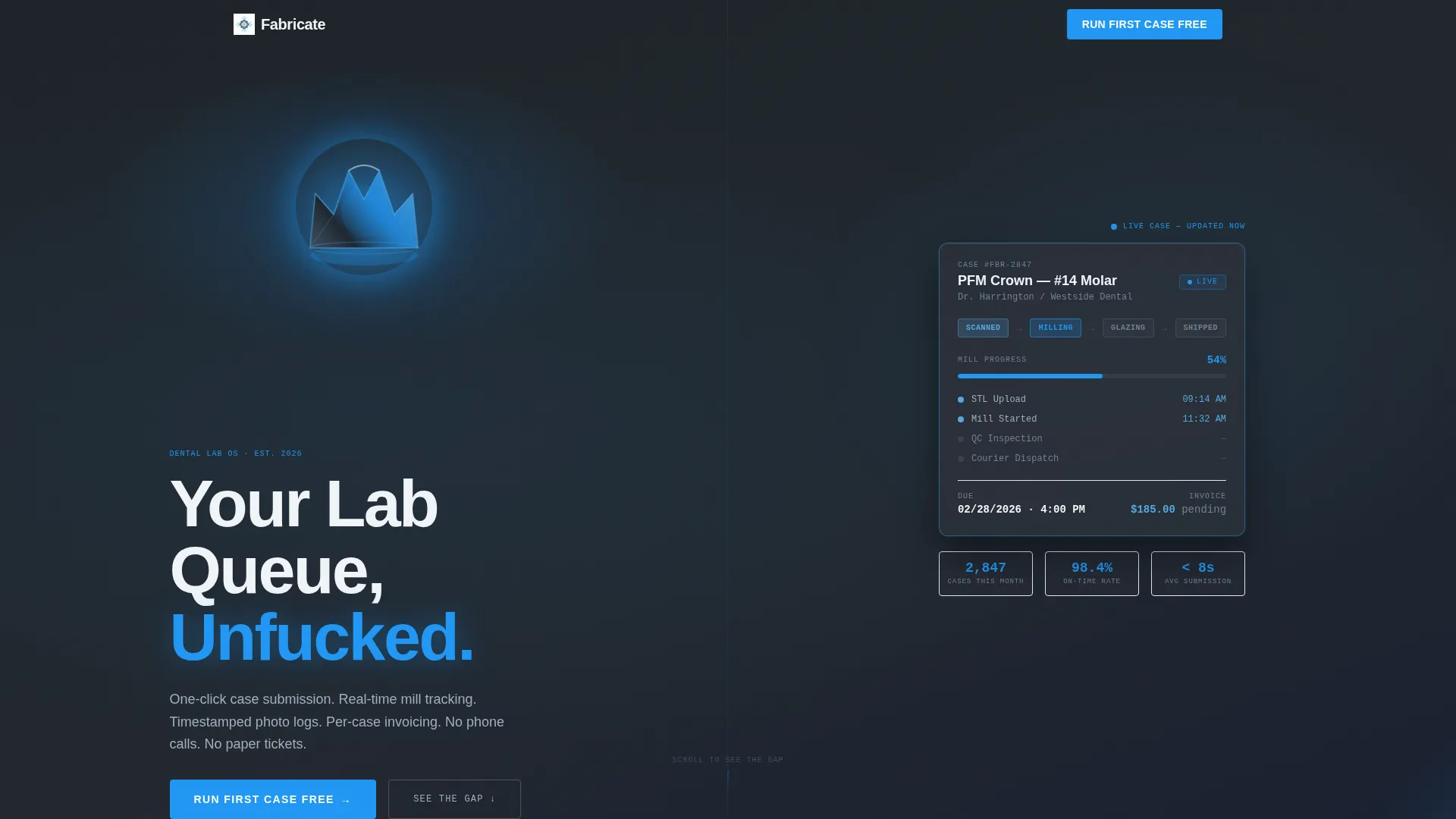
Fabricate is a single-page, split-screen landing page template designed for dental lab booking and case management platforms. It uses a Bold Brutalist visual identity, a dark full-bleed header with a 3D-rendered zirconia crown, and a scrolling Feature Matrix that builds an unmistakable case for switching from legacy workflows to streamlined digital case submissions.
Who this template is for
This template is built for teams launching or marketing a dental lab booking system. It speaks directly to the people who feel the daily pain of disorganized lab coordination.
- Practice managers who juggle crown remakes, implant timelines, and callbacks across multiple labs
- Lab owners buried in paper job tickets, missed pickups, and unclear case statuses
- Orthodontists who need aligner staging locked precisely to patient appointment dates
What problem this template solves
Dental lab coordination still runs on voicemails, paper tickets, and end-of-month billing surprises. This template gives a software platform a landing page that makes that old reality feel unbearable and the new one feel inevitable.
- No single place to show the before-and-after gap in case submission, status visibility, remake accountability, and billing clarity
- Generic SaaS landing pages fail to speak the specific language of lab owners and practice managers
- Most templates cannot carry the industrial, high-precision tone that builds instant credibility with clinical audiences
What you get with this template
This template delivers a fully structured, section-led landing page layout ready to present a dental lab management platform with authority and visual weight.
- A dark full-bleed header with a rotating 3D zirconia crown, animated headline entry, and a live case tracker user interface card showing status pills: Scanned, Milling, Glazing, and Shipped
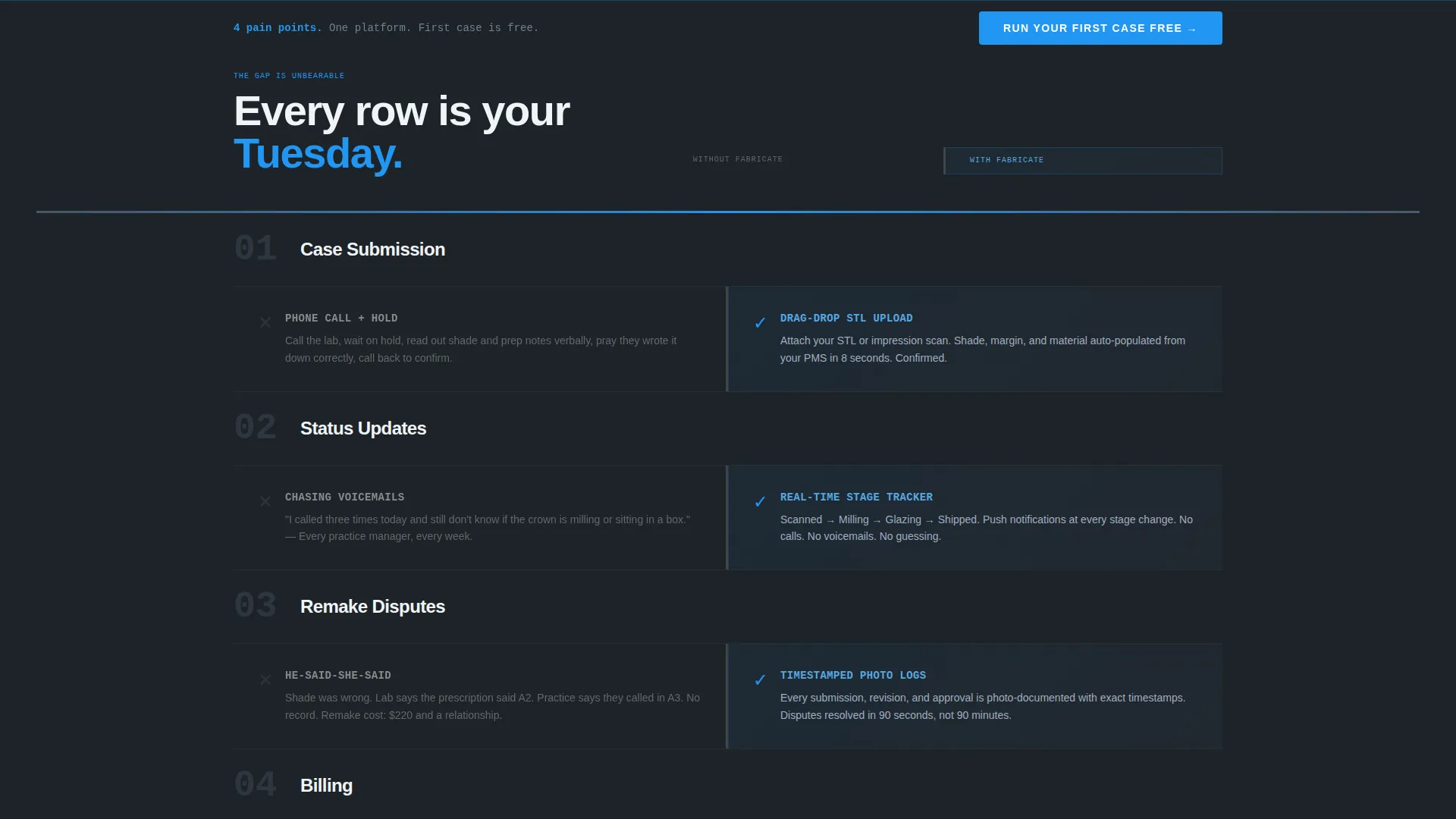
- A scrolling Feature Matrix in a versus architecture with left-column pain and right-column relief, animating row by row as the visitor scrolls
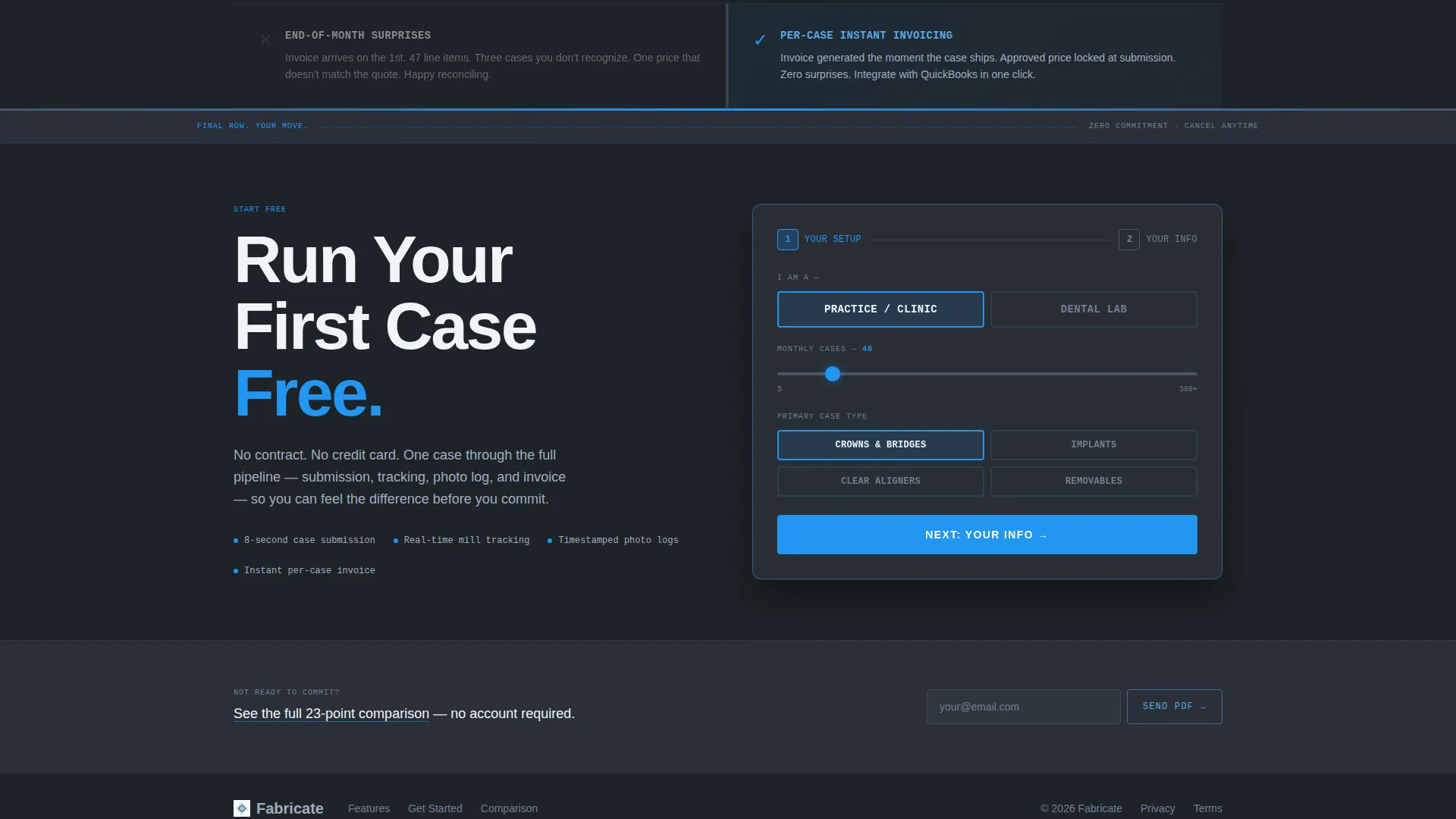
- A two-step conversion form, a pinned bottom-viewport call to action, a full-width brutalist call-to-action block, and a secondary email-gated PDF download path
Feature list
This section covers every major functional and design component built into the Fabricate template.
Dark Full-Bleed Hero Header
The header opens on a near-black viewport where a 3D-rendered zirconia crown rotates under a single electric arc blue spotlight. After two seconds, an oversized brutalist slab-type headline punches in from the left. The right side simultaneously reveals a glowing user interface card displaying a live case tracker with color-coded status pills.
Versus Feature Matrix
The core scroll section divides the screen into two columns. The left column presents each pain point in slate monochrome. The right column lights up in clinical sky blue with the solution. Rows cover case submission, status updates, remake disputes, and billing. Each row animates in on scroll with thick divider lines, oversized row numbers, and monospaced data typography.
Pinned Sticky Call to Action
After the third Feature Matrix row, a call-to-action button reading "Run Your First Case Free" pins itself to the bottom of the viewport. It stays visible as the visitor continues scrolling, maintaining conversion pressure without interrupting the comparison narrative.
Two-Step Conversion Form
Clicking the primary call to action opens a two-step form. Step one captures lab or practice type via a toggle switch, monthly case volume via a slider, and primary case type from four options: crowns, implants, aligners, or removables. Step two asks for name, email, and current lab management software.
Email-Gated PDF Download Path
A secondary conversion path sits below the Feature Matrix as a plain-text link: "See the full 23-point comparison." This gates a downloadable PDF behind a single email field, capturing visitors who are sold on the problem but not yet ready to start a free case.
Full-Width Brutalist call to action Block
After the final Feature Matrix row, a full-width section repeats the primary call to action in a high-contrast brutalist layout. This gives every visitor who scrolled the full page a clear, unmissable next step with no competing visual noise.
Page sections overview
| Section | Purpose |
|---|---|
| Dark Full-Bleed Header | Opens with rotating crown, animated headline, and live case tracker card |
| Animated Feature Matrix | Compares old lab workflow pain points against platform-powered solutions |
| Pinned Viewport call to action | Keeps the primary call to action visible after the third matrix row |
| Two-Step Signup Form | Qualifies and captures leads with role, volume, case type, and contact details |
| PDF Download Path | Captures warm leads with a low-commitment email-gated comparison download |
| Full-Width call to action Block | Closes the page with a high-contrast brutalist conversion block |
Design & branding system
The Fabricate template follows a Slate and Sky color system rooted in industrial precision. Every visual decision reinforces the feeling of a milled titanium abutment held up against a diagnostic lightbox.
- Core palette: deep foundry slate (#1E2328) for backgrounds, polished instrument gray (#4A5568) for secondary surfaces, clinical sky (#56A8E2) for highlighted solution states, and electric arc blue (#2196F3) reserved for buttons, progress bars, and hover states
- Typography: oversized brutalist slab type for headlines, monospaced data fonts for matrix rows, creating a mechanical and clinical contrast that signals precision
- Every surface is either shadow or signal with no decorative elements between them, keeping the reader focused on the comparison and the conversion
Mobile & speed optimization
The Fabricate template is structured to translate its bold desktop layouts into a readable, functional mobile experience without losing its visual authority.
- The split-screen 50/50 layout and Feature Matrix rows are designed to stack cleanly on smaller screens, preserving the row-by-row scroll animation and comparison readability
- The pinned bottom call-to-action and two-step form are sized and spaced for thumb-friendly interaction on mobile viewports
How this template helps you convert
Fabricate is engineered around a single conversion philosophy: escalate the pain of the old workflow, then make the relief feel one click away.
- The Feature Matrix builds scroll-driven frustration on the left and stacks relief on the right, row by row, until the gap between old and new feels unbearable and the primary call to action becomes the only logical next step.
- The two-tier conversion architecture captures both high-intent visitors through the free case signup and lower-intent visitors through the email-gated PDF download, so no qualified prospect leaves the page empty-handed.
Other information about this template
Fabricate was built specifically for the dental lab vertical, where generic technology landing pages consistently fail to build trust with clinical operators. A few additional details worth knowing:
- The template style is a 50/50 split screen, making it well-suited for side-by-side feature comparisons and the versus conversion architecture it is built around
- The Bold Brutalist theme is intentional for this niche: clinical audiences respond to precision and weight over soft marketing aesthetics
- The header concept, Dark Full-Bleed with glow, creates a cinematic first impression that immediately signals this is not a generic booking tool
- The lp direction, Comparison/Versus, is one of the highest-performing structures for vertical SaaS platforms where switching from an entrenched workflow is the core ask
- This template fits within the dental lab vertical SaaS subcategory under the broader Technology category, making it a strong starting point for any dental lab booking system platform looking to differentiate through design

Theme
Bold Brutalist
Creative direction
Feature Matrix
Color system
Slate & Sky
Style
Split Screen (50/50)
Direction
Comparison/Versus
Page Sections
Dark Full-bleed Hero with Rotating Crown
Scroll-driven Versus Feature Matrix
Pinned Sticky Call-to-action Button
Two-step Qualified Lead Form
Email-gated PDF Download Path
Full-width Brutalist Closing Call to Action Block
Related questions
Who is the Fabricate template designed for?
Can I customize the Feature Matrix rows for my platform?
What does the two-step conversion form collect?
Is the email-gated PDF download path included in the template?
Does the template support platforms that handle more than one case type?



