Feast — Fine Dining Landing Page Template
Ticket is a scroll-reveal landing page template built for a restaurant client management platform. It combines an interactive floor-map header, progressive spec-sheet reveals, and a focused lead-generation form to show restaurant operators exactly how the platform turns scattered guest data into one live command center, before asking for a single detail.
by Rocket studio
Quick summary
Ticket is a single-page, scroll-reveal landing page template designed for a restaurant client management platform. It opens with a live, clickable floor-map preview and unfolds capabilities one by one, guest profiles, automated tagging, visit-frequency scoring, revenue-per-cover analytics, and predictive no-show flagging, finishing with a two-field lead-capture form.
Who this template is for
This template speaks directly to the people running busy restaurant floors. It is built around their specific pain points and daily vocabulary, so the product feels immediately relevant from the first scroll.
- General managers handling large multi-cover services on peak nights
- Owner-operators managing multiple restaurant concepts across a city
- Front-of-house directors who need a single, reliable source for guest data
What problem this template solves
Restaurant teams often juggle handwritten VIP lists, scattered reservation notes, and disconnected guest records across multiple tools. That fragmentation slows service, creates errors, and makes personalization nearly impossible at scale.
- Guest allergies, anniversaries, and spending history are spread across too many places
- Host teams waste time searching for information that should be instant to access
- There is no clear way to show prospective platform users what a unified system actually feels like
What you get with this template
The template delivers a complete, production-ready landing page layout built around the platform's actual interface. Every section is designed to earn trust through demonstrated product depth, not marketing language.
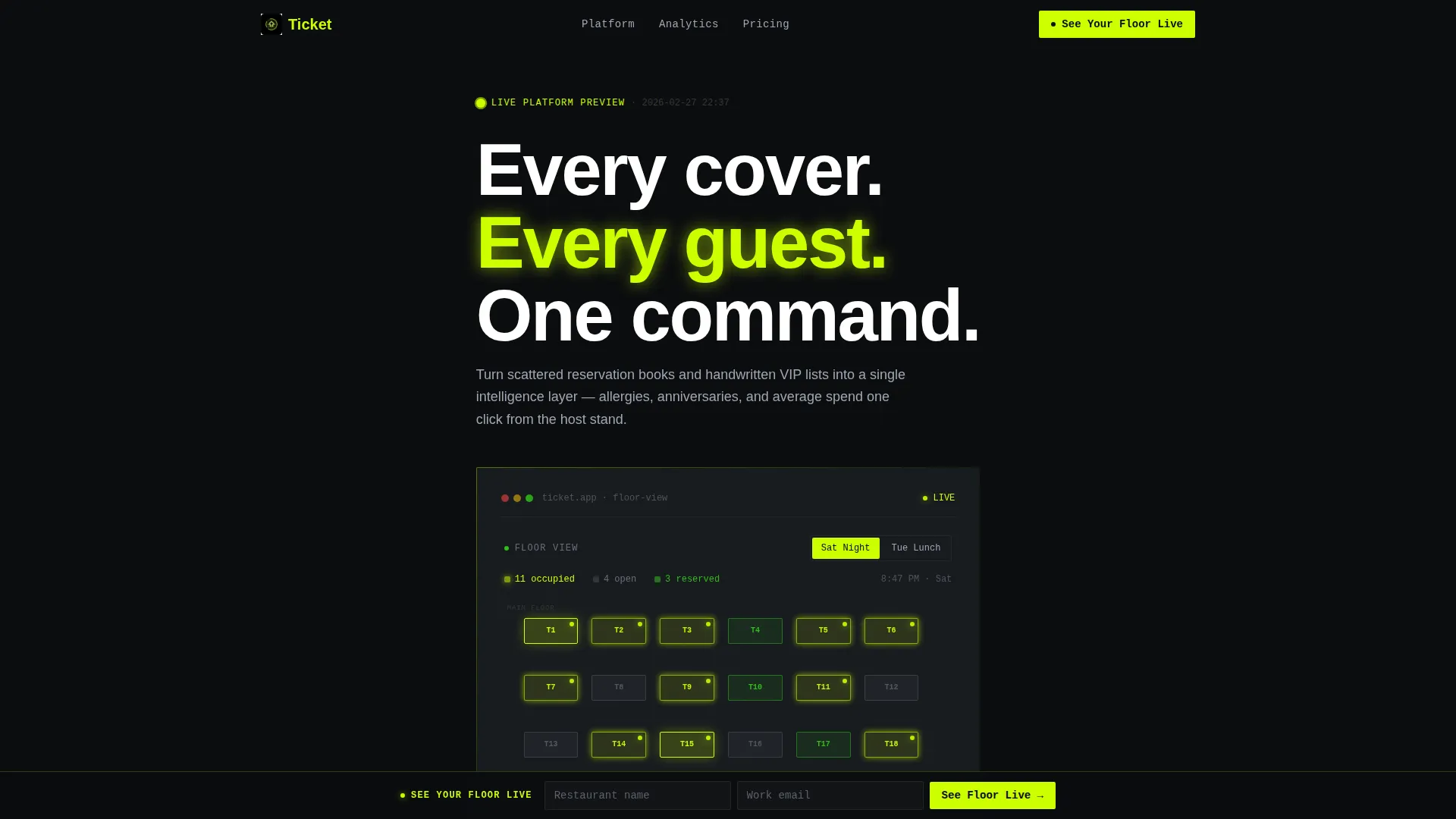
- An interactive browser-rendered floor-map header with live guest card previews
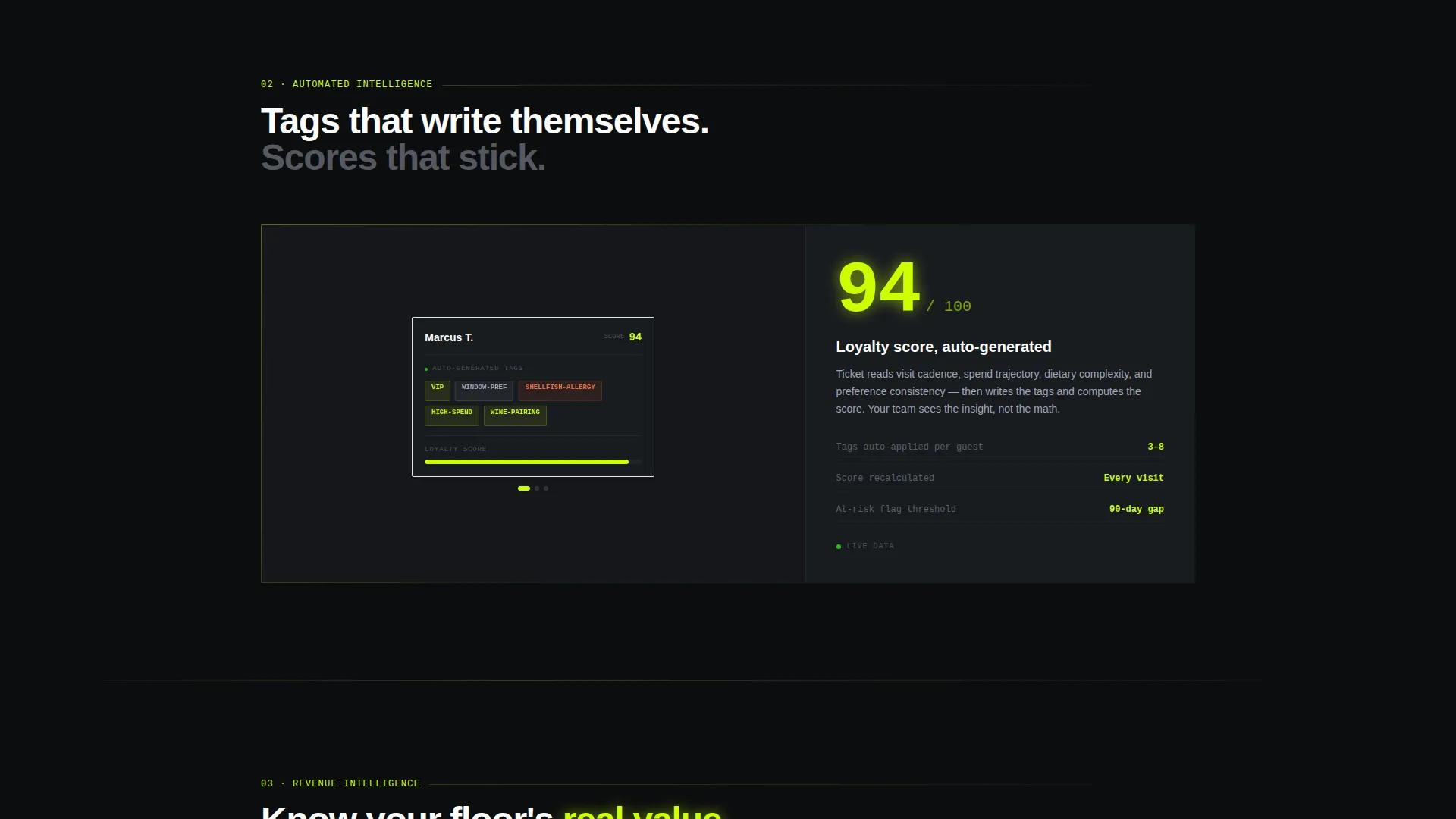
- Progressive scroll-reveal sections structured like a technical data sheet
- A persistent lead-capture bar and an expanded inline form at page end
Feature list
This template is structured around six distinct capability reveals, each designed to communicate product value without requiring explanation.
Interactive Floor-Map Header
The header renders a functioning mock-up of the platform's floor-map view directly in the browser. Tables pulse with color based on occupancy status, and hovering any table slides out a full diner profile showing visit count, seating preferences, allergy notes, and last visit date. Visitors can toggle between a Saturday-night snapshot and a Tuesday-lunch snapshot to see real data shifts.
Progressive Scroll-Reveal Sections
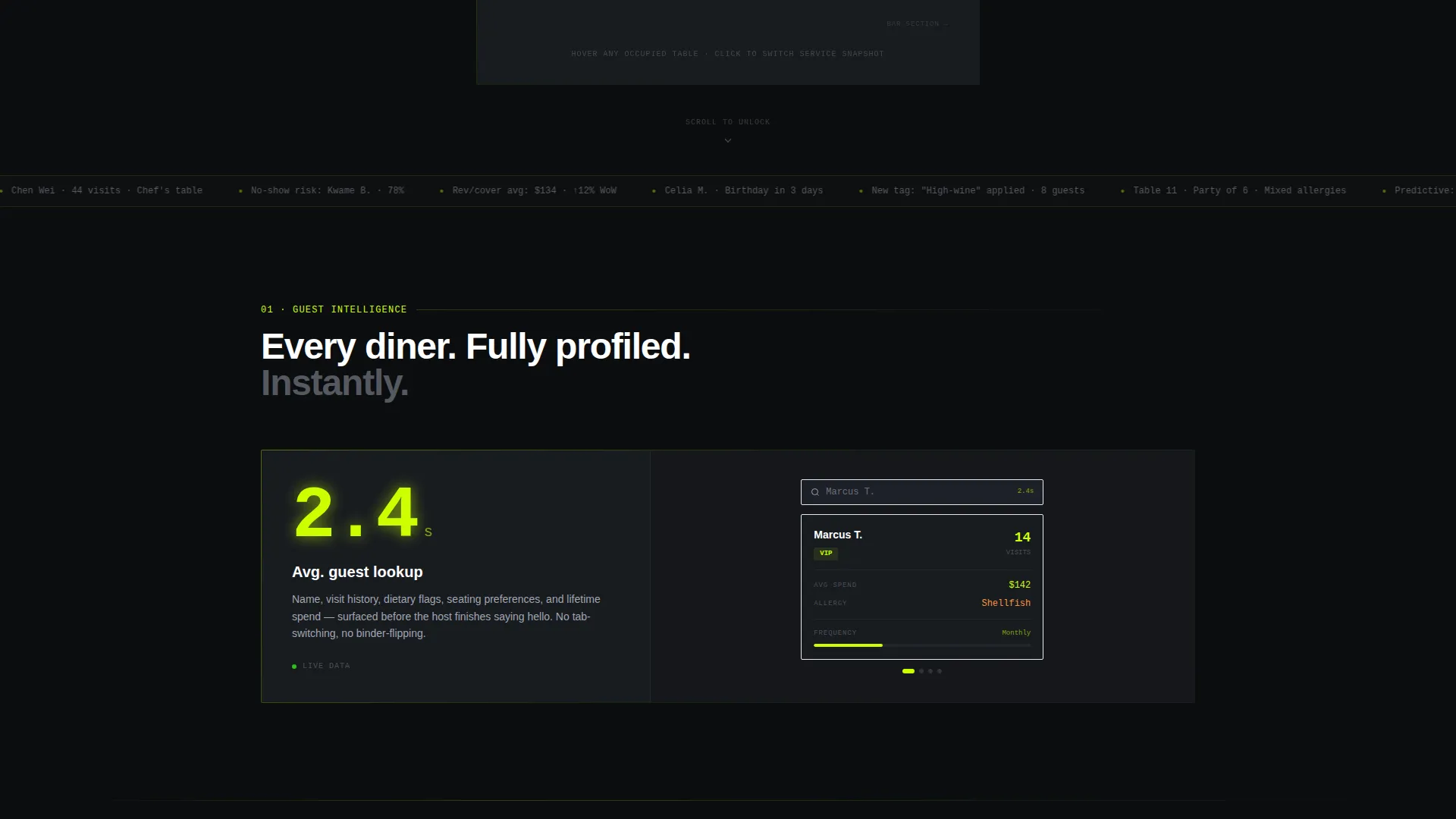
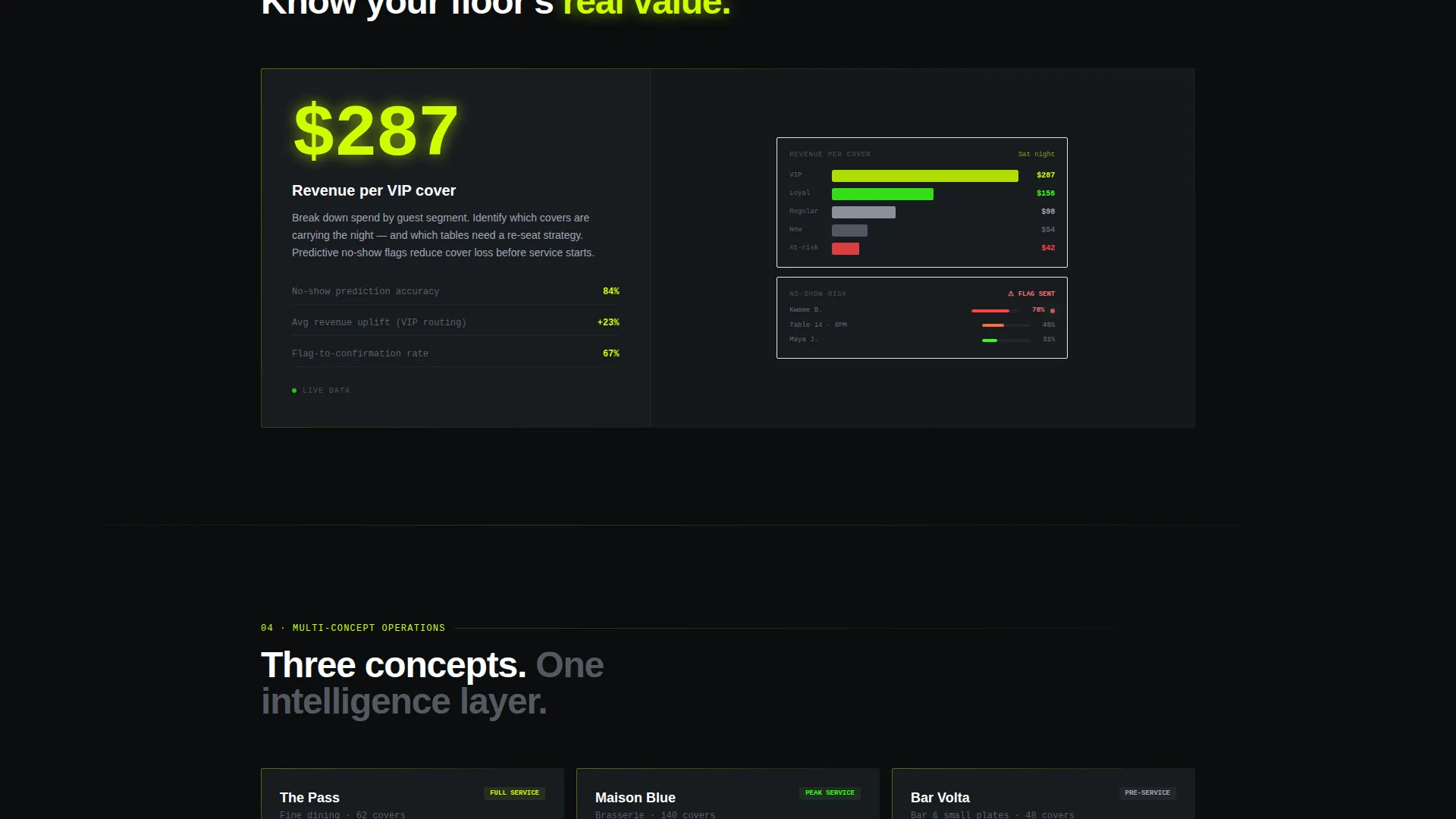
Each section unlocks as the visitor scrolls, following a deliberate escalation from basic guest profiles up to revenue analytics and no-show prediction. The reveal rhythm feels like gaining access to deeper layers of the system, rewarding attention with increasingly specific and powerful data at each stage.
Spec Sheet Content Layout
Every capability section uses a bold metric on the left and supporting detail on the right, paired with a tight animated diagram or interface fragment. The "2.4s avg. guest lookup" format gives visitors a concrete benchmark they can compare directly against their current operation.
Persistent Lead-Generation Bar
After the third section reveal, a two-field form, restaurant name and email, appears as a fixed bottom bar and stays visible throughout the rest of the page. It converts passive interest into an active next step without interrupting the content flow.
Expanded Inline Form Block
At the end of the page, the lead form expands into a full inline block with two optional fields: cover count and current point-of-sale system. This additional context helps the platform team qualify and personalize follow-up conversations.
Acid Digital Visual System
The template uses void black as the primary background, electric chartreuse for live-data accents, terminal phosphor green for secondary indicators and micro-animations, and cool zinc for body text and interface chrome. The palette creates an information-dense, high-contrast environment where every bright element signals active data.
Page sections overview
| Section | Purpose |
|---|---|
| Interactive Floor Map | Hero header with live clickable guest profiles and occupancy states |
| Guest Profile Reveal | First scroll section introducing individual diner data depth |
| Automated Tagging Section | Demonstrates automated guest classification and visit-frequency scoring |
| Revenue Analytics Reveal | Shows revenue-per-cover data and spending pattern visualization |
| No-Show Flagging Section | Introduces predictive no-show flagging with animated interface fragment |
| Persistent call to action Bar | Fixed bottom lead-capture form active from third section onward |
| Inline Form Block | Expanded end-of-page form with cover count and point-of-sale fields |
Design & branding system
The visual identity follows a Data Command theme executed through an Acid Digital color system. Every design choice is calibrated to feel like a live operations terminal rather than a marketing page.
- Void black (#0B0D0F) background, electric chartreuse (#CCFF00) for interactive highlights, terminal phosphor green (#39FF14) for micro-animations, and cool zinc (#A1A6B4) for body text and interface chrome
- No stock photography or illustration; the platform interface itself is the only visual element
- Scroll-triggered animations and pulsing table states reinforce the sense of live, real-time data at every stage
Mobile & speed optimization
The template is built for a responsive reading experience so the spec-sheet layout and interactive header elements adapt cleanly across screen sizes.
- The floor-map header and scroll-reveal sections reflow for tablet and mobile viewports without losing the data-dense visual language
- The persistent bottom call to action bar is positioned to remain usable on smaller screens without blocking primary content
How this template helps you convert
The page is structured so visitors interact with the product before they encounter any form. By the time the lead-capture bar appears, the visitor has already experienced the platform through the header and seen specific performance metrics they can benchmark against their own operation.
- The interactive floor-map header creates immediate product familiarity and holds attention from the first second, replacing abstract claims with a live demo experience
- The escalating spec-sheet reveals build specific, credible proof across guest management, analytics, and predictive features, so the "See Your Floor Live" form feels like a natural next step rather than a cold ask
Other information about this template
This template is categorized under Technology, specifically within the Restaurant Software and Software-as-a-Service subcategory, targeting the restaurant client management niche. It is well suited for teams evaluating modern restaurant management platforms and looking for a high-impact first impression.
- The template style is Scroll Reveal (Progressive), meaning capabilities are introduced one at a time in a deliberate sequence rather than displayed all at once
- The header concept is an Interactive Preview, making the product the hero from the first pixel rather than relying on photography or abstract visuals
- The lead-generation direction means every design and copy decision supports a single outcome: getting qualified restaurant operators to submit the "See Your Floor Live" form
Theme
Data Command
Creative direction
Spec Sheet
Color system
Acid Digital
Style
Scroll Reveal (Progressive)
Direction
Lead Generation
Page Sections
Interactive Floor-map Header
Progressive Scroll-reveal Layout
Spec Sheet Content Format
Persistent Bottom Call to Action Bar
Expanded Inline Form Block
Acid Digital Color System
Related questions
Who is this landing page template built for?
What makes the header different from a typical hero section?
How does the lead-capture form work across the page?
Can I customize the color system for a different brand?
Does the template include the actual platform software?



