Feast — Premium Restaurant Landing Page Template
Portal is a dashboard-style restaurant customer portal landing page built for operators who need clarity at a glance. It combines a live-styled reservation view, real-time revenue ticker, review sentiment gauge, and table occupancy map into one command-center layout. The freemium conversion flow asks for just three fields and no credit card, making sign-up instant.
by Rocket studio
Quick summary
Portal is a single-page restaurant customer portal landing page that puts reservations, revenue, and reviews on one screen. Built on a dark Dashboard Pro theme with a Teal Catalyst color system, it uses animated metrics and a scrolling proof cascade to show operators exactly what their data could look like, before they ever fill out a form.
Who this template is for
This template is designed for restaurant operators who manage more data than their current tools can surface cleanly. It speaks directly to people running fast-moving front-of-house (FOH) operations.
- Independent restaurateurs managing multiple delivery platforms and a manual waitlist at the same time
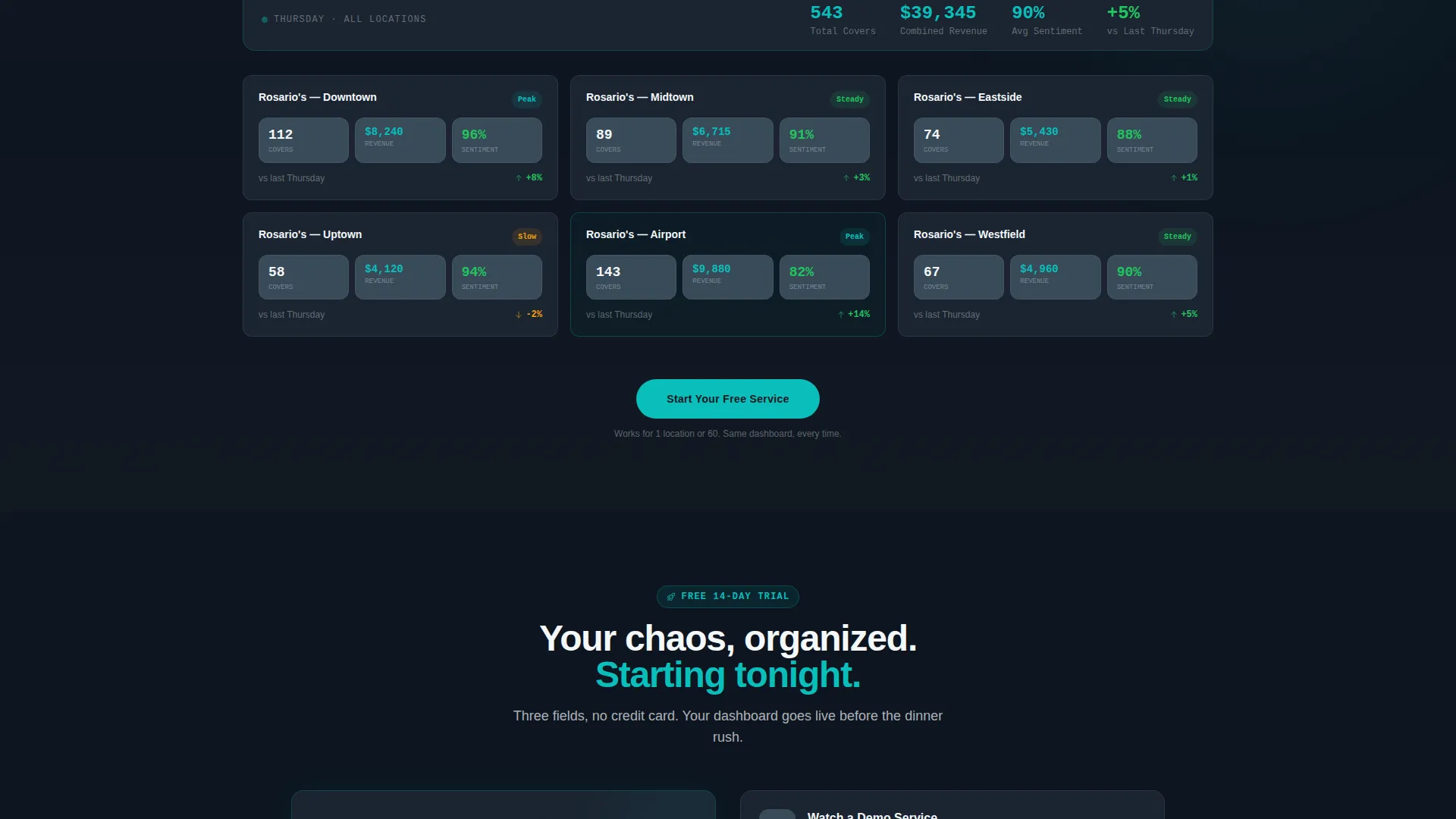
- Multi-unit operators who need a consolidated covers view across several locations before a weekly meeting
- FOH managers tracking table turn times during a high-volume dinner or Friday rush service
What problem this template solves
Most restaurant operators track performance across disconnected tools: a paper waitlist, separate delivery app dashboards, and a spreadsheet for weekly revenue. The gap between those tools and a single clear picture costs time and money.
- No unified view means reservation data, review scores, and revenue figures live in separate places
- Manual reporting delays mean operators see last week's numbers when they need tonight's
- Prospective portal users need to feel the product before they commit, not read about it
What you get with this template
This template gives you a complete, conversion-ready landing page for a restaurant customer portal product. Every section is purpose-built to move an operator from skeptical visitor to signed-up user.
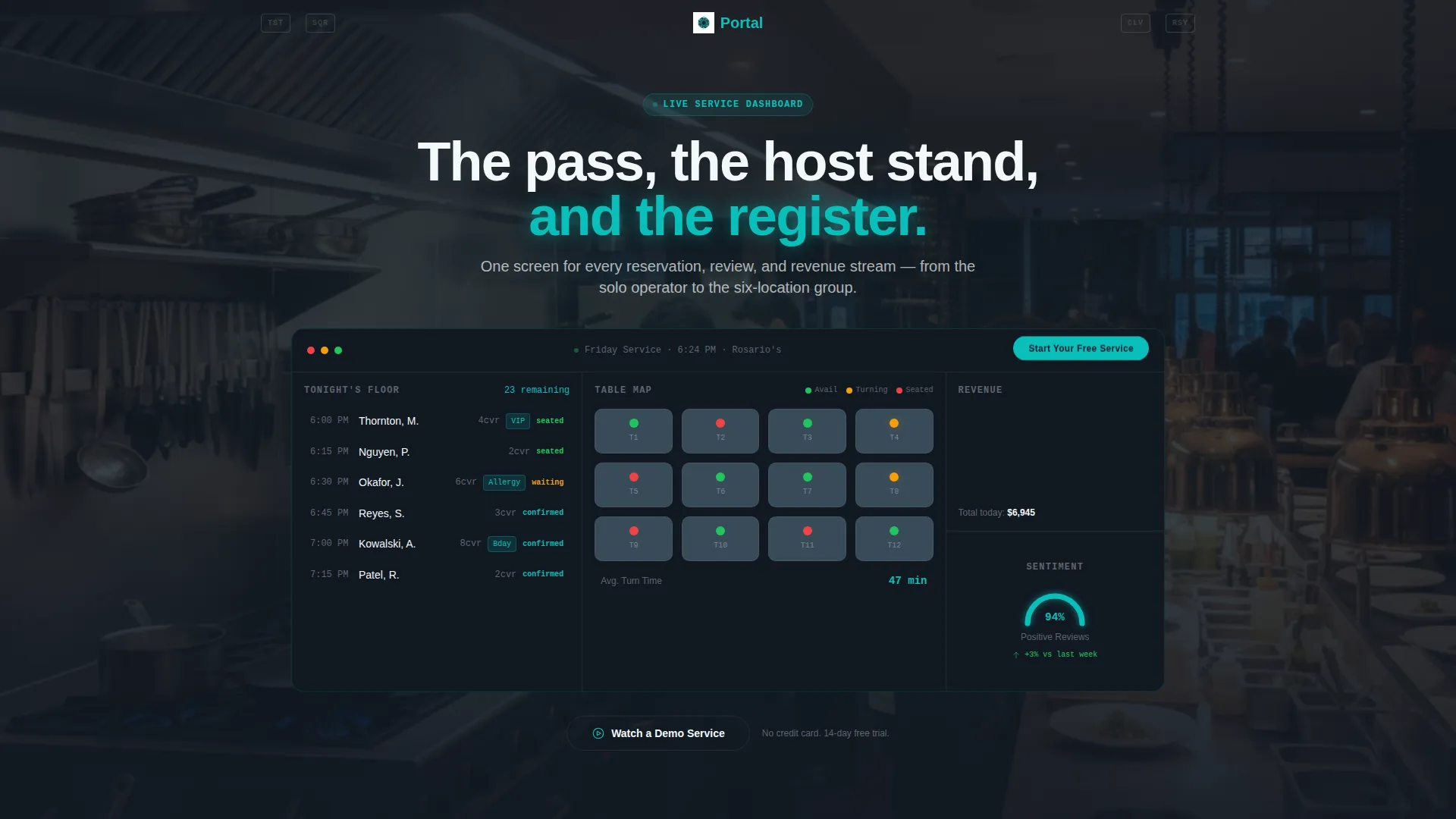
- A live-styled dashboard mockup in the header with tonight's reservations, a revenue ticker, a sentiment gauge, and a color-coded table map
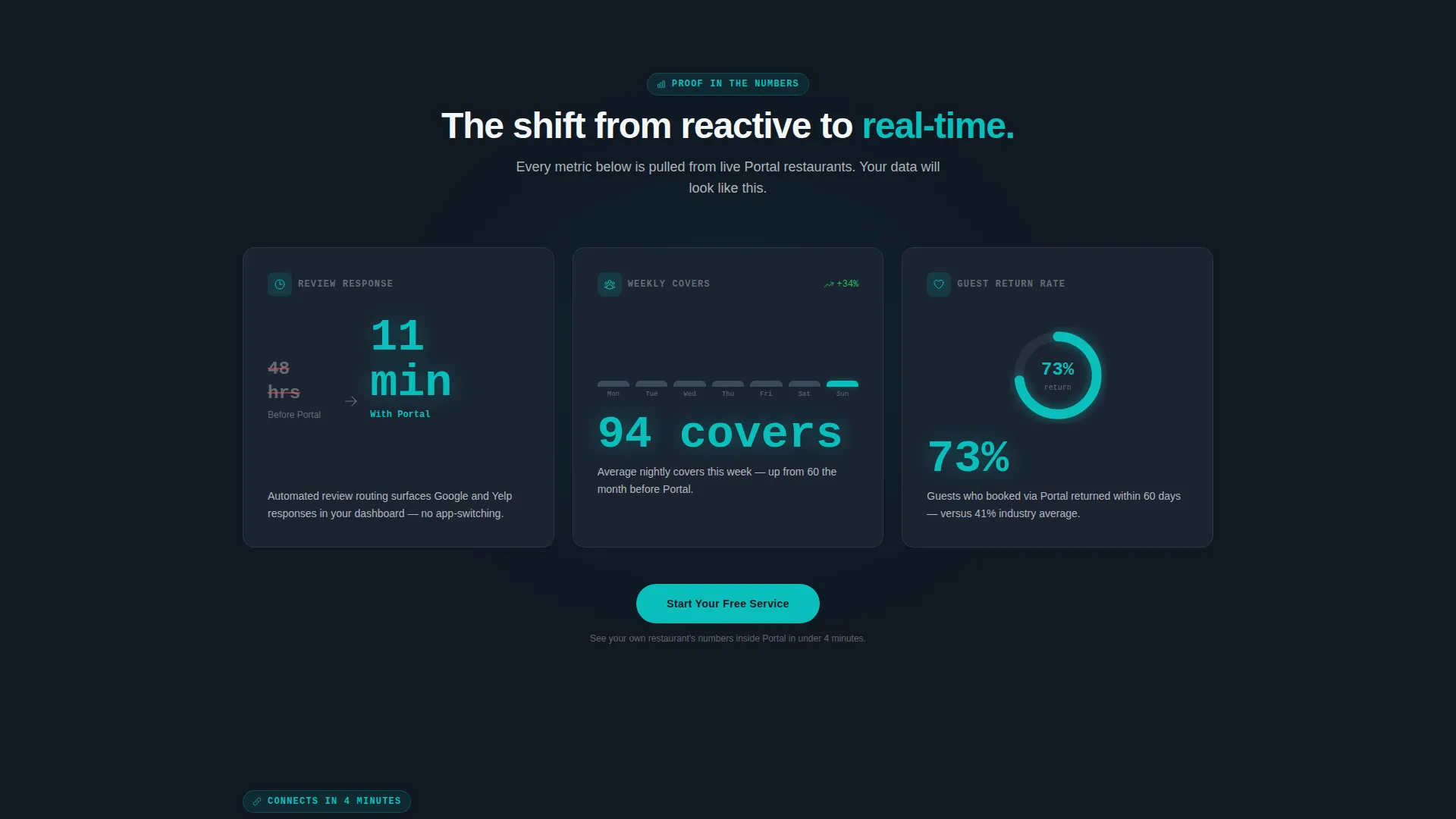
- A scroll-driven stats cascade where each section leads with an animated metric before explanatory copy appears
- A freemium sign-up flow with three fields: restaurant name, number of locations, and current point-of-sale (POS) system
Feature list
This template brings together several focused components that work together to earn trust and drive sign-ups.
Live Dashboard Header Mockup
The header shows a realistic portal preview without scrolling. It displays tonight's reservations in a left column, a real-time revenue ticker top-right, a review sentiment gauge bottom-right, and a table map with green, amber, and red occupancy dots at center. Specific figures like $4,812 in lunch revenue and 94% positive sentiment make the mockup feel operational, not decorative.
Animated Stats Cascade
Each content section loads a counter or data visualization before any supporting copy appears. Metrics like average review response time dropping from 48 hours to 11 minutes, a week-over-week covers graph, and a guest retention donut chart at 73% appear first, then explanatory text fades in beneath. The rhythm keeps operators engaged and escalates from operational visibility to revenue impact to competitive advantage.
POS Integration Logo Bar
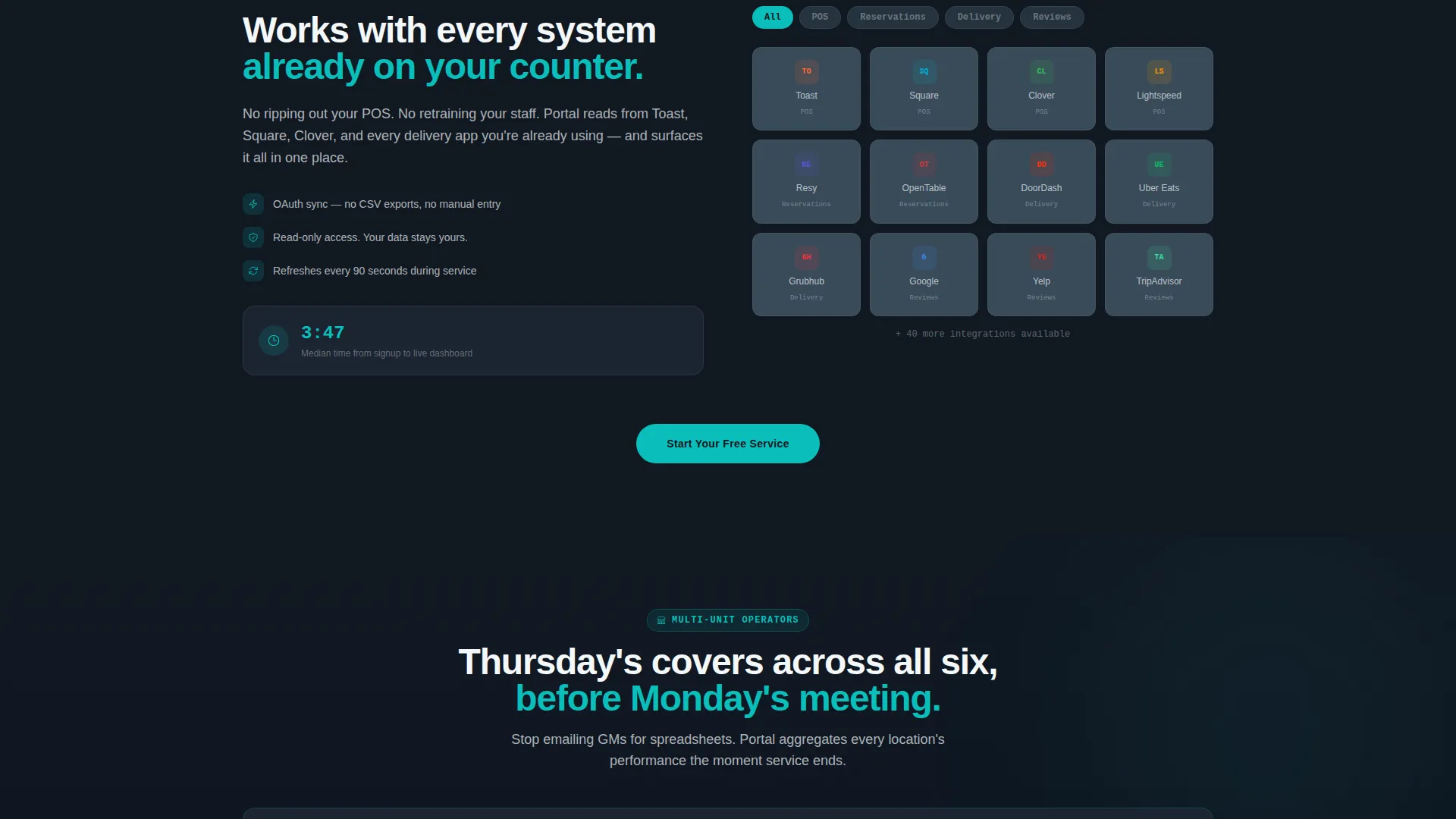
A slim header logo bar centers the product wordmark and flanks it with partner POS integration logos in muted monochrome. This establishes credibility within the first two seconds of the page load, before the visitor scrolls.
Freemium Sign-Up Form
The primary call to action, labeled "Start Your Free Service," floats inside the header dashboard mockup and repeats after every third data section. The form collects only restaurant name, number of locations via a single-or-multi-unit toggle, and POS system from a dropdown. No credit card is required.
Demo Video Secondary Path
A secondary conversion path labeled "Watch a Demo Service" offers a 90-second screen recording of a real dinner rush managed through the portal. It is gated by email only, giving hesitant visitors a low-commitment way to experience the product.
Dark-Panel Visual Hierarchy
Each section of the page uses progressively darker and more detailed dashboard panels as the visitor scrolls deeper. The visual escalation mirrors the escalating stakes of the copy, pulling the reader from surface-level curiosity into genuine engagement.
Page sections overview
| Section | Purpose |
|---|---|
| POS Logo Bar | Establish integration credibility instantly |
| Live Dashboard Mockup | Show the portal in action above the fold |
| Primary call to action Button | Capture freemium sign-ups at first view |
| Animated Stats: Operations | Lead with review response time metric |
| Animated Stats: Revenue | Show week-over-week covers growth graph |
| Animated Stats: Retention | Display guest retention donut chart |
| Secondary call to action: Demo | Offer low-friction demo video path |
| Freemium Sign-Up Form | Convert visitors with three-field form |
Design & branding system
The visual identity follows a Dashboard Pro theme built on the Teal Catalyst color system. The palette is designed to feel like a POS terminal at midnight: dark, efficient, and easy on the eyes during long shifts.
- Deep charcoal (#1B2431) for panel backgrounds, primary teal (#0ABFBC) for live data accents and active states, cool slate (#394B59) for secondary containers, and clean plate white (#F4F7F9) for typography and card surfaces
- Muted monochrome treatment on integration logos keeps the header clean without distracting from the live dashboard mockup
- Color-coded occupancy dots in green, amber, and red on the table map give operators instant status reads at a glance
Mobile & speed optimization
The template is designed for operators who check numbers on a tablet during service or on a phone between shifts. The layout prioritizes fast visual clarity over decorative complexity.
- Dashboard mockup components are structured to remain readable and functional at smaller screen widths
- Animated counters and data visualizations are scoped to load efficiently without requiring heavy external dependencies
- The three-field sign-up form is touch-friendly and keeps friction low on mobile devices
How this template helps you convert
Portal is built around a clear conversion philosophy: show operators their own chaos organized, then give them an easy path out of it.
- The above-the-fold dashboard mockup with real-looking figures creates immediate recognition. Operators see a reflection of their own data before any copy asks them to act.
- The animated stats cascade escalates emotional stakes with each scroll. By the time the sign-up form appears again, the visitor has seen specific, credible proof at the operational, revenue, and retention level.
- The dual conversion paths, a no-card freemium sign-up and an email-gated demo video, meet operators wherever they are in their decision process and reduce the cost of saying yes.
Other information about this template
This template is categorized under Technology and specifically targets the restaurant software and software-as-a-service (SaaS) niche. It is a strong fit for teams building or marketing a restaurant customer portal product.
- The POS integration logo bar is designed to display partner logos including Toast, Square, Clover, and Resy in muted monochrome, signaling broad compatibility to operators already using those systems
- The template style is Dashboard and Data Grid, making it suitable for any product that leads with live data or operational metrics
- The creative direction, Stats-First Impact, is intentional: proof comes before persuasion at every section
- The header concept is a Logo Bar, and the landing page direction is Freemium and Trial conversion
Theme
Dashboard Pro
Creative direction
Stats-First Impact
Color system
Teal Catalyst
Style
Dashboard/Data Grid
Direction
Freemium/Trial
Page Sections
Live Dashboard Header Mockup
Animated Stats Cascade
POS Integration Logo Bar
Three-field Freemium Sign-up
Email-gated Demo Video Path
Escalating Dark-panel Layout
Related questions
What kind of product is this template designed for?
Does the sign-up form require a credit card?
Can this template support a multi-location restaurant group?
What is the Watch a Demo Service path?
Is the header dashboard a real live data feed?



