Restaurant Digital Presence Professional Website Template
Platter is a drag-and-drop restaurant website builder designed for speed. Independent restaurateurs, franchise managers, and food hall vendors can create a professional, fully responsive restaurant website without any coding skills. The interactive comparison table landing page showcases Starter, Pro, and Multi-Location tiers, letting buyers explore every feature before downloading the app.
by Rocket studio
Quick summary
Platter is a fast, visual website builder built for the restaurant industry. It lets you drag, drop, and go live without a developer or agency. The landing page is a comparison table that demos each feature as you scroll, so you understand exactly what you're getting before you ever tap "download."
Who this template is for
This template is built for food businesses that need a professional restaurant website live fast. No coding required. No waiting on a web team.
- Independent restaurateurs who need a modern site before the weekend rush
- Franchise managers rolling out pages across multiple locations at once
- Food hall vendors and cafe or bakery operators launching before their first pop-up
What problem this template solves
A restaurant's website is often the first interaction customers have with the brand. A slow, outdated, or missing site costs you reservations and walk-ins. Most restaurant owners lack time, budget, or coding skills to fix it alone.
- Building a new website traditionally takes weeks and thousands of dollars
- Generic builders don't showcase cuisine, drink menus, or photo galleries the way food businesses need
- Visitors who can't browse menus or find hours leave within seconds
What you get with this template
The template delivers a complete, interactive comparison table landing page. It's built to present three tiers of Platter's builder clearly, and to showcase each feature with live demos before asking for the download.
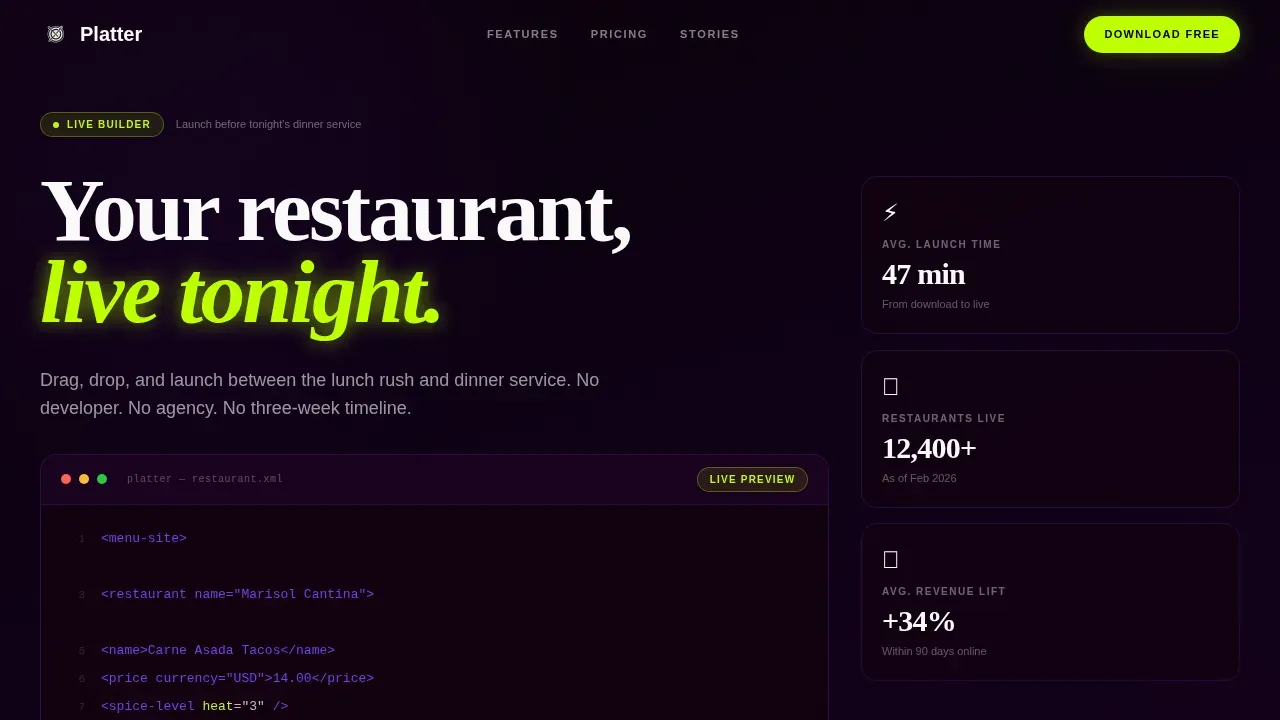
- A hero section with a typewriter code snippet and parallax wireframe showing how simple the build process is
- An interactive table with row-level feature demos and a sticky phone mockup that updates as you explore
- A smart app download call to action with platform-detected routing for App Store and Play Store
Feature list
The template is packed with purpose-built components that serve the restaurant industry's specific needs.
Interactive Tier Comparison Table
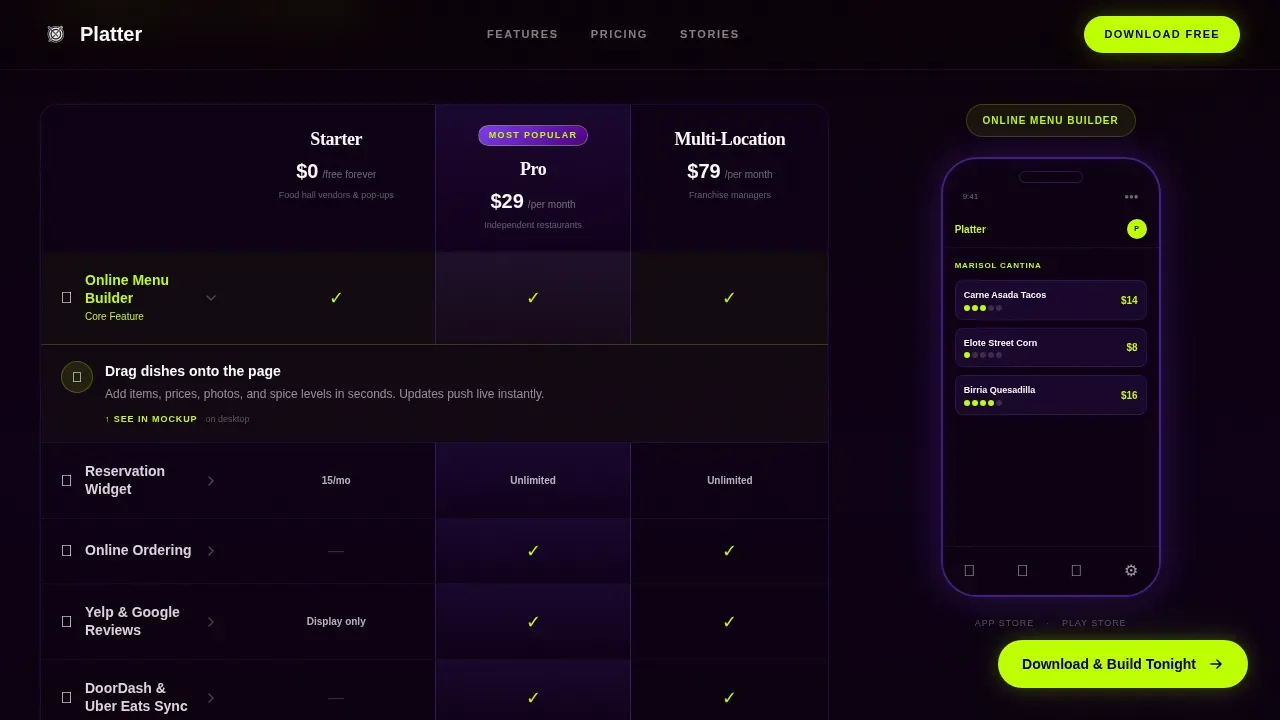
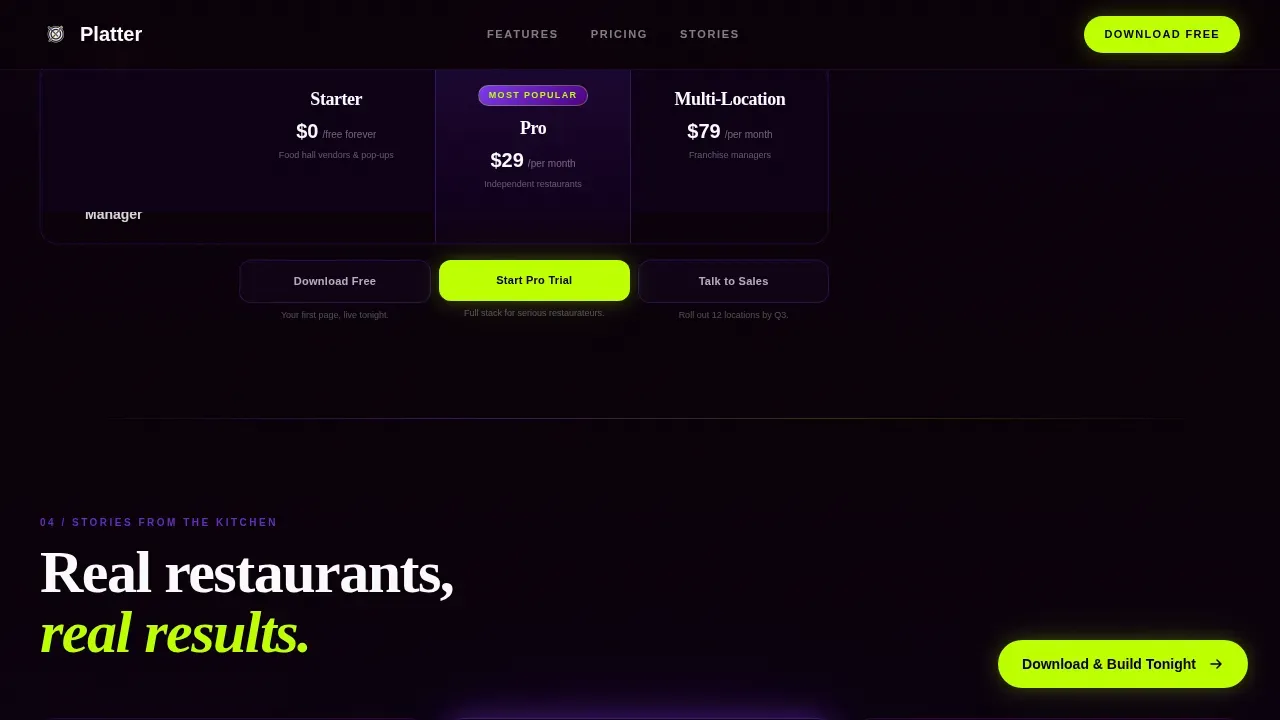
Each row of the comparison table is tappable. Tap "Online Menu" and a mini menu preview animates open. Tap "Reservation Widget" and a booking flow plays through in a docked phone mockup. The table covers Starter, Pro, and Multi-Location tiers, letting customers discover the full scope of the builder row by row.
Sticky Device Mockup
A phone mockup is docked to the right margin on desktop. It follows the visitor down the page and updates its screen to display whichever feature was last explored. This keeps the experience visual and grounded in real product behavior.
Typewriter Code Snippet Hero
The header opens with a live-rendered code block that animates line by line. It builds a restaurant menu component using tags like dish, price, and spice level. Behind it, a faint wireframe of a restaurant homepage assembles in parallax, connecting code to outcome instantly.
Smart App Download Call to Action
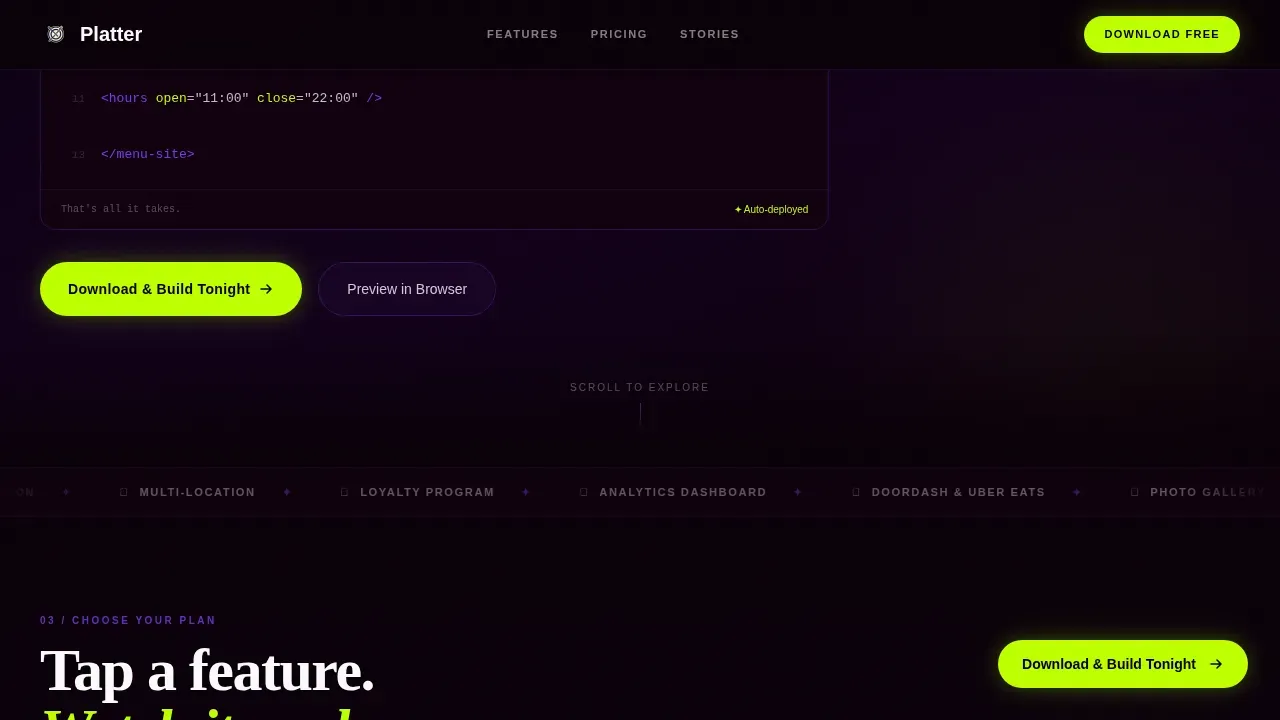
The primary call to action reads "Download and Build Tonight." On mobile, it anchors in a sticky bottom bar. On desktop, it floats as a pill. Platform detection routes visitors to the correct app store automatically. A secondary "Preview in Browser" path opens a sandboxed template playground for visitors not yet ready to install.
Persona-Matched Social Proof
Three testimonials are placed after the comparison table, each matched to a specific buyer persona. Each one includes concrete outcomes like time saved and revenue lift, giving real context to the builder's promise.
Dynamic Motion Visual System
High-animation components throughout, including spotlight cards, a marquee, scroll-linked mockup updates, and lime-accent hover states on every tier column, create a page that feels alive without slowing down the message.
Page sections overview
| Section | Purpose |
|---|---|
| Hero Code Snippet | Animate menu markup to show build simplicity |
| Comparison Tier Table | Demo features row by row across three plan tiers |
| Social Proof Strip | Present persona-matched testimonials with specific outcomes |
| App Download Bar | Route visitors to the correct app store with smart detection |
| Single-Row Footer | Display essential links and contact details cleanly |
Design & branding system
The visual identity follows a Dynamic Motion theme built on an Electric Indigo color system. The palette feels like a neon sign buzzing to life in a dark alley behind a kitchen: bold visuals against a clean, near-black background.
- Colors: deep digital indigo (#4B0082), charged violet (#7C3AED), plate-white (#FAFAFA), reactive lime accent (#BEFF00) for hover states and active toggles, and near-black (#0A0008) as the base
- Typography: Fraunces serif for display headings, DM Sans for body and interface text, keeping the tone elegant yet modern
- The lime accent fires on column hovers and active table rows, giving the page consistent energy and visual rhythm
Mobile & speed optimization
This template is mobile-first by design. The primary call to action is an app download, so the mobile experience drives every layout and interaction decision.
- Sticky bottom bar on mobile keeps "Download and Build Tonight" always reachable without scrolling back up
- Fully responsive layouts ensure the comparison table, photo galleries, and menu display pages stack and reflow cleanly on small screens
- Responsive design principles are applied across all pages so buttons stay tappable and text stays readable without zooming
How this template helps you convert
The comparison table earns the download tap before asking for it. By the time a visitor reaches the bottom, they've already seen their restaurant built inside the mockup.
- Row-level feature demos let customers experience reservations, menu displays, and ordering flows firsthand, removing doubt before the call to action appears
- Platform-detected routing removes friction at the final step, sending each visitor directly to the right app store without a redirect or extra tap
Other information about this template
This template is part of a broader landscape of restaurant website templates designed to help food businesses establish a fast, professional online presence. Restaurant website templates like Platter save time and money compared to custom development. The platter fast launch restaurant website template is purpose-built for the restaurant industry, covering use cases from pizza and sushi spots to cafe, bakery, fine dining, and catering services operations.
- The template supports pages for menu highlights, drink menus, dining space photography, and more, giving any cuisine type a strong visual showcase
- Hosting, a blog, and google analytics integration can support the broader project depending on the plan tier selected
- Clients can change colors, swap the logo, and customize layouts to match their brand without any coding required, making premium design accessible to every restaurant business
- Dedicated support is available through the platform, and a free preview path lets potential users explore the builder before committing to a store download
- Restaurant website templates across the industry, such as those offered by platforms including Squarespace and Wix, have popularized responsive layouts and built-in reservations tools, and Platter builds on that foundation with a more dynamic, app-first experience
Theme
Dynamic Motion
Creative direction
Interactive Explorer
Color system
Electric Indigo
Direction
App Download
Page Sections
Interactive Tier Comparison Table
Sticky Device Mockup
Typewriter Code Snippet Hero
Smart App Download Call to Action
Persona-matched Social Proof
Dynamic Motion Visual System
Related questions
Do I need coding skills to use this template?
What types of restaurants can use this template?
How does the comparison table work on the landing page?
Can visitors preview the template before downloading the app?
Is the landing page designed for mobile users?



