Federated Learning Technology Privacy Policy Website Template
Federate is a split-screen landing page template built for federated learning platforms. It combines a live stats dashboard, an interactive node simulator, and a staged conversion form into one dark, data-dense layout. The template targets ML engineers, privacy officers, and research teams who need to communicate privacy-preserving machine learning clearly and compellingly.
by Rocket studio
Quick summary
Federate is a single-page template designed for federated learning platforms. It uses a 50/50 split-screen layout, a Data Command visual theme, and interactive explorer mechanics to show, not just describe, how distributed model training works. The page guides technical visitors from curiosity to a free trial in one focused scroll.
Who this template is for
This template is built for teams and individuals who work at the intersection of machine learning and data privacy. It speaks the language of people who understand why raw data should never leave the edge.
- Machine learning engineers managing model training across distributed, privacy-bound data sources such as health records or financial transaction logs
- Privacy and compliance officers at fintech or healthcare organizations who need collaborative intelligence without pooling sensitive data
- Research consortia and academic institutions coordinating cross-border studies where data centralization is legally prohibited
What problem this template solves
Federated learning is a complex idea to sell. Most landing pages in this space rely on abstract diagrams and dense technical copy, losing visitors before they grasp the platform's value. This template solves that communication gap head-on.
- Visitors struggle to trust a platform they cannot directly interact with, so the template replaces promises with a live, draggable node simulator
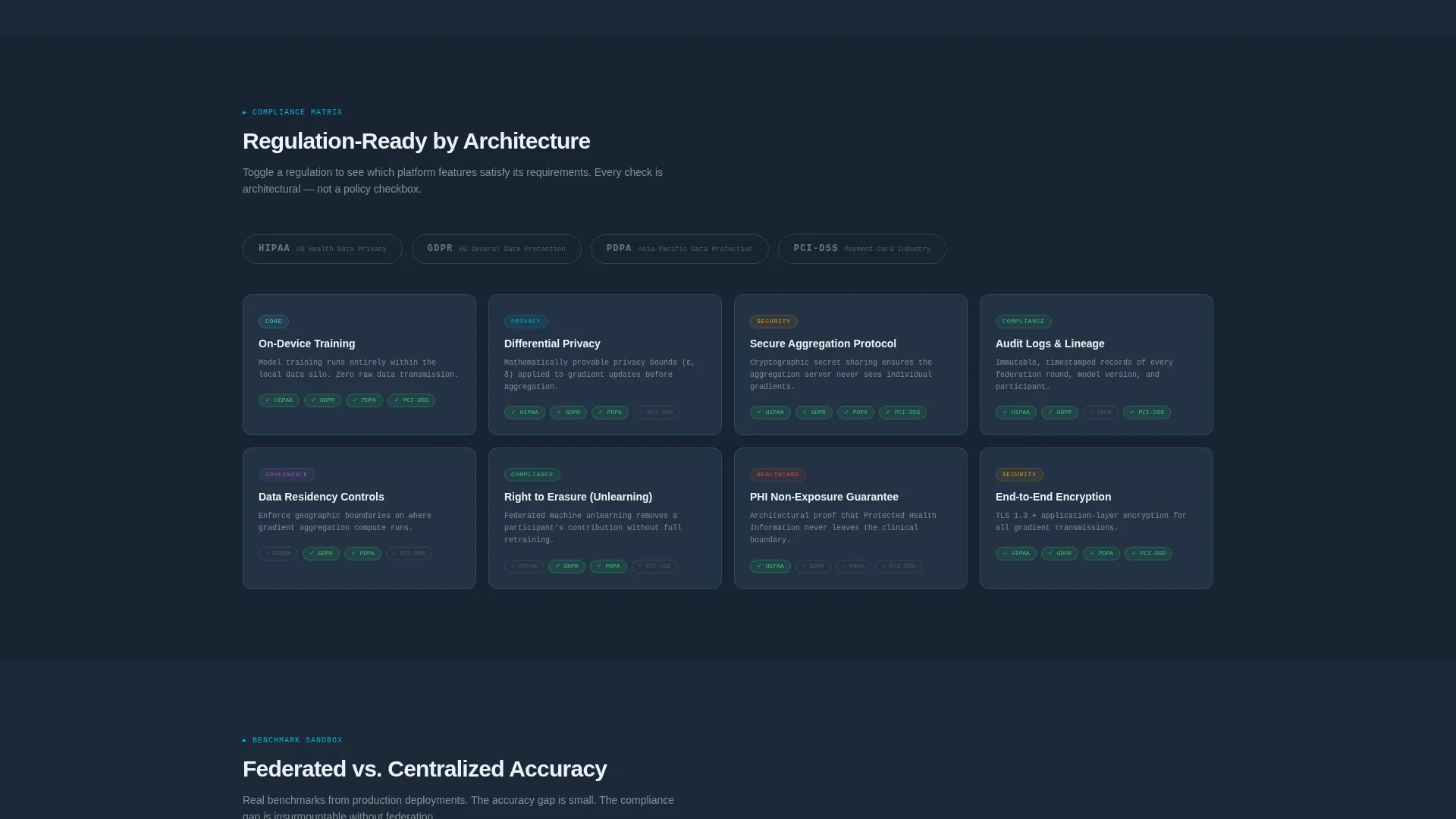
- Technical decision-makers need to verify compliance posture quickly, so the template includes a regulation toggle matrix covering frameworks like GDPR, HIPAA, and PDPA
- Conversion stalls when the sign-up barrier feels too high, so the template offers a no-gate sandbox path alongside a two-step trial form
What you get with this template
You get a fully structured, single-page layout that handles visual storytelling, technical exploration, and trial conversion in one continuous flow. Every section is purposefully designed and ready to adapt to your platform's real data.
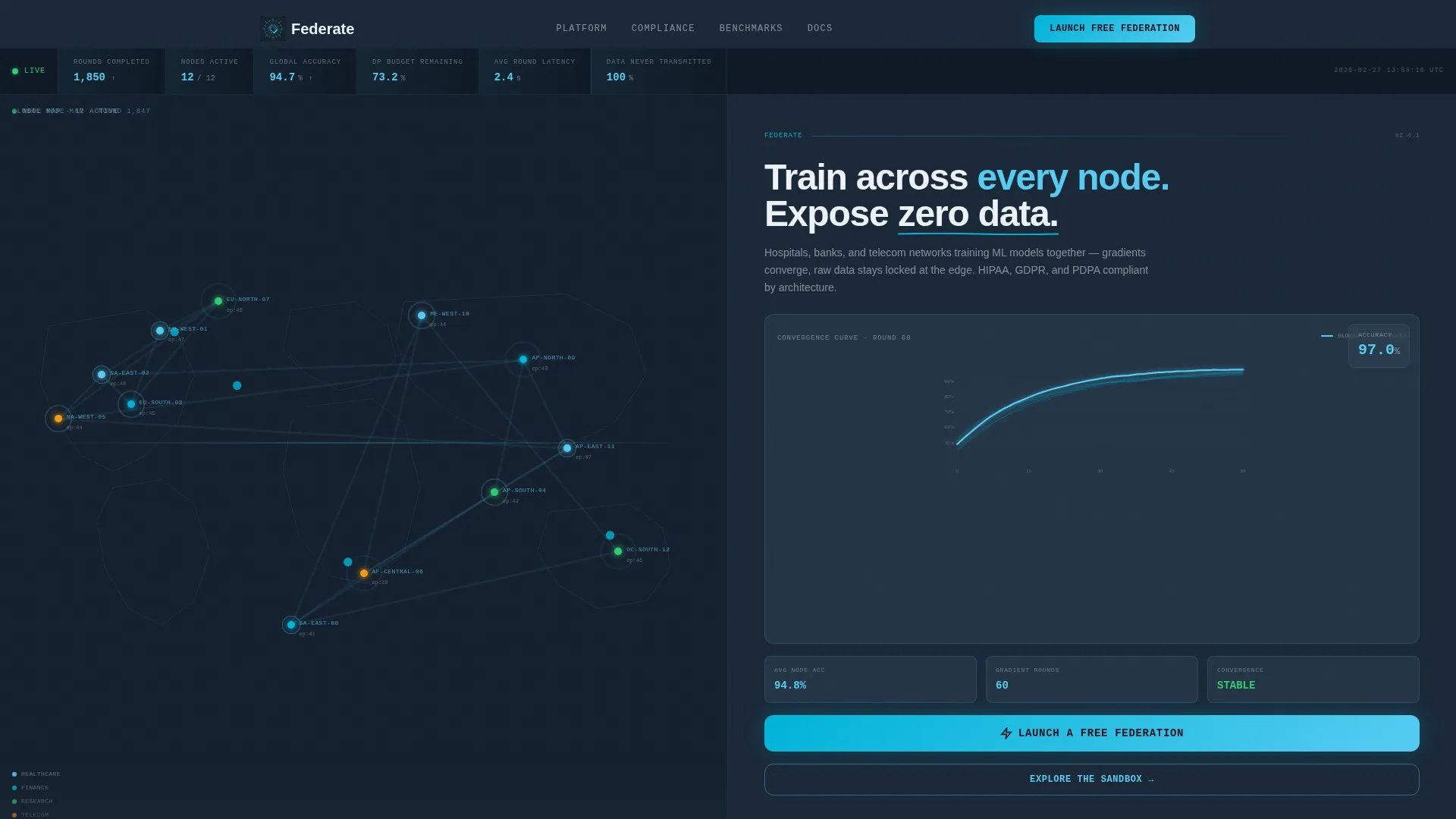
- A live stats header frozen mid-training round, showing a world map with twelve glowing node clusters, a real-time convergence chart, and aggregate metrics in monospaced typography
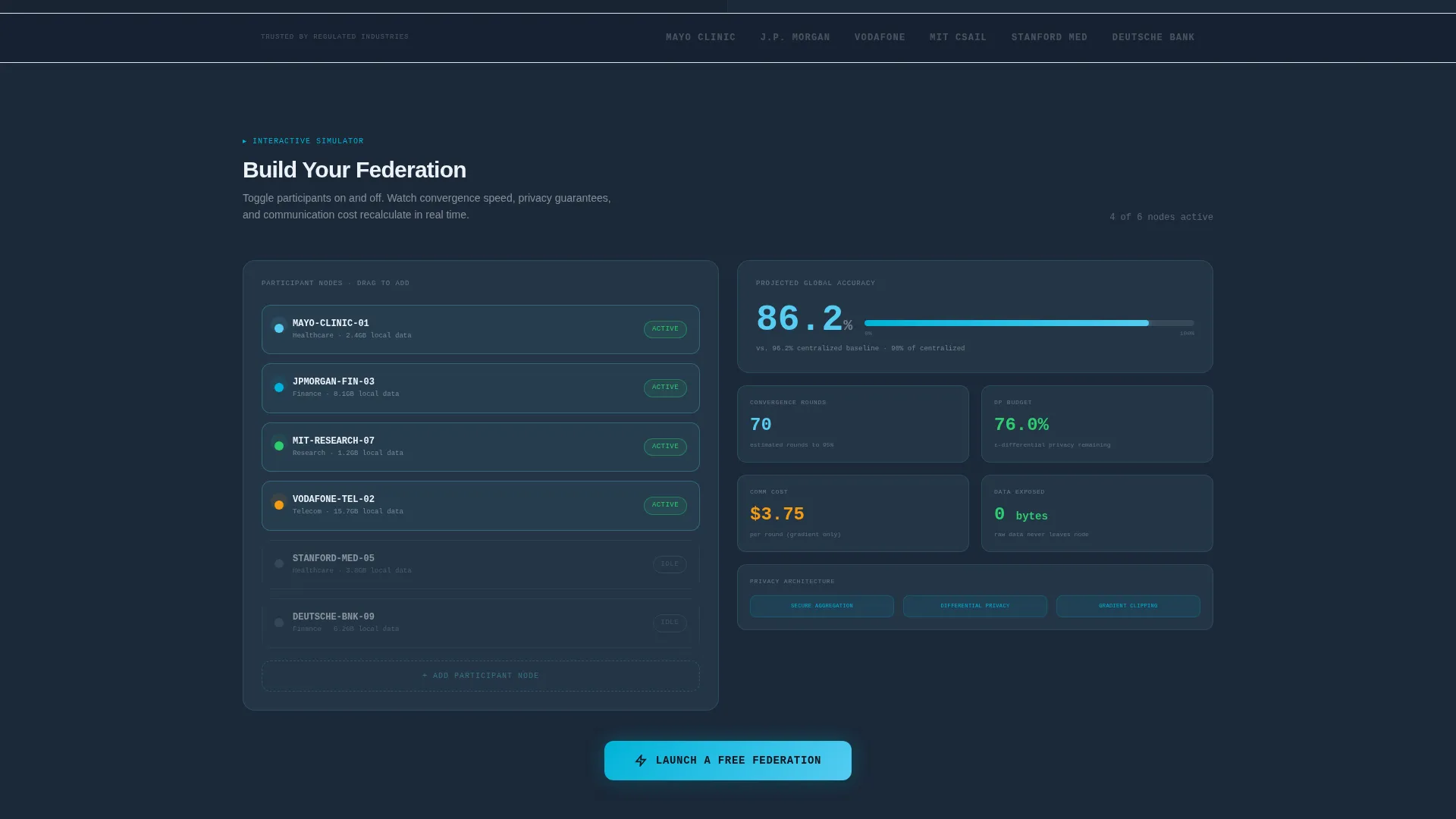
- An interactive split-screen simulator where visitors can add or remove participant nodes and watch convergence speed, privacy guarantees, and communication cost recalculate in real time
- A two-step conversion form capturing cloud provider preference and use case, plus a no-gate "Explore the Sandbox" secondary path for visitors not yet ready to commit
Feature list
This template ships with purpose-built components that reflect the actual mechanics of a federated learning platform.
Live Training Dashboard Header
The header is a stats and metrics panel frozen mid-training round. The left side renders a world map with twelve sky-blue node clusters, each labeled with anonymized site IDs and local epoch counts. The right side shows a real-time convergence chart with a climbing global accuracy curve and individual node contribution lines beneath it.
Draggable Node Simulator
Below the header, the left panel becomes an interactive node simulator. Visitors can add or remove participant nodes and immediately see the right panel update convergence speed, privacy budget consumption, and communication cost. This lets engineers explore the system's behavior before signing up.
Compliance Regulation Matrix
A dedicated section presents a toggleable compliance matrix. Visitors can switch between GDPR, HIPAA, and PDPA frameworks and see which platform features satisfy each regulation. This helps privacy officers and legal reviewers make fast, informed decisions.
Architecture Diagrams on Click
System architecture diagrams are embedded in the page and expand on click. This keeps the layout clean for first-time visitors while giving technical audiences the depth they need without leaving the page.
Federated Benchmark Sandbox
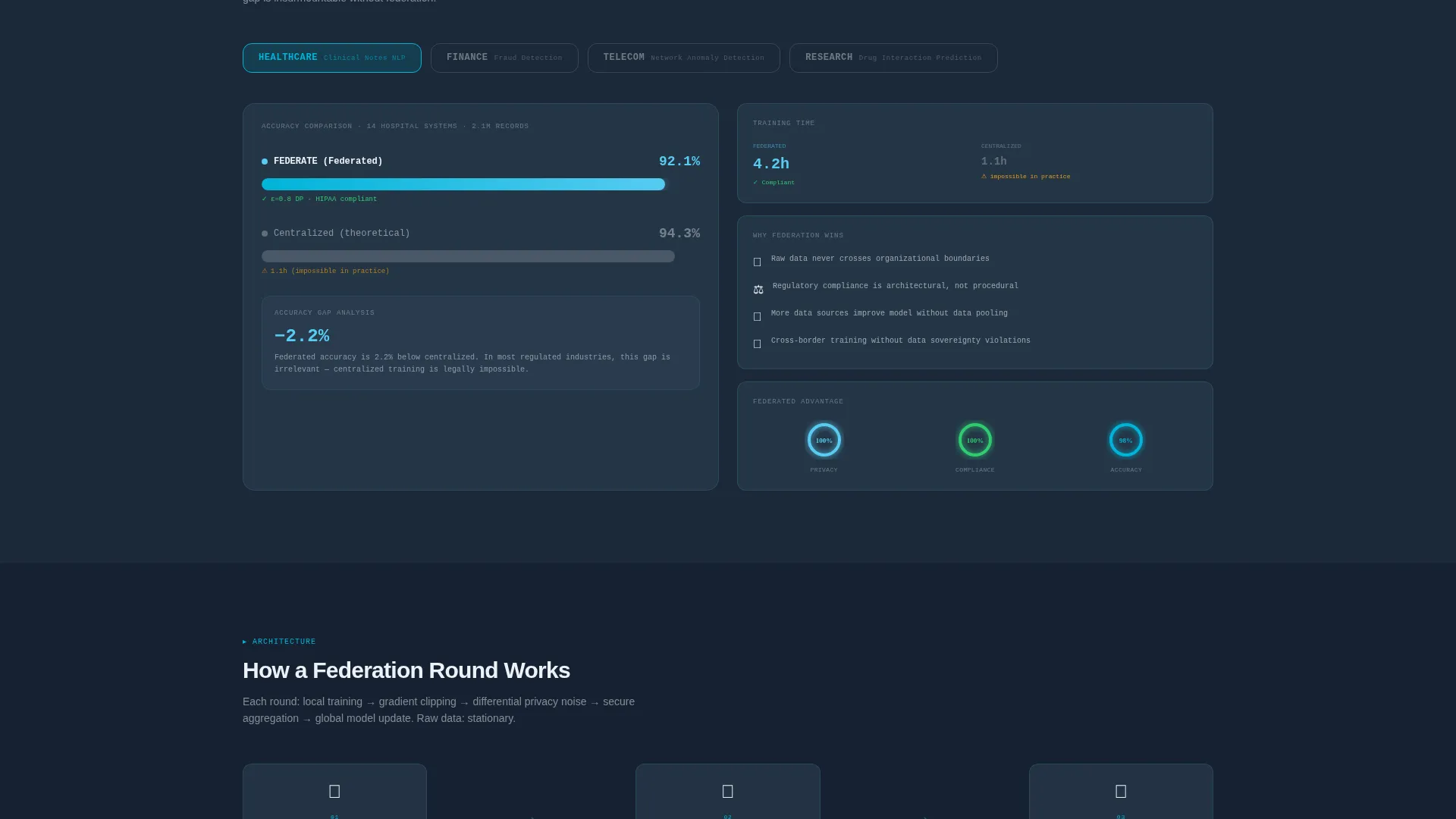
A benchmark section lets visitors compare federated model accuracy against centralized baselines directly in the browser. No sign-up is required to access this section, making it the primary proof-of-capability tool on the page.
Two-Step Trial Conversion Form
The primary call to action, "Launch a Free Federation," opens a two-step form. Step one collects email and cloud provider choice (AWS, GCP, Azure, or on-premises). Step two asks for the number of data silos and the primary use case, such as healthcare, finance, IoT, or research.
Page sections overview
| Section | Purpose |
|---|---|
| Stats Dashboard Header | Displays live training metrics, node map, and primary call to action |
| Node Simulator Panel | Lets visitors interact with distributed node configuration in real time |
| Architecture Diagram Section | Expands system diagrams on click for deeper technical review |
| Compliance Matrix Section | Toggles GDPR, HIPAA, and PDPA to highlight relevant platform features |
| Benchmark Sandbox Section | Compares federated versus centralized accuracy with no sign-up required |
| Trial Conversion Form | Captures cloud provider and use case in a two-step sign-up flow |
Design & branding system
The visual identity follows a Data Command theme built on a Slate and Sky color system. The palette feels like a predawn radar screen: dark, controlled, and illuminated only where activity demands it.
- Background panels use deep operations slate (#1B2838) and terminal charcoal (#2C3E50), while active nodes, progress rings, and hover states fire in clear-altitude sky (#56CCF2) and electric cyan (#00B4D8)
- Typography is rendered in signal white (#EDF2F7) in monospaced type for metric readouts, giving the page the feel of live telemetry rather than a marketing brochure
- The layout uses no stock photography or illustration; the data visualizations themselves serve as the visual hero throughout the page
Mobile & speed optimization
The split-screen layout is designed to adapt across screen sizes without losing the core interactive experience. The dense data components are structured to remain readable and usable on smaller viewports.
- The 50/50 split-screen format reflows gracefully so that node simulator panels and convergence charts remain functional on tablet and mobile screen widths
- Monospaced metric displays and node cluster labels are sized for legibility at reduced resolutions, preserving the telemetry aesthetic on any device
How this template helps you convert
The conversion strategy on this page is built around earned trust. Visitors are invited to interact with the system before they are ever asked for their email address.
- The "Explore the Sandbox" secondary path drops non-ready visitors directly into the interactive benchmark and simulator sections with no gate, building confidence through hands-on exploration before any commitment is requested
- The primary "Launch a Free Federation" call to action appears twice: first inside the header's right panel during peak engagement, then again anchored below the simulator after visitors have already experienced the platform's behavior
- The two-step form reduces friction by separating identity capture from use-case qualification, making the sign-up feel like a setup wizard rather than a data collection form
Other information about this template
This section covers additional practical details about the template's design scope and intended deployment context.
- The template is built as a single landing page using a split-screen (50/50) structure throughout, not a multi-page site
- The Data Command theme is designed specifically for technical audiences in high-stakes data environments such as hospitals, banks, and telecom networks
- The page is part of the Federated Learning Technology subcategory and is optimized for platforms that train machine learning models across distributed nodes
- The Interactive Explorer creative direction means the scroll experience is structured as a progressive descent through system layers, from high-level metrics to architecture detail to compliance and benchmarks
- The Freemium and trial conversion direction means both gated and ungated paths coexist, allowing the page to serve both ready-to-sign and still-exploring visitors without friction
- The template does not include pre-built backend connections, data pipelines, or live model training infrastructure; it is a front-end presentation layer ready for your team to wire to your platform
Theme
Data Command
Creative direction
Interactive Explorer
Color system
Slate & Sky
Style
Split Screen (50/50)
Direction
Freemium/Trial
Page Sections
Live Training Stats Dashboard
Interactive Node Simulator
Toggleable Compliance Matrix
Expandable Architecture Diagrams
Federated Benchmark Sandbox
Two-step Trial Conversion Form
Related questions
Who is this landing page template designed for?
Does the interactive simulator use real model training data?
Can I adjust the compliance matrix to reflect my platform's actual features?
What are the two conversion paths on this page?
Can this template support a healthcare or fintech-specific use case?



