School Landing Page Template, Sidebar Layout
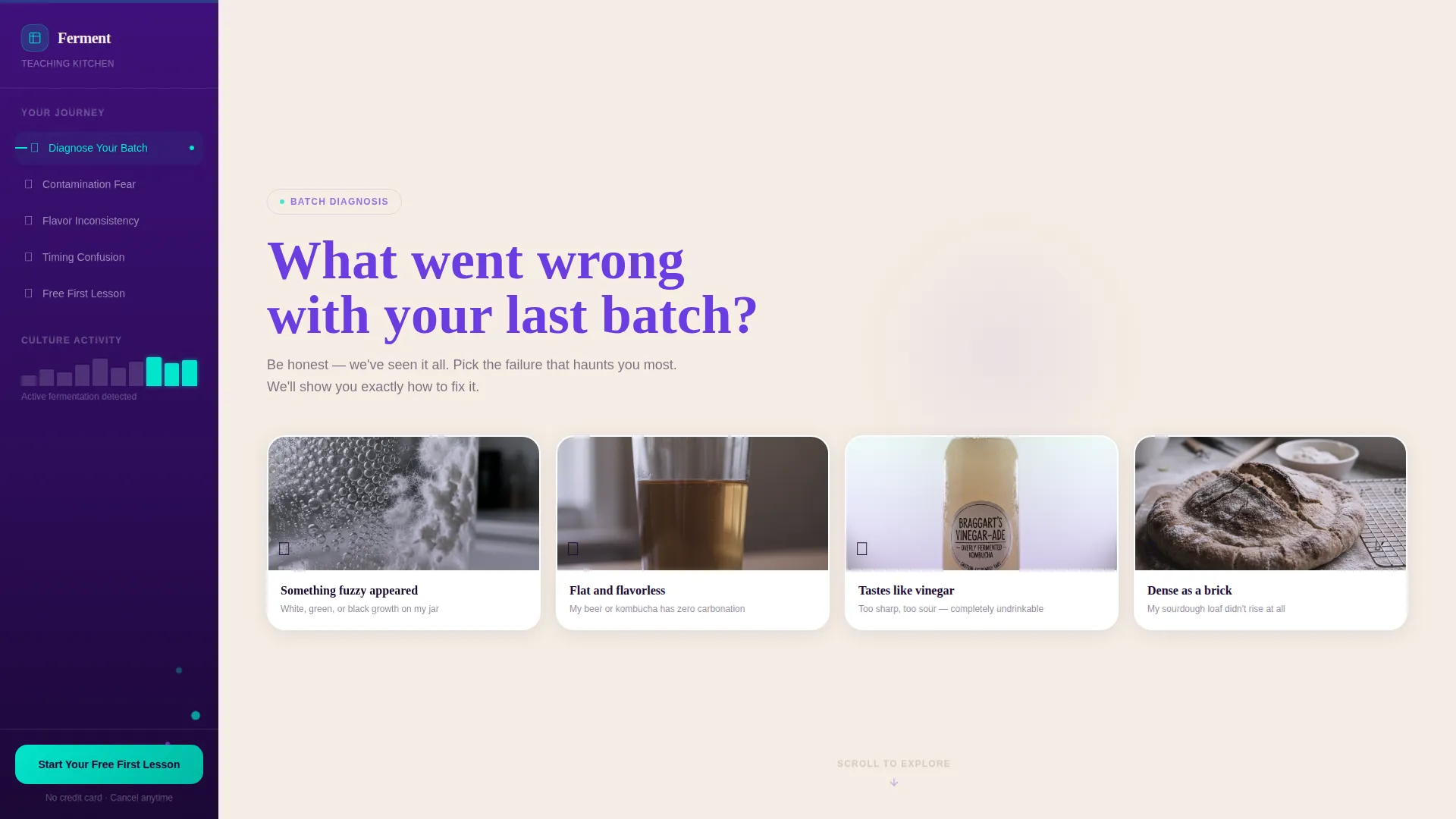
A sidebar companion landing page built for fermentation and brewing schools. It opens with a diagnostic quiz, guides visitors through a Problem-to-Solution narrative, and ends with a lightweight free-lesson signup. The Electric Indigo color system and warm cream layout make every section feel like stepping into a living, bubbling kitchen that already knows what went wrong with your last batch.
by Rocket studio
Quick summary
This template is a single-page, sidebar companion layout designed for a fermentation and brewing school. It opens with a provocative quiz, walks visitors through three escalating beginner failures, and closes with a low-friction free-lesson offer. The design feels warm and alive, deep indigo anchoring the sidebar, cream filling the content well, and cyan sparking every action.
Who this template is for
This template suits any culinary educator or fermentation school that teaches practical, hands-on skills to beginners and enthusiasts. It is built around a freemium conversion model, so it works best when you have at least one free lesson to offer as an entry point.
- Home fermentation and brewing instructors looking to convert curious browsers into enrolled students
- Culinary schools or teaching kitchens offering courses in sourdough, kombucha, homebrewing, or fermented foods
- Independent educators who want a page that teaches first and sells second
What problem this template solves
Most course landing pages lead with features and pricing before the visitor has any reason to trust the school. Beginners in fermentation arrive already frustrated, they killed a starter, bottled flat beer, or ended up with vinegar instead of kombucha. They need to feel understood before they feel sold to.
- Visitors arrive with a failed batch in memory and no clear path forward; this template meets them exactly there
- Generic course pages skip the diagnosis and jump to the pitch, losing visitors who are not yet convinced they can learn
- The template removes the high-friction signup wall by teaching something real before asking for an email address
What you get with this template
You get a fully structured sidebar companion landing page with every section pre-built and visually connected. The layout flows from quiz to problem arc to conversion without any gaps in the narrative. Each component is designed to carry the visitor forward rather than pause them.
- A Quiz Starter header with four illustrated answer cards, micro-animation on selection, and a sidebar that responds with a personalized course recommendation
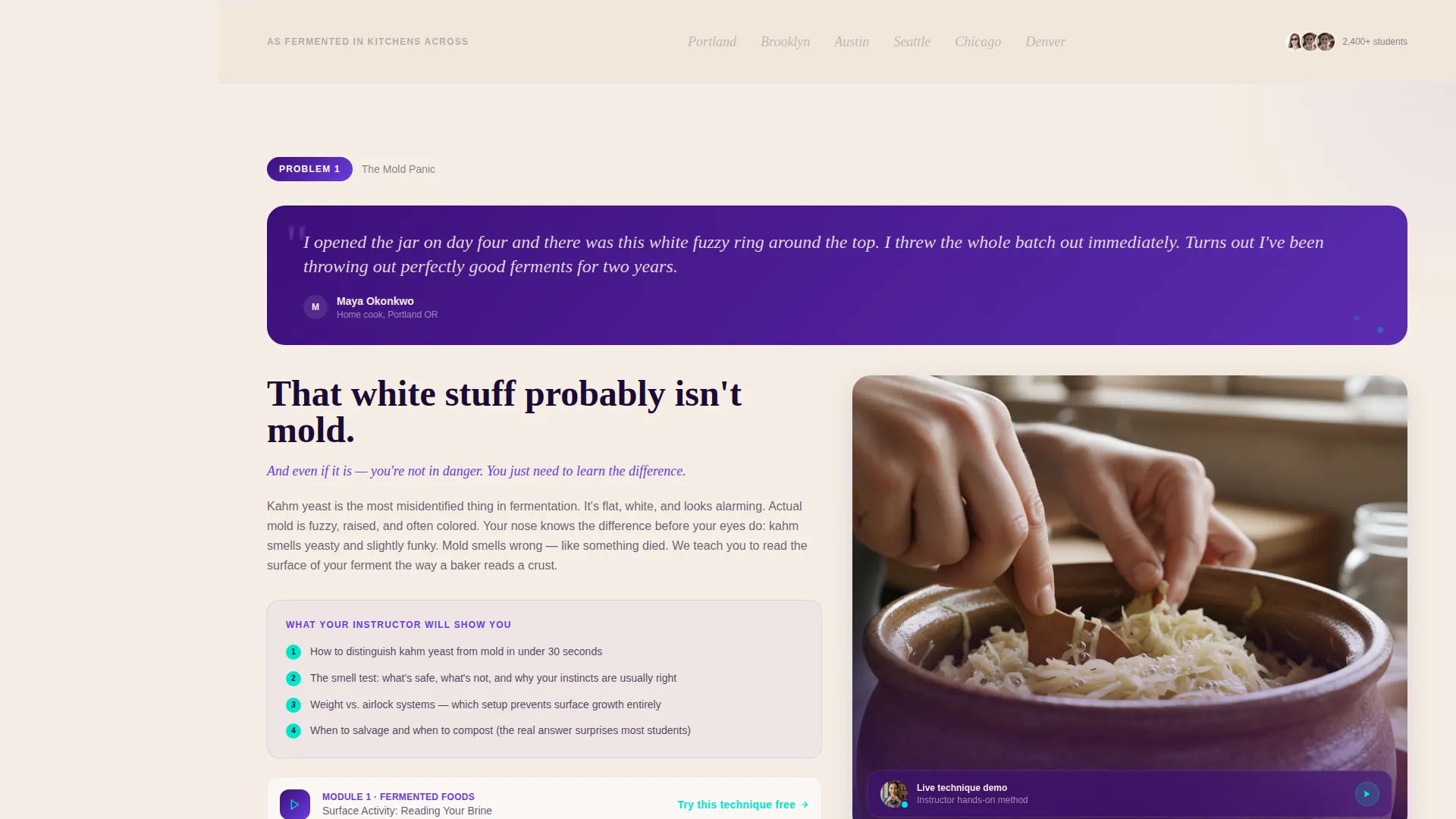
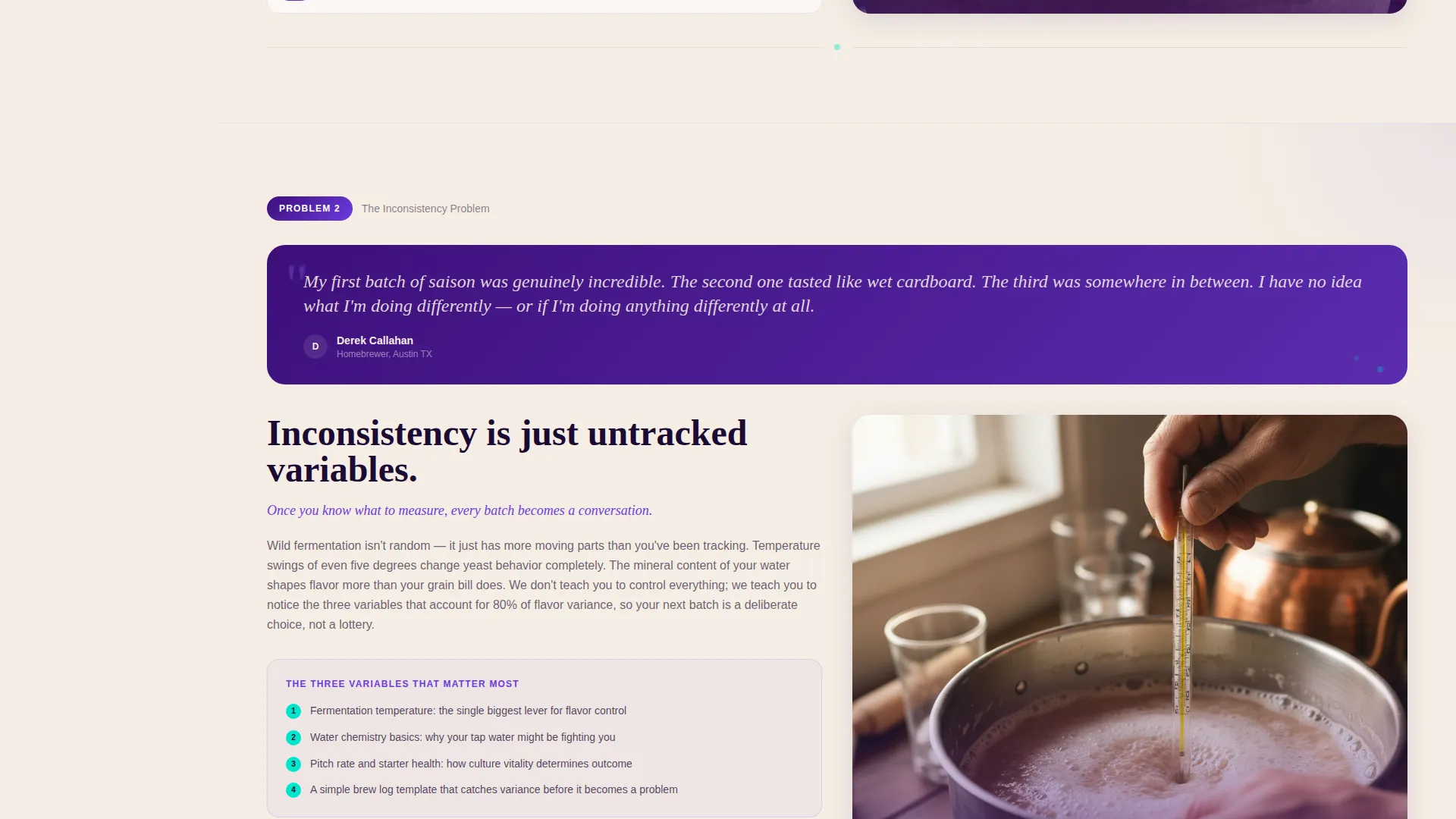
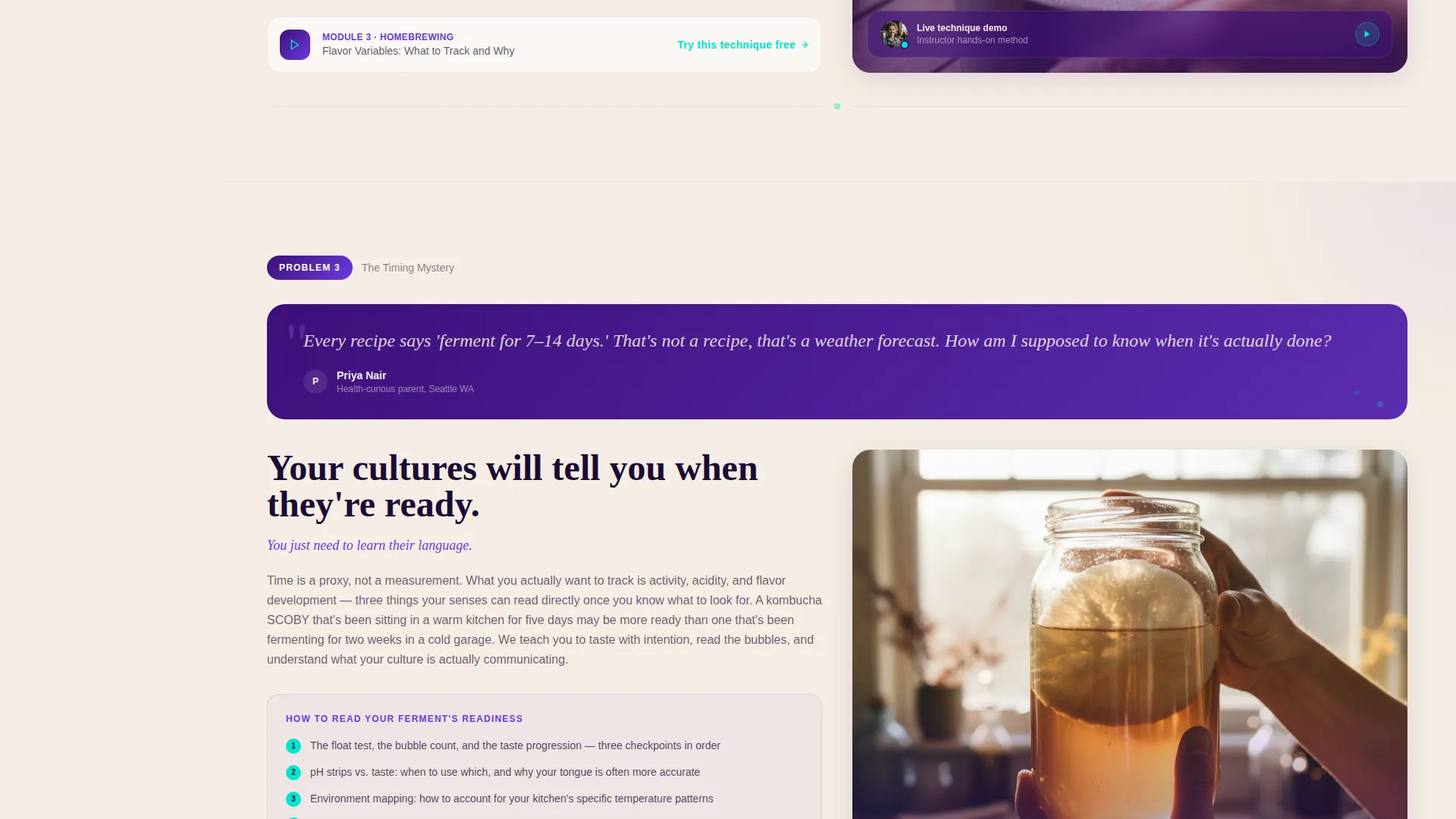
- A three-section Problem-to-Solution Arc covering contamination fear, flavor inconsistency, and timing confusion, each with a student quote block, instructor video placeholder, and curriculum module preview
- A persistent sidebar with a living table of contents, a pinned cyan call-to-action button, and an inline signup expansion with a three-path toggle
Feature list
This template is built around a focused set of components that serve one purpose: turning a hesitant beginner into a confident first-time student.
Diagnostic Quiz Header
The page opens with a single question in large violet type on a cream background: "What went wrong with your last batch?" Four illustrated answer cards, a moldy jar, flat beer, off-flavored kombucha, and a dense loaf, are rendered in indigo line art. Selecting a card triggers a micro-animation where the failed batch transforms into its thriving counterpart, earning three seconds of genuine curiosity before any signup request appears.
Persistent Sidebar Companion
The sidebar stays fixed throughout the scroll, serving as a living table of contents that tracks where the visitor is in the narrative. It shifts from a neutral state to a personalized course recommendation once the quiz is answered. The primary call-to-action button, styled in living-fizz cyan, is pinned to the bottom of the sidebar at all times.
Problem-to-Solution Narrative Arc
Three content sections progress from diagnosis to mastery. Each opens with a real student quote in italic cream type on a deep purple block, then transitions into an instructor hands-on video clip placeholder, followed by a curriculum module preview. The arc builds toward a clear message: the visitor is not bad at this, they simply have not yet learned to read their cultures.
Inline Freemium Signup
Clicking the primary call-to-action expands an inline form directly in the page, no modal, no redirect. The form asks only for a first name and email address, plus a toggle to select a learning path: Fermented Foods, Homebrewing, or Both. The lightweight form reduces friction at the exact moment the visitor is most ready to commit.
Secondary Conversion Threads
Each Problem-to-Solution section ends with a "Try this technique free" link. This secondary path gates a single video lesson behind the same lightweight signup, giving visitors multiple low-pressure entry points throughout the scroll rather than relying on a single bottom-of-page moment.
Page sections overview
| Section | Purpose |
|---|---|
| Quiz Starter Header | Opens with a diagnostic question and four illustrated answer cards |
| Quiz Micro-Animation | Transforms the failed batch image into a thriving version on selection |
| Sidebar Table of Contents | Tracks scroll position and updates with personalized recommendations |
| Contamination Fear Section | First problem block with student quote, video placeholder, and module preview |
| Flavor Inconsistency Section | Second problem block following the same quote, video, and preview structure |
| Timing Confusion Section | Third problem block completing the three-stage diagnostic arc |
| Inline Signup Expansion | Lightweight form with path toggle, triggered from the sidebar call to action |
| Secondary Free-Lesson Links | Inline "Try this technique free" entry points at each solution section |
| Pinned Sidebar call to action | Persistent cyan button anchored to the sidebar bottom throughout scroll |
Design & branding system
The Electric Indigo color system gives this template a feeling that is both ancient and alive. Deep fermentation purple anchors the sidebar and structural elements, warm ceramic cream fills the content well for comfortable reading, and living-fizz cyan appears exclusively on interactive elements. The effect is intentional: every button and clickable link feels like a bubble rising to the surface.
- Deep fermentation purple (#3D0F7A) for sidebar background and structural anchoring
- Active culture violet (#6C3CE1) for headings, quiz question text, and student quote blocks
- Warm ceramic cream (#F5EDE3) as the primary content background, keeping long-form reading comfortable
- Bright living-fizz cyan (#00E5CC) reserved strictly for buttons, progress indicators, and interactive highlights
- Indigo line-art illustration style for quiz answer cards, maintaining a hand-crafted kitchen feeling
Mobile & speed optimization
The sidebar companion layout adapts cleanly to smaller screens without losing the narrative flow. On mobile, the persistent sidebar collapses into a scroll-progress indicator at the top of the screen, and the inline signup remains a native in-page expansion rather than a disruptive overlay.
- Sidebar transitions to a compact scroll-progress bar on mobile to preserve vertical reading space
- Inline signup expansion and three-path toggle remain fully functional on touch screens
- Illustrated answer cards in the quiz header reflow into a two-by-two grid on narrow viewports
How this template helps you convert
This template is built around the principle that teaching converts better than pitching. Every structural choice moves the visitor from curiosity to trust to action, and the conversion moments feel earned rather than forced.
- The quiz creates immediate personal relevance before any pitch is made, giving the visitor a reason to stay and a reason to care about the recommendation that follows
- The Problem-to-Solution Arc delivers real, usable knowledge inside three content sections, so the visitor arrives at the free-lesson offer already feeling taught rather than sold to
- The inline signup and secondary free-lesson links offer two separate low-friction entry points, meeting visitors wherever they are most ready to act during the scroll
Other information about this template
This template is part of the Community Hearth theme family, which focuses on warm, community-centered educational experiences delivered through structured page narratives. It is designed for the freemium and trial conversion model, meaning its value depends on having at least one genuinely useful free lesson to offer. The Sidebar Companion template style is particularly well suited to content-rich educational pages where a persistent navigation companion helps visitors feel oriented throughout a longer scroll journey. The Problem-to-Solution Arc creative direction works across a range of culinary and hospitality education niches, not just fermentation, making this layout adaptable for other hands-on skill schools with a similar diagnosis-first approach.
- Template style: Sidebar Companion with persistent navigation and inline conversion
- Theme family: Community Hearth, suited to warm, practical educational contexts
- Creative direction: Problem-to-Solution Arc with three escalating beginner failure stages
- Header concept: Quiz Starter with illustrated answer cards and micro-animation feedback
- Conversion model: Freemium and Trial, built around a free first lesson as the primary offer
- Path options built into the signup toggle: Fermented Foods, Homebrewing, or Both
Theme
Community Hearth
Creative direction
Problem→Solution Arc
Color system
Electric Indigo
Style
Sidebar Companion
Direction
Freemium/Trial
Page Sections
Diagnostic Quiz with Micro-animation
Persistent Sidebar with Live Contents
Three-stage Problem-to-solution Arc
Inline Freemium Signup with Path Toggle
Secondary In-content Conversion Links
Electric Indigo Color System
Related questions
Do I need coding skills to use this template?
Can I adapt this template for subjects other than fermentation?
What does the inline signup replace compared to a standard modal?
How does the sidebar show a personalized course recommendation?
Is the free lesson gating built into the template structure?



