Kombucha Vertical SaaS Professional Website Template
The Ferment landing page template is built for kombucha management software that monitors every fermentation vessel in real time. It tracks pH, SCOBY health, gravity, temperature, and batch timelines across your entire brewery floor. The template follows a Problem-to-Solution arc with a sticky comparison nav, live dashboard visuals, and a single-field batch audit call to action.
by Rocket studio
Quick summary
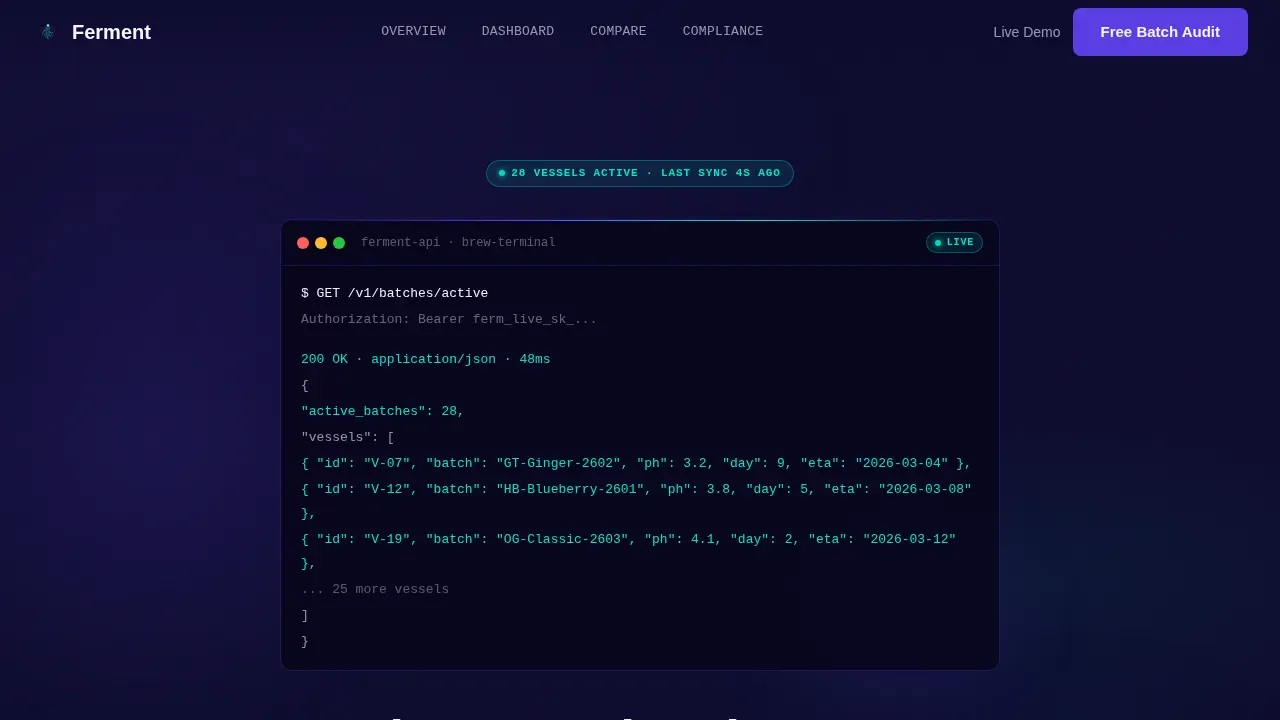
Ferment is a hub and spoke landing page template designed for kombucha management software. It opens with a terminal code snippet that auto-types live batch data, then walks visitors through a clear Problem-to-Solution arc. Every section pairs a real brewery pain point with the exact dashboard screen that fixes it. The result is a page built to convert head brewers and production managers.
Who this template is for
This template is built for teams running serious kombucha operations. It speaks directly to the professionals who carry the heaviest responsibility on the brewery floor each day.
- Head brewers managing thirty or more fermentation tanks simultaneously
- Production managers scheduling flavor rotations across retail and taproom accounts
- Quality leads who need TTB-compliant audit logs ready in seconds, not hours
What problem this template solves
Manual tracking breaks down fast when you are monitoring dozens of brews at once. Spreadsheets with version conflicts, missed pH windows, and lost batch lineage are real risks that end in spoilage or failed compliance audits.
- It is hard to track gravity, temperature, and SCOBY health across many tanks at the same time
- Missed fermentation duration windows cost yield and damage brand consistency
- Pulling audit logs manually takes too long when regulatory deadlines are set
What you get with this template
You get a fully structured, single-page layout that communicates the full value of your fermentation monitoring platform. Every section is ready to set up with your real data and dashboard screenshots.
- A hero section with an auto-typing terminal code snippet showing a live batch API response
- A sticky anchor navigation bar letting visitors jump to spreadsheet, generic ERP, or brew software comparisons
- Feature-by-feature comparison tables where your platform column glows against grayed-out competitors
Feature list
This template ships with purpose-built sections and interactive components that support a high-stakes B2B software sale.
Terminal Hero with Live API Preview
The header opens with a styled code block showing a real API call: GET /v1/batches/active. Each line auto-types and lights up in cyan as values populate, including vessel IDs, current pH readings, fermentation day counts, and predicted completion dates. It sets an immediate tone of technical confidence.
Problem versus Solution Arc
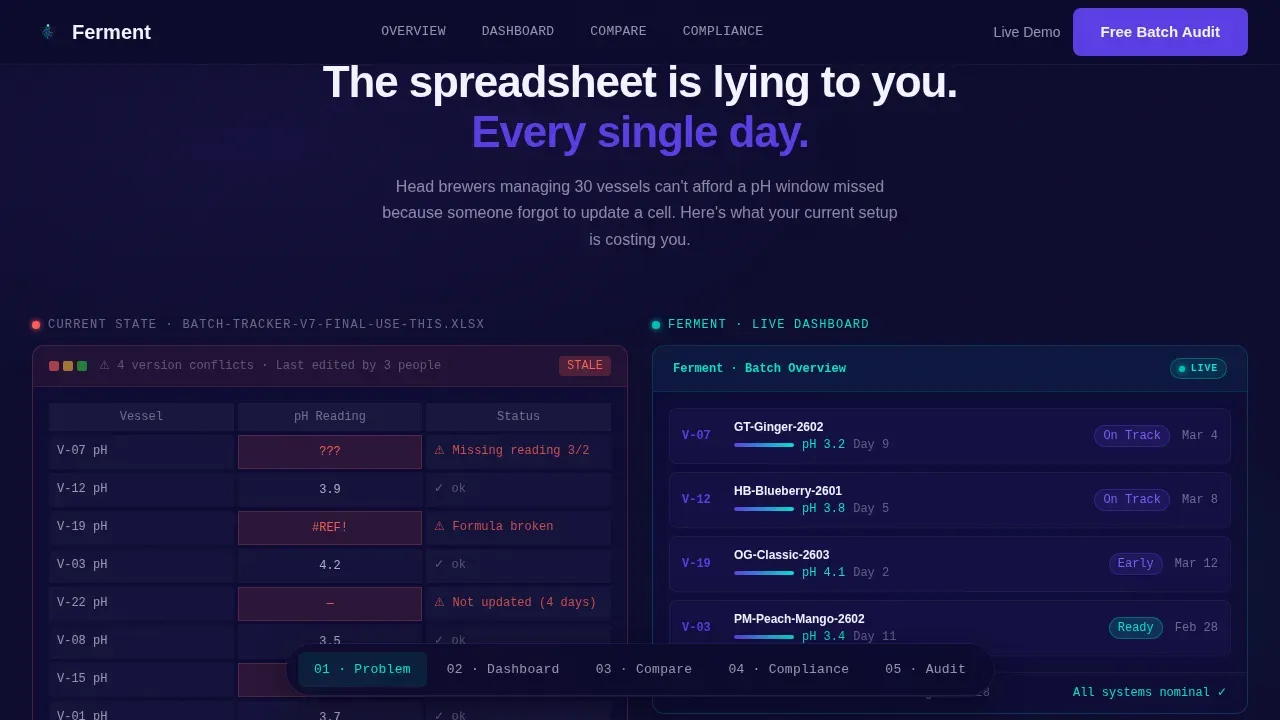
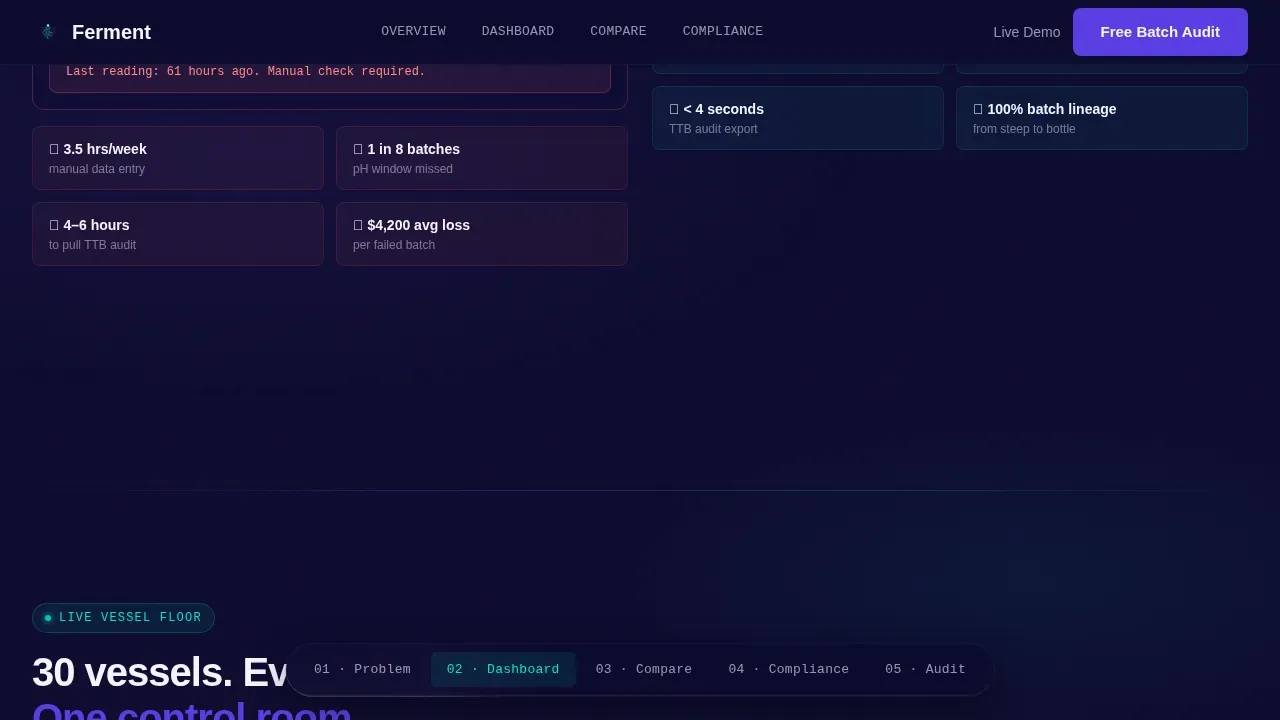
The scroll begins in pain. A chaotic spreadsheet screenshot shows how brewers currently track batches, complete with red-flagged cells. The next view shows the same data inside a clean, live-updating dashboard. Stakes escalate from daily annoyance to regulatory risk to lost revenue, and each solution lands harder.
Live Vessel Dashboard Section
A thirty-vessel grid lets visitors view every tank at a glance. Each card displays pH, SCOBY health score, fermentation day count, gravity reading, temperature, and pressure status. Real-time sensors and automated alerts are demonstrated visually so buyers can understand what full monitoring actually looks like.
Sticky Comparison Navigation
A persistent anchor nav lets visitors choose the comparison most relevant to them: Spreadsheets, Generic ERP, or Other Brew Software. Each comparison section ends with a feature table. The platform column is highlighted in indigo; competitor columns are visually de-emphasized.
TTB Compliance Section
A dedicated section shows the one-click audit log interface. Quality leads can see exactly how compliance data is surfaced, organized, and exported. This section directly addresses the regulatory risk that is important to any commercial kombucha operation.
Batch Audit Call to Action
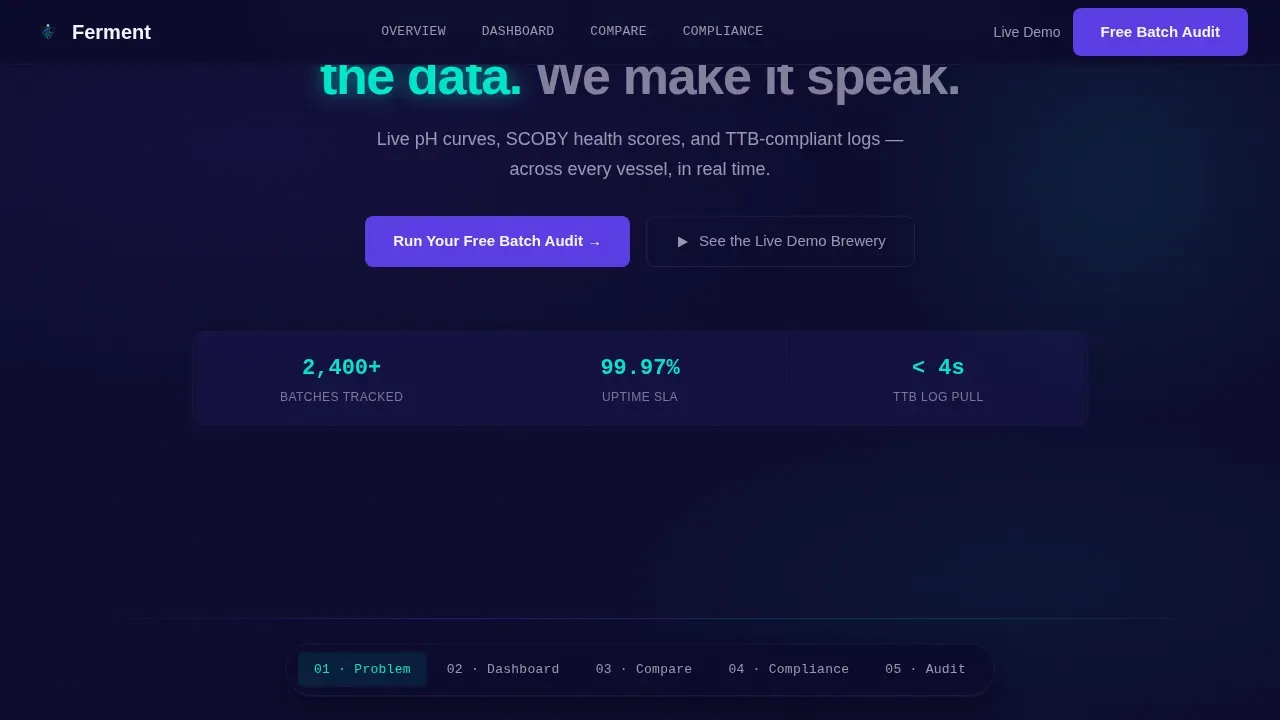
A single-field email form triggers an onboarding flow. The primary call to action reads "Run Your Free Batch Audit." A secondary path offers "See the Live Demo Brewery," linking to a sandbox pre-loaded with realistic fermentation data.
Page sections overview
| Section | Purpose |
|---|---|
| Hero Terminal Block | Auto-type API snippet, headline fade-in |
| Problem versus Solution | Spreadsheet chaos versus live dashboard |
| Live Vessel Grid | Thirty-tank fermentation monitor view |
| Competitor Comparison | Sticky nav plus feature tables |
| TTB Compliance | One-click audit log walkthrough |
| Batch Audit call to action | Email form plus demo brewery link |
| Social Proof Strip | Metrics, testimonial cards from brewers |
| Footer | GitHub-minimal developer pattern |
Design & branding system
The visual identity follows a dark terminal aesthetic that feels like a brewery control room at midnight. Every design choice reinforces the idea of a system that never sleeps and never misses a data point.
- Background: deep terminal navy (#0D0B2E); primary actions and nav highlights in electric indigo (#5B3FE4)
- Live data points and success states use cyan (#00E5CC); type and card surfaces use interface white (#F4F3FF)
- Typography pairs JetBrains Mono for terminal and code blocks with Manrope for all headings and body copy
Mobile & speed optimization
The template is desktop-first, designed for brewery control room operators working on large monitors and tablets. Animations are GPU-accelerated to keep motion smooth during scroll interactions.
- IntersectionObserver stagger animations, scroll-blur backgrounds, and counter animations are built into the layout
- pH curve SVG animations and typewriter effects use performant rendering approaches
- Server Components handle static sections to keep the interactive vessel cards and comparison tabs responsive
How this template helps you convert
Every structural decision in this template pushes a qualified visitor toward starting a batch audit or booking a demo.
- The terminal hero builds instant credibility with technical buyers by showing real API output before a single marketing claim appears
- The Problem-to-Solution arc raises stakes progressively, so by the time the call to action appears, the cost of inaction feels concrete
- The sticky comparison nav meets visitors at their current mental model, whether they are leaving spreadsheets, an ERP, or another brew software product
Other information about this template
This template is a great fit for any kombucha software product that needs to communicate technical depth without losing non-technical decision-makers. It draws on proven landing page principles: short lead forms that ask only for an email, trust signals from head brewers, and a repeated call to action at the bottom of the page. The layout supports high-quality dashboard screenshots and video embeds for the monitoring interface.
- Tools like Bucha30 and comparable platforms demonstrate that brewers respond well to modular, easy-to-configure software with fast onboarding and ongoing support
- Hardware-based monitoring tools such as PLAATO show that brewers already expect real-time data; this template helps your software communicate that same insight clearly
- The history of kombucha tracking spans home fermentation hobbyist tools all the way to commercial-grade systems; this template is built for the commercial end of that spectrum, where batch spoilage and compliance carry real cost and growth depends on consistent process data at your fingertips
Theme
Dashboard Pro
Creative direction
Problem→Solution Arc
Color system
Electric Indigo
Style
Hub & Spoke (Anchor Nav)
Direction
Comparison/Versus
Page Sections
Terminal Hero with Auto-type API Preview
Problem-to-solution Scroll Arc
Thirty-vessel Live Dashboard Grid
Sticky Competitor Comparison Navigation
TTB Compliance Audit Section
Single-field Batch Audit Call to Action
Related questions
What types of fermentation data does this template showcase?
Can I use this template if my software targets home brewers?
How does the sticky comparison navigation work?
Does the template include a lead capture form?
Is this template a good fit for launching a new batch monitoring product?



