Specialist Pet Care Digital Presence Appointment Booking Website Template
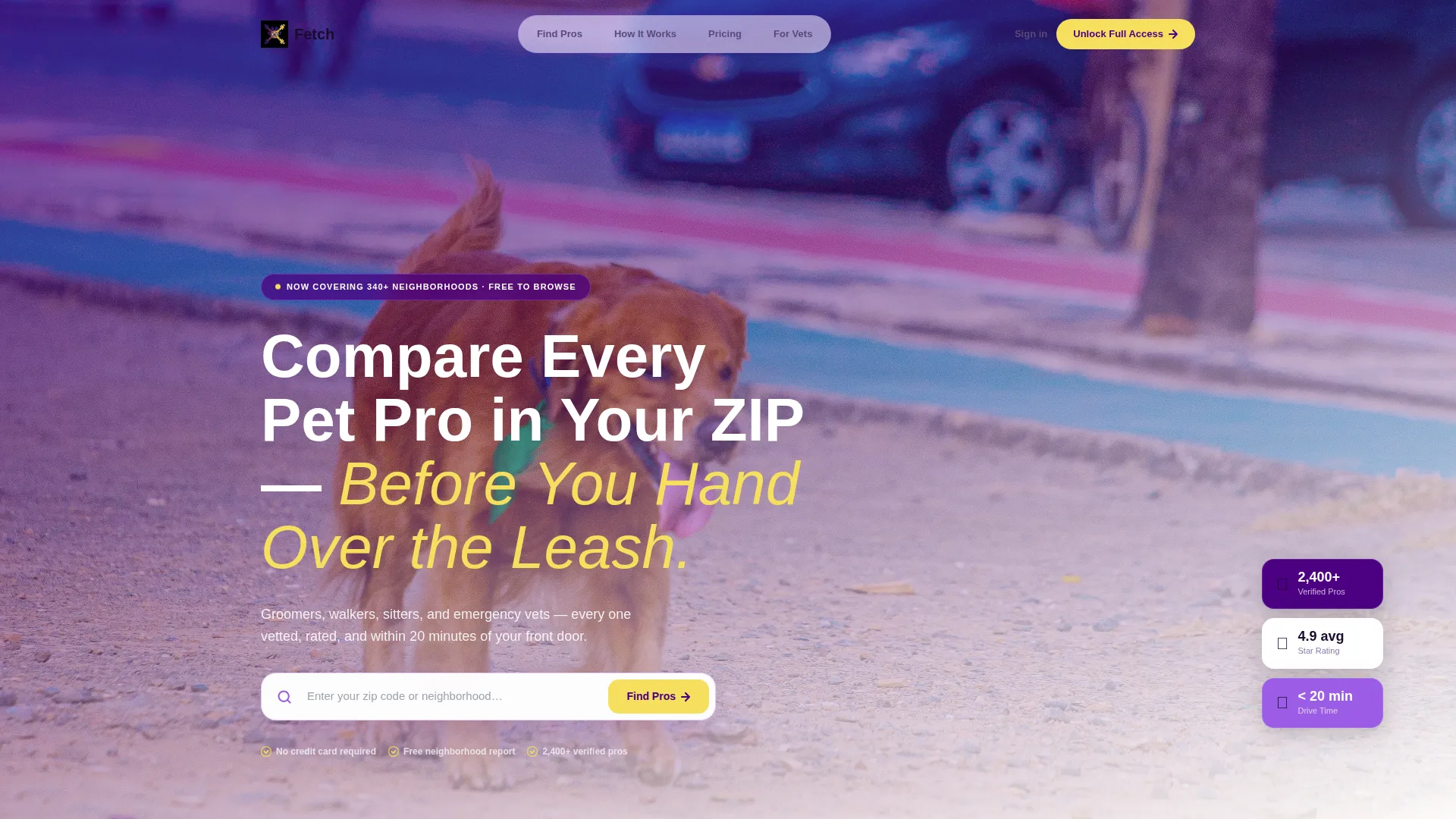
Fetch is a comparison table landing page built for pet care membership sites. It maps groomers, walkers, sitters, and emergency vets near a visitor's location and lets them compare providers side by side before booking. With a filterable explorer layout, progressive lead capture, and a polished Electric Indigo visual system, it turns overwhelmed pet owners into confident, signed-up members.
by Rocket studio
Quick summary
Fetch is a single-page, section-led landing page template designed for pet care membership platforms. It gives visitors a live comparison table to browse local pet care providers by rating, price, distance, and certifications. The layout guides first-time visitors through discovery, social proof, and membership sign-up in one smooth, scroll-driven flow.
Who this template is for
This template is built for founders and teams running a pet care membership or directory service. It works especially well for platforms that need to convert curious visitors into registered members quickly.
- Pet care membership site operators who need a polished front door for their directory
- Local pet service platforms connecting owners with groomers, walkers, sitters, and vets
- Early-stage pet care startups looking to capture leads before their full product is live
What problem this template solves
Pet owners searching for care providers face a wall of unfiltered Google results with no easy way to compare quality, price, or proximity. This template gives your platform a structured, trustworthy front page that does the filtering for them.
- Visitors cannot compare multiple pet care providers in one place without clicking through dozens of tabs
- Pet owners relocating or raising a first pet have no quick way to assess who is certified and who is not
- Membership platforms struggle to communicate value before asking for a sign-up commitment
What you get with this template
You get a fully structured, single-page landing page with every section pre-built and ready to customize. The layout moves visitors from awareness to lead capture without requiring extra pages or complex navigation.
- A header with a logo bar, headline, and zip code search field to anchor first impressions
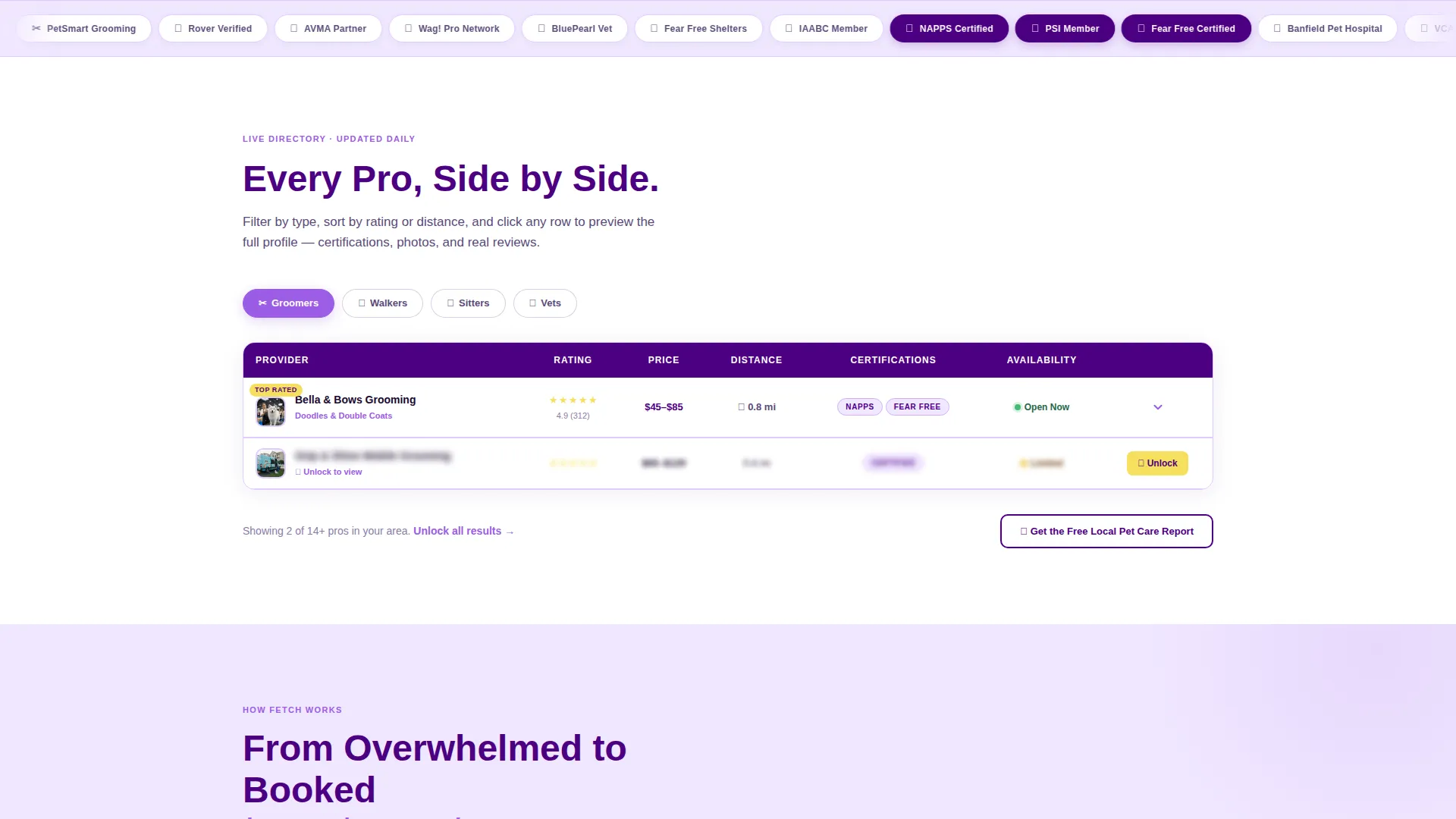
- A live-style interactive comparison table with filterable rows for groomers, walkers, sitters, and vets
- A progressive lead capture flow, membership tier comparison table, and secondary PDF lead magnet path
Feature list
This template packs a focused set of interactive and conversion-oriented components into one landing page.
Filterable Provider Comparison Table
The core of the page is a comparison table where visitors toggle between provider categories. Each row displays star rating, price range, distance, certifications, and availability. Orchid checkmarks highlight key details at a glance.
Expandable Mini-Profile Cards
Clicking any table row opens an inline profile card showing provider photos, reviews, and a "Request Intro" button. This gives visitors richer context without leaving the page.
Progressive Lead Capture Form
The sign-up flow asks for email first, then zip code, then pet type as separate steps. Each step reveals a richer preview of local results, reducing friction and increasing completion.
Sticky Mobile Call-to-Action Bar
On mobile, a persistent bottom bar displays the primary "Unlock Full Comparisons" call to action in citron yellow against indigo. It stays visible as users scroll so the conversion path is never lost.
Secondary PDF Lead Magnet Path
A secondary offer, "Get the Free Local Pet Care Report," captures visitors who are not ready to commit to membership. It acts as a low-friction entry point that still builds the lead list.
Logo Bar with Certification Badges
The header opens with a horizontally scrolling bar of partner logos and certification badges such as the National Association of Professional Pet Sitters (NAPPS), Pet Sitters International (PSI), and Fear Free Certified. This immediately signals that the directory meets professional standards.
Page sections overview
| Section | Purpose |
|---|---|
| Logo Bar Header | Builds instant credibility with partner logos and certification badges |
| ZIP Search Field | Lets visitors enter their location to personalize results |
| Live Comparison Table | Shows filterable provider rows with ratings, price, distance, and availability |
| Expandable Profile Cards | Delivers deeper provider detail without a page change |
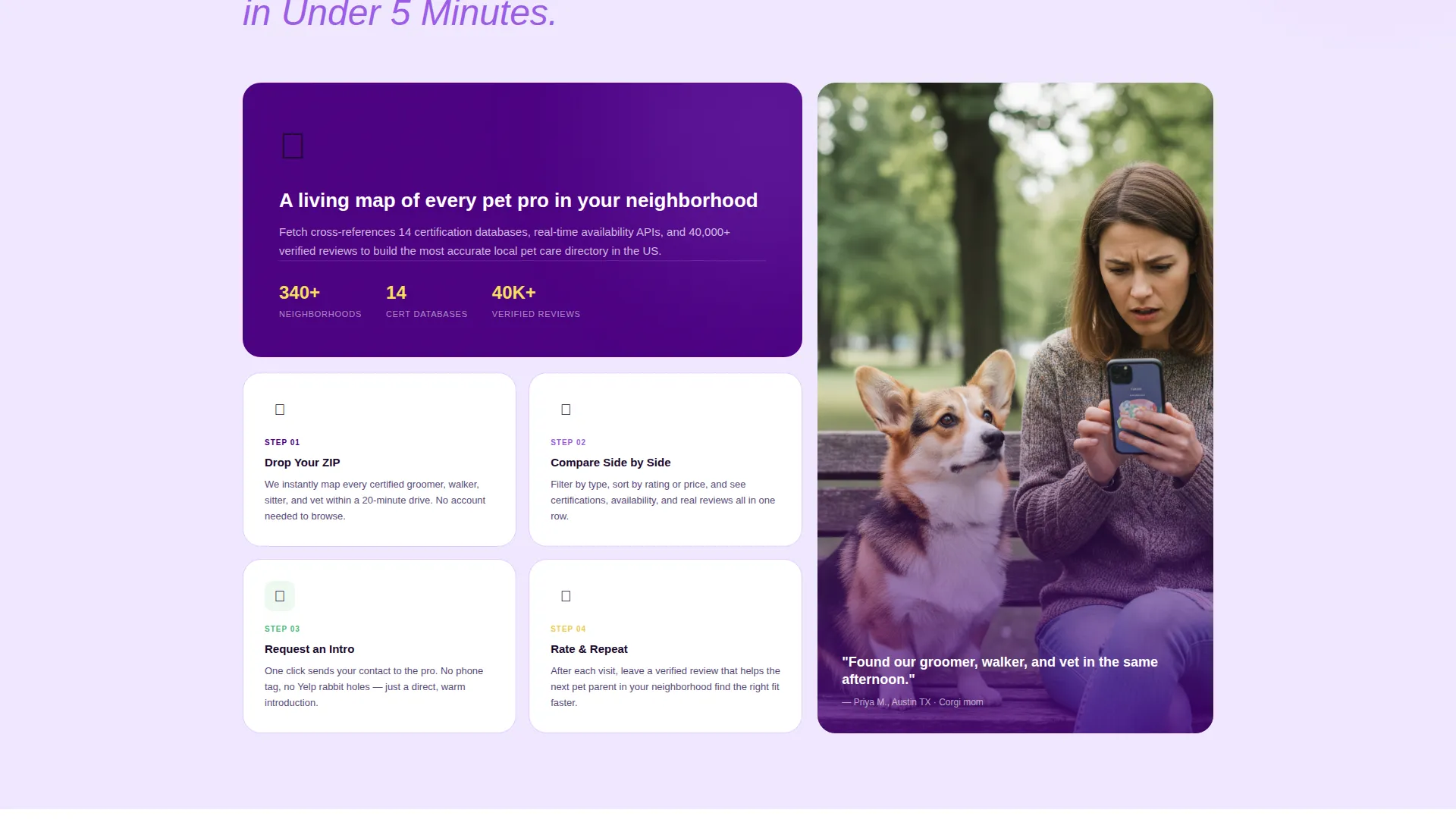
| How Matching Works | Explains the platform's vetting and matching logic in plain language |
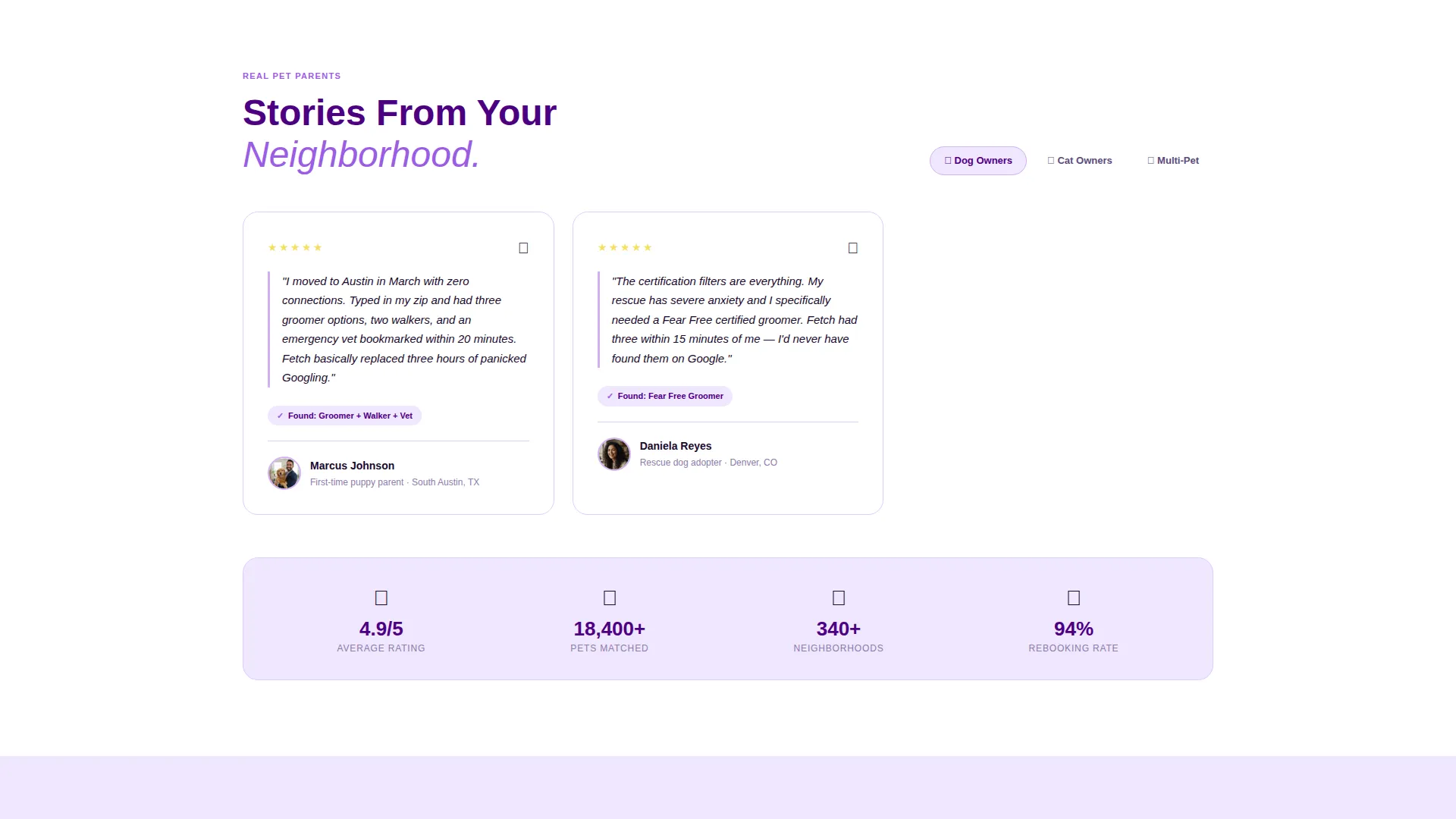
| Member Testimonials | Groups social proof by pet type to reflect each visitor's situation |
| Membership Tier Table | Compares free browse access against full paid membership benefits |
| Primary call to action Section | Drives sign-ups with the "Unlock Full Comparisons" button |
| PDF Lead Magnet | Captures hesitant visitors with a free downloadable local pet care report |
Design & branding system
The visual identity follows a Directory and Discovery theme built around an Electric Indigo color system. The palette balances a playful, pet-friendly warmth with the clean precision of a professional data tool.
- Deep digital indigo (#4B0082) anchors headers and navigation for authority and readability
- Bright orchid (#9B5DE5) activates hover states and filter highlights, while soft lavender mist (#F0E6FF) washes card backgrounds and table rows for visual breathing room
- A single citron yellow (#F6E05E) accent marks top-rated providers and the primary call-to-action button, pulling the eye exactly where conversion happens
Mobile & speed optimization
The template is structured for a smooth mobile experience, with layout choices that keep the most important actions visible at all times on smaller screens.
- The sticky bottom bar keeps the primary call to action in view throughout the entire mobile scroll
- The progressive form flow breaks sign-up into short single-step screens, reducing cognitive load on mobile visitors
- Card and table layouts reflow cleanly for portrait-orientation browsing without losing data hierarchy
How this template helps you convert
Every section of this landing page is designed to move a visitor one step closer to becoming a member or a lead.
- The logo bar and certification badges at the top establish trust before a visitor reads a single line of body copy, reducing early drop-off.
- The locked table rows with inline "Unlock Full Comparisons" prompts create a natural curiosity gap, motivating visitors to sign up in order to see complete provider details.
- The dual conversion paths, a membership sign-up and a free PDF download, mean every visitor has a next step matched to their current level of commitment.
Other information about this template
This template is part of a broader set of Directory and Discovery themed templates built for the pet care digital presence category. A few additional details worth knowing before you customize it.
- The template style is a Comparison Table layout, purpose-built for side-by-side evaluation of service providers
- The header concept is a Logo Bar, which works well when you have partner brands, vet clinic affiliations, or certification bodies to feature
- The creative direction is Interactive Explorer, meaning every section invites a click, filter, or scroll rather than passive reading
- The color system is Electric Indigo, and all hex values are editable to match your own brand if needed
- The lead generation direction means the primary objective of every layout decision is capturing an email address or zip code before a visitor leaves
Theme
Directory & Discovery
Creative direction
Interactive Explorer
Color system
Electric Indigo
Style
Comparison Table
Direction
Lead Generation
Page Sections
Filterable Provider Comparison Table
Expandable Inline Profile Cards
Progressive Multi-step Lead Form
Sticky Mobile Call to Action Bar
Secondary PDF Lead Magnet
Logo Bar with Certification Badges
Related questions
Can I use this template without an existing directory of pet care providers?
Does the template include a real working search or filter function?
Can I remove the PDF lead magnet section if I do not need it?
Is the membership tier comparison table customizable?
How does the progressive form flow work in practice?



