Nonprofit Software Advanced Cost Calculator Website Template
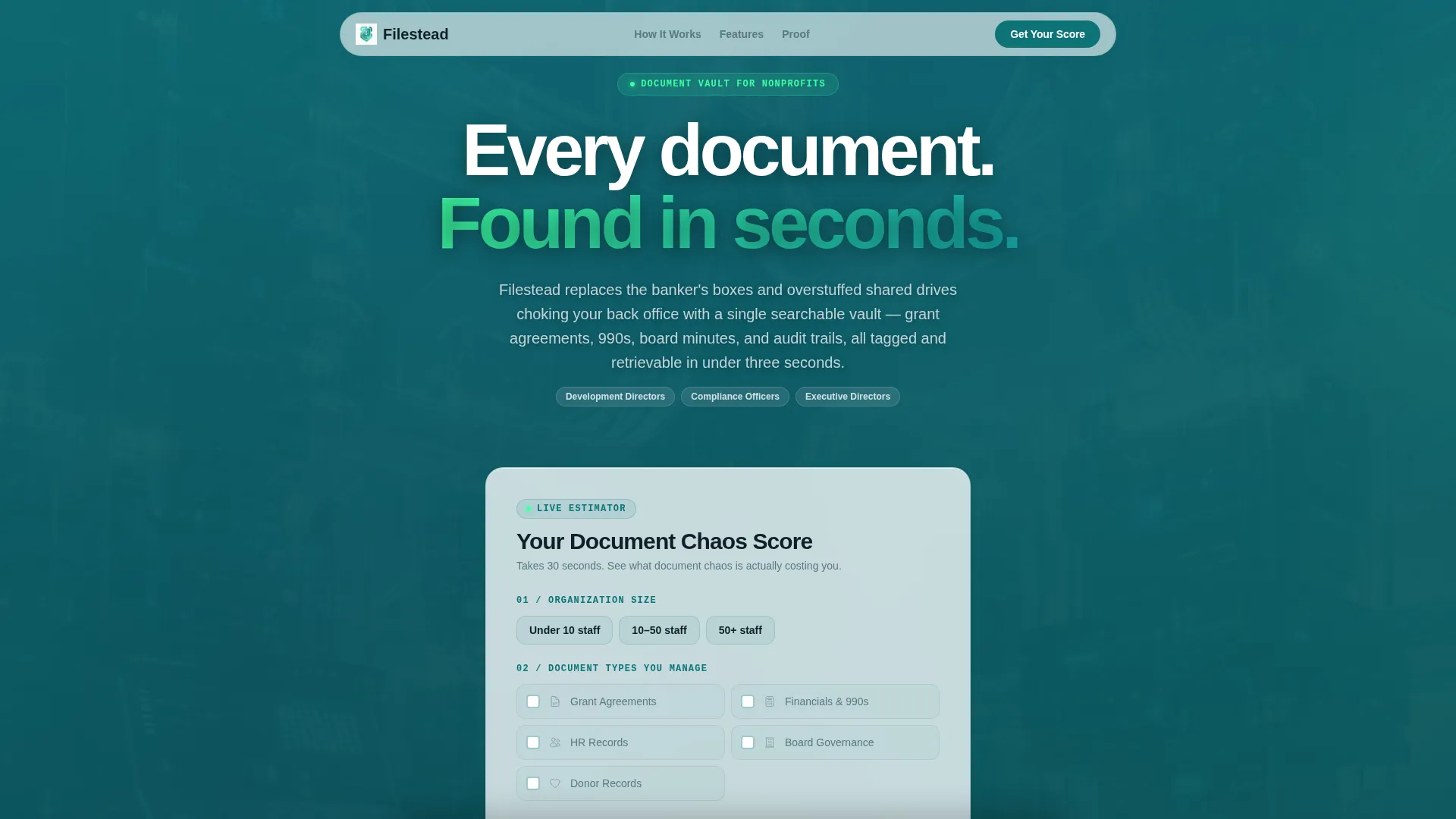
Filestead is a scroll-reveal landing page template built for nonprofit document management platforms. It opens with a live Document Chaos Score estimator, then guides visitors through a Problem to Solution Arc that escalates from everyday frustration to compliance risk. The design uses a Tech Glass aesthetic in a Teal Catalyst palette, and every call to action drives toward a frictionless free trial signup.
by Rocket studio
Quick summary
Filestead is a single-page, scroll-reveal landing page template for a nonprofit document management platform. It leads with an interactive estimator, walks visitors through escalating pain-to-solution panels, and closes with a full-width call to action. The template is click-through optimized, carrying estimator data forward to reduce signup friction.
Who this template is for
This template is built for nonprofit technology platforms that help organizations bring order to their document chaos. It speaks directly to the people inside those organizations who feel the pain most acutely.
- Development directors managing grant renewal deadlines and scattered attachments
- Compliance officers assembling audit binders under pressure
- Executive directors losing hours each month hunting for misfiled documents
What problem this template solves
Nonprofit back offices run on a tangle of shared drives, desktop folders, and banker's boxes. When auditors ask for a document or a funder requests a prior grant agreement, the search becomes a fire drill. This template gives the platform a landing page that names those problems honestly and resolves them one by one.
- Version confusion that causes teams to work from outdated files
- Failed or stressful audits from disorganized record trails
- Lost grant attachments that put funding renewals at risk
What you get with this template
You get a fully structured, single-page landing page layout built around progressive scroll reveals. Each section is purpose-designed to move a skeptical nonprofit professional from curiosity to confidence. The layout requires no form fields on the page itself.
- A live Document Chaos Score estimator in the header section
- A multi-stage Problem to Solution Arc with frosted-glass panel reveals
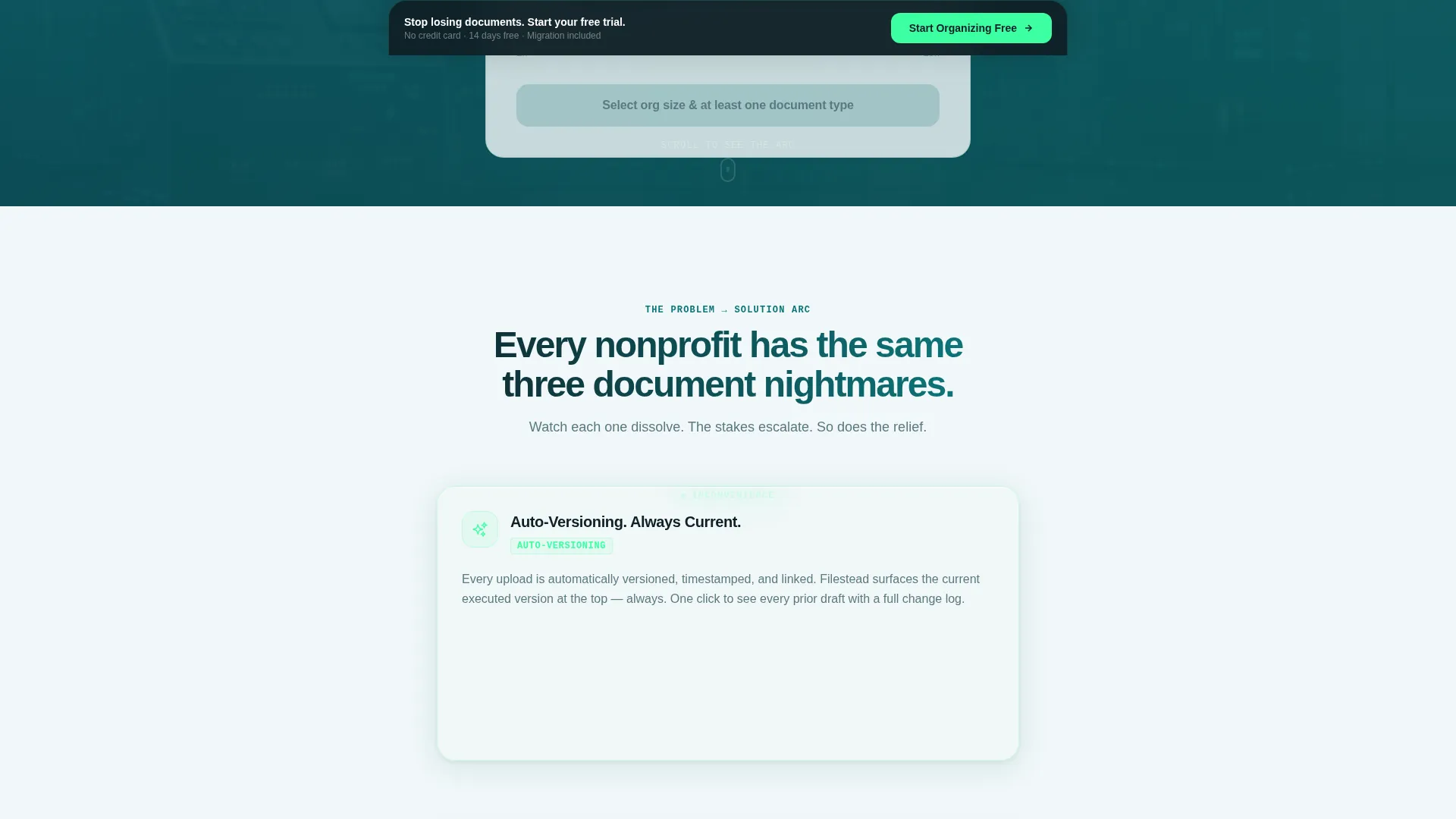
- Three strategically placed "Start Organizing Free" calls to action
Feature list
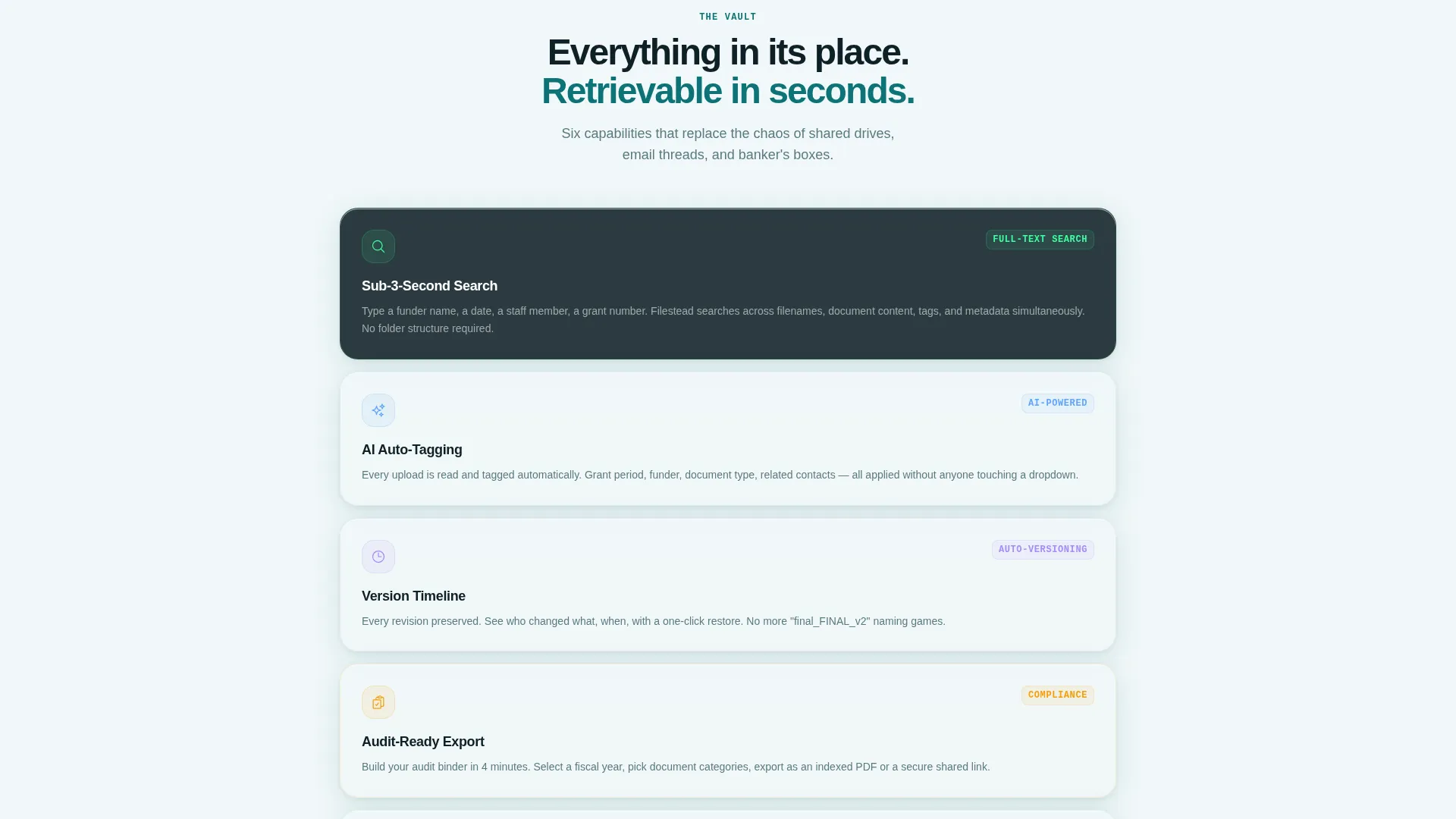
This template is packed with purposeful, prompt-backed components. Each one earns its place in the visitor journey.
Live Document Chaos Score Estimator
The header features an interactive estimator rendered on a frosted-glass card. Visitors select their organization size, check off document types they manage, and drag a range slider for weekly hours lost searching for files. The tool instantly returns a projected hours-saved-per-year figure and a dollar cost of lost productivity, both ticking up in catalyst green.
Progressive Scroll Reveal Arc
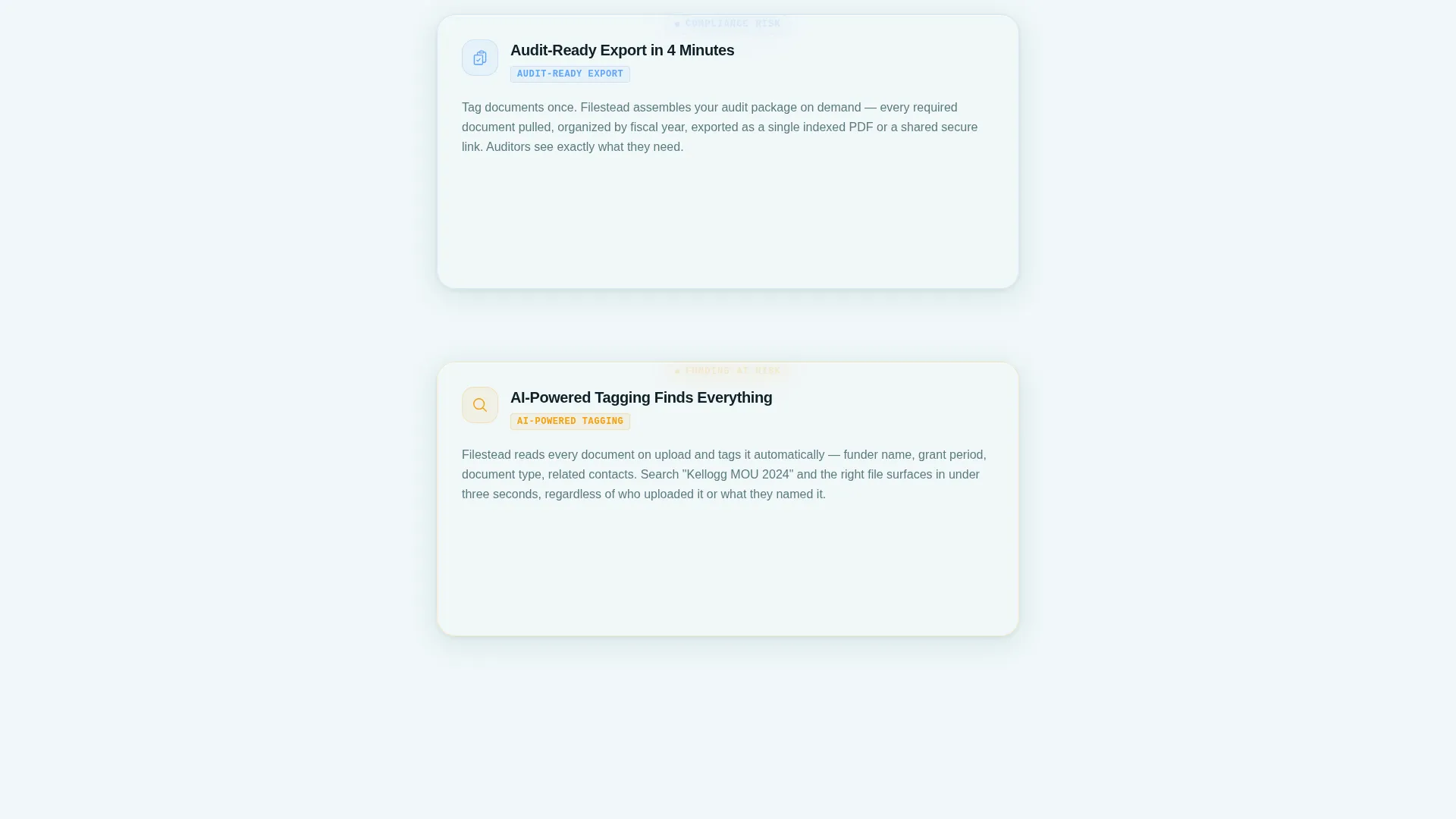
The page uses a structured Problem to Solution Arc driven by scroll. Each frosted-glass panel surfaces a specific pain point, then dissolves or shatters to reveal the corresponding solution. Stakes escalate across three stages: everyday inconvenience, compliance risk, and funding loss.
Persistent Bottom Bar call to action
After the third scroll reveal, a persistent bottom bar appears carrying the primary call to action. It stays visible as the visitor continues reading, ensuring the conversion option is never out of reach.
Estimator-Linked Click-Through Flow
The primary call to action carries estimator inputs forward to the trial signup page. Org size and document pain points are pre-filled on the other side, reducing friction and improving signup completion.
Closing Testimonial Section
The final section pairs a full-width "Start Organizing Free" call to action with a single testimonial quote from a nonprofit CFO. The pairing gives the decision moment both social proof and urgency.
Frosted-Glass Card Motif
Every content panel uses a translucent frosted-glass card style. The motif runs consistently across the estimator, the reveal panels, and the testimonial block, creating visual cohesion throughout the scroll journey.
Page sections overview
| Section | Purpose |
|---|---|
| Estimator Header | Deliver a personalized chaos score and hook the visitor immediately |
| Pain Point Panel One | Surface version confusion as the first escalating problem |
| Solution Reveal One | Show auto-versioning as the direct resolution |
| Pain Point Panel Two | Raise compliance risk through failed audit scenarios |
| Solution Reveal Two | Present audit-ready export as the answer |
| Pain Point Panel Three | Escalate to funding loss from lost grant attachments |
| Solution Reveal Three | Introduce AI-powered tagging as the final solution |
| Persistent Bottom Bar | Keep the primary call to action visible after the third reveal |
| Closing call to action Section | Close with testimonial and full-width signup prompt |
Design & branding system
The visual identity follows a Tech Glass theme built on the Teal Catalyst color system. The palette is clinical and modern, evoking a glass-walled server room where every indicator light means something is working.
- Deep operational teal (#0D7377) anchors primary action buttons and section markers
- Translucent panel white (#F0F7F8) carries the frosted-glass card motif across all panels
- Midnight administrative navy (#0F2027) sets headers and body text for strong readability
- Bright catalyst green (#3DFFA2) appears exclusively on hover states, progress indicators, and the estimator's ticking numbers
Mobile & speed optimization
The template is structured for clean rendering across device sizes. Scroll-reveal animations are layered progressively, so the reading experience holds together whether on a desktop browser or a phone screen.
- Frosted-glass cards reflow naturally within narrower viewports
- The estimator controls, including sliders and checkboxes, are sized for comfortable touch interaction
- The persistent bottom bar stays anchored at the correct position on both desktop and mobile layouts
How this template helps you convert
Every structural decision in this template serves one goal: moving nonprofit professionals from curious to committed. The design removes hesitation at each stage of the scroll.
- The estimator creates a personalized, data-driven reason to care before the visitor reads a single feature claim. A number attached to their own organization is harder to ignore than a generic benefit statement.
- The escalating Problem to Solution Arc builds a compounding case. Each reveal lands with more weight than the last, so by the time the closing call to action appears, the visitor has already argued themselves into the decision.
- The click-through flow carries estimator context forward, so the trial signup page already reflects the visitor's situation. Fewer fields mean fewer reasons to abandon.
Other information about this template
This template is designed specifically for the nonprofit software category within the broader technology vertical. It is built as a single-page, section-led layout and is not a multi-page website.
- The template style is Scroll Reveal (Progressive), meaning panels animate into view as the visitor scrolls rather than loading all at once
- The creative direction follows a Problem to Solution Arc, a storytelling structure that pairs each pain point directly with its resolution
- The header concept is a Calculator and Estimator component, a less common but high-engagement pattern that front-loads personalized value
- The landing page direction is Click-Through, meaning no form fields appear on this page and the call to action links to a separate trial signup page
- The theme is Tech Glass, a visual style that combines frosted-glass surface treatments with a tech-forward, clean layout language
- The color system is named Teal Catalyst, and each color in the palette carries a specific role: teal for actions, navy for text, panel white for backgrounds, and catalyst green strictly for interactive feedback
Theme
Tech Glass
Creative direction
Problem→Solution Arc
Color system
Teal Catalyst
Style
Scroll Reveal (Progressive)
Direction
Click-Through
Page Sections
Live Document Chaos Score Estimator
Progressive Scroll Reveal Arc
Persistent Bottom Bar Call to Action
Estimator-linked Click-through Flow
Closing Testimonial and Call to Action Section
Frosted-glass Card Motif
Related questions
Does this template include a working estimator tool?
Can I change the color palette to match my own brand?
Is there a contact form or lead capture form on this page?
Who is the primary audience this template is designed to reach?
How many times does the call to action appear on the page?



