AI & Machine Learning Complete Professional Website Template
Flashframe is a cinematic AI image and video generator landing page template built around a filterable comparison table and live prompt experience. Designed for app downloads, it blends a deep Slate & Sky color system with a code-snippet header and interactive model benchmarks. Indie developers, social-media managers, and creative worldbuilders are its core audience.
by Rocket studio
Quick summary
Flashframe is a single-page template for an AI image and video generator that turns typed prompts into photorealistic stills and cinematic clips. Its core layout is a filterable comparison table paired with a live prompt bar. The design follows a dark code-editor aesthetic, and every section drives visitors toward one clear goal: downloading the app.
Who this template is for
This template is built for teams and creators who need to showcase an AI generation tool with real proof rather than marketing claims. It works best when the product speaks for itself through live comparisons and interactive output previews.
- Indie game developers who need a fast way to share concept art workflows
- Social-media managers who produce Reels and short video content under time pressure
- Hobbyist worldbuilders who want to demonstrate text-to-image generation to new users
What problem this template solves
Most AI tool landing pages rely on static screenshots and bullet-point feature lists. Visitors leave unconvinced because they never interact with the product before the download ask appears. Flashframe solves this by letting visitors judge real outputs first.
- Removes doubt by showing live model comparisons before any call to action
- Closes the gap between reading about a feature and actually experiencing it on the page
- Gives download-focused products a structured path from curiosity to confident conversion
What you get with this template
You get a fully structured single-page layout designed specifically for an AI image and video generator app. Every section is purposeful, from the animated code header to the floating download bar.
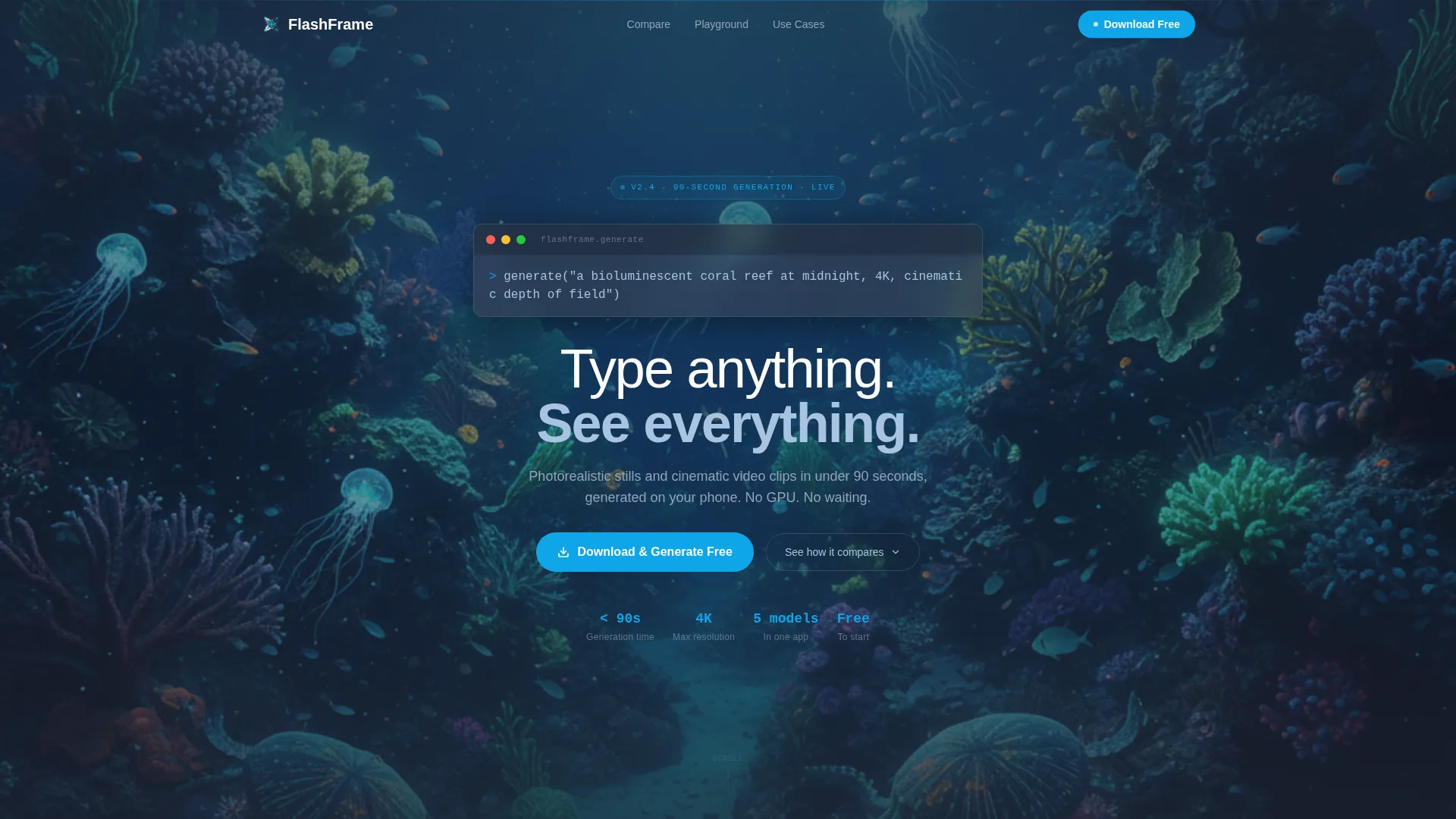
- A typing code-snippet header that resolves into a generated cinematic image
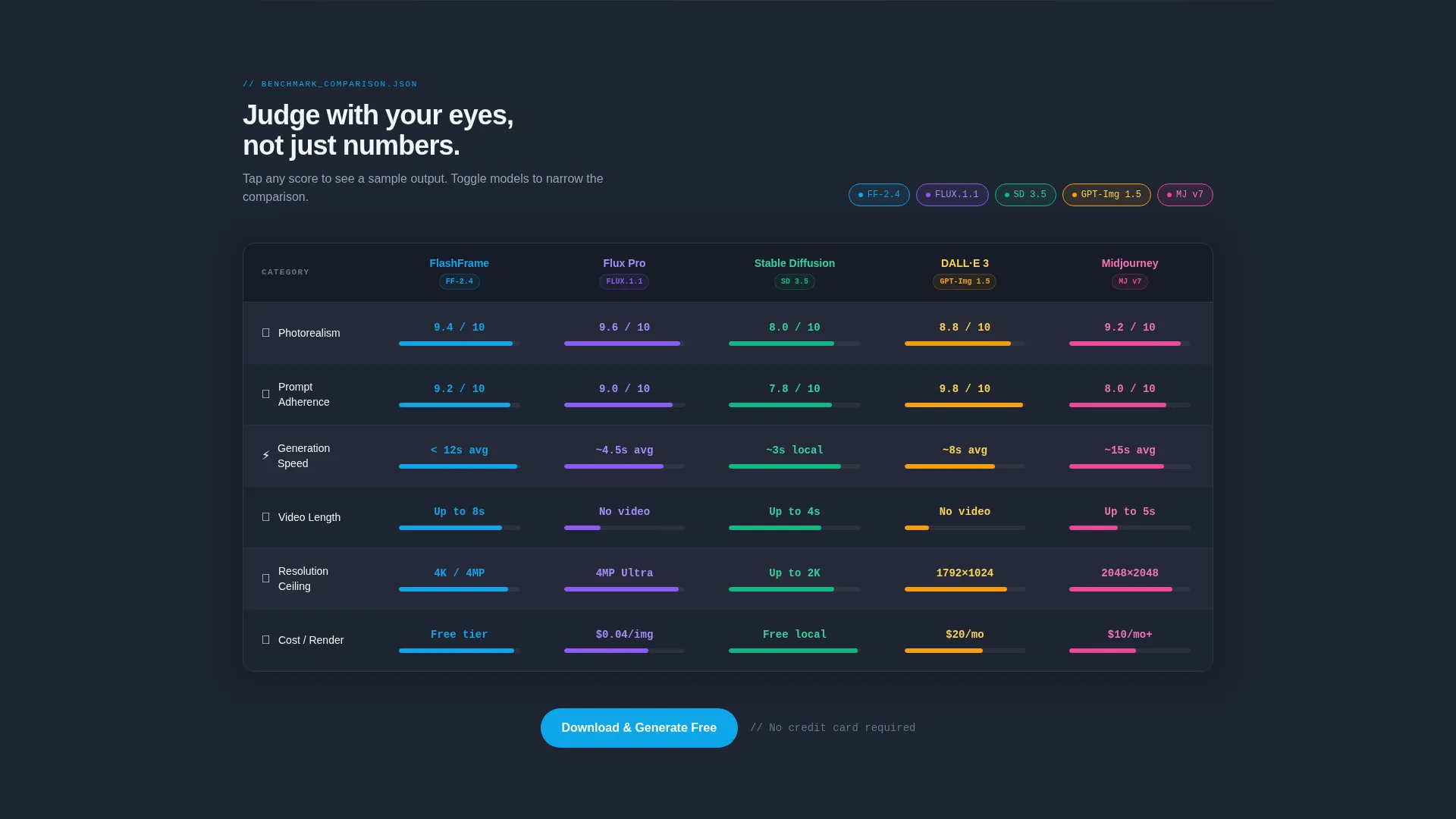
- A filterable multi-model comparison table with interactive score cells and slide-in output previews
- A live on-device prompt bar, a floating mobile download bar, and a desktop QR code section
Feature list
This template packages several purpose-built components that work together to build trust and drive downloads.
Animated Code-Snippet Header
A monospaced prompt block types itself character by character in the center of a near-black viewport. The moment the closing parenthesis lands, the background reveals the finished generated image. A thin white headline fades up immediately after, creating a dramatic and product-honest opening.
Filterable Model Comparison Table
Visitors can toggle between AI generation models across columns while rows display benchmark categories such as photorealism, prompt adherence, generation speed, video length, resolution ceiling, and cost per render. The table is the analytical heart of the page.
Interactive Score Cells with Output Previews
Each cell in the comparison table is tappable. Selecting a score triggers a sample output that slides in from the right side of the screen. Visitors evaluate quality with their eyes rather than trusting abstract numbers alone.
Live On-Device Prompt Bar
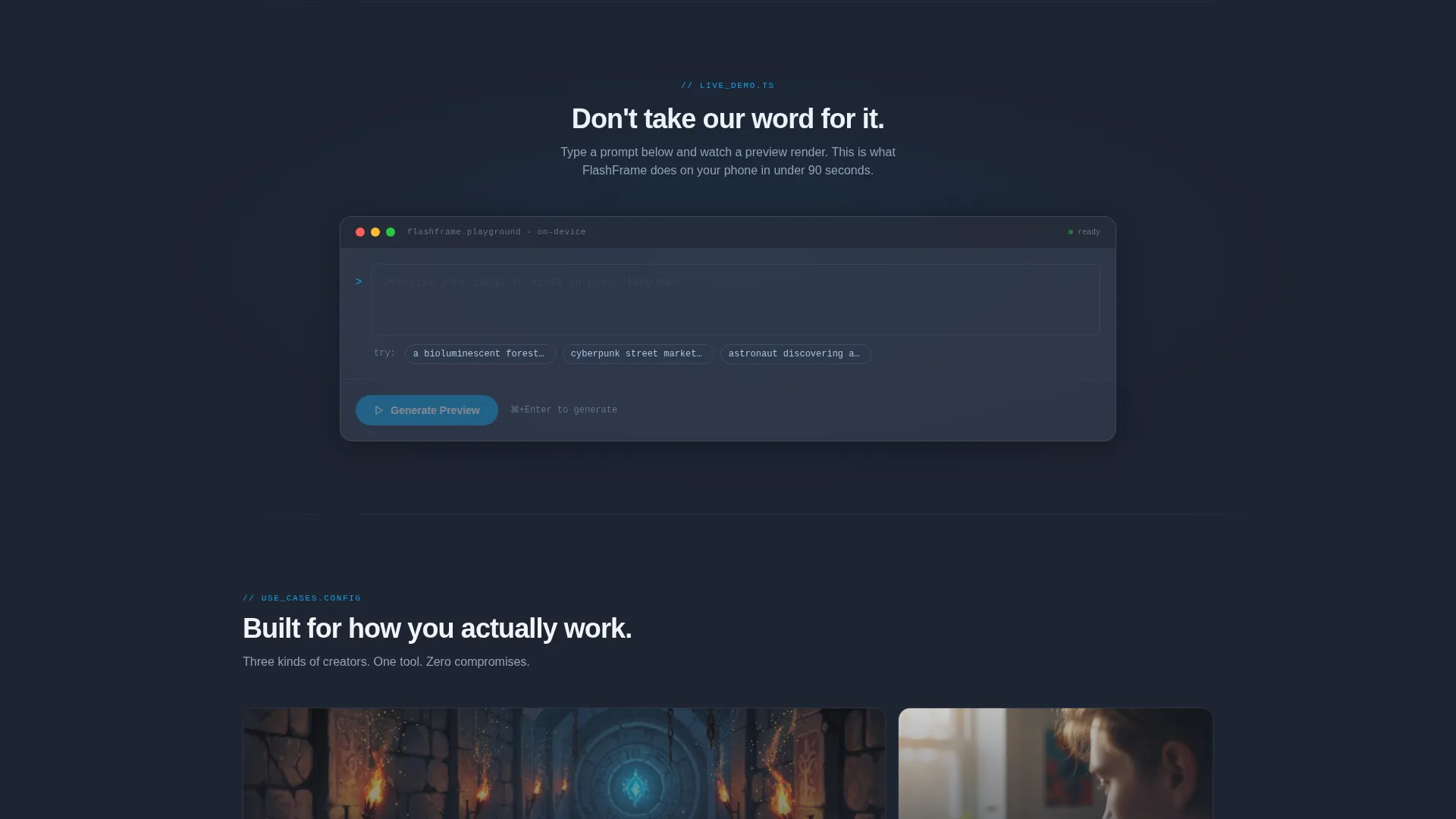
Below the comparison section, a prompt input bar invites visitors to type a sentence and see a low-resolution preview generated directly on their device. This turns the landing page into a hands-on trial before any download is requested.
Floating Download Call to Action
The primary call to action, "Download & Generate Free," is pinned as a floating bottom bar on mobile. On desktop, it anchors after every third table section. A secondary QR code option is styled in Slate & Sky tones so it feels native to the design.
Directory-Style Scroll Rhythm
The page is structured as a progressive discovery experience. It opens with proof, moves through interactive data, then shifts into a live playground before the download ask. The scroll rhythm escalates from analytical confidence to direct participation.
Page sections overview
| Section | Purpose |
|---|---|
| Code Snippet Header | Opens with animated prompt resolving into cinematic image |
| Filterable Comparison Table | Lets visitors benchmark AI models side by side |
| Interactive Score Cells | Slides sample outputs in on tap for visual proof |
| Live Prompt Bar | Lets visitors generate a preview before downloading |
| Floating Download Bar | Pins the primary call to action on mobile at all scroll depths |
| Desktop QR Section | Offers a native-styled scan path for desktop visitors |
Design & branding system
The visual identity follows a Directory & Discovery theme with a code-editor-at-dusk atmosphere. Every color choice reinforces the sense that this product lives where developers and creators already work.
- Deep charcoal slate (#1E2432) as the primary background, mid-tone graphite (#3A4256) for card surfaces and table rows
- Pale horizon blue (#A8C4E0) on hover states and active filter highlights
- Electric cerulean (#0EA5E9) for every interactive accent, call-to-action pulse, and primary button state
Mobile & speed optimization
The template is built with a mobile-first download flow in mind. Every interactive element has a clear touch target, and the floating call to action stays accessible at any scroll depth on smaller screens.
- Floating bottom bar keeps the download action one tap away throughout the entire page
- QR code section gives desktop visitors a direct bridge to the mobile app without friction
- Table layout is designed to scroll and filter comfortably on phone screens as well as desktop viewports
How this template helps you convert
Flashframe earns the download tap by letting visitors interact with real outputs before the ask ever appears. The conversion path is built on progressive proof rather than upfront persuasion.
- The animated header immediately demonstrates what the product does, removing any need for explanation and building instant curiosity.
- The comparison table and interactive score cells replace abstract feature claims with tangible, visual evidence that visitors can judge themselves.
- The live prompt bar completes the trust loop by letting visitors experience generation firsthand, so the download call to action feels like removing the last small barrier rather than making a leap of faith.
Other information about this template
Flashframe is a single-page landing page template categorized under Technology, specifically the AI and Machine Learning subcategory, with a niche focus on AI image and video generation tools. It is styled for products that compete in the text-to-image and text-to-video space.
- The comparison table is designed to benchmark multiple AI generation engines side by side, making it a natural fit for products that want to position themselves against tools like Flux, Stable Diffusion, and similar models
- The template style is Comparison Table within a Directory & Discovery theme, making it well suited for app download campaigns targeting both technical and creative audiences
- The Slate & Sky color system and monospaced typography signal credibility to developer-adjacent users without alienating non-technical creative users

Theme
Directory & Discovery
Creative direction
Interactive Explorer
Color system
Slate & Sky
Style
Comparison Table
Direction
App Download
Page Sections
Animated Code-snippet Header
Filterable Model Comparison Table
Interactive Score Cells with Previews
Live On-device Prompt Bar
Floating Mobile Download Bar
Related questions
What type of product is this template designed for?
Can I customize the models shown in the comparison table?
Does the live prompt bar require a backend connection?
Who is the primary target audience for this landing page?
Is the download call to action customizable?



