Management Landing Page Template | Dashboard & App Download
Fleet is a dashboard-style landing page template built for automotive fleet management platforms. It opens with an interactive cost calculator, then walks visitors through a full cockpit of data modules covering GPS tracking, driver behavior, predictive maintenance, and fuel analytics. The design uses a dark iridescent palette and drives app downloads through a layered, results-first conversion flow.
by Rocket studio
Quick summary
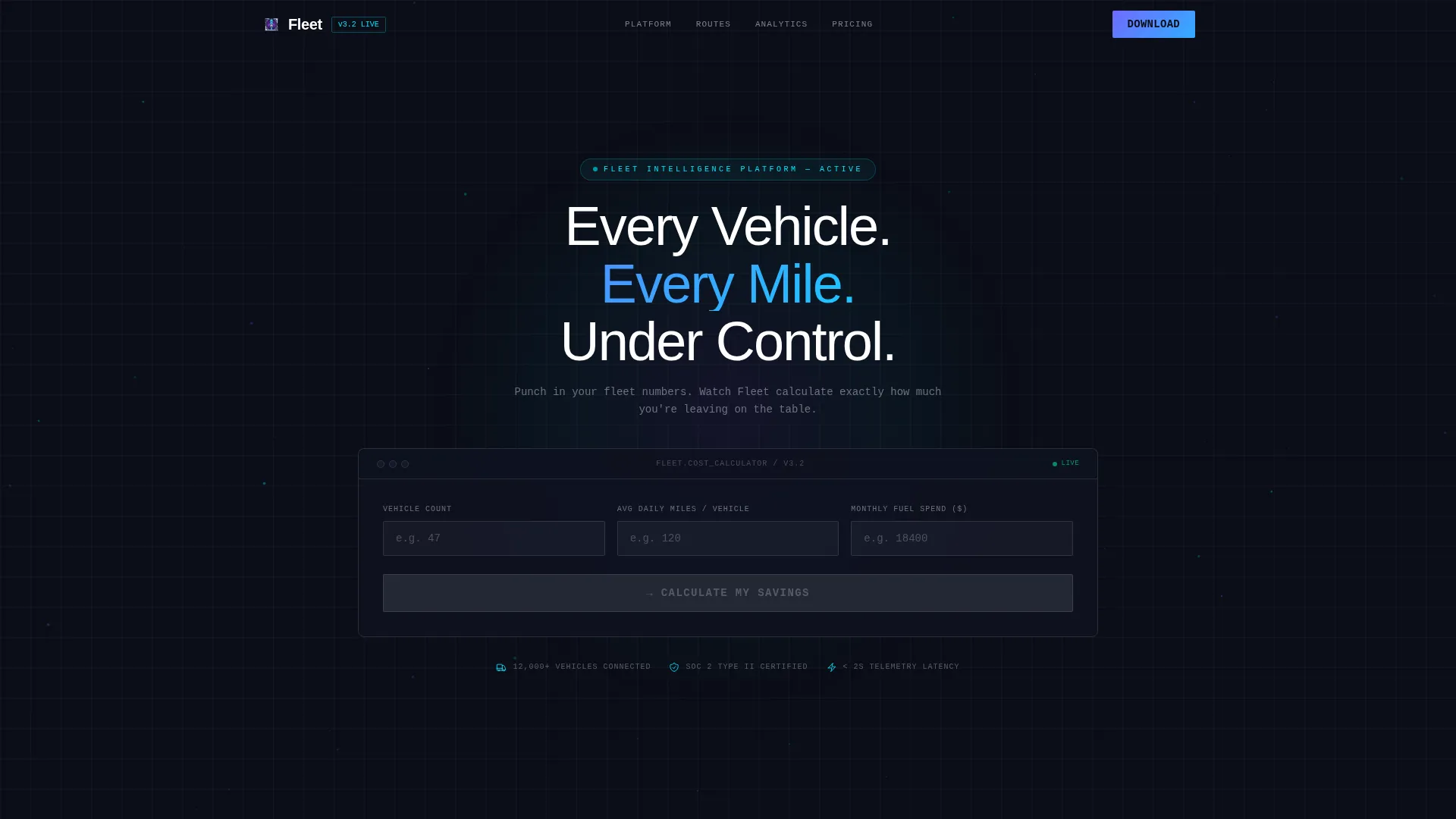
Fleet is a single-page, dashboard-driven landing page template designed for automotive fleet management software. Visitors open a live cost calculator, receive animated results tied to their own numbers, and move naturally toward downloading the app. Every scroll reveals another data module, styled like a real cockpit instrument, proving the platform's value before any sign-up form appears.
Who this template is for
This template is built for teams and businesses that manage vehicles at scale and need a landing page that earns trust fast. It speaks directly to buyers who already understand fleet pain points and want proof before they commit.
- Logistics coordinators managing regional fleets of forty or more vehicles
- Construction firms tracking idle equipment hours and maintenance costs
- Rental agencies that have outgrown spreadsheet-based fleet management
What problem this template solves
Fleet operators often struggle to communicate software value quickly. A generic landing page with screenshots and bullet points rarely convinces a fleet manager who has seen a dozen dashboards. This template solves that by putting the visitor's own numbers at the center of the experience.
- Visitors cannot see how costs and savings apply to their specific fleet from static pages
- A long sales pitch loses busy logistics professionals before they reach the call to action
- App download rates suffer when there is no compelling "moment of belief" early in the page
What you get with this template
You get a fully structured, single-page layout that doubles as a product demo. Every section is self-contained and scannable, so visitors absorb value at their own pace without feeling pressured.
- An interactive Fleet Cost Calculator in the header with animated, odometer-style results
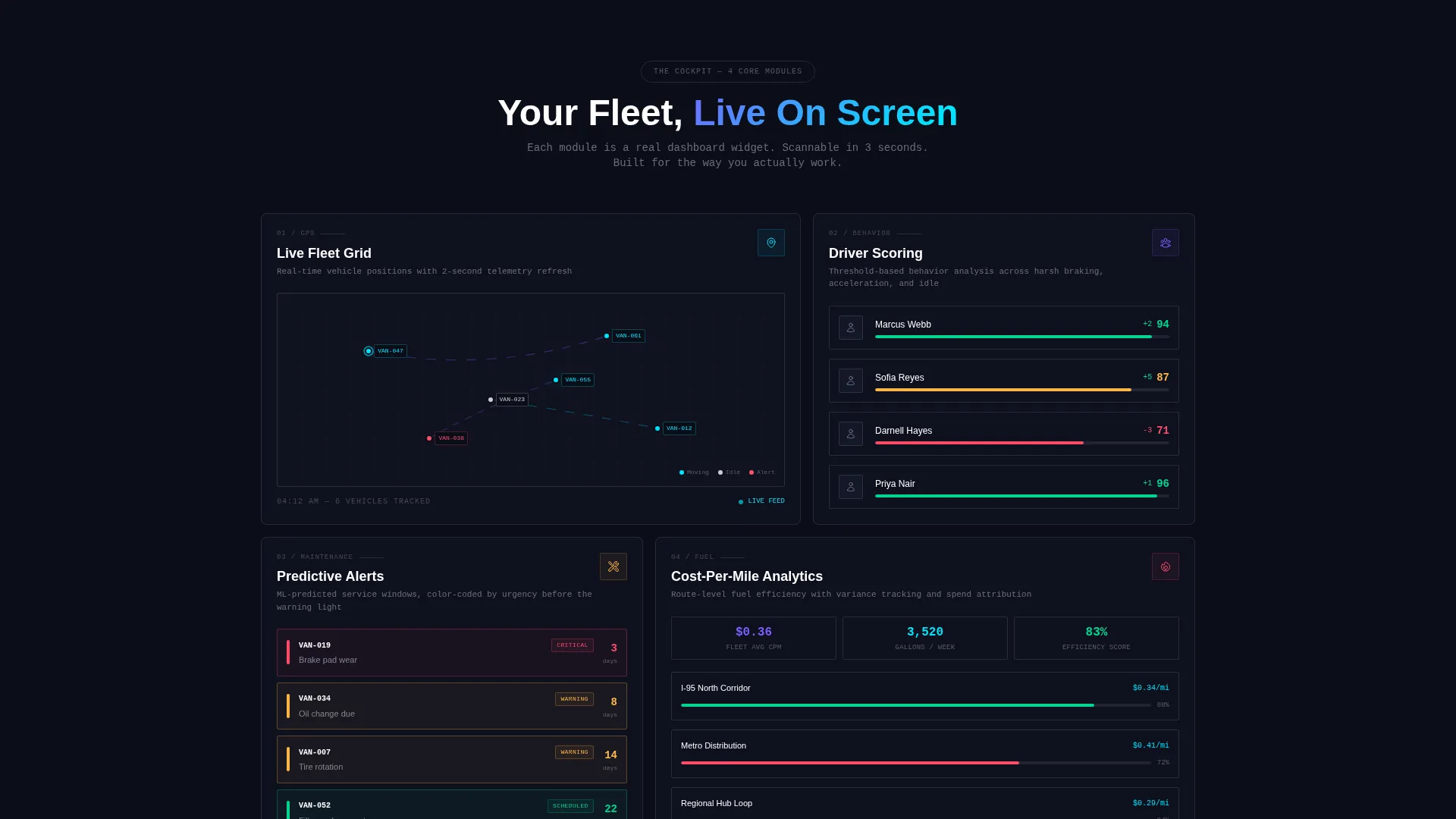
- A sequence of dashboard data modules covering GPS, driver scoring, maintenance, and fuel analytics
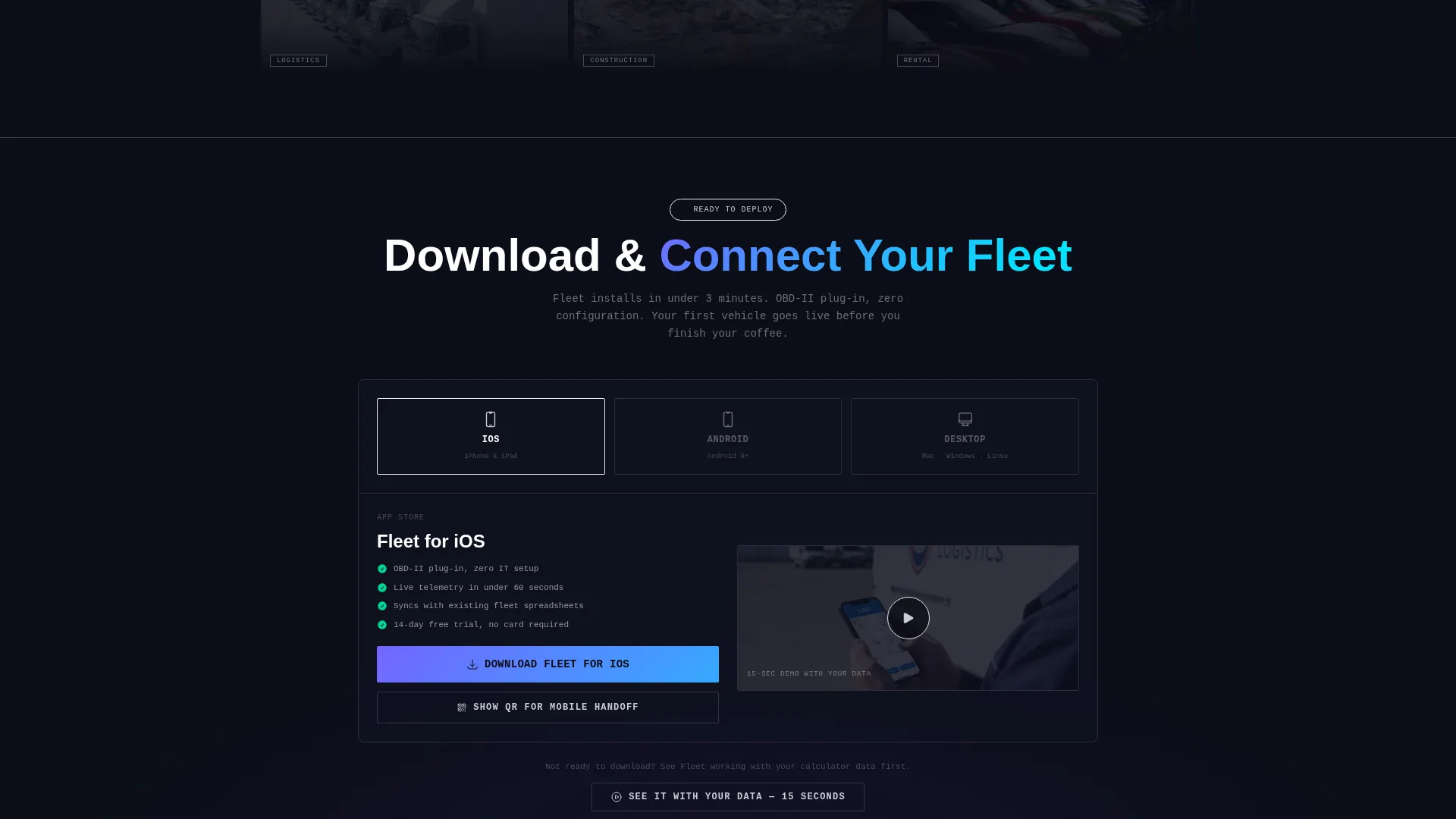
- A multi-step app download flow with platform selector, QR code handoff, and a demo video path
Feature list
This template delivers six purpose-built sections, each functioning as a standalone proof point. Together they form a complete, conversion-focused landing page for any fleet management platform.
Interactive Fleet Cost Calculator
Visitors enter their vehicle count, average daily mileage, and current fuel spend. The calculator then animates a results dashboard showing projected quarterly savings, idle-time reduction percentage, and maintenance alerts prevented. Numbers roll like odometer counters, making the output feel live and personal.
Live GPS Grid Module
A simulated GPS grid displays vehicle pings across a regional map layout. The module is styled as a real dashboard widget and conveys real-time tracking capability at a glance. Visitors understand the core location feature within three seconds of landing on the section.
Driver Behavior Scoring Panel
This module presents driver scoring with threshold bar indicators and color-coded performance tiers. It communicates the platform's ability to surface risky driving patterns without requiring a lengthy explanation. The visual format is immediately familiar to anyone who has used fleet telematics software.
Predictive Maintenance Timeline
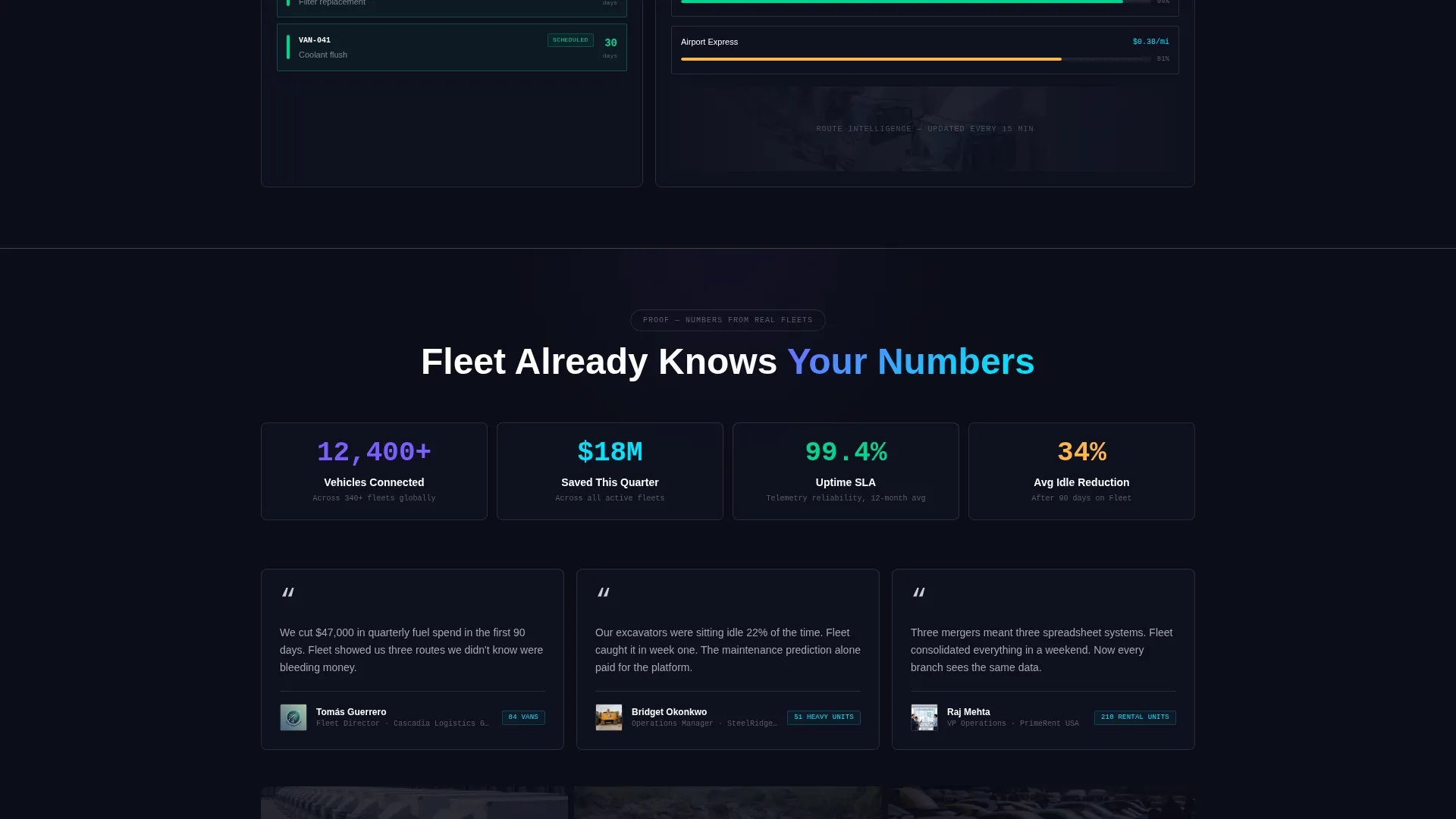
A color-coded maintenance timeline shows upcoming service windows ranked by urgency. The layout makes it clear the platform flags issues before warning lights appear. Each entry in the timeline is styled as a discrete data card, consistent with the overall cockpit aesthetic.
Fuel Analytics Breakdown
The fuel analytics module presents cost-per-mile breakdowns in a clean data grid format. Visitors can see how the platform structures fuel spend visibility across a fleet. This section reinforces the calculator's savings projection with a concrete methodology.
App Download Conversion Flow
The primary call to action, "Download and Connect Your Fleet," appears first inside the calculator results panel. It then reappears as a sticky bottom bar after the third data module. Tapping opens a platform selector for iOS, Android, and Desktop, plus a QR code option for instant mobile handoff. A secondary path leads to a fifteen-second demo video using the visitor's own calculator inputs.
Page sections overview
| Section | Purpose |
|---|---|
| Calculator Header | Capture fleet inputs and animate personalized cost savings results |
| GPS Grid Module | Demonstrate live vehicle location tracking via simulated ping grid |
| Driver Scoring Panel | Show driver behavior metrics with threshold bars and performance tiers |
| Maintenance Timeline | Preview predictive service scheduling with color-coded urgency levels |
| Fuel Analytics Grid | Break down cost-per-mile data to reinforce projected fleet savings |
| App Download Bar | Convert visitors with a sticky call to action, platform selector, and QR handoff |
Design & branding system
The visual identity channels a Startup Velocity theme through an AI Iridescent color system. Every color choice is functional, tied to data state or interaction, and nothing is purely decorative. The overall impression is a GPU rendering live telemetry on dark glass.
- Void black (#0B0D17) as the primary background, holographic violet (#7B5EFF) for active data states and graph lines, electric cyan (#00E5FF) on interactive nodes and hover pulses, and spectral silver (#C8CDD5) for secondary text and grid borders
- Iridescent violet data cards bloom as calculator results populate, giving the impression of real-time AI processing
- Dashboard widget styling across all modules keeps the visual language consistent from header to sticky footer bar
Mobile & speed optimization
The template is structured for a clean mobile experience, which matters when the primary conversion goal is an app download. The sticky bottom bar and QR code handoff are both designed with mobile-first interactions in mind.
- The platform selector and QR code option allow instant handoff from desktop browsing to a mobile device
- Each data module is self-contained and renders as a discrete card, keeping the layout organized on smaller screens
- The sticky download bar activates after the third module scroll, targeting the moment mobile visitors have seen enough to act
How this template helps you convert
Every design and layout decision in this template is built around one outcome: getting a qualified fleet manager to download the app. The conversion path has multiple entry points but a single direction.
- The calculator creates a personalized "moment of belief" before any sales copy appears, so the visitor has already imagined the app in use by the time the first call to action appears
- The sticky download bar ensures the primary call to action stays visible throughout the module tour, removing the need for the visitor to scroll back up
- The secondary demo video path, triggered using the visitor's own calculator inputs, gives hesitant buyers a low-commitment next step without leaving the page
Other information about this template
This template is built within the Spec Sheet creative direction framework, where every scroll increment reveals a new capability as a discrete data module rather than narrating a brand story. It suits platforms in the automotive software and fleet technology space that need to demonstrate depth quickly to a technically literate audience.
- The template style is Dashboard and Data Grid, making it a strong fit for software-as-a-service platforms with real telemetry or analytics features
- The header concept is a Calculator and Estimator, which is particularly effective for fleet management tools where cost savings are a primary buying driver
- The landing page direction targets app downloads, and the entire layout is sequenced to support that goal from the first calculator input to the final sticky bar
Theme
Startup Velocity
Creative direction
Spec Sheet
Color system
AI Iridescent
Style
Dashboard/Data Grid
Direction
App Download
Page Sections
Interactive Fleet Cost Calculator
Simulated Live GPS Grid
Driver Behavior Scoring Panel
Predictive Maintenance Timeline
Fuel Analytics Data Grid
Multi-step App Download Flow
Related questions
Can I customize the calculator inputs for my platform's specific metrics?
Is this template suitable for a B2B fleet software product?
How does the app download flow work within the template?
Does the template include a demo video section?
Can this template work if my platform is not yet app-based?



