Nonprofit Software Cost Calculator Website Template
Fleet is a modular card-grid landing page template built for nonprofit fleet management platforms. It features a Feature Tab Switcher header, an interactive Fleet Cost Calculator, and a Comparison/Versus scroll flow. The Dashboard Pro theme uses a Midnight Blue color system to deliver the calm authority of a live dispatch screen. Every section earns its place before asking for contact information.
by Rocket studio
Quick summary
Fleet is a single-page landing page template designed for nonprofit fleet management platforms. It leads with an interactive cost calculator, follows with a side-by-side comparison grid, and closes with a qualified lead form. The Dashboard Pro visual identity keeps every module feeling like a live operations screen.
Who this template is for
This template is built for organizations where vehicles are the mission. It speaks directly to the people who keep those vehicles moving and the funds that pay for them.
- Operations directors managing aging vehicle fleets for service-delivery nonprofits
- Disaster relief and mobile health coordinators dispatching across wide geographic areas
- Development officers who need clean fleet cost data for grant reports and donor accountability
What problem this template solves
Nonprofit fleet teams often track vehicles across spreadsheets, sticky notes, and reactive repair calls. The gap between what a fleet actually costs and what leadership can report to donors is wide and expensive.
- No centralized visibility into vehicle health, fuel use, or route efficiency
- Maintenance decisions made reactively, driving up repair costs and downtime
- Fleet cost data too messy to include in grant applications or board reports
What you get with this template
You get a fully structured, modular landing page that walks a visitor from operational pain to financial clarity in a single scroll. The layout is built around conversion logic: give value first, then ask.
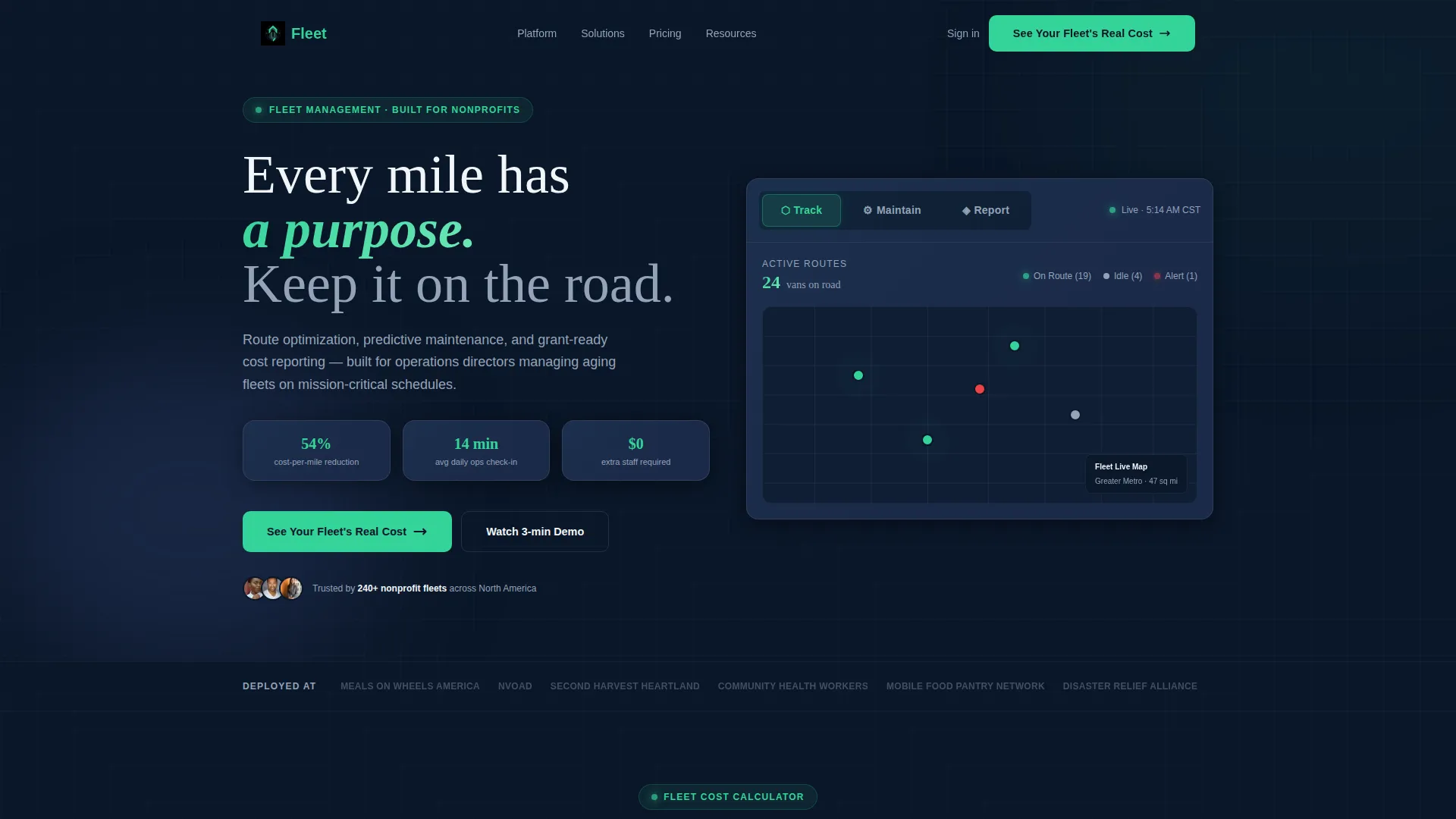
- A Feature Tab Switcher header with three animated dashboard views: Track, Maintain, and Report
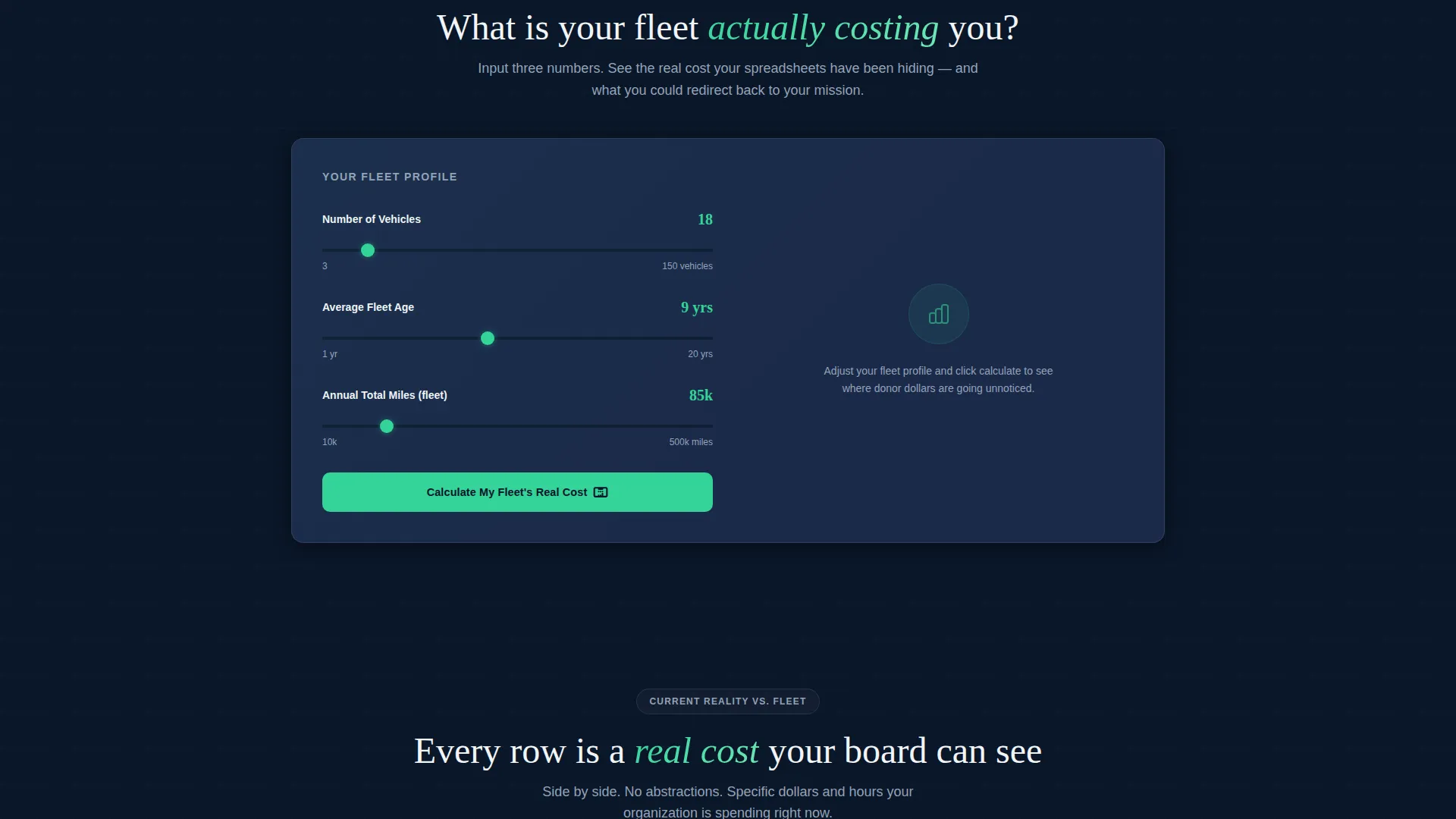
- An interactive Fleet Cost Calculator placed above the fold, below the header
- A Comparison/Versus card grid, a lead qualification form, and a sticky mobile call-to-action bar
Feature list
This template ships with purpose-built sections and interactive components designed specifically for the nonprofit fleet management use case.
Feature Tab Switcher Header
Three tabs sit above a live dashboard mockup labeled Track, Maintain, and Report. Each tab swaps the dashboard view with animated data transitions. The active tab glows in mission-green so the visitor always knows where they are.
Interactive Fleet Cost Calculator
Visitors input number of vehicles, average fleet age, and annual mileage. The tool instantly returns estimated maintenance waste, fuel inefficiency cost, and projected first-year savings. Result cards use the same modular grid as the rest of the page, so the output feels native and credible.
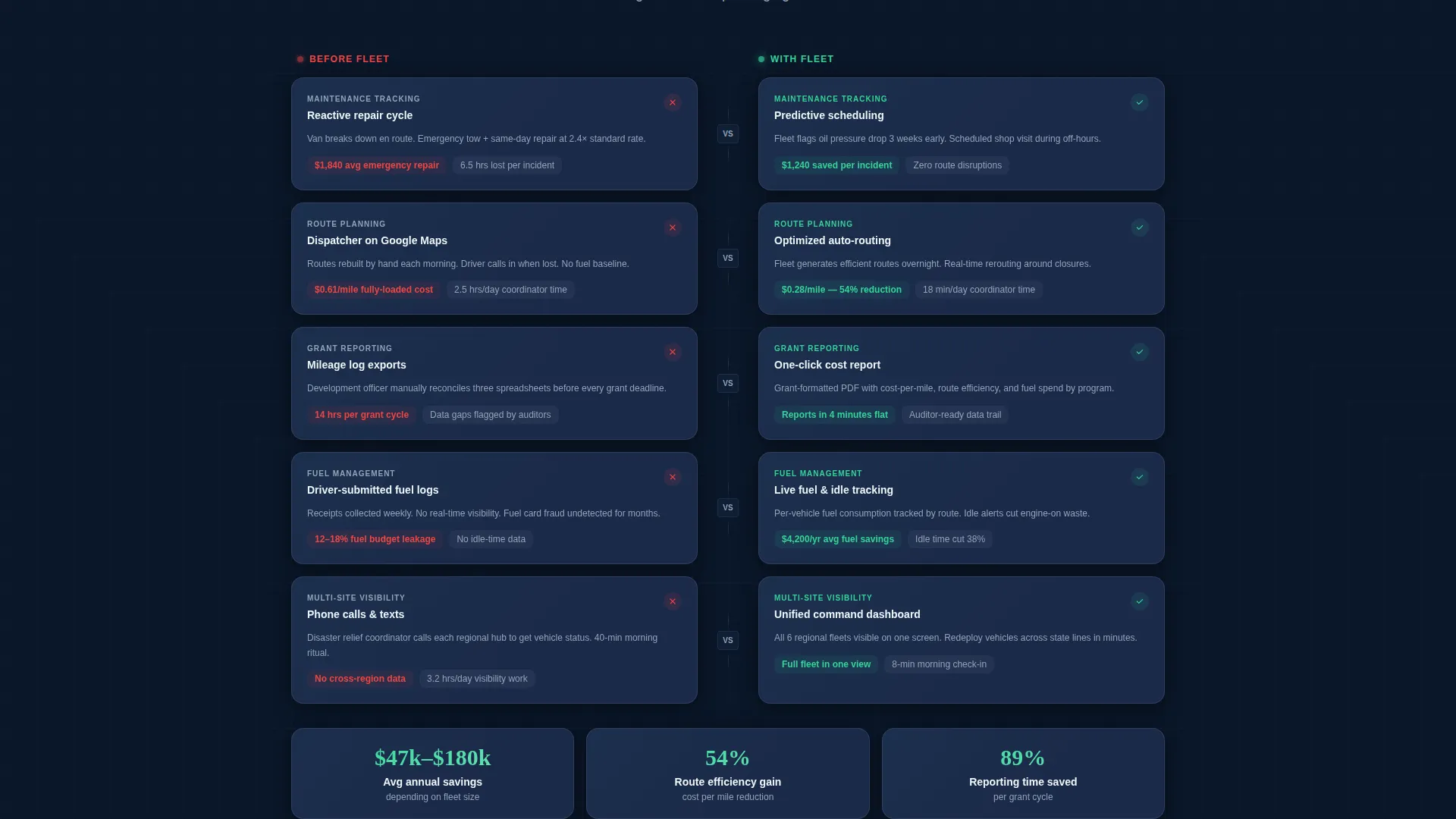
Comparison/Versus Card Grid
Each row in this section places the nonprofit's current reality against the platform's alternative. Specific dollar figures and hour savings appear on every card. The narrative moves from operational pain to financial clarity to donor confidence.
Lead Qualification Form
After calculator results render, a secondary call-to-action appears below the savings figure. The form captures organization name, fleet size, and primary mission type. Mission types include food delivery, mobile health, disaster response, and transportation services.
Modular Card Grid Layout
Every section on the page uses the same card grid system. The calculator output, comparison rows, and feature highlights all snap into the same visual grid. This consistency makes the page feel like one cohesive tool rather than a stack of disconnected sections.
Sticky Mobile Call-to-Action Bar
A persistent bar appears at the bottom of the screen on mobile devices. It repeats the primary call-to-action in mission-green against deep navy. Visitors never have to scroll back up to take action.
Page sections overview
| Section | Purpose |
|---|---|
| Tab Switcher Header | Introduce Track, Maintain, Report dashboard views |
| Fleet Cost Calculator | Qualify visitors with instant savings estimate |
| Calculator Results Grid | Display maintenance waste and fuel cost cards |
| Comparison Card Grid | Contrast current pain with platform alternative |
| Lead Qualification Form | Capture org name, fleet size, mission type |
| Sticky Mobile Bar | Repeat primary call to action on small screens |
Design & branding system
The template uses a Midnight Blue color system that evokes the glow of a dispatch screen in a darkened operations room. Every color choice serves a functional role and nothing is decorative for decoration's sake.
- Deep command-center navy (#0A1628) as the primary background, tactical slate (#1B2A4A) for card surfaces, and cool operations gray (#94A3B8) for secondary text and divider lines
- Mission-green (#34D399) reserved for active states, success indicators, and all primary calls-to-action so the eye always knows where to go next
- The Dashboard Pro theme gives the page the visual language of a real fleet operations tool, not a generic software brochure
Mobile & speed optimization
The card grid layout adapts naturally to smaller screens. The sticky mobile call-to-action bar ensures conversion paths remain accessible without requiring any scrolling back to the top.
- Modular grid sections reflow cleanly from desktop columns to single-column mobile stacks
- The sticky bottom bar keeps the primary call-to-action visible at all times on mobile devices
- Animated tab transitions and calculator interactions are scoped to the interface, keeping the layout lightweight and focused
How this template helps you convert
The page is structured around a "value before ask" conversion logic. A visitor earns trust in the platform before they ever see a form field.
- The Fleet Cost Calculator delivers a personalized savings estimate before any sales message appears, proving the platform understands nonprofit fleet math and earning the visitor's attention.
- The Comparison/Versus grid escalates the narrative from operational pain to financial clarity, making the cost of inaction concrete and visible with specific figures on every card.
- The lead qualification form appears only after results render, capturing high-intent visitors who have already seen their own numbers and are ready to take the next step.
Other information about this template
This template is built under the Dashboard Pro theme and is categorized under Nonprofit Software within the Technology category. It is designed as a single-page, section-led landing page using a Card Grid (Modular) template style.
- The creative direction follows a Calculator/Tool First approach, meaning the interactive tool anchors the page before any conversion copy appears
- The landing page direction is Comparison/Versus, using structured side-by-side cards to move visitors from awareness to action
- The header concept is a Feature Tab Switcher, a design pattern that lets one hero section carry three distinct product messages without requiring extra page length
Theme
Dashboard Pro
Creative direction
Calculator/Tool First
Color system
Midnight Blue
Style
Card Grid (Modular)
Direction
Comparison/Versus
Page Sections
Feature Tab Switcher Header
Interactive Fleet Cost Calculator
Comparison/versus Card Grid
Lead Qualification Form
Sticky Mobile Call-to-action Bar
Modular Card Grid Layout
Related questions
Can I customize the calculator inputs and result cards?
Is this template suitable for organizations with small fleets?
Does the tab switcher require custom development to work?
Can the comparison grid rows be edited to match different mission types?
What makes this template different from a generic software landing page?



