Certified Restaurant Software Cost Estimator Website Template
Fleet is a split-screen landing page template built for restaurant fleet management platforms. It opens with an interactive cost estimator, walks visitors through a Problem-to-Solution scroll arc, and drives lead generation through a sticky call-to-action bar and a gated PDF audit checklist. The dark Data Command visual theme makes every data point feel urgent and credible.
by Rocket studio
Quick summary
Fleet is a single-page lead generation template designed for restaurant fleet management software. It uses a 50/50 split-screen layout, a live fleet cost estimator in the header, and a Problem-to-Solution scroll arc. The Midnight Blue color system keeps the page feeling like an active dispatch console, pushing visitors toward one clear action: calculating their fleet savings.
Who this template is for
This template is built for software companies and platforms serving the restaurant and food logistics industry. It speaks directly to operators who run vehicles at scale and need to prove ROI before a prospect fills out a form.
- Multi-location restaurant groups running fifteen or more delivery vehicles
- Ghost kitchen networks dispatching from shared commissary hubs
- Catering directors managing fuel costs and time-sensitive delivery windows
What problem this template solves
Restaurant fleet operators waste money and time because the true cost of running vehicles stays buried in paper logs, scattered spreadsheets, and reactive dispatcher calls. A generic software landing page cannot make that pain feel real. This template makes it visceral before a visitor ever reaches a contact form.
- Visitors arrive skeptical and leave without converting because the value is never quantified
- Operators need to see their own numbers, not industry averages, to trust a new platform
- The gap between "chaotic current state" and "clean dashboard future" is never shown side by side
What you get with this template
You get a fully structured, single-page layout that moves a visitor from cold to convinced in one scroll session. Every section has a defined job, and no section wastes space on generic brand storytelling.
- An interactive fleet cost estimator with live-updating savings projections in the header
- A multi-section Problem-to-Solution arc with paired chaos and resolution panels
- A sticky bottom call-to-action bar, a primary lead capture form, and a gated PDF secondary conversion path
Feature list
This template ships with purpose-built sections and interaction patterns drawn from the source brief. Each component earns its place by moving the visitor closer to converting.
Interactive Fleet Cost Estimator
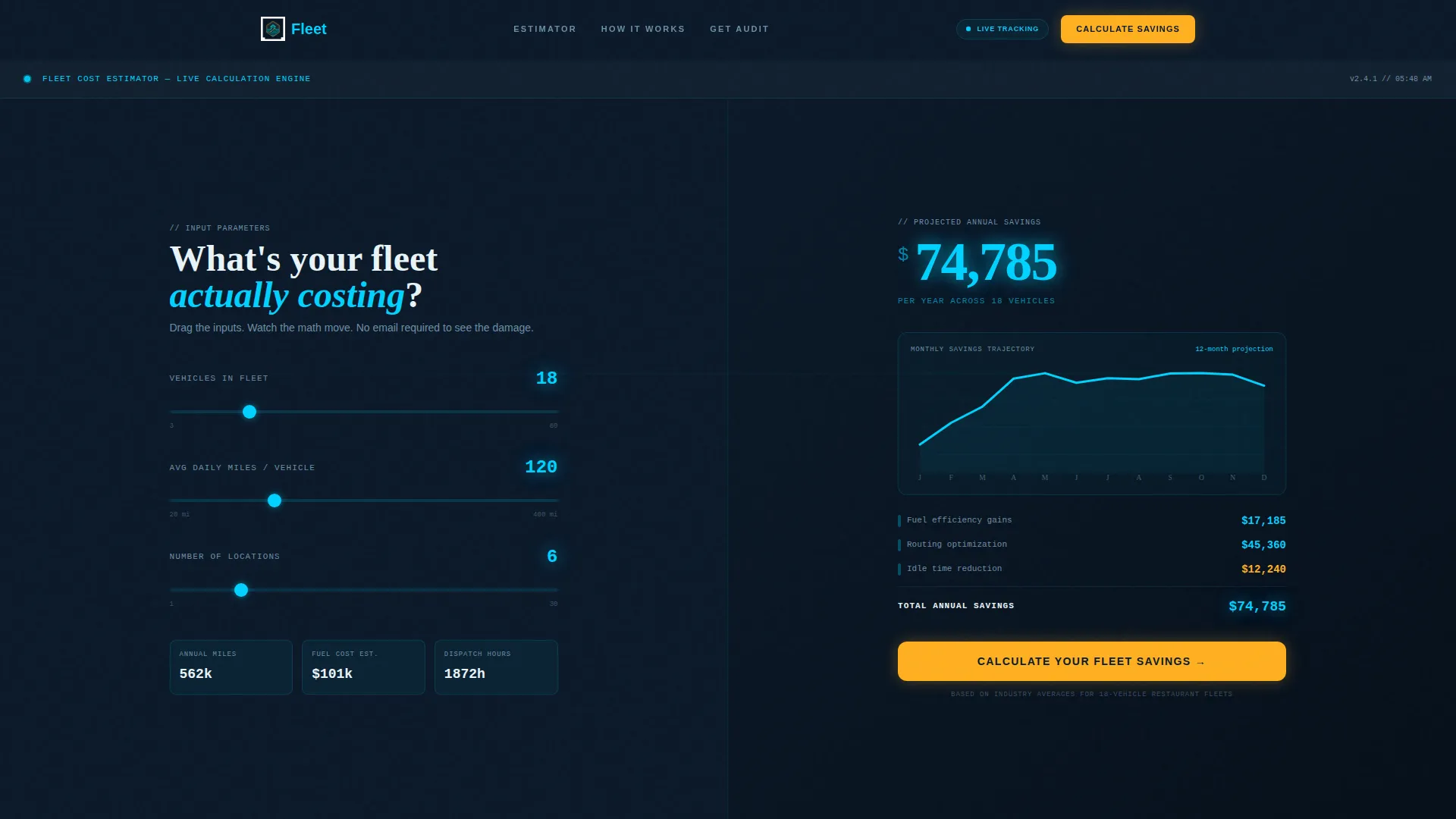
The header splits 50/50. The left panel lets visitors input their number of vehicles, average daily miles, and number of locations. The right panel renders a live-updating savings projection in glowing teal numerals on a deep navy background, complete with animated line graphs that tick upward as inputs change. No stock photography, no filler imagery.
Problem-to-Solution Scroll Arc
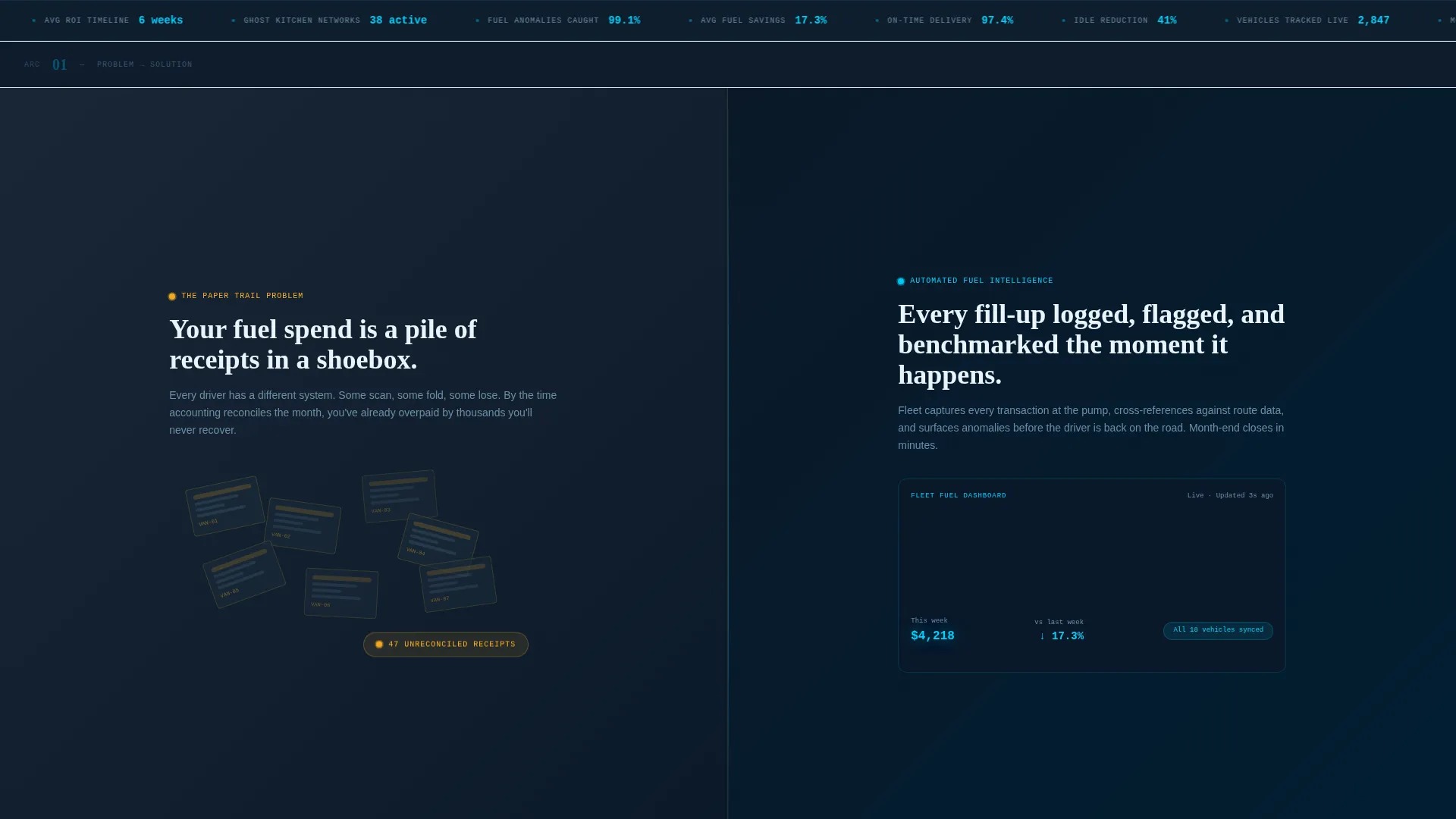
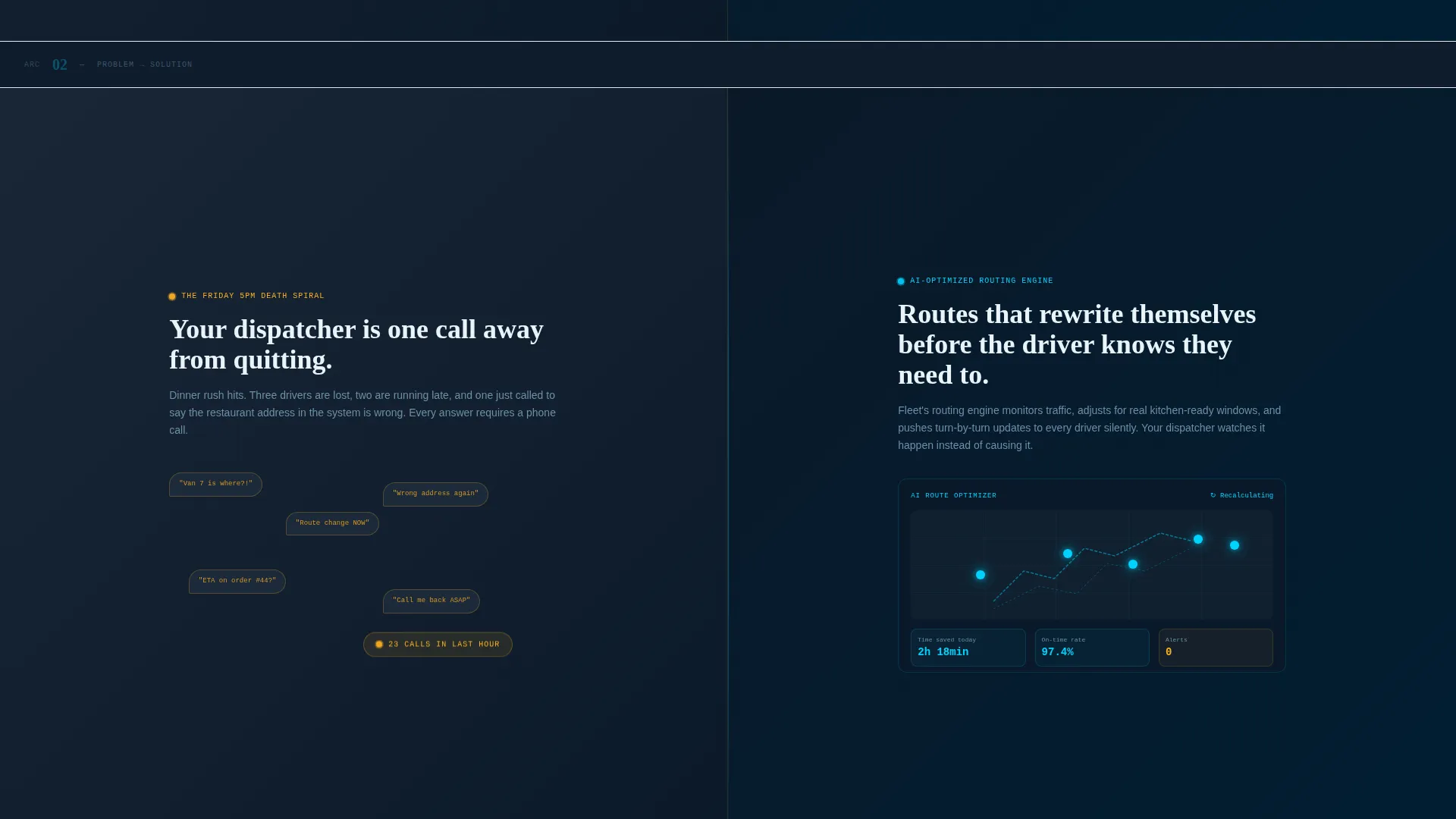
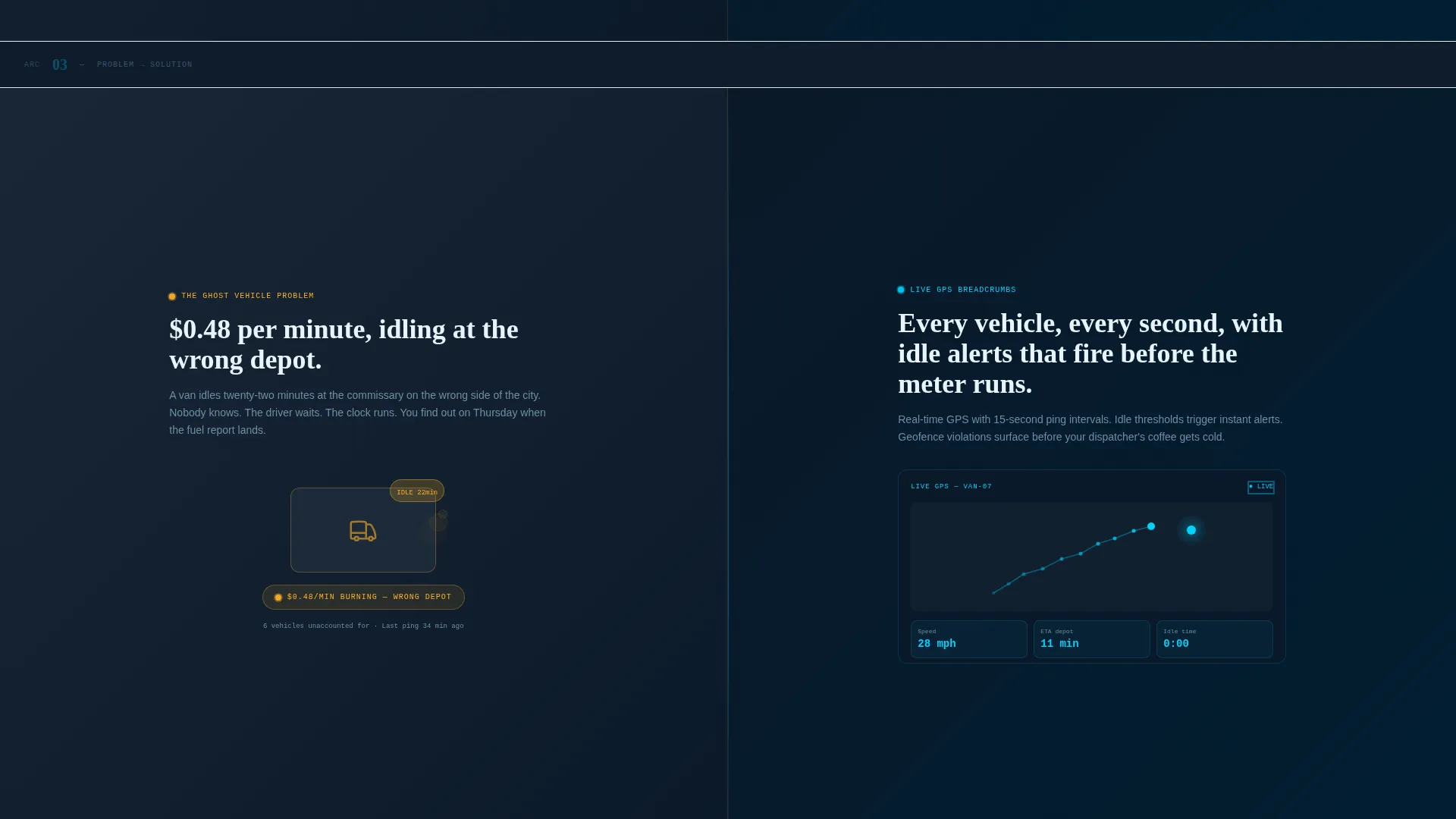
Each scroll section pairs a recognizable chaos moment on the left with the platform's data-rich answer on the right. Scenes escalate from minor inefficiency (paper fuel logs, a dispatcher buried in calls) to serious cost bleed (a delivery van idling twenty minutes at the wrong address), then resolve into a unified dashboard view.
Sticky Lead Capture Bar
After the visitor passes the second scroll section, a sticky bottom bar appears anchoring the primary call-to-action: "Calculate Your Fleet Savings." It stays visible through every subsequent section without interrupting the scroll experience.
Primary Lead Generation Form
The main form captures fleet size, current monthly fuel spend, number of locations, and a work email in that exact order. It leads with easy operational numbers first, reducing friction before asking for contact details.
Gated PDF Audit Checklist
A secondary conversion path offers a downloadable fleet audit checklist behind an email capture gate. This catches visitors who are not yet ready to speak with sales but are ready to measure their current operation.
Data Command Visual Theme
The entire page uses the Midnight Blue color system: deep terminal navy for backgrounds, radar-screen teal for live data highlights, dashboard charcoal for secondary panels, and alert amber reserved for call-to-action elements and live-data callouts.
Page sections overview
| Section | Purpose |
|---|---|
| Header Estimator | Interactive cost calculator with live savings projection |
| Problem Panel One | Shows paper fuel logs versus automated fuel dashboard |
| Solution Panel One | Presents the clean, automated data answer |
| Problem Panel Two | Dispatcher buried in calls versus AI-optimized routing |
| Solution Panel Two | Demonstrates streamlined routing response |
| Problem Panel Three | Van idling at wrong location versus live GPS breadcrumbs |
| Solution Panel Three | Resolves arc with unified dashboard view |
| Sticky call to action Bar | Persistent lead capture anchor after second scroll section |
| Primary Lead Form | Fleet size, fuel spend, locations, and work email capture |
| PDF Checklist Gate | Secondary email capture for downloadable fleet audit |
Design & branding system
The visual identity follows a Data Command theme. Every color choice reinforces the idea that this platform turns chaotic fleet data into precise, actionable intelligence. The palette feels like the bridge of a cargo ship at night: dark backgrounds that make data glow, accent colors that draw the eye only where action is needed.
- Midnight Blue color system: deep terminal navy (#0B1929) for page backgrounds, radar-screen teal (#00D2FF) for live data numerals and graph lines, and dashboard charcoal (#1C2A3A) for secondary panels
- Alert amber (#FFB020) is reserved strictly for call-to-action buttons and live-data highlights, keeping visual urgency focused
- No stock photography or lifestyle imagery anywhere on the page; the visual language is pure data, motion, and math
Mobile & speed optimization
The split-screen layout is structured to adapt without losing the visual tension that drives conversions. On smaller screens, the paired panels stack vertically so the chaos-and-resolution narrative remains readable in sequence.
- The 50/50 split-screen columns reflow to full-width stacked panels on mobile viewports
- The sticky call-to-action bar is designed to remain accessible at the bottom of the screen on touch devices
- Animated line graphs and live-updating estimator output are contained within lightweight interaction patterns that do not rely on heavy media assets
How this template helps you convert
The page is engineered around a single insight: restaurant fleet operators trust numbers before they trust narratives. Every structural decision pushes toward lead capture by reducing doubt at each scroll stage.
- The header estimator forces immediate personalization. Visitors input their own fleet size and mileage, so the savings projection reflects their operation, not a generic case study. That personal stake keeps them scrolling.
- The escalating Problem-to-Solution arc builds emotional recognition before presenting the platform answer. By the time the unified dashboard appears, the visitor has already felt the cost of inaction across three distinct, familiar pain points.
- The dual conversion paths (primary form and gated checklist) capture visitors at two different readiness levels, so the page does not lose leads who are measuring but not yet buying.
Other information about this template
This template is categorized under Technology, specifically within the Restaurant Software subcategory, and is purpose-built for the restaurant fleet management niche. It is a strong fit for software companies that sell directly to operations-focused buyers rather than marketing teams.
- The template style is Split Screen (50/50), making it well suited for side-by-side before-and-after storytelling
- The header concept is a Calculator/Estimator, which is one of the highest-converting header formats for operations software because it leads with value quantification
- The creative direction follows a Problem-to-Solution Arc, a proven structure for convincing skeptical buyers who have already tried and abandoned generic tools
- The lead generation direction means every section is oriented toward form completions, not brand awareness or content consumption
Theme
Data Command
Creative direction
Problem→Solution Arc
Color system
Midnight Blue
Style
Split Screen (50/50)
Direction
Lead Generation
Page Sections
Interactive Fleet Cost Estimator
Problem-to-solution Scroll Arc
Sticky Call-to-action Bar
Primary Lead Generation Form
Gated PDF Fleet Audit Checklist
Data Command Visual Identity
Related questions
What kind of business is this template designed for?
Can I customize the cost estimator inputs and savings calculations?
Does the template include both a primary form and a secondary conversion path?
What happens to the split-screen layout on mobile devices?
Is the dark color theme easy to modify for a different brand palette?



