Premium Retail Software Professional Website Template
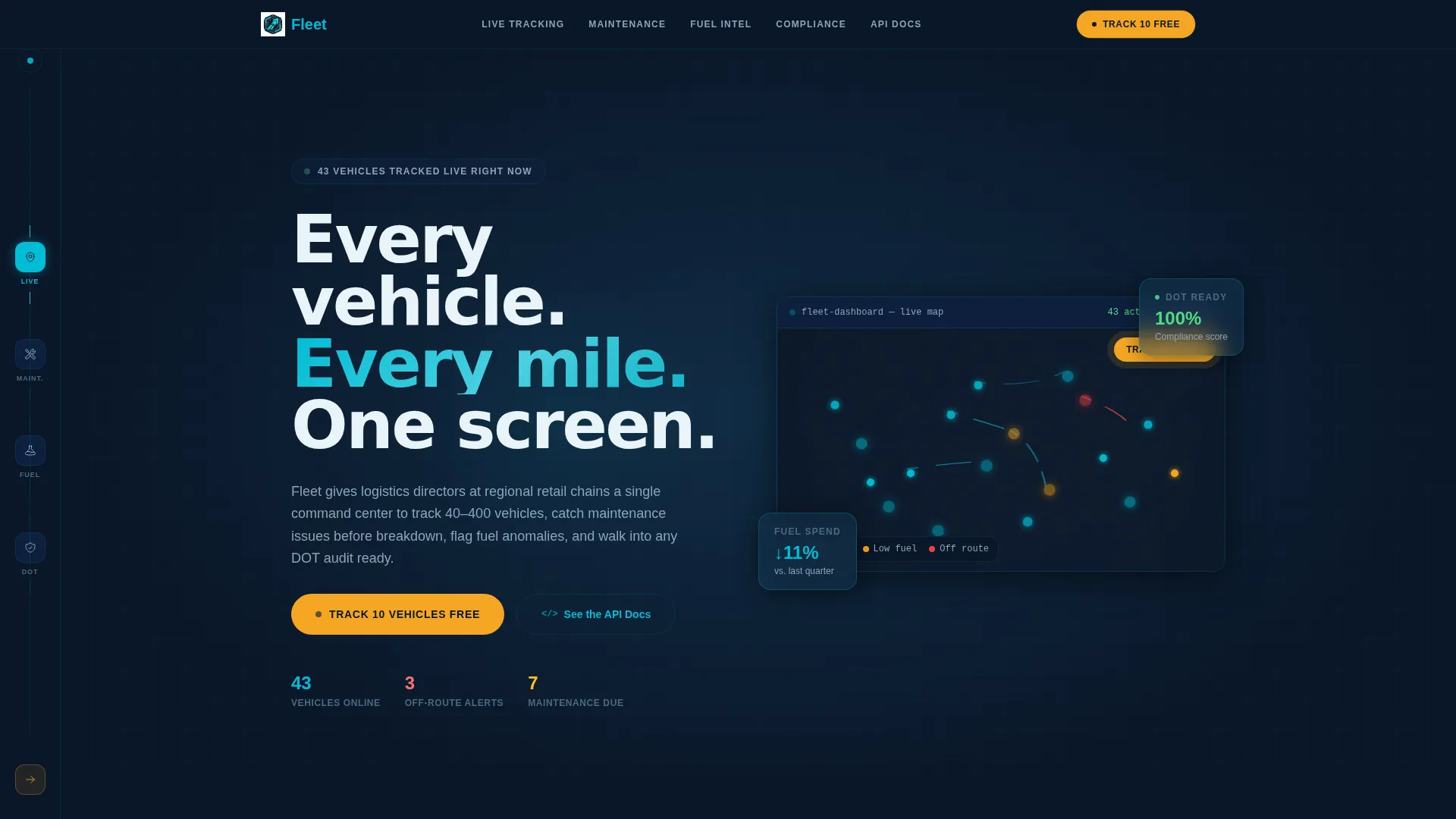
Fleet is a hub-and-spoke anchor-nav landing page template built for retail fleet management platforms. It opens with a live-API code snippet that dissolves into a moving vehicle map, then walks visitors through a problem-to-solution scroll. The Midnight Blue color system and Dynamic Motion theme make every section feel like a real dispatch command center.
by Rocket studio
Quick summary
Fleet is a single-page, anchor-navigated landing page template for retail fleet management software. It opens with a terminal-style API code snippet that transitions into a live vehicle map. A problem-to-solution scroll structure surfaces operational pain points one by one, then answers each with a platform feature. The design runs on a Midnight Blue palette and Dynamic Motion theme.
Who this template is for
This template is built for software teams and founders selling fleet management platforms to retail and logistics buyers. It speaks directly to the people who carry operational risk at scale.
- Regional retail chains running anywhere from forty to four hundred vehicles
- Logistics directors and operations VPs who need fast answers at any hour
- Technical buyers who want to inspect an API before they commit to a trial
What problem this template solves
Retail fleet operations produce a constant stream of compliance, maintenance, and fuel decisions. A generic product page cannot communicate that urgency. This template is designed for exactly that gap.
- Visitors do not see the product value quickly enough and leave before reaching a call to action
- Buyers with technical roles want proof of integration depth before signing up for anything
- Operations leaders need to feel confident a platform handles real-world pressure, not just demos
What you get with this template
You get a fully structured, single-page layout that guides different buyer types toward the right next step. Every section is purpose-built for the retail fleet management conversation.
- A code-snippet header that auto-types a live API response, then transitions into an animated vehicle map
- A left-rail hub navigation with vehicle-icon waypoints that fill with cyan as the visitor scrolls
- A freemium signup form asking only for work email and fleet size, with a progressive expansion after submission
Feature list
This template includes six purpose-built design and layout features. Each one connects directly to the sales conversation a fleet management platform needs to have.
Live API Code Snippet Header
The header opens with a styled terminal block. Monospaced cyan text on a deep navy background auto-types a live API call pulling vehicle IDs, GPS coordinates, fuel levels, and ETA calculations line by line. After two seconds, the payload dissolves into an actual map visualization showing roughly forty vehicles pulsing along live routes.
Anchor Hub Navigation with Waypoints
A persistent left-rail navigation tracks the visitor's scroll position across every spoke section. Each waypoint uses a vehicle icon that fills with live-signal cyan as the visitor passes that section. The nav gives logistics buyers a clear sense of structure and lets them jump directly to the section most relevant to their role.
Problem-to-Solution Spoke Sections
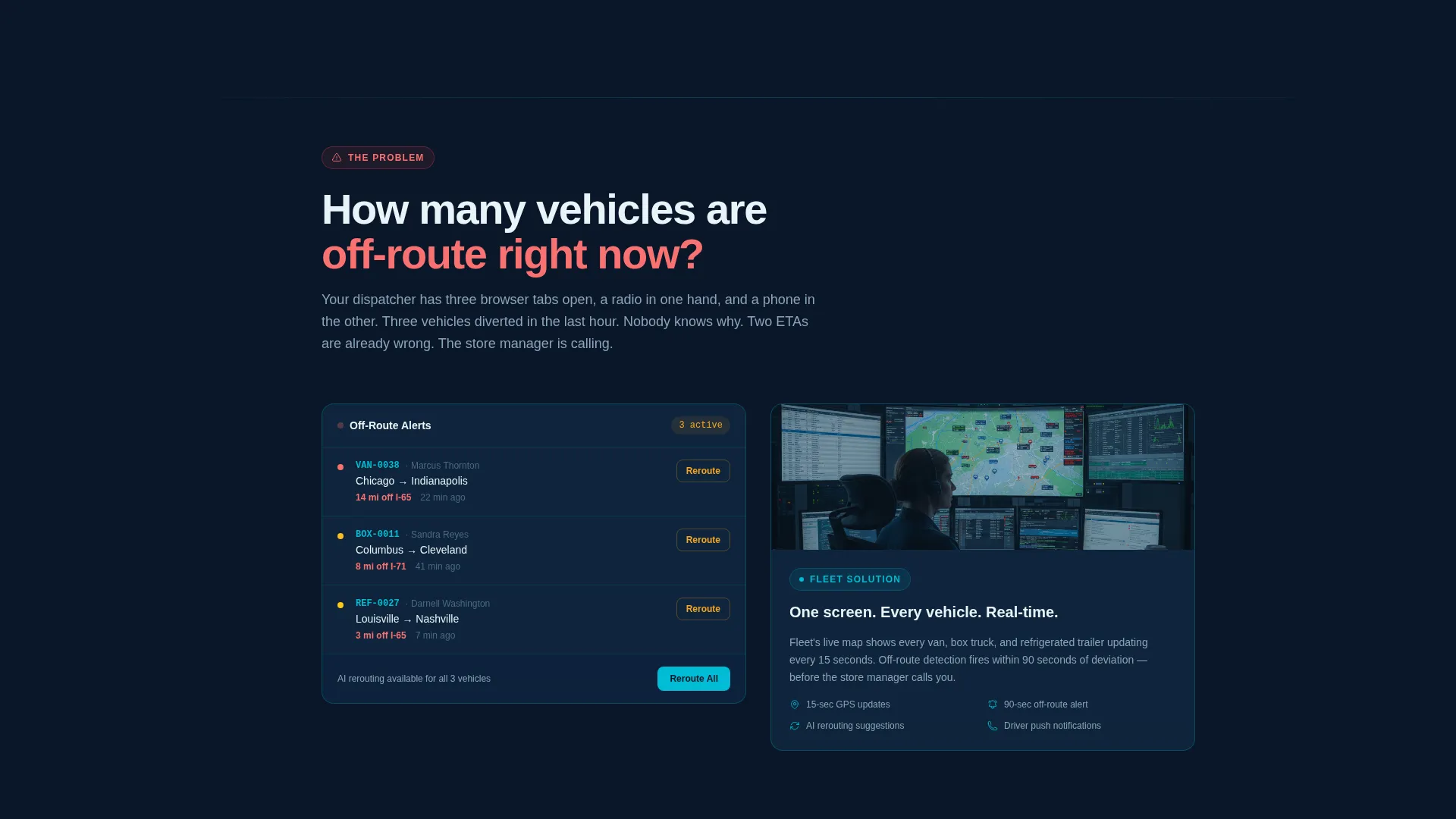
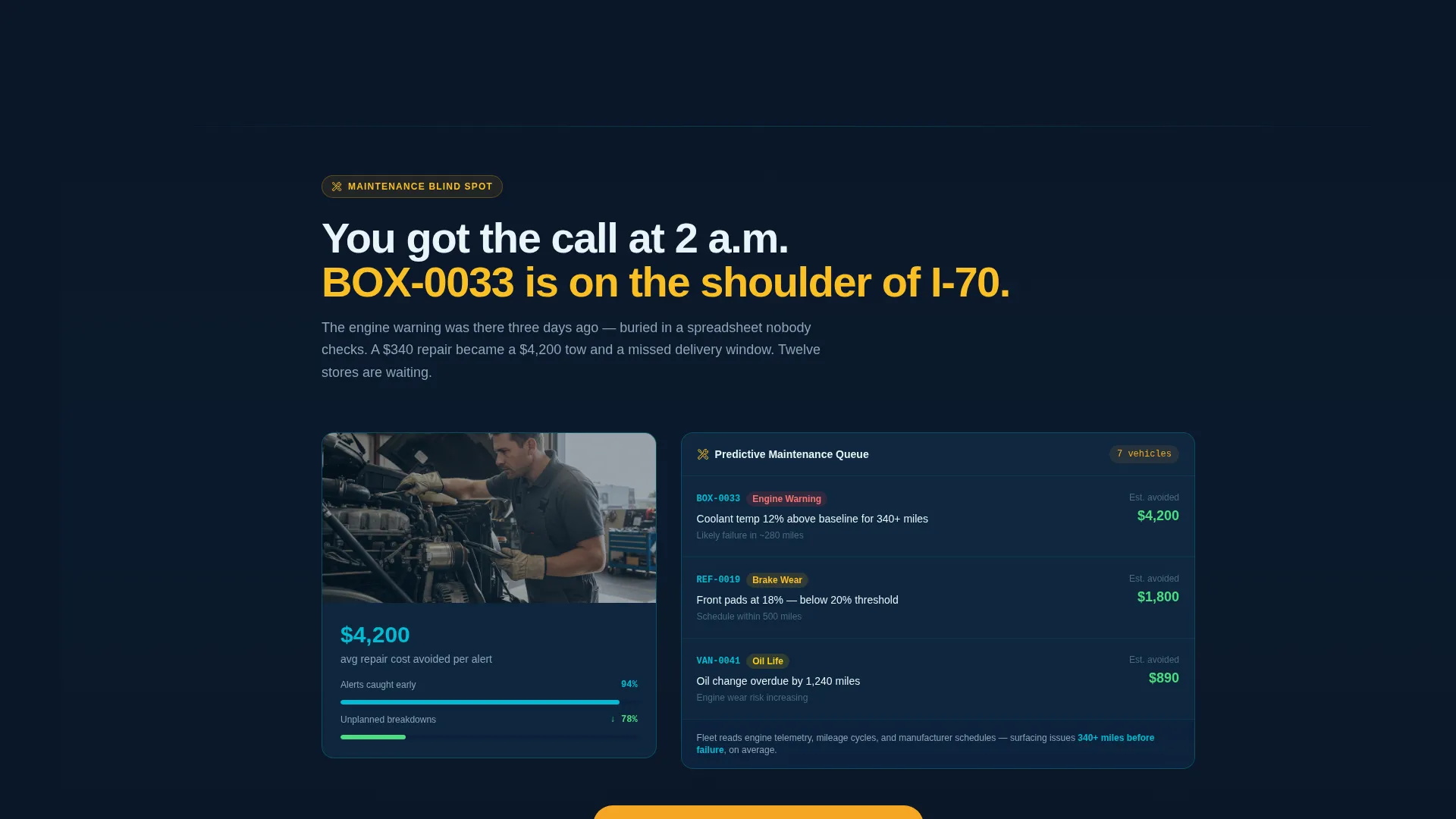
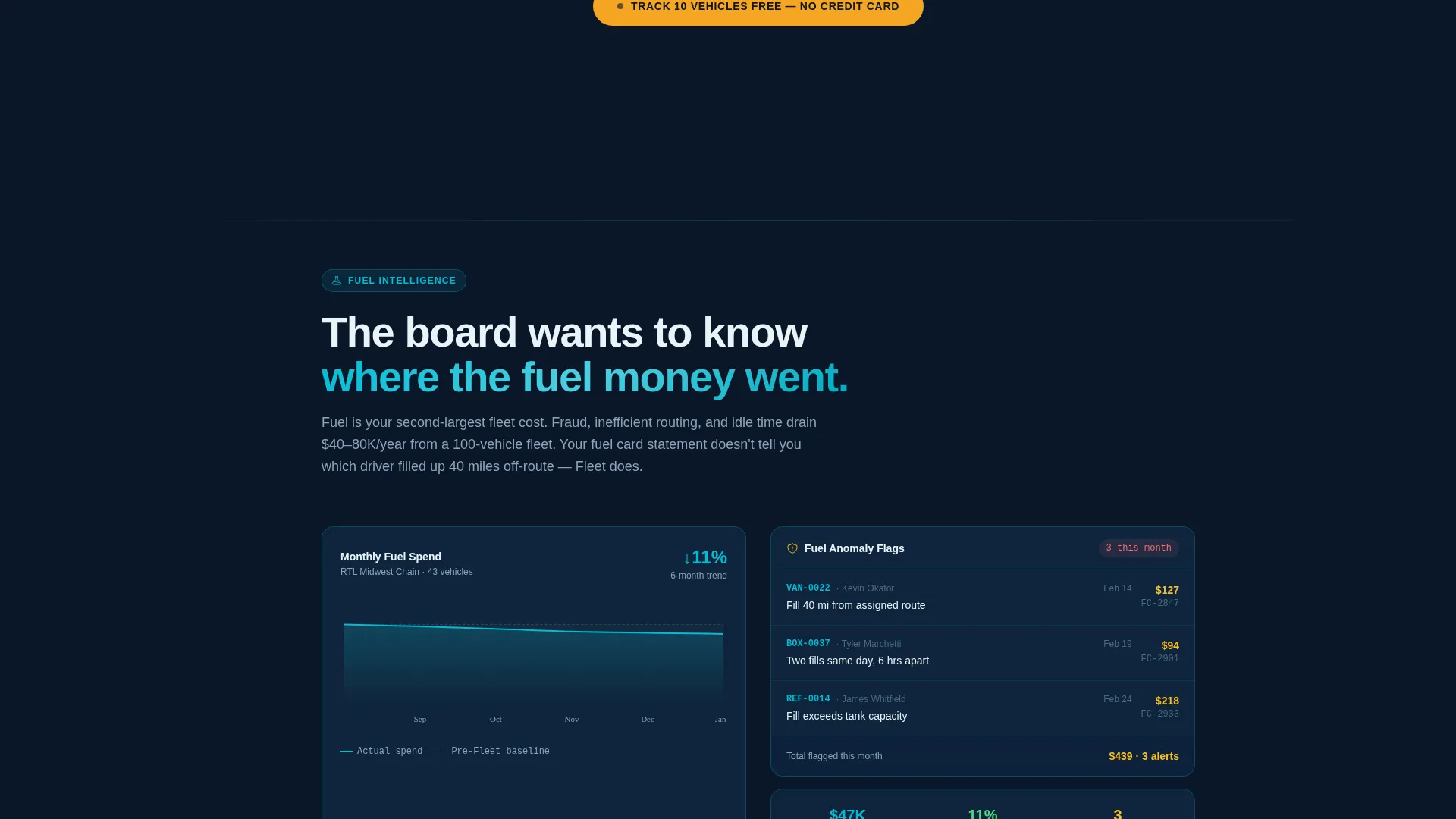
Each spoke section names one specific operational failure, such as blind-spot maintenance, fuel card fraud, or hours-of-service violations caught too late. The corresponding platform feature animates into view on scroll. Stakes escalate from inconvenience to compliance risk to profit-and-loss impact as the visitor moves down the page.
Progressive Freemium Signup Form
The primary call to action reads "Track 10 Vehicles Free." The signup form collects only work email and fleet size on first view, using a dropdown with three ranges: 10 to 50, 50 to 200, and 200 or more vehicles. After submission, the form expands to request company name and primary use case.
Secondary API Documentation Path
A secondary call to action reads "See the API Docs." It sits alongside the primary call to action and targets technical buyers who want to review integration details before committing. This path keeps engineers and developers engaged without pulling them away from the main conversion flow.
Amber Alert call to action System
Alert amber is reserved exclusively for calls to action and status indicators. It appears on primary buttons and pulsing fleet-status signals only. This trained visual hierarchy means the visitor's eye is always directed toward the next action without noise or distraction.
Page sections overview
| Section | Purpose |
|---|---|
| Code Snippet Header | Opens with auto-typed API call transitioning to live vehicle map |
| Hub Rail Nav | Anchor navigation with cyan-fill vehicle-icon waypoints |
| Dispatcher Pain Spoke | Opens the problem arc with off-route and tab-juggling scenario |
| Maintenance Blind Spot | Surfaces flagged maintenance failures and the feature that prevents them |
| Fuel Card Fraud | Names fuel card fraud as a P&L risk and reveals the detection feature |
| HOS Compliance Spoke | Shows hours-of-service violations caught too late and the compliance solution |
| Primary call to action Block | "Track 10 Vehicles Free" form with fleet-size dropdown |
| API Docs call to action | Secondary path for technical buyers to review integration depth |
Design & branding system
The visual identity runs on a Midnight Blue color system paired with a Dynamic Motion theme. The palette evokes a dispatch room at midnight, with navy backgrounds and cyan route lines creating depth and urgency.
- Deep command-center navy (#0A1628) dominates backgrounds and panels throughout the page
- Dashboard-glow blue (#1B4F72) layers panels and card surfaces for visual depth
- Live-signal cyan (#00BCD4) traces routes, highlights interactive elements, and fills waypoint icons on scroll
- Alert amber (#F5A623) appears only on call to action buttons and status indicators, training the eye toward conversion actions
Mobile & speed optimization
The Dynamic Motion theme is designed to feel precise and responsive across device sizes. Animated elements and the hub navigation are structured to adapt to smaller viewports without losing the dispatch-room atmosphere.
- The left-rail hub navigation repositions for mobile viewports so anchor links remain reachable
- Scroll-triggered spoke animations are designed to fire at viewport entry, keeping the problem-solution arc intact on any screen size
- The code snippet and map transition are built as layered visual blocks that reflow cleanly on tablet and mobile layouts
How this template helps you convert
The page is structured so the visitor earns confidence in the product before they are ever asked to act. By the time any call to action appears in full view, the visitor has already seen what real fleet data looks like in the platform.
- The API code snippet shows raw data transforming into a live map in the first two seconds, establishing product credibility before a single word of marketing copy is read
- The problem-to-solution arc escalates stakes across each spoke section, so every buyer type finds the pain point that matches their own role and sees the direct answer
- The "Track 10 Vehicles Free" form removes commitment friction by asking for only two fields up front, and the secondary API docs path keeps technical buyers in the funnel on their own terms
Other information about this template
This template is categorized under Technology and Retail Software, with a niche focus on retail fleet management. It suits platforms that serve regional chains and logistics operations across a wide vehicle-count range.
- The template style is Hub and Spoke with Anchor Navigation, a structure well suited to feature-rich platforms with multiple buyer personas
- The creative direction follows a Problem to Solution Arc, meaning each section builds on the last and the emotional stakes rise deliberately toward the final call to action
- The Freemium and Trial landing page direction means the primary goal is a low-friction first signup, not a sales-qualified lead form
- The header concept is a Code Snippet, which signals technical depth to engineering and integration buyers from the very first screen
Theme
Dynamic Motion
Creative direction
Problem→Solution Arc
Color system
Midnight Blue
Style
Hub & Spoke (Anchor Nav)
Direction
Freemium/Trial
Page Sections
Auto-typing API Code Snippet Header
Anchor Hub Navigation with Cyan Waypoints
Problem-to-solution Spoke Sections
Progressive Two-step Signup Form
Secondary API Documentation Call to Action
Amber Alert Call to Action Visual Hierarchy
Related questions
Who is this landing page template designed for?
Can I customize the fleet size dropdown in the signup form?
What happens after a visitor submits the signup form?
Is there a path for technical buyers who are not ready to sign up?
How does the code snippet header transition to the vehicle map?



