Fleet - Powerful Trucking Landing Page Template
Fleet is a hub-and-spoke trucking management software landing page built for teams that need to show real results fast. It pairs a full-viewport animated metrics header with an industry-report scroll structure that turns fleet pain points into product proof. The result is a focused, conversion-ready landing page that earns the app download before asking for it.
by Rocket studio
Quick summary
Fleet is a single-page trucking management software landing page that opens with a live metrics wall and walks visitors through a data-backed industry report. Each anchor-nav section raises a specific cost or compliance problem, then resolves it with an interactive product screenshot. The page ends at a clear app download with iOS, Android, and desktop options.
Who this template is for
This template is built for trucking software teams who need to prove value before asking for a tap or a sign-up. It speaks directly to the people managing real fleets right now.
- Owner-operators running small fleets who still track hours of service on spreadsheets
- Mid-size fleet managers juggling broker calls while watching fuel costs rise
- Logistics coordinators at third-party logistics companies who must prove on-time delivery rates to shippers
What problem this template solves
Fleet managers do not have time to read a generic software pitch. They need to see that the product understands their exact problems: manual dispatch errors, compliance exposure, and margin bleed. This template leads with that proof.
- Visitors arrive skeptical and leave convinced because each section mirrors a real operational pain point
- The report-style scroll earns trust before the call to action ever appears
- A phone-number text-me-the-link field respects the reality that fleet managers live on their phones
What you get with this template
You get a complete, fully structured hub-and-spoke landing page built around a single conversion goal: the app download. Every layout decision supports that goal without clutter.
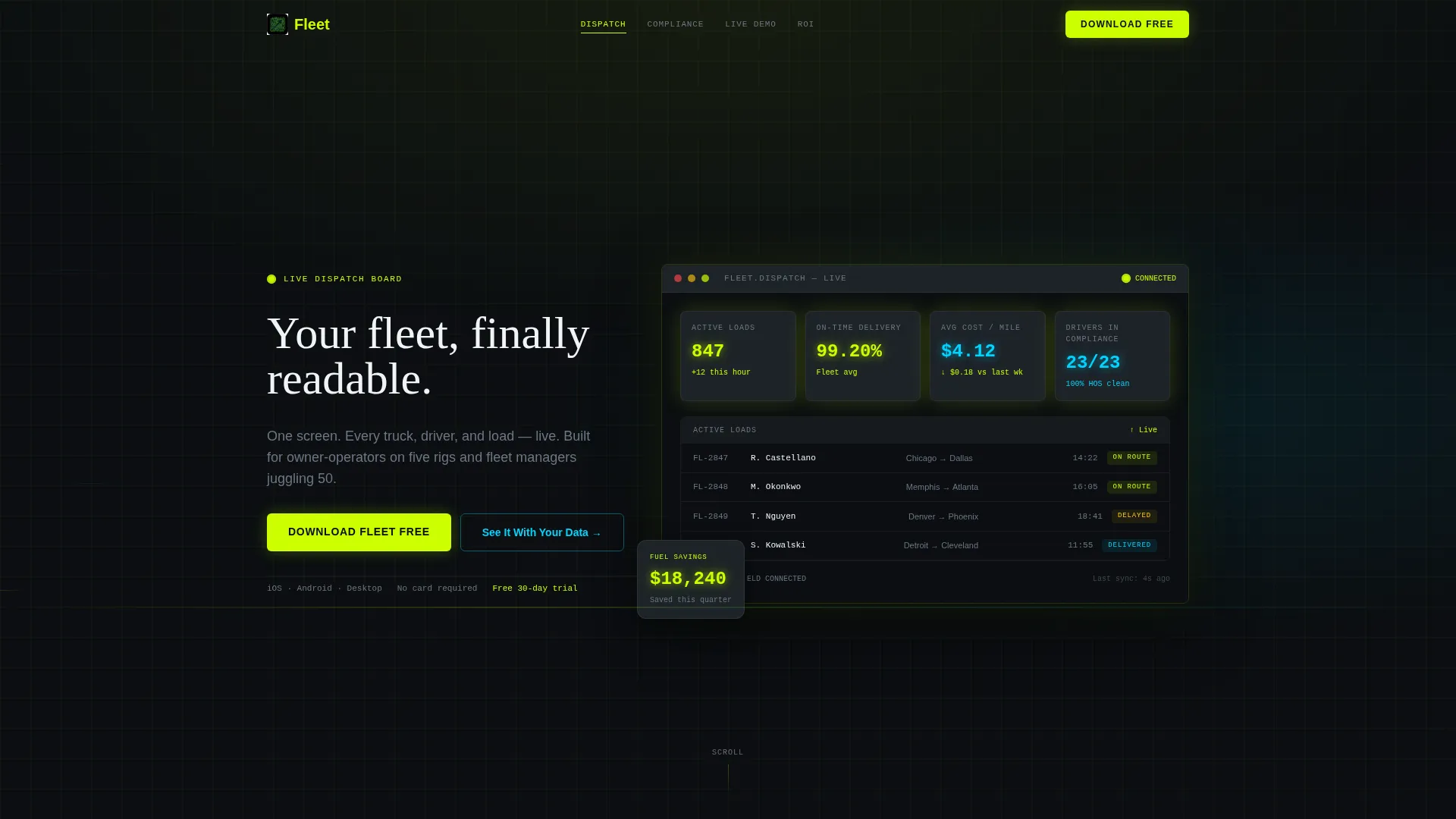
- A full-viewport animated dashboard header with cascading live metrics and a cinematic truck-cab reveal
- Anchor navigation connecting each spoke section to a specific fleet pain point and its product solution
- A final conversion section with platform icons for iOS, Android, and desktop plus a phone-number field
Feature list
This template ships with a set of purpose-built components designed specifically for trucking vertical software marketing.
Animated Metrics Header Wall
The header fills the full viewport with live-style numbers: 847 active loads, 99.2% on-time delivery, $4.12 average cost per mile, and 23 drivers in compliance. Numbers tick and update like a trading board. The camera slowly pulls back to reveal the dashboard running on a tablet mounted inside a truck cab, with highway lights streaking behind it.
Hub and Spoke Anchor Navigation
A persistent anchor nav links every major spoke section so visitors can jump directly to the pain point that matters most to them. This keeps the page readable without hiding content. Each spoke section resolves its problem with a featured product screenshot before surfacing the primary call to action.
Industry Report Scroll Structure
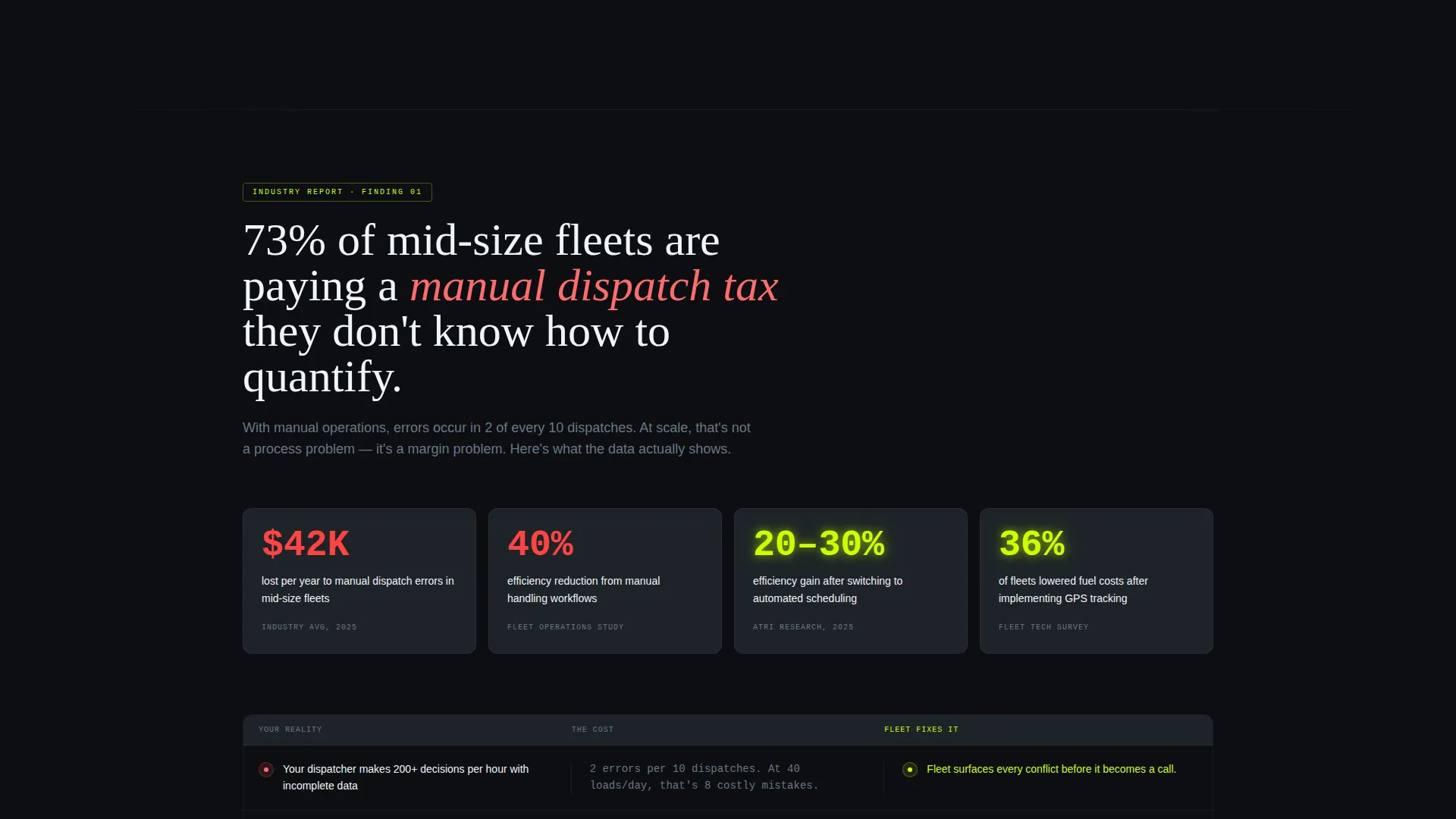
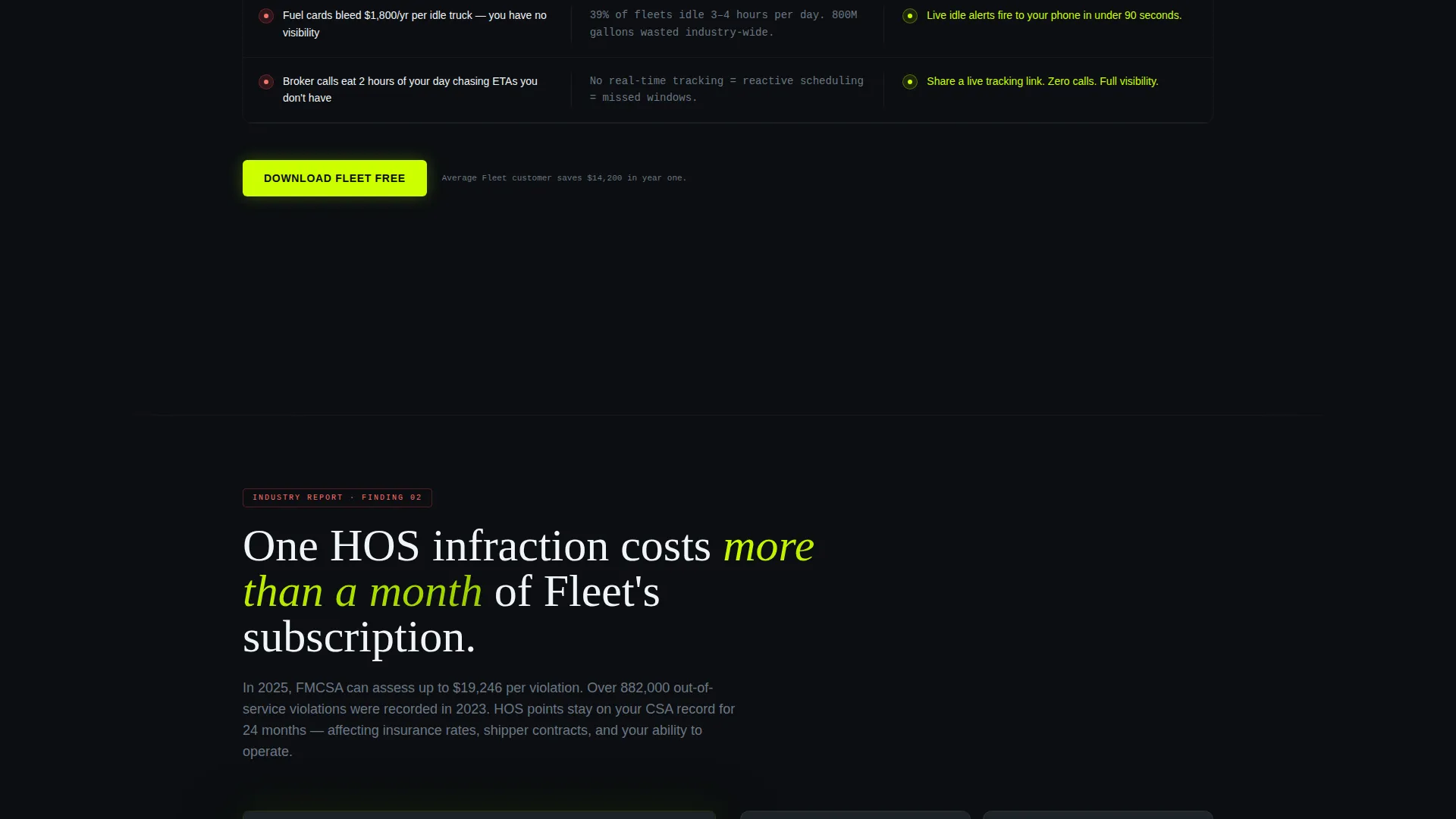
Each section opens with a data-backed industry finding, such as the cost of manual dispatch errors, then immediately shows how the app addresses it. The scroll escalates from cost problems to compliance risks to growth limitations. Visitors feel like they are reading a report about their own business, not browsing a feature list.
Interactive Product Screenshots
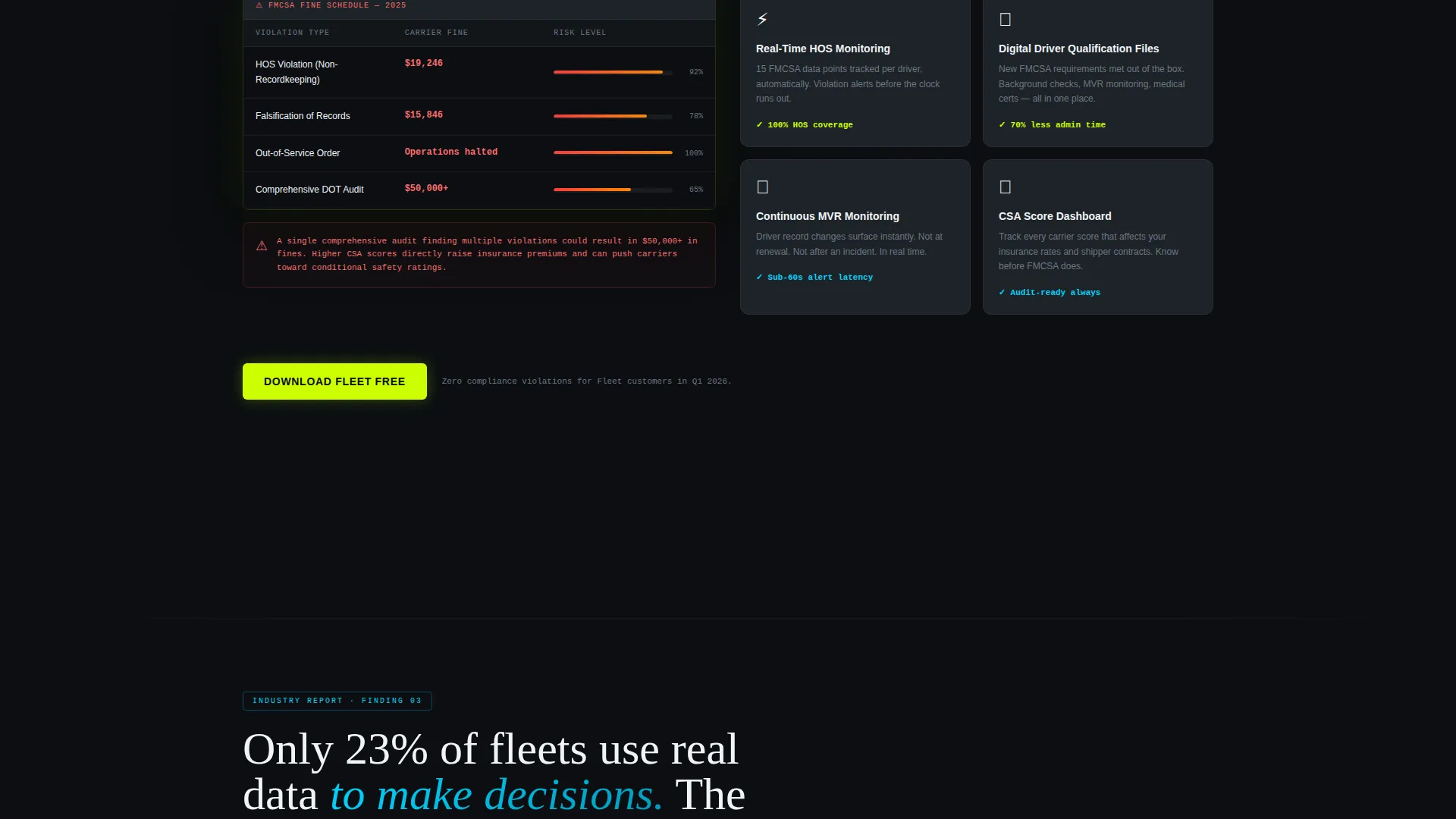
Every spoke section includes a product screenshot that demonstrates the specific feature solving the stated problem. These visuals are positioned immediately after the pain-point stat to create instant relief. The pairing of problem and solution keeps the reader moving forward.
Dual Call-to-Action System
The primary call to action, "Download Fleet Free," appears in the header and resurfaces at the close of every spoke section. A secondary path, "See It With Your Data," leads to a 60-second demo video. This dual-path system captures both ready-to-download visitors and those who need one more proof point.
Text-Me-the-Link Conversion Block
The final section compresses the decision to a single choice. It shows platform icons for iOS, Android, and desktop alongside a phone-number field that texts the download link directly to the visitor. This respects the behavior of fleet managers who are often between loads and away from a desktop.
Page sections overview
| Section | Purpose |
|---|---|
| Animated Metrics Header | Opens with live fleet stats and a cinematic truck-cab reveal |
| Anchor Navigation Bar | Lets visitors jump directly to their most relevant pain point |
| Dispatch Cost Spoke | Quantifies manual dispatch error losses and shows the fix |
| Compliance Risk Spoke | Surfaces hours-of-service exposure and demonstrates the solution |
| Growth Ceiling Spoke | Addresses the broker and capacity bottleneck with a feature demo |
| App Download Block | Closes with platform icons, a demo video path, and a text-link field |
Design & branding system
The visual identity follows a Dashboard Pro theme using an Acid Digital color system. Every color carries a specific information weight, making the interface feel like a real dispatch terminal.
- Void black (#0B0E11) as the primary background, electric chartreuse (#CCFF00) for live data points and primary actions, scanner blue (#00D4FF) for secondary metrics and navigation states
- Exhaust gray (#1E2328) for card surfaces and section dividers, giving depth without breaking the dark-terminal feel
- The overall palette reads like phosphorescent numbers floating on darkness, where every glow signals something operationally urgent
Mobile & speed optimization
Fleet managers check their phones between loads, at fuel stops, and before dispatch windows open. This template is structured to deliver the core message and the download path clearly on any screen size.
- The hub-and-spoke anchor nav collapses cleanly for mobile so users can still jump to relevant sections
- The text-me-the-link field in the final section is purpose-built for mobile visitors who want to finish the download later on their device
How this template helps you convert
This template is designed to move a skeptical fleet manager from first scroll to app download without friction. The conversion path is deliberate and layered.
- The animated metrics header establishes immediate credibility by showing real operational numbers before a single word of marketing copy appears
- The industry-report structure earns trust by proving the product understands specific cost and compliance problems, so the download request feels like a logical next step rather than an interruption
- The dual call-to-action system and the text-me-the-link block remove every remaining barrier, giving visitors three paths to the app across iOS, Android, and desktop
Other information about this template
This template is categorized under Technology, specifically within the Trucking Vertical Software as a Service niche. It is a strong fit for teams marketing fleet management tools to owner-operators, mid-size carriers, and third-party logistics providers.
- The template style is Hub and Spoke with Anchor Navigation, making it straightforward to customize each spoke for a different fleet segment or product module
- The creative direction follows an Industry Report format, which pairs well with any trucking software brand that has real operational data to share
- The header concept is a Stats and Metrics wall, which can be updated with real product numbers to reflect your actual platform performance
Theme
Dashboard Pro
Creative direction
Industry Report
Color system
Acid Digital
Style
Hub & Spoke (Anchor Nav)
Direction
App Download
Page Sections
Animated Full-viewport Metrics Header
Hub and Spoke Anchor Navigation
Industry Report Scroll Structure
Dual Call-to-action System
Text-me-the-link Conversion Block
Related questions
Who is this landing page template designed for?
What is the primary conversion goal of this template?
Can I update the metrics in the header with my own numbers?
What does the text-me-the-link field do?
How many sections does this landing page include?



