Expert Consulting Firm Software Comparison Website Template
Fleet is a hub-and-spoke landing page template built for fleet management consulting firms. It pairs a Tech Glass visual identity with a Spec Sheet creative direction, guiding logistics directors, CFOs, and operations managers through a structured comparison experience. A tabbed header, fixed anchor navigation, and a stepped diagnostic form work together to move cost-conscious buyers toward a clear next action.
by Rocket studio
Quick summary
Fleet is a single-page, anchor-navigated template designed for fleet management consulting firms. It opens with an interactive tab switcher showing live-feeling cost data, then walks visitors through service pillars structured like technical spec documents. The conversion path centers on a stepped diagnostic form and a gated benchmark report download, built for data-driven buyers.
Who this template is for
This template is built for consulting firms that help companies manage, optimize, and rationalize their vehicle fleets. It speaks directly to the buyers those firms serve, and it gives the consulting team a credible, high-authority digital presence.
- Fleet management consultants pitching to logistics directors and CFOs
- Operations-focused consulting firms covering acquisition, lifecycle, and disposal services
- Boutique or mid-size firms that need a polished, conversion-ready landing page without a lengthy build
What problem this template solves
Fleet management consulting is a complex sale. Prospects arrive skeptical, carrying spreadsheets and cost assumptions. A generic website fails them. This template is structured to meet that skepticism head-on with data, methodology, and direct comparison.
- No single view of fleet costs, utilization, and compliance on a standard consulting page
- Visitors leave before understanding the real gap between in-house management and a managed approach
- CFOs and operations managers need evidence before they will book a call, not just a contact form
What you get with this template
You get a complete, ready-to-customize landing page structured around three consulting service pillars: Acquisition, Operations, and Disposal. Every section is pre-arranged for clarity and persuasion.
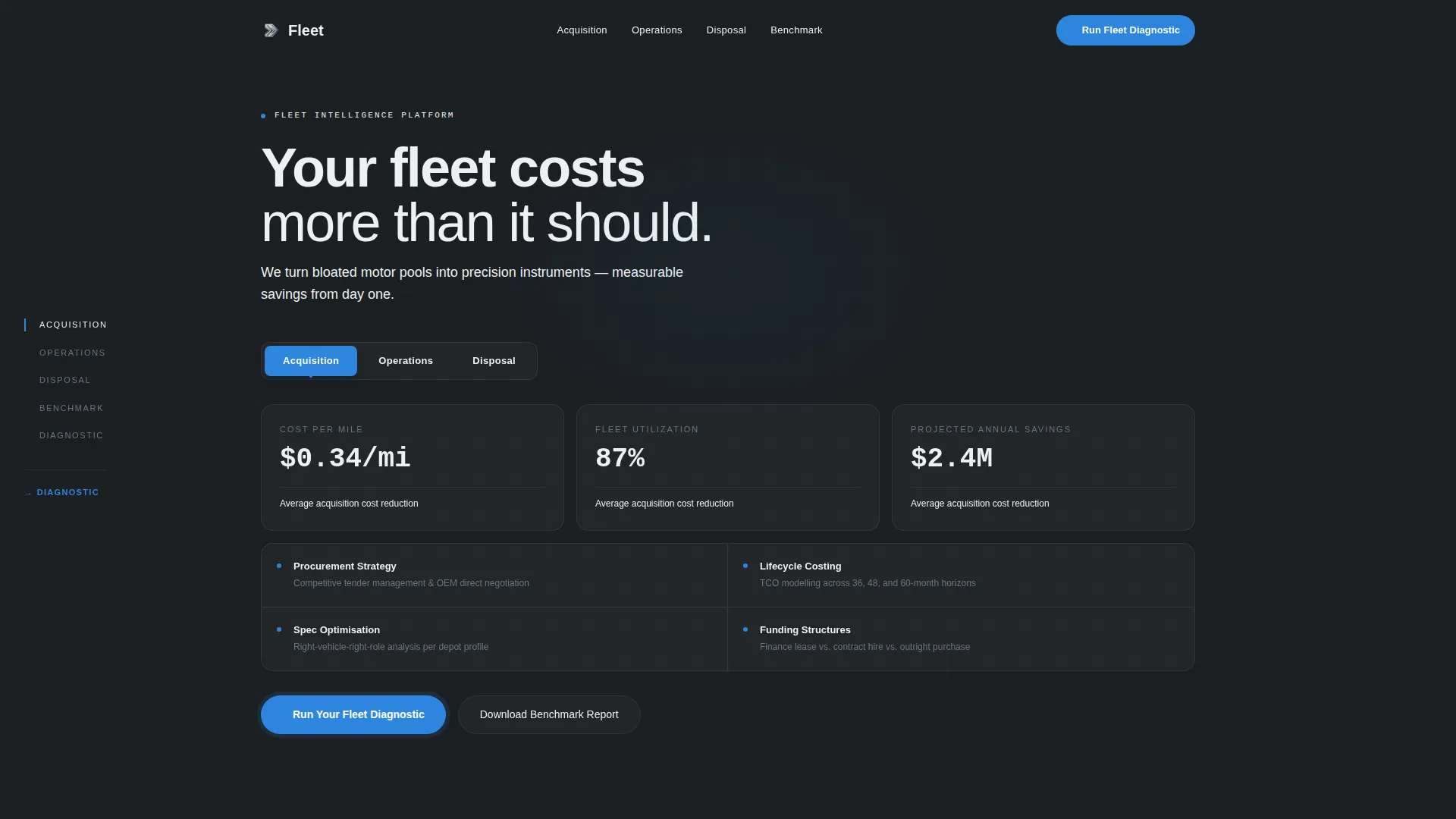
- A Feature Tab Switcher header with animated counters showing cost-per-mile, utilization rates, and projected savings
- Fixed spoke navigation with active-section highlighting and a pinned "Run Your Fleet Diagnostic" call to action
- Comparison tables benchmarking in-house fleet management against the firm's managed approach, with delta percentages per line item
- A three-step diagnostic form collecting fleet size, management model, and primary pain point
- A secondary conversion path: a gated benchmark report download requiring only a company email address
Feature list
This template includes purpose-built components designed for a consulting firm that sells precision and credibility.
Tabbed Dashboard Header
Three glass-panel tabs labeled "Acquisition," "Operations," and "Disposal" sit across the full viewport width. Each tab reveals a different dashboard-style data visualization. The default state shows animated counters cycling through fleet cost metrics. Tab transitions use a smooth lateral slide, giving the header the feel of an instrument cluster recalibrating.
Fixed Anchor Navigation
A spoke navigation bar stays pinned to the left edge as the visitor scrolls. It highlights the active section in real time, creating a dossier-style reading experience. The primary call to action, "Run Your Fleet Diagnostic," is always visible within the nav regardless of scroll position.
Spec Sheet Section Layout
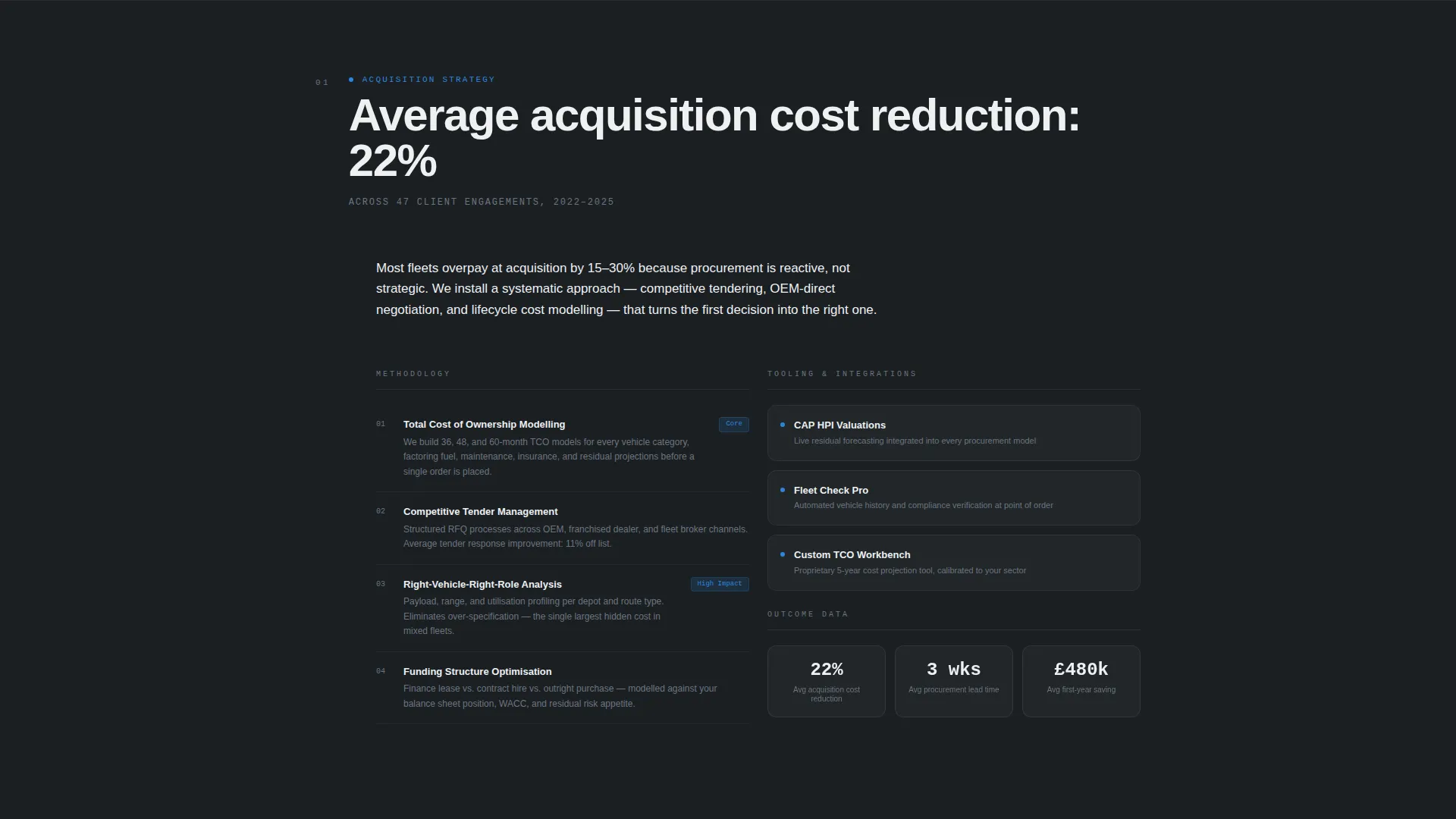
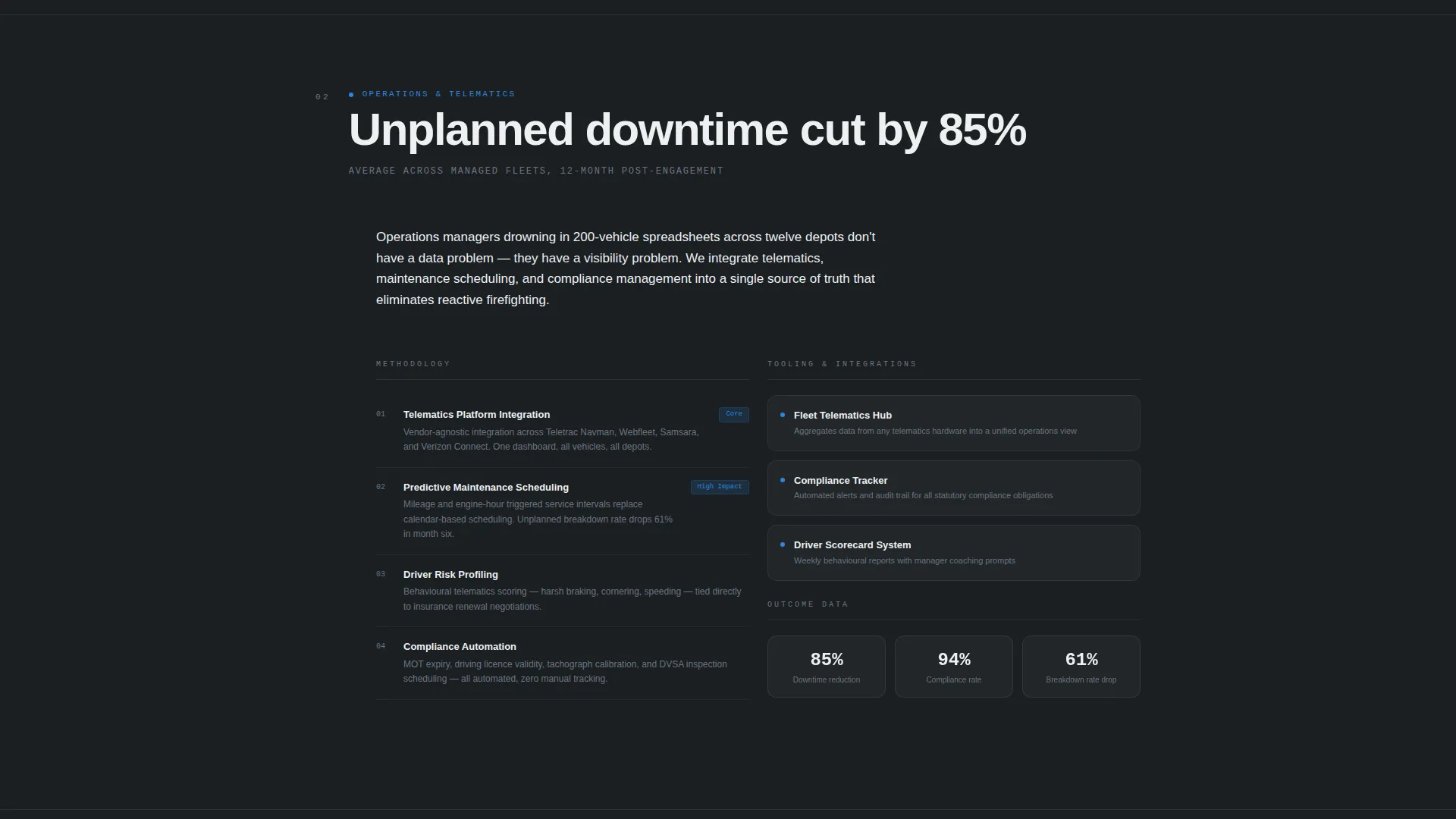
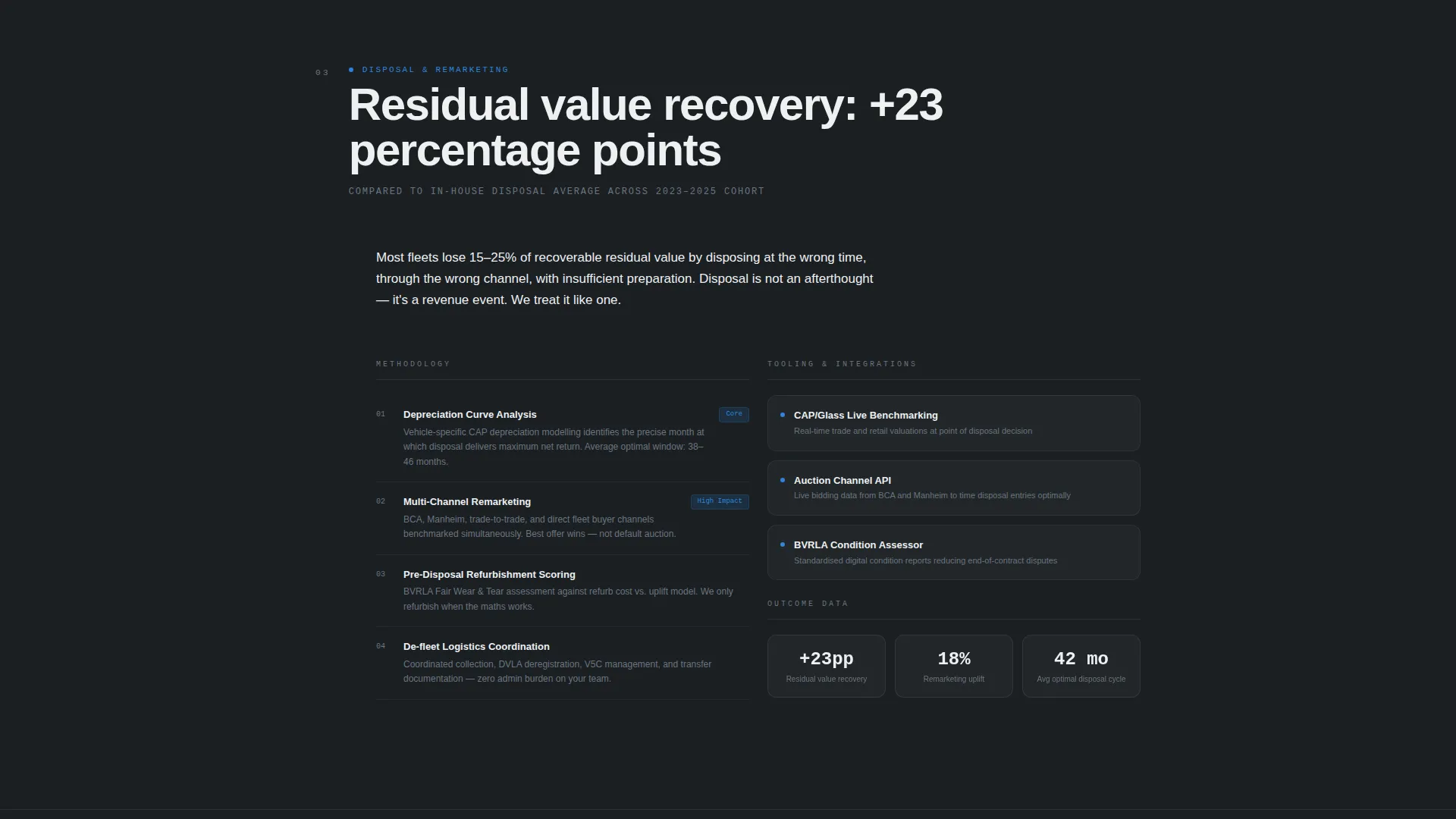
Each hub section opens with a single bold anchor metric, such as "Average client fleet reduction: 18%." Content then unfolds into methodology, tooling, and outcome data arranged in tight two-column grids. The layout reads like a technical specification document, lending immediate authority to each service pillar.
In-House versus. Managed Comparison Tables
Mid-scroll comparison tables benchmark in-house fleet management against the consulting firm's approach. Line items cover total cost of ownership, downtime hours, compliance incidents, and residual value recovery. Each row surfaces a delta percentage that builds the case for managed services without a single marketing claim.
Stepped Diagnostic Form
Clicking "Run Your Fleet Diagnostic" opens a three-step form. Step one captures fleet size range and vehicle mix. Step two asks for the current management model: in-house, outsourced, or hybrid. Step three presents a visual card picker for the visitor's biggest pain point, covering cost visibility, compliance risk, driver satisfaction, and aging vehicles.
Gated Benchmark Report Download
A secondary conversion path lets data-hungry CFOs self-qualify before any sales contact. Visitors download the benchmark report by entering only a company email address. There is no phone number field and no additional friction, keeping the path short for analytical buyers who are not yet ready to book a call.
Page sections overview
| Section | Purpose |
|---|---|
| Tab Switcher Header | Introduce cost metrics via interactive service tabs |
| Anchor Nav Bar | Keep primary call to action visible throughout the scroll |
| Acquisition Pillar | Detail vehicle sourcing strategy and lifecycle costing |
| Operations Pillar | Cover telematics integration and utilization methodology |
| Disposal Pillar | Address timing strategy and residual value recovery |
| Comparison Tables | Benchmark in-house versus. managed approach per pillar |
| Diagnostic Form | Qualify leads through a three-step guided input |
| Benchmark Report Gate | Capture CFO-level leads via low-friction email download |
Design & branding system
The template uses a Tech Glass theme with a Monochrome Steel color system. Every visual decision reinforces precision, authority, and control.
- Deep gunmetal (#1B1F23) as the primary background, brushed chrome (#A8B0B8) for secondary surfaces and divider lines, and polished white (#EDF0F2) for card faces and data panels
- Electric blue (#2E86DE) used exclusively for interactive states, active navigation indicators, and call-to-action pulses
- Monospaced typography for all figures and metrics; clean sans-serif for labels and body text, creating a control-room aesthetic throughout
Mobile & speed optimization
The template layout is designed to translate the desktop control-room experience into a format that works on smaller screens without losing its authority.
- The tabbed header and two-column spec grids reflow cleanly for mobile viewports
- The fixed spoke navigation adapts so the primary call to action remains accessible on all screen sizes
- Comparison tables are structured for horizontal scrollability on mobile, preserving full line-item detail
How this template helps you convert
The entire page is built around a Comparison/Versus conversion strategy. Every structural choice moves a skeptical, data-driven buyer closer to a clear decision.
- The tabbed header shows real cost data immediately, giving logistics directors and CFOs a reason to keep reading before a single sales claim is made.
- Comparison tables with delta percentages let the numbers make the case, so the visitor builds their own business case as they scroll.
- Two distinct conversion paths, the diagnostic form and the gated report download, mean buyers at different stages of readiness both have a frictionless next step.
Other information about this template
This template is categorized under Technology and the Consulting Firm Software subcategory, with a niche focus on Consulting Firm Fleet Management. It was designed with an intersection match score of 13, meaning the combination of theme, creative direction, and conversion strategy was selected as a high-relevance fit for this exact use case.
- Template style: Hub and Spoke with Anchor Navigation
- Theme: Tech Glass with Monochrome Steel color system
- Creative direction: Spec Sheet, structured like a technical dossier
- Conversion direction: Comparison/Versus, built around diagnostic and benchmark paths
- This template can support fleet management consulting firms operating across logistics, transport, and multi-depot operations contexts
Theme
Tech Glass
Creative direction
Spec Sheet
Color system
Monochrome Steel
Style
Hub & Spoke (Anchor Nav)
Direction
Comparison/Versus
Page Sections
Tabbed Dashboard Header with Animated Counters
Fixed Spoke Navigation with Pinned Call to Action
Spec Sheet Two-column Section Layout
In-house Versus. Managed Comparison Tables
Three-step Fleet Diagnostic Form
Low-friction Benchmark Report Download
Related questions
Can I customize the tab labels and metric counters in the header?
Do I need a backend to make the diagnostic form work?
Is the gated benchmark report download ready to use?
Who is this landing page template designed for?
Can I add more service pillars to the hub-and-spoke structure?



