Chiropractic Digital Presence Specialist Careers Website Template
Align is a scroll reveal landing page template built for a chiropractic knowledge base app. It uses a Problem-to-Solution Arc to guide visitors from clinical frustration to confident download. The Slate and Sky color system, embedded technique card previews, and dual call-to-action flow make this template a sharp, trust-first tool for reaching chiropractors and chiropractic students.
by Rocket studio
Quick summary
Align is a single-page, scroll-driven landing page template designed to promote a chiropractic knowledge base app. It moves visitors through a clinical Problem-to-Solution Arc, surfaces real technique card previews mid-scroll, and closes with a clear app download call to action. The design feels diagnostic and precise, built for practitioners who need answers fast.
Who this template is for
This template is built for developers, solo practitioners, or product teams launching a chiropractic reference app or clinical knowledge tool. It speaks directly to the people who will actually use the app, so your landing page feels immediately relevant.
- Associate chiropractors refining technique in early practice years
- Chiropractic students preparing for board examinations
- Solo rural practitioners who need structured clinical reference without a mentor nearby
What problem this template solves
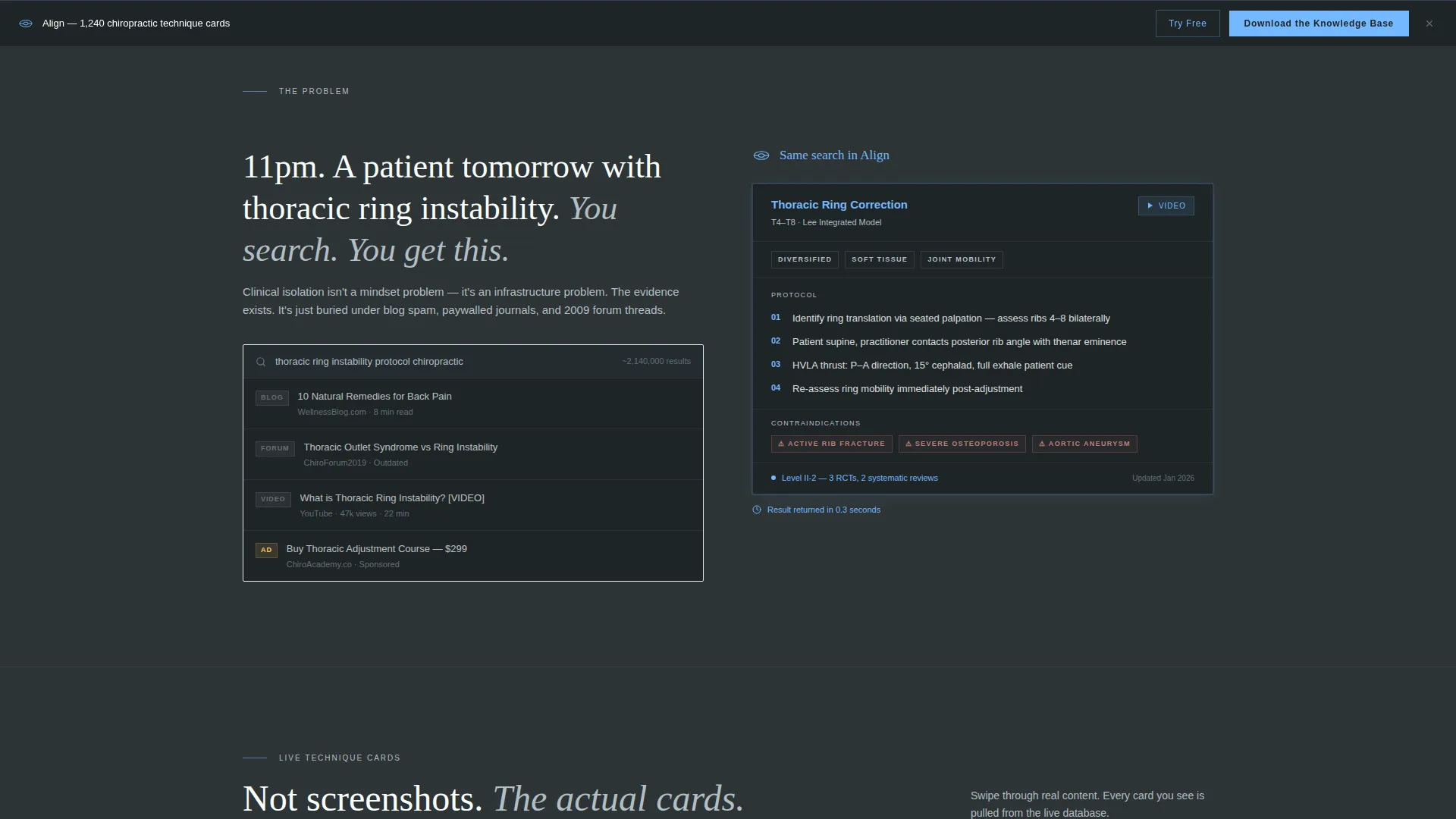
Chiropractic professionals searching for evidence-based technique guidance often land on blog spam or outdated forum threads. The template confronts this pain point head-on and positions the app as the structured, peer-reviewed alternative.
- Practitioners waste time searching for adjustment protocols and finding unreliable results
- Students lack a compact, organized reference for board prep sequences
- Isolated clinicians have no fast path to contraindication checks or rare presentation guidance
What you get with this template
You get a fully structured scroll reveal landing page that walks each visitor through escalating clinical scenarios before asking them to download. Every section has a defined role, and nothing is decorative without purpose.
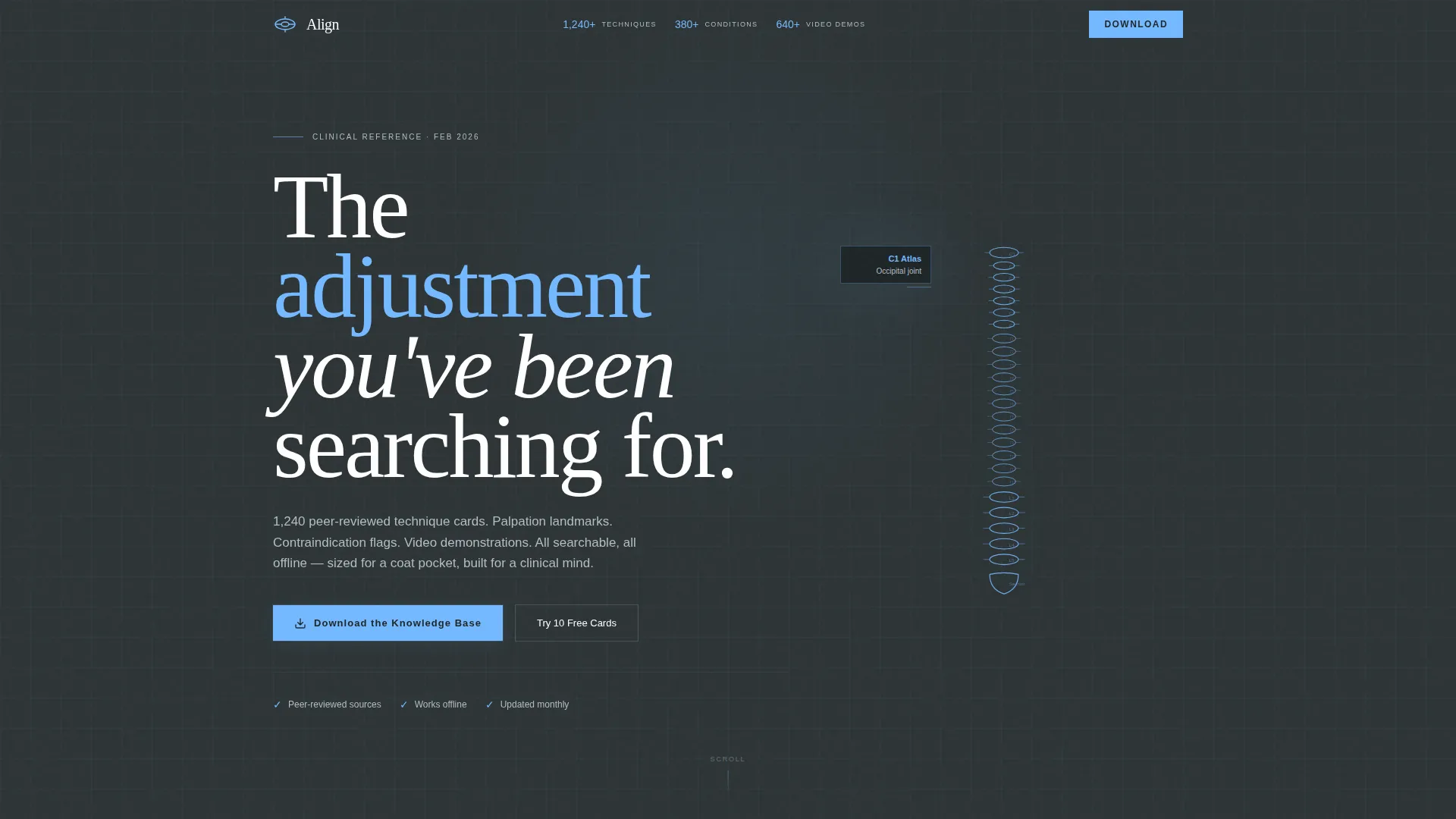
- A Logo Bar header with trust signals, an animated spinal column line drawing, and a Problem-to-Solution Arc narrative
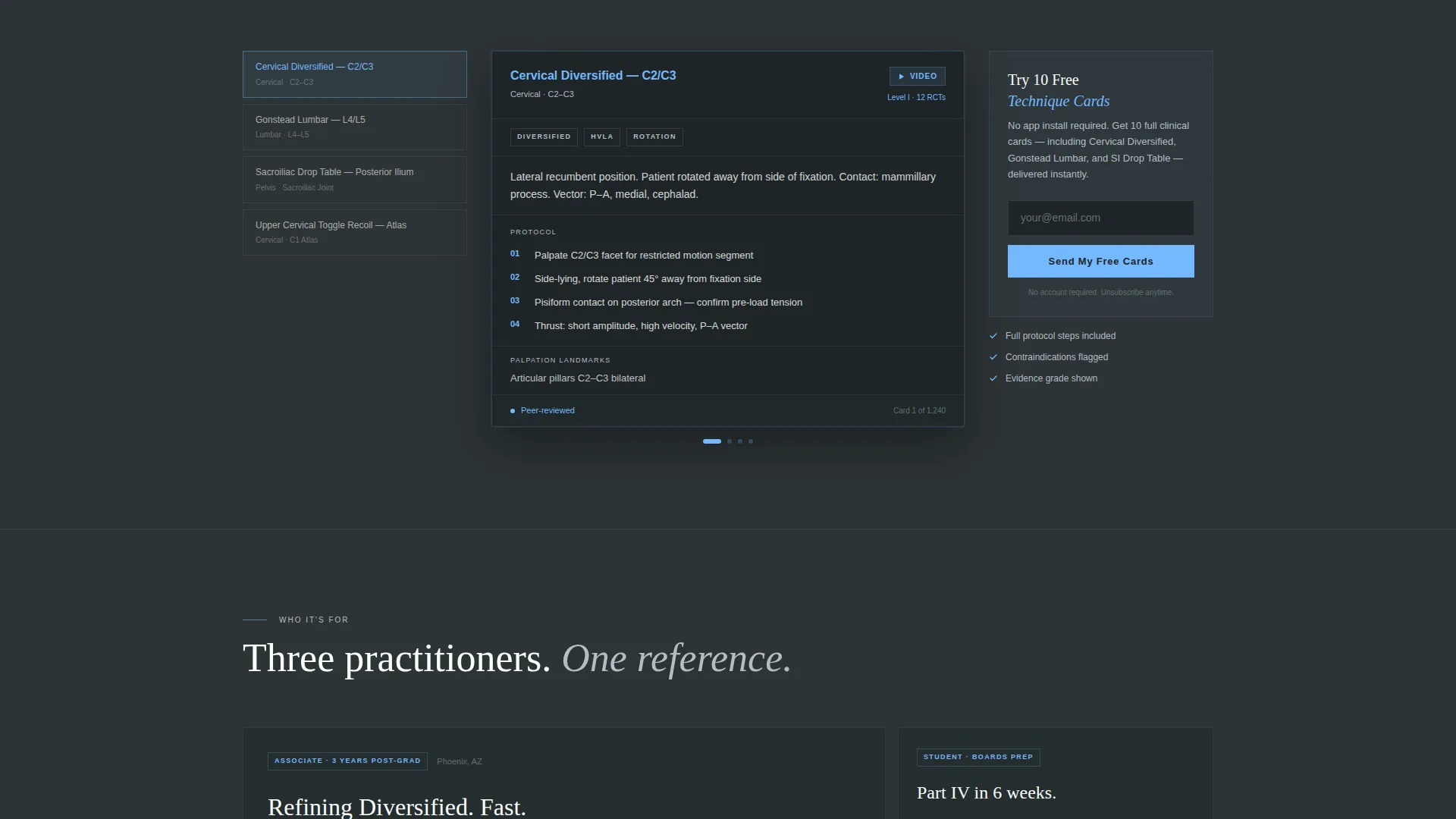
- Swipeable embedded technique card previews that demonstrate real content depth mid-scroll
- A sticky app download call to action and a low-commitment secondary path offering ten free technique cards via email
Feature list
This template includes purpose-built sections and interaction patterns drawn directly from the source brief. Each feature serves the goal of earning the visitor's trust before asking for the install.
Scroll Reveal Progressive Layout
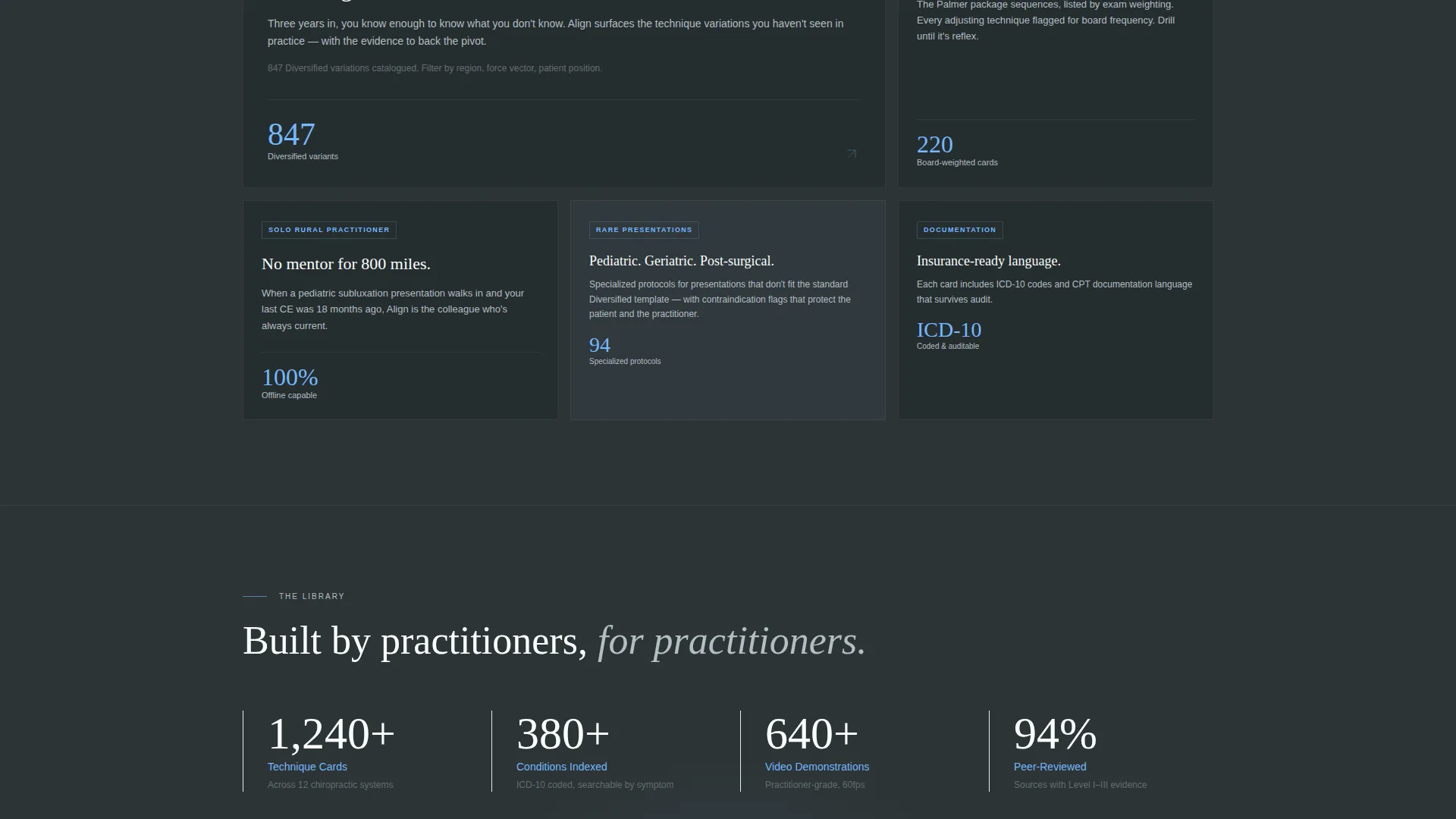
Each section of the page animates into view as the visitor scrolls. The reveal sequence follows the clinical narrative arc, raising the stakes from everyday frustration to boards prep and rare pediatric presentations, keeping readers engaged all the way to the download prompt.
Animated Spinal Column Assembly
Below the header, a single line drawing of a spinal column assembles itself vertebra by vertebra from C1 to the sacrum in two seconds. The animation sets the clinical tone immediately and signals that this is a precise, content-first product.
Embedded Swipeable Technique Cards
Mid-scroll, the page surfaces functional embedded previews of actual technique cards. Visitors can swipe through them before committing to a download. Each card shows the peer-reviewed technique, palpation landmarks, video reference, and contraindications.
Sticky App Download Call to Action
After the second section reveal, the primary call to action pins to the bottom of the viewport for the remainder of the scroll. The button reads "Download the Knowledge Base" and is paired with App Store and Google Play badges.
Secondary Email Opt-In Path
A softer conversion path offers visitors ten free technique cards in exchange for an email address. This lets skeptical users experience real content depth without installing the app, reducing friction in the early funnel.
Trust Signal Header Bar
Three trust signals float in the header to the right of the wordmark: the number of techniques catalogued, conditions indexed, and video demonstrations available. These figures ground the app's value claim in concrete, scannable proof.
Page sections overview
| Section | Purpose |
|---|---|
| Logo Bar Header | Anchors brand identity and displays three concrete trust signals |
| Spinal Column Animation | Sets clinical tone immediately below the header |
| Problem Scene One | Shows practitioner searching and finding blog spam |
| Solution Scene One | Returns the same search inside the app with a structured technique card |
| Escalating Reveal Sections | Raises stakes through boards prep, pediatric cases, and documentation language |
| Embedded Card Previews | Lets visitors swipe real technique cards before committing to download |
| Primary Download call to action | Sticky bar with App Store and Google Play badges |
| Email Opt-In Secondary | Low-friction path offering ten free technique cards |
Design & branding system
The Slate and Sky color system is designed to feel like a modern clinical environment. Every color choice has a functional role, and the palette stays readable under demanding scroll conditions.
- Deep charcoal slate (#2D3436) for primary backgrounds, clinical mid-gray (#636E72) for secondary surfaces, and bright kinetic white (#FAFFFE) for text and card surfaces
- Open sky blue (#74B9FF) on all interactive elements, tap targets, swipe cues, and progress indicators
- The app icon is a stylized atlas vertebra rendered in sky blue, paired with the "Align" wordmark in kinetic white against charcoal slate
Mobile & speed optimization
The template is designed with a mobile-first interaction model. Swipe gestures, sticky elements, and tap targets are all sized and spaced for thumb-friendly use on small screens.
- Swipeable technique card previews are optimized for touch interaction on mobile devices
- Sky blue tap targets and swipe cues are visually distinct to guide finger navigation without confusion
- The sticky call-to-action bar pins cleanly to the viewport bottom on both mobile and desktop scroll
How this template helps you convert
The page earns the download by proving value before asking for anything. Every scroll interaction builds on the last, moving the visitor from recognition of a problem to confident action.
- The Problem-to-Solution Arc mirrors the visitor's real clinical frustration, making the app feel like the obvious answer before any feature list appears.
- Embedded swipeable technique card previews remove doubt by showing actual content depth mid-scroll, so the visitor has already used the product before they tap download.
- The dual call-to-action structure catches both ready-to-install visitors and cautious ones, with the email opt-in path keeping skeptics inside the funnel.
Other information about this template
This template is built under a Dynamic Motion theme and uses a Scroll Reveal (Progressive) template style. The creative direction follows a Problem-to-Solution Arc, and the primary landing page direction is App Download. The header concept is a Logo Bar.
- The template is categorized under Technology, with a subcategory of Chiropractic Digital Presence and a niche focus on Chiropractic Knowledge Base
- The no-hero-image restraint in the header is an intentional design signal that communicates tool utility over marketing gloss
- The template can support customization of trust signal numbers, technique card content, and color values to match a specific app's branding or data
Theme
Dynamic Motion
Creative direction
Problem→Solution Arc
Color system
Slate & Sky
Style
Scroll Reveal (Progressive)
Direction
App Download
Page Sections
Scroll Reveal Progressive Layout
Animated Spinal Column Line Drawing
Embedded Swipeable Technique Cards
Sticky App Download Call to Action
Email Opt-in Secondary Path
Trust Signal Header Bar
Related questions
Who is the target audience for this landing page template?
Can I customize the trust signal numbers in the header?
Does the template include the actual technique card content?
What are the two conversion paths built into this template?
Can this template be used before the app officially launches?



