Local Software & SaaS Cost Estimator Website Template
Flock is a bento grid landing page template built for church management software. It opens with an interactive hours-lost calculator, then walks visitors through a Problem-to-Solution scroll arc. The Slate and Sky color system and Dynamic Motion animations create a calm, confident feel. One primary call to action drives visitors straight to a free trial.
by Rocket studio
Quick summary
Flock is a single-page bento grid template designed for church management software. An interactive calculator header shows pastors exactly how many hours they lose to manual coordination each week. Animated Problem-to-Solution rows make the cost of inaction personal before a feature list ever appears. Everything points toward one click: starting a free trial.
Who this template is for
This template is built for software founders, product marketers, and web designers promoting a church management platform. It speaks directly to the operators inside a church, not just the congregation.
- Executive pastors managing multiple campuses with a small administrative team
- Worship leaders who coordinate rotating volunteer rosters every weekend
- Church planters running a growing congregation from personal notes or basic apps
What problem this template solves
Most church operations software pages lead with feature grids and pricing tables. Visitors leave without feeling the problem. This template flips that order by making the cost of manual coordination visible and personal before anything else.
- Pastors cannot immediately see how many hours they waste on spreadsheets and group texts
- Disconnected tools like sign-up sheets and phone apps make the pain feel normal rather than fixable
- A standard feature-list layout does not move a cautious buyer toward a trial decision
What you get with this template
You get a fully structured bento grid landing page with a clear narrative arc and a single conversion goal. Every section is purposeful and sequenced to move a church leader from recognition to action.
- An interactive calculator header that computes hours lost to manual coordination in real time
- A scroll-driven Problem-to-Solution arc with animated tile transitions for each church operations scenario
- A persistent amber call-to-action button and an inline secondary video link for visitors at different readiness levels
Feature list
This template packages several purpose-built components. Each one earns its place in the layout by doing specific conversion work.
Interactive Hours-Lost Calculator
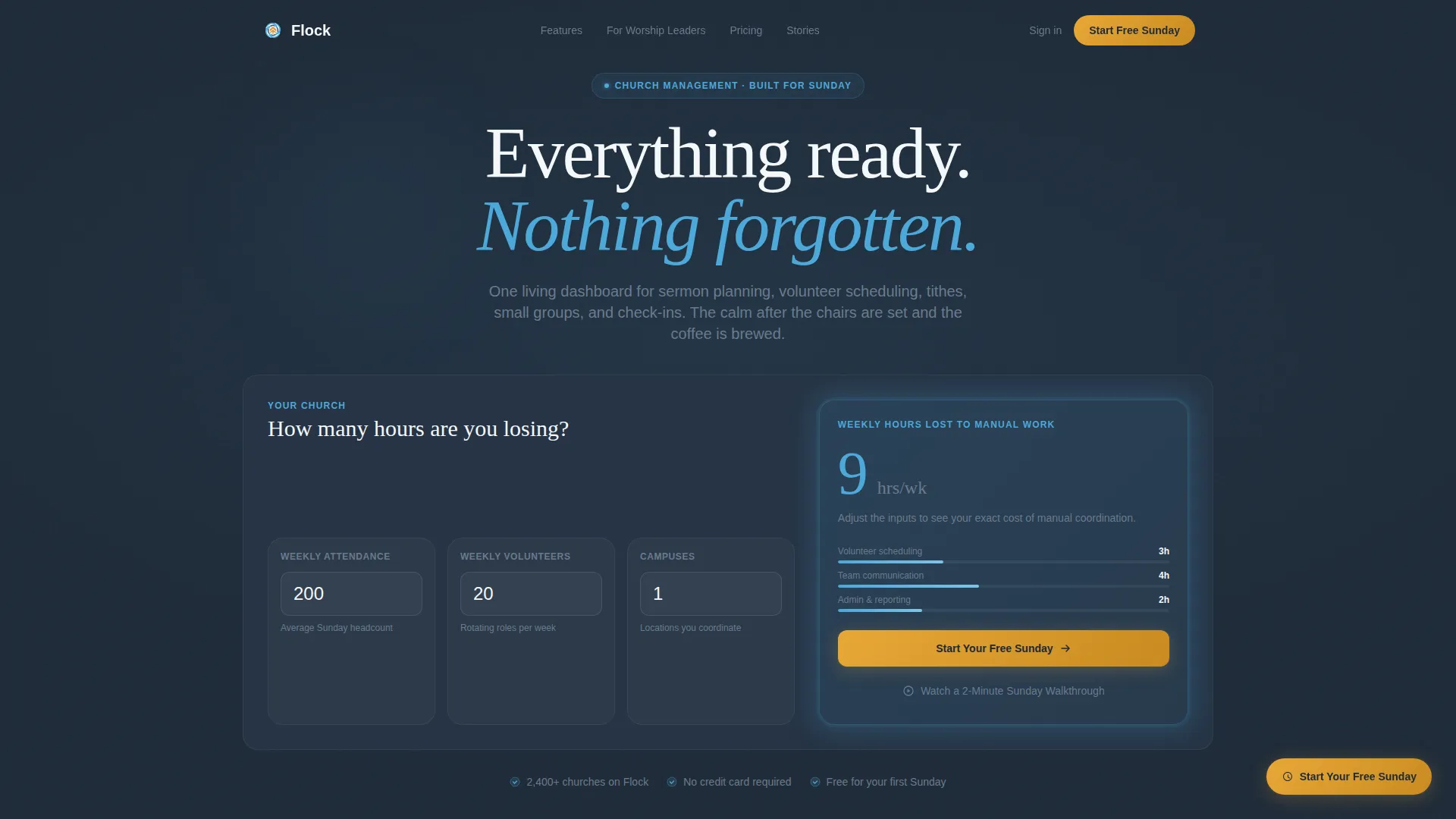
The header tile accepts three inputs: weekly attendance, volunteer count, and campus count. Animated counters roll upward in real time and land on a bolded weekly hours figure. The result tile pulses with a subtle sky-blue glow and surfaces the primary call-to-action button directly inside the result.
Problem-to-Solution Bento Arc
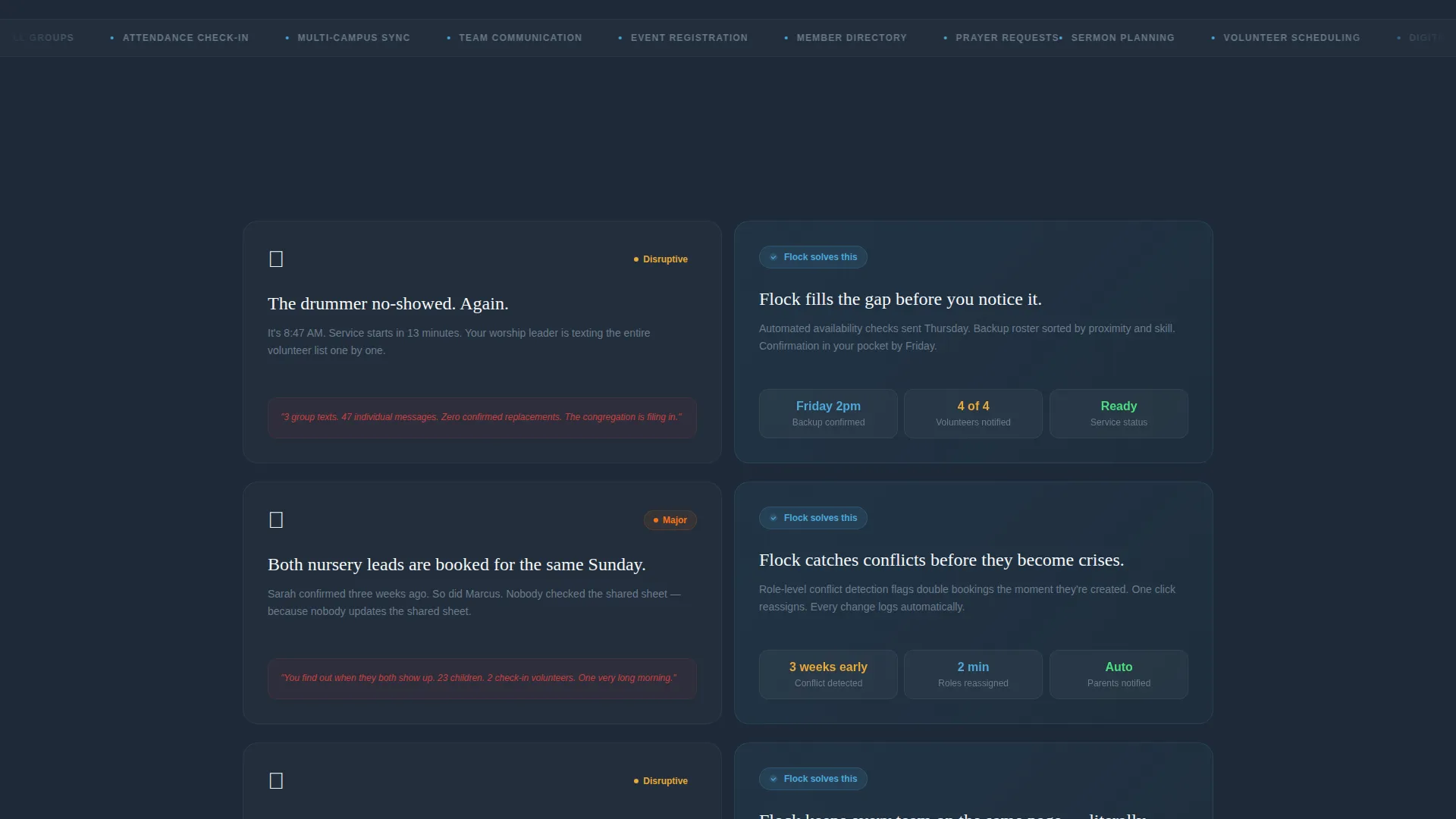
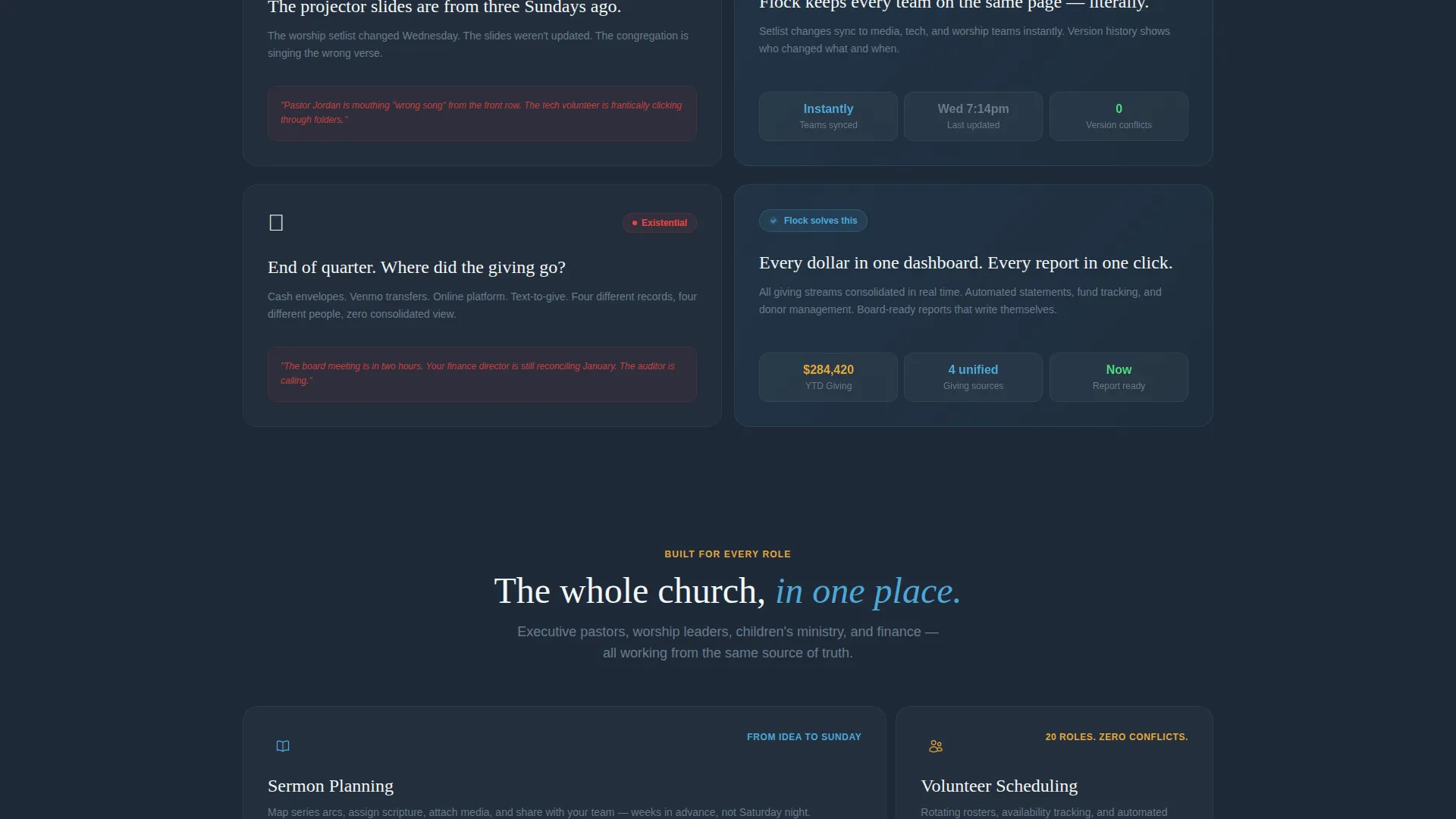
Each scroll row pairs a recognizable Sunday-morning failure on the left tile with the platform solution animating on the right. Cards slide and snap into place using dynamic motion easing. Stakes escalate row by row, from minor scheduling gaps to scattered giving records, so the narrative pressure builds naturally.
Persistent Floating Call-to-Action
After the second scroll, a fixed amber button labeled "Start Your Free Sunday" anchors to the bottom-right corner of the viewport. It stays visible throughout the rest of the page without interrupting the reading flow.
Inline Secondary Video Link
A text link labeled "Watch a 2-Minute Sunday Walkthrough" opens a video inline for visitors who are not yet ready to commit. It provides a low-friction alternative path without pulling anyone off the page.
Calculator-to-Trial Continuity
The primary call-to-action carries the visitor's calculator inputs forward to the trial setup page. The onboarding experience feels continuous rather than starting from scratch, reducing drop-off at the handoff point.
Expanding and Collapsing Tile Grid
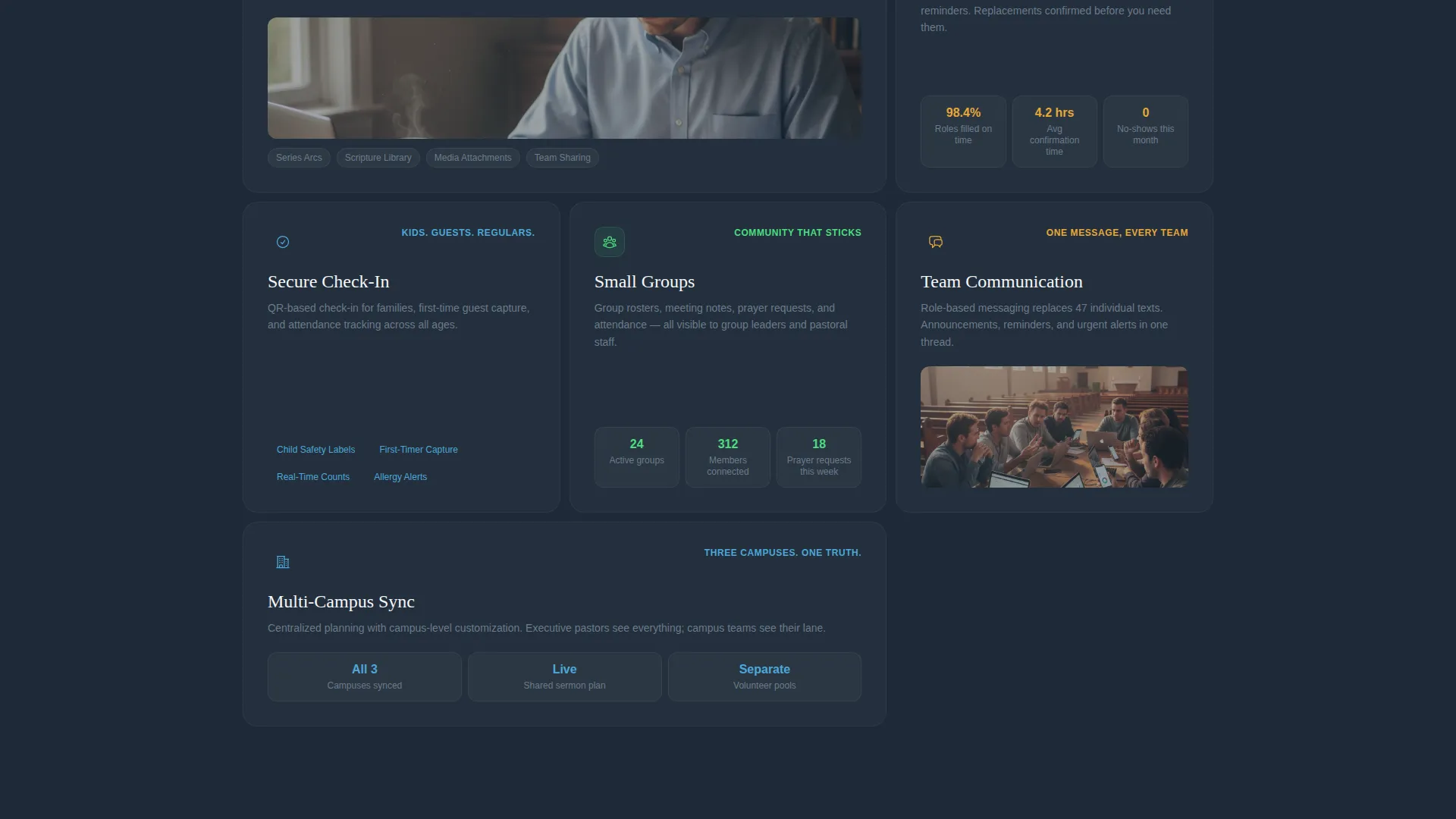
Bento tiles expand on scroll to reveal feature depth, then collapse to restore rhythm. This keeps the layout visually clean between sections while still delivering detailed information as the visitor advances.
Page sections overview
| Section | Purpose |
|---|---|
| Calculator Header Tile | Quantifies hours lost to manual coordination per week |
| No-Show Volunteer Row | Shows the scheduling gap problem and the fix side by side |
| Double-Booked Nursery Row | Surfaces room and resource conflict pain with its solution |
| Missing Slides Row | Demonstrates how presentation gaps are handled in the platform |
| Finances Dashboard Row | Consolidates scattered giving records into one clear view |
| Persistent call to action Button | Keeps the free-trial action visible after the second scroll |
Design & branding system
The visual identity follows a Dynamic Motion theme built on a Slate and Sky color palette. The combination feels grounded and open at the same time, like stepping out of a dim stone chapel into a wide blue morning.
- Deep charcoal slate (#1E2A38) and weathered stone gray (#6B7B8D) anchor backgrounds and body text; cloud-white (#F4F7FA) provides breathing room between tiles
- Open-sky blue (#4DA8DA) animates interactive tiles and hover states throughout the bento grid
- Sunrise amber (#E8A838) is reserved for call-to-action buttons and progress indicators so the eye lands exactly where a decision happens
Mobile & speed optimization
The bento grid layout is structured to reflow cleanly across screen sizes. Church administrators often work from phones and tablets between services, so the template accounts for that context.
- Bento tiles stack vertically on smaller screens while preserving the Problem-to-Solution sequence
- The persistent floating call-to-action button remains accessible in the bottom-right corner on mobile viewports
- The calculator inputs are styled as individual card tiles, keeping touch targets clear and comfortable on smaller displays
How this template helps you convert
This template is engineered around a single conversion goal: getting the visitor to start a free trial. Every design and copy decision supports that outcome without relying on a form or a pricing table.
- The calculator header makes the cost of inaction personal and numerical before any feature is shown, so the visitor arrives at the call to action already convinced of the problem
- The Problem-to-Solution arc escalates stakes row by row, turning abstract software benefits into specific Sunday-morning moments the visitor has already lived through
- Calculator inputs carry forward to the trial page, so the signup feels like a continuation of the page experience rather than a cold restart
Other information about this template
Flock is a bento grid template built specifically for the church management software niche. It pairs well with a product that handles sermon planning, volunteer scheduling, tithing records, small group coordination, and member check-ins inside one dashboard.
- The template is designed as a single landing page, not a multi-page website
- No form appears on the page itself; the trial flow begins on the next page after the call-to-action click
- The Dynamic Motion theme uses scroll-triggered tile expansion and card-snap animations to create a living, breathing grid feel
- This template is a strong fit for church management software products looking to differentiate their landing page from a standard features-and-pricing layout
Theme
Dynamic Motion
Creative direction
Problem→Solution Arc
Color system
Slate & Sky
Style
Bento Grid
Direction
Click-Through
Page Sections
Interactive Hours-lost Calculator
Problem-to-solution Scroll Arc
Persistent Floating Call to Action Button
Inline Secondary Video Link
Calculator-to-trial Input Continuity
Expanding and Collapsing Tile Grid
Related questions
Is this a single landing page or a full website?
Can I customize the calculator inputs for my specific product?
Does the page include a contact form or pricing section?
How does the calculator input carry forward to the trial page?
Who is the ideal buyer for this template?



