Church & Religious Software Cost Calculator Website Template
Flock is a hub-and-spoke landing page template built for church and religious case management platforms. It opens with a live Care Gap Estimator, guides visitors through five anchor-nav spoke sections, and drives clicks toward an interactive demo. The Data Command visual theme pairs carbon black with amber call-to-action elements for a focused, high-trust presentation.
by Rocket studio
Quick summary
Flock is a single-page, anchor-nav landing page template designed for church and religious case management platforms. It combines a Calculator/Estimator header, five structured spoke sections, and a click-through conversion flow. The visual identity follows a Data Command theme that feels both operationally serious and pastorally warm.
Who this template is for
This template speaks directly to leaders who manage congregational care at scale. It is built for people who need to communicate precision, trust, and urgency in the same breath.
- Executive pastors overseeing congregations of 500 or more members
- Care ministry directors managing multiple open cases simultaneously
- Denominational leaders responsible for benevolence fund oversight across campuses
What problem this template solves
Pastoral care platforms are hard to explain and even harder to sell. Visitors arrive skeptical, time-poor, and emotionally invested in getting it right. This template closes the gap between abstract software features and real human stakes.
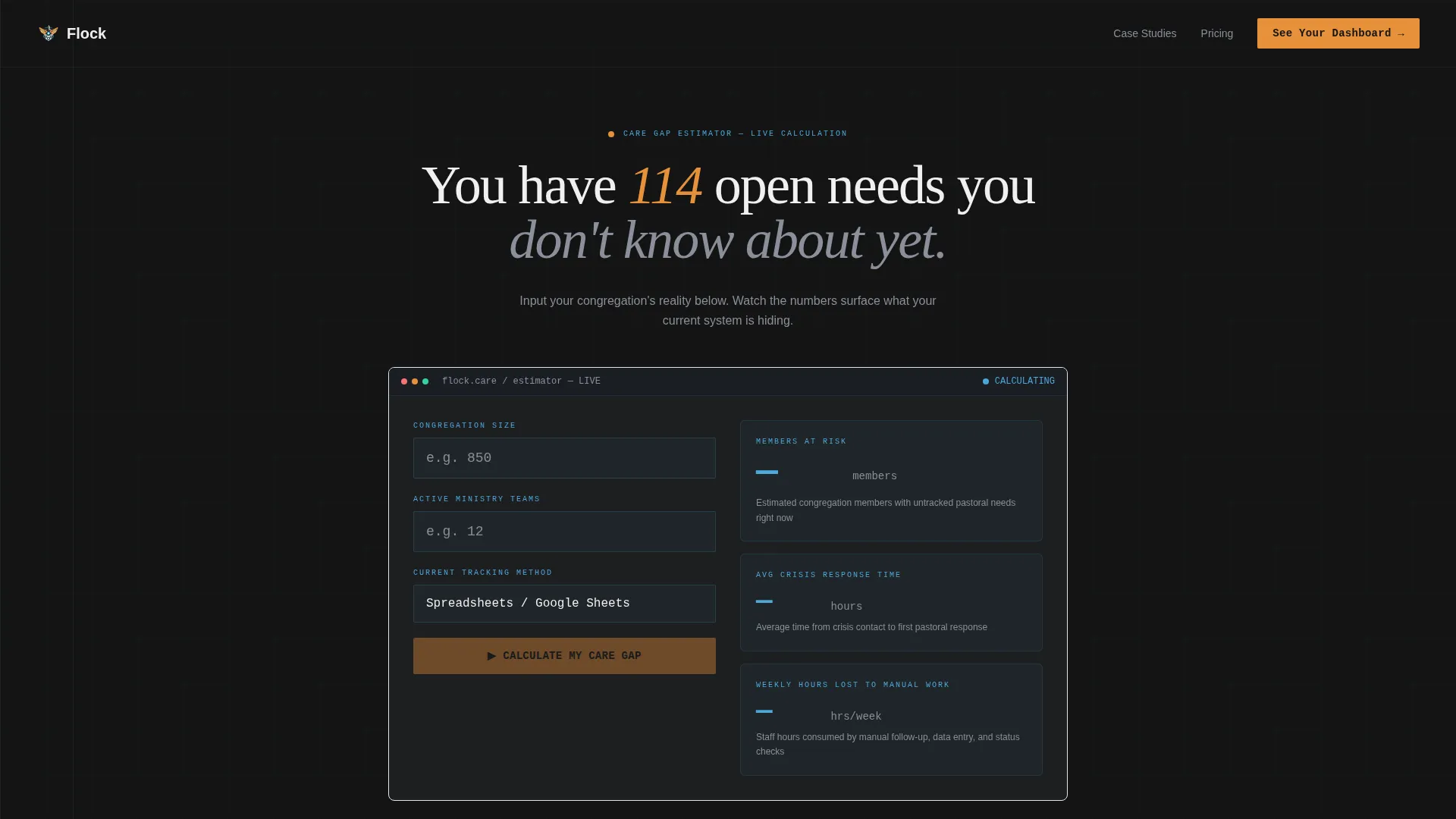
- It quantifies the problem instantly with the Care Gap Estimator, making the cost of inaction visible
- It organizes a complex feature set into five scannable spoke sections that never lose momentum
- It removes form friction entirely, replacing it with a personalized demo click-through
What you get with this template
You get a complete, ready-to-customize landing page layout structured around five core platform capabilities. Every design decision supports the click-through goal without distracting from the message.
- A fully built hub-and-spoke page with anchor navigation locking to the top on scroll
- An animated Care Gap Estimator header that pre-fills demo inputs with visitor data
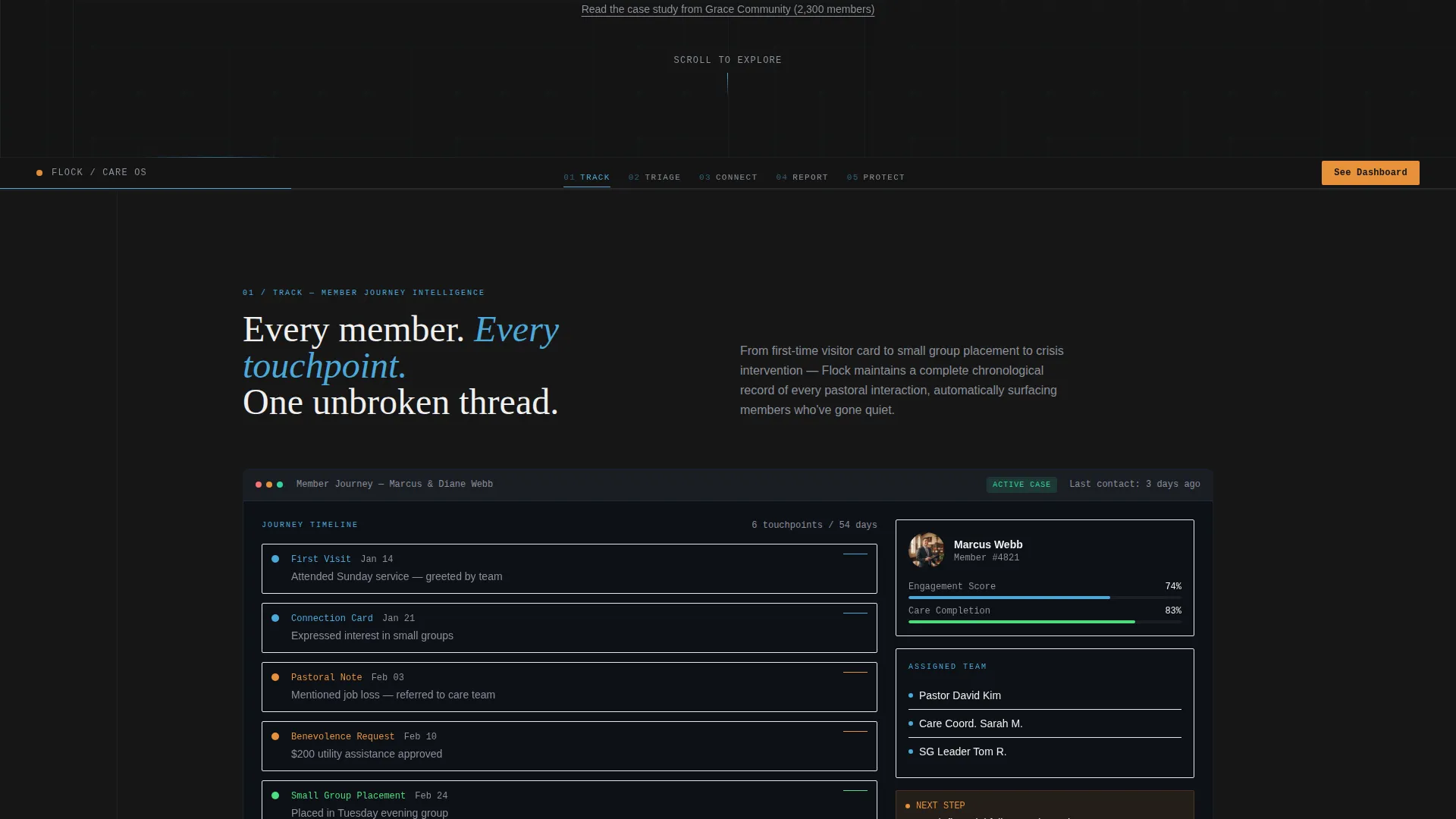
- Five spoke sections (Track, Triage, Connect, Report, Protect), each with dashboard screenshot areas, tension lines, and testimonial pull-quote slots
Feature list
This template includes purpose-built components that serve both the visitor experience and the conversion goal. Each element was designed for the specific context of church operations software.
Care Gap Estimator Header
The opening component invites visitors to enter their congregation size, number of active ministry teams, and current tracking method. It instantly returns projected members at risk, average crisis response time, and estimated hours lost weekly to manual follow-up. Numbers animate upward in status-light blue against carbon black, giving the results real weight.
Anchor Navigation Hub
Five labeled tabs, Track, Triage, Connect, Report, and Protect, lock to the top of the viewport as visitors scroll. Each tab links directly to its spoke section. This structure lets busy ministry leaders jump to the capability they care about most without losing their place.
Animated Dashboard Spoke Sections
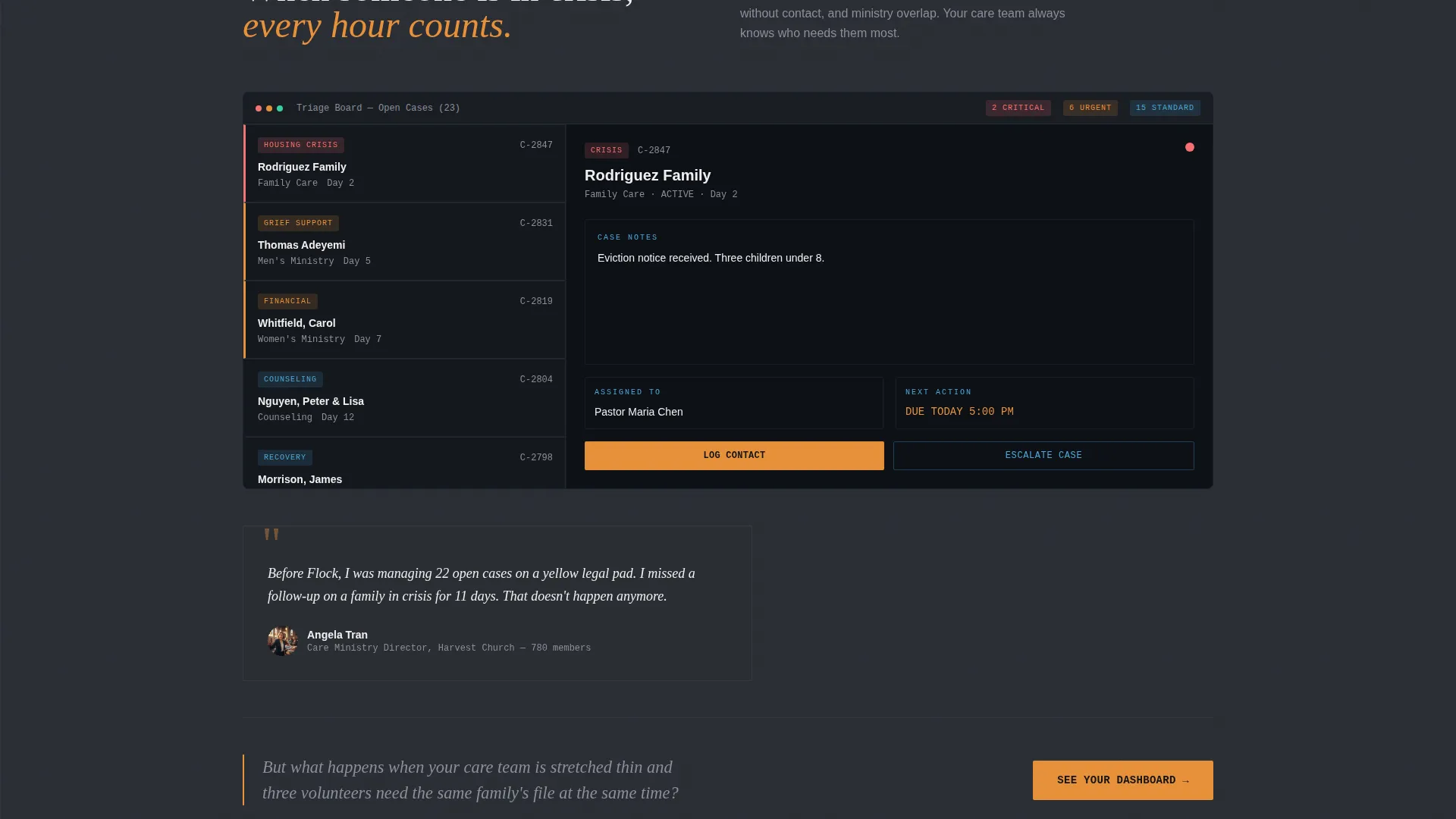
Each of the five spoke sections opens with a dashboard screenshot area that builds itself piece by piece as it enters the viewport. Cards populate, status indicators turn green, and timelines draw forward, giving the impression the platform is coming online in real time.
Tension Line Transitions
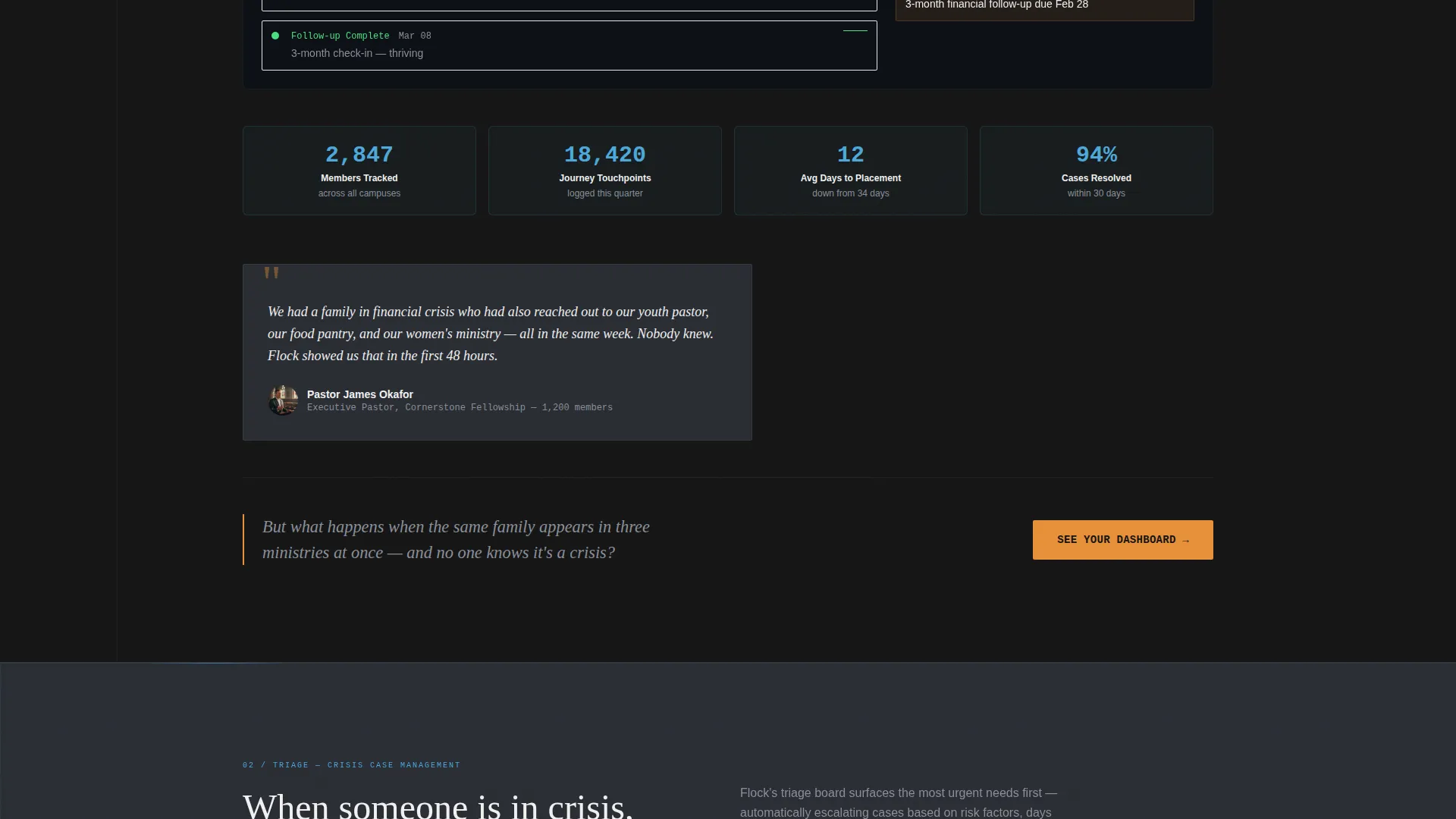
Every spoke section ends with a single provocative question that creates forward momentum. These tension lines are baked into the layout as styled text blocks, prompting visitors to continue scrolling into the next section without any extra nudge.
Testimonial Pull-Quote Slots
Handwritten-note-style pull-quote blocks are embedded between data-heavy sections. They are designed to interrupt the technical rhythm with a human voice, reinforcing trust at the exact moment a visitor might otherwise disengage.
Amber call to action System
The primary call-to-action button, "See Your Dashboard," appears beneath the estimator results and repeats at every spoke transition. It is always rendered in urgent pastoral amber against carbon black. A secondary text link below it offers a lower-commitment case study path for visitors not yet ready to click through.
Page sections overview
| Section | Purpose |
|---|---|
| Care Gap Estimator | Opens with interactive risk calculator to quantify inaction |
| Anchor Navigation Bar | Locks five spoke tabs to viewport for quick section access |
| Track Spoke | Presents member journey tracking from first visit onward |
| Triage Spoke | Covers crisis intervention and open case management workflow |
| Connect Spoke | Addresses small group placement and relationship mapping |
| Report Spoke | Displays benevolence fund and case audit reporting views |
| Protect Spoke | Focuses on preventing members from falling through cracks |
| Testimonial Interrupts | Pull-quote blocks placed between data-heavy spoke sections |
| Recurring call to action Blocks | Amber "See Your Dashboard" button at every spoke transition |
| Case Study Text Link | Secondary low-friction path for undecided visitors |
Design & branding system
The visual identity follows a Data Command theme built on a Carbon Fiber color system. The palette communicates operational authority while keeping a human undertone throughout.
- Core colors: deep carbon black (#141414) and titanium panel gray (#2A2D34) alternate as section backgrounds to create visual depth between spokes
- Status-light blue (#4DA8DA) traces navigation elements, progress bars, and data visualization lines throughout the page
- Urgent pastoral amber (#E8913A) is reserved exclusively for call-to-action buttons and alert-style indicators, ensuring they always draw the eye
Mobile & speed optimization
The layout is built with scrolling momentum and viewport-triggered animations in mind. Every section is designed to remain readable and functional at smaller screen widths.
- Anchor navigation condenses cleanly so spoke tabs remain accessible on mobile without crowding the viewport
- Animated dashboard screenshot blocks are structured to render progressively, keeping the scroll experience smooth on any device
How this template helps you convert
Every layout decision on this page points toward a single action: clicking through to the interactive demo. The conversion logic is layered and deliberate.
- The Care Gap Estimator personalizes the experience before the visitor reads a single feature description, making the demo click feel like a natural next step rather than a cold commitment
- The tension line at the end of each spoke section sustains curiosity and prevents drop-off, carrying visitors through all five capability areas before they reach a decision point
- The dual call to action system offers both a high-intent path (amber demo button) and a low-intent path (case study link), so the page captures interest at two different levels of readiness
Other information about this template
This template was designed specifically for the church and religious software category, with every content slot and visual pattern calibrated for ministry-sector buyers. It is a strong fit for teams building or marketing church management tools where trust, precision, and care must coexist on the same page.
- The Hub and Spoke structure with anchor navigation makes it straightforward to repurpose this layout for any multi-capability platform in the religious technology space
- The estimator inputs carry forward to the demo environment, so the visitor's congregation size pre-populates the next page, making the experience feel personally configured
- The template ships as a complete landing page, meaning no additional pages are required to run the full click-through conversion flow
Theme
Data Command
Creative direction
Launch Energy
Color system
Carbon Fiber
Style
Hub & Spoke (Anchor Nav)
Direction
Click-Through
Page Sections
Care Gap Estimator with Animated Results
Locked Anchor Navigation Hub
Animated Dashboard Spoke Sections
Tension Line Section Transitions
Testimonial Pull-quote Interrupts
Dual Call to Action Amber Button System
Related questions
Can I customize the Care Gap Estimator fields for my platform?
Does this template include a contact form or lead capture form?
How does the anchor navigation work across the five spoke sections?
Is this template suitable for congregations smaller than 500 members?
Can the testimonial pull-quote slots hold real pastor quotes with attribution?



