Poultry Vertical SaaS Professional Website Template
Flock is a dark-terminal landing page template built for a poultry CRM platform. It opens with a live-typed API code block, moves through a feature comparison table, and closes with a three-field lead generation form. The design uses void black, phosphor green, and ultraviolet to signal precision to operations-focused buyers who need more than a spreadsheet.
by Rocket studio
Quick summary
Flock is a single-page, conversion-focused landing page template for a poultry operations CRM. It leads with a typewriter-animated code snippet, builds trust through a feature comparison table and spec cards, then captures leads with a compact sequential form. Every visual and copy decision speaks directly to integrator managers, broiler producers, and poultry veterinarians.
Who this template is for
This template is built for poultry industry software companies that need to reach a technically literate, operationally driven audience. It suits teams launching or marketing a B2B SaaS platform where credibility and precision matter more than lifestyle imagery.
- Integrator operations managers who oversee 10 to 50 contract growers and need multi-complex roll-up dashboards
- Independent broiler producers pursuing USDA Process Verified certification who rely on audit-ready data exports
- Poultry veterinarians correlating flock health events across multiple houses at once
What problem this template solves
Poultry operations professionals spend hours toggling between spreadsheets, browser tabs, and group messages just to answer one question. A generic landing page template cannot communicate the depth of a platform built in poultry vocabulary. Flock solves that gap.
- Fragmented tools like manual spreadsheets, generic farm CRM software, and legacy integrator systems leave data scattered and audit preparation slow
- Standard marketing templates lack the technical tone and data-forward structure that operations managers actually trust
- Buyers in this niche need proof before they fill out a form, not stock photography and broad feature lists
What you get with this template
You get a complete, section-led landing page structured to move a skeptical operations buyer from awareness to demo request. Every section is denser and more specific than the last, building an evidence stack that makes the call to action feel inevitable.
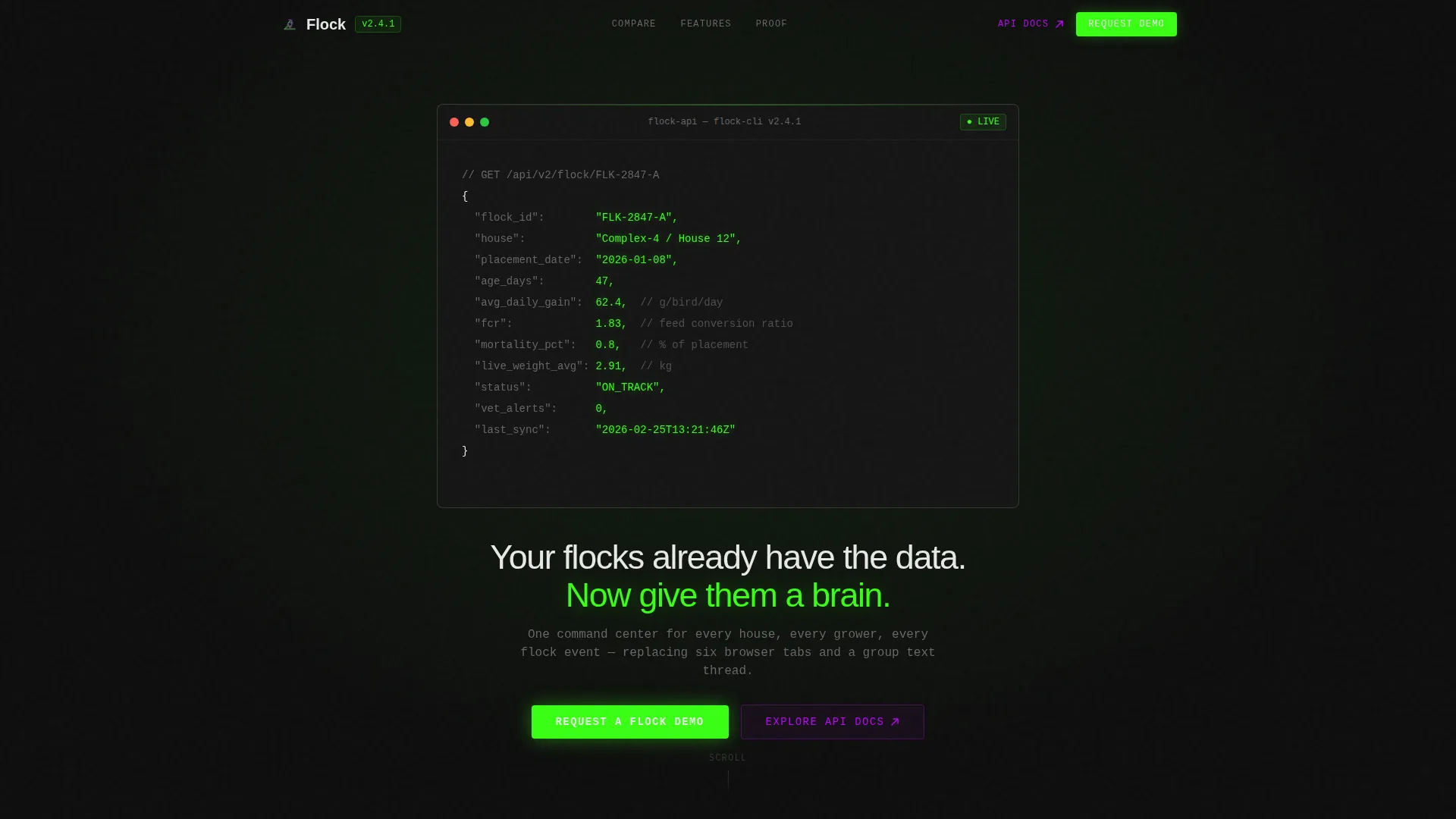
- A hero section with a typewriter-animated pseudo-API code block showing real flock object fields such as feed conversion ratio, average daily gain, and mortality percentage
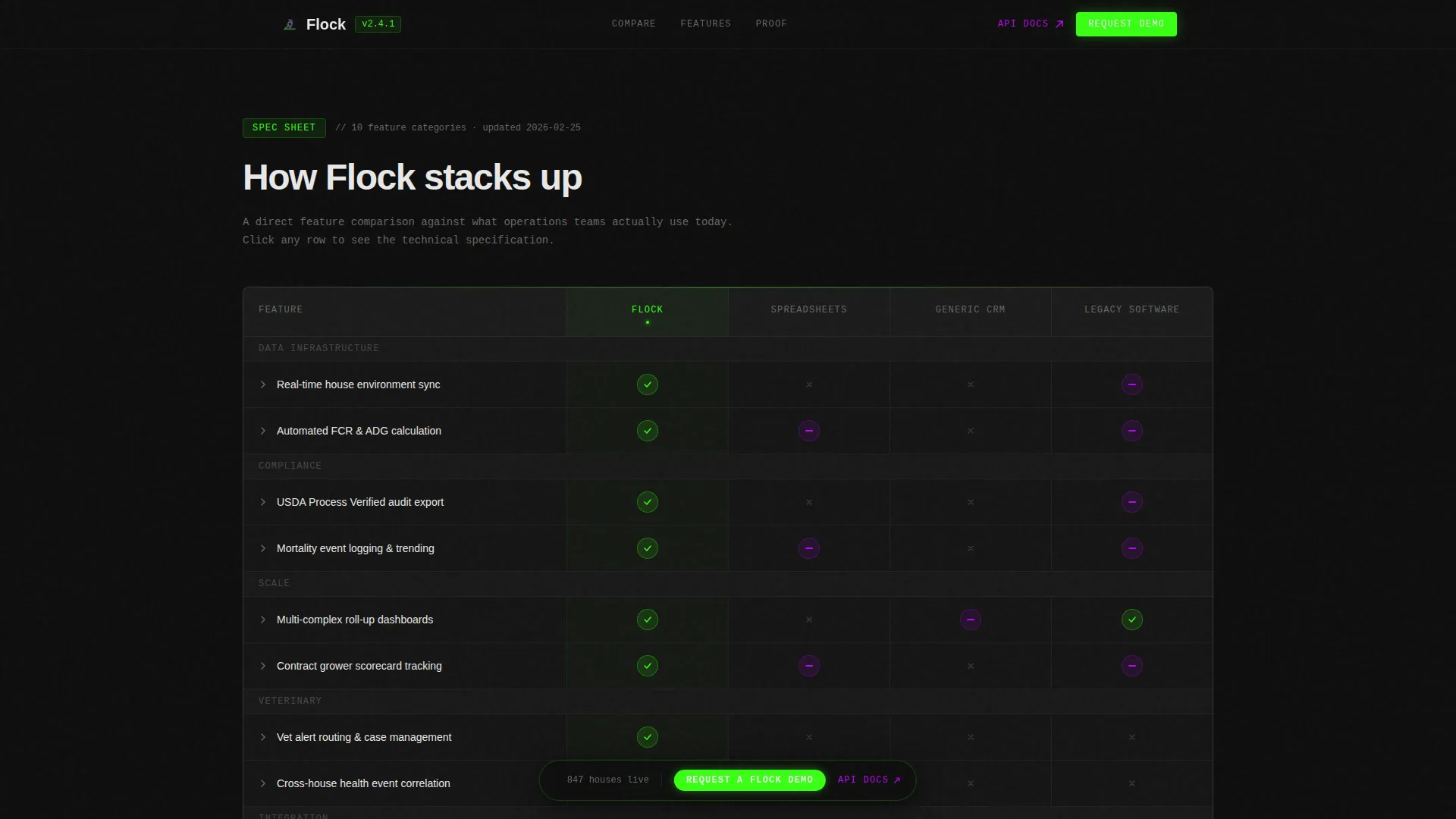
- A four-column comparison table pitting the platform against spreadsheets, generic CRM tools, and legacy integrator software
- Expandable feature spec cards, a stats and social proof section, a sequential three-field lead generation form, and a floating demo call to action bar
Feature list
This template includes the following built-in sections and interactive components grounded in the source brief.
Typewriter Hero Code Block
The header centers a styled pseudo-API response on a black viewport. Fields like flock_id, placement_date, fcr, and mortality_pct animate line by line in phosphor green, as if the terminal is populating live data in real time.
Four-Column Comparison Table
A structured table compares the platform against spreadsheets, generic farm CRM tools, and legacy integrator software. Feature rows cover real-time house environment sync, USDA audit export, multi-complex roll-up dashboards, and veterinary alert routing. Each cell displays a green check, a violet partial indicator, or a dim dash.
Expandable Feature Spec Cards
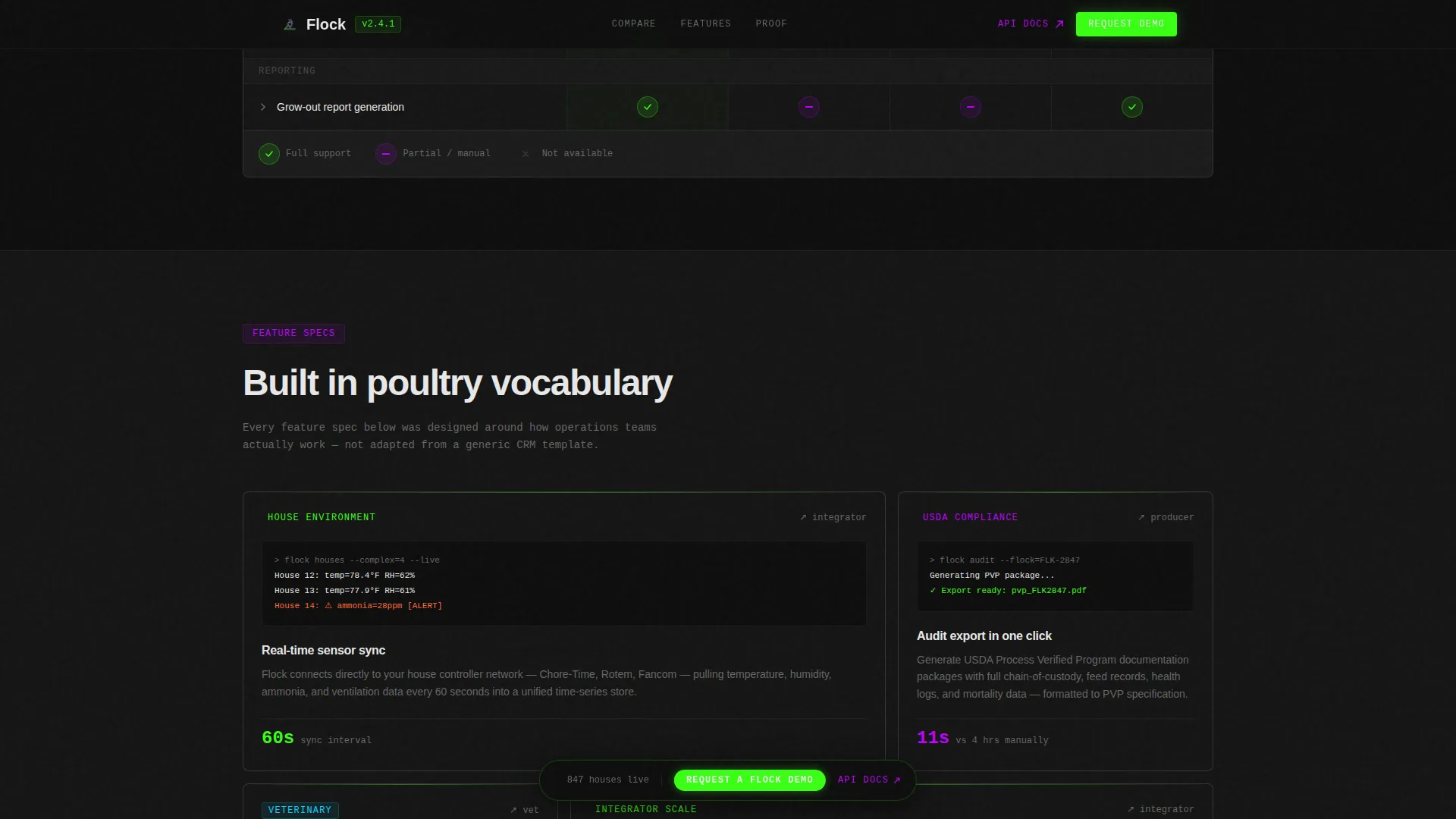
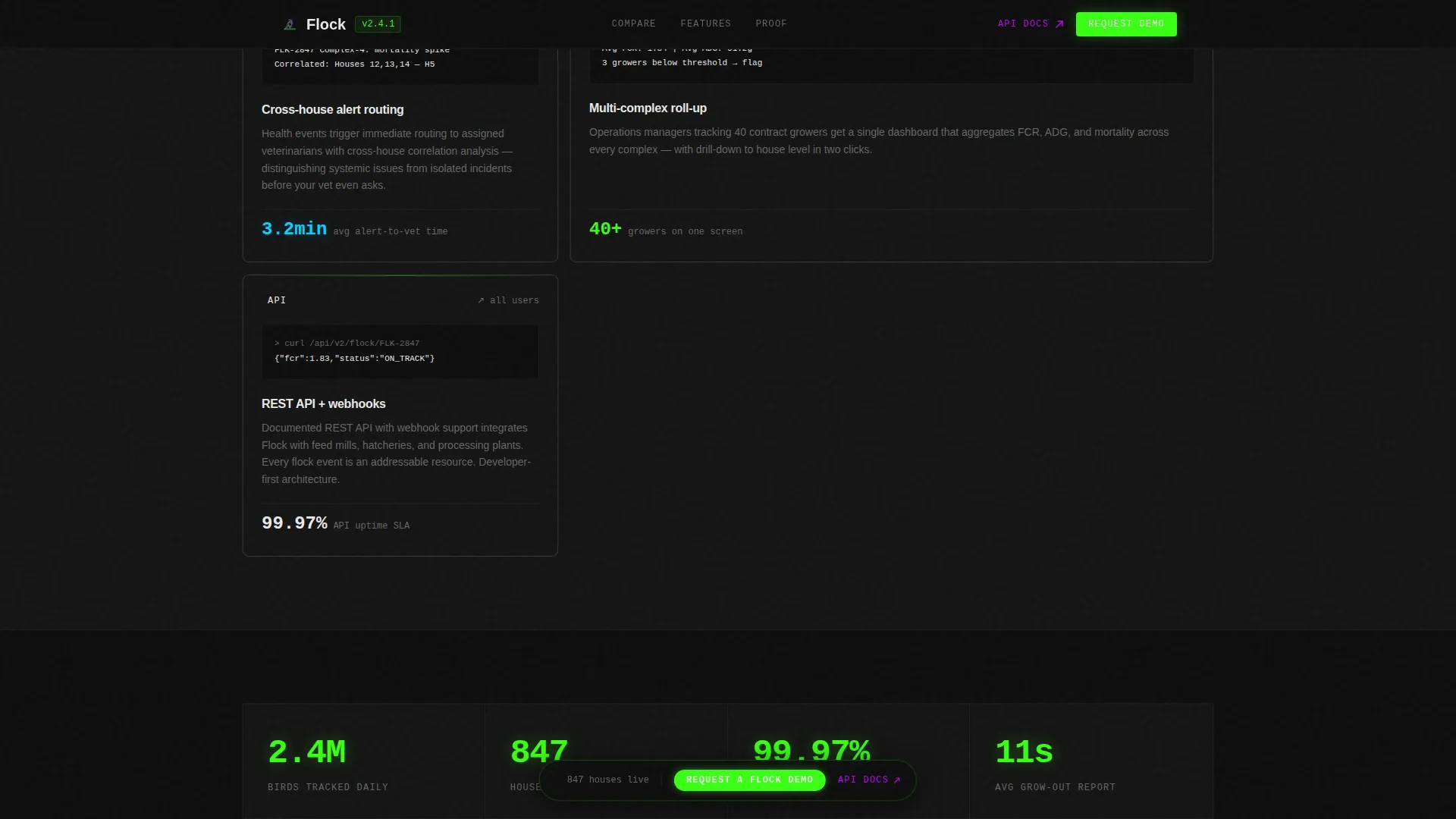
Below the comparison table, each feature row expands into a bento-style spec card. Each card includes a micro-screenshot, a three-line technical explanation, and a supporting metric such as reducing grow-out report generation from four hours to eleven seconds.
Floating Demo Call to Action Bar
After the first scroll, a phosphor green "Request a Flock Demo" bar pins to the viewport. It stays visible throughout the page, giving a convinced buyer a direct path to the form at any point in their scroll.
Sequential Three-Field Lead Form
The lead generation form collects three inputs in order: operation type (integrator, independent, or allied services), total houses managed via a range selector, and a work email address. The sequential structure reduces form friction and pre-qualifies leads by role.
Stats and Social Proof Section
An asymmetric layout presents specific industry metrics and persona-matched testimonials. This section builds credibility with numbers and role-relevant quotes rather than generic endorsements.
Page sections overview
| Section | Purpose |
|---|---|
| Hero Code Block | Opens with a live-typed API object to signal platform depth immediately |
| Comparison Table | Shows platform advantages against spreadsheets, generic CRM, and legacy software |
| Feature Spec Cards | Expands each comparison row into a technical card with a metric and screenshot |
| Stats and Social Proof | Presents specific numbers and role-matched quotes to reinforce credibility |
| Lead Gen Form | Captures demo requests through a three-field sequential form |
| Floating call to action Bar | Keeps the demo request action accessible after the first scroll |
| Footer | Single-row linear footer with secondary developer documentation link |
Design & branding system
The visual identity follows an Acid Digital color system built around a dark command-room aesthetic. The palette is designed to feel immediately legible to an operator while signaling technical depth to anyone who lands on the page.
- Void black (#0D0D0D) dominates all backgrounds and card surfaces, phosphor green (#39FF14) marks live data points and active states, ultraviolet (#BF00FF) tags interactive elements and hover states, and status-bar white (#E8E8E8) carries all body text
- JetBrains Mono handles all code and terminal-style type, while Manrope is used for headlines and body copy throughout the page
- No stock photography of chickens or pastoral scenes appears anywhere; the visual language is entirely signal-based, data-forward, and terminal-coded
Mobile & speed optimization
The template is built desktop-first, reflecting the reality that operations managers work at command centers rather than on phones. The layout is responsive to tablet viewports for flexibility.
- Server Components handle static sections to keep rendering efficient, while Client Components manage animations, the floating call to action bar, and the sequential form
- High-interactivity animations including the typewriter effect, staggered section reveals, marquee elements, parallax scrolling, and intersection observer triggers are all scoped to client-side rendering
How this template helps you convert
The page is engineered as an evidence stack. Each section earns the next, so by the time a buyer reaches the form, the comparison table and spec cards have already done the persuasion work.
- The animated code block opens with a credibility signal that speaks directly to technical buyers, establishing platform vocabulary before a single headline is read
- The comparison table and expandable spec cards give precision-seeking buyers the specific proof they need, including audit export capability, multi-complex roll-ups, and vet alert routing, before they ever see a form
- The floating call to action bar and the secondary "Explore the API Docs" path capture both fast-converting demo leads and slower-converting developer-track leads simultaneously
Other information about this template
This template fits within a Directory and Discovery theme, which structures pages around clear categorical choices and scannable data rather than narrative storytelling. That theme aligns naturally with a poultry CRM platform where buyers compare options methodically.
- The Spec Sheet creative direction drives scroll like a product data sheet for engineers, not a brochure for executives, rewarding readers who go deeper with denser and more specific information at every level
- The secondary call to action links to a public API documentation portal, capturing developer-track leads who convert more slowly but signal high intent through that action
- The template is localized for English (United States) with date formatting in MM/DD/YYYY format and no currency display
Theme
Directory & Discovery
Creative direction
Spec Sheet
Color system
Acid Digital
Style
Comparison Table
Direction
Lead Generation
Page Sections
Typewriter-animated Terminal Hero
Four-column Feature Comparison Table
Expandable Spec Cards with Metrics
Floating Demo Call to Action Bar
Sequential Three-field Lead Form
Stats and Social Proof Section
Related questions
What type of page is this template designed for?
Can this template work for a different agricultural SaaS product?
What does the lead generation form collect from visitors?
Is there a path in the template for developer or technical buyers?
What makes this template different from a generic SaaS landing page?



