Advanced Data Ops Landing Page Template
Pipeline is a split-screen landing page template built for DataOps newsletters and communities. It pairs a dashboard-style header preview with an interactive archive explorer, a live subscriber counter, filterable tag navigation, and a community leaderboard. The design uses a dark terminal palette to feel immediately credible to senior data engineers and analytics professionals.
by Rocket studio
Quick summary
Pipeline is a single-page landing page template designed for DataOps newsletters and technical communities. It uses a 50/50 split-screen layout, a dark terminal color system, and interactive section components to show subscribers real content before asking for their email. Every visual element is built to earn trust from technically experienced readers.
Who this template is for
This template is built for people running technical newsletters and community platforms in the data engineering space. It speaks directly to the professionals who both create and consume this kind of content.
- Data engineers, analytics engineers, and DataOps leads who run a newsletter or community platform
- Technical content creators who want a landing page that matches the credibility of their content
- Platform team leads looking to grow a curated subscriber base from a skeptical, senior audience
What problem this template solves
Technical newsletter landing pages often look generic. Stock imagery, vague headlines, and buried calls to action fail to convince experienced engineers that a product is worth their inbox. Pipeline solves this by making the content itself the centerpiece.
- Senior engineers distrust landing pages that lead with marketing copy instead of the actual product
- Newsletter creators lose sign-ups because visitors cannot preview real value before committing their email
- Generic page layouts feel mismatched for an audience that lives inside terminals and monitoring dashboards
What you get with this template
You get a fully structured single-page layout that places your newsletter content front and center. The template is organized into distinct, purposeful sections that carry a visitor from curiosity to conversion without friction.
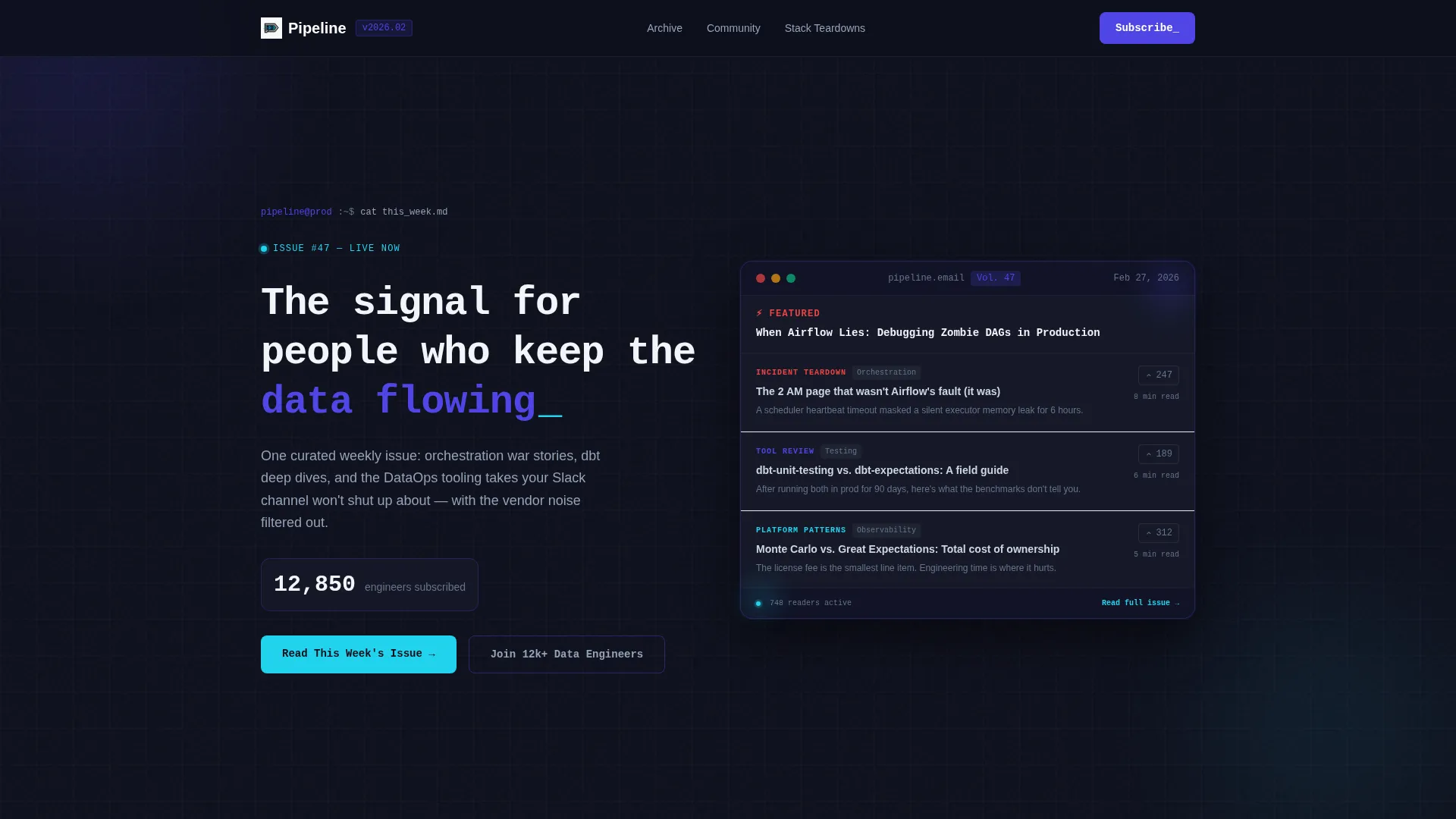
- A split-screen header combining a monospace headline panel and a stylized newsletter digest preview
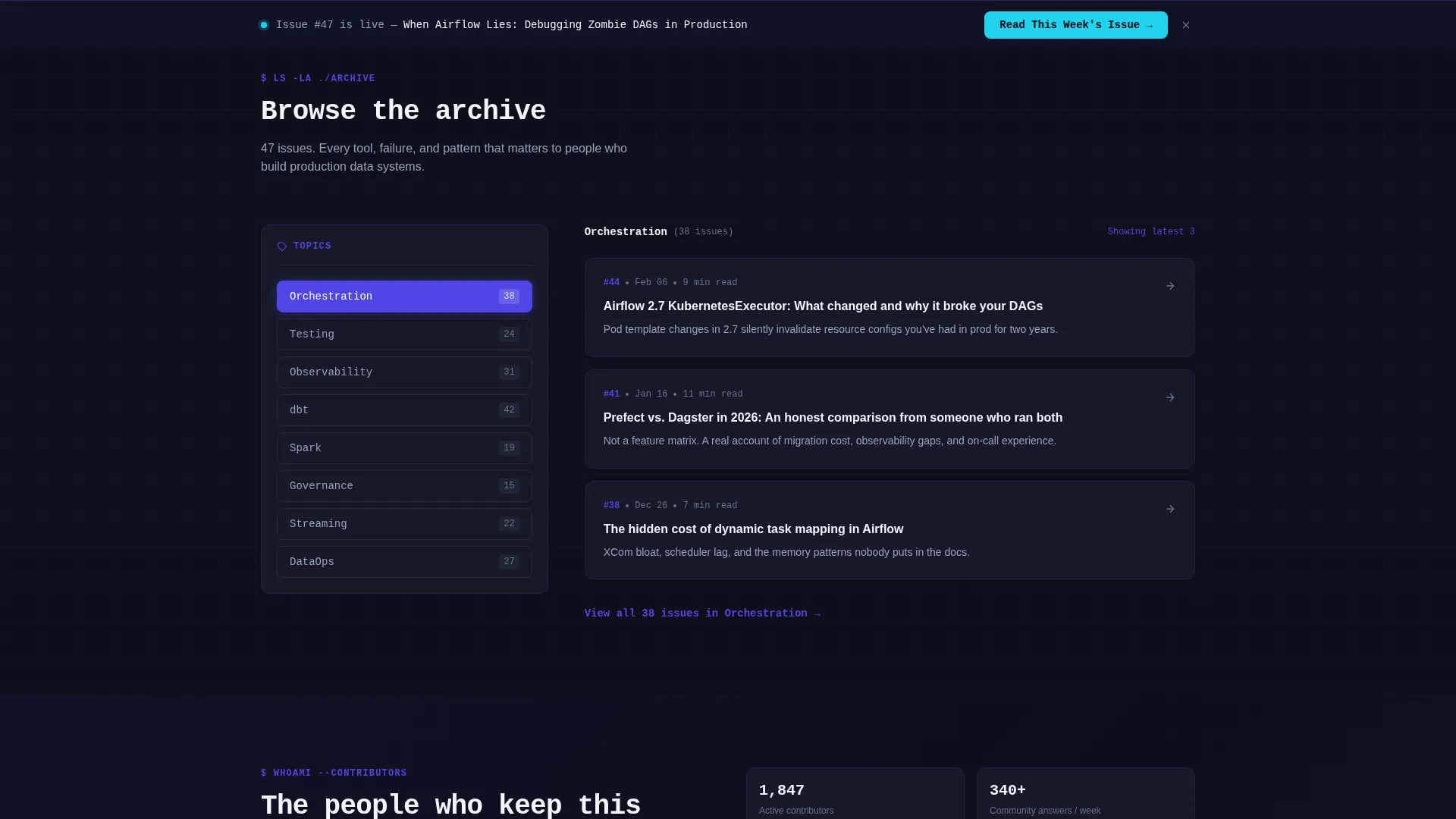
- A filterable archive explorer with a clickable tag cloud and per-tag issue preview cards
- A community leaderboard section, a "Stack of the Week" teardown diagram, and a sticky subscribe bar
Feature list
This template is built around interactive, content-first components that work together to demonstrate value before asking for a commitment.
Split-Screen Header Layout
The header divides the viewport into two equal halves. The left panel holds the primary headline in a monospace typeface and the main call to action. The right panel renders a stylized newsletter digest interface that looks like a live product preview.
Live Subscriber Counter
A subscriber count display ticks upward in real time inside the header left panel. This creates immediate social proof and signals an active, growing community without requiring any copy to say so.
Interactive Archive Explorer
Past the header, the left panel becomes a clickable tag cloud covering topics such as Orchestration, Testing, Observability, and Governance. The right panel surfaces three issue preview cards per selected tag, each showing the issue title, read time, and a one-line hook.
Community Leaderboard Section
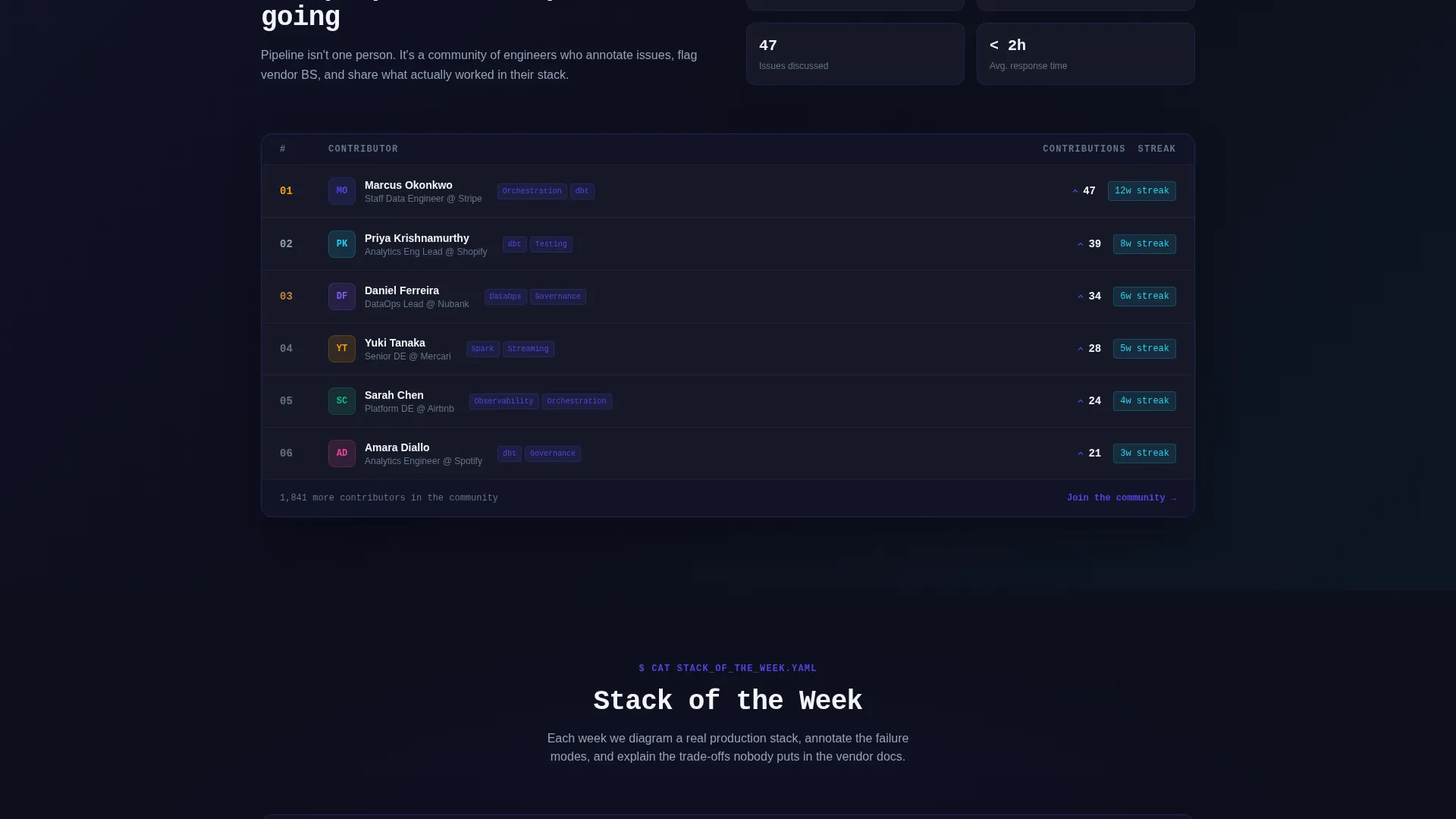
Scrolling deeper reveals a leaderboard of top community contributors. This section communicates that Pipeline is more than a newsletter. It is an active community with real engagement and recognized participants.
Stack of the Week Diagram
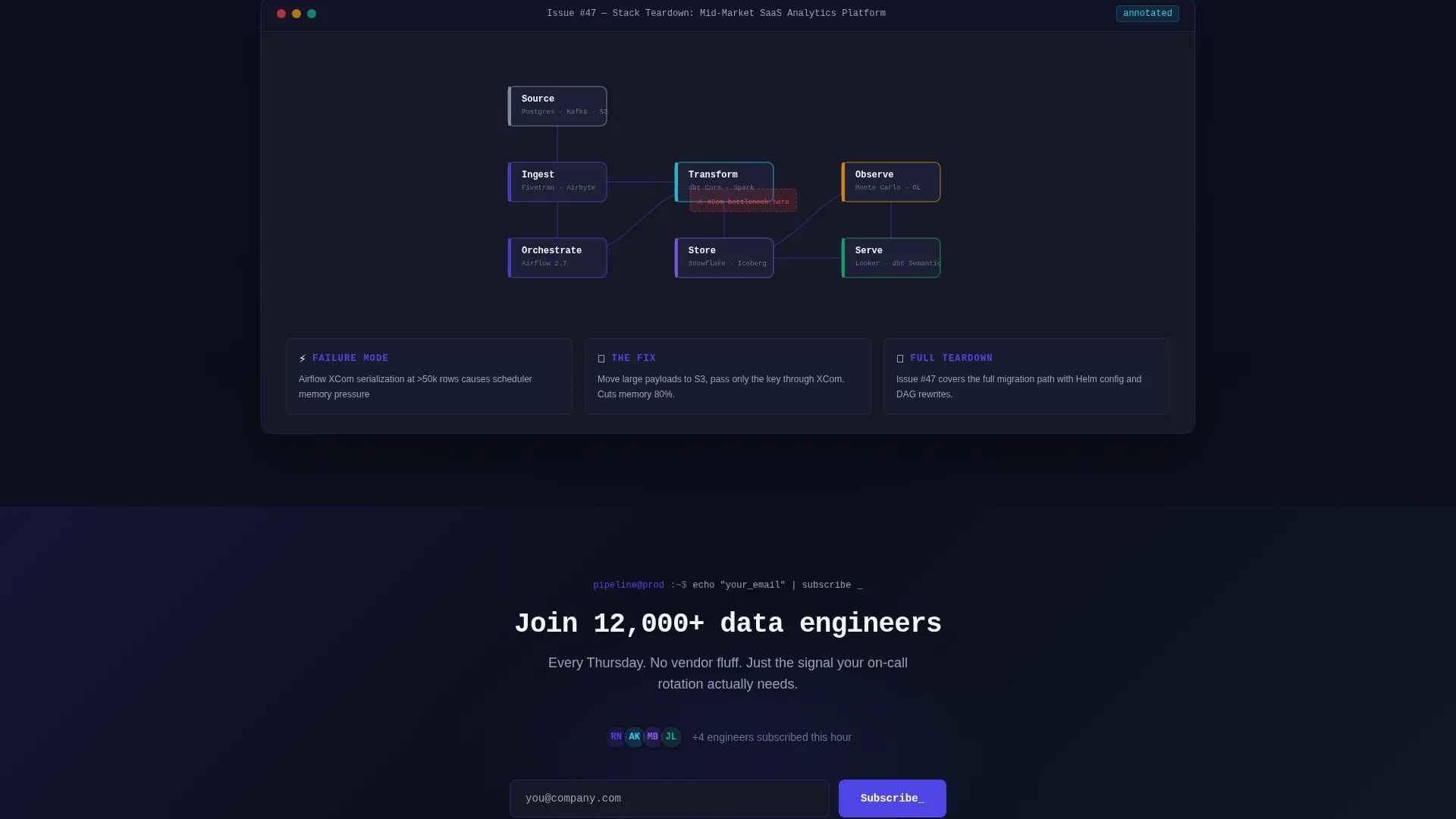
A teardown diagram section animates on viewport entry. It visualizes a featured data stack, rewarding visitors who scroll with a concrete, technical piece of content that reflects the newsletter's depth.
Sticky Subscribe Bar
After the first scroll, a sticky bottom bar appears with the secondary call to action. It includes a single email input and a monospace "Subscribe" button, keeping sign-up friction low throughout the entire page experience.
Page sections overview
| Section | Purpose |
|---|---|
| Split-screen header | Headline, live counter, and newsletter digest preview |
| Primary call to action panel | "Read This Week's Issue" button driving into latest content |
| Filterable archive explorer | Tag cloud with per-tag issue preview cards |
| Community leaderboard | Top contributor rankings showing active community |
| Stack of the Week | Animated teardown diagram of a featured data stack |
| Sticky subscribe bar | Persistent email capture after first scroll |
Design & branding system
The visual identity follows a Directory and Discovery theme built entirely around a dark terminal aesthetic. The palette feels like a monitoring dashboard at midnight, precise, focused, and alive with small signals.
- Deep terminal black (#0D0F1C) as the base background, electric indigo (#4F46E5) as the primary accent, and cool slate (#94A3B8) for secondary text and dividers
- Reactive cyan (#22D3EE) reserved exclusively for hover states and live-data accents, keeping the interface from feeling flat
- A monospace typeface for headlines and interactive elements, reinforcing the terminal aesthetic throughout every section
Mobile & speed optimization
The template is structured with a responsive layout that adapts the split-screen design for smaller viewports. The interactive components are built to remain usable and clear across device sizes.
- The 50/50 split-screen stacks vertically on mobile so both panels remain fully readable
- The sticky subscribe bar and primary call-to-action remain accessible at all scroll depths on any screen size
How this template helps you convert
Pipeline is optimized as a click-through landing page. Every structural choice is made to move a skeptical, senior audience toward the primary call to action before asking for their email.
- The header shows a real newsletter digest preview immediately, so visitors judge the product on its actual content rather than marketing promises
- The filterable archive explorer lets visitors self-qualify by browsing topics they care about, building confidence that the content matches their specific work
- The sticky subscribe bar removes the need to scroll back to sign up, keeping the conversion path open at every point in the visitor's journey
Other information about this template
Pipeline is a purpose-built template for the DataOps newsletter and community niche. It is designed to serve a technically demanding audience that responds to signal over noise.
- The template fits newsletters covering production data pipeline topics, orchestration workflows, warehouse modeling, and data observability
- The no-stock-imagery approach means the product visual is the newsletter interface itself, which is consistent with how this audience evaluates tools
- The Electric Indigo color system and Interactive Explorer creative direction are matched specifically to the Directory and Discovery theme used in this template style
Theme
Directory & Discovery
Creative direction
Interactive Explorer
Color system
Electric Indigo
Style
Split Screen (50/50)
Direction
Click-Through
Page Sections
Split-screen 50/50 Header Layout
Live Subscriber Counter Display
Filterable Tag Archive Explorer
Community Leaderboard Section
Animated Stack of the Week Diagram
Sticky Bottom Subscribe Bar
Related questions
Can I use this template without a live community or leaderboard?
Is this template only suited to data engineering newsletters?
Does the subscriber counter connect to a real data source?
How does the filterable archive explorer work?
Can I update the color system to match a different brand?



