Flow HVAC — Landing Page Template
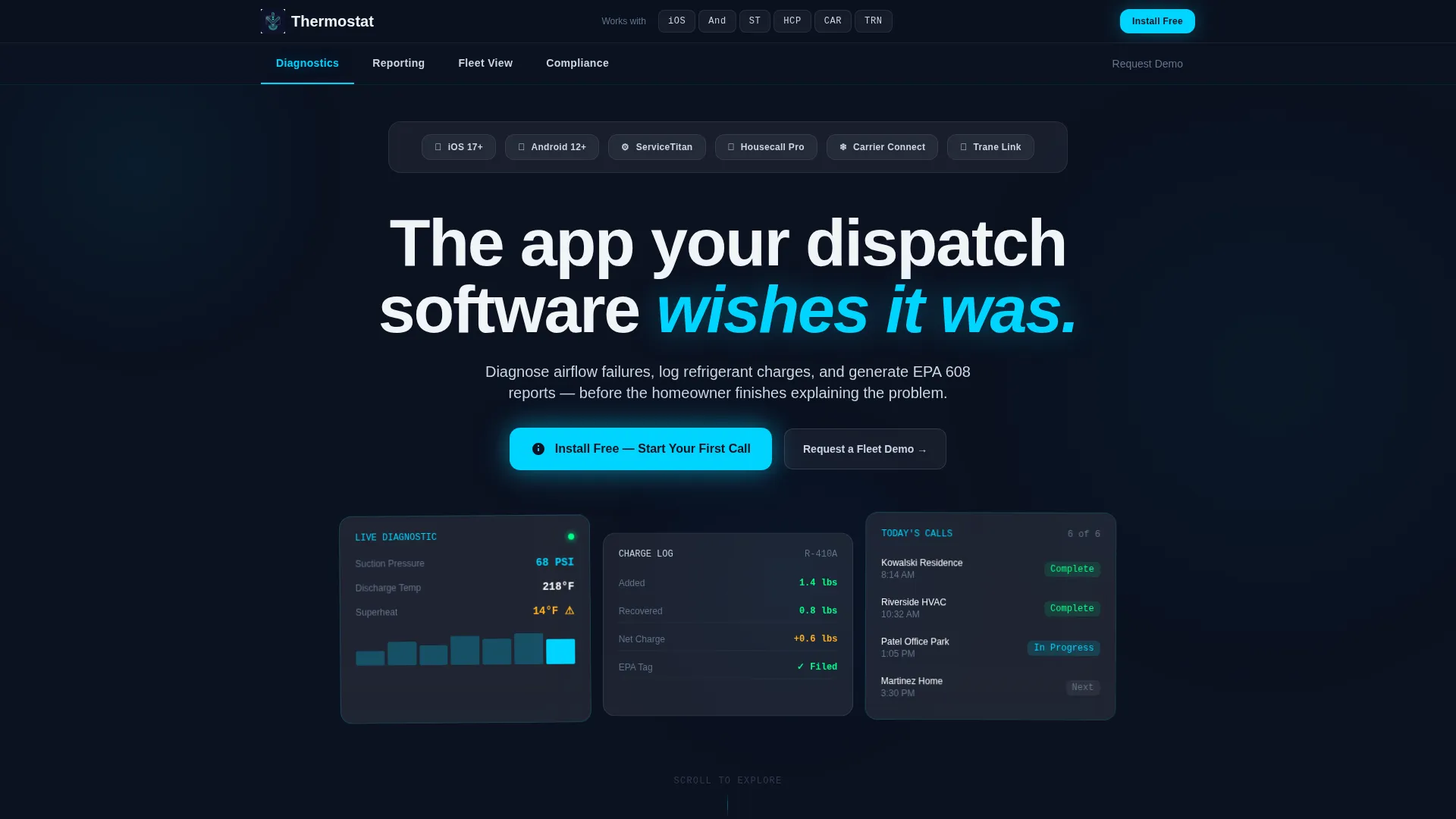
Thermostat is a hub-and-spoke HVAC mobile app landing page built on a Tech Glass visual system. It presents a glassmorphic, dark-backlit layout that walks field technicians, service managers, and shop owners through diagnostics, reporting, fleet tracking, and compliance documentation, then drives them straight to an app download or fleet demo request.
by Rocket studio
Quick summary
Thermostat is a single-page HVAC mobile app landing page template. It uses a glassmorphic Tech Glass design to present an app that helps field technicians diagnose issues, log refrigerant charges, and produce compliance reports on-site. The layout guides visitors through four spoke sections, then delivers a clear app download call to action.
Who this template is for
This template is built for HVAC businesses that need a credible, high-conversion landing page for a mobile app. It speaks directly to the people who actually use the software every day.
- Field technicians running multiple service calls daily who need fast, on-site documentation tools
- Service managers tracking fleet productivity and first-time fix rates from a central desk
- Shop owners who need EPA 608 refrigerant documentation that is organized, complete, and not paper-based
What problem this template solves
Incomplete first-visit documentation is a leading cause of HVAC callbacks. Field teams often rely on paper forms, disconnected apps, and manual reporting that slow them down and create compliance risk. This template positions the app as the direct solution to those gaps.
- Technicians waste time documenting after the visit instead of during it
- Service managers lack a real-time view of fleet activity and technician performance
- Shop owners struggle to produce clean, audit-ready compliance records when they matter most
What you get with this template
You get a fully structured hub-and-spoke landing page with four anchor-linked spoke sections, each built around a real HVAC pain point. The layout pairs a bold industry statistic with an app screen proof, building an evidence-based case from top to bottom.
- A sticky glassmorphic anchor navigation rail with spoke labels: Diagnostics, Reporting, Fleet View, and Compliance
- A primary call-to-action block with App Store and Google Play badges and a secondary fleet demo request form
- Frosted glass card components, animated data visualizations, and a Logo Bar header featuring integration partner logos
Feature list
This template includes purpose-built sections and components designed specifically for an HVAC mobile app landing page.
Hub-and-Spoke Anchor Navigation
A sticky glassmorphic navigation rail sits below the header and links directly to each spoke section. Visitors can jump to Diagnostics, Reporting, Fleet View, or Compliance without scrolling past unrelated content. The rail stays visible as the user scrolls, keeping navigation effortless.
Industry Report Content Rhythm
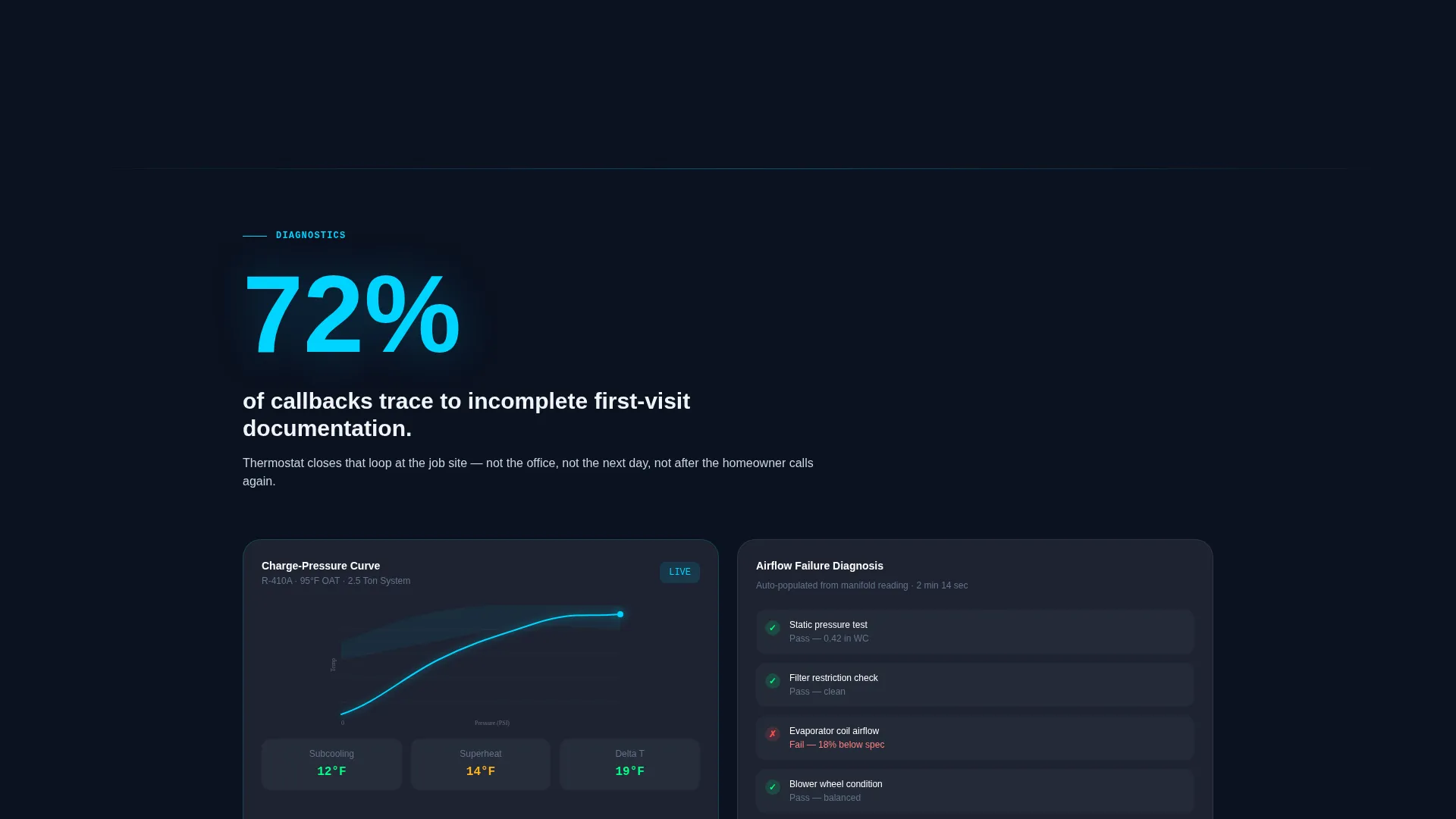
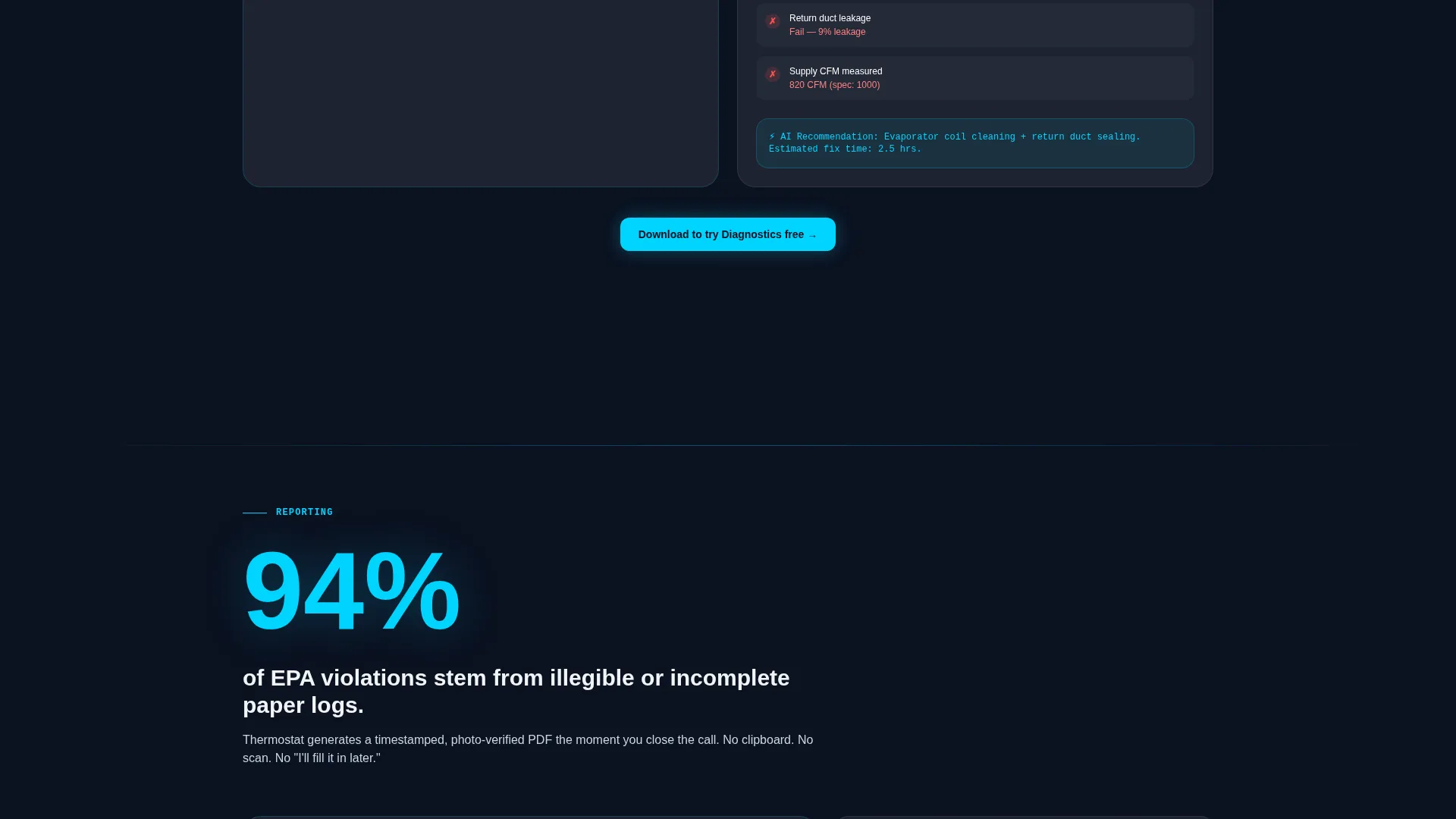
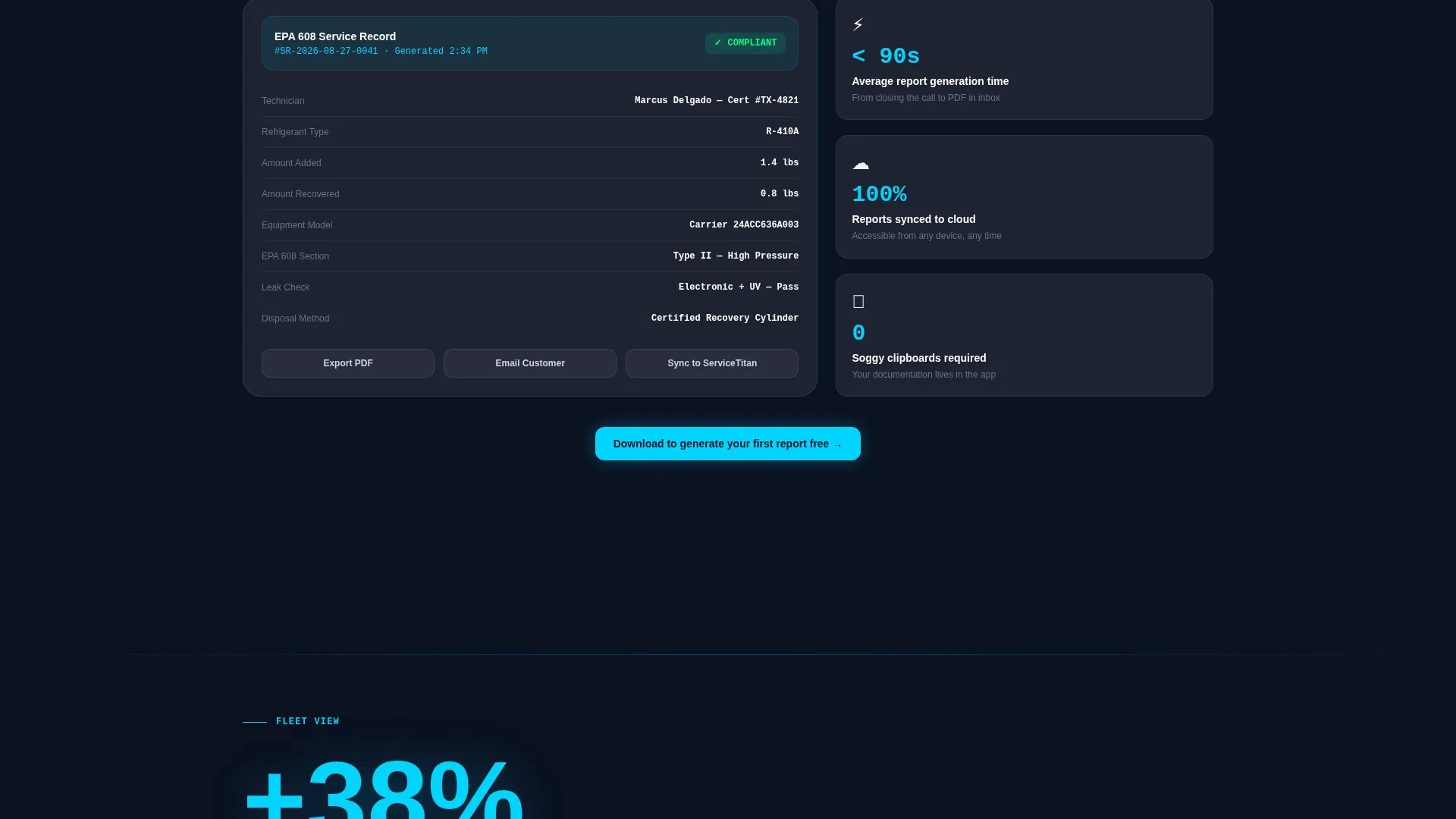
Each spoke section opens with a bold, real-world HVAC statistic and immediately follows with the app screen that addresses it. The pattern repeats across all four spokes, building a dense, evidence-based argument that makes downloading the app feel like the logical next step.
Dual Call-to-Action System
The primary call to action, "Install Free, Start Your First Call," appears below the header and resurfaces contextually inside each spoke section. A secondary path offers a short fleet demo request form with company name, fleet size dropdown, and phone number fields to qualify larger buyers without slowing down solo technicians.
Animated Data Visualization Cards
Frosted glass cards render animated charge-pressure curves, technician heat maps, and first-time-fix-rate trendlines as visitors scroll into each section. These visuals reinforce the app's capabilities without requiring a live product demo, keeping solo technicians and evaluating managers both engaged.
Logo Bar Integration Header
The header features a slim horizontal strip of integration partner and platform logos floating on frosted glass. It anchors brand credibility immediately and signals that the app works inside the tools HVAC businesses already use. A single confident headline sits beneath it with no hero image distraction.
Fleet Demo Request Form
A short inline form captures company name, fleet size, and phone number from service managers evaluating the app at scale. The fleet size dropdown uses three ranges to qualify prospects without friction. The form appears alongside the primary download path so both audiences are served on the same page.
Page sections overview
| Section | Purpose |
|---|---|
| Logo Bar Header | Establishes integration credibility and sets tone with a single headline |
| Anchor Nav Rail | Lets visitors jump directly to any spoke section from any scroll position |
| Primary call to action Block | Drives immediate app downloads with App Store and Google Play badges |
| Diagnostics Spoke | Opens with a callback statistic and shows the airflow diagnosis app screen |
| Reporting Spoke | Pairs a documentation pain stat with the refrigerant charge logging screen |
| Fleet View Spoke | Presents fleet productivity data and a contextual download prompt |
| Compliance Spoke | Addresses EPA 608 documentation gaps with a compliance report screen proof |
| Fleet Demo Form | Qualifies service managers with a short company, fleet size, and phone form |
Design & branding system
The visual identity uses a Tech Glass theme built on a glassmorphic color system. The palette feels like looking through the tinted glass of a digital manifold gauge, dark, backlit, and precise.
- Deep ductwork navy (#0B1120) as the background, frosted panel white (#FFFFFF at 12% opacity) for cards and panels, and compressor cyan (#00D4FF) for active states, call to action glows, and data highlights
- Brushed aluminum gray (#CBD5E1) for secondary text and divider lines, with 1px luminous borders on floating glass panels
- Medium-weight sans-serif typography for headlines, reinforcing a clean, technical readability across all screen sizes
Mobile & speed optimization
This template is designed with field technicians in mind. They are checking the page from a phone in a driveway, not from a desktop in an office. Every layout decision prioritizes fast comprehension on a small screen.
- Sticky anchor navigation collapses cleanly on mobile so spoke sections remain reachable with a single tap
- App Store and Google Play badges are sized and spaced for thumb-friendly tapping on small screens
- Glassmorphic cards stack vertically on narrow viewports, keeping data visualizations and calls to action readable without horizontal scrolling
How this template helps you convert
The page is engineered to reduce hesitation and move two distinct audiences toward action at the same time.
- The stat-then-screen content rhythm answers the technician's implicit question, "will this actually work on a real call?", before they finish reading the first section, making the download feel obvious rather than risky.
- The fleet demo form sits beside the primary download call to action, letting service managers self-select into a higher-touch evaluation path without any extra navigation, which keeps both conversion flows active on every scroll position.
Other information about this template
This template is built for the HVAC digital presence category under the broader technology niche, making it suitable for app developers, HVAC software vendors, and field service platforms marketing to the skilled trades industry.
- The template style is Hub and Spoke with Anchor Navigation, a structure well suited to apps with multiple distinct feature areas that serve different buyer roles
- The creative direction follows an Industry Report format, using real-world pain statistics as section openers to build credibility before presenting product proof
- Integration partner logos shown in the Logo Bar header include iOS, Android, ServiceTitan, Housecall Pro, Carrier, and Trane, as specified in the source brief
- The compressor cyan glow on App Store and Google Play badges is a subtle pulsing animation that draws the eye without interrupting the reading experience
Theme
Tech Glass
Creative direction
Industry Report
Color system
Glassmorphic
Style
Hub & Spoke (Anchor Nav)
Direction
App Download
Page Sections
Hub-and-spoke Anchor Navigation Rail
Industry Report Content Rhythm
Dual Conversion Path System
Animated Glassmorphic Data Cards
Logo Bar Integration Header
Related questions
Who is this landing page template designed for?
Does the template include a demo request form?
What does the hub-and-spoke structure mean for this page?
Can I customize the integration logos shown in the header?
What is EPA 608 and why does the template reference it?



