No-Code Enterprise Software Specialist Professional Website Template
Flow is a dashboard-style landing page template built for no-code supply chain management platforms. It combines a live code-to-canvas animation in the header with a spec-sheet scroll rhythm, oversized monospace data cards, and a terminal-styled lead capture form. The result is a dark, mission-control aesthetic designed to earn trust fast and convert operations professionals into sign-ups.
by Rocket studio
Quick summary
Flow is a single-page landing page template purpose-built for no-code supply chain platforms. It opens with a code-to-canvas animation, moves through scannable data cards that stack proof point by proof point, and closes with a terminal-styled sign-up form. The dark electric-indigo palette and monospace type system signal production-grade credibility from the first scroll.
Who this template is for
Flow is designed for teams that need to move fast and prove technical depth without writing documentation. It speaks directly to the people running operations at growth-stage companies.
- Series A logistics startups that need to show investors a polished, production-ready product page
- Mid-market direct-to-consumer brands where one operations manager handles both strategy and warehouse floor decisions
- Manufacturing firms sitting on an eighteen-month information technology backlog who need a no-code solution front and center
What problem this template solves
Operations teams often struggle to communicate the power of a no-code platform to a technically skeptical audience. A generic landing page fails to demonstrate that the product can replace real engineering work.
- Visitors leave before they understand what the platform replaces, because the page never shows the before-and-after contrast
- Hard numbers get buried in marketing copy instead of being front-loaded as proof
- Lead capture forms feel disconnected from the product story, reducing conversion
What you get with this template
Flow delivers a complete, single-page layout that moves visitors from curiosity to conviction. Every section has a specific job, and each one hands off cleanly to the next.
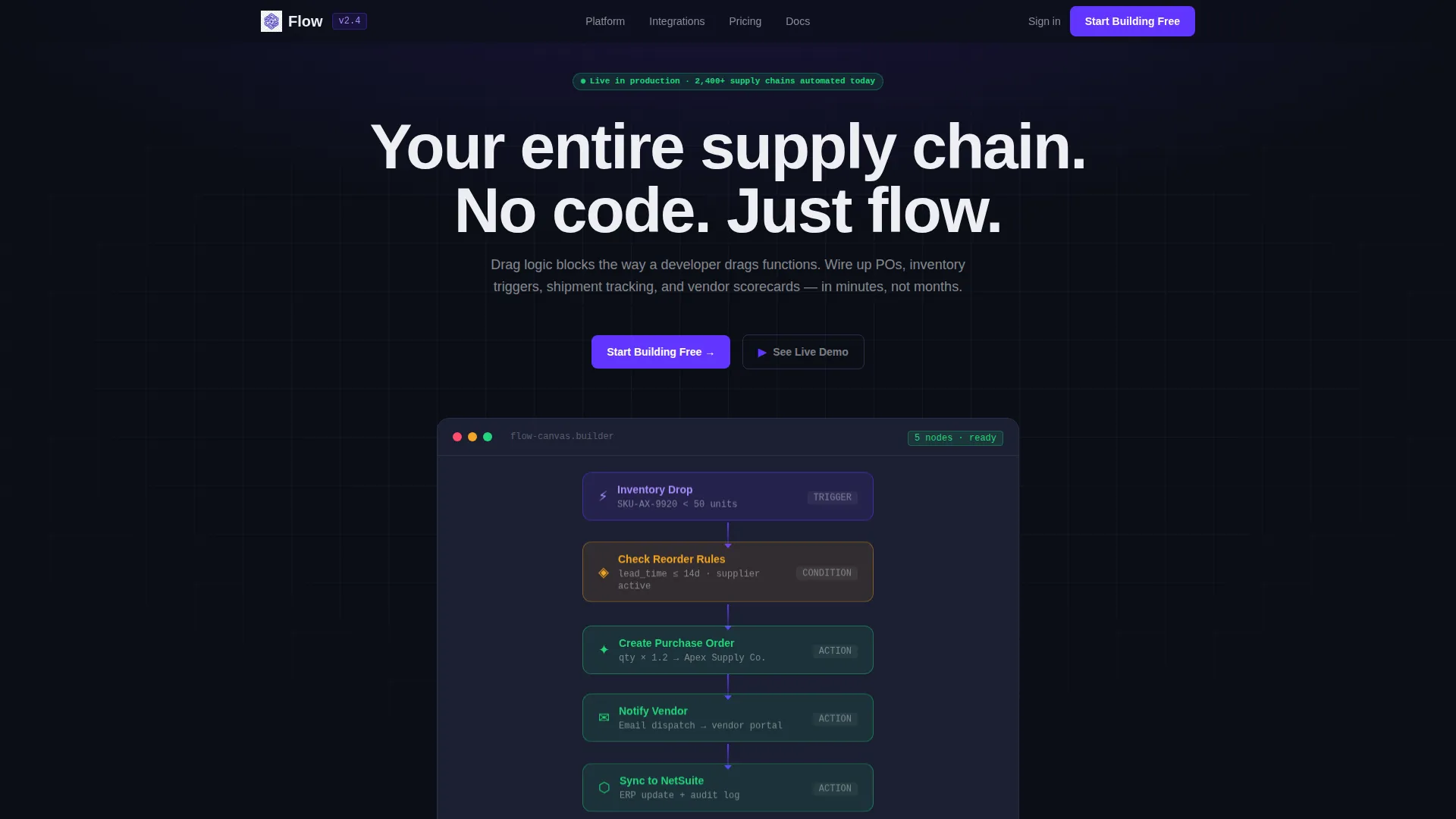
- A header with an animated code snippet that dissolves into a drag-and-drop no-code canvas, showing the same logic two ways
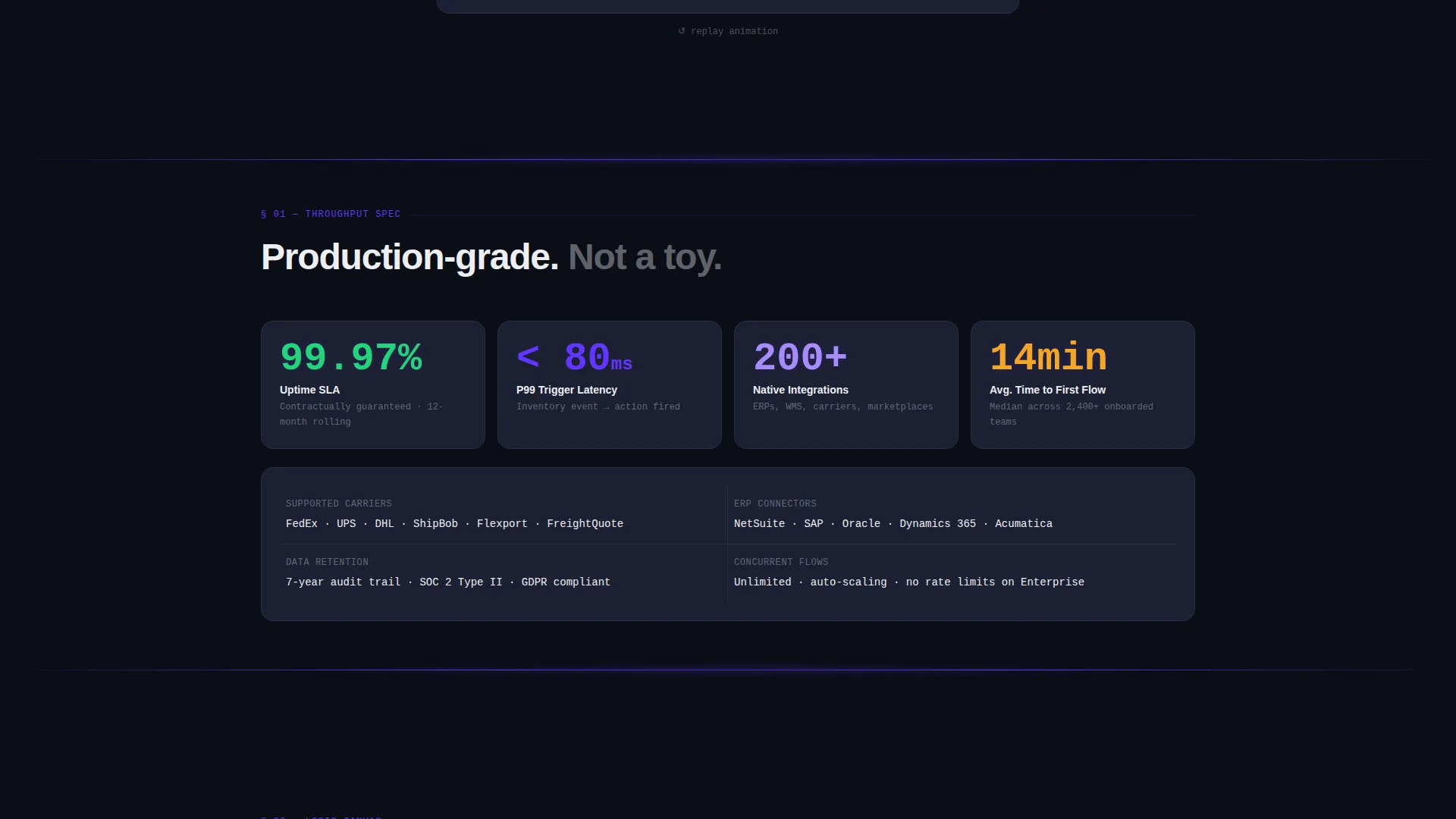
- A spec-sheet scroll section built from self-contained data cards with oversized monospace numbers animated on viewport entry
- A terminal-styled lead generation form at the base of the page with a contextual "What are you replacing?" dropdown
Feature list
Flow ships with a focused set of layout and interaction components drawn directly from its brief. Each feature earns its place by serving the conversion goal.
Animated Code-to-Canvas Header
The header opens with a syntax-highlighted YAML or JSON block that types itself out character by character. Midway through, the code dissolves and reassembles as a drag-and-drop flowchart with color-coded nodes for trigger, condition, and action. The transition is the product demo.
Spec Sheet Data Cards
Each scroll section is a self-contained data card. Throughput benchmarks, integration counts, latency figures, uptime service-level numbers, and supported carrier and enterprise resource planning counts are typeset in oversized monospace and animate into view on viewport entry. Proof stacks on proof with no filler copy.
Terminal-Styled Lead Capture Form
The page base holds a terminal-framed sign-up form that asks for work email first, then company name, then a single dropdown asking what the visitor is replacing. Options include Spreadsheets, Custom Scripts, Legacy Enterprise Resource Planning, and Other. The sequence feels native to a technical audience.
Pinned Primary Call-to-Action Bar
A slim top bar pins the "Start Building Free" call to action across the entire page scroll. The button stays visible whether the visitor is reading data cards or watching the header animation, reducing the distance to conversion at every point.
Live Demo Secondary Path
A "See Live Demo" secondary call to action links to an interactive sandbox. It gives hesitant visitors a lower-commitment entry point without distracting from the primary sign-up goal.
No-Code Canvas Flow Visualization
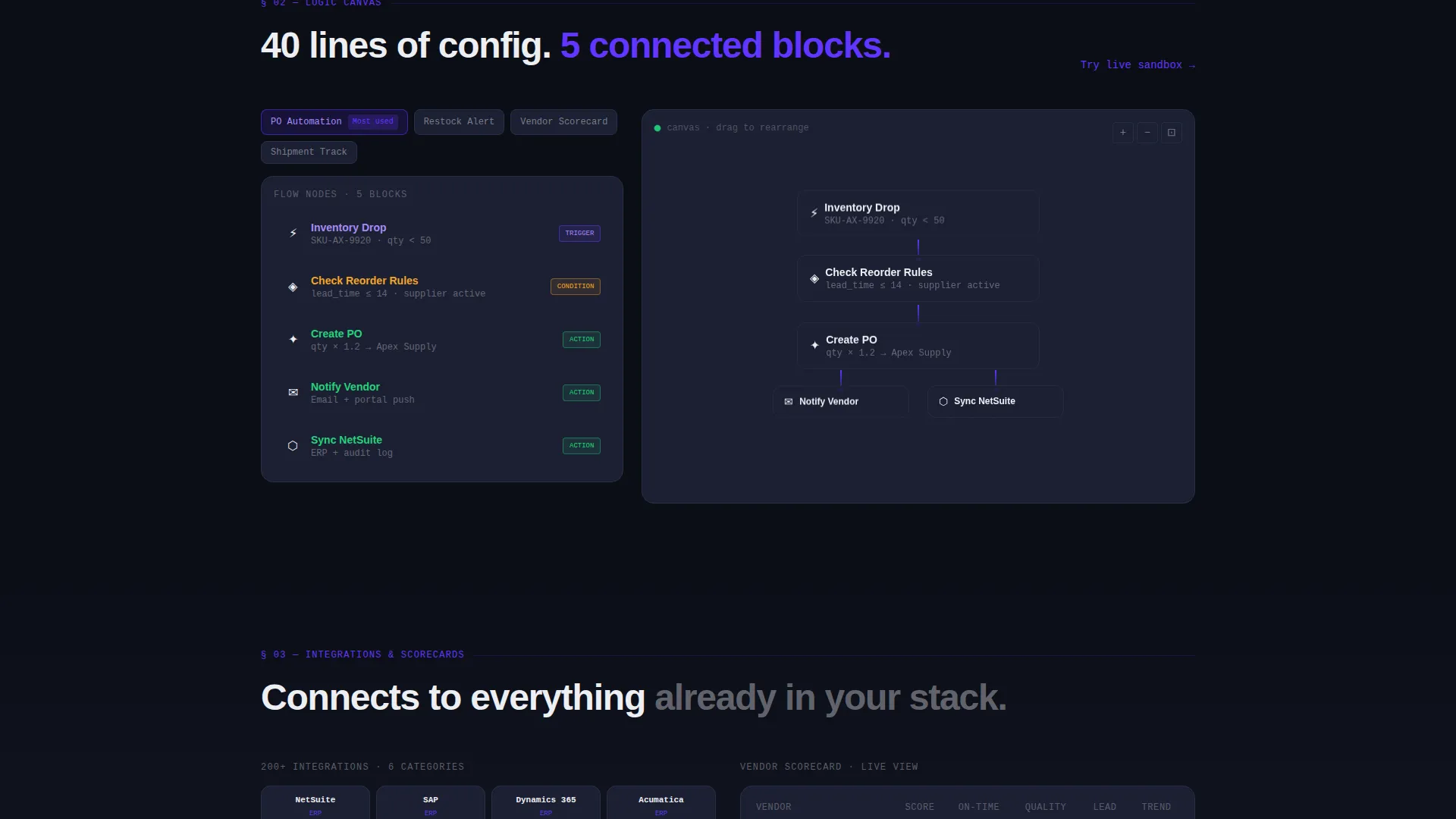
Color-coded nodes representing trigger, condition, and action steps are laid out as a drag-and-drop flowchart. The visualization communicates the platform's logic system visually, removing the need for explanatory paragraphs.
Page sections overview
| Section | Purpose |
|---|---|
| Pinned Top Bar | Keeps primary call to action visible at all times |
| Animated Header | Shows code-to-canvas product story |
| Proof Data Cards | Stacks benchmarks, counts, and uptime figures |
| No-Code Canvas | Visualizes drag-and-drop logic flow |
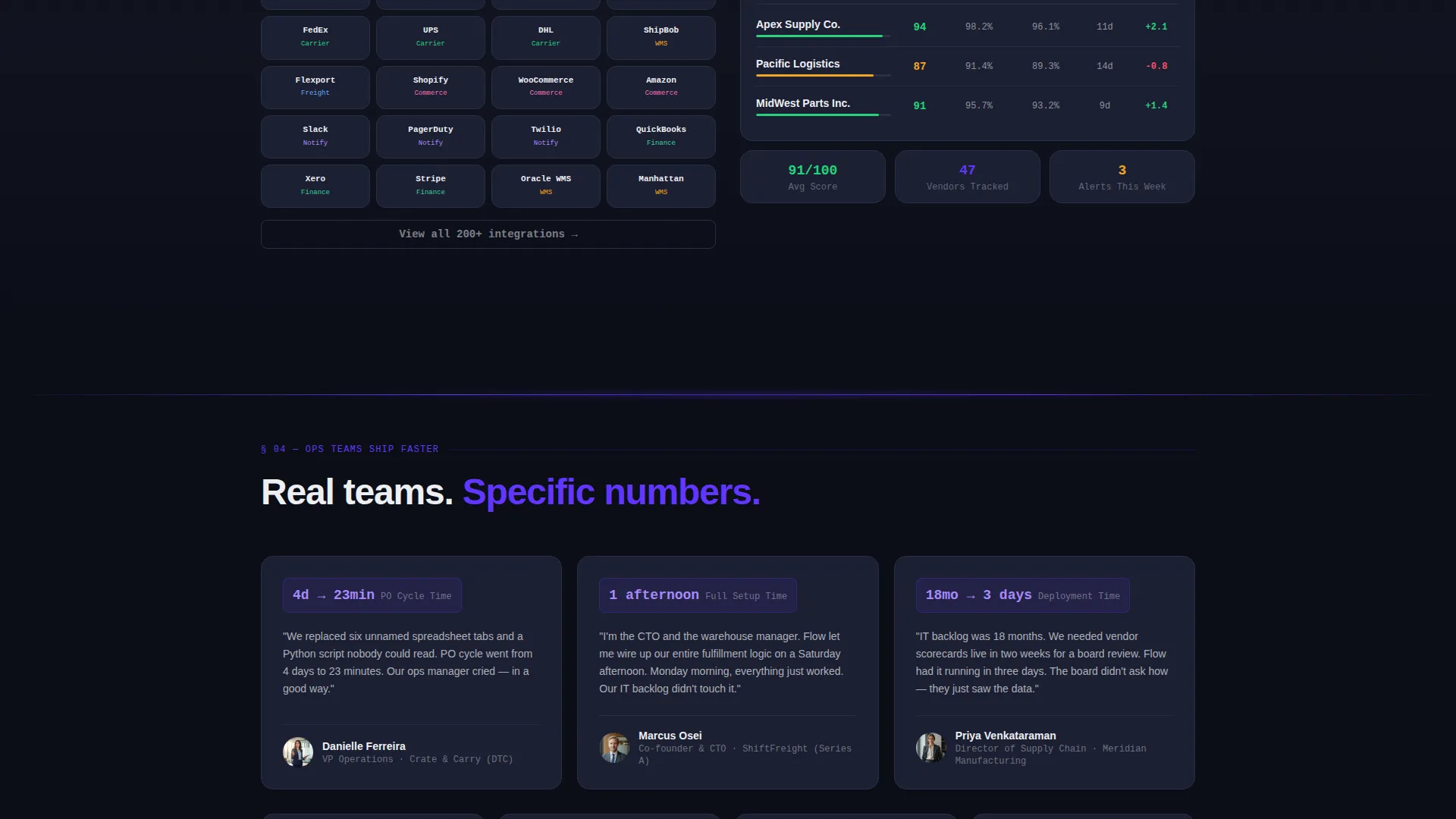
| Carrier and ERP Counts | Demonstrates integration breadth |
| Terminal Lead Form | Captures work email and qualification data |
| Demo Secondary Path | Offers sandbox access for hesitant visitors |
Design & branding system
Flow uses an Electric Indigo color system built on a deep void-black background. The palette reads like a mission control screen: dark enough to disappear behind the data, bright enough that every accent demands attention.
- Core colors: deep void black (#0B0E17) for backgrounds, electric indigo (#6236FF) for interactive surfaces and data highlights, cool slate (#1C2033) for card and grid containers, and phosphor white (#EDEEF2) for typography and axis labels
- Indigo gradients bleed subtly across section dividers, creating a light-refracting-through-a-prism effect that connects sections without interrupting the scan rhythm
- Typography uses monospace for all data values and oversized numerals, reinforcing the spec-sheet credibility of each data card
Mobile & speed optimization
The template layout is structured to remain scannable and functional across screen sizes. The data-card grid adapts to narrower viewports without losing the visual hierarchy that makes proof stacking work.
- Oversized monospace data figures reflow cleanly so key numbers remain dominant on smaller screens
- The pinned call-to-action bar maintains its position and visibility on mobile, keeping the primary conversion path accessible throughout the scroll
- The terminal lead form collapses to a single-column stack on mobile so the qualification sequence stays clear and uncluttered
How this template helps you convert
Flow is built around the idea that proof earned before the form is proof that converts. Every layout decision serves that sequence.
- The header animation immediately demonstrates the core value proposition: complex supply chain logic becomes five connected blocks, making the no-code promise tangible before a visitor reads a single word of body copy.
- The spec-sheet data cards build credibility section by section with hard numbers, so by the time a visitor reaches the terminal form, the platform has already justified the sign-up request.
- The contextual dropdown in the lead form ("What are you replacing?") segments visitors at the point of capture, making every lead more qualified without adding friction.
Other information about this template
Flow fits within the broader Startup Velocity theme family, which applies high-contrast, data-dense design conventions to early-stage and growth-stage software products. A few additional details are worth noting for teams evaluating this template.
- The template style is classified as Dashboard and Data Grid, meaning the layout borrows visual conventions from internal operations tools to signal that the platform is built for serious daily use
- The creative direction follows a Spec Sheet cadence, a structure where each section functions as an independent proof unit rather than a chapter in a narrative
- The header concept is a Code Snippet animation, a pattern well suited to technical buyers who evaluate tools by what they replace rather than what they add
- The lead generation direction means the page is optimized toward a single measurable outcome: capturing a qualified work email with company context attached
Theme
Startup Velocity
Creative direction
Spec Sheet
Color system
Electric Indigo
Style
Dashboard/Data Grid
Direction
Lead Generation
Page Sections
Animated Code-to-canvas Header
Spec Sheet Data Cards
Terminal-styled Lead Capture Form
Pinned Call-to-action Bar
Live Demo Secondary Path
No-code Canvas Flow Visualization
Related questions
Who is the Flow template designed for?
Can I edit the data card numbers and spec sheet values?
What does the 'What are you replacing?' dropdown do?
Does the template include both a primary and a secondary call to action?



