Local Consulting Firm Software Professional Website Template
Flowcommand is a split-screen landing page template built for patient flow consulting firms. It leads with animated financial and operational stats, uses a dark-mode Void & Violet color system, and drives visitors toward a throughput assessment or case study. No forms, no stock photos, just data that makes the cost of inaction impossible to ignore.
by Rocket studio
Quick summary
Flowcommand is a single-page, click-through landing page template designed for patient management consulting firms. It opens with two Dark Glass Panels, each carrying a live animated stat, and builds urgency through a cascading sequence of financial and operational metrics. The page ends with a primary call to action that books a diagnostic intake, not a generic contact form.
Who this template is for
This template is built for consulting firms that help hospitals and health systems fix broken patient flow. If your clients are operational leaders staring at rising costs and stalled discharge queues, this page speaks their language before you say a word.
- Chief nursing officers and hospital COOs who need to see ROI quickly
- Health system operations consultants selling throughput improvement engagements
- Patient management advisory practices that lead with data, not decks
What problem this template solves
Most consulting firm landing pages bury the value proposition under brand copy and vague outcome language. Healthcare operations buyers are analytical and time-poor. They need to feel the financial gravity of their problem before they trust any solution.
- Generic hero sections fail to communicate measurable impact to data-driven operators
- Long-form text pages lose executive-level visitors before the call to action appears
- No clear path from problem awareness to a next step like a diagnostic or assessment booking
What you get with this template
You get a fully structured, single-page layout that leads every scroll section with a metric before delivering context. The design system, motion behavior, and copy architecture are all calibrated for hospital operations decision-makers.
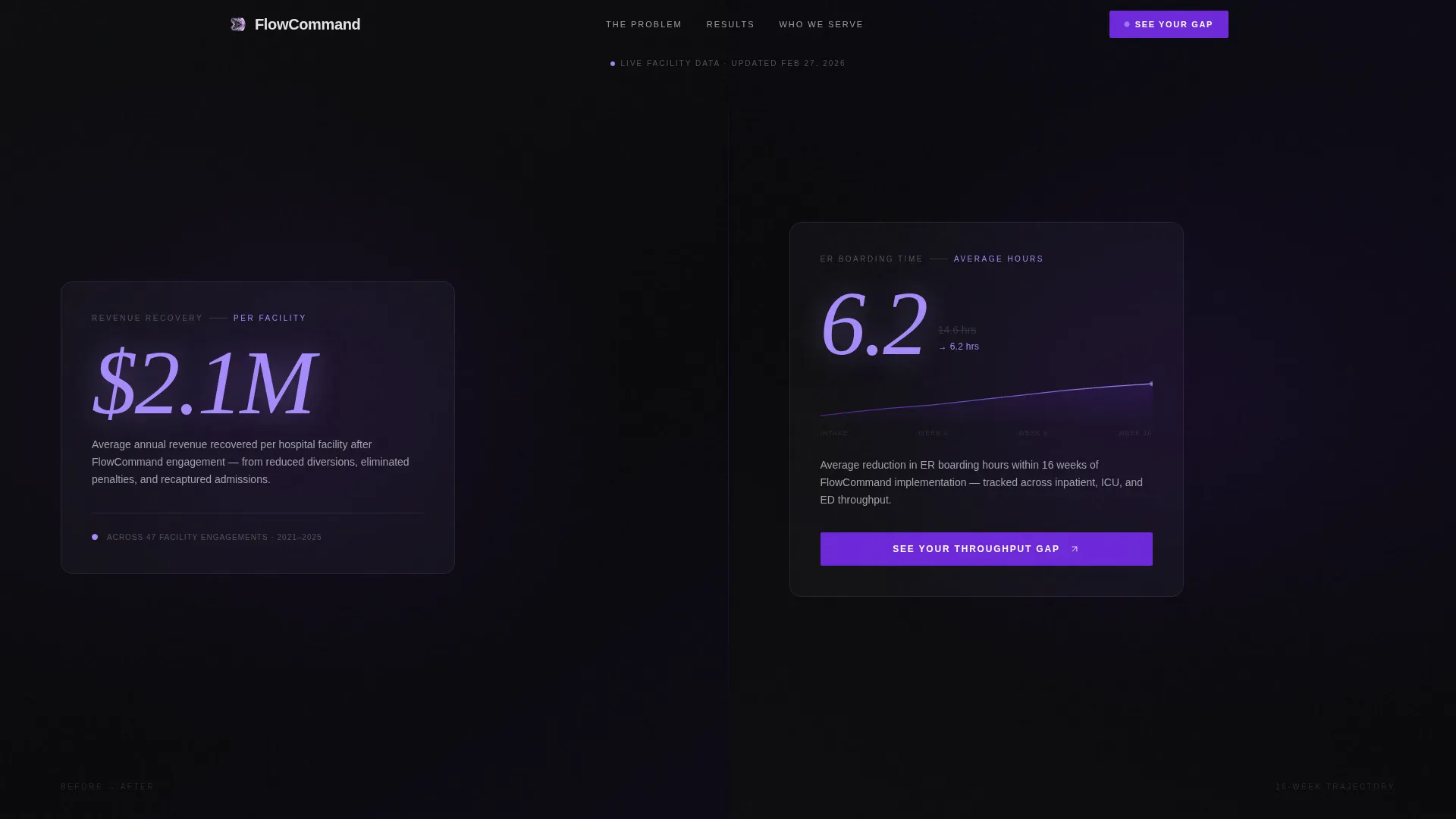
- A 50/50 split-screen layout with Dark Glass Panels carrying animated stats in the header
- A primary call to action placed at the header fold and again after the final stat cascade
- A persistent bottom bar secondary call to action for downloading the Boarding Cost Model
Feature list
This template was purpose-built around a Stats-First Impact creative direction. Every feature below is sourced directly from the design and functional brief.
Animated Dark Glass Panel Header
The header splits the viewport into two frosted black glass panels. The left panel animates a financial recovery figure upward in oversized violet type. The right panel ticks a boarding-time reduction in real time, tracing a live animated line graph alongside it. Cursor movement shifts a faint reflective sheen across both panels, giving the header physical depth.
Stats-First Scroll Architecture
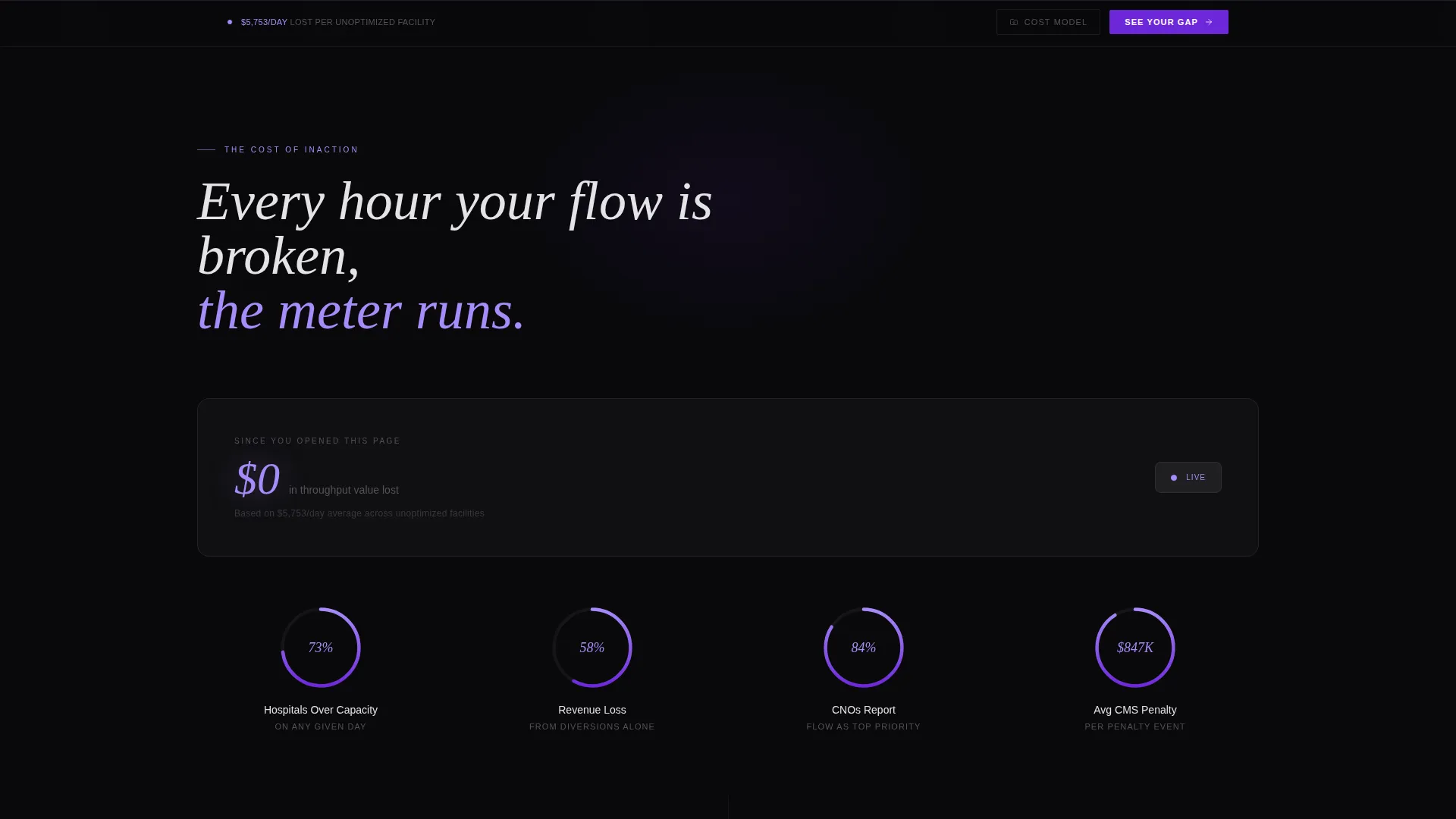
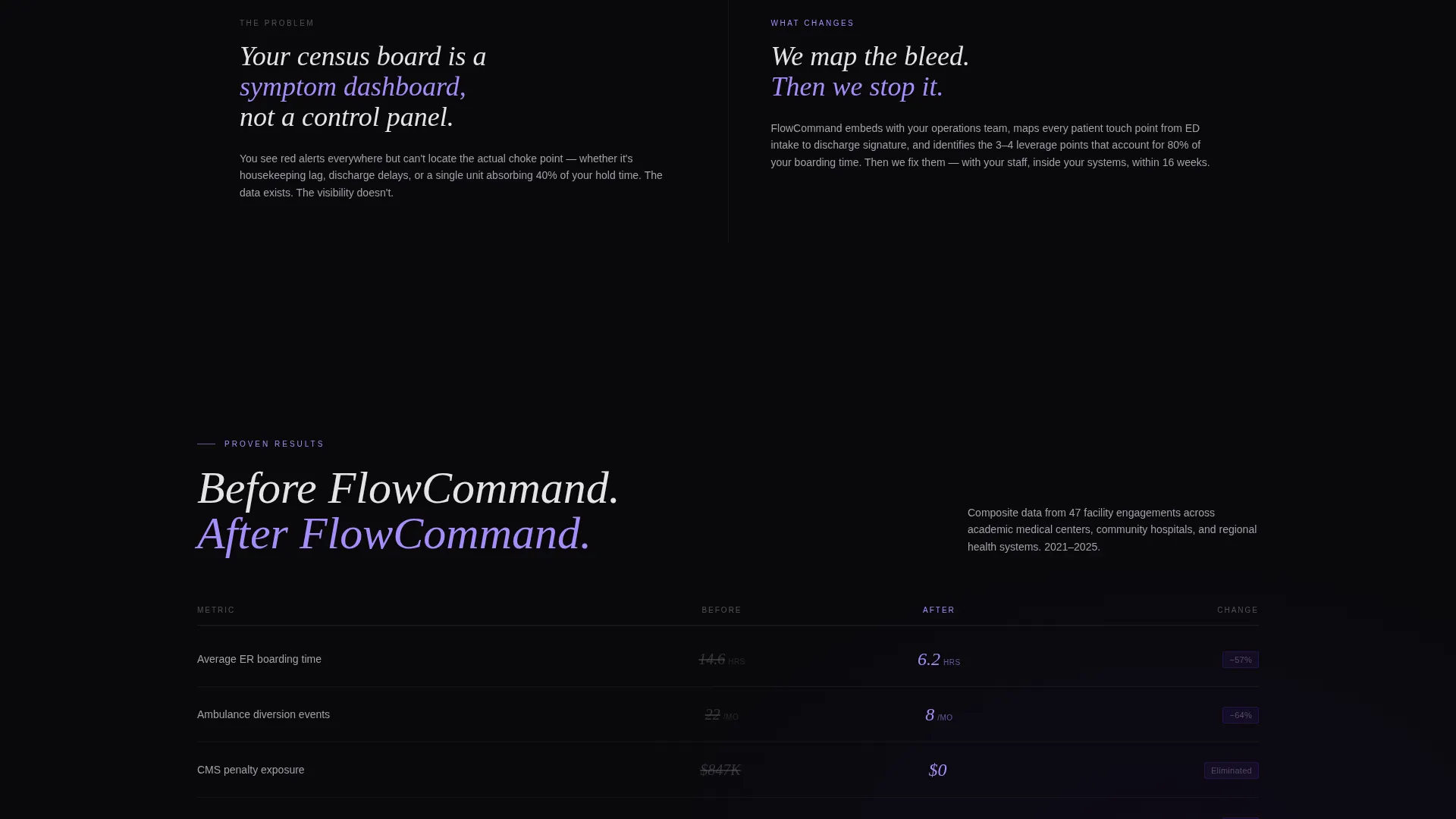
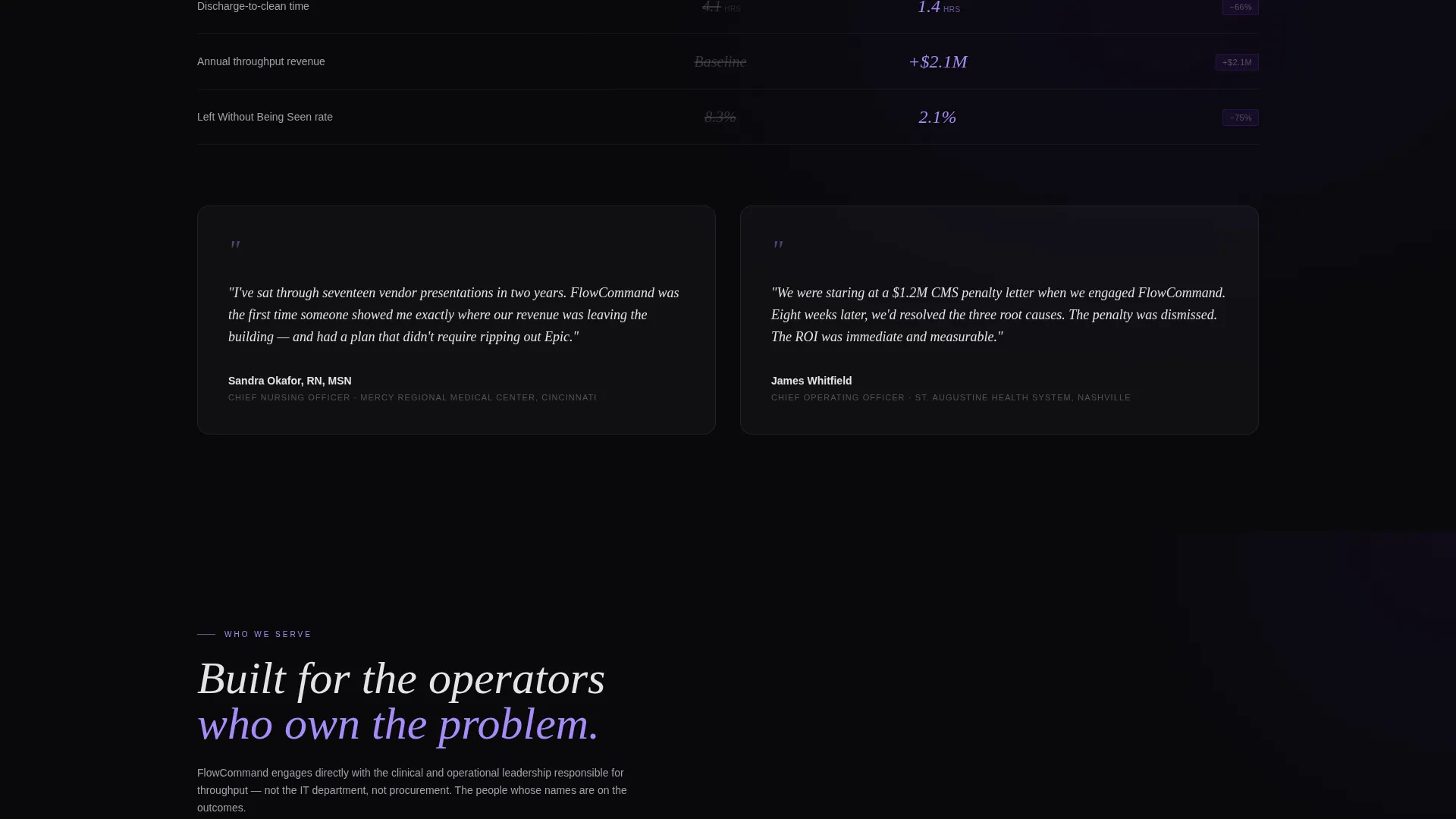
Every scroll transition leads with a number before the explanatory context arrives. Left panels carry the problem metric; right panels reveal the post-engagement result. This before-and-after rhythm builds urgency across three metric tiers: healthcare operations data, financial recovery figures, and client retention rates.
Viewport-Triggered Motion Counters
Animated counters, percentage rings, and graph lines activate as each section enters the viewport. Motion is controlled and purposeful, not decorative. Each element draws the eye toward the data point before the supporting copy loads in from the opposite panel.
Dual Call-to-Action Placement
The primary call to action, "See Your Throughput Gap," appears twice: once at the header fold and once after the final stat cascade. There is no contact form on this page. Both placements push visitors to a diagnostic intake or detailed case study page, reducing friction at the decision moment.
Persistent Secondary call to action Bar
After the second scroll section, a bottom bar appears and stays fixed as the visitor continues scrolling. It offers a secondary action, "Download the Boarding Cost Model," targeting analytically-minded operators who want the spreadsheet before committing to a conversation.
Void & Violet Dark-Mode Design System
The entire page runs on a four-color palette built for a dark-mode hospital dashboard aesthetic. Violet appears only on live elements: animated numbers, scrolling tickers, and hover states. Backgrounds stay in void black, body text breathes in clinical glass gray, and nothing decorative competes with the data.
Page sections overview
| Section | Purpose |
|---|---|
| Dark Glass Header | Deliver two animated stats side by side at first view |
| Operations Metrics Block | Open the stat cascade with healthcare throughput figures |
| Financial Recovery Block | Escalate urgency with dollar-denominated outcome data |
| Client Retention Block | Close the cascade with retention and engagement proof |
| Primary call to action Section | Push visitors to the diagnostic intake or case study |
| Persistent call to action Bar | Capture analytical operators with the cost model download |
Design & branding system
The visual identity runs on a Dynamic Motion theme built around a Void & Violet color system. Every color choice is functional, not decorative. Violet only appears when something is alive on screen.
- Four-color palette: void black (#09090B), deep orbital violet (#6D28D9), clinical glass gray (#E4E4E7), and electric pulse lilac (#A78BFA) for live counters and hover states
- Frosted glass panel treatment with cursor-reactive reflective sheen on the header
- Dark-mode dashboard aesthetic designed to feel like a night-shift nursing station display
Mobile & speed optimization
The split-screen layout is structured so that each panel stacks cleanly on smaller viewports without losing the stat-first hierarchy. Motion elements are scoped to viewport entry points, keeping the experience intentional across screen sizes.
- 50/50 panels restack vertically on mobile while preserving the before-and-after metric pairing
- Viewport-triggered animations fire only when the relevant section is in view
- Persistent bottom call to action bar adapts to smaller screen widths without obscuring page content
How this template helps you convert
The page earns every click by making the visitor feel the financial and operational wound before the call to action appears. There is no passive reading experience here.
- The animated header stats create immediate financial context, making the visitor's pain point visible before a single line of body copy loads.
- The cascading stat sections raise the stakes progressively, so that by the final call to action, clicking to book a diagnostic intake feels like an obvious next step rather than a sales interaction.
Other information about this template
This template fits naturally within the consulting firm software category, where decision-makers evaluate vendors quickly and expect operational credibility before engaging. The patient management niche demands a higher signal-to-noise ratio than most professional services verticals, and this layout delivers that through its Stats-First Impact architecture.
- The template is categorized under Technology, subcategory Consulting Firm Software, with a niche focus on Consulting Firm Patient Management
- The click-through landing page direction means the page has one job: move qualified visitors to a next-step URL, whether that is an assessment booking tool or a downloadable cost model
- The Dynamic Motion theme and Dark Glass Panel header concept are matched intersection attributes that make this template identifiable within a crowded marketplace of generic consulting page designs
Theme
Dynamic Motion
Creative direction
Stats-First Impact
Color system
Void & Violet
Style
Split Screen (50/50)
Direction
Click-Through
Page Sections
Animated Dark Glass Panel Header
Stats-first Scroll Architecture
Viewport-triggered Motion Elements
Dual Call-to-action Placement
Persistent Secondary Call to Action Bar
Void & Violet Dark-mode System
Related questions
Can I change the animated stats to match my firm's actual client results?
Does this landing page include a contact form?
Is the Boarding Cost Model download file included in the template?
Who is the intended visitor for this landing page?



