Flux - Intelligent Robotics Analytics Landing Page Template
Flux is a robotics analytics landing page template built for industrial software teams. It combines a Feature Tab Switcher header, an interactive ROI estimator, and a modular card grid to demonstrate live-styled fleet intelligence. The Tech Glass visual identity and Teal Catalyst color system make complex telemetry data feel precise, immediate, and worth trusting.
by Rocket studio
Quick summary
Flux is a single-page landing page template designed for robotics analytics platforms. It opens with a tab-switching dashboard header, moves immediately into an embedded ROI calculator, and unfolds into a modular card grid of capability tiles. Every section is built to let a technical visitor interact before they read a single pitch sentence.
Who this template is for
This template is built for teams shipping industrial software to automation professionals. It speaks directly to the people who live inside robot cells and control rooms.
- Automation engineers who need to diagnose faults at a specific station and prove root cause fast
- Plant managers comparing throughput and overall equipment effectiveness across multiple shifts
- Systems integrators commissioning new robotic equipment who need documented proof of performance before sign-off
What problem this template solves
Industrial robotics software is hard to sell with screenshots and feature lists. The people evaluating it are technical, skeptical, and pressed for time. A generic software landing page fails them immediately.
- Visitors cannot feel the value of real-time telemetry from a static page, so they bounce before trusting the product
- Engineers want to interact with data before they commit an email address, let alone a purchase decision
- The gap between "interesting demo" and "I can see our actual fleet in this" needs to close fast
What you get with this template
You get a fully structured, single-page layout that puts interactivity before persuasion. Every section is designed to carry a technically sophisticated visitor from curiosity to trial sign-up.
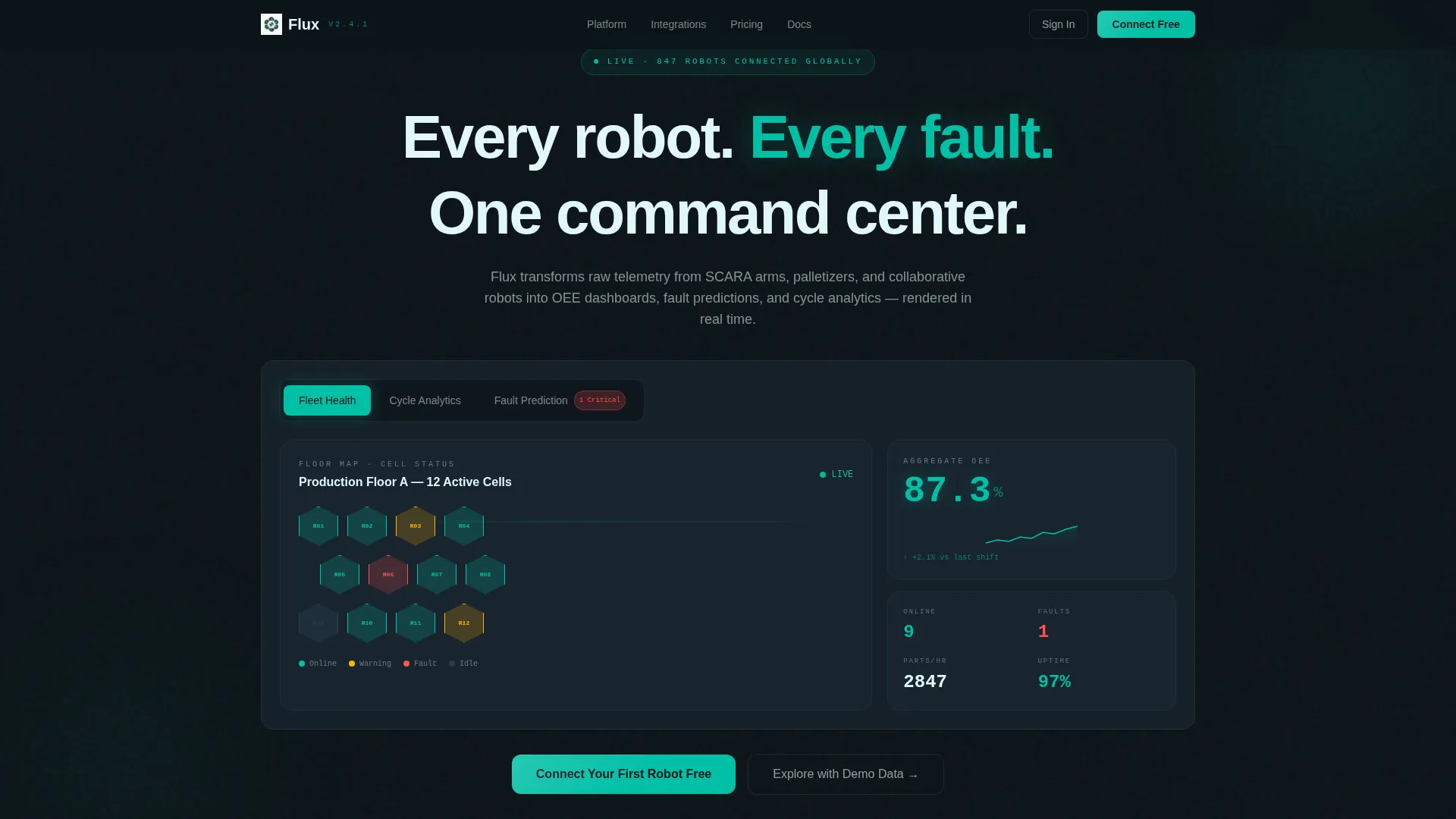
- A three-tab header dashboard showing Fleet Health, Cycle Analytics, and Fault Prediction views with animated load states
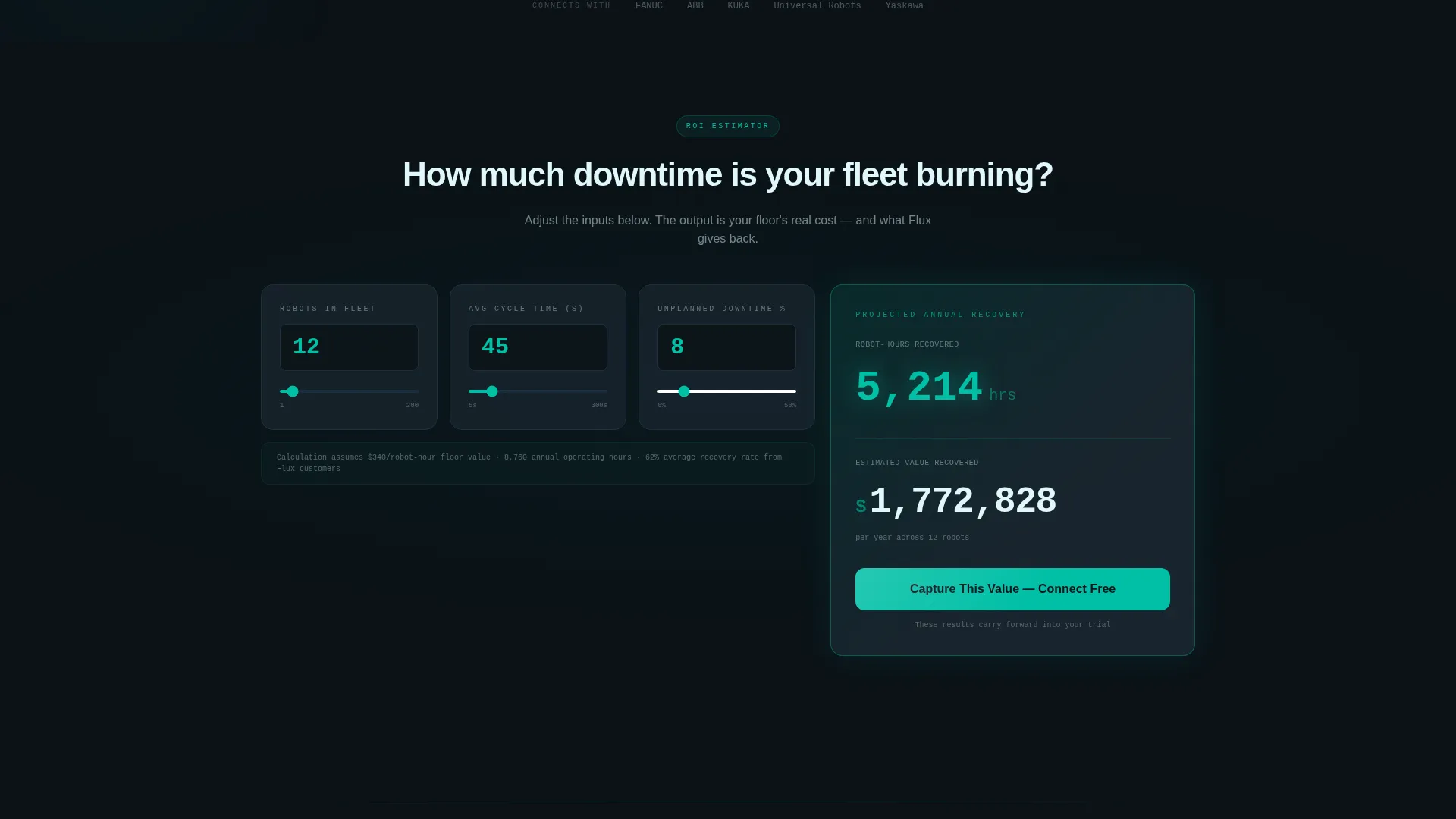
- An embedded ROI estimator with live-computing output cards that carry calculated results forward into the trial sign-up flow
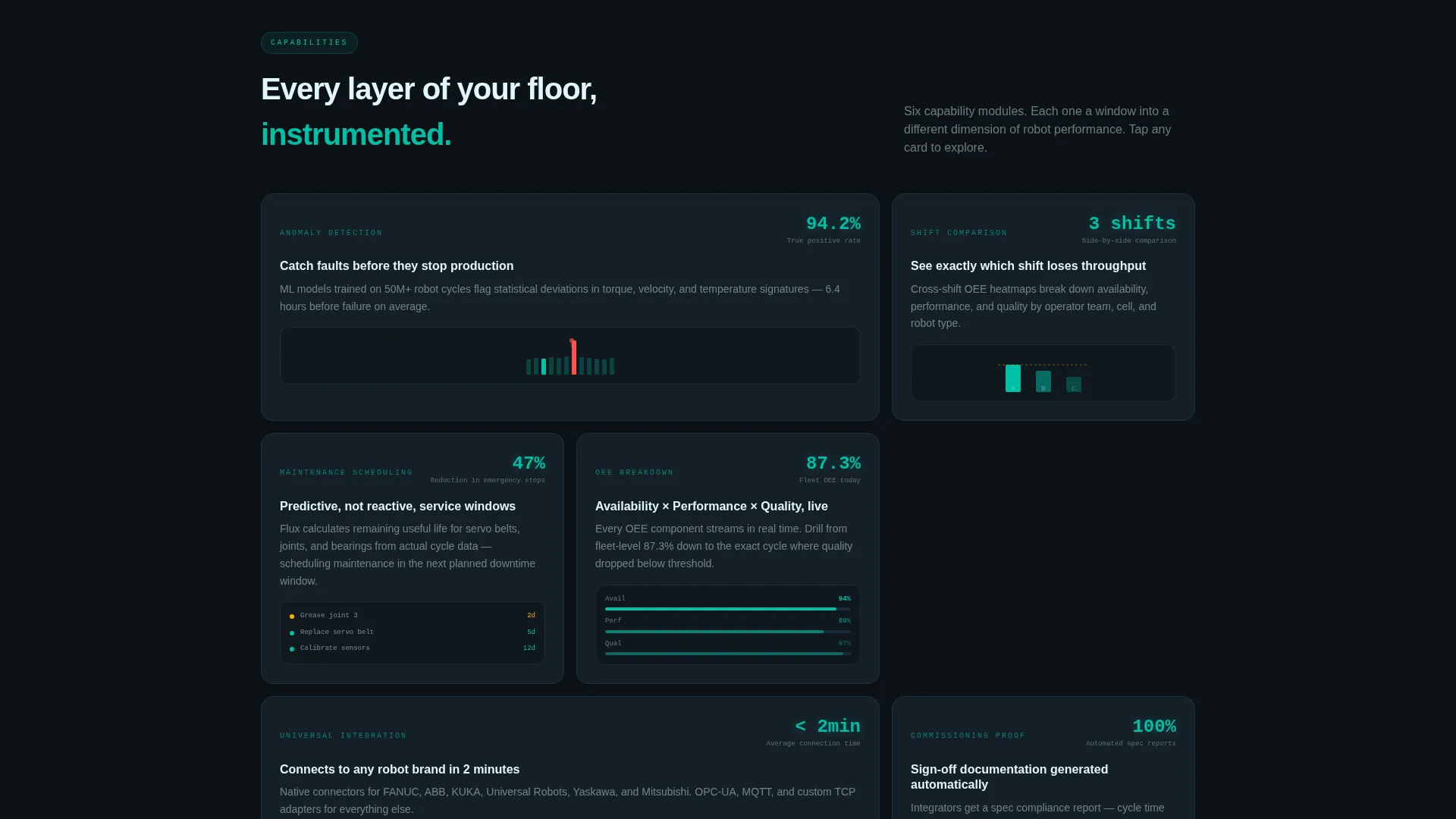
- A modular capability card grid where each tile presents a feature as a miniature dashboard with micro-animations
Feature list
This template includes purpose-built components that reflect how robotics analytics platforms actually get evaluated and adopted.
Three-Tab Feature Header
The header uses a glass-panel tab switcher with three labeled views: Fleet Health, Cycle Analytics, and Fault Prediction. The default view shows a hex-grid map of robotic cells with pulsing teal and amber status nodes. A sidebar displays aggregate overall equipment effectiveness at 87.3% with an upward-trending sparkline. Data counters and graphs animate on load, giving the immediate impression of a live system.
Interactive ROI Estimator
The second section is a Calculator/Tool First experience. Input cards collect number of robots, average cycle time in seconds, and current unplanned downtime percentage. The output card renders projected annual savings in both hours and dollars, with counting animations in bright teal. This tool functions as the primary sales argument before any feature copy appears.
Modular Capability Card Grid
Below the calculator, the page unfolds into a grid of capability tiles. Each card represents a feature such as anomaly detection, shift comparison, or maintenance scheduling. Every tile includes a micro-animation that shows the feature in action, making the scroll feel like exploring a product rather than reading a brochure.
Freemium Trial Sign-Up Flow
The primary call to action is a teal-glow button labeled "Connect Your First Robot Free." It appears beneath the ROI calculator output and again in a sticky footer bar that activates after the visitor scrolls past 40% of the page. The sign-up form collects work email, robot brand via dropdown, and fleet size. A secondary lower-friction path labeled "Explore with Demo Data" requires only an email address.
Calculator-to-Onboarding Data Carry
The ROI results computed in the estimator carry forward into the trial onboarding flow. The value a visitor calculates on the page follows them inside the product. This creates a direct, personalized link between the landing page experience and the first moments inside the platform.
Page sections overview
| Section | Purpose |
|---|---|
| Tab Switcher Header | Showcases Fleet Health, Cycle Analytics, and Fault Prediction with animated dashboard views |
| ROI Estimator Tool | Lets visitors compute projected savings before any feature pitch appears |
| Capability Card Grid | Presents each feature as a live-styled interactive tile with micro-animations |
| Primary call to action Block | Drives free trial sign-up with a three-field form beneath the calculator output |
| Sticky Footer Bar | Resurfaces the primary call to action after 40% scroll depth |
| Demo Data Path | Offers a lower-friction entry point requiring only an email address |
Design & branding system
The visual identity follows a Tech Glass theme built around the Teal Catalyst color system. The palette evokes a heads-up display projected onto smoked glass: dark, calm, and charged with motion.
- Core colors: deep control-room black (#0B1217) for backgrounds, reactive teal (#00BFA6) for live data accents and interactive states, translucent panel gray (#1A2730) for card surfaces, and signal white (#E0F7FA) for typography and axis labels
- Card treatment: each module floats on the black background with a 1px teal border that brightens on hover, creating a sensor-like responsiveness to the visitor's attention
- Animation language: counters tick, graphs draw themselves on load, and status nodes pulse rather than flash, keeping the experience precise and purposeful without visual noise
Mobile & speed optimization
The modular card grid layout is structured to reflow cleanly across viewport sizes. The interactive components are designed to remain functional and readable at smaller screen widths.
- The tab switcher header and ROI estimator input cards are laid out for touch-friendly interaction on mobile devices
- Card grid modules stack vertically on narrower screens, preserving the miniature dashboard tile format without content loss
- Animations are scoped to individual components so they load progressively rather than blocking the initial render
How this template helps you convert
Flux is structured to move a skeptical technical visitor toward a trial decision through interaction, not persuasion copy alone.
- The ROI estimator captures personal context early, making the value proposition feel specific to the visitor's actual fleet rather than a generic claim
- The sticky footer call-to-action bar ensures the primary conversion path remains visible without interrupting the exploration experience
- The dual sign-up paths, full trial and demo data access, reduce friction at the decision point by matching the offer to the visitor's current level of commitment
Other information about this template
This template is designed specifically for the robotics vertical software-as-a-service market. It is a strong fit for teams building or marketing platforms in the industrial automation, predictive maintenance, and manufacturing intelligence space.
- The robot brand dropdown in the sign-up form includes Fanuc, ABB, KUKA, UR, and Other, covering the most common industrial robot manufacturers used in production environments
- The template style is Card Grid (Modular), making it straightforward to add, remove, or reorder capability tiles as the product roadmap evolves
- The creative direction is Calculator/Tool First, meaning the interactivity leads and the copy supports, which suits an audience that evaluates tools by using them
Theme
Tech Glass
Creative direction
Calculator/Tool First
Color system
Teal Catalyst
Style
Card Grid (Modular)
Direction
Freemium/Trial
Page Sections
Three-tab Dashboard Header
Interactive ROI Estimator
Modular Capability Card Grid
Dual-path Freemium Sign-up
Calculator-to-onboarding Data Carry
Sticky Footer Conversion Bar
Related questions
Who is this landing page template built for?
Can I change the robot brands listed in the sign-up form dropdown?
Does the ROI calculator use real data?
How does the sticky footer call-to-action work?
Can the demo data path be removed if I only want one sign-up flow?



