Flux — Interactive Webflow Course Landing Page Template
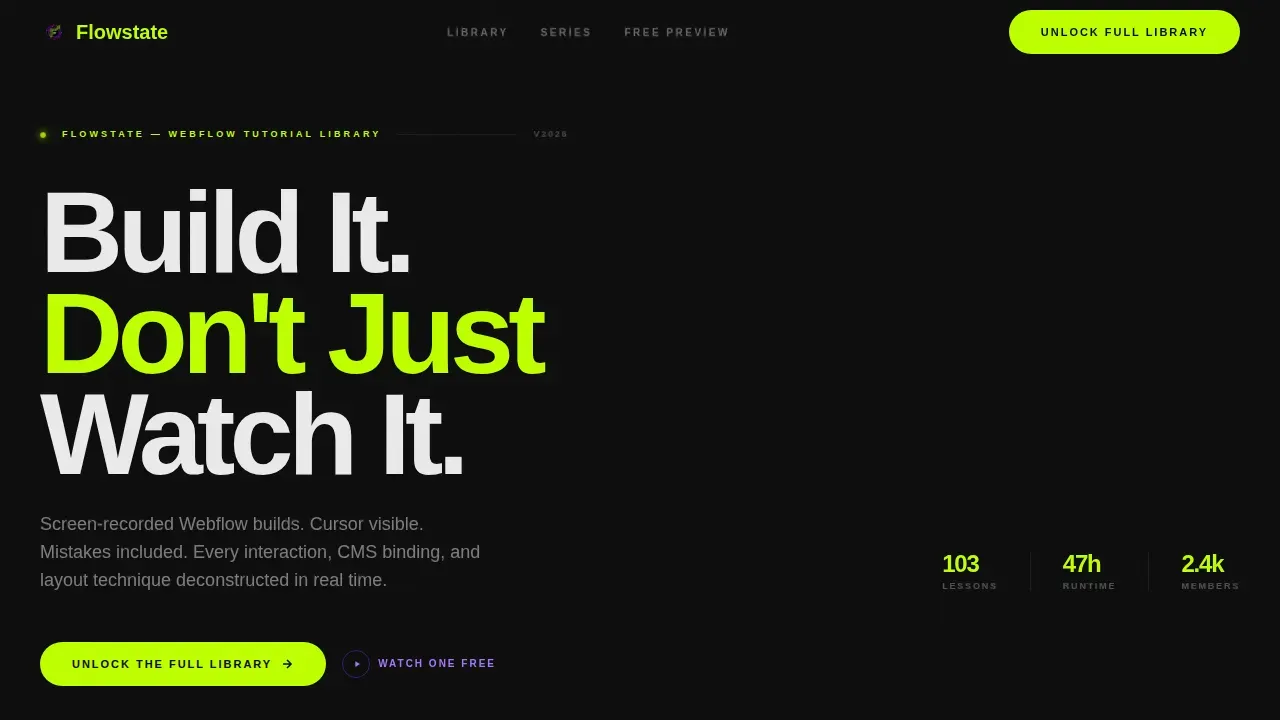
Flowstate is a bento grid landing page template built for Webflow video tutorial creators. It features a tab-switching hero, hover-autoplay video thumbnails, a spotlight series card, and a free preview section. The page is designed to pull visitors deep into the catalog and drive clicks to a membership signup, with no forms required on the landing page itself.
by Rocket studio
Quick summary
Flowstate is a single-page Webflow landing page template built for video tutorial libraries. It uses a dark, neon-accented bento grid layout to showcase screen-recorded builds, skill-level badges, and real lesson titles. The page guides visitors from browsing to clicking "Unlock the Full Library" without a single form on the page.
Who this template is for
This template is designed for educators, creators, and anyone running a Webflow video tutorial series who wants a landing page that feels as polished as the content it promotes.
- Freelance designers who want to attract learners to their tutorial catalog
- Startup founders and agency juniors building their own Webflow education product
- Creative agency teams offering Webflow training as a service or product
What problem this template solves
Selling a video tutorial library is hard when your landing page looks like a course dashboard. Visitors cannot find the value fast enough, and the page fails to build credibility before the click.
- Learners cannot gauge teaching quality without watching something first
- Generic templates do not communicate the depth of a video collection
- The page needs to convert browsers into buyers without overwhelming them with a form
What you get with this template
You get a complete, ready-to-customize one page layout that puts video content at the center of every design decision. The template is built to be easy to adapt in Webflow without writing code.
- A tab-switching hero bento grid with three content categories and live layout swaps
- Use-case cluster sections, a spotlight series card, a free preview card, and a sticky mobile call-to-action bar
- A pre-built Style Guide page for updating global colors, typography, and button styles in one place
Feature list
This template comes with a focused set of features that match the experience of browsing a streaming platform built by a designer.
Tab-Switching Hero Grid
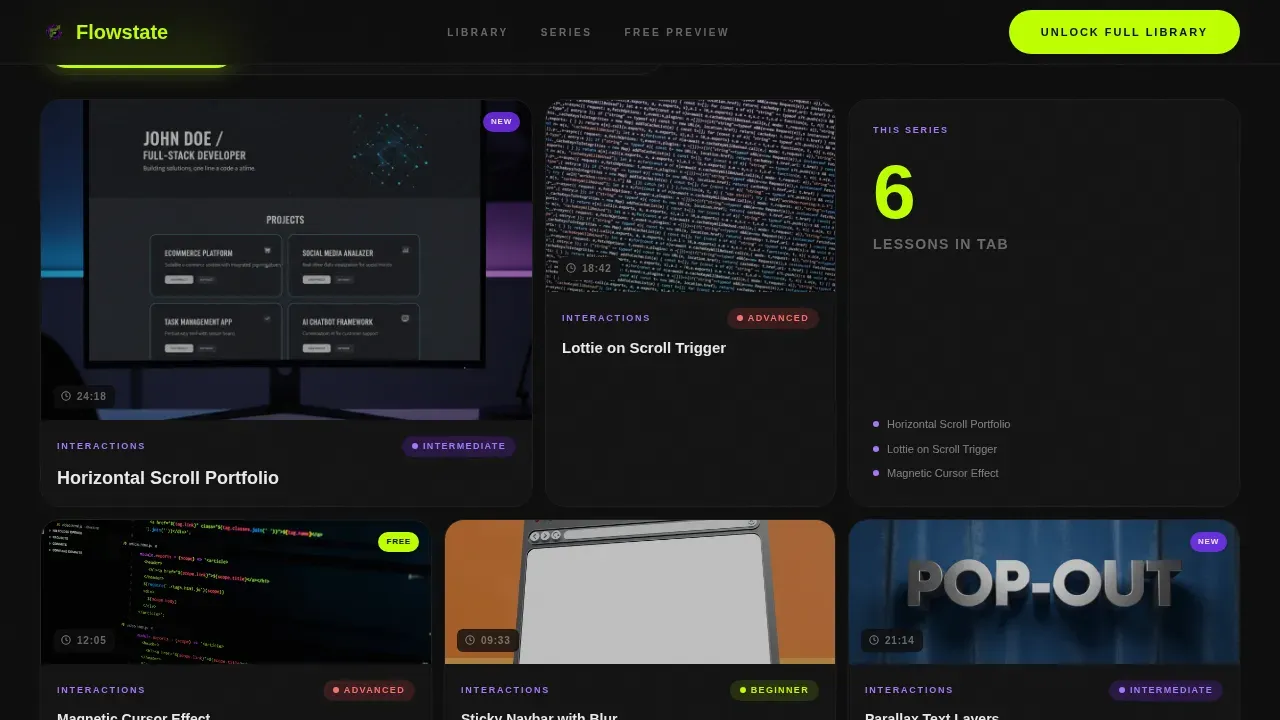
The hero section includes three clickable tabs labeled "Interactions," "CMS Builds," and "Layout Techniques." Each tab swaps the bento grid below into a different arrangement of video thumbnails, lesson counts, and difficulty badges. The active tab glows electric lime; inactive tabs sit in muted purple.
Hover Autoplay Video Thumbnails
Each card in the bento grid displays a real lesson title, a runtime stamp, and a tiny animated preview that loops on hover. This design makes the page feel like a TV-style discovery platform, not a static list. Visitors get a genuine sense of the teaching style before clicking anything.
Spotlight Series Card
A single wide card breaks the bento grid rhythm midway down the page. It highlights a full build-along series with an episode count and total runtime. This creates a natural pause point that transitions the user from casual browsing to focused interest.
Free Preview Card
A dedicated card labeled "Watch This One Free" lets visitors experience the teaching style without any commitment. This trust-builder is one of the most effective landing page conversion tools available, allowing the page to build credibility organically through the content itself.
Integrated CMS Collection
The template uses Webflow's CMS collection structure so video fields can store tutorial titles, runtime stamps, difficulty tags, and embed links. Efficient usage of video fields in the collection allows users to embed tutorials from YouTube or Vimeo with ease.
Sticky Mobile Call-to-Action Bar
On mobile, a persistent bottom bar keeps the primary call-to-action visible at all times. The "Unlock the Full Library" button appears in electric lime on void black, ensuring a high-contrast action prompt that never scrolls out of reach.
Page sections overview
| Section | Purpose |
|---|---|
| Tab Switcher Hero | Swap bento grid by category |
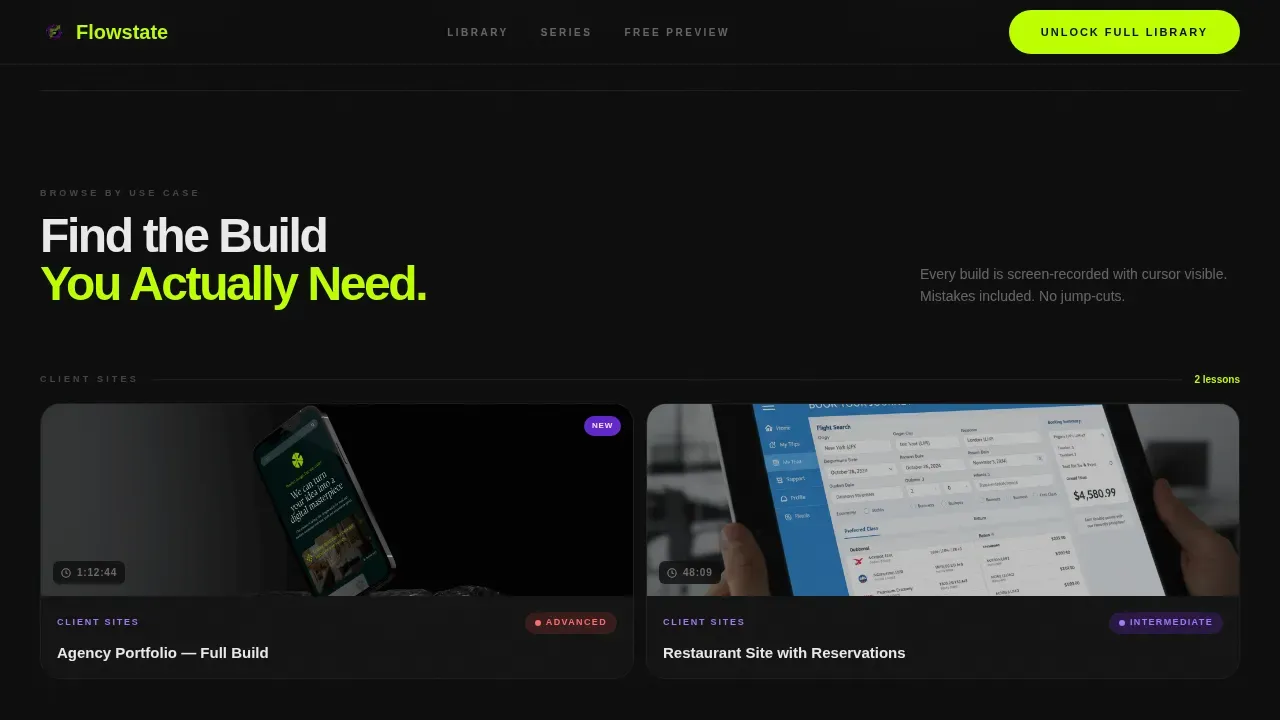
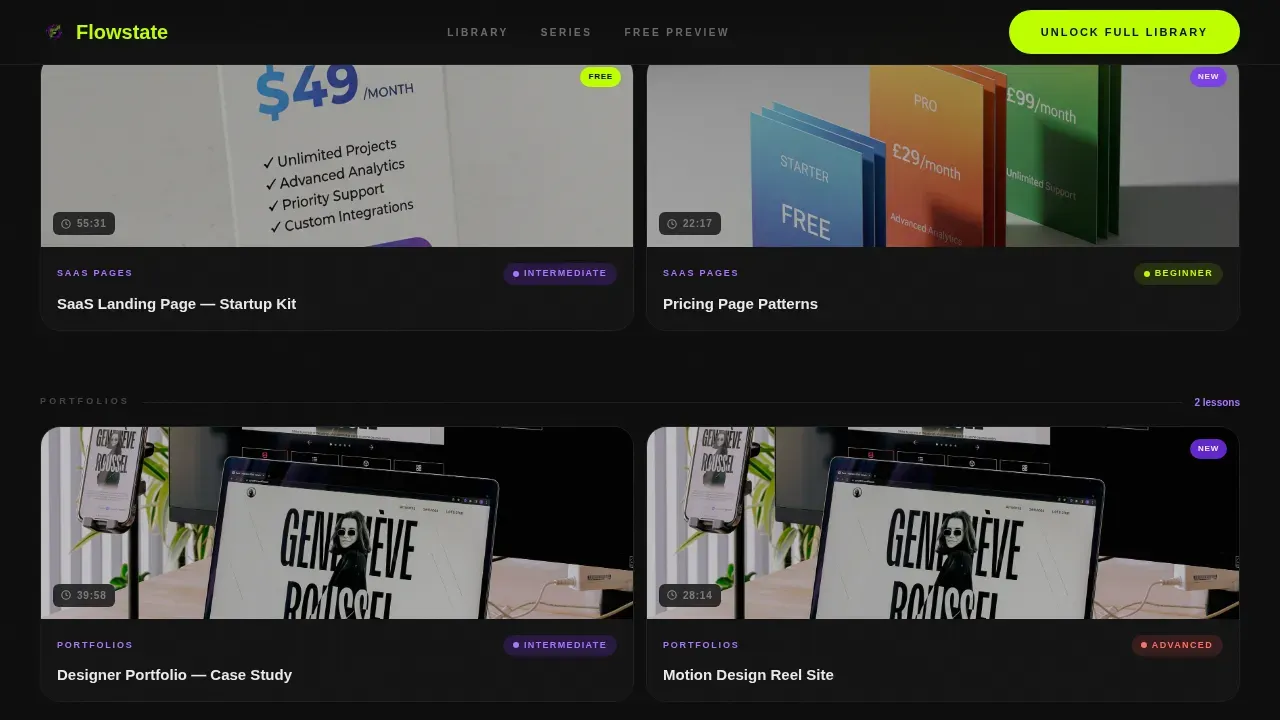
| Use-Case Clusters | Group videos by build type |
| Spotlight Series Card | Highlight a full build-along series |
| Free Preview Card | Build trust before the click |
| Call-to-Action Section | Drive membership signup clicks |
| Footer Row | Single-row linear navigation |
Design & branding system
The visual identity follows a Directory & Discovery theme using an Acid Digital color system. The aesthetic feels like a code editor at 2 a.m., dark and focused, with neon signals cutting through the black canvas.
- Colors: void black (#0D0D0D), electric lime (#BFFF00), UV purple (#7B2FFF), interface white (#EAEAEA)
- Typography: Plus Jakarta Sans at weights 900, 700, and 500 for hierarchy and clean readability
- Lime hits calls to action and hover states; purple marks category tags and progress indicators; minimalism in layout keeps each video card the visual focus
Mobile & speed optimization
The template is desktop-first by design, since designers and startup founders primarily browse on larger screens. On mobile, the layout adapts cleanly and keeps the experience functional.
- Flexbox and Grid layouts ensure the bento structure scales across desktop, tablet, and mobile
- The sticky mobile call-to-action bar keeps the primary action accessible without disrupting scroll
- Compress any custom images to under 200KB to maintain the fast, intuitive page experience the template is designed around
How this template helps you convert
This one page layout is engineered to move visitors from discovery to action through deliberate design choices rather than aggressive messaging.
- A high-contrast action button appears above the fold, after the spotlight card, and as a sticky bar on mobile, so the call to action is always within reach without being intrusive.
- Real lesson titles, runtime stamps, difficulty badges, and a free preview card build credibility before the click, so visitors arrive at the pricing page already convinced.
Other information about this template
The Flowstate Discover Webflow Video Tutorial Landing Page template is part of a broader collection of Webflow landing page templates designed for creators, educators, and marketers. It sits within the Documentation and Support category, specifically targeting the Webflow video tutorial niche.
- Webflow is a no-code technology platform that lets users design and develop websites visually, making it easy to customize this template without writing code
- The template can be cloned and adapted; download it once and modify styles, text, and branding through the pre-built Style Guide page
- Webflow templates are suitable for a range of business applications, from SaaS product pages to creative agency showcases and educational platforms
- The template contains an integrated newsletter and signup forms section, supporting lead generation alongside the primary click-through goal
- Webflow enables seamless integration of various elements including calls to action, forms, and video content into one cohesive landing page
- This template is also practical for teams who want to store and scale a growing tutorial catalog using Webflow's CMS without added development cost
- The Webflow template library includes modern, minimal, and bold design options; Flowstate leans boldly into dark aesthetics while maintaining an elegant, information-dense layout
Theme
Directory & Discovery
Creative direction
Interactive Explorer
Color system
Acid Digital
Style
Bento Grid
Direction
Click-Through
Page Sections
Tab-switching Hero Bento Grid
Hover Autoplay Video Thumbnails
Spotlight Series Wide Card
Free Preview Trust Card
Integrated CMS Video Collection
Sticky Mobile Call-to-action Bar
Related questions
Does this template include a pricing or signup page?
Can I embed videos from YouTube or Vimeo?
How do I update the colors and typography?
Is this template suitable for a creative agency offering Webflow training?
Can I manage a growing tutorial catalog with this template?



