English Literature Online Course Landing Page
Folio is a single-column landing page template built for English literature online course platforms. It guides visitors through a warm, story-driven experience, from a multi-step header form to a step-by-step seminar registration flow. Designed with a cozy reading aesthetic, it turns casual browsers into enrolled learners with clear calls to action and a nurturing secondary opt-in path.
by Rocket studio
Quick summary
Folio is a single-column landing page template for English literature online course platforms. It pairs a multi-step header form with a chapter-by-chapter scroll flow, guiding visitors from first impression to seminar registration. The Electric Indigo color palette and warm cream background create an intellectual yet inviting reading-room atmosphere.
Who this template is for
This template is built for educators and course creators running literature-focused online learning experiences. It suits anyone who needs a warm, story-led registration page rather than a generic course sign-up form.
- Homeschooling parents building structured literature curricula for their families
- Working adults finishing degrees or enriching their reading lives in evening hours
- Retired couples and lifelong learners joining live online seminars together
What problem this template solves
Many online course pages feel transactional and cold. Literature learners are motivated by connection, curiosity, and community, not discount banners and bullet-point feature lists. Folio closes that gap.
- Visitors land on a page that asks about them first, before making any offer
- The step-by-step scroll structure mirrors the feeling of reading a book, reducing friction
- Two distinct conversion paths serve both ready-to-enroll visitors and those who need more time
What you get with this template
Folio delivers a fully structured single-column landing page with every section pre-built and ready to customise. The layout moves visitors through the registration journey in a logical, story-driven sequence.
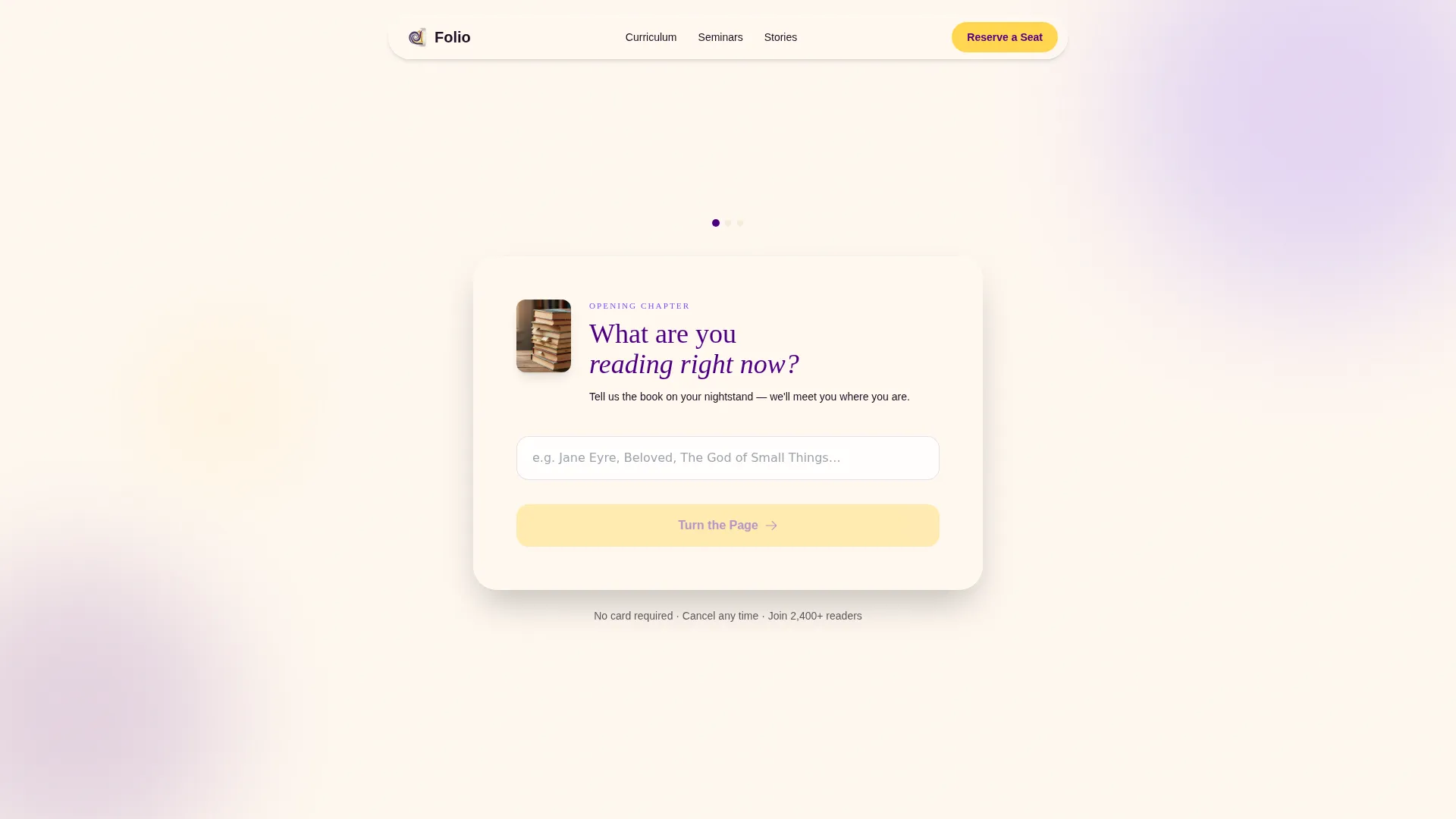
- A three-step header form that collects name, learning context, and seminar date preference
- A chapter-numbered scroll flow covering syllabus preview, live seminar video, annotation exercise, and testimonials
- A primary event registration call to action and a secondary free reading guide download path
Feature list
This template includes purpose-built components designed specifically for literature course registration. Each one supports the broader goal of turning a curious visitor into a committed learner.
Three-Step Header Form
The header opens with a conversational multi-step form. Step one asks what the visitor is reading right now. Step two asks who they are learning with. Step three offers a date picker for the next live seminar. Each step uses a gentle page-turn transition, making the form feel like the opening chapter of a book rather than a data entry task.
Chapter-Numbered Scroll Sections
After the header, the page walks visitors through a numbered sequence of content blocks. Each block is labelled like a chapter heading, reinforcing the feeling that enrolling is simply turning to the next page. The structure includes a syllabus preview card, a looping seminar video, an interactive annotation exercise, and a family testimonials block.
Dual Conversion Path Design
The primary call to action, "Reserve Your Seat at the Next Seminar," appears after the syllabus preview and again at the page close. A secondary opt-in path offers a free downloadable reading guide in exchange for an email address alone, nurturing visitors who are not yet ready to register for the full seminar.
Syllabus Preview Card
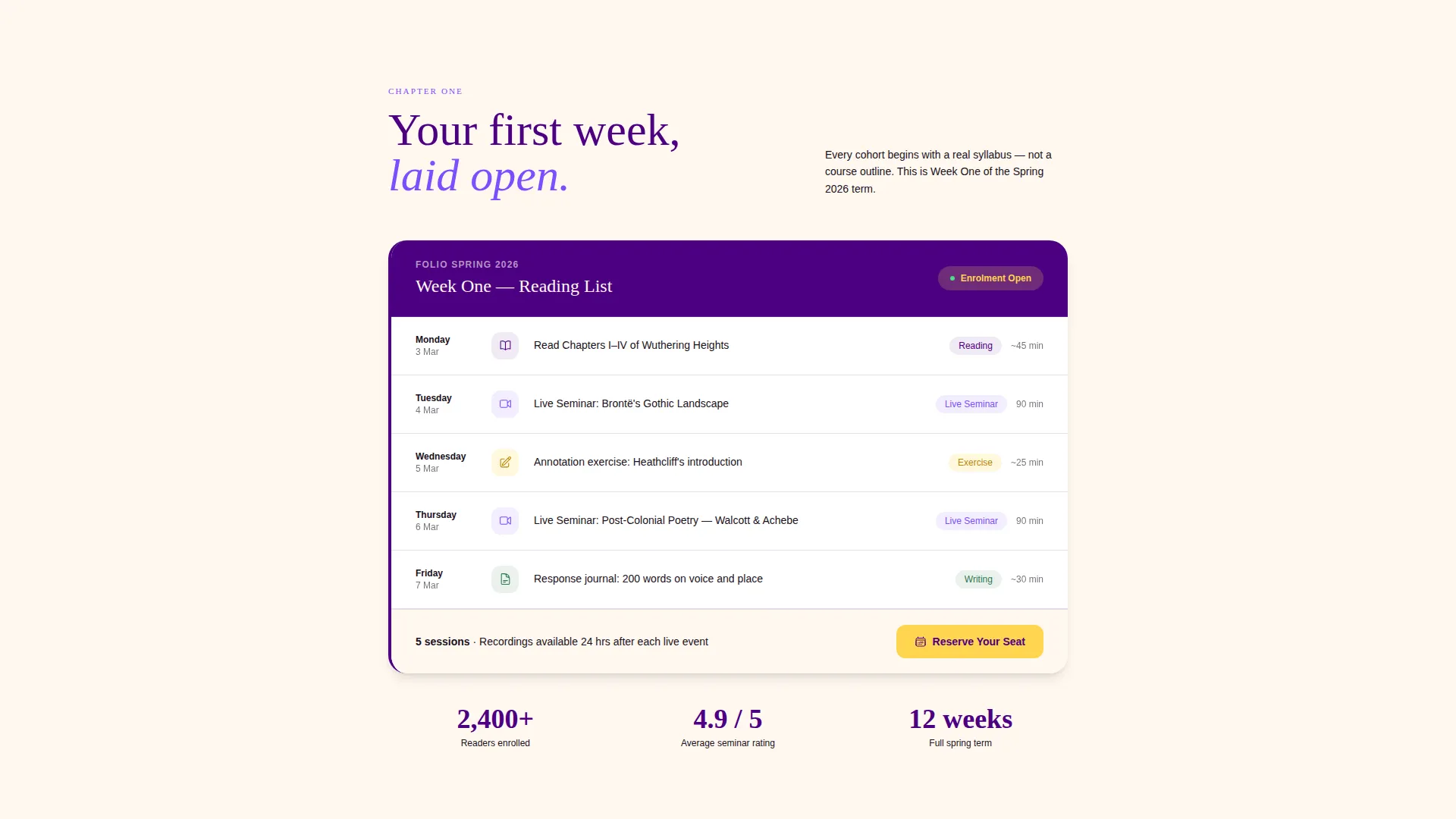
A real-looking Week 1 syllabus card is embedded in the page flow. It gives prospective learners a concrete preview of course content, building trust and reducing hesitation before they reach the registration button.
Live Seminar Video Block
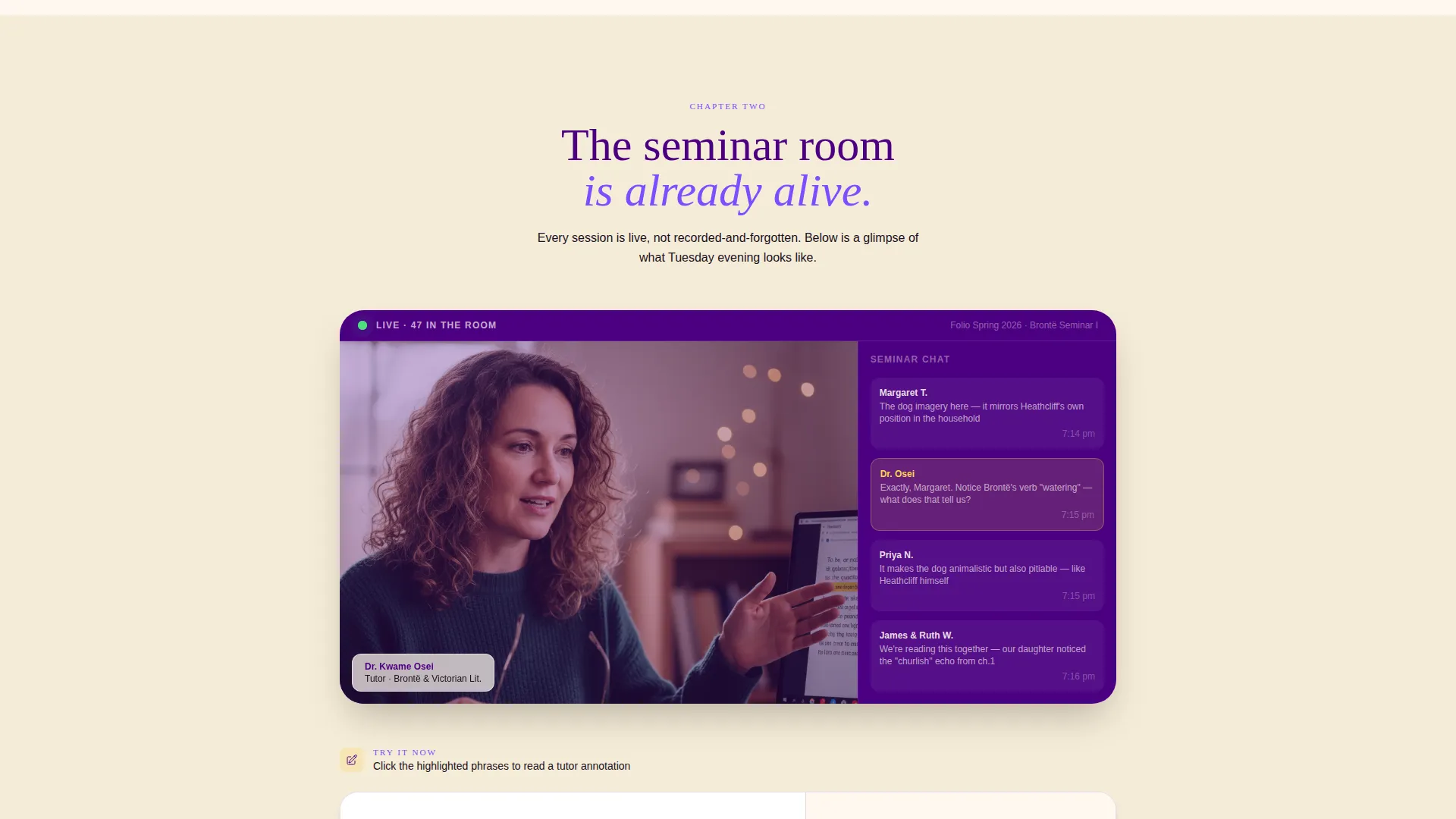
A short looping video of a live seminar in progress sits mid-page. It shows a tutor speaking and a live chat sidebar filled with parent questions, giving visitors a realistic feel for the community they are joining.
Interactive Annotation Exercise
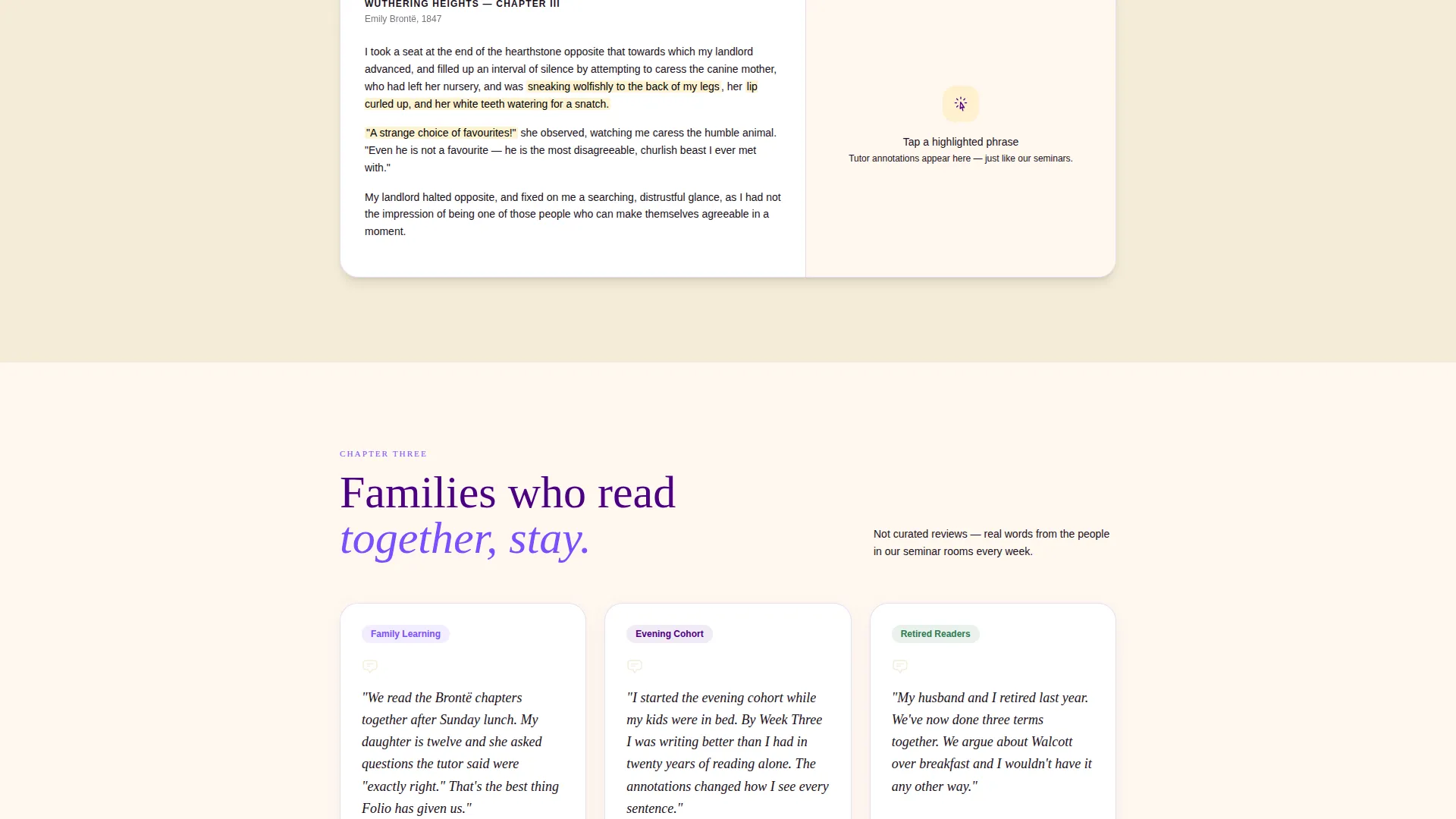
A sample annotation exercise is embedded in the page, allowing visitors to interact with the curriculum before signing up. This hands-on preview demonstrates the course's close-reading approach in a way that text alone cannot.
Page sections overview
| Section | Purpose |
|---|---|
| Multi-Step Header | Captures learning context and seminar date preference across three form steps |
| Syllabus Preview Card | Shows Week 1 reading list to make the curriculum tangible and trustworthy |
| Live Seminar Video | Loops a real session clip to convey community energy and tutor style |
| Annotation Exercise | Lets visitors interact with a sample close-reading task before enrolling |
| Family Testimonials | Shares stories from families and individuals who studied through the platform |
| Primary call to action Block | Repeats the seat reservation call to action after syllabus and at page close |
| Free Reading Guide | Offers a downloadable guide as a secondary, low-commitment opt-in path |
Design & branding system
The Electric Indigo color system gives Folio the look of a well-loved hardback shelf lit by a desk lamp at dusk. Every color choice has a clear role in the reading experience.
- Deep indigo (#4B0082) anchors headers and section dividers like printed chapter titles
- Soft page-cream (#FFF8F0) dominates the background, giving the page the feel of unturned pages
- Margin-note violet (#7C4DFF) marks pull-quotes and hover states throughout the scroll
- Highlighted-passage gold (#FFD54F) draws the eye to every button and interactive accent, the way a reader's highlighter marks the line that changes everything
Mobile & speed optimization
Folio is built as a single-column flow, which means the layout adapts naturally to smaller screens without restructuring. Learners who browse between bedtime stories or on a commute will find the page readable and easy to navigate.
- Single-column structure removes the need for complex responsive breakpoints
- The multi-step form keeps each screen uncluttered by showing one question at a time
- Video and interactive elements are positioned in the flow so they load when the reader reaches them
How this template helps you convert
Folio is designed around event registration. Every layout decision works to move a curious visitor toward clicking "Reserve Your Seat at the Next Seminar."
- The multi-step header form builds personal investment before any offer is made, so visitors feel seen rather than sold to by the time they reach the first call to action
- The chapter-by-chapter scroll structure creates a natural reading momentum that carries visitors from curiosity to commitment without abrupt sales pressure
- The secondary free reading guide opt-in catches undecided visitors, giving course creators a warm lead to nurture before the next cohort opens
Other information about this template
Folio is part of the Family First theme collection, which prioritises warmth, shared experience, and inclusive learning environments. The template is well suited to platforms that serve multiple learner profiles under one course offering.
- The Family First theme underpins layout decisions that make the page feel welcoming to learners of all ages and contexts
- The Step-by-Step Guide creative direction means every section answers a natural question the visitor has at that moment in the scroll
- The Event Registration landing page direction keeps the primary goal clear without hiding the secondary nurture path
- The template style is Single Column Flow, making it straightforward to populate and publish without advanced design tools
Theme
Family First
Creative direction
Step-by-Step Guide
Color system
Electric Indigo
Style
Single Column Flow
Direction
Event Registration
Page Sections
Three-step Conversational Header Form
Chapter-numbered Scroll Flow
Dual Conversion Path Layout
Syllabus Preview Card
Looping Live Seminar Video Block
Interactive Annotation Exercise
Related questions
Who is Folio best suited for?
How does the multi-step header form work?
Can I use this template for a free taster session or reading guide offer?
Where does the primary call to action appear on the page?
Is this template easy to edit without advanced design skills?



