Resort Management Landing Page Template
Folio is a resort management landing page template built for operators who need every department visible in one place. It features an interactive ROI Calculator header, a scroll-driven comparison table, animated dashboard module reveals, and a lead generation flow with a gated PDF offer. The glassmorphic design system makes live data feel calm, premium, and instantly readable.
by Rocket studio
Quick summary
Folio is a single-page, lead generation landing page template designed for resort management software. It opens with a personalized ROI Calculator, flows into a competitive comparison table, and builds momentum through animated dashboard reveals and GM testimonials. The glassmorphic visual system keeps the experience sharp, premium, and focused on converting serious resort operators.
Who this template is for
This template is built for teams selling resort management software to property operators who are overwhelmed by disconnected tools. It speaks directly to buyers who have lived the pain of late-night spreadsheet reconciliation and siloed department data.
- Regional resort general managers running 120-key properties without a dedicated revenue manager
- Multi-property hospitality groups tired of managing five disconnected systems
- Boutique resort owners who still reconcile night-audit reports manually at midnight
What problem this template solves
Resort operators lose time, revenue, and clarity when housekeeping queues, spa bookings, food and beverage covers, and Revenue Per Available Room (RevPAR) all live in separate tools. This template gives software vendors a focused page that confronts that exact pain head-on.
- Visitors cannot immediately see the financial value of switching platforms
- Competitor comparisons are hard to communicate without a structured visual format
- Generic hero sections fail to connect with property-specific data and real operator concerns
What you get with this template
You get a complete, scroll-optimized landing page that moves visitors from personal discovery through competitive proof and toward a demo request. Every section serves a specific conversion purpose without adding friction.
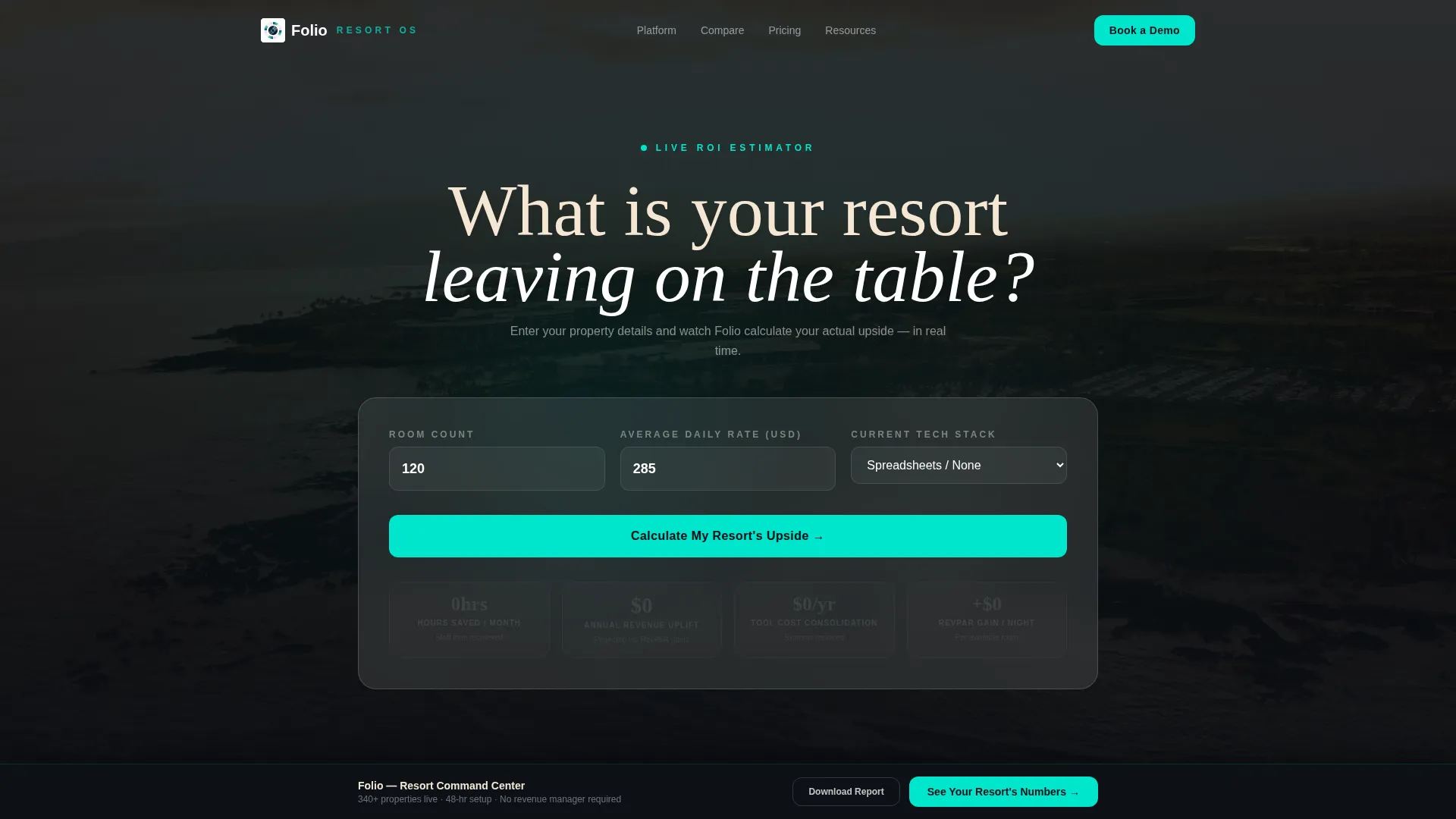
- An interactive header calculator that shows personalized time savings, revenue uplift, and cost consolidation before asking for anything
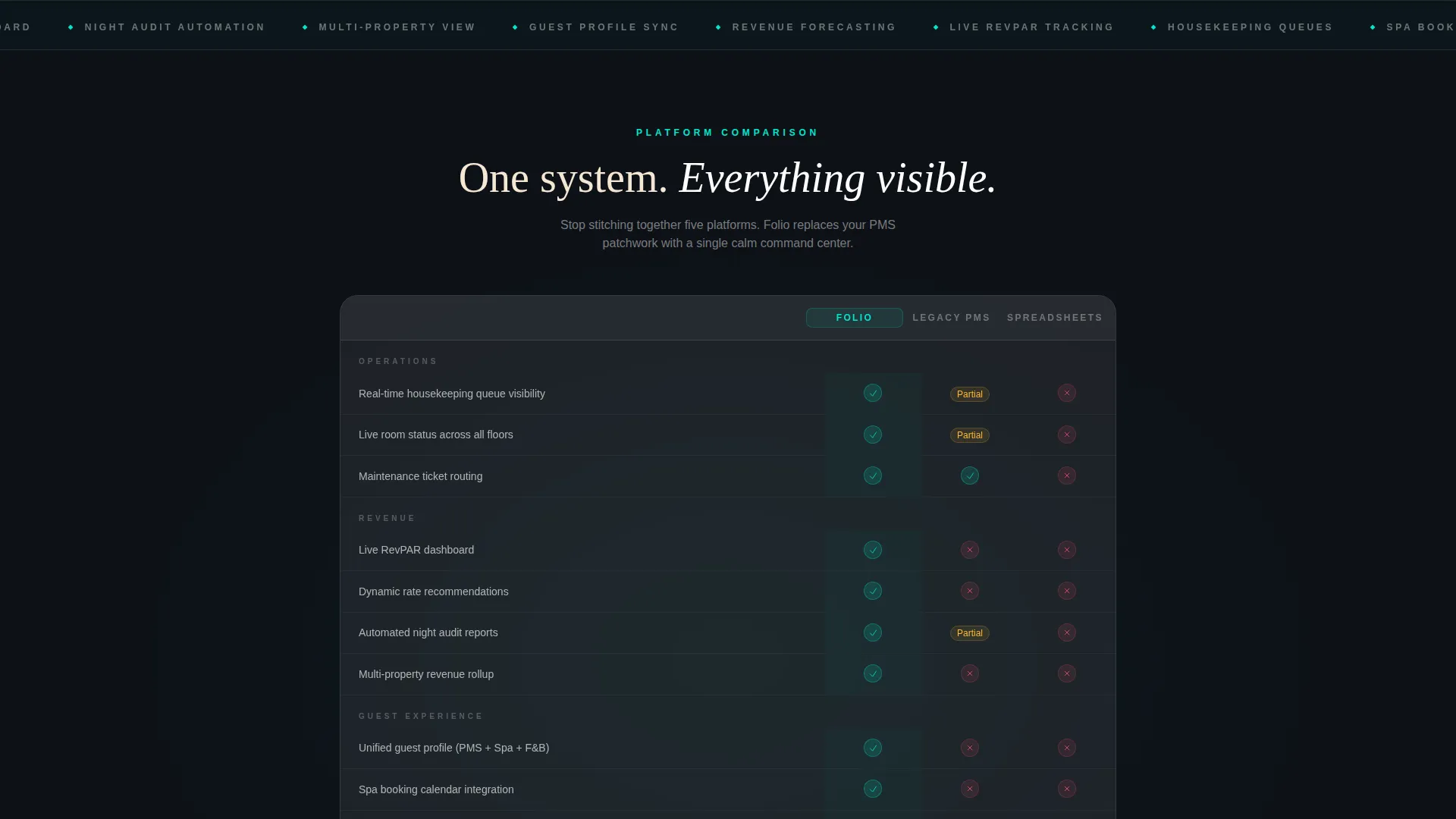
- A scroll-triggered comparison table pitting the software against legacy property management systems and spreadsheet workflows
- A secondary PDF lead magnet gated behind email-only capture for visitors not yet ready to book a demo
Feature list
This template is built around six purposeful components. Each one earns its place in the conversion flow.
Interactive ROI Calculator Header
The header is a frosted-glass card floating over a slow-motion aerial resort video at golden hour. Visitors enter their room count, average daily rate, and current technology stack from dropdowns. Animated numbers then tick upward, calculating projected time savings, revenue uplift, and cost consolidation in real time. Each result glows teal as it resolves, making the visitor's own property data the headline.
Scroll-Driven Comparison Table
Below the calculator, the page drops into a structured comparison table. Folio is compared row by row against legacy property management platforms and spreadsheet workflows. Each row reveals with a subtle slide animation as the visitor scrolls, with teal checkmarks lighting up against muted competitor gaps. The format makes the software's advantages unmistakably clear without a single word of hard selling.
Animated Dashboard Module Reveals
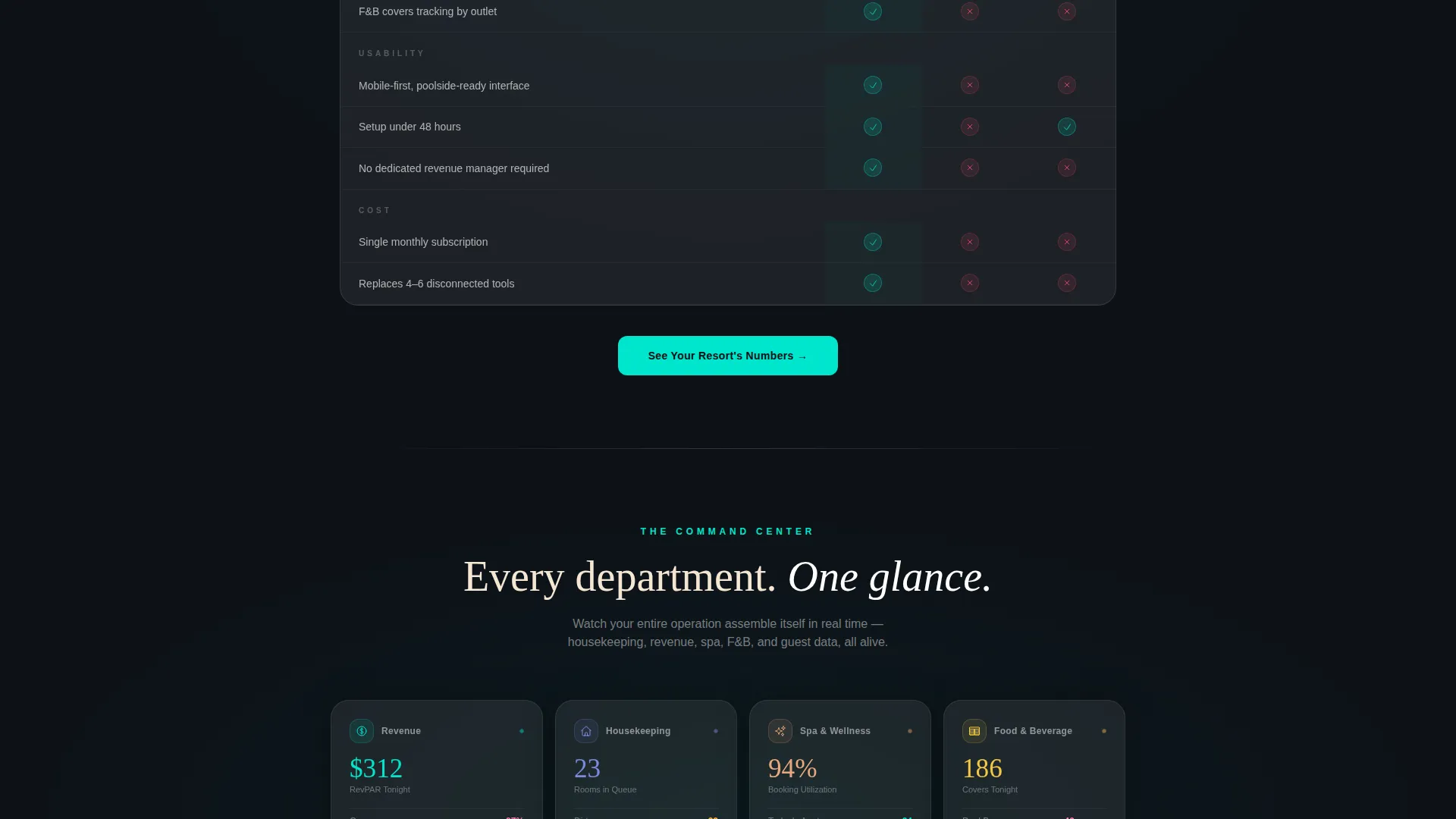
After the comparison table, a rapid-fire section assembles animated dashboard modules one by one: housekeeping, revenue, spa, food and beverage, and guest profiles. Each card is styled as a frosted-glass panel and lands with a soft bounce. The sequence builds the feeling that an entire resort operation is assembling itself before the visitor's eyes.
Glassmorphic Testimonial Cards
General manager quotes are placed as glassmorphic notification bubbles throughout the scroll flow. Each testimonial appears as if the dashboard itself is delivering social proof. The format keeps momentum high while grounding the page in real operator voices.
Sticky Lead Capture Bar
A sticky bottom bar activates after the visitor passes the comparison table. It anchors the primary call to action, "See Your Resort's Numbers," at the base of the screen without interrupting the scroll experience. The bar removes the need to scroll back up to convert.
Dual Conversion Path with PDF Lead Magnet
The primary form captures four fields: property name, room count, current property management system selection from a dropdown, and work email. No phone number is required. A secondary path offers a downloadable report gated behind email-only capture, giving hesitant visitors a low-friction way to engage before committing to a demo.
Page sections overview
| Section | Purpose |
|---|---|
| ROI Calculator Header | Personalizes value before any ask |
| Comparison Table | Shows competitive advantages row by row |
| Dashboard Module Reveals | Visualizes the full software scope |
| GM Testimonial Bubbles | Adds social proof mid-scroll |
| Demo Request Form | Captures qualified leads with four fields |
| PDF Lead Magnet | Converts early-stage visitors via email |
| Sticky call to action Bar | Keeps primary action visible throughout scroll |
Design & branding system
The visual identity follows a Dashboard Pro theme with a glassmorphic color system that feels like viewing a lit infinity pool through rain-beaded floor-to-ceiling glass after dark. Every panel is sharp, every accent is live-feeling, and the overall tone is quietly expensive.
- Deep resort midnight (#0D1117) as the base background, frosted-glass panel white at 12% opacity (#FFFFFF1F) for card surfaces, and luminous teal (#00E5CC) for live-data highlights and hover states
- Soft sand (#F5E6D3) applied to headline typography for warmth against the dark background
- Glassmorphic card styling used consistently across the calculator, dashboard modules, testimonials, and form panels to create visual cohesion throughout the full scroll
Mobile & speed optimization
The layout is built with scrolling momentum in mind, and every animated element is designed to land cleanly as the visitor moves through the page. The interaction model works whether the visitor is at a desk or reading poolside on a tablet.
- Scroll-triggered animations and row reveals are designed for smooth progressive disclosure on any screen size
- The sticky call to action bar and four-field form are structured to remain accessible and legible on smaller viewports
- The frosted-glass visual system uses layered opacity rather than heavy image assets, keeping the aesthetic intact across devices
How this template helps you convert
This template earns conversion by delivering personalized value before it ever asks for a commitment. The structure is intentional: every section increases certainty and reduces hesitation.
- The ROI Calculator makes the visitor's own property data the first thing they see, creating immediate relevance and a personal reason to keep reading
- The comparison table removes ambiguity by showing exactly where the software wins against legacy tools and manual workflows
- The dual conversion path captures both high-intent visitors ready for a demo and early-stage visitors who want research first, so no qualified lead is lost
Other information about this template
This template is built as a single landing page within the Resort Vertical SaaS category under the broader Technology segment. It is designed to support software vendors selling into the resort management software niche, where buyers are typically evaluating options across several months.
- The creative direction follows a Launch Energy scroll strategy, where momentum builds section by section and never slows
- The header concept is a Calculator or Estimator format, which is particularly effective for software products where ROI is a primary buying consideration
- The template style is a Comparison Table layout, designed to handle objections visually before a sales conversation begins
- The lead generation direction means every design decision, from the sticky bar to the gated PDF, is oriented around capturing qualified contact details with minimal friction
- The template theme is Dashboard Pro, which signals operational credibility to buyers who spend their workday inside data-heavy interfaces

Theme
Dashboard Pro
Creative direction
Launch Energy
Color system
Glassmorphic
Style
Comparison Table
Direction
Lead Generation
Page Sections
Interactive ROI Calculator Header
Scroll-triggered Comparison Table
Animated Dashboard Module Sequence
Glassmorphic GM Testimonial Bubbles
Sticky Bottom Call to Action Bar
Dual Conversion Path with Gated PDF
Related questions
What is the primary call to action in this template?
How many form fields does the lead capture form include?
What is the secondary conversion path offered in this template?
Who is this landing page template designed for?
Can the calculator inputs and dropdown options be customized?



