Forecast - Intelligent Veterinary Landing Page Template
Forecast is a scroll-reveal landing page template built for a veterinary AI inventory forecasting platform. It opens with an interactive cost calculator, escalates through animated comparison sections, and closes with a clear call to action. The design uses a Slate and Sky color system to deliver calm authority with live-data urgency, built to turn a practice manager's frustration into a qualified lead.
by Rocket studio
Quick summary
Forecast is a single-page, scroll-reveal landing page template designed for a veterinary AI inventory forecasting platform. It leads with a working cost estimator, builds through animated data comparisons, and converts visitors with a focused call to action. The layout guides a clinic decision-maker from recognizing waste to requesting a personalized forecast.
Who this template is for
This template is built for teams marketing an AI-powered veterinary inventory tool to clinic operators who feel the pain of supply mismanagement every day. It speaks directly to people who have lost money on expired medication or walked into a clinic with empty shelves.
- Practice managers at single or multi-location veterinary clinics
- Hospital group operators managing inventory across multiple sites
- Relief veterinarians and clinic directors evaluating smarter supply systems
What problem this template solves
Veterinary clinics lose margin silently. Expired Propofol, overstocked flea treatments, and last-minute reorders drain budgets that no spreadsheet catches in time. This template gives a forecasting platform the right narrative structure to make that cost feel real before asking for a sign-up.
- Visitors do not feel the financial impact until a number hits them personally
- Manual ordering methods are hard to compare against an AI alternative without strong visual contrast
- Generic software landing pages fail to build trust with clinic-specific decision-makers
What you get with this template
You get a fully structured, conversion-focused landing page layout built specifically for the veterinary AI inventory niche. Every section has a defined role in the persuasion sequence, from cost shock to competitor comparison to sign-up.
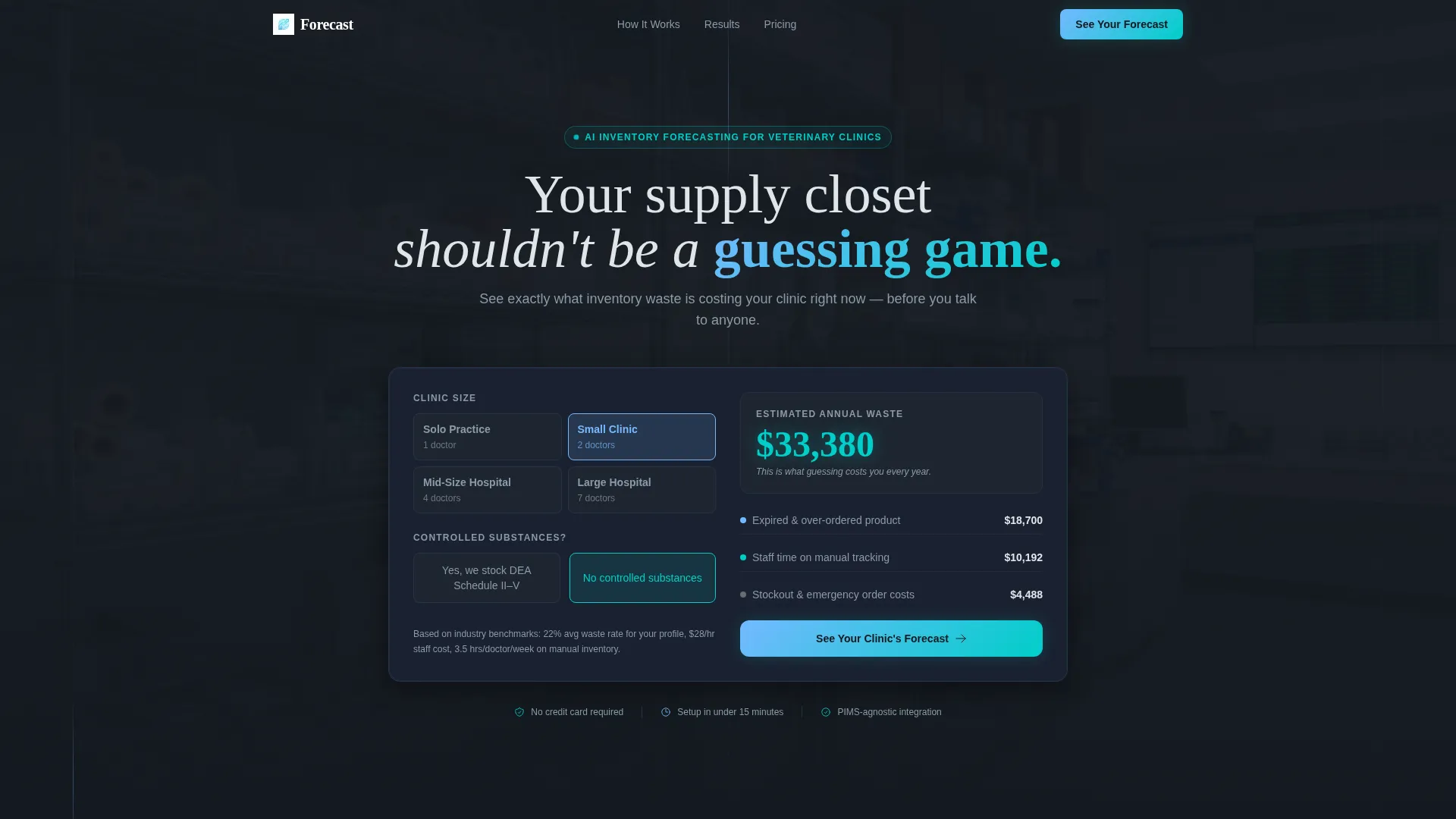
- An interactive calculator header that estimates annual waste in real time
- A kinetic scroll-reveal flow with animated charts, timelines, and a versus table
- Two conversion paths: a primary forecast request qualifier and a gated waste report download
Feature list
This template includes six purpose-built sections and interactive components. Each one is designed to advance a single narrative: guessing costs clinics money, and AI forecasting stops the leak.
Animated Cost Calculator Header
Visitors select their clinic size, number of doctors, and whether they stock controlled substances. The tool instantly displays an estimated annual waste figure with animated counters that tick upward, making the cost feel live and personal before a single scroll.
Scroll-Reveal Progressive Layout
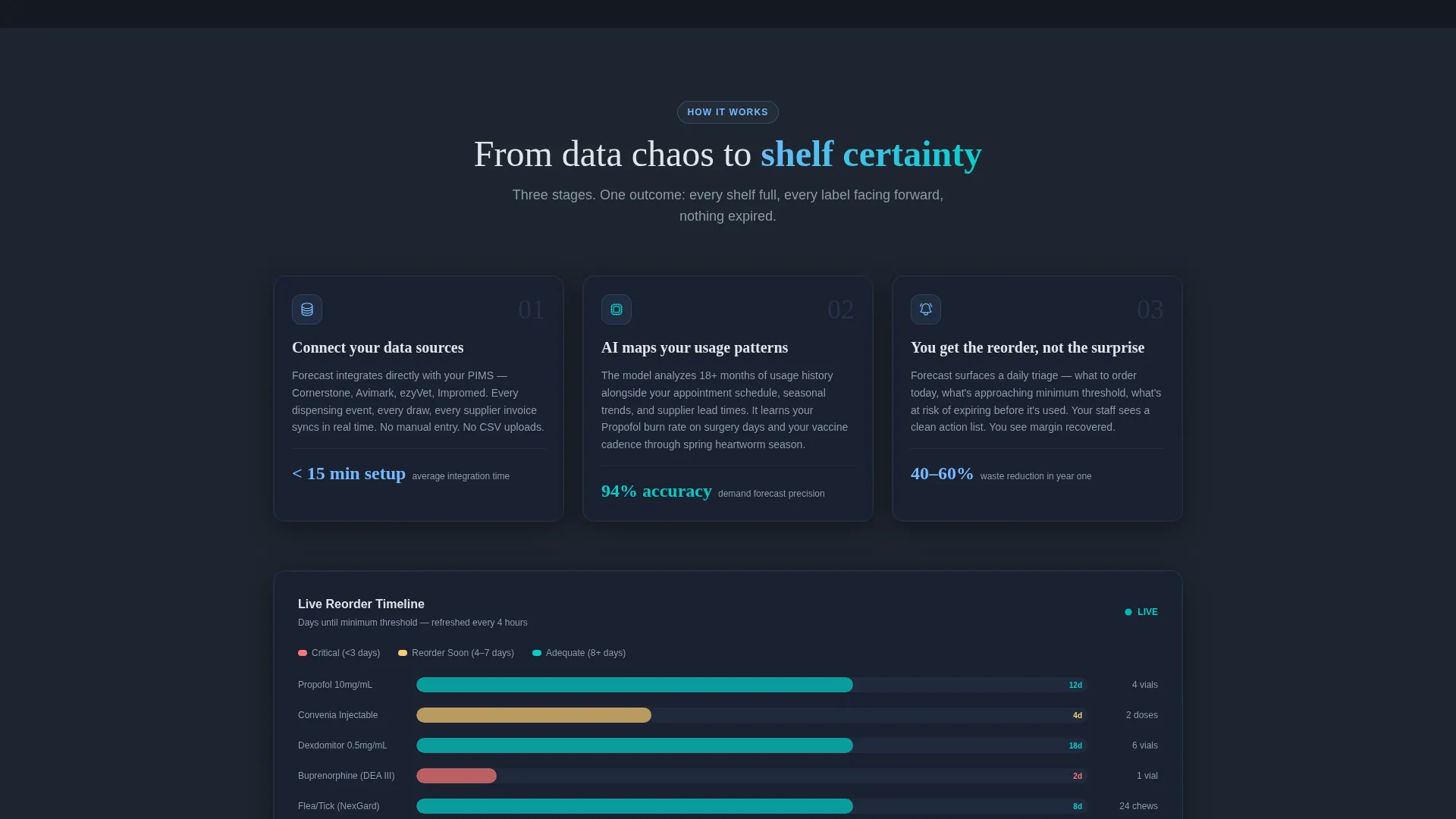
Each section enters the viewport with kinetic momentum. Charts draw themselves on entry, inventory timelines animate left to right, and stock-out predictions appear progressively. The effect keeps attention moving forward through the full narrative arc.
Manual versus. AI Versus Table
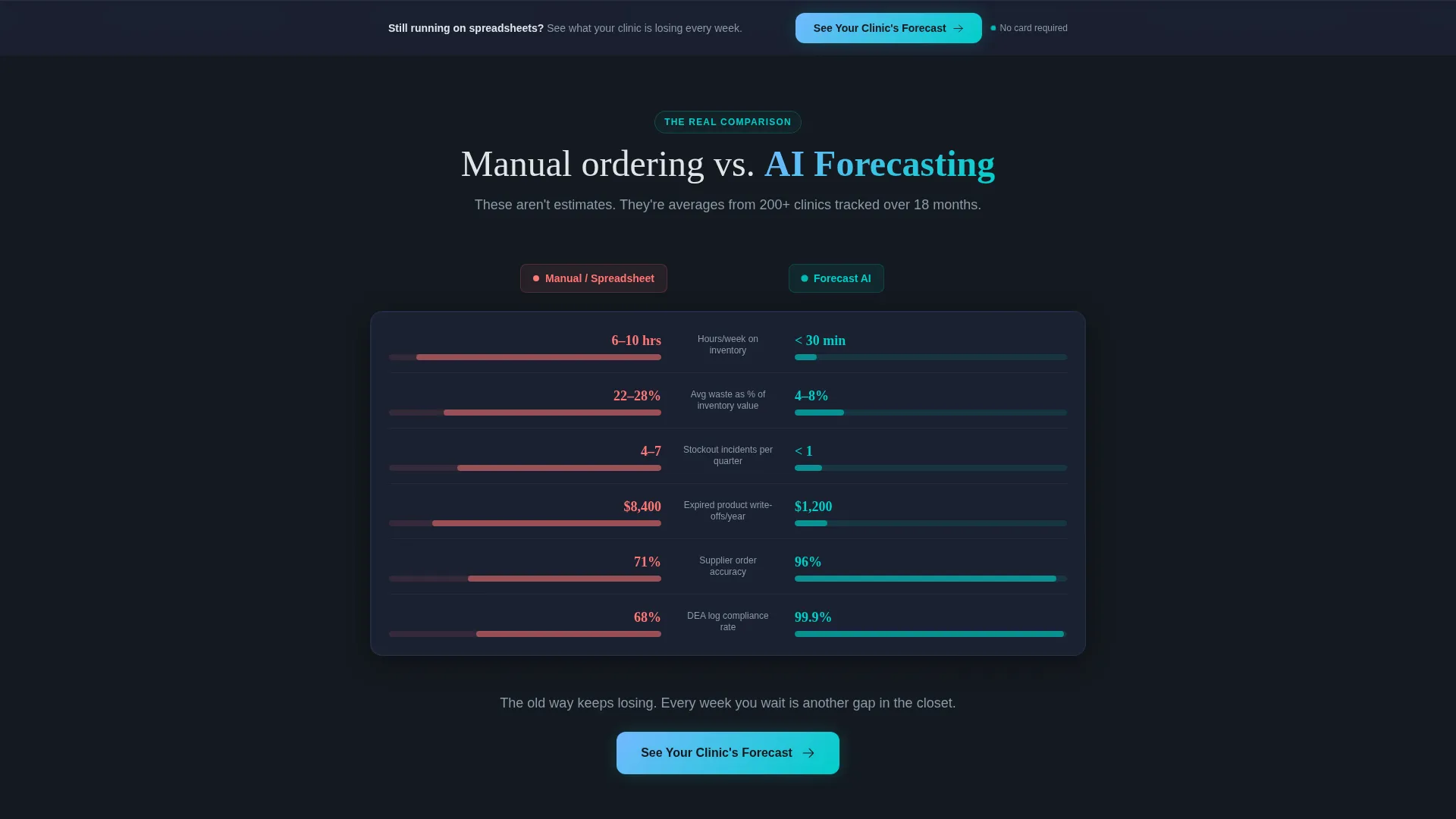
A side-by-side comparison table slides in from both edges of the screen mid-scroll. It shows real metrics: time spent per week, average waste percentage, and stock-out incidents per quarter. Every data point animates on entry, making the contrast immediate and undeniable.
Primary Forecast Request Flow
The main call to action, "See Your Clinic's Forecast," anchors directly after the versus table and repeats as a sticky bottom bar. Clicking it opens a short qualifier form collecting clinic name, patient volume range, and current inventory method.
Gated Waste Report Download
A secondary conversion path offers a downloadable PDF benchmarking veterinary inventory loss by clinic size. Access is gated behind an email field, giving the platform a lower-commitment lead path alongside the primary qualifier.
Escalating Narrative Structure
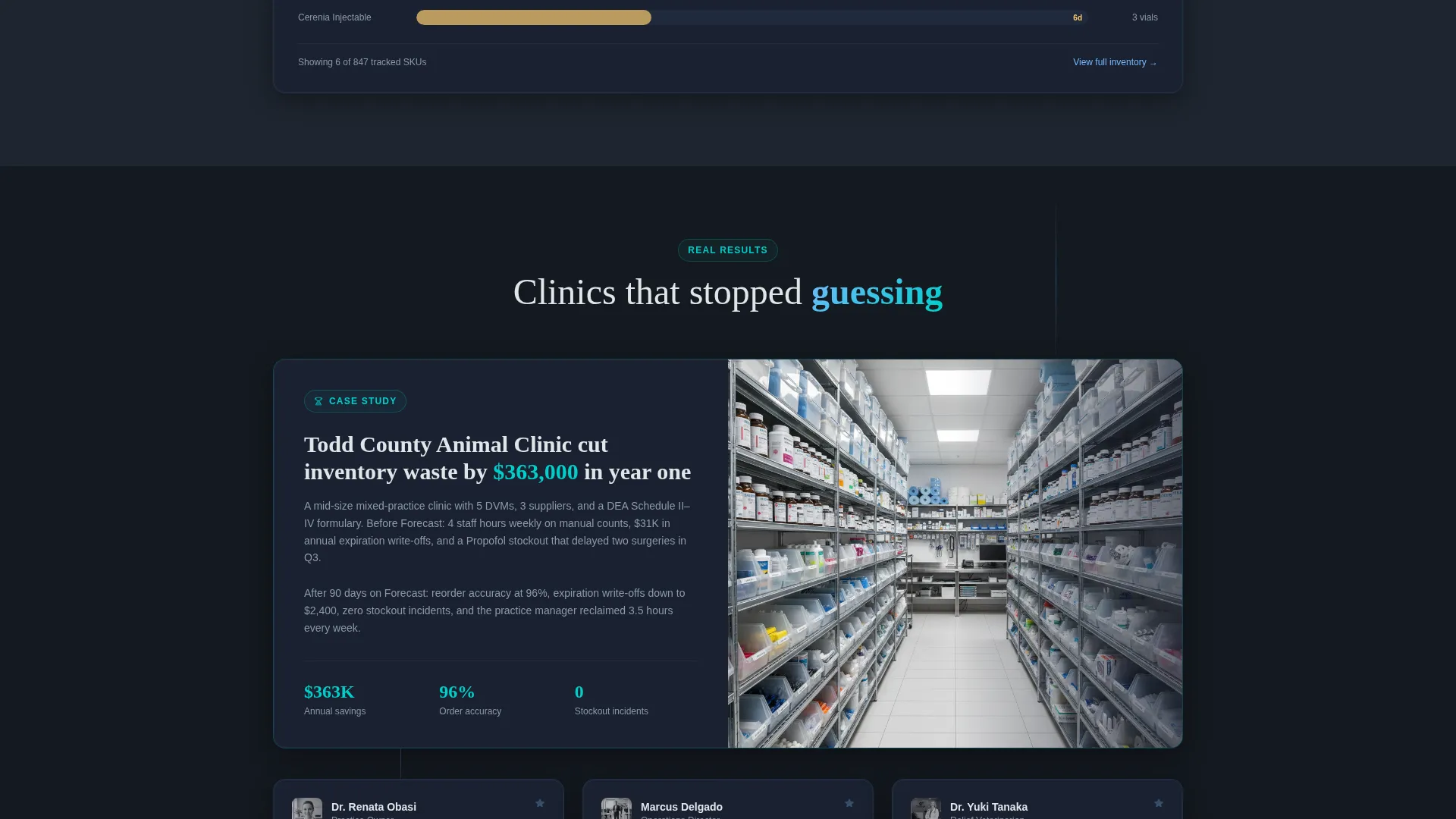
The page moves through three clear acts: "here is your problem," "here is how competitors solve it," and "here is what AI changes." This structured escalation keeps clinic operators engaged through the full scroll and primed to act at the bottom.
Page sections overview
| Section | Purpose |
|---|---|
| Calculator Header | Estimate annual waste cost live |
| Cost Shock Statement | Reinforce urgency after estimate |
| Problem Narrative | Establish the inventory pain story |
| Competitor Benchmark | Show how leading clinics operate |
| AI Forecasting Reveal | Introduce the platform's core capability |
| Manual versus. AI Table | Compare key metrics side by side |
| Primary call to action Block | Drive forecast request form opens |
| Waste Report Download | Capture lower-intent email leads |
| Sticky Bottom Bar | Keep the primary call to action always visible |
Design & branding system
The visual identity is built on a Slate and Sky color system that feels like a surgical suite monitoring screen at dawn. Deep charcoals anchor the layout while open-sky blue and pulse-bright cyan carry live data and interactive elements.
- Core palette: deep instrument-tray charcoal (#2D3436), clinical slate (#636E72), open-sky blue (#74B9FF), and pulse-bright cyan (#00CEC9) for interactive and live-data elements
- Typography runs in clean white (#DFE6E9) against dark backgrounds for high contrast and clinical legibility
- The Dynamic Motion theme drives all animation timing, keeping transitions kinetic without feeling chaotic
Mobile & speed optimization
The scroll-reveal animations and calculator are designed with a mobile-first layout in mind. Clinic staff and practice managers frequently browse on phones between appointments, so the template accounts for that context.
- Sticky bottom bar remains accessible on small screens without blocking content
- Calculator inputs are touch-friendly with clearly spaced selection controls
- Animated sections are structured to load progressively so the entry experience feels smooth on any device
How this template helps you convert
The conversion architecture works in two stages: first make the cost personal, then offer the solution. This sequence is baked into the template's section order and cannot be skipped by a scrolling visitor.
- The calculator header quantifies waste before asking for anything, earning the visitor's trust and creating genuine urgency around the platform's value.
- The versus table arrives at peak engagement mid-scroll, giving decision-makers a clear visual reason to prefer AI forecasting over their current method.
- The dual conversion paths, a forecast qualifier and a gated report, give both high-intent and low-intent visitors a relevant next step, widening the lead funnel without diluting the primary offer.
Other information about this template
This template is categorized under Technology, specifically the AI for Veterinary subcategory. It is purpose-built for the veterinary AI inventory forecasting niche and carries an intersection match score that reflects strong alignment between its design system, conversion direction, and audience context.
- Template style: Scroll Reveal (Progressive) with Launch Energy creative direction
- Header concept: Calculator and Estimator, an active engagement tool, not a static hero image
- Conversion direction: Comparison and Versus, structured to make the AI advantage feel earned and data-backed
- The Slate and Sky palette and Dynamic Motion theme were matched to this niche specifically for their clinical authority and live-data visual language
Theme
Dynamic Motion
Creative direction
Launch Energy
Color system
Slate & Sky
Style
Scroll Reveal (Progressive)
Direction
Comparison/Versus
Page Sections
Live Waste Cost Calculator
Scroll-reveal Kinetic Animations
Manual Versus. AI Comparison Table
Dual Conversion Path Layout
Sticky Primary Call to Action Bar
Three-act Narrative Structure
Related questions
Can I edit the calculator inputs to match my platform's data?
Is the versus table content customizable?
What are the two conversion paths included in this template?
Who is the ideal audience for a landing page built on this template?
Does the template address multi-location clinic operators?



