Forecast - Powerful Automotive Landing Page Template
Forecast is a Bold Brutalist automotive AI inventory forecasting landing page template built for dealership technology platforms. It uses a modular card grid layout, a Slate and Sky color system, and a full-width dashboard reveal to present machine-learning capabilities with industrial authority. The design pushes visitors toward a clear app download action from the first scroll.
by Rocket studio
Quick summary
Forecast is a single-page landing page template for automotive AI inventory forecasting platforms. It opens with a logo bar of dealership and OEM proof points, drops into a modular card grid of platform capabilities, and closes with a full-width dashboard screenshot and a conversion-focused app download call to action. Bold Brutalist design gives every section mechanical weight and clarity.
Who this template is for
This template is built for teams building or marketing automotive AI inventory forecasting tools. It speaks directly to buyers who need to earn the trust of hard-nosed dealership operators before asking for a download.
- Used-car directors at multi-rooftop dealer groups running tight sixty-day turn policies
- Independent lot owners managing floorplan risk on aged inventory
- Fleet managers rebalancing vehicle stock across state lines on a quarterly basis
What problem this template solves
Most software landing pages for automotive technology feel generic. They bury the actual product value under marketing language, and dealership operators bounce before they reach the call to action.
- Visitors with no context arrive and cannot quickly see what the platform predicts or who it is built for
- The product's machine-learning depth gets lost without a structured visual hierarchy that builds trust section by section
- A weak or misplaced download prompt fails to convert mobile visitors who are the platform's primary app audience
What you get with this template
You get a fully structured, single-page landing page template that sequences trust signals, capability cards, and conversion moments with precision. Every section is purpose-built for an automotive AI audience.
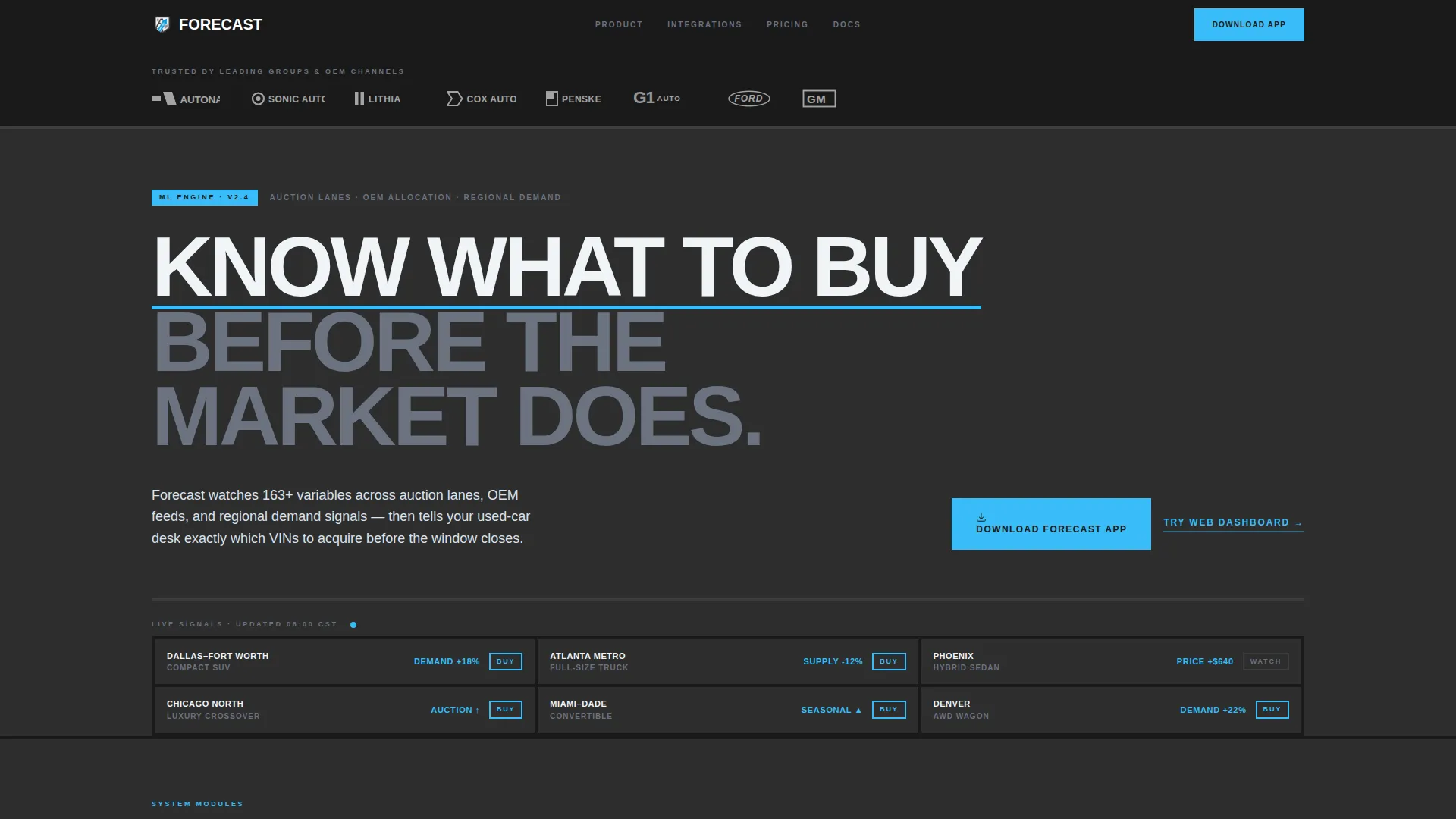
- A logo bar header displaying dealership group and OEM adoption proof in flat white SVGs on charcoal
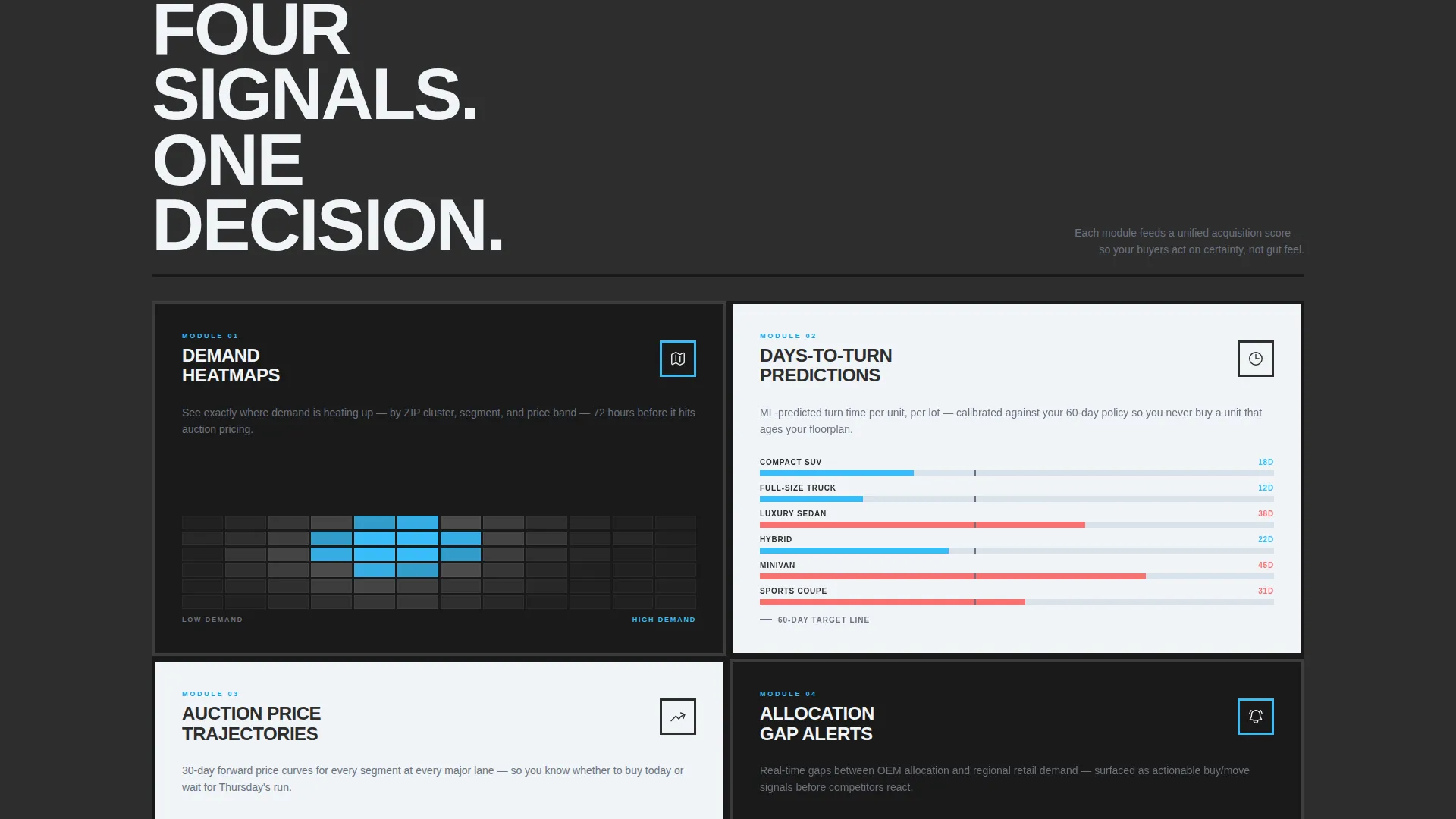
- A modular card grid with discrete capability cards covering demand heatmaps, days-to-turn predictions, auction price trajectories, and allocation gap alerts
- A full-width dashboard screenshot card, an animated units-forecasted counter, and a dual call-to-action block with OS-detecting app store badges
Feature list
This template is designed around a clear set of capabilities drawn directly from the product brief. Each feature serves the goal of moving a skeptical dealership operator toward tapping the download button.
Brutalist Logo Bar Header
A horizontal band of recognizable dealership group and OEM logos sits at the very top of the page. Logos render as flat white SVGs against raw charcoal, with no animation and no gradients. This section establishes platform credibility before a single word of body copy is read.
Modular Capability Card Grid
The core of the page is a uniform card grid where each card represents one discrete platform capability. Cards alternate between dark-on-light and light-on-dark treatments, creating a rhythmic brutalist cadence. As the visitor scrolls, the grid tightens and data density increases, building a sense of acceleration toward the dashboard reveal.
Full-Width Dashboard Screenshot Card
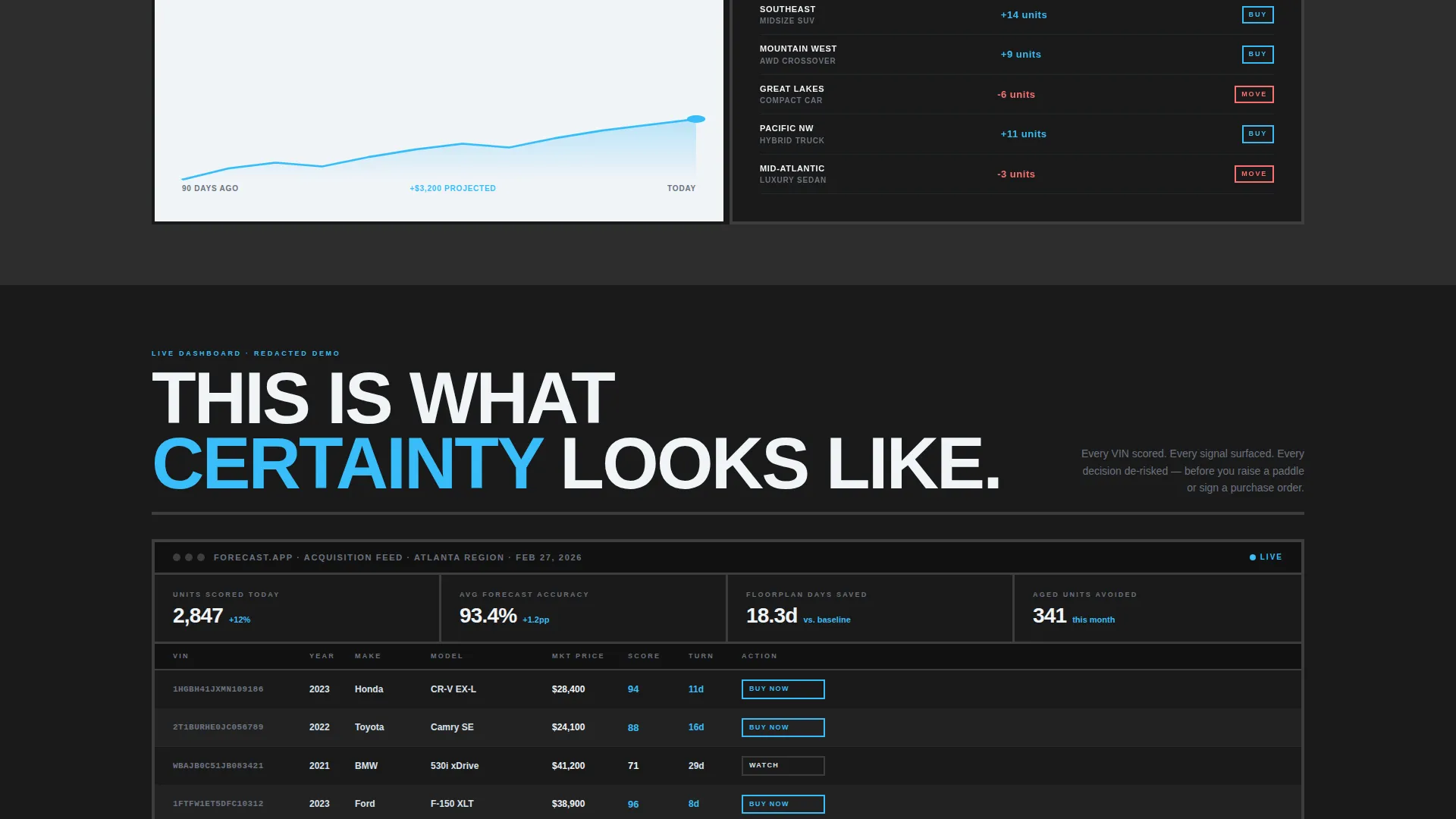
The final row of the card grid breaks the modular rhythm with a single full-width card showing a real dashboard screenshot with live-looking numbers. This moment makes the abstract platform concrete. It gives first-time visitors a clear picture of what the product actually delivers.
OS-Detecting App Download Button
The primary call to action reads "Download the Forecast App" in sky blue on charcoal. The button detects the visitor's operating system and surfaces the appropriate app store badge automatically. This reduces friction for mobile visitors and keeps the conversion path clean.
Animated Platform Counter
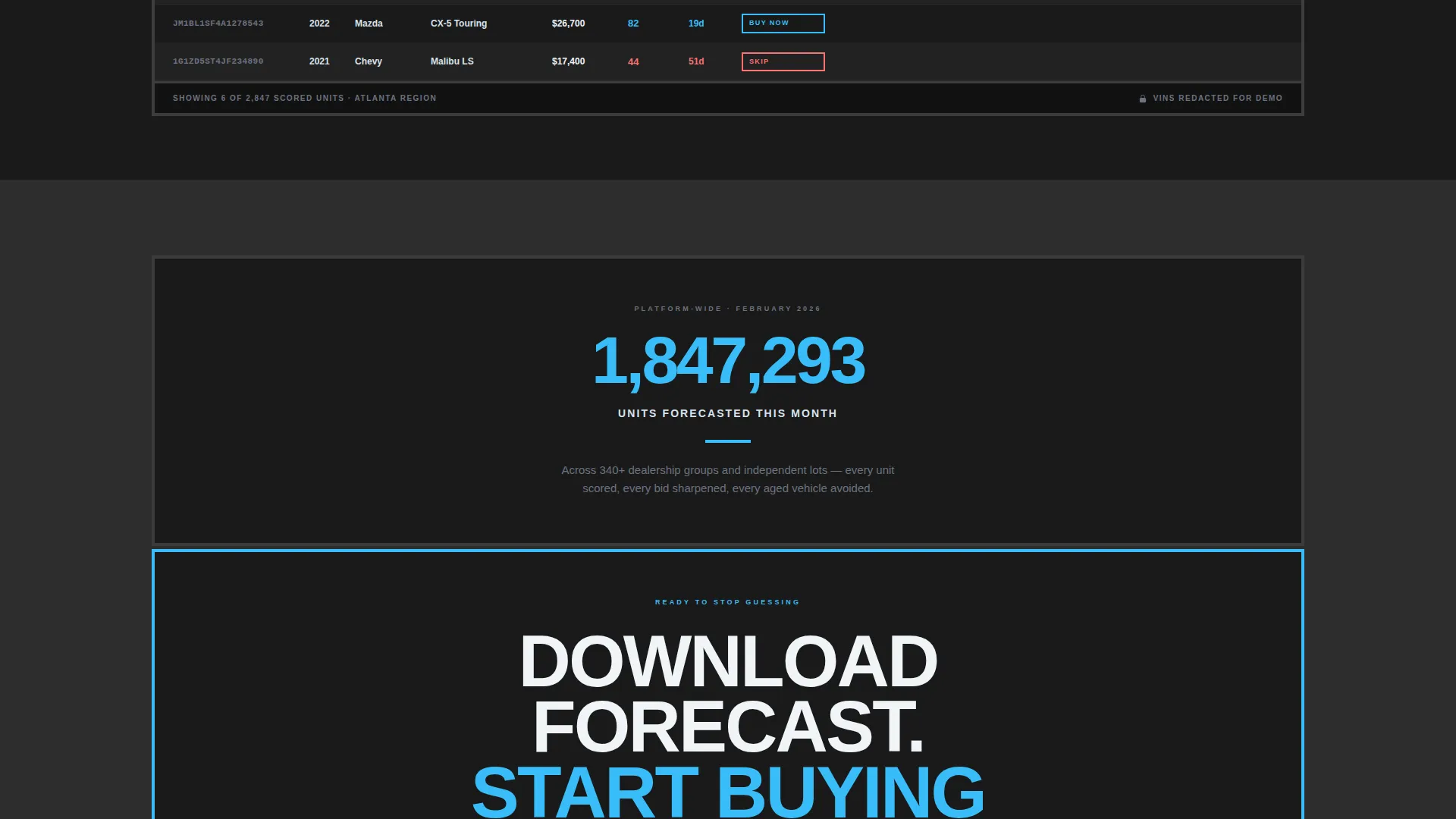
Immediately before the final call-to-action block, a single animated counter displays the total units forecasted across the platform during the current month. This living proof point gives the download prompt earned authority rather than assumed authority.
Sky Blue Interactive States
Sky blue fires on hover states, active toggles, and data-positive indicators throughout the template. Every interactive moment feels like a signal breaking through the charcoal-and-gray ground. This system keeps the page feeling alive without relying on gradients or decorative animation.
Page sections overview
| Section | Purpose |
|---|---|
| Logo Bar Header | Establishes dealership and OEM adoption credibility at first glance |
| Hero Headline Block | Delivers the core value proposition in uppercase condensed type at 96px |
| Capability Card Grid | Presents each platform feature as a discrete, scrollable module |
| Dashboard Reveal Card | Makes the AI platform tangible with a full-width screenshot of live-looking data |
| Units Forecasted Counter | Provides a real-time-feeling proof point just before the conversion ask |
| App Download call to action | Drives the primary conversion with OS-detecting store badges and a secondary web link |
Design & branding system
The visual identity follows a Bold Brutalist theme grounded in the Slate and Sky color system. The palette is described as a concrete parking structure at dawn: monolithic slabs of dark material broken by a single stripe of bright sky. No rounded corners, no drop shadows, no gradients anywhere on the page.
- Core palette: poured-foundation charcoal (#2D2D2D), exposed-aggregate gray (#6B7280), open-sky blue (#38BDF8), and cold-white (#F0F4F8) for card surfaces
- Typography: uppercase condensed type at 96px for the hero headline, left-aligned with a sky-blue underline that pulses once on load and then stops
- Card system: uniform card sizing with hard 4px borders and flat edges, alternating dark-on-light and light-on-dark fills to create a rhythmic visual cadence
Mobile & speed optimization
The app download conversion goal makes mobile performance a structural priority for this template. The page layout is designed to deliver the right experience on the device where the primary call to action lives.
- The OS-detecting download button serves the correct app store badge based on the visitor's device, removing a decision step from the conversion path
- The modular card grid stacks cleanly on smaller screens, keeping the data-dense scroll experience intact without requiring horizontal swipe
- The full-width dashboard card and animated counter are positioned to land above the fold on common mobile viewport sizes, ensuring the proof points are visible before the final call to action
How this template helps you convert
Every structural decision in this template points toward a single outcome: a dealership operator tapping the download button with confidence. The page earns that tap rather than assuming it.
- The logo bar loads first, so trust is established before the visitor reads a single capability claim. Authority precedes persuasion throughout the scroll.
- The modular card grid builds product understanding progressively. Each capability card adds a layer of specificity, so by the time the visitor reaches the dashboard screenshot, the product already feels familiar and real.
- The animated units-forecasted counter appears immediately before the final call to action, giving the download prompt a concrete, data-backed reason to act now rather than later.
Other information about this template
This template is designed for use on a template marketplace and can be adapted by development teams or no-code builders to fit specific platform branding. A few additional details are worth noting before you commit to using it.
- The template style is Card Grid (Modular), meaning each capability section is an independent, reusable card block that can be reordered or replaced without disrupting the overall layout
- The creative direction is classified as Launch Energy: the page is structured to build momentum from the logo bar through the card grid to the final call to action, mimicking the sensation of a system reaching operational readiness
- The secondary call to action, "Try the Web Dashboard," is a text link positioned below the primary download button, giving desktop visitors an alternative path without competing visually with the app download prompt
- The template fits the Technology category with a subcategory focus on AI for Automotive, making it relevant to any machine-learning-powered inventory tool targeting the franchised or independent dealer market
Theme
Bold Brutalist
Creative direction
Launch Energy
Color system
Slate & Sky
Style
Card Grid (Modular)
Direction
App Download
Page Sections
Brutalist Logo Bar Header
Modular Capability Card Grid
Full-width Dashboard Reveal
Os-detecting App Download Call to Action
Animated Units-forecasted Counter
Sky Blue Interactive State System
Related questions
Who is the primary audience for this landing page template?
Can I use this template for a web-based platform, not just a mobile app?
What does the animated counter display on the page?
How does the OS-detecting download button work?
Is this a multi-page template or a single landing page?



