AI for Home Expert Professional Website Template
Forecast is a single-page, comparison-table landing page template built for AI-powered inventory forecasting platforms serving home services fleets. It opens with a credibility logo bar, moves through a Problem→Solution arc, and closes with a pinned free-trial call to action. The Void and Violet color system makes every data point feel precise and urgent.
by Rocket studio
Quick summary
Forecast is a high-conversion landing page template designed for home services AI inventory forecasting platforms. It leads with a scrolling logo bar, walks visitors through a before-and-after comparison table, and builds toward a frictionless free-trial signup. The Dynamic Motion theme and Void and Violet color system create a focused, data-forward visual experience.
Who this template is for
This template is built for founders and marketing teams promoting AI-driven inventory tools to the home services industry. It speaks directly to operations managers who run fleets and feel the daily cost of poor stock control.
- Operations managers at plumbing, HVAC (heating, ventilation, and air conditioning), and electrical companies running fifteen to two hundred trucks
- Product teams launching a predictive restocking or fleet inventory platform that needs a trial-focused landing page
- Agencies building conversion pages for home services technology clients
What problem this template solves
Most inventory platforms struggle to communicate their value quickly. Visitors land on a page full of feature lists but never feel the pain those features solve. This template flips that sequence.
- It opens in the visitor's pain: emergency supplier runs, dead stock sitting on shelves, and costly second-trip callbacks
- The comparison table makes the old way versus the new way undeniable in a single scroll
- The pinned call-to-action captures intent at the exact moment the visitor feels the cost of inaction
What you get with this template
You get a fully structured, single-page layout ready to be styled and launched. Every section serves a specific job in the conversion sequence.
- A perpetual-motion logo bar that builds credibility before the first feature is read
- An animated comparison table with a Problem→Solution arc and a live cost counter
- A pinned three-field signup form and a secondary sandbox demo path
Feature list
This template delivers a focused set of built-in sections and interaction patterns grounded entirely in the source brief.
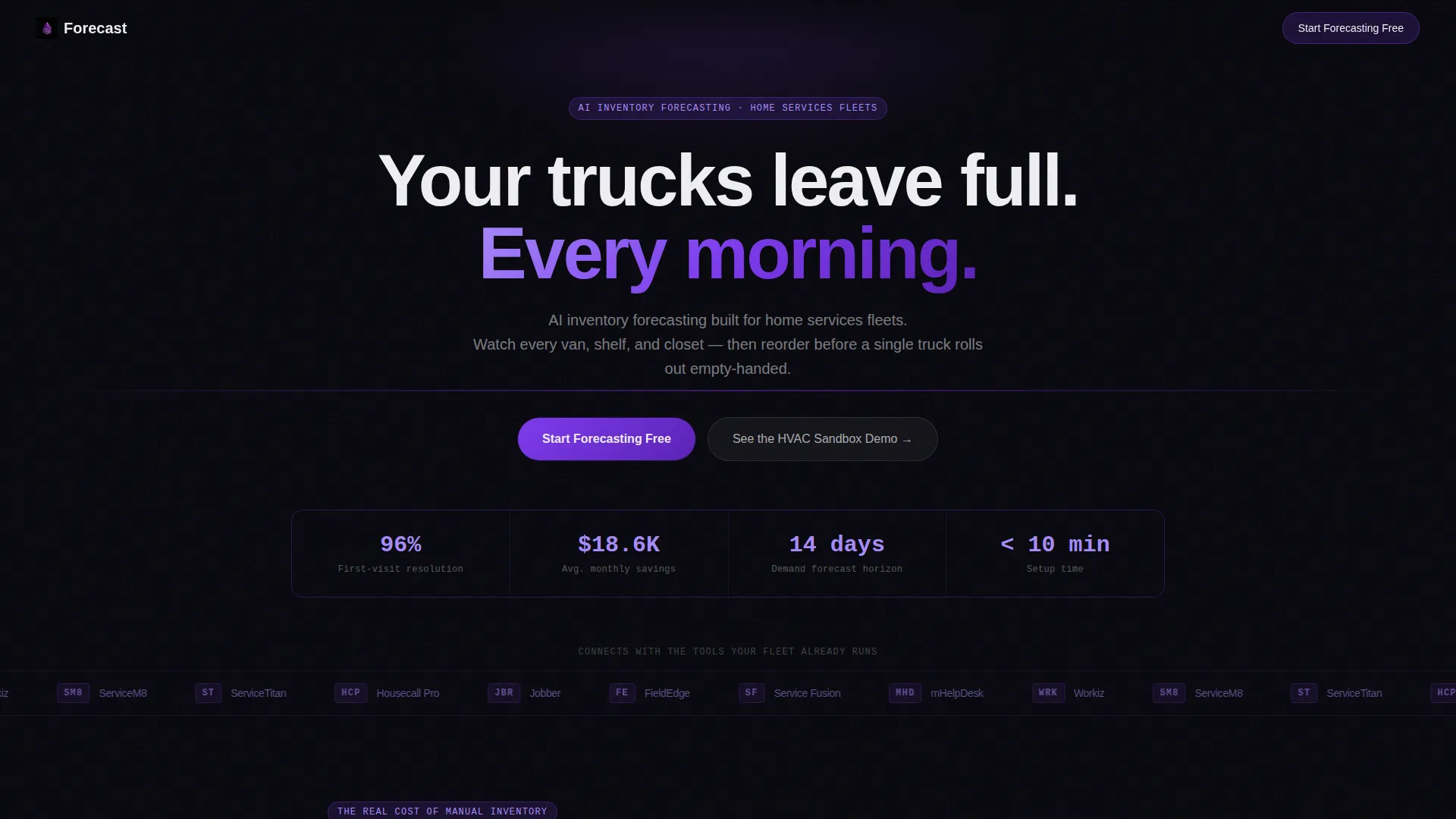
Animated Logo Bar Header
A horizontal scrolling bar displays recognizable home services platform logos in monochrome violet against a void-black background. The motion runs on a smooth, perpetual loop. It catches peripheral attention and establishes credibility before any feature copy is read.
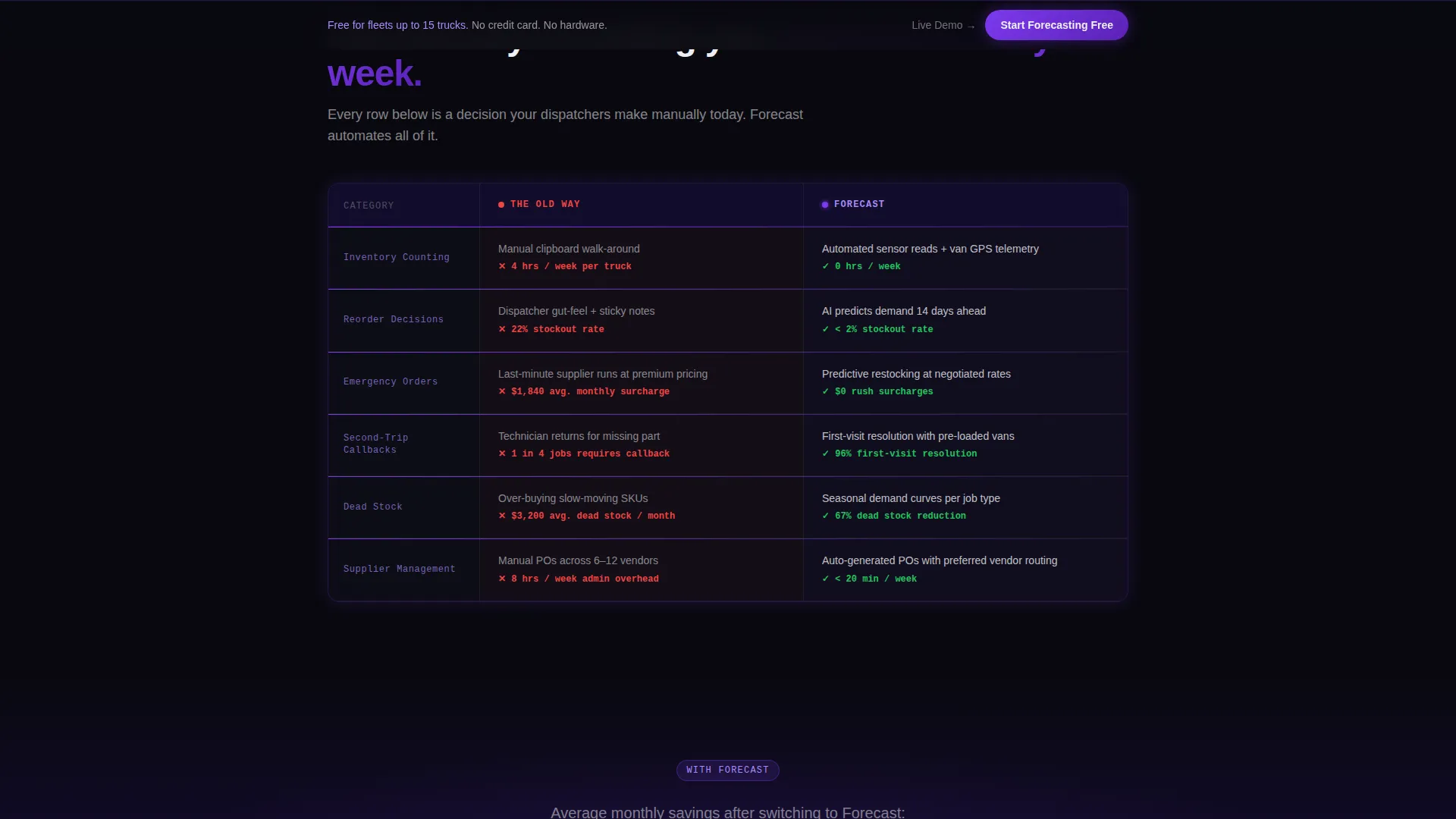
Old Way versus. Forecast Comparison Table
The core section of the page presents a side-by-side table contrasting manual inventory methods with the Forecast platform. Each row animates in with a violet line drawing across, turning red metrics green. This visual sequence makes the platform's value immediately clear without requiring technical explanation.
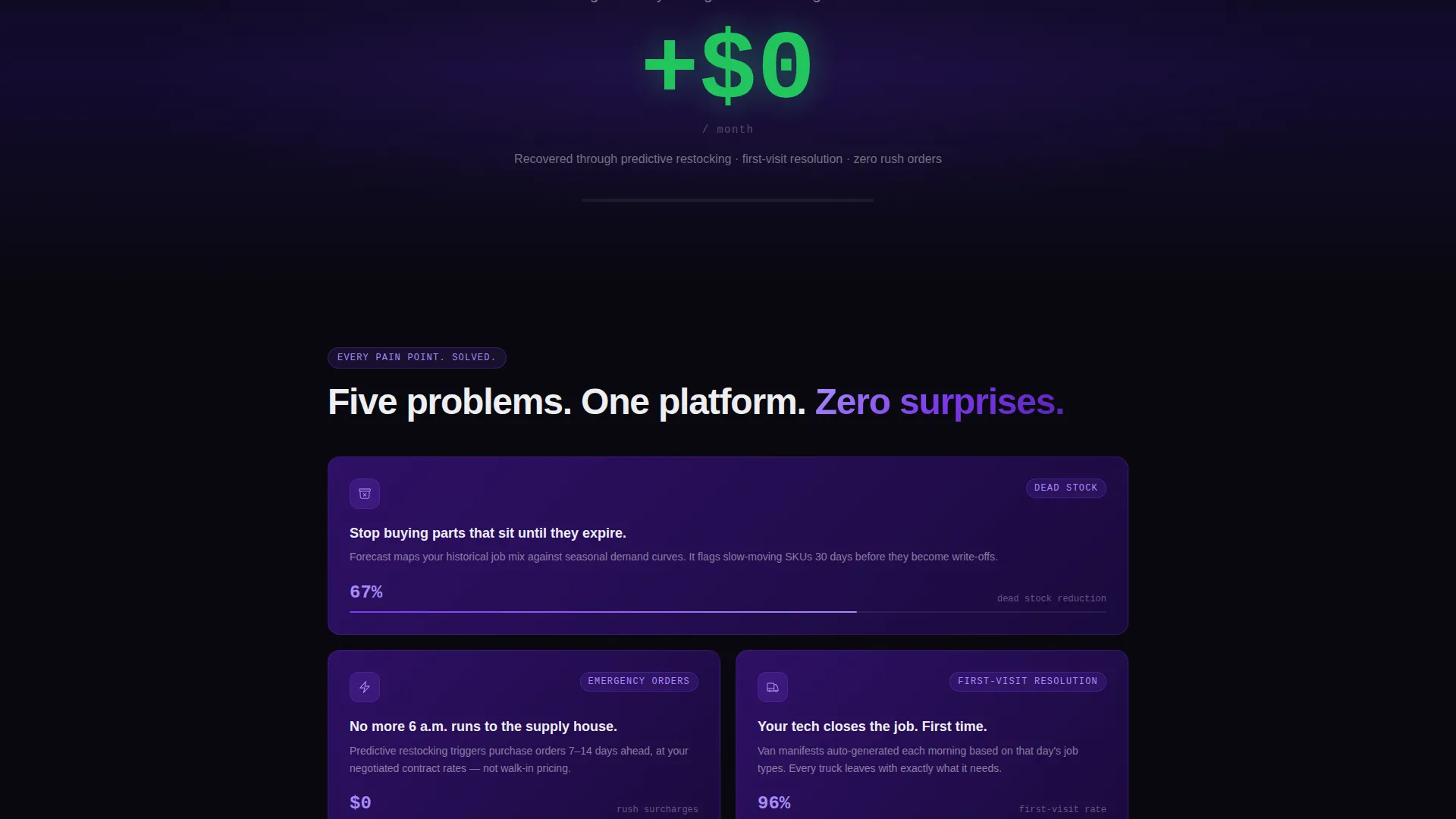
Animated Cost Counter
A single large counter shows estimated dollars lost per month to stockouts. It ticks upward as the visitor arrives, then reverses to show savings once they scroll past. This one element creates urgency and frames the free trial as an obvious financial decision.
Pinned Free-Trial Signup Form
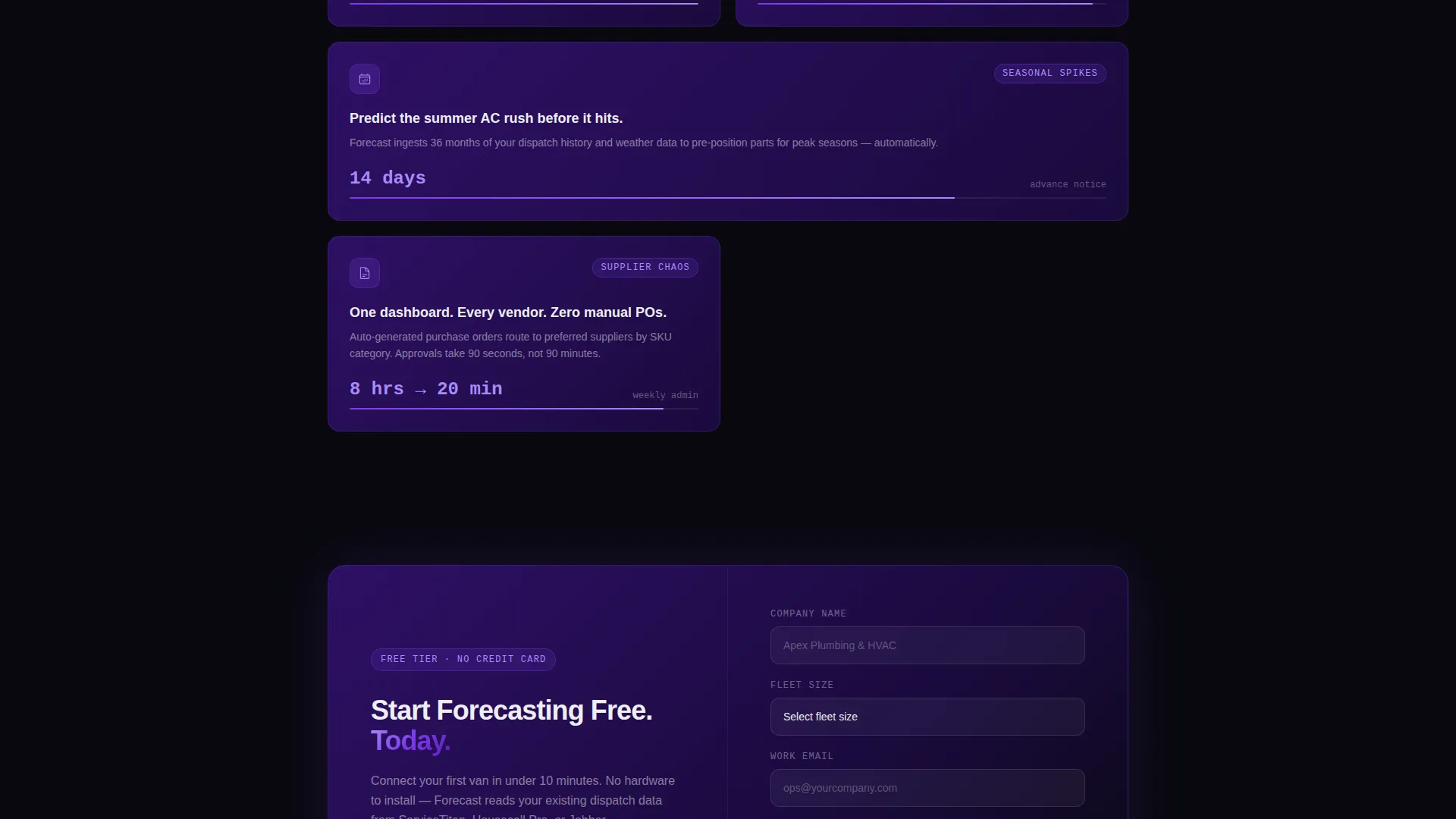
After the comparison table clears the viewport, a three-field signup form pins to the bottom of the screen. It asks for company name, fleet size (via a dropdown with ranges of ten to fifty, fifty to one hundred, and one hundred or more trucks), and a work email. The minimal field count removes friction from the conversion path.
Pain-Specific Resolution Sections
Dedicated sections below the comparison table each resolve one specific operational pain: dead stock, supplier chaos, and seasonal demand spikes. Each section uses motion graphics designed to compress complex data into a five-second visual story, keeping scroll momentum high.
Secondary Sandbox Demo Path
Below the primary signup form, a secondary call to action reads "See It With Your Data" and links to a live sandbox demo preloaded with sample HVAC inventory. This gives hesitant visitors a low-commitment way to experience the product before signing up.
Page sections overview
| Section | Purpose |
|---|---|
| Logo Bar Header | Establish credibility via scrolling partner logos |
| Comparison Table | Show old-way pain versus Forecast solution |
| Animated Cost Counter | Make the financial cost of inaction visible |
| Free-Trial Signup Form | Capture company name, fleet size, and work email |
| Dead Stock Section | Resolve the overstocking and waste pain point |
| Supplier Chaos Section | Address unpredictable reorder and rush-order costs |
| Seasonal Spikes Section | Show how the platform handles demand fluctuations |
| Secondary Demo call to action | Offer a sandbox demo for undecided visitors |
Design & branding system
The Void and Violet color system is built around four deliberate values. Absolute void black (#09090F) dominates all backgrounds. Electric violet (#7C3AED) activates calls to action, progress bars, and data highlights. Deep nebula purple (#2E1065) anchors card surfaces and section dividers. Cool interface white (#EEEEF2) keeps all body and heading typography razor-legible against dark surfaces.
- The Dynamic Motion theme applies smooth perpetual animation to the logo bar and line-draw effects to the comparison table rows
- Violet is used sparingly and purposefully, so every violet element commands attention without competing with others
- The overall palette evokes precision and data intelligence, which reinforces the platform's positioning as a thinking system rather than a simple tool
Mobile & speed optimization
The template is structured with a mobile-first layout approach in mind. The pinned signup form and comparison table are designed to remain usable and legible on smaller screens.
- The comparison table collapses cleanly for narrow viewports without losing the row-by-row animation logic
- The three-field form keeps tap targets and input fields accessible at standard mobile sizes
- The perpetual-motion logo bar uses CSS-based scrolling to minimize render overhead on lower-powered devices
How this template helps you convert
The page is engineered around a single conversion goal: getting an operations manager to start a free trial or enter the sandbox demo. Every section earns the next scroll.
- The logo bar opens with social proof before a single feature claim is made, lowering skepticism immediately
- The comparison table and cost counter expose the financial cost of the status quo, making the free tier feel like found money rather than a commitment
- The pinned form and secondary demo path offer two friction-matched conversion routes, capturing both ready buyers and cautious evaluators in one page
Other information about this template
This template is part of the Forecast product family, designed specifically for the home services AI inventory forecasting niche. It pairs naturally with field service management workflows and platforms commonly used in this space.
- The template style is Comparison Table, one of the highest-trust formats for B2B (business-to-business) software landing pages because it removes ambiguity from the buying decision
- The Freemium/Trial landing page direction is intentional: the page earns the click by showing cost before asking for commitment
- The creative direction follows a Problem→Solution Arc, a proven scroll structure for converting operations professionals who are skeptical of new technology
- This template is compatible with the broader Dynamic Motion theme family and can be adapted for adjacent niches such as field inventory management or route optimization platforms
Theme
Dynamic Motion
Creative direction
Problem→Solution Arc
Color system
Void & Violet
Style
Comparison Table
Direction
Freemium/Trial
Page Sections
Perpetual-motion Logo Bar
Animated Comparison Table
Live Dollar-loss Counter
Pinned Three-field Signup Form
Pain-specific Motion Sections
Sandbox Demo Secondary Path
Related questions
Who is this template designed for?
Can I update the comparison table rows for my own platform?
Does the animated cost counter come built into the template?
How many fields does the free-trial signup form include?
What is the secondary conversion option on this page?



