Library & Research Center Booking Website Template
Forge is a single-column landing page template built for community makerspace and innovation lab spaces. It guides visitors through a scroll-driven Timeline Progression, from first spark to finished project, while a Persona Selector hero warms each visit with a personal welcome. The primary goal is booking free tours and capturing waitlist sign-ups through a sticky call-to-action bar.
by Rocket studio
Quick summary
Forge is a warm, editorial landing page template for makers, builders, and community workshop spaces. Its Timeline Progression scroll takes visitors on a journey from blank workbench to finished object. A Persona Selector hero, scroll-linked amber thread, and sticky tour-booking bar work together to make every visitor feel recognized and ready to act.
Who this template is for
This template is built for anyone running or launching a shared community makerspace, innovation lab, or creative workshop space. It speaks directly to the people who fill those rooms and the teams who run them.
- Makerspace operators who want to convert curious visitors into booked tour guests
- Hobbyists, students, founders, and craftspeople looking for a welcoming space to build and learn
- Educators and program managers who need to showcase classes, equipment access, and membership options clearly
What problem this template solves
Most makerspace pages feel like equipment catalogs. They list tools, post hours, and leave visitors unsure whether the space is meant for them. Forge solves that by balancing the technical draw of fabrication equipment with the emotional pull of community and belonging.
- Visitors often can't picture themselves in the space, so they leave without taking action
- Generic layouts bury the call to action and fail to guide the eye toward booking or sign-up
- The page doesn't communicate who the space is for, making it harder to convert across different member types
What you get with this template
Forge delivers a complete single-column landing page flow with high interactivity and a strong editorial design. Every section is purposeful, and every component earns its place.
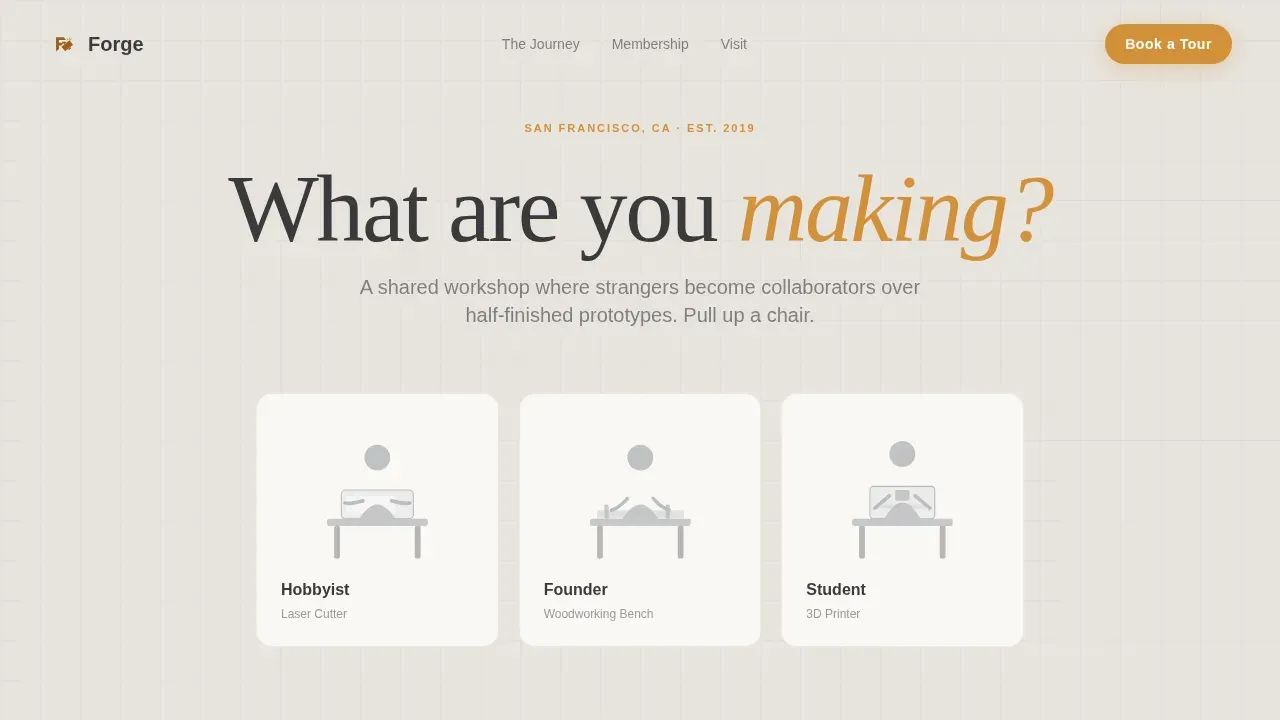
- A Persona Selector hero with three illustrated silhouettes, scene recoloring on click, and a personalized one-sentence promise per visitor type
- A four-part Timeline Progression scroll with journal-entry dated sections, a scroll-linked amber left-margin thread, and badge-reveal animations
- A sticky bottom call-to-action bar with a "Book a Free Tour" form, pre-filled persona field, and preferred tour day selector, plus a secondary "See Membership Plans" path with a soft waitlist form
Feature list
This template includes the following built-in features, all grounded in the source brief.
Persona Selector Hero
Three illustrated silhouettes stand at a laser cutter, a woodworking bench, and a 3D printer. Clicking Hobbyist, Founder, or Student gently recolors the scene and swaps a short, direct promise beneath. The selection pre-fills the tour form and shapes the emotional tone of the scroll without gating any content.
Scroll-Linked Timeline Progression
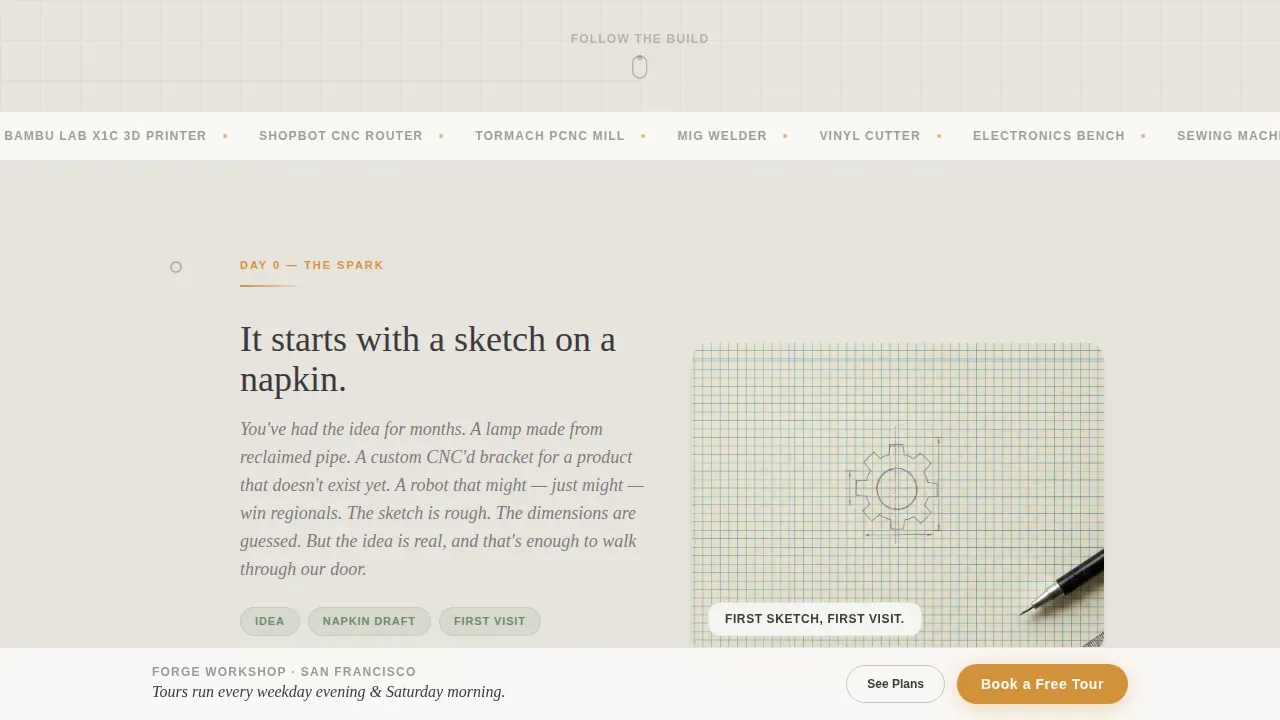
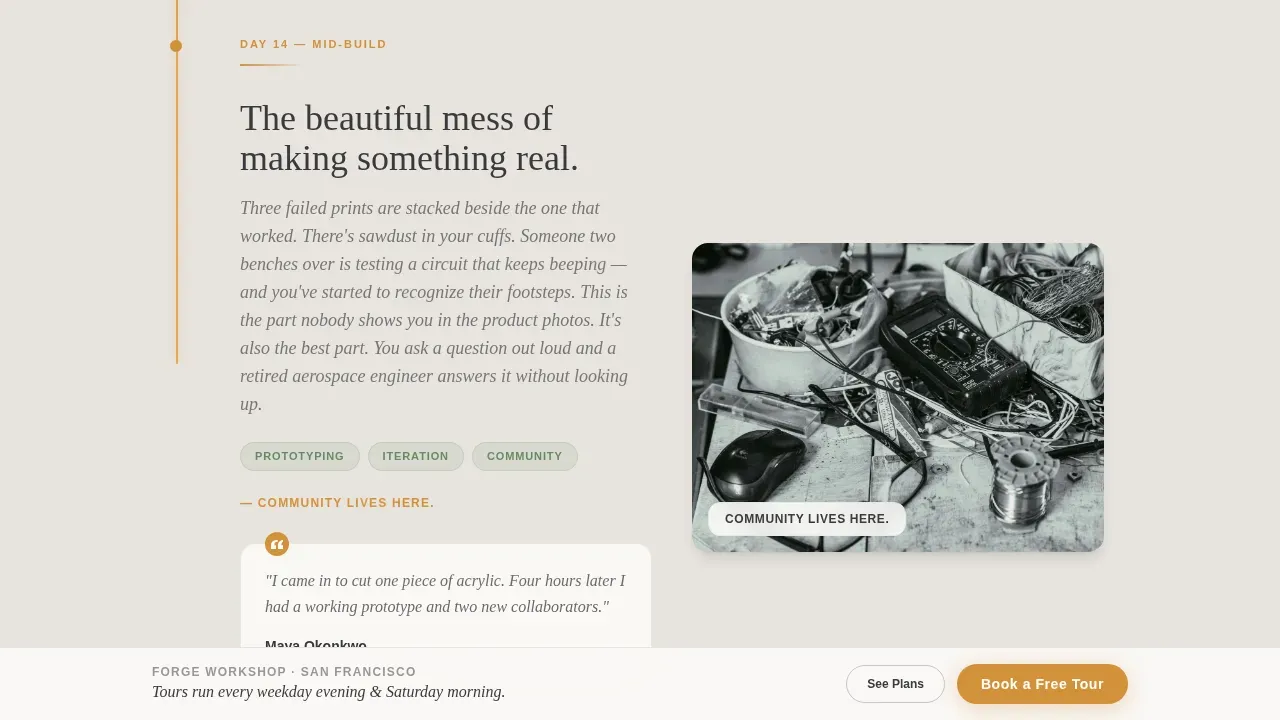
The page moves through four dated journal-entry sections: The Spark, First Day In, Mid-Build, and The Finished Piece. An amber accent line along the left margin grows longer with every scroll, creating a visible thread from raw idea to finished object. This pacing feels unhurried and honest, like a real build log.
Sticky Tour-Booking Bar
After the visitor scrolls past the hero, a sticky bottom bar appears with a compact "Book a Free Tour" form. It asks for a first name, persona type (pre-filled from the selector), and preferred tour slot. The bar stays out of the header so the opening section stays visually clean.
Tool Certification Badge Reveal
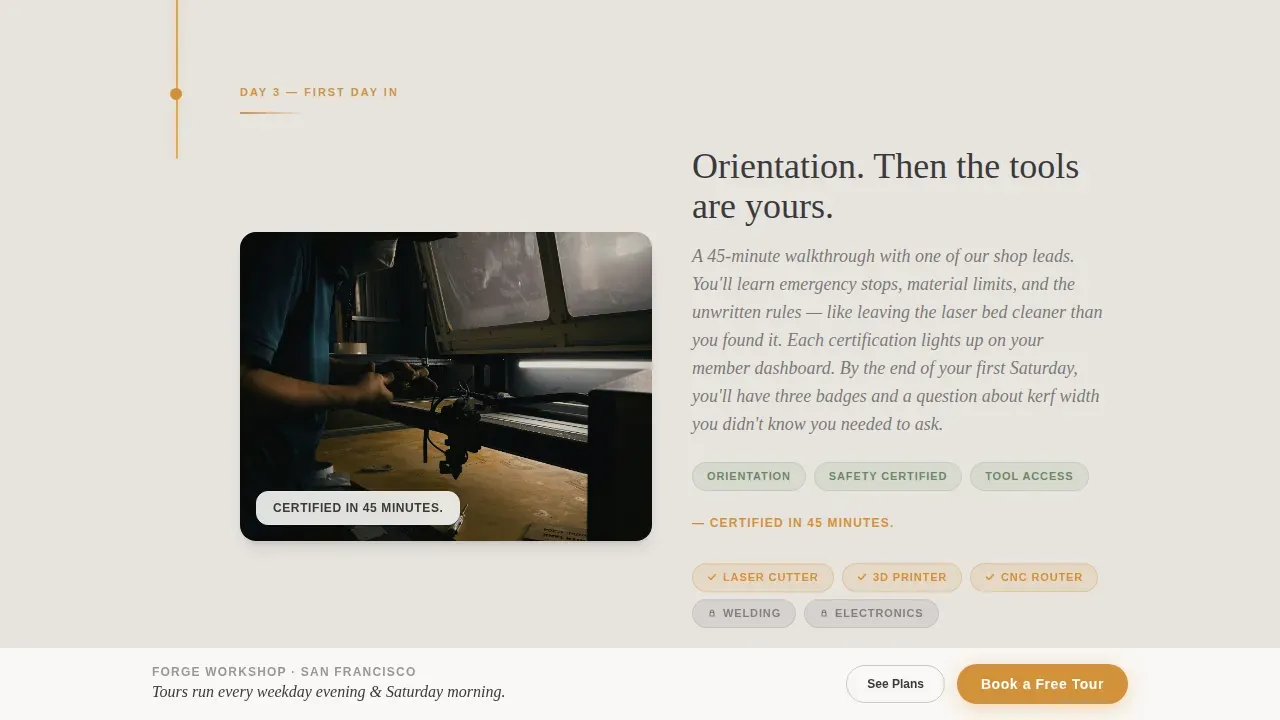
The "First Day In" timeline section shows tool certifications lighting up as scroll-triggered badges. This communicates the structured onboarding process and reassures beginners that learning how to operate equipment is built into the experience.
Membership Comparison and Waitlist Form
A comparison table lower on the page outlines membership plans clearly. A soft secondary form captures email address and project interest in a single open-text field, giving visitors who are not ready to book a tour a low-friction second path.
Community Stat Badges and Testimonials
Social proof blocks display community stat badges and member testimonials with real project outcomes. These are positioned near decision points to build trust before the visitor reaches the primary call to action.
Page sections overview
| Section | Purpose |
|---|---|
| Persona Selector Hero | Sets tone, identifies visitor type, pre-fills form |
| The Spark | Opens timeline, empty workbench and sketch |
| First Day In | Orientation walkthrough, badge reveal for tools |
| Mid-Build Chaos | Honest build log, failed prints, clamps, shavings |
| Finished Piece | Completed project under good light, out in the world |
| Membership Plans | Comparison table, flexible tier options |
| Waitlist Form | Secondary lead capture, email and project interest |
| Linear Footer | Single-row footer with contact and navigation links |
Design & branding system
Forge uses a Community Hearth visual identity built on the Soft Mist color system. The palette feels like morning light through a workshop window, soft enough to linger in and warm enough to feel intentional.
- Colors: warm fog gray (#E8E4DF) for the primary background, workshop white (#FAF8F5) for card surfaces, charcoal graphite (#3A3A3C) for body text, deep amber (#D4913B) on buttons and hover states, and muted sage (#9CAF96) on tags and secondary badges
- Typography: DM Sans handles headings and interface elements for clarity; Fraunces, an editorial serif, is used for journal-entry sections to give the timeline a handmade, personal quality
- Animation: scroll-linked amber thread growth, persona scene recoloring, badge reveals on scroll, and a sticky bar that appears after the hero is passed
Mobile & speed optimization
The template is built desktop-first with full mobile responsiveness, ensuring the layout reads clearly on any screen size. Many visitors will arrive from social media on a smartphone, so every section is designed to remain scannable on smaller viewports.
- The sticky call-to-action bar collapses cleanly on mobile without obscuring key content
- Server Components handle static sections for efficient rendering; Client Components power the persona selector, scroll thread, and sticky bar interactivity
- The single-column flow keeps the layout naturally linear and easy to navigate on touch screens
How this template helps you convert
Forge is structured to earn the click before it asks for it. By the time a visitor reaches the booking form, they have already watched a project come to life and imagined their own.
- The Persona Selector makes each visitor feel recognized immediately, increasing the chance they stay and scroll through the full timeline
- The scroll-linked amber thread and journal-entry sections build emotional investment section by section, so the "Book a Free Tour" form feels like a natural next step rather than an interruption
- Social proof badges and member testimonials appear near the membership comparison table, providing reassurance precisely when the visitor is closest to making a decision
Other information about this template
This template draws on real makerspace design principles and reflects how successful spaces communicate their value to a broad audience. The following context may be useful when customizing it for your own space.
- Phoenix Forge is a community makerspace open to the public and to college students, offering a variety of classes on a rotating schedule that teach basic concepts and applied practice on a wide variety of equipment and tools
- DIYcave, located in Bend, Oregon, is a community makerspace made up of artists, makers, entrepreneurs, educators, and craft enthusiasts; it offers hands-on classes, workshops, tool certifications, and private lessons so members learn to operate equipment safely
- Past Lives is a 26,000 square foot makerspace providing members with 24/7 secure access to studios; members can create classes, share their craft, and earn income while the space hosts art galleries and various events open to ages 10 and up
- Registration for classes at some library-based makerspaces, such as those at Menomonee Falls Library, opens at specific times, is limited by seat count, and may carry a suggested donation to cover the cost of materials
- Common makerspace equipment includes woodworking tools, metalworking tools, laser cutters, 3D printers, sewing machines, and fabrication equipment for welding, blacksmithing, steel bending, screen printing, leather working, and jewelry making
- The forge community hearth makerspace landing page template is the correct full name for this template when referencing it in documentation, platform listings, or post-purchase materials
- Local artists, craftspeople, and educators are natural community members who can both benefit from and contribute to the programs a space built on this template promotes
- A hands-on learning and hands-on experience approach is central to the makerspace model; classes, workshops, and open studio hours all support that approach
- The template can support a library of resources, a calendar of upcoming events, and a variety of class formats as the space grows and expands its programming year over year
Theme
Community Hearth
Creative direction
Timeline Progression
Color system
Soft Mist
Direction
Lead Generation
Page Sections
Persona Selector Hero with Scene Recoloring
Scroll-linked Amber Timeline Thread
Sticky Tour-booking Bar
Tool Certification Badge Reveals
Membership Comparison Table and Waitlist Form
Community Stat Badges and Member Testimonials
Related questions
What types of makers is this template designed for?
Can I customize the persona types and timeline sections?
How does the tour booking form work?
Does the template include a membership comparison section?
Is this template suitable for a beginner building their first makerspace page?



