Jewelry School Landing Page Template | Electric Indigo
Forge is a sidebar companion landing page template built for jewelry design schools. It pairs a persistent multi-step registration sidebar with a Problem-to-Solution main column, guiding visitors from workshop curiosity to bench reservation. The Electric Indigo color system and community-hearth atmosphere make every scroll feel like stepping into a live studio.
by Rocket studio
Quick summary
Forge is a single-page sidebar companion template for jewelry design schools running workshop-based classes. It combines a multi-step event registration sidebar with a scrolling Problem-to-Solution narrative, a video header, student testimonials, and a secondary email-capture path. The design feels like a working studio: electric, warm, and ready to teach.
Who this template is for
This template is built for independent jewelry schools and studio instructors who run small-cohort, hands-on workshops. It works best when you need to fill seats for recurring class dates and want your landing page to do the selling for you.
- Studio owners running courses in metalsmithing, stone setting, or lost-wax casting
- Independent instructors who teach cohorts of eight or fewer students per session
- Art and design school programs that want an event-registration page with real atmosphere
What problem this template solves
Most jewelry school pages look like flat course catalogs. They list dates and prices, but they do nothing to close the gap between "I watched tutorials" and "I need a real teacher." Visitors leave without registering because the page never made the classroom feel real.
- Visitors who self-teach hit a ceiling and need to feel why in-person instruction is different
- Generic registration forms ask for too much too soon, creating friction before trust is built
- No clear urgency path means available seats go unfilled even when demand exists
What you get with this template
You get a complete, ready-to-customize landing page that handles both discovery and conversion in one scroll. The layout separates narrative from action: the main column tells the story, the sidebar collects the registration.
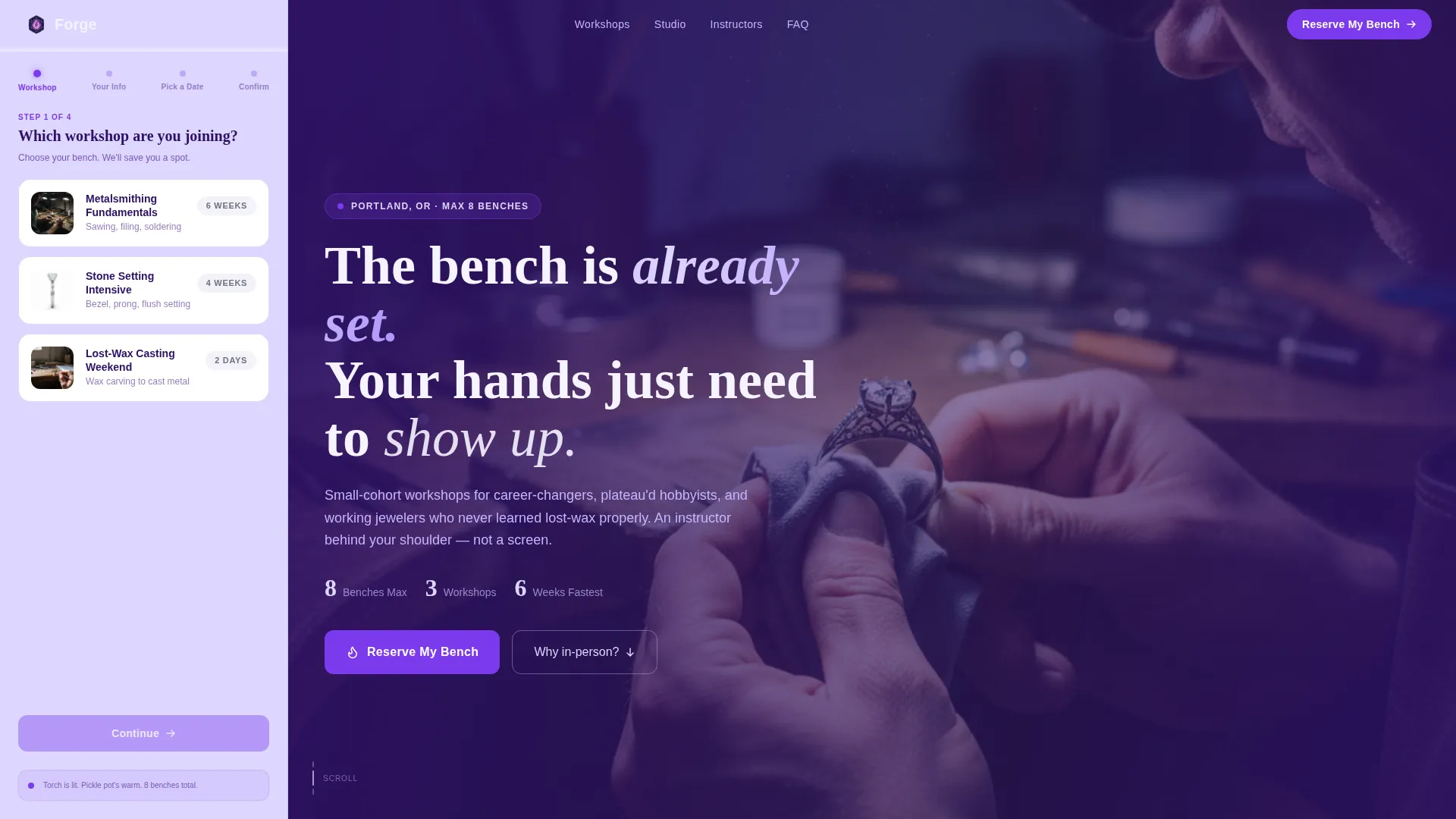
- A persistent sidebar with a four-step registration form that advances as the visitor scrolls
- A full main-column layout including a video header, problem-arc sections, testimonials, and a secondary lead-capture block
- An Electric Indigo visual system with pre-set colors, card surfaces, and button states ready to apply
Feature list
Persistent Four-Step Registration Sidebar
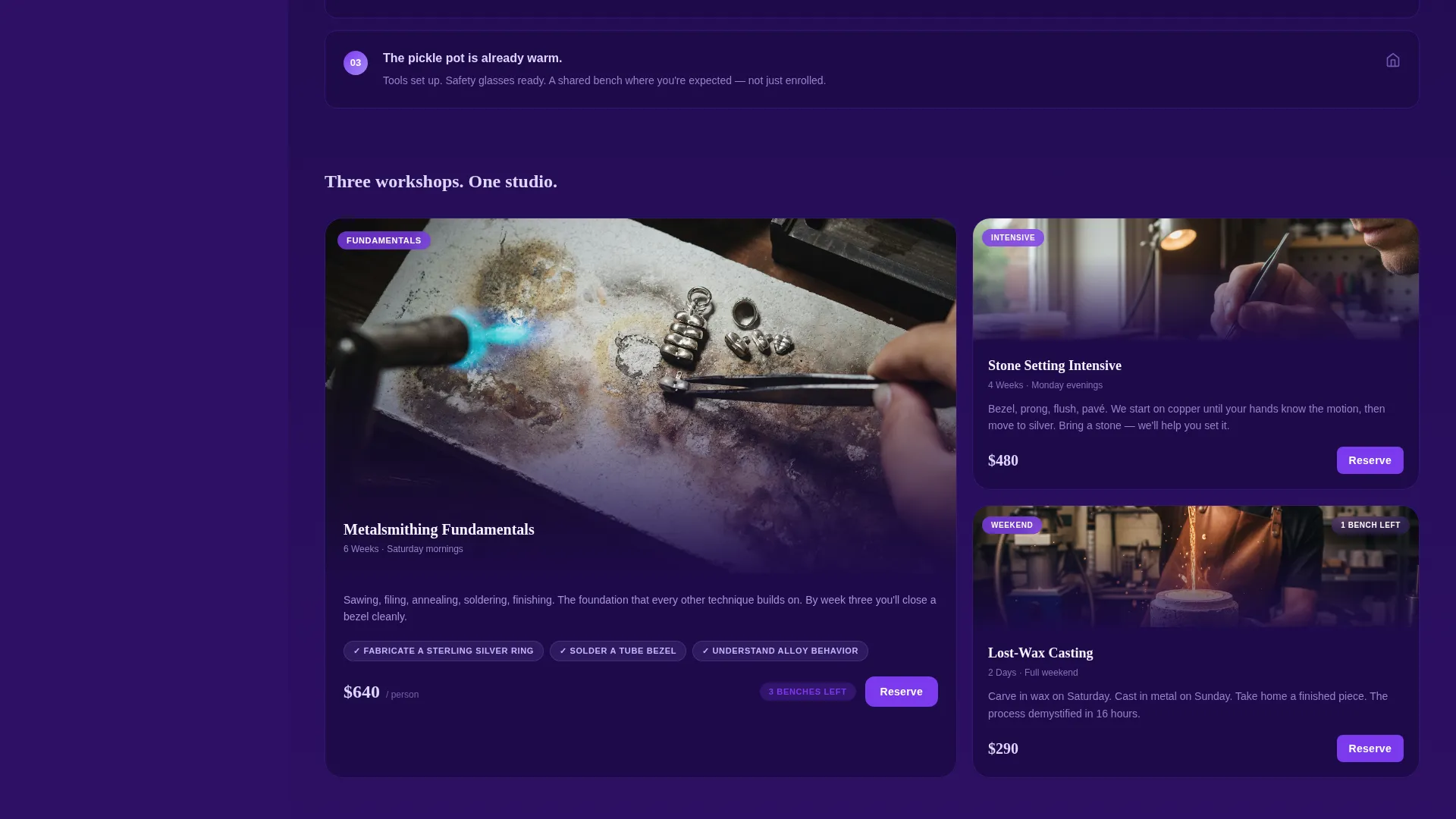
The sidebar stays visible as visitors scroll the main column. Step one presents three illustrated workshop cards. Steps two through four collect name, email, and a preferred date with live seat counts. The final step shows a "Reserve My Bench" commit button in torch-flame violet.
Problem-to-Solution Narrative Arc
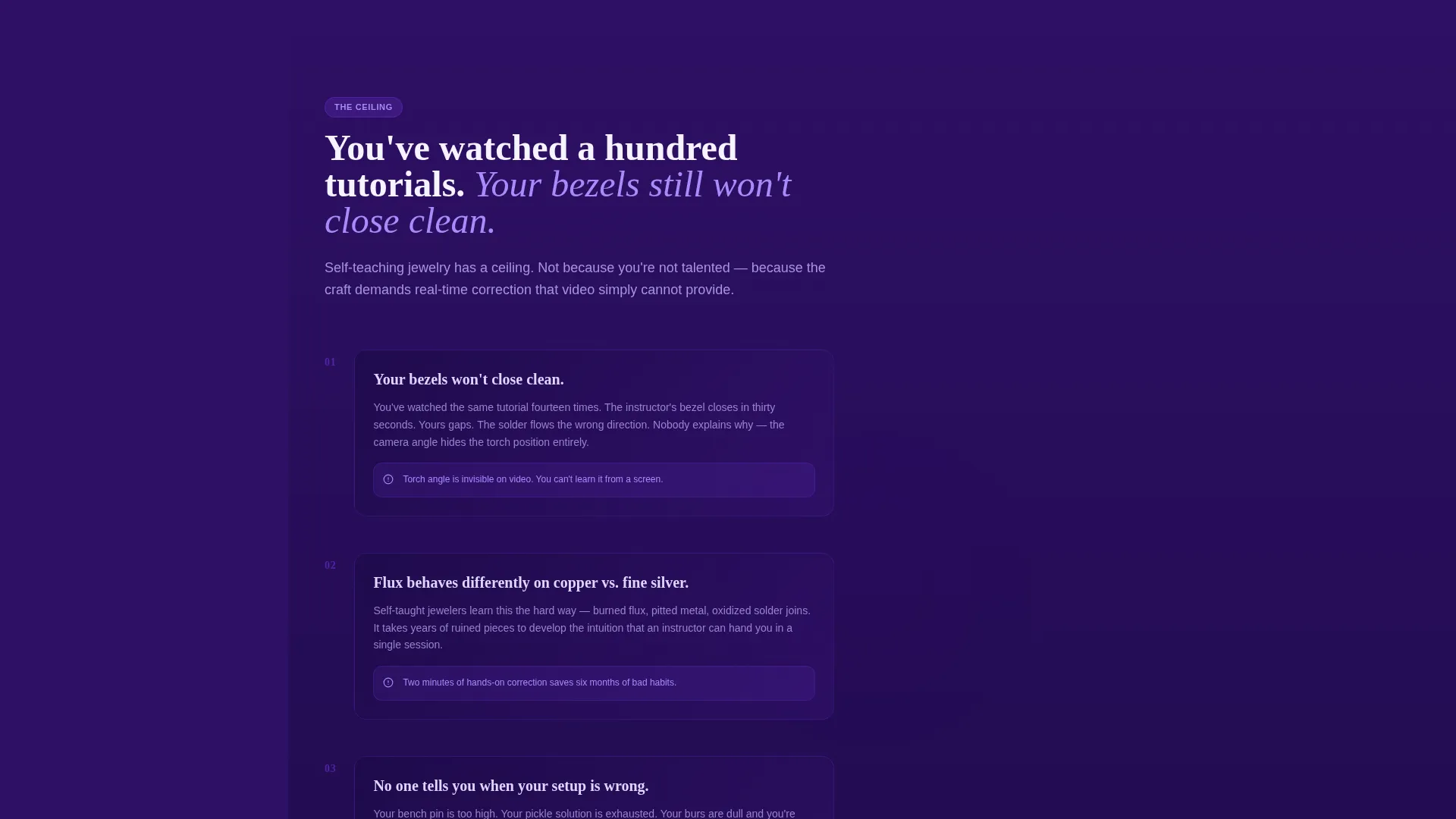
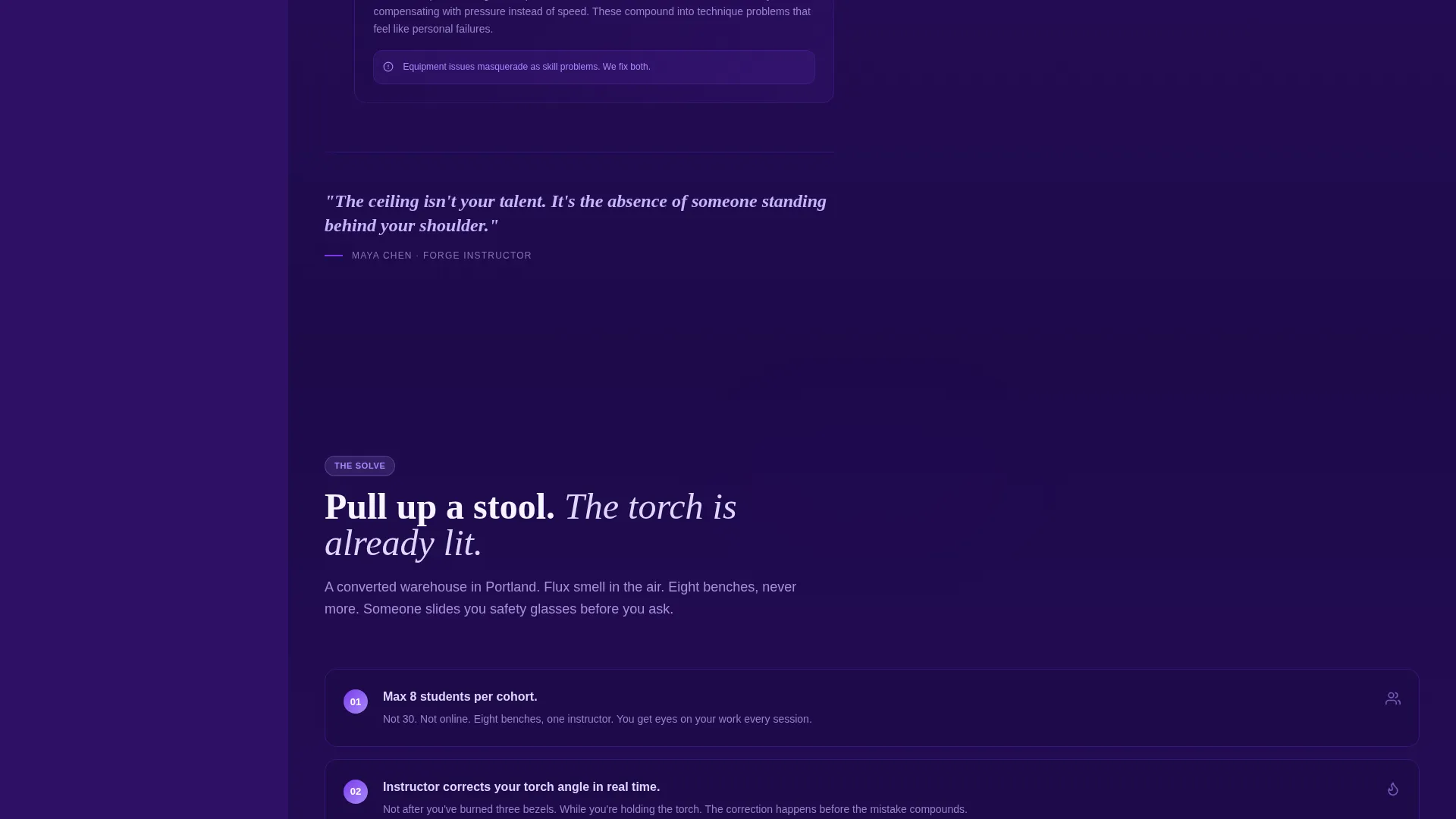
The main content column opens with a specific frustration familiar to self-taught makers: bezels that will not close clean, torch angles no one corrects. Each section deepens the problem before revealing the solution: small cohorts, eight benches maximum, an instructor behind your shoulder.
Video Loop Header
The header pairs the sidebar form with a silent close-up video loop of hands filing a silver ring on a bench pin. Metal dust catches the light. No audio is needed. The visual sets the studio mood before a single word is read.
Mid-Scroll Testimonial Block
Student before-and-after work photos appear mid-scroll as the emotional turning point. Week-one work sits beside week-six work. The improvement is visible without a single superlative claim, making social proof feel honest rather than promotional.
Secondary Lead-Capture Path
Below the fold, a free downloadable tool guide called "Get the Bench Setup Checklist" offers a lower-commitment entry point. Visitors not ready to register can still leave their email, keeping them inside the school's reach.
Contextual Urgency Display
Available dates show real seat counts inside step three of the sidebar form. A label like "3 benches left" makes scarcity feel social and factual rather than manufactured. Urgency is tied to class size, not a countdown timer.
Page sections overview
| Section | Purpose |
|---|---|
| Sidebar Registration Form | Collects workshop choice, contact details, and date preference across four steps |
| Video Loop Header | Sets studio atmosphere with a silent hands-at-bench clip |
| Problem Opening Block | States the self-teaching frustration to create immediate recognition |
| Why Self-Teaching Fails | Explains the ceiling: no torch-angle correction, no flux feedback |
| Solution Reveal | Introduces small-cohort classes as the direct answer |
| Student Testimonials | Before-and-after work photos mark the emotional turning point |
| Bench Setup Checklist | Secondary email-capture for visitors not ready to register |
| Reserve My Bench call to action | Final commit button and seat-count display inside the sidebar |
Design & branding system
The Electric Indigo color system draws its mood from the blue-violet cone of a jeweler's torch in a dim studio. Deep indigo anchors the background, bright violet activates buttons, and warm lavender wraps the sidebar in calm contrast.
- Deep workshop indigo (#2E1065) as the primary background for main content sections
- Torch-flame violet (#7C3AED) for buttons, active states, and card hover glows
- Warm bench-light lavender (#DDD6FE) for card surfaces and the persistent sidebar panel
- Molten accent white (#F5F3FF) for body text set against dark background sections
Mobile & speed optimization
The sidebar companion layout is designed to reflow cleanly on smaller screens. The persistent sidebar converts to a fixed bottom-sheet or stacked position so the registration form stays accessible without blocking main content.
- The multi-step form reduces input friction by showing only one step at a time on any screen size
- The silent video loop in the header removes audio-permission barriers on mobile devices
- Card-based workshop selection in step one is touch-friendly with large tap targets
How this template helps you convert
The layout is structured so every scroll removes a reason not to register. The form never asks for too much at once, and the narrative earns each commitment before the next step appears.
- The sidebar form starts with a low-friction choice (which workshop) before asking for personal details, reducing early drop-off
- The Problem-to-Solution arc builds enough recognition and trust that the "Reserve My Bench" button feels like a natural next step, not a cold ask
- The secondary checklist download captures undecided visitors so no visit goes completely unconverted
Other information about this template
Forge is categorized under Education and Training, specifically within the Art and Design School and Jewelry Design School niche. The Community Hearth theme shapes everything from layout warmth to copy tone. It is a single landing page, not a multi-page site.
- Template style: Sidebar Companion, with a fixed-position left or right panel that scrolls alongside the main column
- Creative direction: Problem-to-Solution Arc, following a tension-then-resolve narrative structure throughout the main column
- Header concept: Multi-Step Form embedded in the sidebar on first load, advancing contextually through four steps
- Landing page direction: Event Registration, optimized for filling workshop seats on specific dates
Theme
Community Hearth
Creative direction
Problem→Solution Arc
Color system
Electric Indigo
Style
Sidebar Companion
Direction
Event Registration
Page Sections
Persistent Four-step Registration Sidebar
Problem-to-solution Narrative Arc
Silent Video Loop Header
Before-and-after Testimonial Block
Secondary Lead-capture Section
Contextual Seat-count Urgency
Related questions
Can I change the workshop names and dates in the sidebar form?
What does the four-step sidebar form collect from visitors?
Is the Bench Setup Checklist file included with the template?
Can I use this template if I only offer one type of workshop?
Does the sidebar stay visible while a visitor scrolls on desktop?



