Coding Bootcamp & Tech School Reviews Website Template
Forge is a Web3 bootcamp landing page template built for cohort-based learning programs. It pairs a scroll-linked 12-week timeline with a side-by-side comparison table, a warm botanical color system, and a freemium conversion flow. Visitors move from curious to committed through structured social proof, alumni testimonials, and a two-field "Start Week One Free" call to action.
by Rocket studio
Quick summary
Forge is a single-page landing page template designed for blockchain and Web3 bootcamp programs. It guides visitors through a scroll-driven 12-week timeline, builds trust with a comparison table and alumni testimonials, and converts with a low-friction freemium sign-up form. The design feels like a warm, well-used greenhouse workbench: earthy, alive, and purposeful.
Who this template is for
This template suits any operator running a structured, cohort-based Web3 or blockchain learning program. It works especially well for programs that compete against self-paced video courses and university certificates and need to show why live, community-driven learning wins.
- Bootcamp founders and EdTech operators launching a Web3 or Solidity cohort
- Career-transition programs targeting developers moving from Web2 into blockchain roles
- Design engineers and founder-focused programs that want to demonstrate full-stack Web3 ownership
What problem this template solves
Most blockchain bootcamp pages feel like brochures. They list weeks and modules without making the visitor feel the cohort energy. Forge fixes that by letting the page itself do the convincing before the call to action ever appears.
- Visitors arrive skeptical about whether a bootcamp beats free video content; the comparison table answers that directly
- Programs struggle to communicate live, community-driven learning through static copy; the scroll timeline and candid cohort photography do the work instead
- Low-commitment entry points are hard to design cleanly; the two-field freemium form removes friction without hiding the value
What you get with this template
Forge delivers a fully designed, single-page landing page with five clearly defined sections and a linear single-row footer. Every section is purposeful and ordered to build belief before asking for commitment.
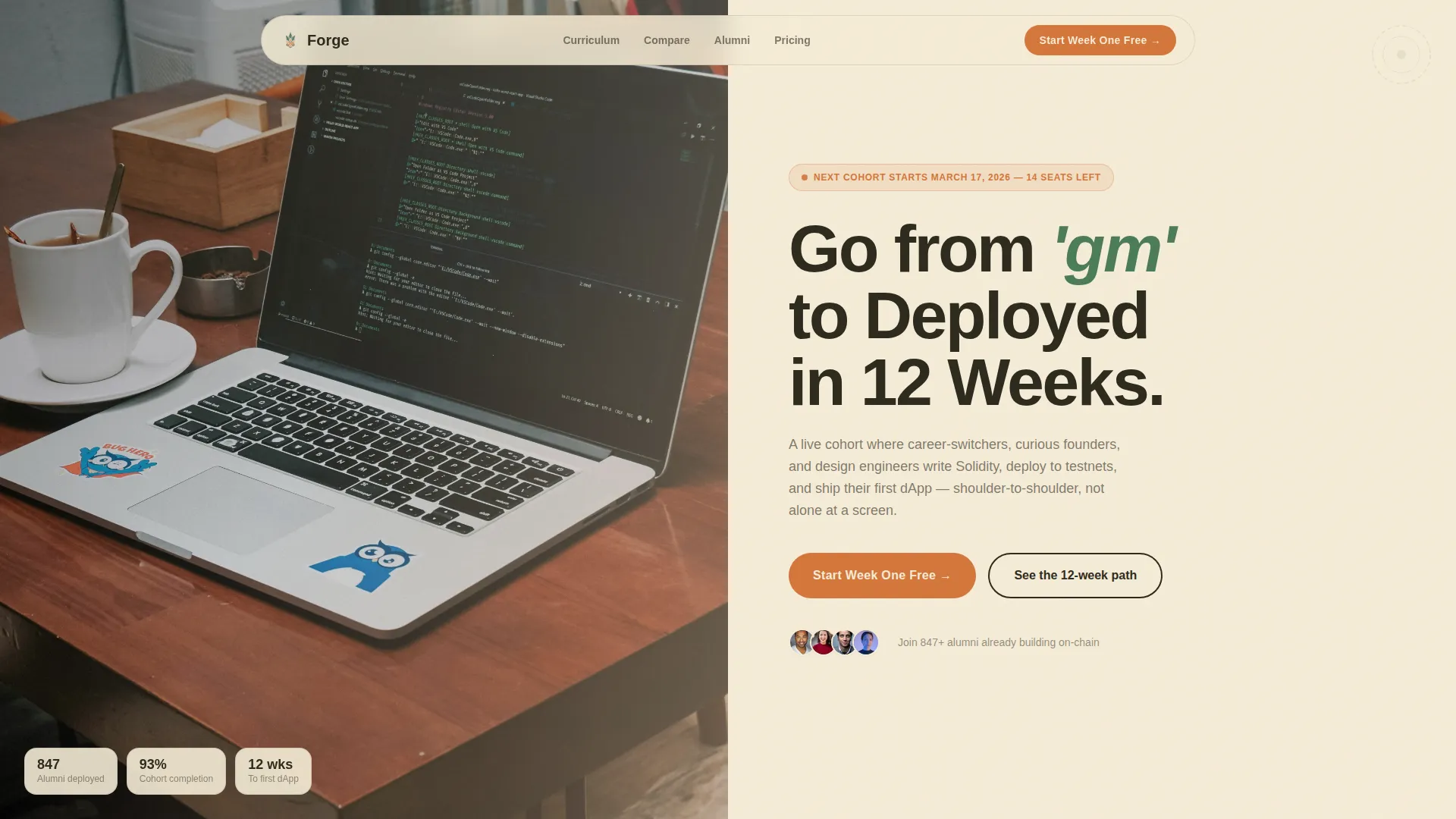
- A cinematic split hero with a cohort photo on the left and a headline, cohort date, and root-orange call to action on the right
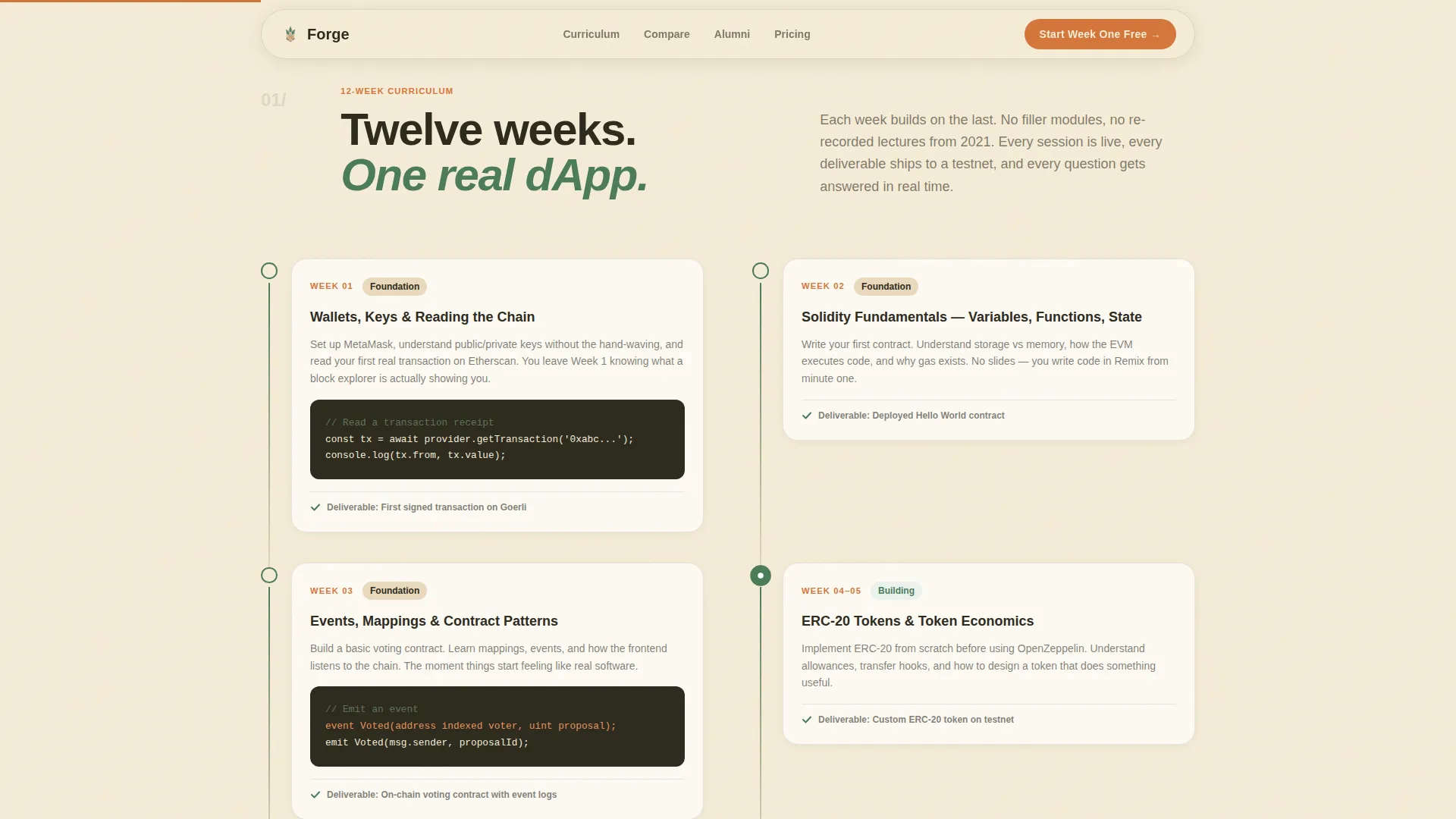
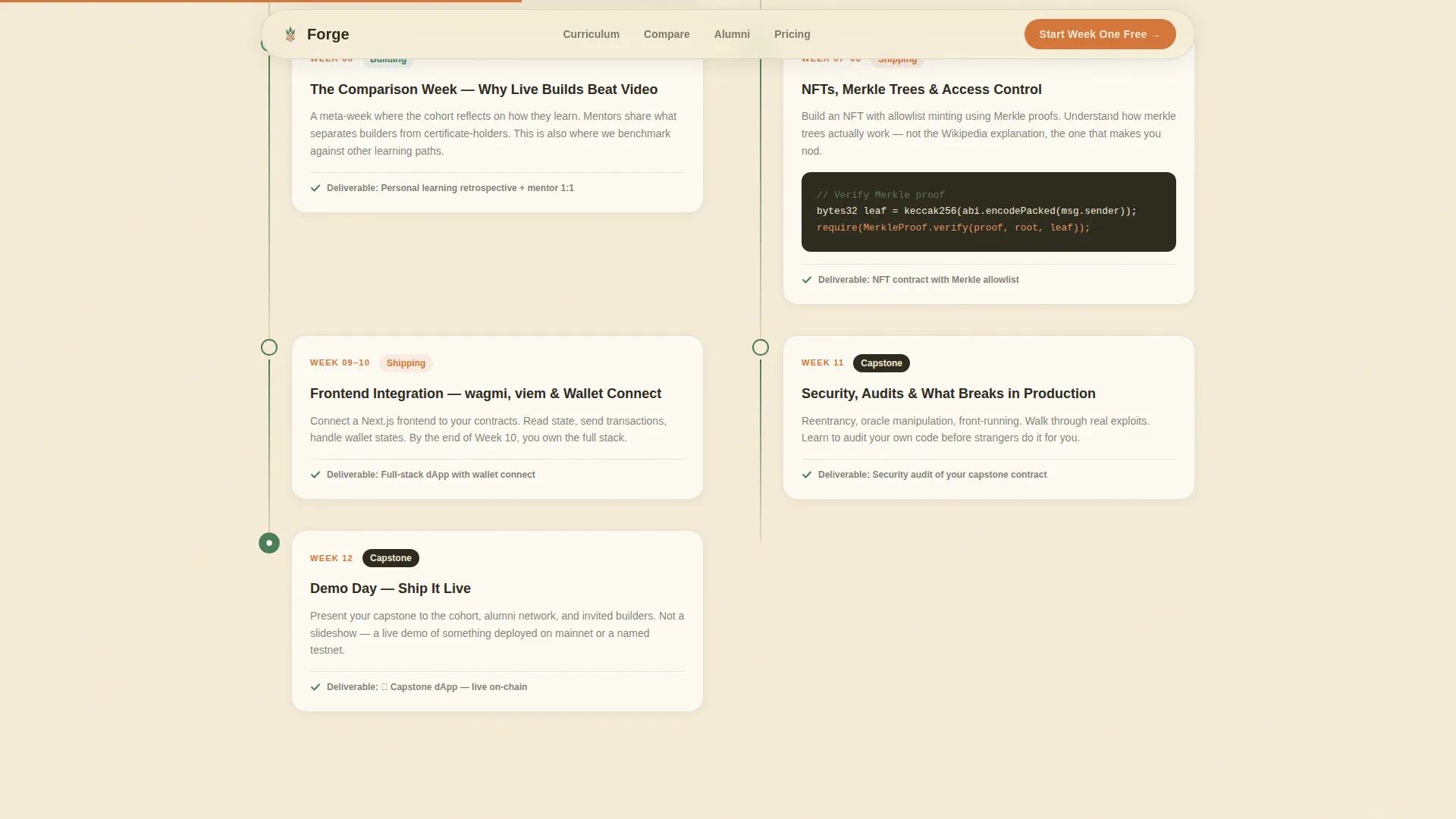
- A scroll-linked 12-week field journal timeline that moves the visitor week by week through the curriculum progression
- A side-by-side comparison table, an alumni testimonial block with demo day clips, a freemium sign-up section, and a clean footer
Feature list
This section outlines the core designed capabilities built into the Forge template.
Scroll-Linked 12-Week Timeline
The timeline is the heart of the page. As the visitor scrolls, the layout progresses through each of the twelve cohort weeks like turning pages in a field journal. Completed milestones are marked in living fern green, creating a visual sense of forward motion and progress.
Side-by-Side Comparison Table
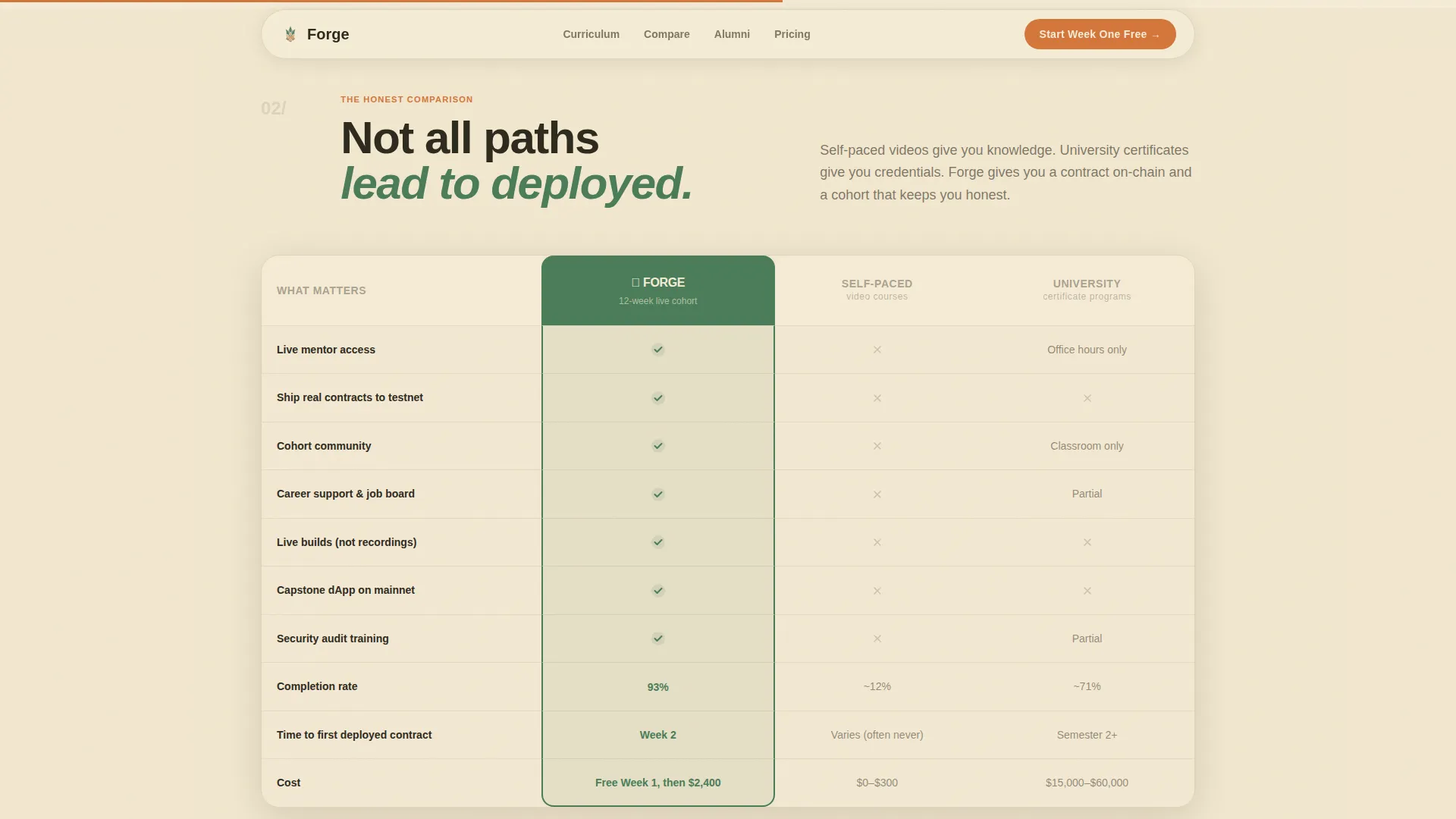
A structured table places the bootcamp's live-build curriculum against self-paced video courses and university certificates. Comparison rows cover mentor access, shipping real smart contracts, career support, and community retention. Each row resolves in the bootcamp's favor with fern checkmarks, making the value case without a single persuasive sentence required.
Freemium Conversion Flow
The primary call to action, "Start Week One Free," appears three times: in the hero, after the comparison table, and above the footer. Each click opens a two-field modal form collecting only a name and email address. The free week unlocks the first module, a live orientation call, and Discord community access.
Alumni Testimonials and Demo Day Block
A dedicated social proof section presents alumni video testimonials filmed in the same warm, campfire-lit tone as the rest of the page. Capstone project highlights and cohort retention indicators sit alongside the testimonials to reinforce credibility.
Botanical Color System with Role-Specific Palette
Every color in the design carries a specific function. Deep loam anchors text and section dividers. Sun-warmed parchment dominates backgrounds. Living fern marks completed milestones and active states. Propagation-root orange appears only on calls to action and progress indicators, so the eye is always drawn where action is needed.
Split Hero Header with Cohort Photography
The header occupies roughly half the viewport and splits into two panels. The left holds a candid overhead photograph of a cohort mid-session. The right carries the headline, cohort start date, and the primary call to action. This layout immediately communicates that this is a live, human-centered program.
Page sections overview
| Section | Purpose |
|---|---|
| Hero Split Header | Introduces the cohort with a candid photo and the primary call to action |
| 12-Week Timeline | Walks visitors through each cohort week in a scroll-driven field journal format |
| Comparison Table | Positions the bootcamp against self-paced and university alternatives row by row |
| Alumni Testimonials Block | Builds trust with cohort video testimonials and demo day highlights |
| Freemium Sign-Up Section | Converts visitors with a two-field form and a secondary syllabus PDF link |
| Linear Footer | Closes the page with a clean single-row footer layout |
Design & branding system
Forge uses a Botanical color system built around a Community Hearth visual identity. The palette evokes a well-used greenhouse workbench: soil under the nails, terracotta pots, and morning light through broad leaves. Typography is set in Plus Jakarta Sans for headlines and DM Sans for body text, creating a warm but structured reading experience.
- Deep loam (#2D2A1E) for all body text and section dividers; parchment (#F5ECD7) for all backgrounds
- Living fern (#4A7C59) reserved for milestone markers, checkmarks, and active states throughout the timeline and comparison table
- Propagation-root orange (#D4763A) used exclusively for call-to-action buttons and progress indicators, ensuring instant visual priority
Mobile & speed optimization
The template is built desktop-first to match the coding bootcamp audience's device habits. It is fully responsive so the layout adapts cleanly across screen sizes without breaking the timeline or comparison table.
- The scroll-linked timeline and GSAP ScrollTrigger animations are handled by client-side components to preserve smooth interaction
- Static sections such as the hero text, footer, and comparison table structure use server-rendered components for consistent load behavior
- The sticky navigation bar and comparison table hover states are designed to remain functional and readable on all viewport widths
How this template helps you convert
The page is structured as a belief-building sequence. Every section earns the next call to action rather than rushing the visitor toward a sign-up before they are ready.
- The timeline progression moves the visitor emotionally through twelve weeks of transformation so they arrive at the comparison table already invested in the outcome.
- The comparison table removes the "why not just watch free videos?" objection with structured, visual evidence before the freemium form appears.
- The low-commitment two-field form and the secondary "See Full Syllabus (PDF)" link serve two different buyer personalities, capturing both the ready convert and the researcher in one section.
Other information about this template
Forge is a landing page template in the Education and Training category, specifically designed for the Coding Bootcamp and Tech School subcategory with a Blockchain and Web3 Bootcamp niche focus. It is built for English-language audiences using United States date formats and USD pricing conventions. The template style is Comparison Table and the conversion model is Freemium and Trial. The creative direction is Timeline Progression and the header concept is Half-Page Photo and Text.
- The template ships with a Linear Single-Row footer pattern designed to close the page cleanly without adding visual noise
- The comparison table includes hover states and the freemium sign-up section uses a form modal for the two-field entry experience
- The secondary text link "See Full Syllabus (PDF)" sits beneath the sign-up form to serve visitors who prefer to review full program details before committing
Theme
Community Hearth
Creative direction
Timeline Progression
Color system
Botanical
Style
Comparison Table
Direction
Freemium/Trial
Page Sections
Scroll-linked 12-week Timeline
Side-by-side Comparison Table
Freemium Two-field Sign-up Form
Alumni Testimonials and Demo Day Block
Botanical Role-specific Color System
Cinematic Split Hero Header
Related questions
What kind of program is the Forge template designed for?
How does the freemium conversion flow work in this template?
What sections are included in the Forge landing page template?
Can the comparison table be edited for different competitor types?
What typography and color system does Forge use?



