Steel Vertical SaaS Professional Website Template
Forge is a split-screen landing page template built for a real-time steel analytics platform. It combines a dark control-room aesthetic with animated KPI displays, a scrollable comparison section, and a two-step freemium sign-up form. Designed for plant managers, procurement analysts, and operations leaders, the template turns mill data into a conversion-ready product page.
by Rocket studio
Quick summary
Forge is a single-page, split-screen landing page template for a steel analytics dashboard. It pairs a cinematic dark-glass header with motion-driven scroll sections, a live-data visual style, and a freemium conversion flow. The design communicates industrial precision and immediacy, targeting mill operators and operations leaders who make decisions based on live production data.
Who this template is for
This template is built for teams and founders launching software tools inside the steel and metals manufacturing space. The layout and language speak directly to the people running facilities and reading production reports.
- Plant managers monitoring heat-by-heat variance and yield performance across shifts
- Procurement analysts comparing scrap-to-prime ratios across multiple facilities
- Operations vice presidents who need a single view to assess quarterly production health
What problem this template solves
Mill operations teams often rely on spreadsheets, disconnected reports, and delayed data exports to track production performance. That gap between raw mill output and actionable insight costs time and yield. This template gives a steel analytics product a landing page that mirrors the urgency and clarity its users already expect on the plant floor.
- Communicates real-time data value without relying on generic SaaS landing page language
- Replaces the spreadsheet-chaos perception with a polished, live-data visual argument
- Moves qualified visitors toward sign-up with a low-friction, no-credit-card freemium offer
What you get with this template
The template delivers a fully structured single-page layout built around the Forge brief. Every section is purposeful, motion-aware, and ready to customize for a steel vertical software product.
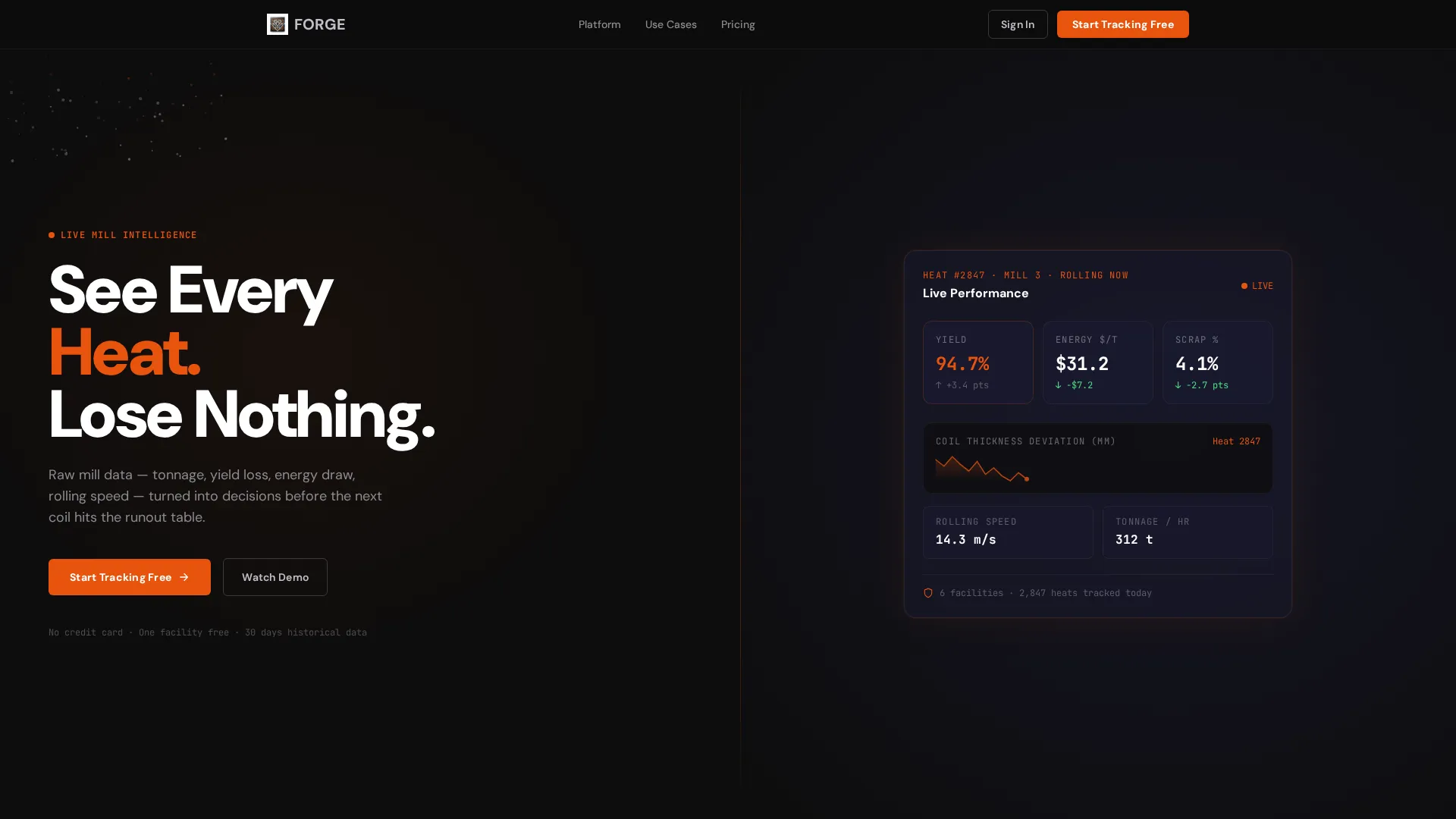
- A 50/50 split-screen header with animated KPI tickers and a particle-drift background effect
- A scroll-triggered comparison section contrasting legacy spreadsheet views with the Forge dashboard interface
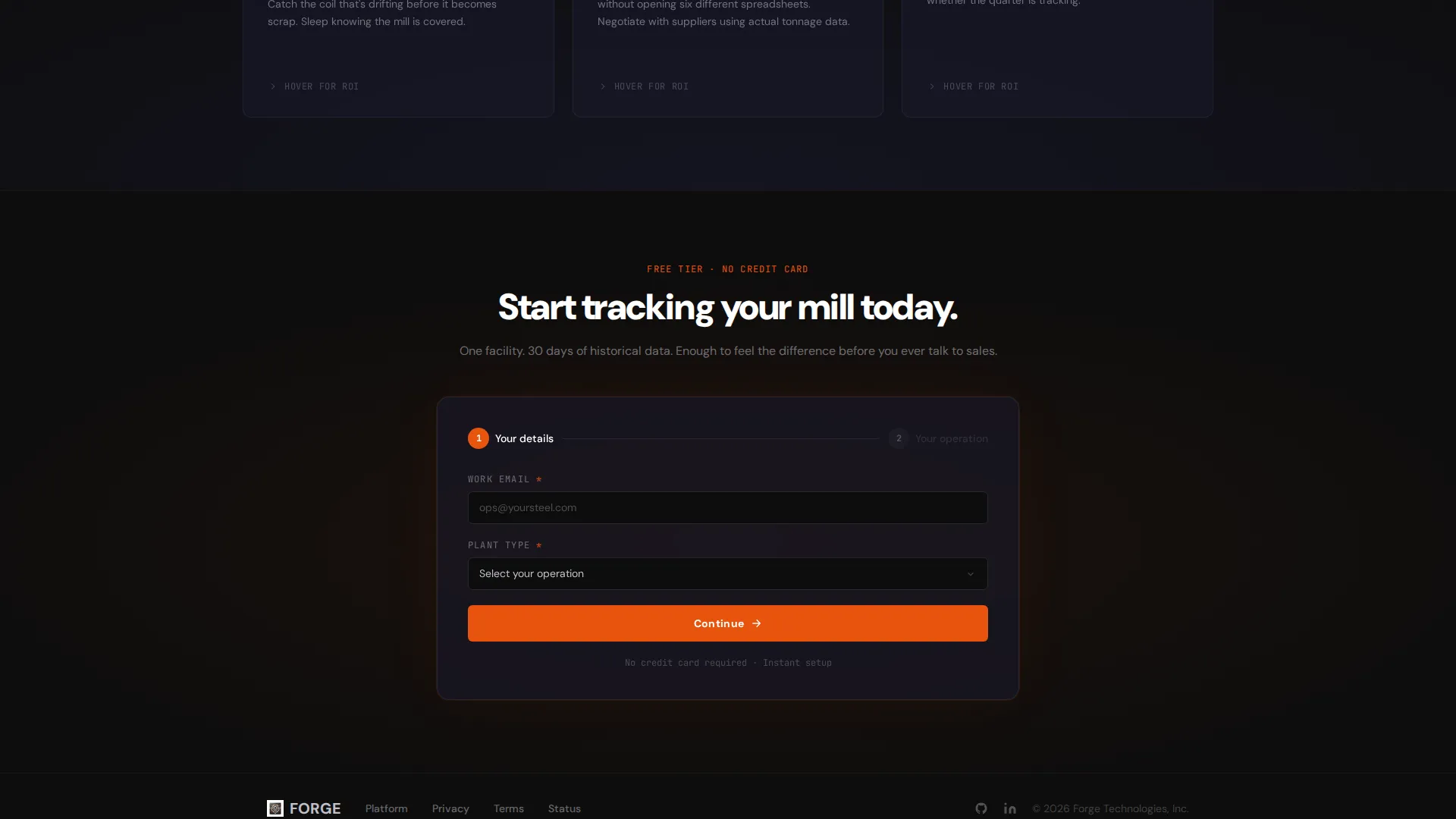
- A two-step sign-up form capturing work email, plant type, tonnage range, and primary pain point
Feature list
This template covers the full visual and functional scope described in the Forge brief. Each feature is purpose-built for the steel analytics audience and the freemium conversion model.
Split-Screen Dark Glass Header
The header divides the viewport equally. The left panel holds a bold condensed headline over a particle-drift animation suggesting downward-flowing molten steel. The right panel shows a frosted-glass dashboard fragment with live-styled KPI tickers, including a yield percentage climbing from 91.3 to 94.7 and a rolling sparkline tracking coil thickness deviation.
Scroll-Triggered Dashboard Reveal
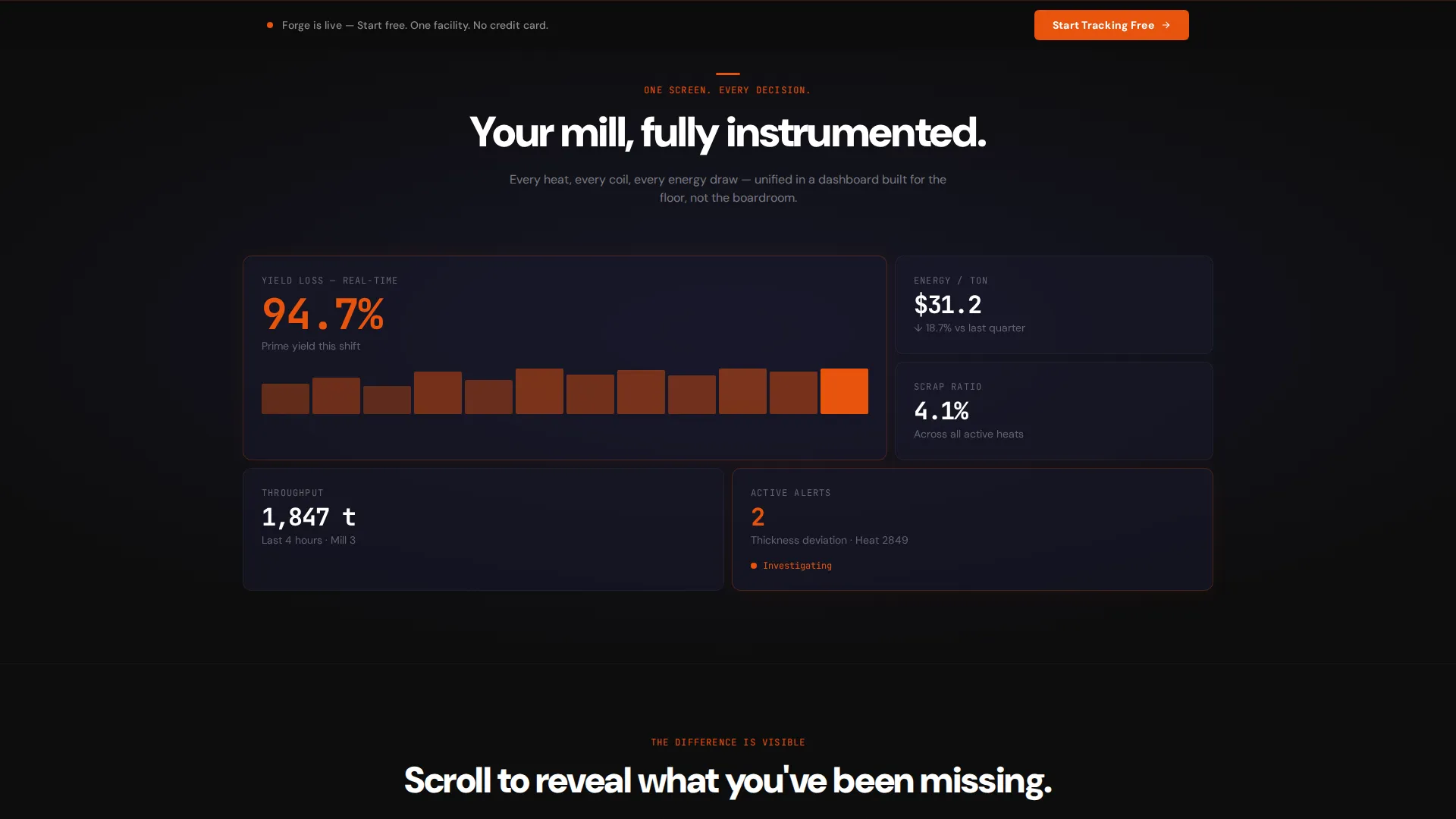
A single animated metric expands into a full dashboard view as the user scrolls. Panels slide into position using spring-loaded easing, building momentum and giving the visitor a sense of the product coming online in real time.
Legacy-versus-Forge Comparison Section
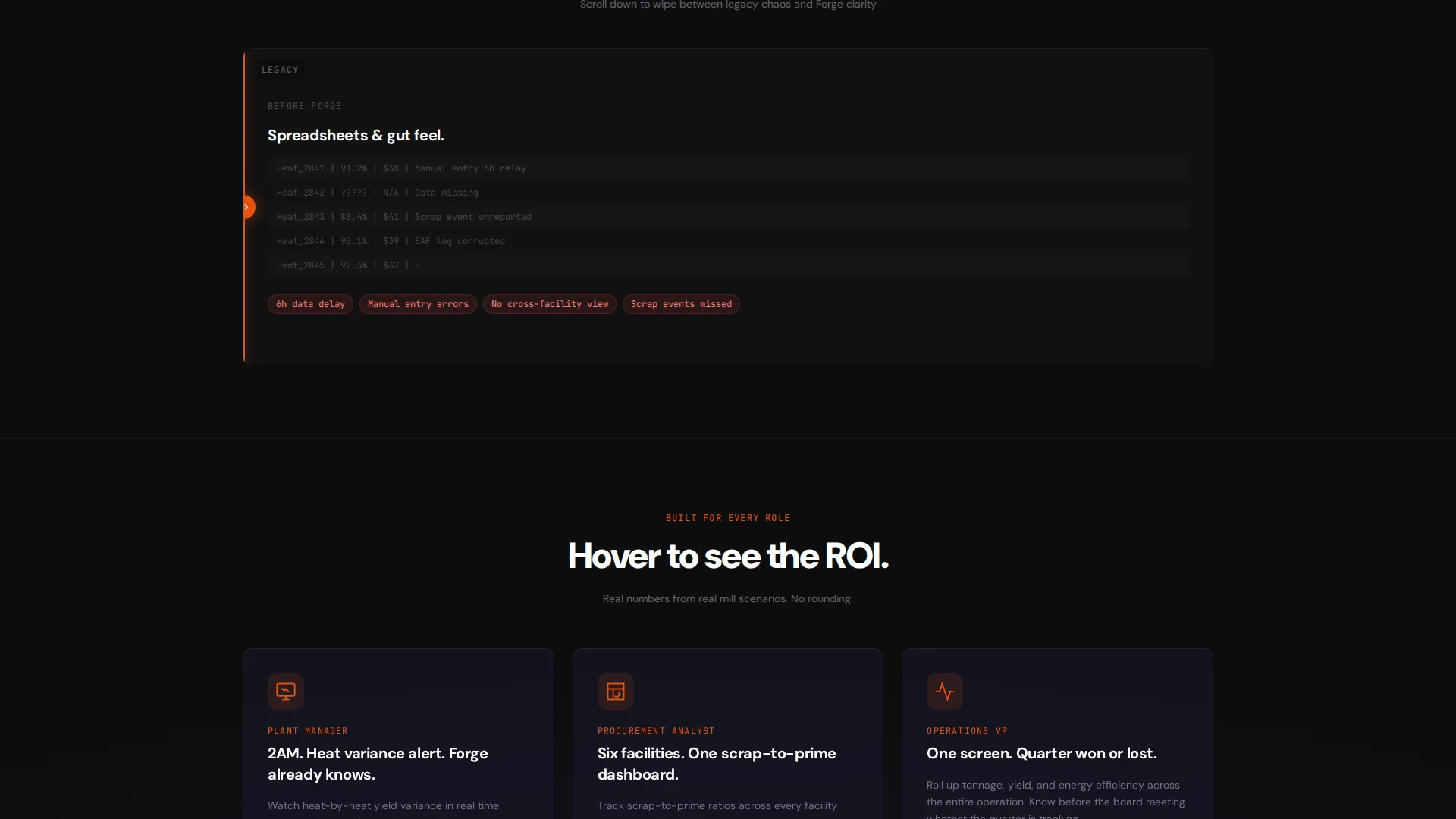
A horizontal wipe transition, activated by scrolling, reveals the Forge interface on the right while the left side shows a legacy spreadsheet layout. This visual contrast makes the product's value argument without a single word of explanation.
Hover-Flip Use-Case Cards
Three use-case cards sit in a row. Each card flips on hover to display return-on-investment figures drawn from real mill scenarios, connecting the product's capabilities directly to financial outcomes plant operators recognize.
Two-Step Freemium Sign-Up Form
Clicking the primary call-to-action opens a two-step form. Step one collects work email and plant type (integrated mill, mini mill, or service center). Step two asks for monthly tonnage range and a primary pain point selected from a short dropdown. No credit card is required.
Sticky Conversion Bar
After the visitor passes the second scroll section, a sticky bottom bar appears with the primary call-to-action repeated. This keeps the sign-up prompt visible without interrupting the scroll experience.
Page sections overview
| Section | Purpose |
|---|---|
| Split-Screen Header | Introduces the platform with animated KPIs and bold headline |
| Animated Metric Reveal | Expands one live metric into a full dashboard view |
| Legacy versus. Forge | Scroll-triggered wipe comparing old tools to Forge interface |
| Use-Case Flip Cards | Three scenario cards that reveal ROI data on hover |
| Freemium Sign-Up Form | Two-step form capturing plant profile and pain point |
| Sticky call to action Bar | Persistent bottom bar repeating the primary sign-up action |
Design & branding system
The visual identity is rooted in the Carbon Fiber color system, which uses deep industrial tones and a single high-energy accent. The palette creates a control-room atmosphere where data glows and everything else recedes.
- Deep carbon black (#0D0D0D) and woven graphite (#1A1A2E) dominate all backgrounds, keeping the interface dark and focused
- Molten indicator orange (#E8530E) is reserved exclusively for live data points, call-to-action buttons, and hover states, signaling activity and urgency
- Cooled-steel silver (#C0C0C8) handles secondary text, axis labels, and dividers without competing with the orange accents
Mobile & speed optimization
The Forge template is structured with a lean, section-by-section layout that translates cleanly from desktop to smaller viewports. The split-screen header collapses into a stacked layout on mobile, keeping the headline and dashboard fragment both visible without clipping.
- Motion elements such as the particle drift and wipe transitions are contained in self-managed sections, avoiding layout conflicts on narrower screens
- The sticky conversion bar remains functional on mobile, staying anchored to the bottom of the viewport throughout the scroll
How this template helps you convert
Every design decision in this template is oriented toward one moment: the visitor clicking "Start Tracking Free." The layout builds forward momentum through motion, contrast, and specificity.
- The freemium model removes commitment friction by offering one facility and 30 days of historical data at no cost, giving visitors a reason to act now rather than later.
- The two-step form qualifies leads without overwhelming them, collecting plant type and pain point data that helps sales teams follow up with relevant context.
- The sticky call-to-action bar ensures the sign-up prompt stays reachable throughout the entire scroll experience, capturing visitors who engage at different points in the page.
Other information about this template
Forge is designed as a standalone landing page for a steel vertical software product. A few additional details are worth noting for teams evaluating this template.
- The Dynamic Motion theme drives the scroll experience through spring-loaded easing, wipe transitions, and ticker animations, creating a sense of live production energy
- The Launch Energy creative direction ensures that each section adds velocity rather than weight, building toward the conversion moment rather than leveling off mid-page
- The freemium tier described in the template includes one facility and 30 days of historical data, giving prospects enough exposure to the product to make an informed decision before engaging with sales
- The template style is a 50/50 split screen, which is consistent across the header and the comparison section, reinforcing the template's core visual grammar
Theme
Dynamic Motion
Creative direction
Launch Energy
Color system
Carbon Fiber
Style
Split Screen (50/50)
Direction
Freemium/Trial
Page Sections
Split-screen Dark Glass Header
Scroll-triggered Dashboard Reveal
Legacy-versus-forge Wipe Comparison
Hover-flip Use-case Cards
Two-step Freemium Sign-up Form
Sticky Bottom Conversion Bar
Related questions
Who is this landing page template designed for?
What conversion model does this template use?
How does the two-step sign-up form work?
Can I customize the KPI values shown in the header dashboard?
Does the template include the scroll-triggered comparison animation?



