Generative AI Technology Professional Website Template
The Synth open source generative AI infrastructure landing page template is a dashboard-style single page built for ML engineers, startup CTOs, and research teams. It leads with live metric panels, drops visitors into an interactive benchmark simulator, and guides them toward an early API access sign-up form. The design uses a terminal-dark Monochrome Steel palette with JetBrains Mono typography throughout.
by Rocket studio
Quick summary
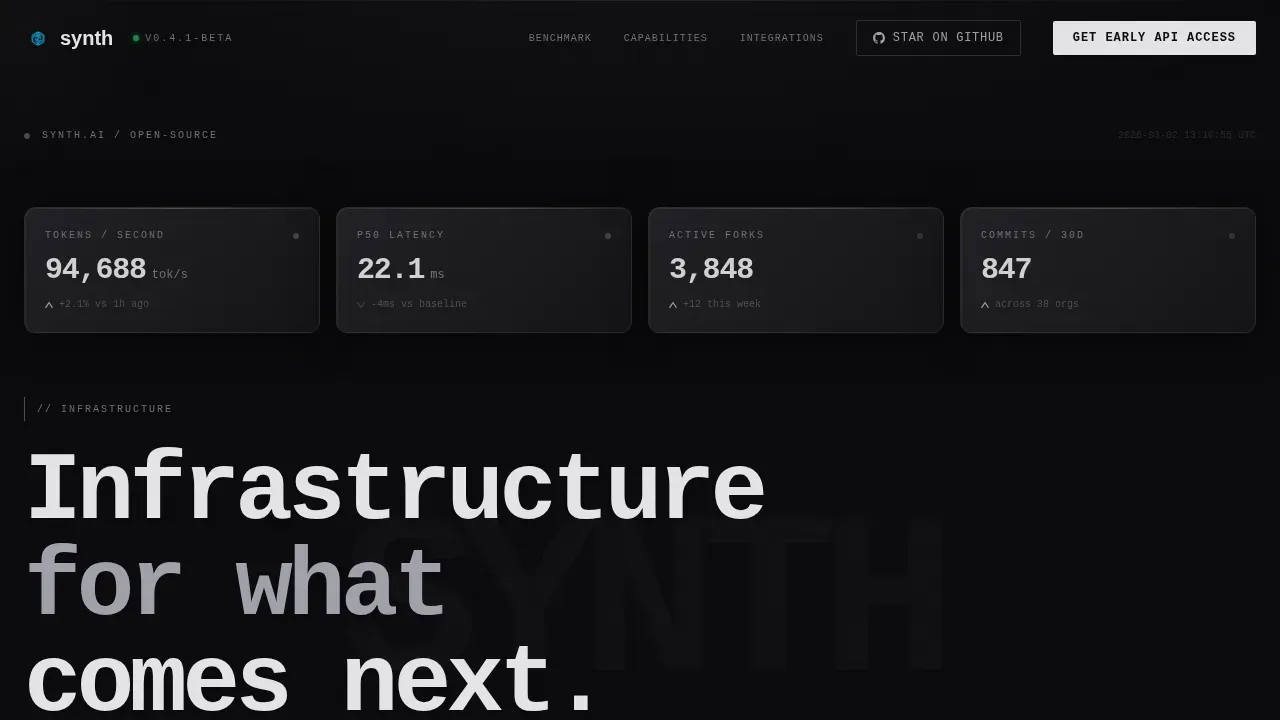
Synth is a landing page built for an open-source generative AI infrastructure project. The page opens with dark glass metric panels showing live-ticking tokens per second, model latency, and commit velocity. A benchmark simulator follows immediately, letting visitors configure model size, inference backend, and concurrency to see estimated throughput and cost. The design reads like a terminal: purposeful, dark, and precise.
Who this template is for
This landing page speaks directly to the technical audience that builds and maintains AI infrastructure. It is designed for developers who want to understand what a tool does before they sign up for anything.
- ML engineers who debug inference latency and need clear performance benchmarks before committing to a stack
- Startup CTOs comparing build-versus-buy options for generative artificial intelligence pipelines
- University research teams that need reproducible generation pipelines without vendor lock-in
What problem this template solves
Open-source AI infrastructure projects often fail to communicate their value on the landing page. Visitors arrive, read a vague headline, and leave without signing up or starring the repository. This template solves that directly.
- Visitors see live infrastructure metrics before they read a single marketing sentence, building immediate trust
- The benchmark simulator lets users configure their own parameters and see relevant output before the call to action appears
- The capability data grid and code snippets ensure developers can read and understand the project without navigating away from the page
What you get with this template
This template is a complete, single-page website built for developer-native lead generation. Every section has a defined role in moving a technical visitor from curiosity to action.
- A hero section with dark glass metric panels, a monospaced headline, and live-ticking infrastructure stats
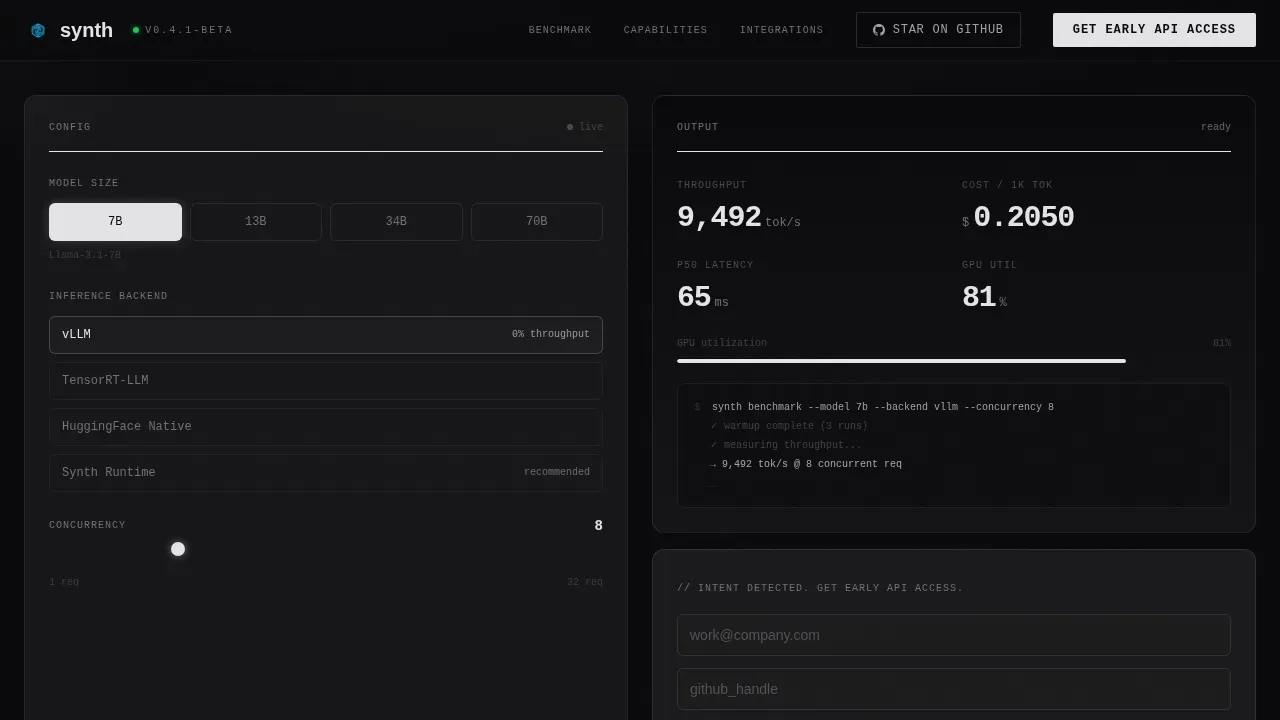
- An interactive benchmark simulator where visitors select a model size, choose an inference backend, set concurrency, and receive generated throughput and cost-per-token estimates
- A capability data grid with animated architecture diagrams, contributor graphs, and integration code snippets with copy buttons
Feature list
This section covers the core built-in capabilities that make the Synth landing page template effective for open-source AI infrastructure projects.
Live Metric Dashboard Header
The header works as a data display, not a decoration. Dark glass panels float against a void-black background and show live-ticking values including tokens per second, model latency in milliseconds, active forks, and commit velocity. Numbers update in real time so the project's vital signs are the first thing visitors see.
Interactive Benchmark Simulator
The benchmark tool is the second element on the page. Visitors configure a model size, choose an inference backend such as vLLM, TensorRT, or native, and set a concurrency level. The tool calculates estimated throughput and cost-per-token live inside a dashboard widget. This hands-on experimentation earns trust before any sign form appears.
Capability Data Grid
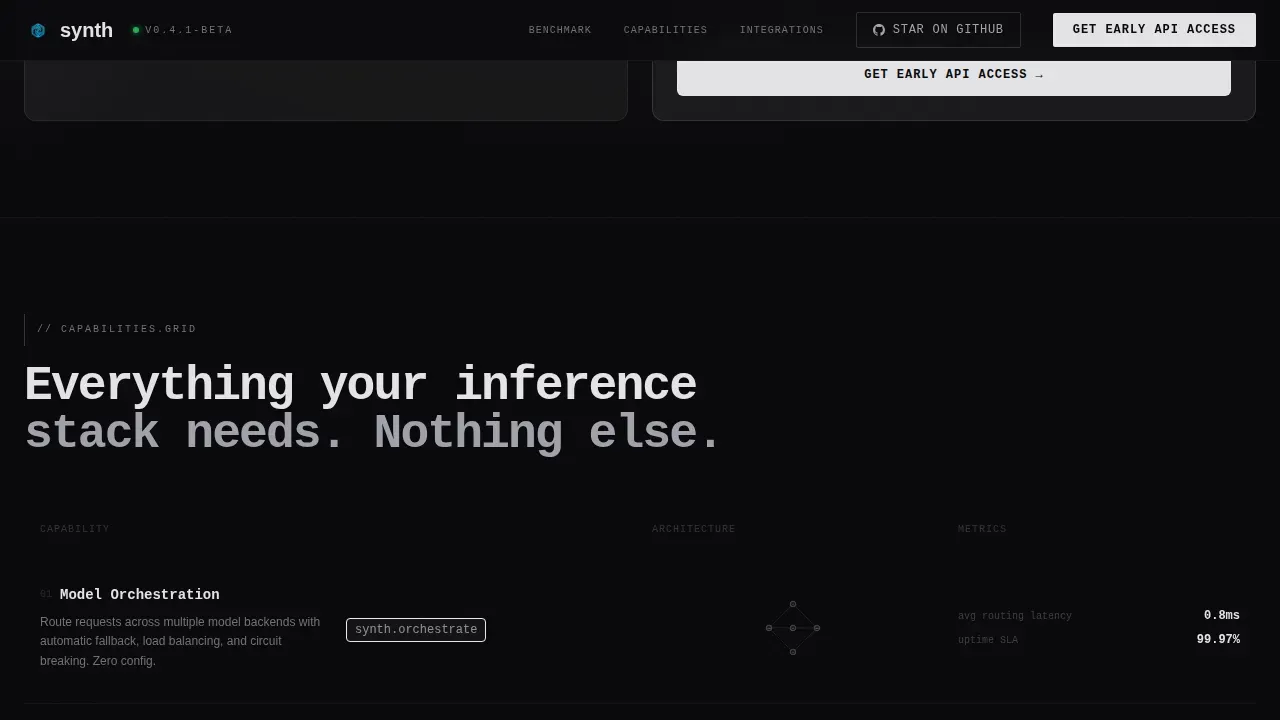
Each capability row covers a core function: orchestration, caching, streaming, and batching. Architecture diagrams animate on scroll, with connection lines drawing themselves between components. This design approach helps users understand complex infrastructure layers without requiring them to read long blocks of text.
Code Snippets with Copy Buttons
Integration code examples are displayed with one-click copy buttons so developers can start using the library quickly. The default code blocks use JetBrains Mono and are built to be read at a glance. This section augments the benchmark tool by showing real implementation details.
Early Access Sign Form
The three-field sign-up form collects a work email, a GitHub handle, and a dropdown response to "What are you building?" Option examples include inference API, RAG pipeline, fine-tuning workflow, and research project. The form is deployed after the benchmark tool, where intent is highest. A secondary action, "Star on GitHub," provides a lower-commitment path.
Contributor Graph and Deployment Diagrams
A contributor velocity graph provides open-source trust signals including GitHub stars and fork counts. Deployment architecture diagrams for three cloud providers are shown side by side, helping CTOs understand how the infrastructure can be deployed at scale across different environments.
Page sections overview
| Section | Purpose |
|---|---|
| Hero Metric Panels | Display live infrastructure stats and headline |
| Benchmark Simulator Tool | Let visitors configure model and see estimates |
| Capability Data Grid | Show core features with animated diagrams |
| Code Snippets Block | Provide copy-ready integration examples |
| Early Access Form | Capture leads after benchmark engagement |
| Contributor Graph | Show open-source community activity |
| Deployment Architecture | Compare three cloud provider setups |
| Footer | GitHub developer minimal navigation |
Design & branding system
The landing page design follows a Dynamic Motion theme with a Monochrome Steel color system. The visual identity feels like the inside of a server rack at night: matte surfaces, layered blacks, and a single electric accent reserved for active states.
- Colors: void black (#09090B) for backgrounds, brushed gunmetal (#1C1C1E) for card layers, cold alloy gray (#A1A1AA) for body text, and electric accent (#E4E4E7) for live data and hover reveals
- Typography: JetBrains Mono for headlines, metrics, and code; DM Sans for body content to ensure readability across technical and descriptive text
- Motion: elements translate and appear with terminal-cursor crispness; no bouncing or decorative easing; animated connection lines draw on scroll
Mobile & speed optimization
This template is desktop-first, reflecting how ML engineers and CTOs typically work on large screens. It is also responsive to tablet viewports so contributors on any device can navigate the page comfortably.
- Technical tables and code snippets are mobile responsive to ensure a consistent reading experience
- Static sections use server components while interactive widgets such as the benchmark calculator and live metric panels use client components, keeping performance optimized
- The design is built to support fast load times so technical visitors are not lost to slow rendering before they reach the benchmark tool
How this template helps you convert
The page is built around a developer-native conversion path. Every section earns the next click rather than demanding it.
- The live metric panels establish credibility in the first three seconds, before the visitor has scrolled or read a single line of marketing text
- The benchmark simulator lets users configure real parameters and see generated estimates, so by the time the sign form appears it feels like a natural next step rather than an interruption
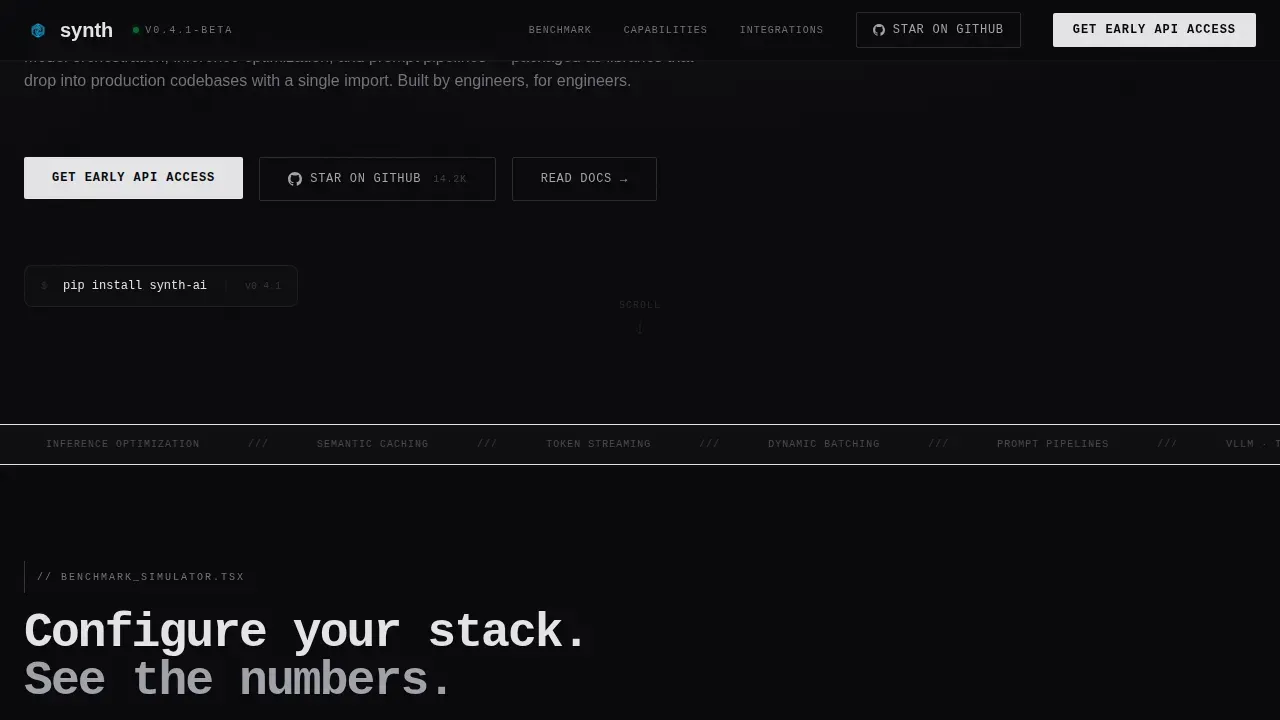
- The dual call-to-action structure, combining "Get Early API Access" pinned in the top nav and embedded after the tool, with "Star on GitHub" as a secondary choice, captures both high-intent and lower-commitment visitors
Other information about this template
This template is well suited for any open-source AI infrastructure project that needs to communicate technical capability without sacrificing clarity. It is built to scale alongside a growing contributor base and can be customized as the project evolves.
- The Synth open source generative AI infrastructure landing page template is one example of a tech landing page that leads with data rather than marketing copy, making it ideal for developer-first projects
- The page design augments standard open-source project pages by incorporating real-time metrics and experimentation tools that static repository readme files cannot provide
- Contributors and maintainers can update section content, code examples, and model parameters without redesigning the layout; the modular structure supports incremental changes as new releases ship
- The page is public-facing and built to support sharing across developer communities, with GitHub trust signals and open call-to-action zones that make the project's rights and resources easy to find
- Watermarking for AI-generated content, as seen in approaches like SynthID Text, is a growing concern for infrastructure teams; this template includes content areas where teams can address responsible AI practices and provider details such as watermarking configurations relevant to their stack
- The design works well for projects that create high-quality synthetic datasets for training and reinforcement learning, inference API providers, and teams deploying large language model (LLM) orchestration frameworks
Theme
Dynamic Motion
Creative direction
Calculator/Tool First
Color system
Monochrome Steel
Style
Dashboard/Data Grid
Direction
Lead Generation
Page Sections
Live Metric Dashboard Header
Interactive Benchmark Simulator
Capability Data Grid with Animations
Code Snippets with Copy Buttons
Early Access Lead Capture Form
Contributor Graph and Deployment Diagrams
Related questions
Can I configure the benchmark simulator with my own model parameters?
Does the template include real live data or are the metrics static by default?
Is this landing page optimized for desktop-first use?
What call-to-action options are built into this landing page?
Can this template be used for projects beyond inference optimization?



