Nonprofit Software Directory Website Template
Dispatch is a glassmorphic dashboard landing page built for nonprofit field service operations. It showcases real-time metrics, volunteer tracking, and service delivery outcomes in a dark, data-forward layout. The page is designed to convert operations directors, program managers, and executive directors with a freemium signup flow and no credit card required.
by Rocket studio
Quick summary
Dispatch is a single-page, stats-first landing page template for nonprofit field service management platforms. It leads with a live-metric dashboard header, layers in before/after operational comparisons, a seventy-two-hour disaster response timeline, and social-proof outcome cards. Every section stacks more evidence, building toward a frictionless three-field freemium signup.
Who this template is for
This template is built for nonprofit software platforms that need to prove operational value fast. It speaks directly to the people who manage field operations under pressure and report outcomes to funders or boards.
- Operations directors at regional food banks managing drivers across multiple counties
- Program managers at disaster-relief organizations who must document deliverables on tight deadlines
- Executive directors at housing nonprofits who present impact dashboards to board members each quarter
What problem this template solves
Nonprofit field service teams often operate with scattered volunteer records, aging fleet logs, and handwritten service notes. Leadership needs a way to show funders and boards that operations are measurable, accountable, and improving. This template solves the credibility gap between what a platform does and what a buyer believes it can do for them.
- It replaces vague feature lists with concrete outcome numbers and before/after comparisons
- It gives potential users a visual preview of their future operations center before they commit
- It removes signup friction with a three-field modal and no credit card requirement
What you get with this template
You get a fully structured, single-page layout built around data visibility and conversion. Every section is crafted to move a skeptical nonprofit leader from curiosity to confidence.
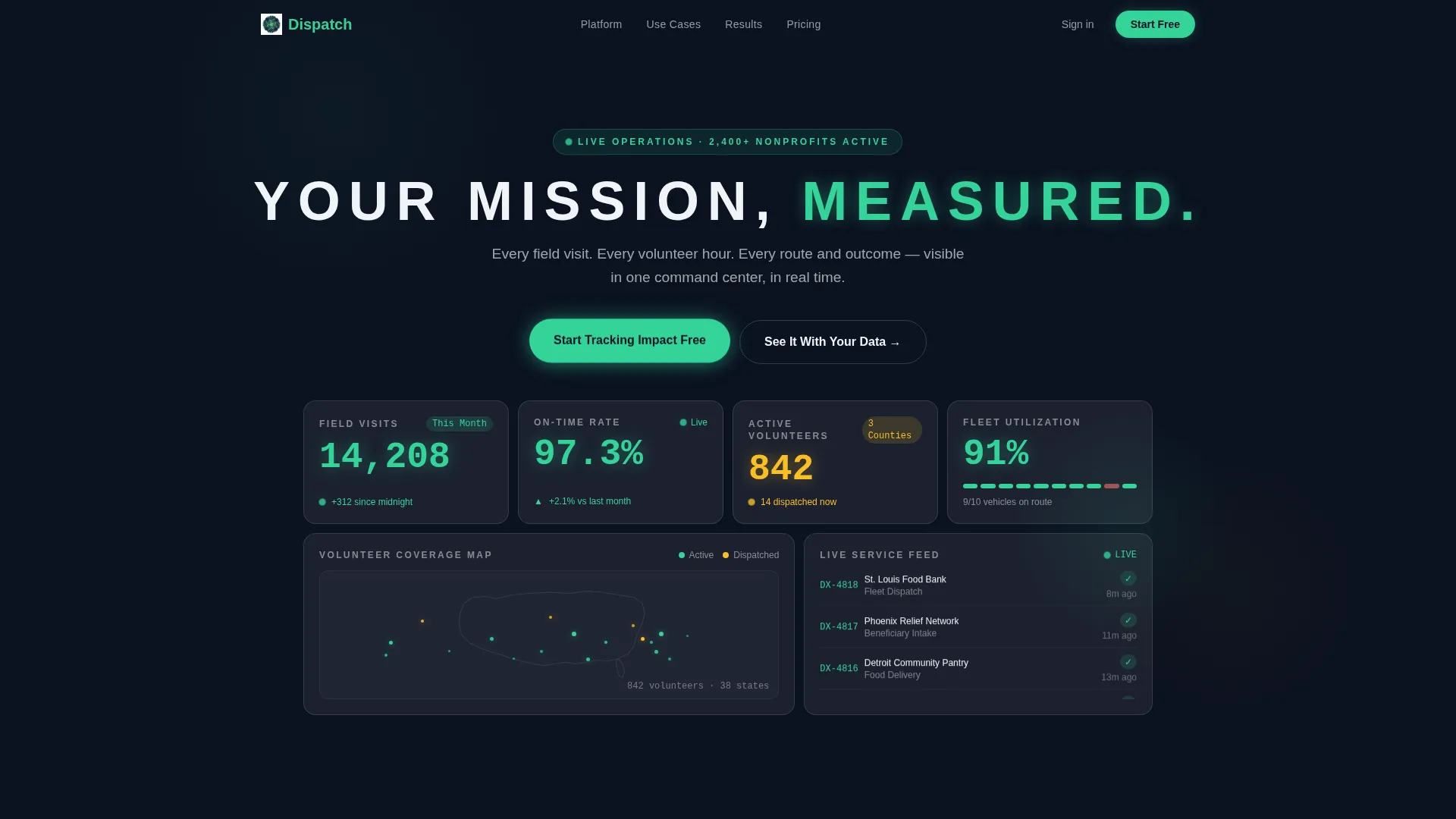
- An animated glassmorphic header dashboard showing live-style counters and a volunteer heatmap
- A before/after data comparison section, a Gantt-style deployment timeline, and a social-proof outcomes row
- A freemium conversion modal and a secondary demo-booking path with calendar embed
Feature list
This template packages six purpose-built layout components, each designed to carry a specific weight in the visitor's journey from awareness to action.
Animated Stats Dashboard Header
The header fills the viewport with a glassmorphic card grid. Counters animate upward showing field visits, dispatch rates, active volunteers, and a scrolling live feed of completed service tickets. Every number is rendered in impact-green or donor-amber against a deep mission-navy background.
Before/After Operational Comparison
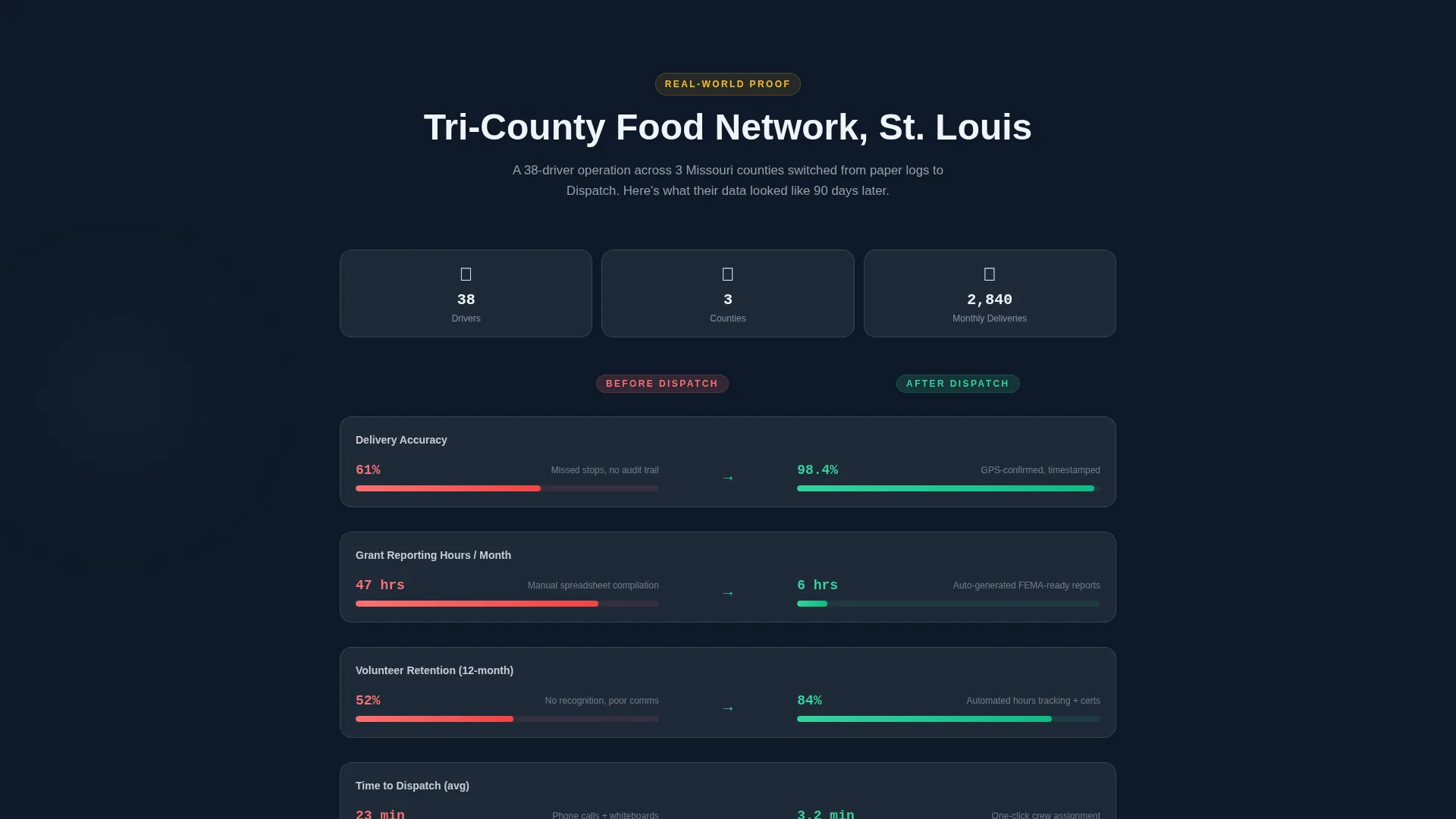
Section two isolates a single fictional food bank's monthly data. It places manual-tracking numbers beside Dispatch numbers in a red-to-green metric shift layout. Delivery accuracy, volunteer retention, and grant reporting hours are the three highlighted dimensions.
Gantt-Style Deployment Timeline
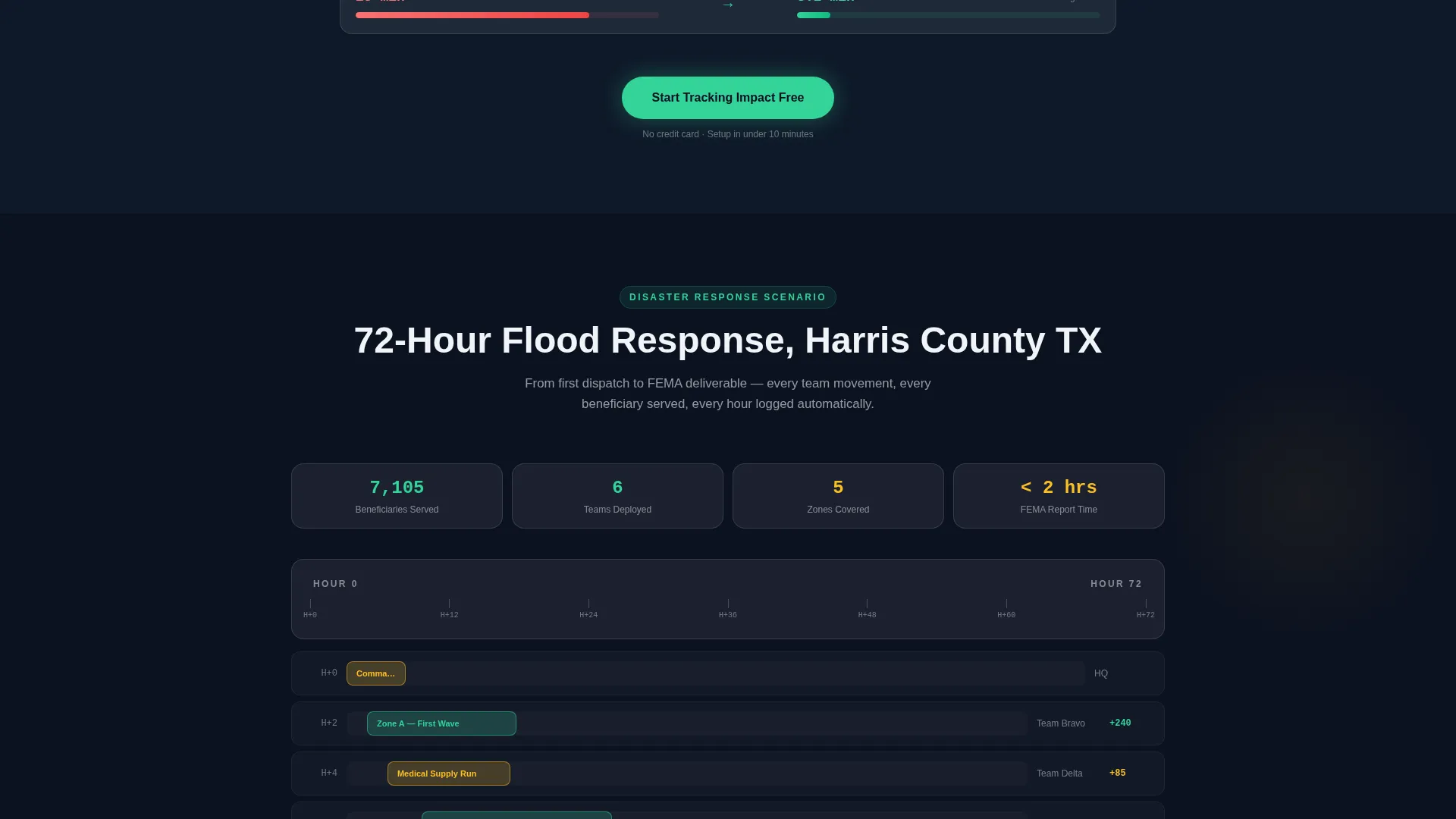
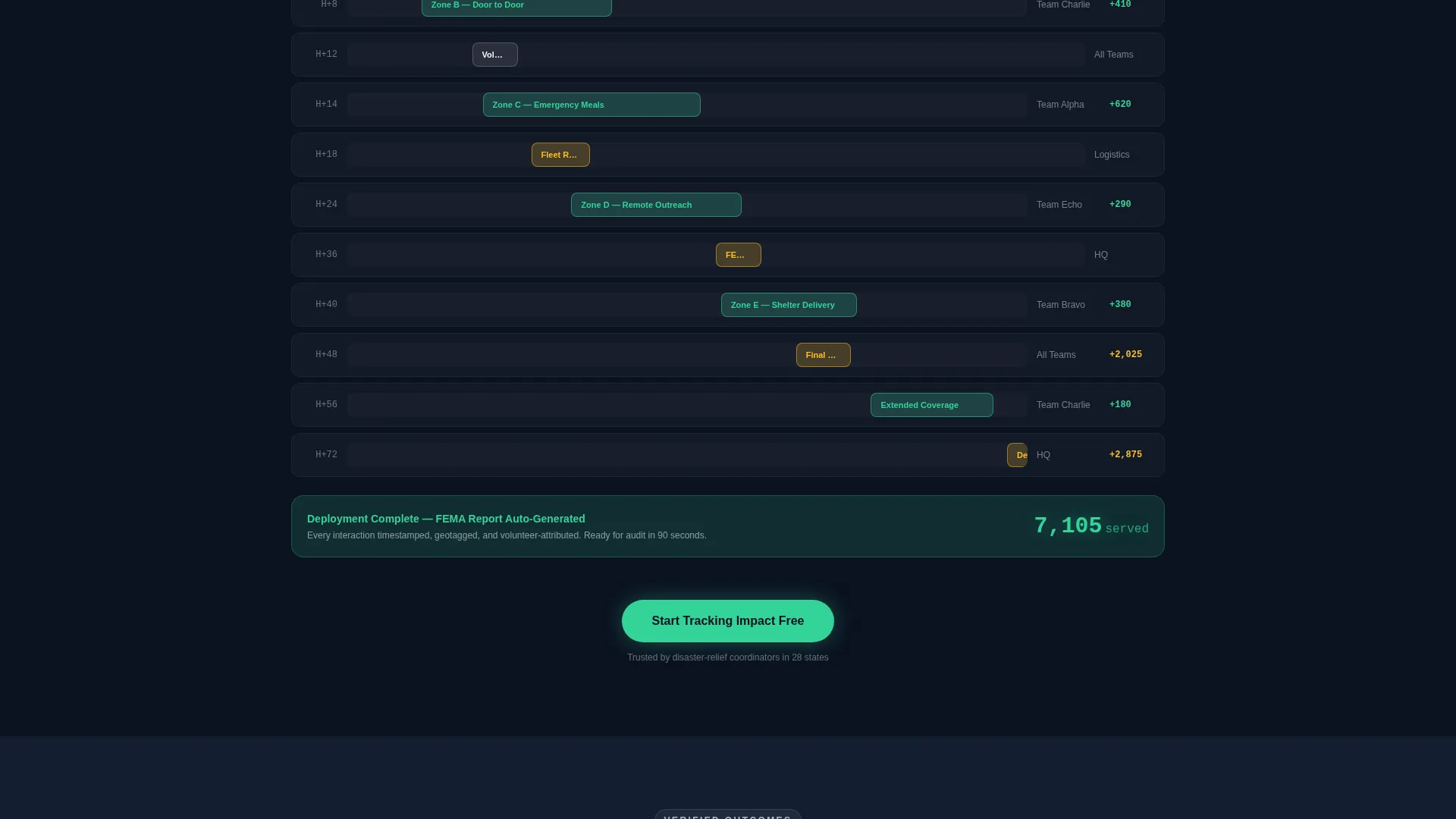
Section three renders a seventy-two-hour disaster response deployment as a layered, scroll-driven glassmorphic timeline. Teams dispatched, zones covered, and beneficiaries served each appear in overlapping frosted cards as the visitor scrolls deeper into the page.
Social Proof Outcome Cards
Section four displays three nonprofit logos alongside a single high-impact stat each. The stats shown are an eighty percent reduction in reporting time, doubled service coverage in six months, and a first clean audit in four years.
Freemium Signup Modal
The primary conversion path is a glassmorphic three-field modal: organization name, number of field staff via dropdown, and work email. No credit card is required. The modal is triggered by the primary call-to-action button, which appears after the header and is anchored at the bottom of every section.
Demo Booking Secondary Path
A secondary conversion option labeled "See It With Your Data" links to a guided demo booking flow with a calendar embed. This path serves visitors who want a more hands-on evaluation before signing up.
Page sections overview
| Section | Purpose |
|---|---|
| Stats Dashboard Header | Opens with animated live metrics and a volunteer heatmap to establish platform credibility immediately |
| Before/After Comparison | Shows red-to-green metric shifts for a fictional food bank to make operational improvement tangible |
| Deployment Timeline | Renders a seventy-two-hour disaster response in scroll-driven glassmorphic cards to demonstrate real-time tracking |
| Social Proof Row | Surfaces three outcome stats from nonprofit users to validate the platform with peer evidence |
| Freemium Signup Modal | Converts visitors with a three-field, no-credit-card form triggered by the primary call-to-action |
| Demo Booking Path | Offers a calendar-linked secondary conversion route for visitors who want a guided walkthrough |
Design & branding system
The visual identity uses a Dashboard Pro theme with a glassmorphic color system that feels like a control tower at dusk. Every element is calibrated so that glowing data points read instantly against the dark background.
- Base layer in deep mission-navy (#0B1120) with frosted translucent card surfaces at rgba(255,255,255,0.08) and soft blur backdrops
- Electric impact-green (#34D399) for live metrics and positive deltas; warm donor-amber (#FBBF24) for alerts, flags, and secondary callouts
- Cloud-white (#F0F4F8) body text; thin, wide-tracked uppercase headline typography floating above the card grid
Mobile & speed optimization
The layout is built with a mobile-aware structure so the dense data grid adapts across screen sizes without losing legibility. Glassmorphic card components stack cleanly on smaller viewports.
- Card grid reflows to a single-column layout on mobile so metrics remain readable without horizontal scrolling
- Animated counters and the scrolling service-ticket feed are scoped to maintain smooth rendering on typical devices
How this template helps you convert
The page earns the conversion by letting the dashboard do the persuading. Visitors see a working preview of what their operations could look like before they ever interact with a signup form.
- Scroll-additive evidence builds trust section by section, so by the time the visitor reaches the call-to-action, the value has already been demonstrated visually
- The freemium modal reduces commitment friction to three fields with no credit card, making the first step feel low-risk and immediate
- The secondary demo-booking path captures visitors who need more context, so no high-intent lead is left without a conversion route
Other information about this template
This template is categorized under Technology and Nonprofit Software, making it well suited for platforms serving the nonprofit field service management space. It is designed with the Dashboard/Data Grid template style and follows a Stats-First Impact creative direction.
- The freemium and trial conversion direction aligns with typical nonprofit software buying behavior, where decision-makers need proof before budget approval
- The Stats/Metrics header concept is particularly effective for operations-focused buyers who respond to numbers before narrative
- This template works as a standalone promotional landing page and can support a broader platform marketing site when paired with additional page templates
Theme
Dashboard Pro
Creative direction
Stats-First Impact
Color system
Glassmorphic
Style
Dashboard/Data Grid
Direction
Freemium/Trial
Page Sections
Animated Stats Dashboard Header
Before/after Operational Comparison
Gantt-style Deployment Timeline
Social Proof Outcome Cards
Freemium Conversion Modal
Demo Booking Secondary Path
Related questions
Who is the target visitor for this landing page template?
Does the freemium signup form require a credit card?
Can visitors book a demo instead of signing up directly?
What visual style does this template use?
Is this a single-page template or a multi-page site?



