Architecture Firm Cost Calculator Website Template
Clause is a split-screen privacy policy landing page built for architecture firms. It pairs a live Data Footprint Estimator with stat-driven policy sections, turning dry legal text into a transparent, visually compelling experience. Deep charcoal, drafting-table slate, and sky-blue accents give the page a precise, professional feel that matches the rigor of structural design work.
by Rocket studio
Quick summary
Clause is a single-page privacy policy template designed for architecture firms. It uses a 50/50 split-screen layout to balance interactive data tools with plain-language policy content. The Dashboard Pro theme and Slate & Sky color system create a clinical yet approachable aesthetic. Visitors leave with a clear picture of exactly how their data is handled.
Who this template is for
This template serves architecture practices that handle sensitive data from multiple audiences. It is built for firms where trust and precision are non-negotiable.
- Prospective clients who upload site plans or project briefs through a client portal
- Contractors and consultants submitting requests for information (RFIs) or project documents
- Junior architects and job applicants sharing large portfolio files who need confidence their intellectual property is protected
What problem this template solves
Standard privacy policy pages are dense, intimidating, and rarely read. For an architecture firm handling uploaded drawings, personnel files, and contractor submissions, that opacity is a liability.
- Visitors cannot easily find out what data is collected, how long it is kept, or who can access it
- Legal boilerplate buried in paragraphs signals carelessness, which undermines client confidence before a project even begins
- There is no interactive way for users to assess their own data exposure based on the specific actions they have taken on the site
What you get with this template
You get a fully structured, single-page privacy policy layout that turns compliance content into a confidence-building experience. Every section is designed to reduce friction and increase informed consent.
- A live Data Footprint Estimator that responds to visitor checkbox selections in real time
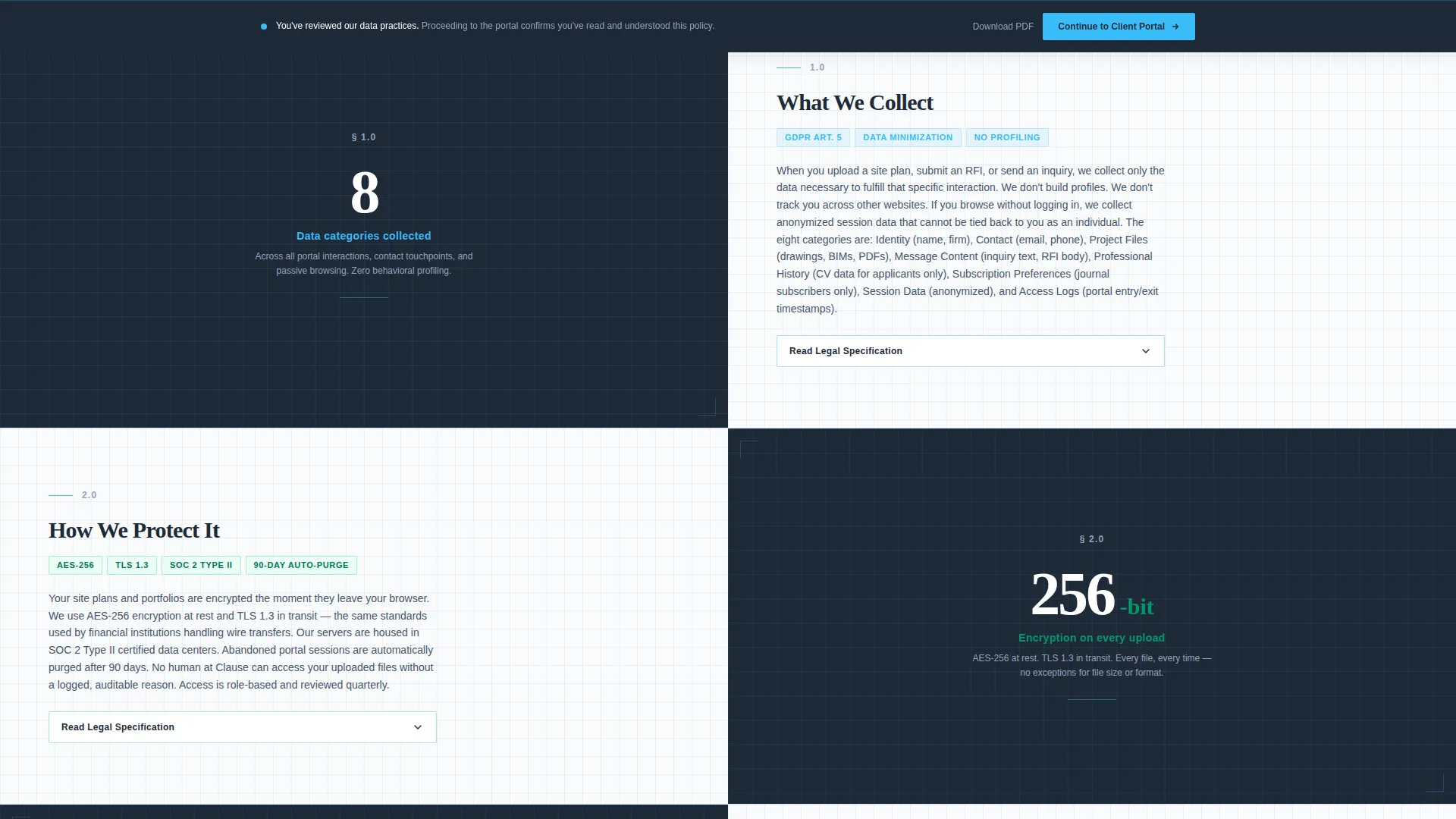
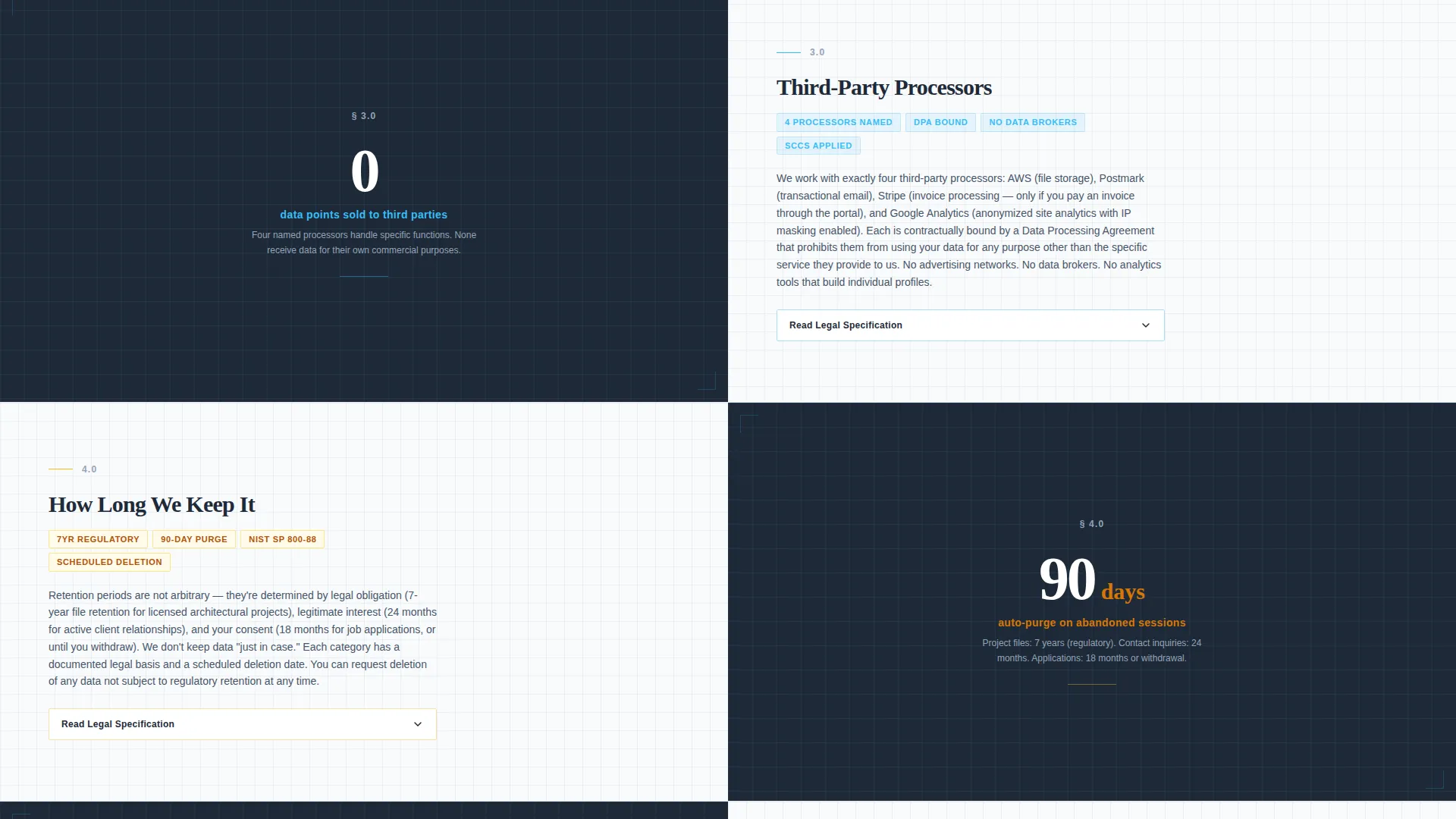
- Split-screen stat-and-explanation pairings for each policy section, combining oversized metrics with collapsible legal text
- A sticky "Continue to Client Portal" call-to-action bar and a footer-anchored PDF download link
Feature list
This template includes purpose-built components that make privacy policy content scannable, interactive, and trustworthy.
Live Data Footprint Estimator
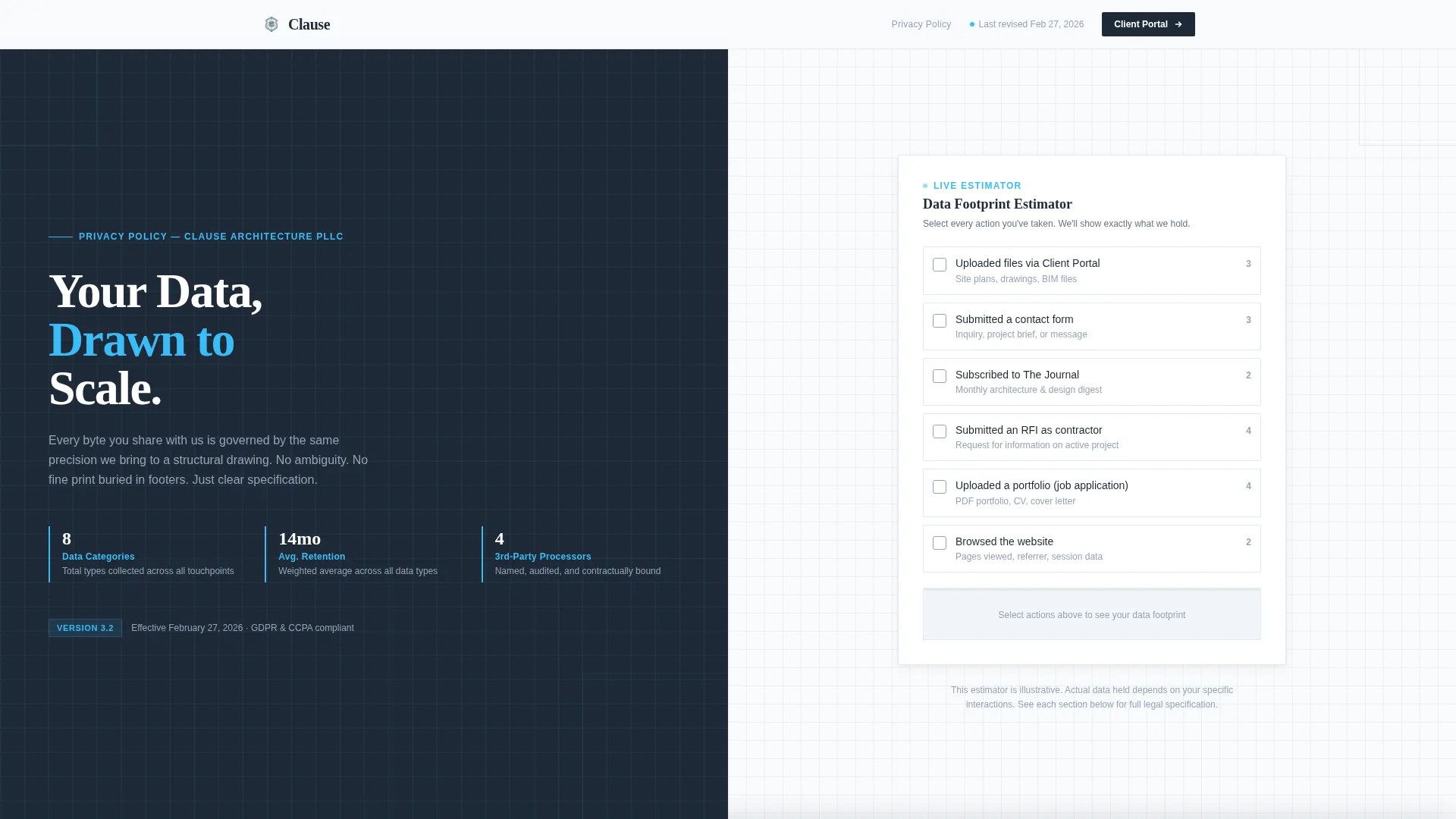
The right panel of the header contains an interactive estimator. Visitors toggle checkboxes for actions they have taken, such as uploading files, submitting a contact form, or subscribing to the journal. The panel updates in real time to show which data categories the firm holds, how long each is retained, and where it is stored.
Stats-First Policy Sections
Each policy section opens with a single oversized metric on the left panel. Examples include data points sold to third parties, encryption strength applied to uploads, and session auto-purge timelines. The right panel follows with a plain-language summary and a collapsible accordion holding precise legal text.
Dashboard KPI Header Blocks
Below the 64-pixel slab-type headline "Your Data, Drawn to Scale," three stat blocks present key policy figures. These are styled as dashboard key performance indicators (KPIs) with sky-blue accent borders. They cover total data categories collected, average retention period in months, and third-party processor count.
Sticky Consent Call-to-Action Bar
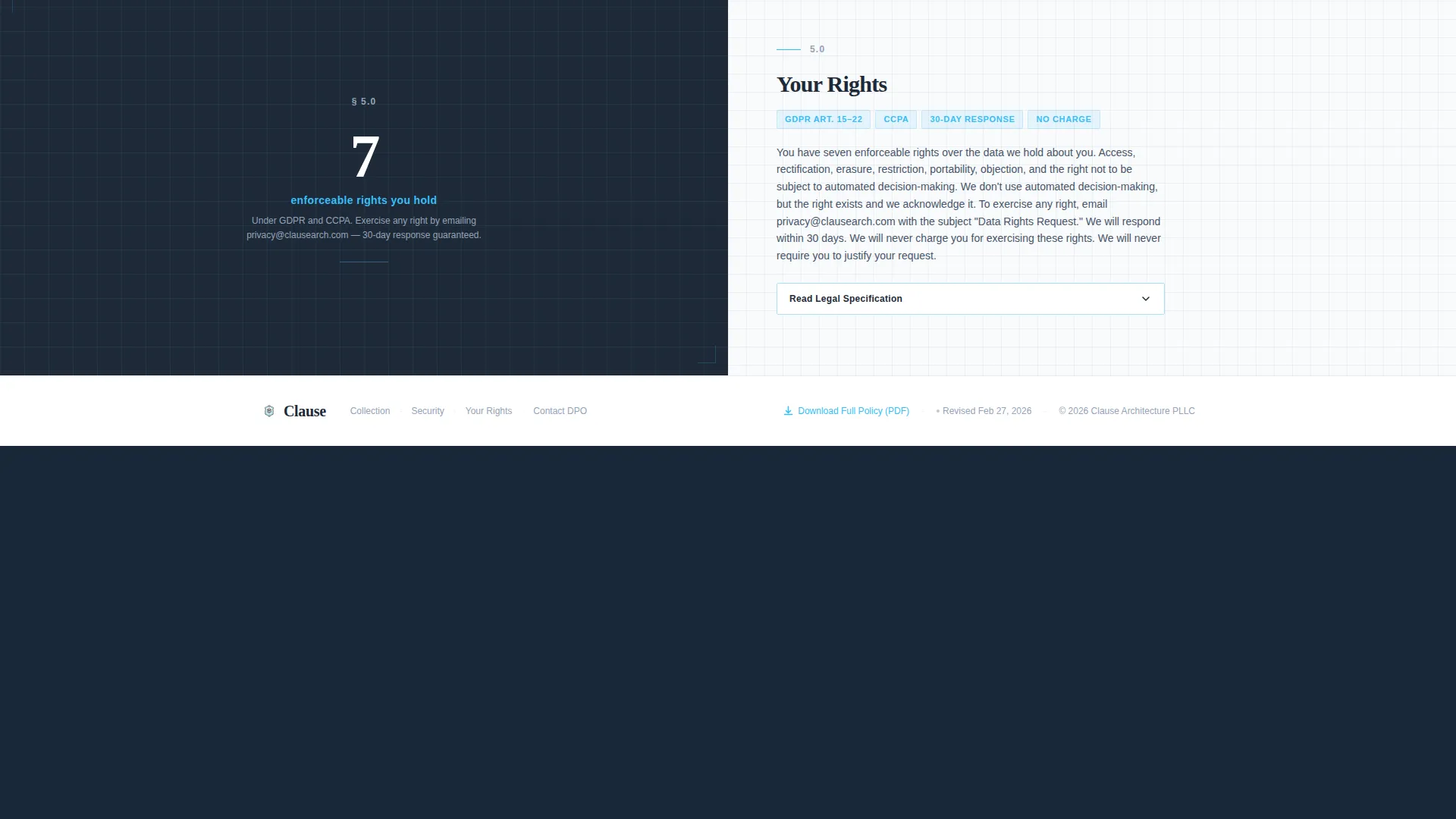
A "Continue to Client Portal" button is anchored in a sticky bottom bar. It appears after the visitor scrolls past the data-rights section, confirming informed consent before portal entry. The placement earns the click by requiring the visitor to engage with the policy content first.
Collapsible Legal Accordion
Each stat-driven section includes a collapsible accordion on the right panel. It holds the precise legal text for that policy area without cluttering the reading surface. Visitors can expand only what they need, keeping the page clean and scannable.
PDF Download and Revision Timestamp
The page footer includes a secondary link to download the full policy as a PDF. A revision timestamp sits beside it, showing when the policy was last updated. Both elements reinforce the firm's commitment to transparency and current record-keeping.
Page sections overview
| Section | Purpose |
|---|---|
| Split-Screen Header | Headline, KPI stats, and live Data Footprint Estimator side by side |
| Data Collection Stats | Oversized metric paired with plain-language collection policy explanation |
| Data Processing Stats | Processing metric paired with explanation and collapsible legal accordion |
| Data Rights Stats | User rights metric with explanation, triggers sticky call to action bar on scroll |
| Sticky call to action Bar | Confirms informed consent and routes visitor to the client portal |
| Policy Footer | PDF download link and last-revision timestamp for full transparency |
Design & branding system
The visual identity follows a Dashboard Pro theme built on the Slate & Sky color system. Every color choice reflects a deliberate architectural metaphor: the precision of a blueprint combined with the warmth of natural light at dusk.
- Deep architectural charcoal (#1E2A38) and drafting-table slate (#475569) form the structural base for backgrounds and text containers
- Open-sky blue (#38BDF8) highlights interactive elements, data callouts, and KPI border accents, while vellum white (#F8FAFC) provides clean reading surfaces
- Typography uses 64-pixel slab type for the primary headline, reinforcing the blueprint-scale aesthetic across the left panel
Mobile & speed optimization
The split-screen layout is structured to reflow cleanly on smaller screens without losing the stat-and-explanation pairing that drives the template's core message.
- The 50/50 column structure adapts so stat blocks and estimator panels stack vertically on mobile, preserving readability
- Collapsible accordions reduce the visible content load on smaller screens, allowing visitors to expand only the sections relevant to them
How this template helps you convert
This template converts by building trust before asking for it. Rather than gating portal access behind unread legal text, it makes the policy itself the persuasion tool.
- The Data Footprint Estimator and KPI stat blocks answer the visitor's first question, "what does this firm know about me," before they scroll a single line of policy text
- The scroll-triggered sticky call to action bar appears only after the visitor passes the data-rights section, so the "Continue to Client Portal" action feels earned rather than forced
Other information about this template
Clause fits naturally into a broader architecture firm web presence as a dedicated privacy policy landing page. It works as a standalone page linked from a client portal, a job application portal, or a project intake form.
- The template style is Split Screen (50/50), the theme is Dashboard Pro, and the creative direction is Stats-First Impact
- The header concept is a Calculator/Estimator and the landing-page direction is Click-Through, making every design decision serve a specific conversion goal
- This template is categorized under Architecture Firm Website Templates within the Technology category, making it a focused solution for the architecture firm privacy policy page niche
Theme
Dashboard Pro
Creative direction
Stats-First Impact
Color system
Slate & Sky
Style
Split Screen (50/50)
Direction
Click-Through
Page Sections
Live Data Footprint Estimator
Stats-first Split-screen Sections
Dashboard KPI Header Blocks
Scroll-triggered Sticky Call to Action Bar
Collapsible Legal Accordion
PDF Download and Revision Timestamp
Related questions
Who is this privacy policy landing page template designed for?
Can I edit the stat blocks and estimator checkboxes to match my firm's actual data practices?
What triggers the sticky "Continue to Client Portal" bar?
Does the template include the actual legal policy text?
How does the PDF download link work in the footer?



