Architecture Firm Reviews & Social Proof Website Template
Formwork is a bold brutalist landing page template built for architecture firms that win work through evidence, not aesthetics. It leads with an interactive project cost estimator, anchors navigation across service spokes, and frames every section as a direct comparison between this firm's process and the industry default. The result is a page that earns trust before it ever asks for a meeting.
by Rocket studio
Quick summary
Formwork is a single-page, anchor-navigated landing page template designed for architecture firms that serve commercial developers, civic planners, and owner-operators. It opens with a tabbed project showcase, then drops the visitor immediately into an interactive cost estimator. Every scroll section that follows stacks evidence through side-by-side comparisons, named case studies, and real timelines, building enough conviction that submitting an RFP feels like the obvious next step.
Who this template is for
This template is built for architecture firms that compete on process, proof, and precision rather than mood boards alone. It suits firms whose clients arrive already comparing multiple bids and need reasons to stop looking.
- Commercial developers evaluating bids from competing firms on live projects
- Municipal planners vetting architecture partners for civic or institutional work
- Owner-operators steering warehouse renovations or adaptive reuse projects from early sketch through permitting
What problem this template solves
Most architecture firm pages are beautiful but passive. They show finished buildings and hope visitors feel something. Formwork takes the opposite position. It gives visitors a concrete, personalized number before asking for anything, then answers every remaining question through structured comparison rather than persuasion copy.
- Visitors leave competing firm pages without a cost reference point, making comparison hard
- Generic portfolio pages do not differentiate a firm's internal process from industry defaults
- Early-stage leads have no low-commitment path, so they bounce before reaching the contact form
What you get with this template
You get a fully structured, anchor-navigated landing page that functions as a live sales tool. Every section is purpose-built around a specific moment in the decision process, from first impression through RFP submission.
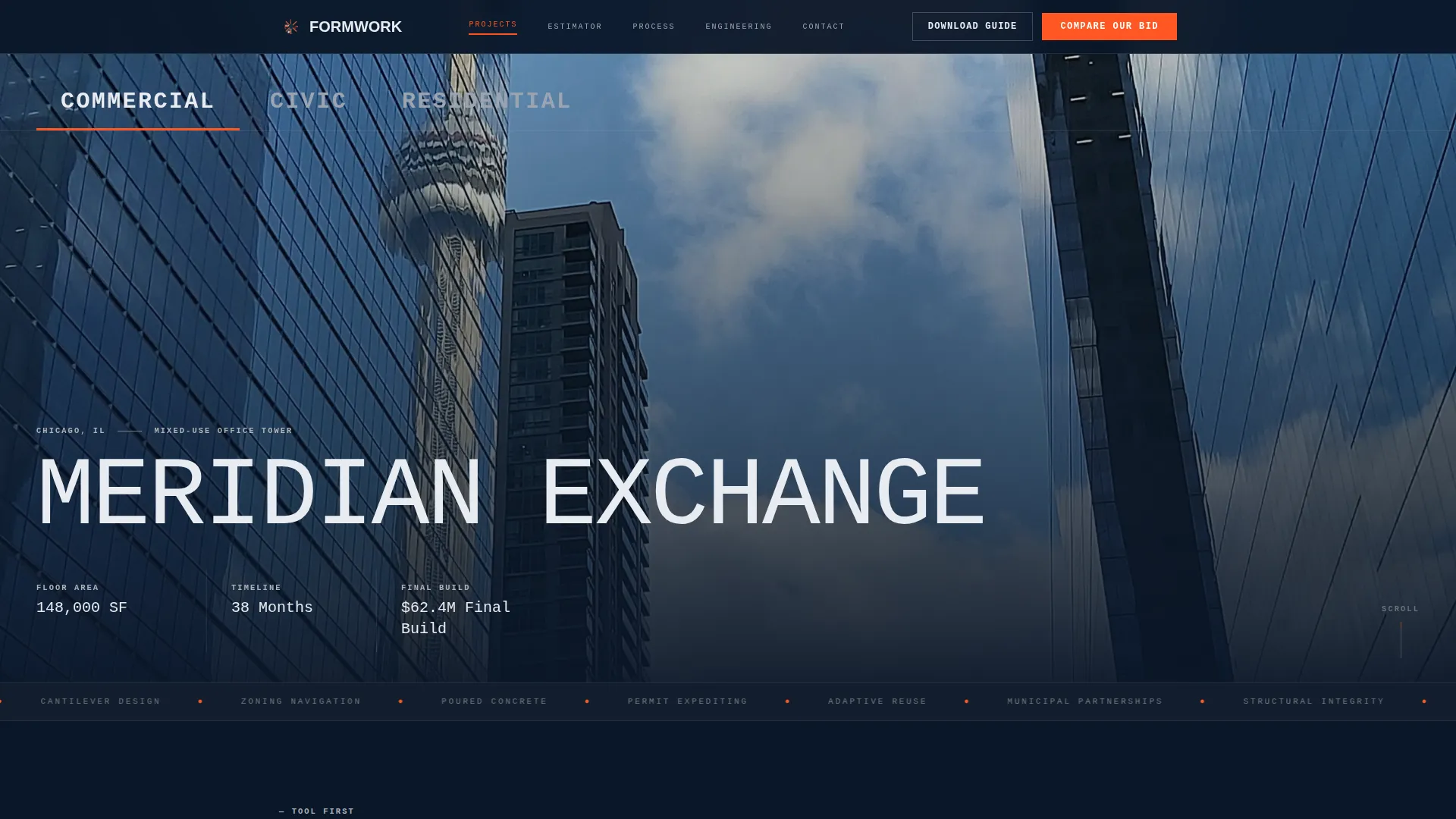
- A Feature Tab Switcher header with three full-bleed project tabs covering Commercial, Civic, and Residential work
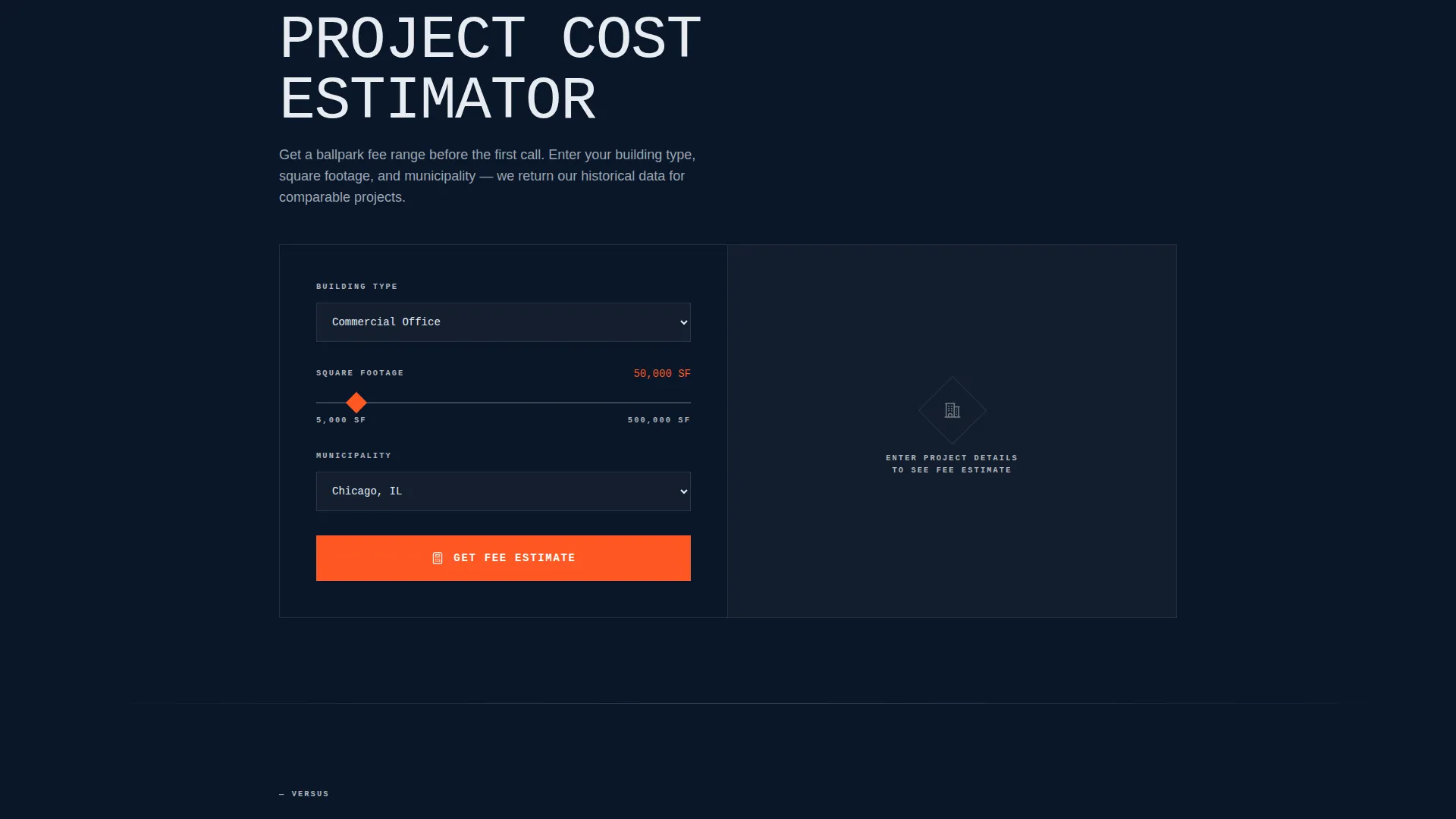
- An interactive project cost estimator that returns a ballpark fee range based on building type, square footage, and municipality
- Spoke sections that frame each service area as a direct comparison against the industry default, closing with a locked "Compare Our Bid" call to action
Feature list
This template is built around a small number of high-impact components. Each one is placed deliberately to move a hesitant, comparison-minded visitor toward a decision.
Feature Tab Switcher Header
Three oversized tabs labeled Commercial, Civic, and Residential sit across the full viewport width. Each tab triggers a full-bleed project photograph overlaid with scope, square footage, timeline, and final build cost. The monospaced, all-caps typography reads like stamped form labels on a construction site, making the header feel like a project document rather than a brochure.
Interactive Project Cost Estimator
Positioned directly below the header, this calculator asks for building type, square footage range, and municipality. It returns a ballpark fee range alongside the firm's historical data for comparable projects. The tool delivers real value before asking for contact information, which is what earns the scroll.
Anchor Navigation Bar
A persistent navigation bar links to each spoke section down the page. The "Compare Our Bid" call to action is locked inside this bar at all times. Visitors always have one click back to the primary conversion action regardless of how far they have scrolled.
Comparison Spoke Sections
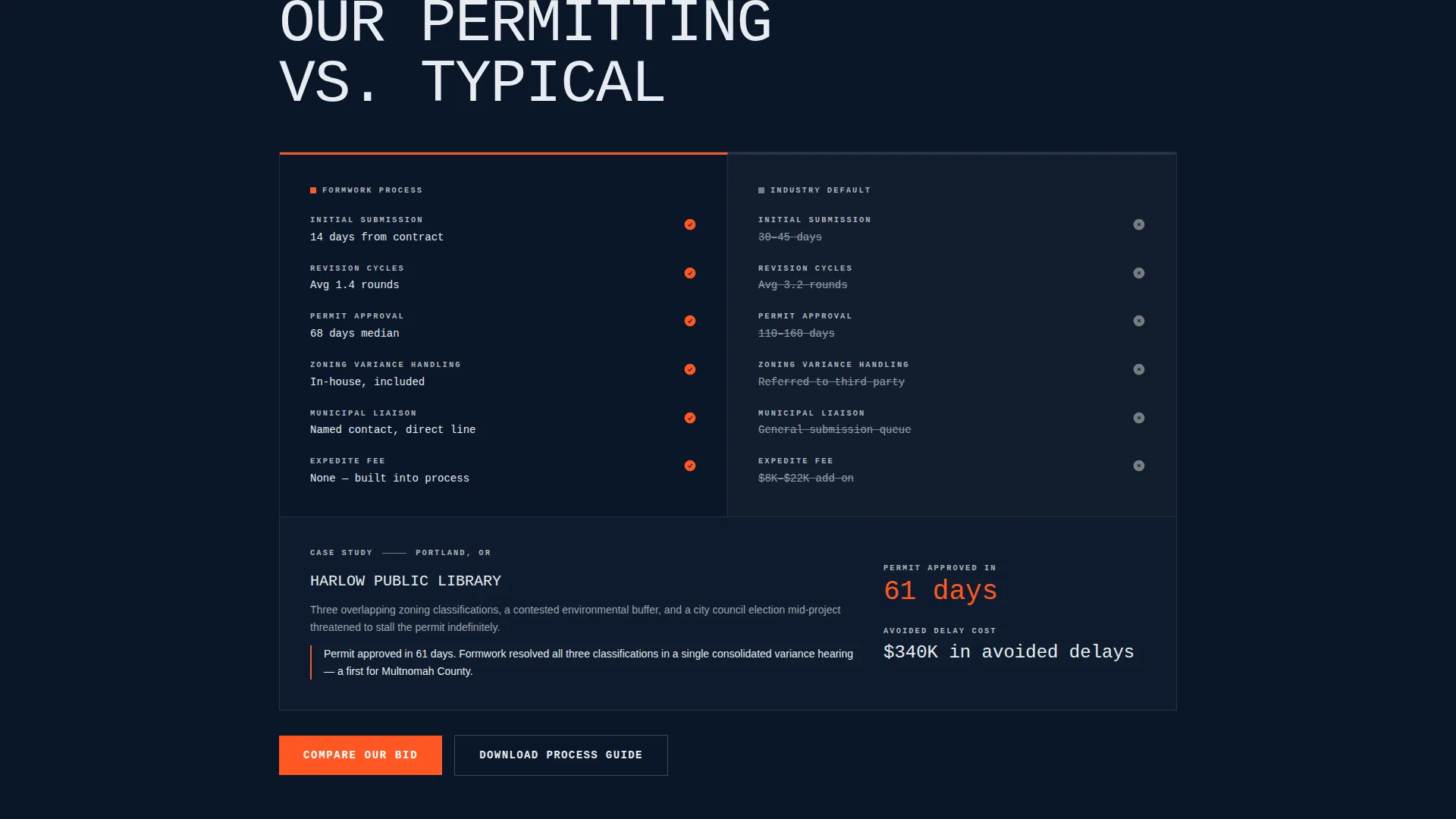
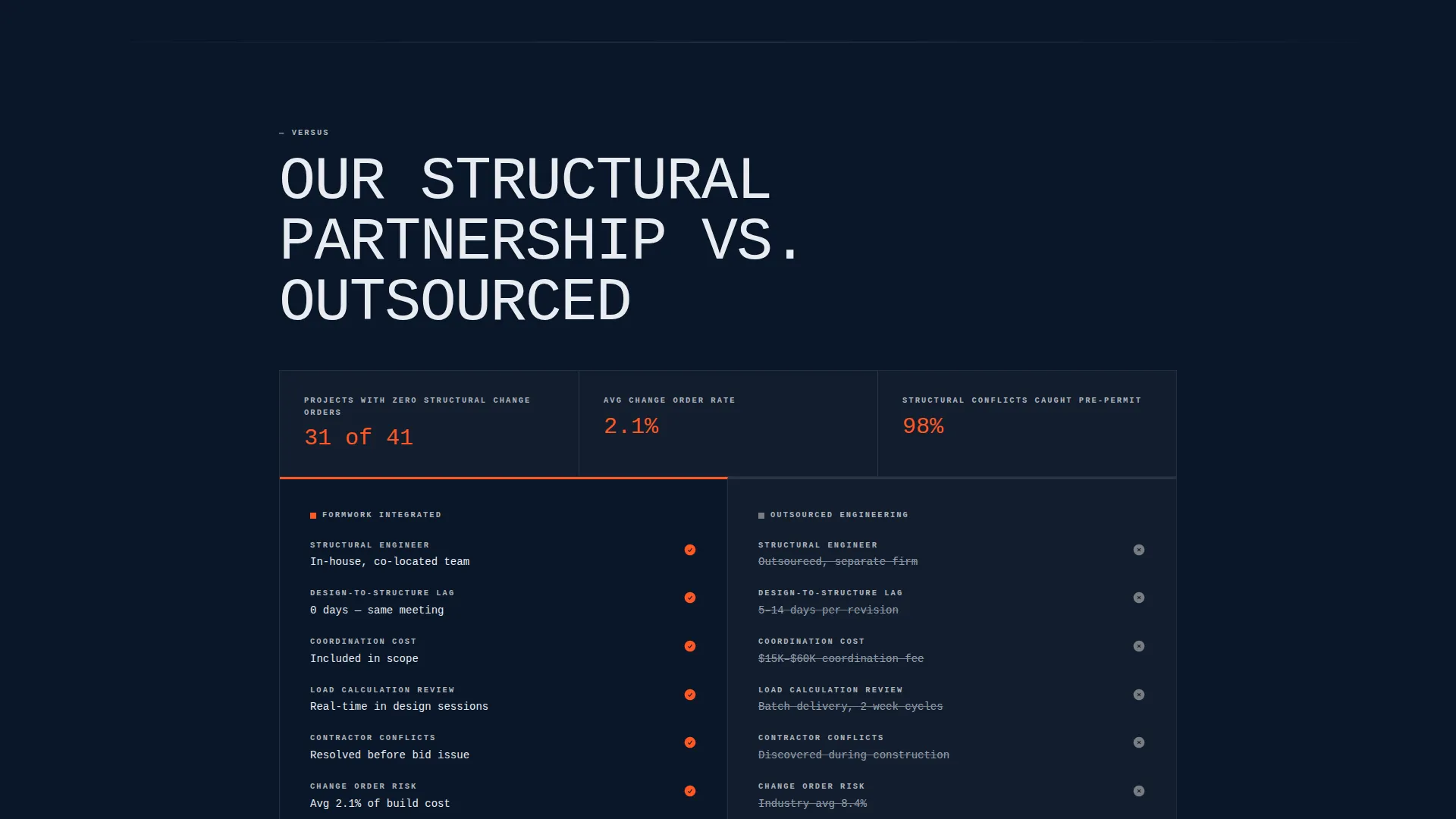
Each service section is structured as a side-by-side column layout contrasting this firm's approach against the typical industry default. Sections include permitting process, structural engineering partnership, and similar topic pairs. Real timelines and named case studies provide the evidence layer.
Dual Conversion Paths
The primary path is the short-form RFP builder, triggered by "Compare Our Bid." It asks for project address, building type, estimated square footage, and current project phase. The secondary path is "Download Our Process Guide," which captures earlier-stage visitors who are still evaluating options.
RFP Builder Form
The short-form RFP builder appears at the close of every spoke section. It asks four focused questions: project address, building type, estimated square footage, and current project phase. The brevity reduces friction for visitors who arrived through the estimator and already understand the firm's capabilities.
Page sections overview
| Section | Purpose |
|---|---|
| Tab Switcher Header | Showcase project types with scope and cost overlays |
| Cost Estimator Tool | Deliver a personalized fee range before asking for contact details |
| Anchor Navigation Bar | Keep primary call to action visible and reachable throughout the scroll |
| Permitting Process Spoke | Compare firm's permitting approach against the industry default |
| Engineering Partnership Spoke | Contrast in-house structural partnership against outsourced engineering |
| Case Study Layer | Provide named project evidence within each comparison spoke |
| RFP Builder Close | Convert spoke-level interest into a submitted project inquiry |
| Process Guide Download | Capture early-stage leads not yet ready to submit an RFP |
Design & branding system
The visual identity follows a Bold Brutalist theme built on a Midnight Blue color system. The palette is intentional and restrained, with every color doing a specific structural job.
- Deep structural navy (#0A1628) as the primary background, exposed-concrete gray (#B0B3B8) for section dividers and secondary surfaces, and blueprint white (#E8ECF1) for body text
- Signal orange (#FF5722) reserved exclusively for interactive elements, active navigation states, and call-to-action buttons
- Monospaced, all-caps typography styled to resemble stamped concrete form labels, used at an enormous scale with no hero paragraph or tagline
Mobile & speed optimization
The template's layout is structured to remain functional and readable at smaller viewport sizes. The bold typographic scale and high-contrast color system are practical advantages on mobile, where legibility often suffers with more decorative design approaches.
- Full-bleed tab images and side-by-side comparison columns are structured to reflow cleanly for narrower screens
- The persistent anchor navigation bar and locked call-to-action button remain accessible regardless of scroll position or device size
How this template helps you convert
This template is engineered around a single insight: a visitor who already has their number has almost nothing left to wonder about. The page is structured to collapse hesitation at every stage.
- The cost estimator delivers personalized value in the first scroll, giving the visitor a reference point before the firm has asked for anything in return. This is the mechanism that earns continued engagement.
- The spoke-by-spoke comparison sections replace persuasion copy with stacked evidence. Named case studies, real timelines, and side-by-side columns make differentiation factual rather than claimed.
- The dual conversion paths ensure no visitor leaves without a next step. High-intent visitors submit the RFP builder. Earlier-stage visitors download the Process Guide and stay in the pipeline.
Other information about this template
Formwork is categorized under Architecture Firm Website Templates and is specifically designed for the Architecture Firm Services Page niche. It sits at the intersection of a hub-and-spoke anchor navigation structure, a Calculator/Tool First creative direction, and a Comparison/Versus conversion approach, which is an uncommon combination for this category.
- The template style is Hub and Spoke with anchor navigation, meaning the page functions as both a single scrolling surface and a structured menu of linked service sections
- The Intersection Match Score for this template's category, theme, and niche combination is 13, reflecting a highly specific and purposeful alignment between design direction and target audience
- This template is built under the Bold Brutalist theme within the Midnight Blue color system, a pairing that reinforces the firm's positioning without relying on decorative elements
Theme
Bold Brutalist
Creative direction
Calculator/Tool First
Color system
Midnight Blue
Style
Hub & Spoke (Anchor Nav)
Direction
Comparison/Versus
Page Sections
Feature Tab Switcher Header
Interactive Project Cost Estimator
Persistent Anchor Navigation Bar
Comparison Spoke Sections
Dual Conversion Path Design
Short-form RFP Builder
Related questions
Can I customize the cost estimator inputs for my firm's actual fee structure?
Does the template include the RFP builder form as a ready-to-use component?
Is this template suitable for a firm that handles only one project type?
What makes this template different from a standard architecture portfolio page?



