Cybersecurity Reviews Website Template
Shield is a split-screen zero trust security landing page template built for enterprise cybersecurity platforms. It pairs a live animated dashboard preview with an interactive attack-surface explorer, guiding CISOs, DevSecOps leads, and compliance officers from problem awareness to a single clear call to action. Every section earns the click before asking for it.
by Rocket studio
Quick summary
Shield is a single-page zero trust security landing page template designed for enterprise cybersecurity platforms. It uses a 50/50 split-screen layout, high-motion animations, and scroll-linked interactivity to demonstrate continuous verification in action. The page drives visitors toward one goal: clicking through to a free environment assessment.
Who this template is for
Security platform teams need a landing page that speaks to technical buyers without losing clarity. This template is built for those exact audiences.
- CISOs managing sprawling hybrid cloud and on-prem infrastructure who need to show full orchestration proof to their boards
- DevSecOps leads wiring zero trust architecture into CI/CD pipelines who need a page that communicates policy-as-code practices
- Compliance officers facing SOC 2 audits on tight timelines who need visible, credible security posture signals
What problem this template solves
Traditional perimeter-based security is no longer sufficient for today's networks. Organizations face a real challenge: how do you communicate a zero trust model to a technical buyer who has seen every vendor claim the same thing?
- Static product pages fail to show how zero trust architecture actually behaves under real network activity and lateral movement attempts
- Buyers like CISOs and DevSecOps leads need to interact with the product's logic before they trust it enough to enter a pipeline
- Compliance-driven buyers need confidence signals fast, with no friction and no overwhelming forms
What you get with this template
You get a fully structured, motion-rich zero trust landing page ready to deploy. Every section is pre-built with layout, animation intent, and copy hierarchy defined.
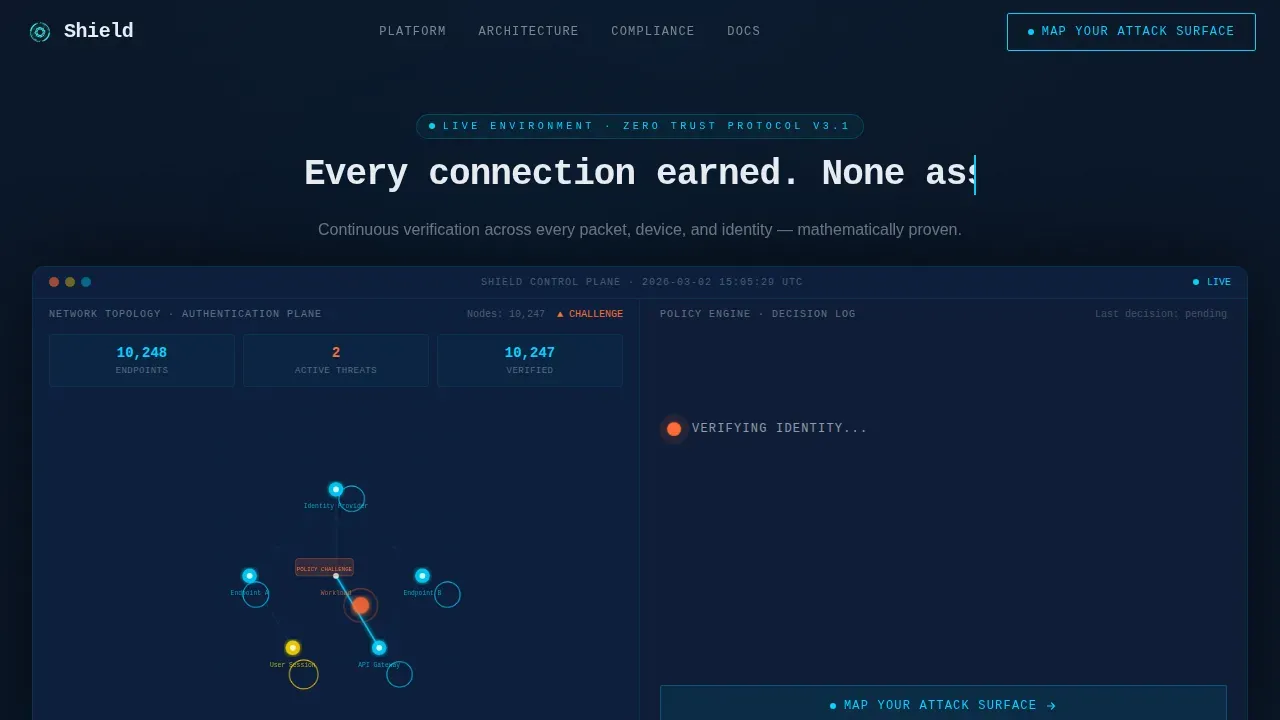
- A hero section with a 50/50 split dashboard, typewriter headline, pulsing network topology map, and a live policy-resolution cascade on the right panel
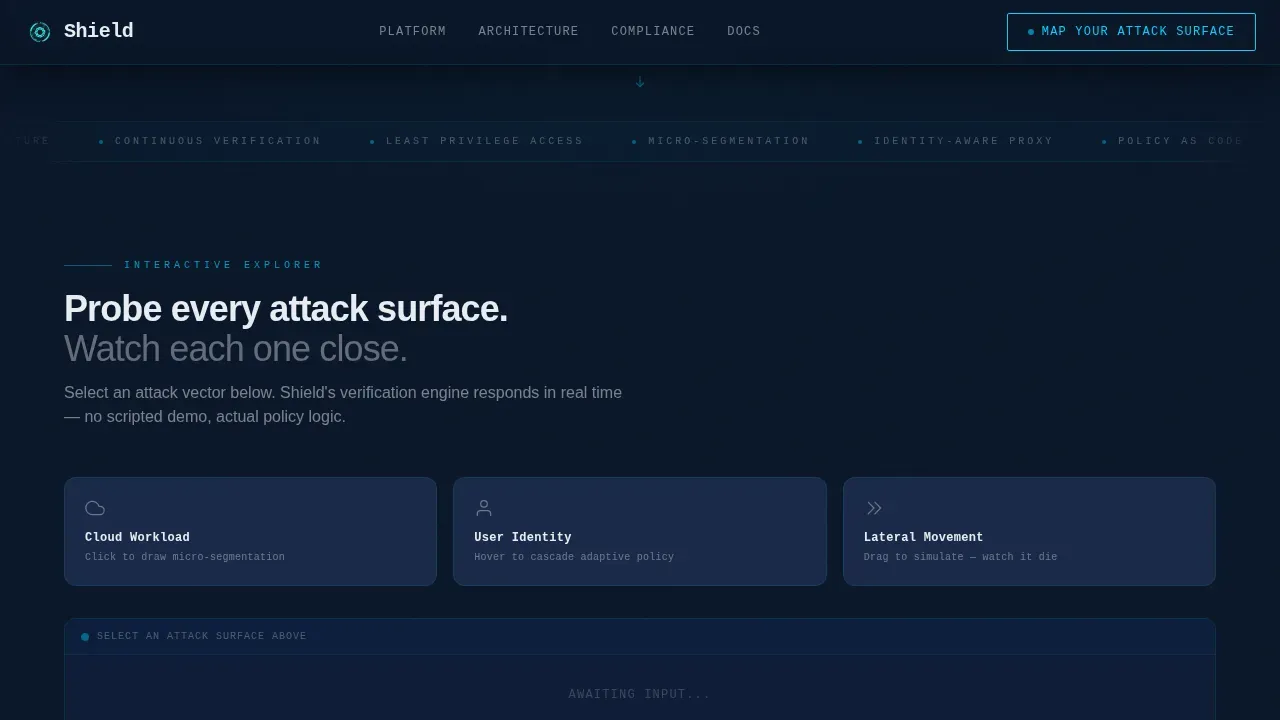
- An interactive explorer where scroll checkpoints let visitors probe attack surfaces, trigger micro-segmentation boundaries, and simulate lateral movement attempts that get stopped mid-hop
- An architecture bento grid, compliance proof section with counter animations, and a primary call-to-action module tied to a scoping questionnaire flow
Feature list
This template delivers the following core capabilities, each grounded in the design brief.
Live Split-Screen Dashboard Hero
The hero renders a 50/50 animated dashboard. The left panel shows a network topology map with nodes pulsing and micro-animations tracing authentication handshakes between every device endpoint. The right panel shows the resolution: identity verified, session scoped, least-privilege enforced. One node shifts from amber to electric cyan as policy fires and closes.
Scroll-Linked Interactive Explorer
Scrolling activates each section rather than simply revealing it. Visitors can click a cloud workload to watch micro-segmentation draw live boundaries, hover a user identity to see adaptive policy rules cascade, and drag a simulated lateral movement attempt to watch it stopped in real time. This proves zero trust principles through direct interaction.
Architecture Bento Grid
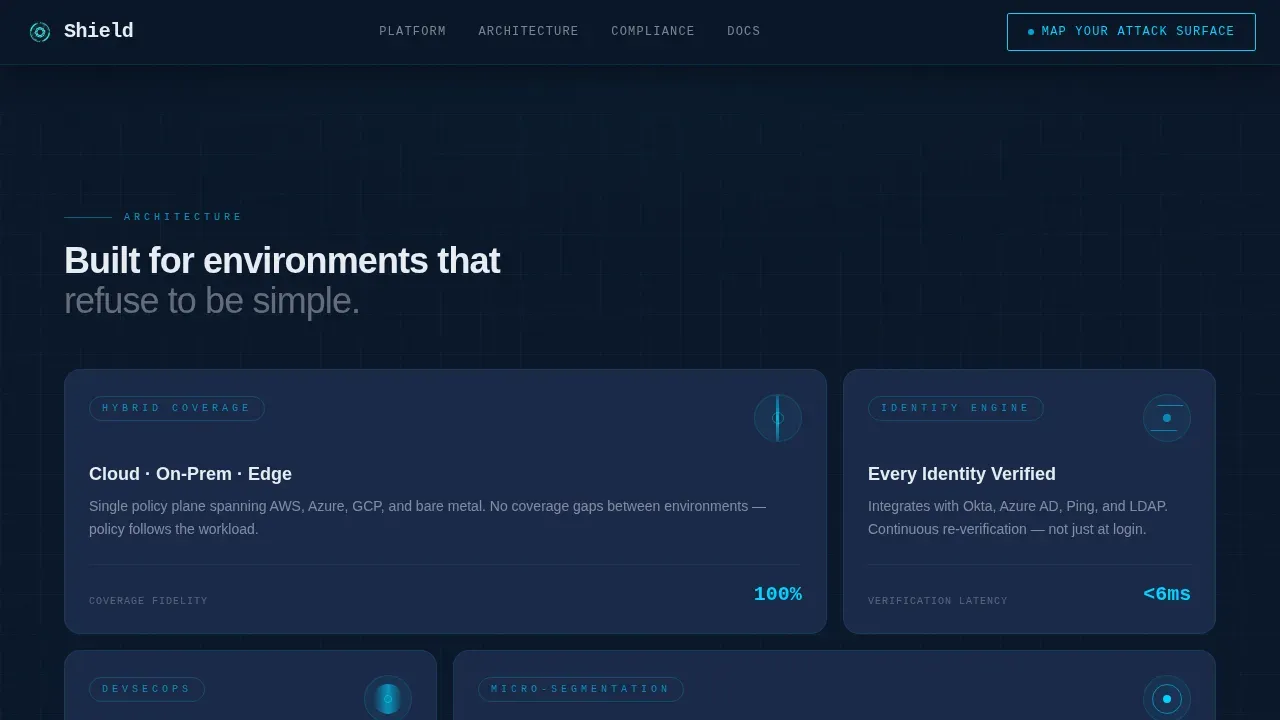
An asymmetric bento grid section covers cloud, hybrid, and on-prem infrastructure coverage in a single scannable layout. Each cell communicates a distinct layer of the zero trust architecture, from endpoint device health validation to network segmentation, giving visitors a full picture of environment scope.
Compliance Proof with Counter Animations
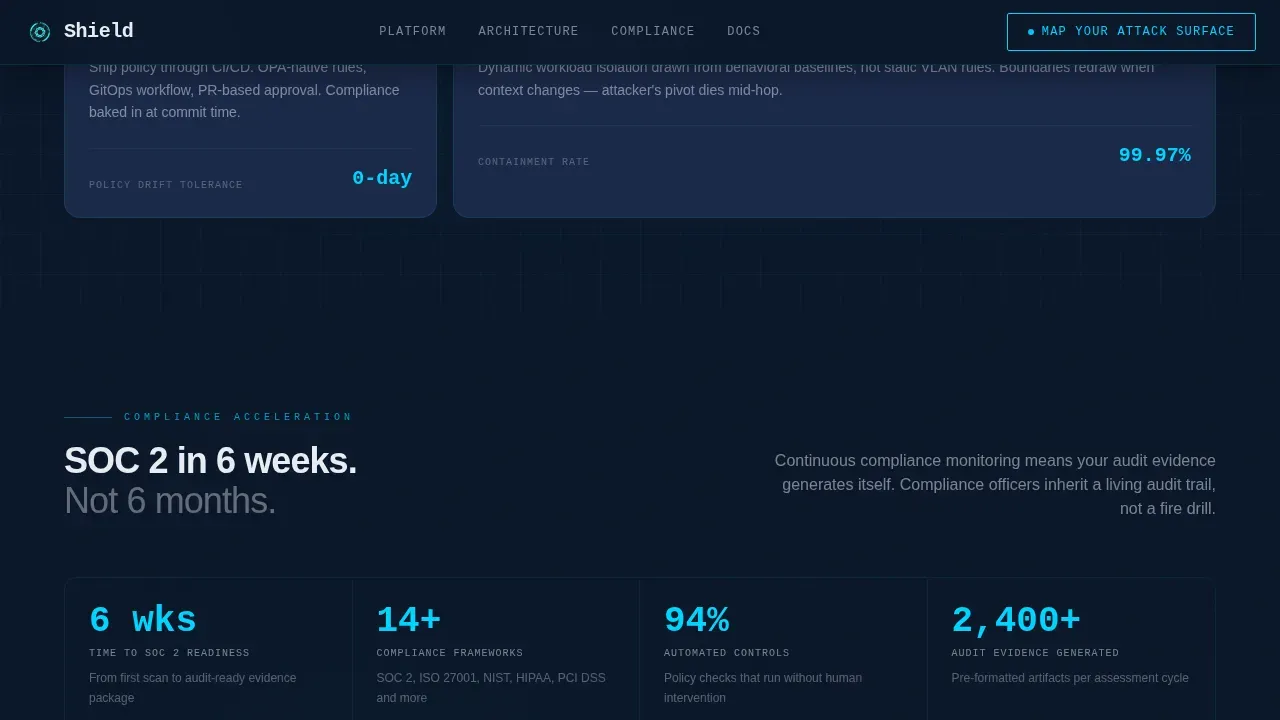
A dedicated section displays social proof metrics with live counter animations. Endpoint counts tick upward, latency numbers refresh, and audit timeline stats are shown in motion. This gives compliance officers and CISOs the actionable insights they need to justify the next step.
Single-Click call to action Module
The primary call to action, "Map Your Attack Surface," appears twice: pinned to the header dashboard and repeated after the final interactive module. There is no form on this page. The click routes to a scoping questionnaire covering environment type, identity provider, and current segmentation maturity.
Monospace Typewriter Headline
The hero headline types itself in JetBrains Mono: "Every connection earned. None assumed." This reinforces zero trust trust principles at the most visible moment of the page, in the exact visual language that SOC floor operators recognize.
Page sections overview
| Section | Purpose |
|---|---|
| Hero Dashboard Split | Animate live policy resolution across a 50/50 split screen |
| Interactive Attack Explorer | Let visitors probe segmentation, identity, and lateral movement |
| Architecture Bento Grid | Show cloud, hybrid, on-prem infrastructure coverage in one view |
| Compliance Proof Stats | Display audit-readiness metrics with live counter animations |
| call to action Assessment Module | Drive clicks to environment scoping questionnaire |
| Footer Horizontal Flow | Provide ultra-minimal navigation and brand closure |
Design & branding system
The visual identity is built around a SOC floor aesthetic: dark, precise, and glowing only where attention is demanded.
- Color palette: abyssal navy (#0A1628) as the primary background, tactical slate (#1B2A4A) for card surfaces and secondary panels, electric cyan (#00D4FF) for live-state indicators and interactive highlights, and signal white (#E8ECF1) for all typography
- Typography: JetBrains Mono handles all monospace and code-style elements; DM Sans is used for body copy, keeping technical content readable without sacrificing the SOC floor visual background
Mobile & speed optimization
Shield is designed desktop-first, matching the primary audience of CISOs and SecOps professionals working on workstations and SOC floor monitors.
- All animations use GPU-accelerated transforms only, keeping motion smooth without taxing the main thread across high-resolution displays
- Counter animations use requestAnimationFrame for precise, performant number ticking that stays in sync with scroll-linked section activation
How this template helps you convert
The page earns the click before it asks for one. Every interactive element is a proof point, not a pitch.
- Visitors interact with zero trust logic directly through clickable topology nodes, hover-triggered policy cascades, and drag simulations, so by the time they reach the call to action, they have already seen their own problem solved
- The "Map Your Attack Surface" call to action appears at the moment of highest engagement, after the final interactive module, with no form barrier on this page to interrupt momentum
- Real-time security posture indicators provide visual feedback on risk levels during each simulated session, reinforcing trust in the platform before any personal data is requested
Other information about this template
This template sits within the broader zero trust security resources landscape, where organizations use established frameworks and tools to guide implementation.
- NIST has released a practice guide for implementing a zero trust architecture covering best practices from multiple vendor collaborations; this template's architecture bento section can support similar framework messaging
- Microsoft offers a zero trust partner kit with architecture diagrams and templates that can be customized for specific environments; teams deploying this template can align their messaging with Microsoft zero trust partner materials for specific customer segments
- The zero trust model described by these resources assumes no user, device, or application is trusted by default, and access is granted based on continuous verification of identity, context, and policy, which is exactly the narrative this template communicates
- Key zero trust principles include multi factor authentication, least-privilege access control, micro-segmentation, and adaptive authentication that prompts for additional verification only when risk signals warrant it
- Email security and inbox protection scenarios, supply chain attacks, and legacy systems risks are all relevant challenges that zero trust architecture helps organizations address, and this template's interactive explorer section can be adapted to demonstrate those use cases
- The template's veto access simulation, activation status indicators, and administrative control panel sections can be mapped to real zero trust trust model documentation from NIST or vendor-specific guides
- Organizations considering this template should evaluate their environment type carefully: cloud-only, hybrid, or on-prem deployment patterns each carry different zero trust architecture requirements that the scoping questionnaire downstream of this page is designed to surface
Theme
Dynamic Motion
Creative direction
Interactive Explorer
Color system
Midnight Blue
Style
Split Screen (50/50)
Direction
Click-Through
Page Sections
Live Split-screen Dashboard Hero
Scroll-linked Interactive Explorer
Architecture Bento Grid
Compliance Proof with Counter Animations
Typewriter Monospace Headline
Single-click Call to Action Module
Related questions
What kind of security platform is this template designed for?
Does the template include a lead capture form?
Can this template be adapted for hybrid or on-prem environments?
Is this template suitable for compliance-focused messaging?
What animation and interactivity level should I expect?



