Cyber Defense Landing Page Template
Breach is a dark, modular landing page template built for cybersecurity community forums. It uses a card grid layout to display thread categories, member tiers, challenge stats, and locked content previews. A neon-driven visual identity and a focused invite-request form make it ideal for SOC analysts, pentesters, and bug bounty hunters who want a space that feels native to the craft.
by Rocket studio
Quick summary
Breach is a single-page, card grid landing page template designed for cybersecurity community forums. It pairs a dark neon visual identity with a modular spec-sheet layout. Capability tiles, live activity tickers, and locked content previews work together to signal community value and drive invite requests from qualified security professionals.
Who this template is for
This template speaks directly to security practitioners who need a community home that looks as serious as the work they do. Generic forum templates do not signal credibility to people who live in terminals. Breach closes that gap.
- Security community builders launching invite-only forums for red teamers, blue teamers, and bug bounty hunters
- CTF team organizers and SOC leads who want a recruitment or onboarding page that resonates with working analysts
- Pentesters and threat intelligence professionals building portfolio or community presence before events like DEF CON qualifiers
What problem this template solves
Most community landing pages feel built for marketing teams, not practitioners. They use stock photography, soft gradients, and vague copy that says nothing to someone who spends their nights reading CVE disclosures. Breach is built differently.
- Operators who visit the page instantly recognize the visual language: void black backgrounds, phosphor green indicators, and monospaced type that feels like a live terminal
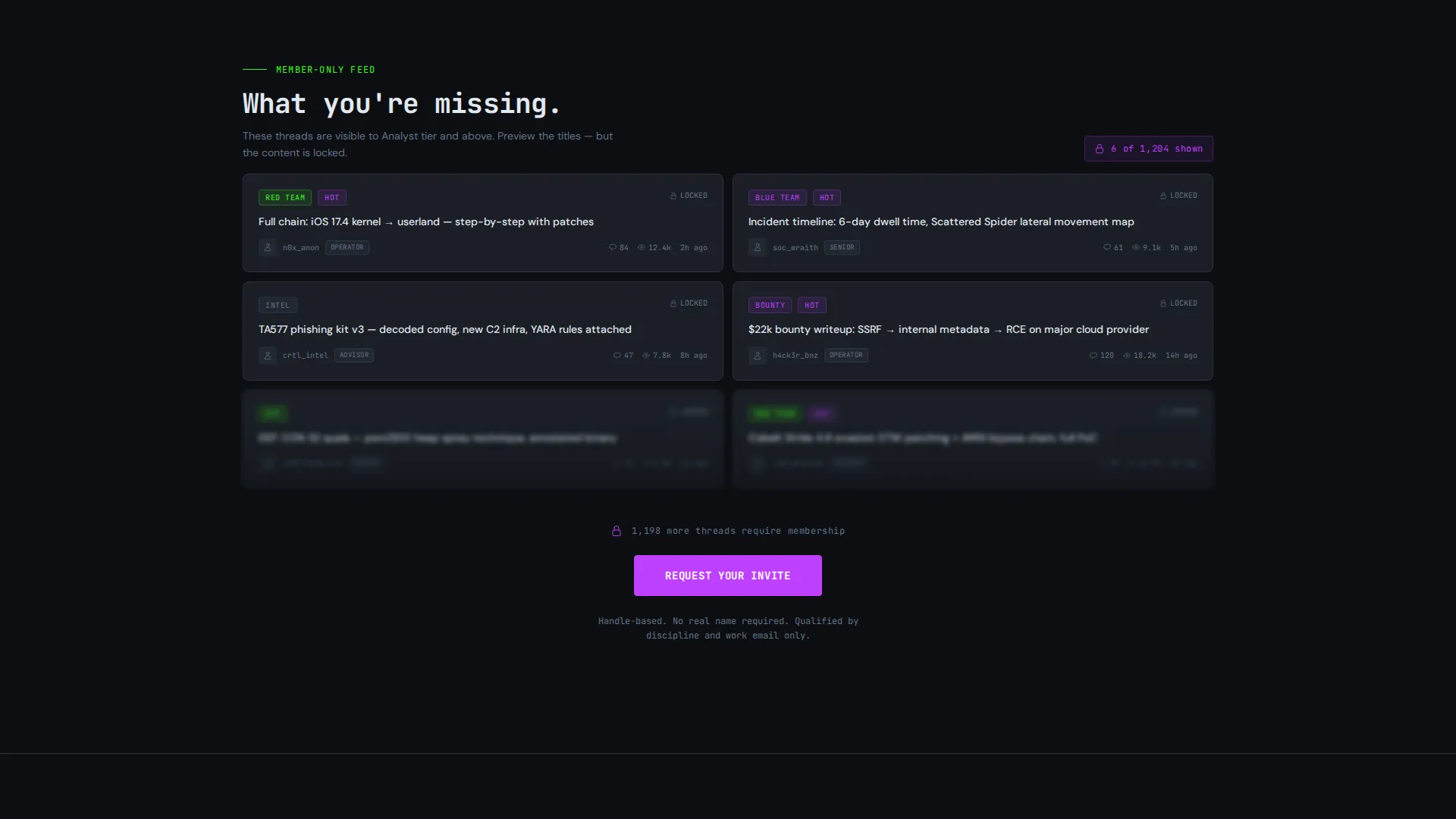
- Locked card previews create real exclusivity pressure without making false promises, showing visitors exactly what they cannot yet access
- The invite form qualifies leads by discipline rather than collecting names, keeping the community signal-to-noise ratio high from day one
What you get with this template
You get a fully structured, single-page layout with every section pre-built to serve the cybersecurity community niche. The design system, copy structure, and conversion flow are ready to customize without starting from scratch.
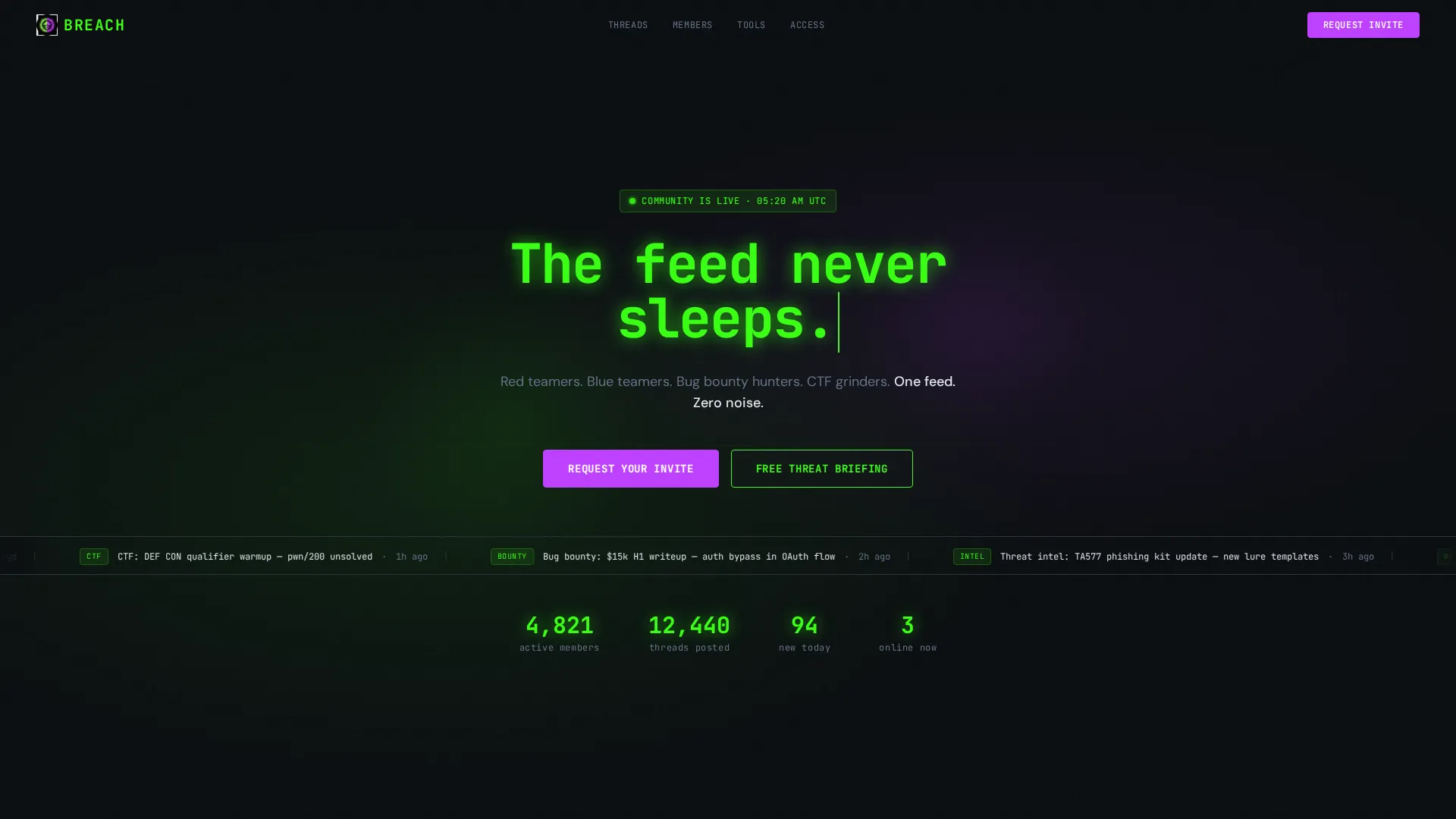
- A dark full-bleed header with a radial glow effect, a monospaced typewriter headline, and a live-activity ticker showing anonymized community feed entries
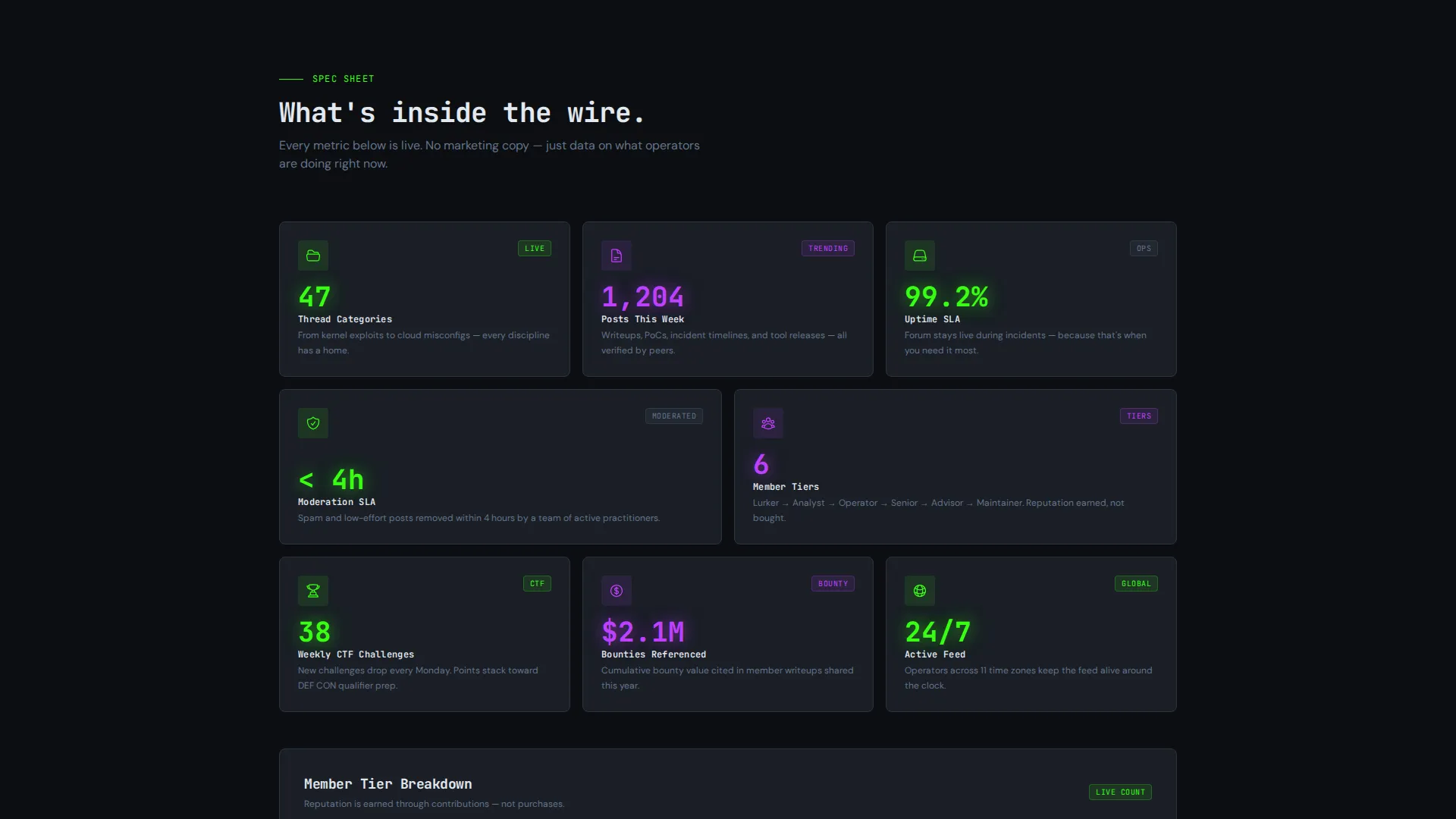
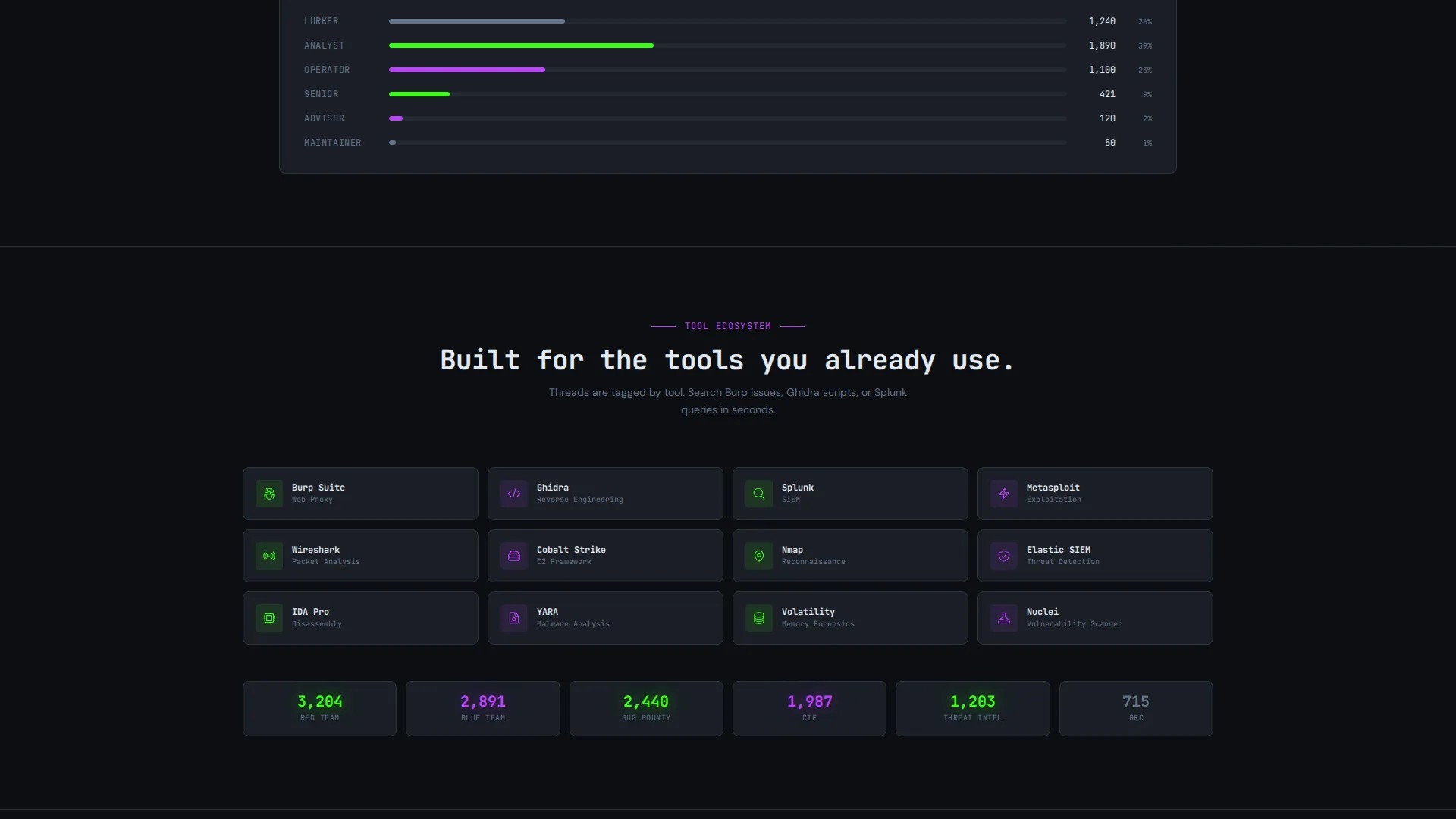
- A modular card grid covering thread categories, member tier breakdowns, weekly challenge stats, integration badge displays, and moderation metrics
- A two-path conversion section featuring a three-field invite-request form and a secondary email capture offering a free weekly threat briefing download
Feature list
This template delivers a focused set of capabilities drawn directly from the design brief. Each one serves the niche and the conversion goal.
Typewriter Headline with Live Activity Ticker
The header renders a monospaced headline character by character, simulating a terminal prompt. Beneath it, a scrolling ticker displays anonymized real-time activity entries such as recent writeup posts and CVE analysis threads, signaling that the community is active right now.
Modular Spec-Sheet Card Grid
Each card is a discrete capability tile showing one large data point and a two-line explanation. Cards cover thread categories with post counts, member tier levels from lurker to maintainer, weekly challenge statistics, and moderation response metrics. The layout mimics how operators scan dashboards.
Locked Content Tease with Ghost Blur
Select card modules display ghost-blurred previews of threads and content that only registered members can read. This creates visible exclusivity without fabricating features. Visitors see exactly what they are missing before they decide whether to request an invite.
Three-Field Invite Request Form
The primary conversion form collects a handle (not a full name), a primary discipline selected from a dropdown covering red team, blue team, GRC, threat intelligence, bug bounty, and student, and a work email. No password is required. The low-friction design qualifies visitors without creating commitment anxiety.
Secondary Email Capture for Threat Briefing
A parallel conversion path offers a free weekly threat briefing PDF to visitors who are not ready to request full access. This path captures email through value exchange before asking for community commitment, widening the top of the funnel without diluting invite quality.
Sticky Bottom call to action Bar
The invite call-to-action reads "Request Your Invite" and appears both after the locked-content tease section and as a persistent sticky bar at the bottom of the page. Repeat exposure at the right moments keeps the conversion path visible throughout the scroll.
Page sections overview
| Section | Purpose |
|---|---|
| Dark Full-Bleed Header | Establishes visual identity with radial glow, hex grid overlay, typewriter headline, and live activity ticker |
| Live Activity Ticker | Shows anonymized recent community posts to prove the forum is active |
| Thread Category Cards | Displays forum topic areas with post counts as scannable capability tiles |
| Member Tier Breakdown | Shows community hierarchy from lurker to maintainer in a single data card |
| Weekly Challenge Stats | Highlights active challenge participation metrics to signal community energy |
| Integration Badge Display | Lists tool compatibility badges relevant to the security workflow |
| Moderation SLA Metrics | Communicates response standards through a single-stat card format |
| Locked Content Preview | Ghost-blurred card modules tease member-only threads to create exclusivity |
| Invite Request Form | Three-field lead capture form qualifying visitors by handle, discipline, and email |
| Threat Briefing Capture | Secondary email opt-in offering a free PDF for visitors not ready to join |
| Sticky Invite call to action Bar | Persistent bottom bar repeating the primary invite call-to-action on scroll |
Design & branding system
The visual identity runs on the Acid Digital color system, built entirely around darkness, neon, and focus. Every design decision reinforces the feeling of working at a terminal after midnight.
- Core palette: void black (#0B0E11) floods all backgrounds, terminal phosphor green (#39FF14) traces interactive edges and live-status indicators, electric violet (#BF40FF) pulses on calls-to-action and notification badges, and scanner-line gray (#1A1F26) separates card surfaces like panes in a tiling window manager
- Typography uses monospaced fonts throughout to preserve the terminal aesthetic, with the hero headline appearing character by character to simulate a prompt materializing on screen
- The header uses a soft radial glow with phosphor green and violet light sources pulsing behind a translucent hex grid overlay, with no photographs or illustrations, only light on darkness
Mobile & speed optimization
The card grid layout is structured for responsive reflow across screen sizes. The modular tile system stacks cleanly on smaller viewports without breaking the data-card rhythm.
- Card modules are self-contained units that reflow from multi-column grid to single-column stacks on mobile without losing the scan-and-absorb reading pattern
- The sticky bottom call to action bar is designed to remain visible on mobile scroll, keeping the invite path accessible throughout the full page experience
- Minimal decorative assets in the header (no photography, no illustration assets) mean the visual impact relies on CSS-based glow effects rather than heavy image files
How this template helps you convert
The page is structured as a deliberate escalation from curiosity to commitment, following the Spec Sheet creative direction.
- The header establishes immediate credibility with a live activity ticker that proves the forum is populated and active, reducing the first objection before it forms
- The card grid escalates stakes progressively, moving from visible community data to ghost-blurred locked content, so the decision to request an invite feels earned rather than forced
- Two conversion paths work in parallel: the invite form captures ready visitors while the threat briefing opt-in captures undecided ones, ensuring no qualified visitor leaves without a touchpoint
Other information about this template
This template is built on the Startup Velocity theme and follows the Spec Sheet creative direction, making it well-suited for fast-moving community projects that need to launch with a polished, opinionated visual identity from day one.
- The Acid Digital color system is a pre-defined palette framework, so colors are intentionally paired for contrast and visual coherence without requiring additional design work
- The template is categorized under Technology and Cybersecurity Digital Presence, making it appropriate for both community forums and professional group landing pages in the security space
- Integration badge display tiles are included as visual components to reference tools relevant to the security workflow; the template does not implement live integrations or backend connections
- The "Request Your Invite" call to action language is intentional and niche-native, signaling selectivity and aligning with how security communities typically manage access and trust
- The free threat briefing PDF path is a built-in secondary funnel element; the actual PDF content is not included in the template and would need to be created separately by the community operator
Theme
Startup Velocity
Creative direction
Spec Sheet
Color system
Acid Digital
Style
Card Grid (Modular)
Direction
Lead Generation
Page Sections
Typewriter Headline with Live Activity Ticker
Modular Spec-sheet Card Grid
Locked Content Ghost-blur Preview
Three-field Invite Request Form
Secondary Threat Briefing Email Capture
Sticky Bottom Call to Action Bar
Related questions
Can I change the invite form fields to match my community's onboarding process?
Does the live activity ticker pull real data automatically?
Is this template suitable for a public-facing forum or only for invite-only communities?
Can the color palette be customized if my community has its own brand colors?
What do I need to set up the threat briefing email capture?



