Construction Company Pre-Launch Website Template
Scaffold is a bold brutalist coming soon landing page built for construction companies. It uses a comparison table to make client pain points visceral before revealing the solution. A product screenshot header, countdown timer, live build progress bar, and two-path early-access registration make every scroll feel like a project timeline moving forward.
by Rocket studio
Quick summary
Scaffold is a single-page coming soon template designed for construction companies launching a project portal. It pairs a brutalist visual identity with a high-impact comparison table, a countdown timer, and a dual-path registration flow. The page turns pre-launch anticipation into early signups by making the problem concrete before presenting the solution.
Who this template is for
This template is built for construction businesses that want to generate early interest before a platform or portal goes live. It speaks the language of the jobsite and targets clients who already feel the pain the product fixes.
- General contractors who need reliable subcontractors and transparent project communication
- Property developers breaking ground on commercial or mixed-use builds
- Municipal project managers working against bond-funded infrastructure deadlines
What problem this template solves
Construction clients waste time with blind bidding, phone-tag scheduling, and paper change orders. A standard coming soon page does nothing to earn that frustration or explain why waiting is worth it. Scaffold fixes this by building urgency through honesty.
- The comparison table exposes current pain points row by row before revealing the portal as the fix
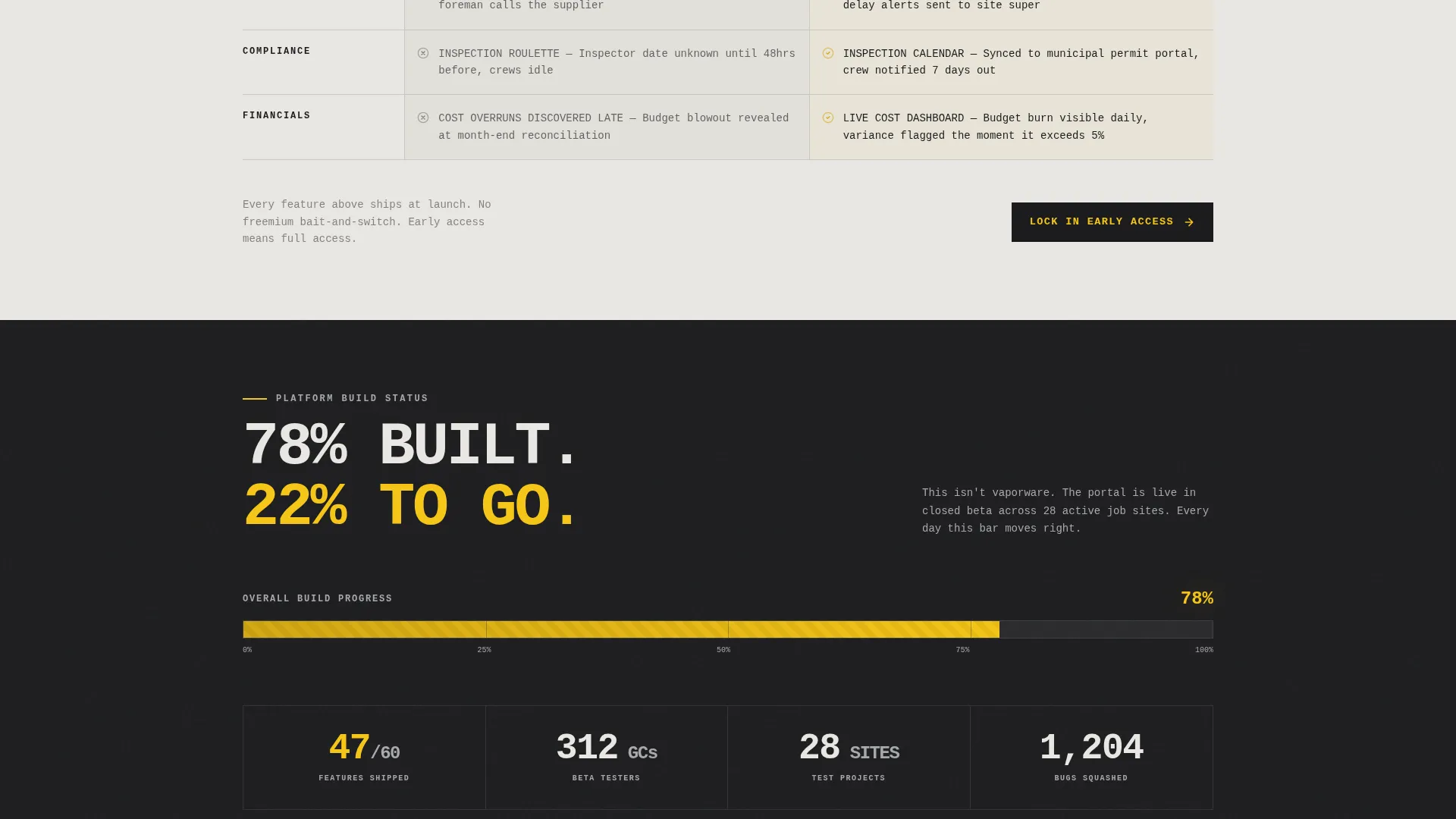
- The 78% progress bar makes the launch feel imminent rather than vague
- The two-step registration flow captures leads without creating friction
What you get with this template
You get a fully structured coming soon landing page with every layout decision already made. The design is bold, the copy direction is clear, and the key conversion moments are built in from the start.
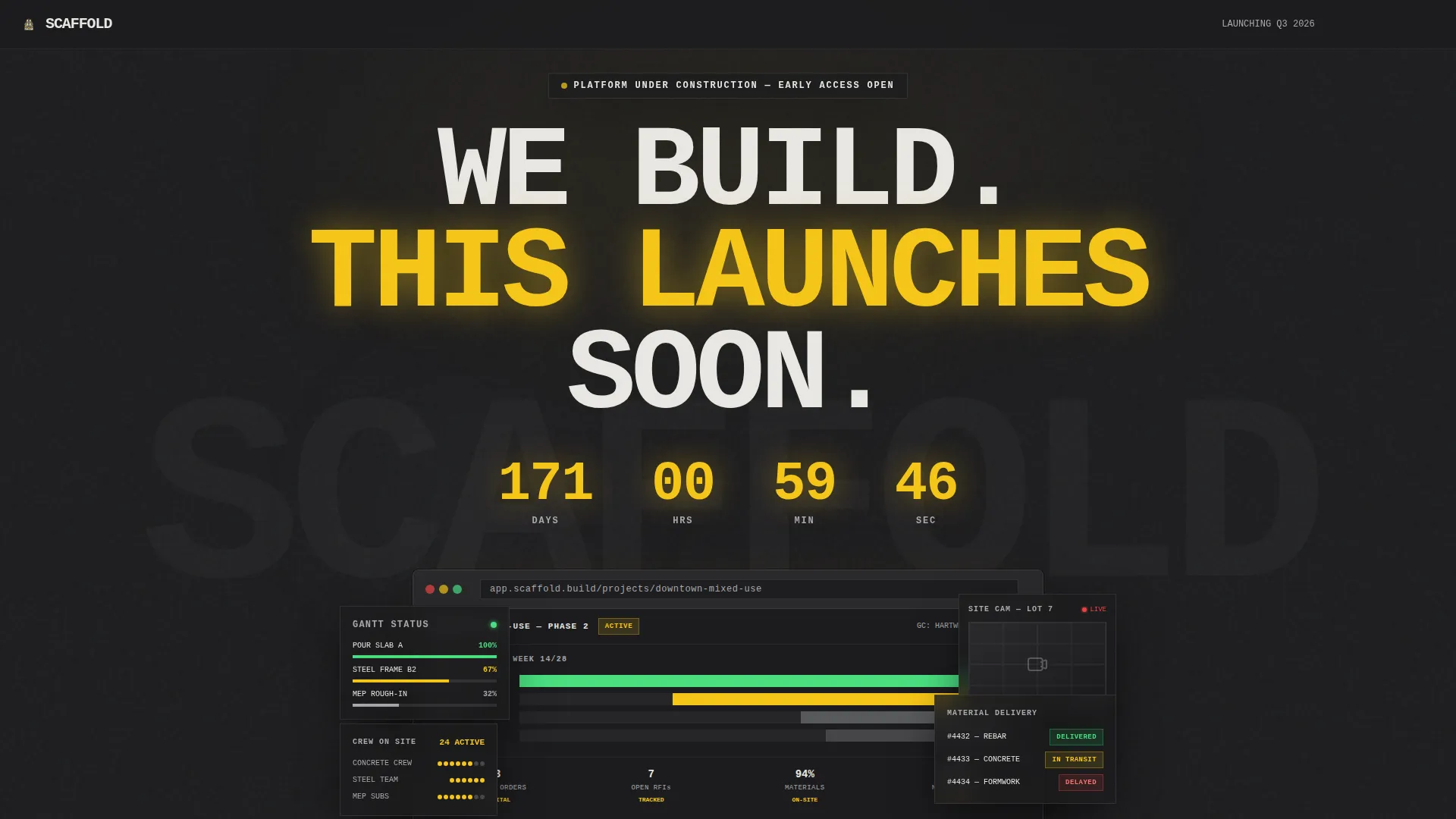
- A product screenshot header with a browser-frame mockup showing a Gantt chart, live site camera thumbnail, and material delivery tracker with real status badges
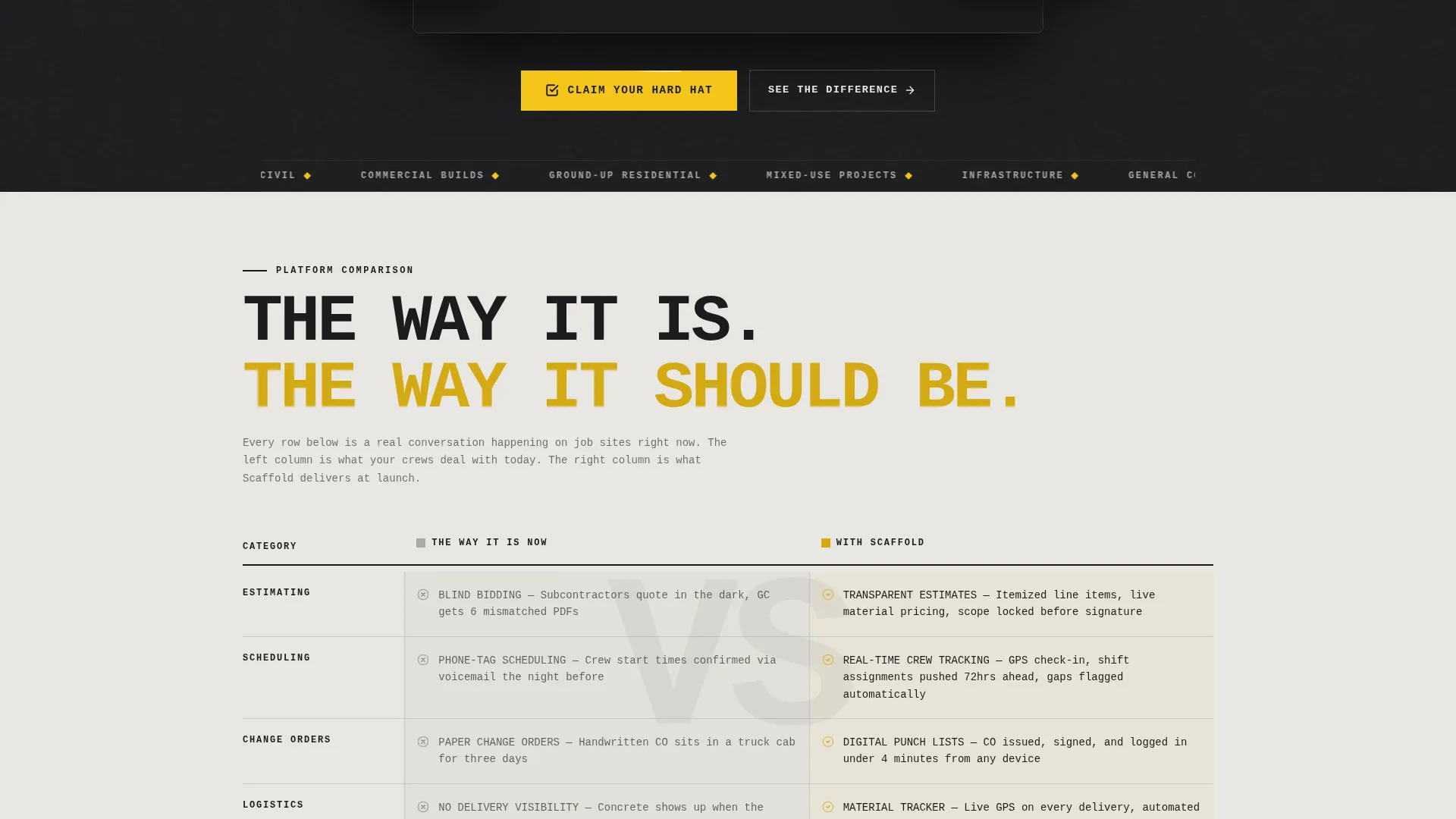
- A brutalist comparison table contrasting current client pain against portal capabilities, with slide-in animations
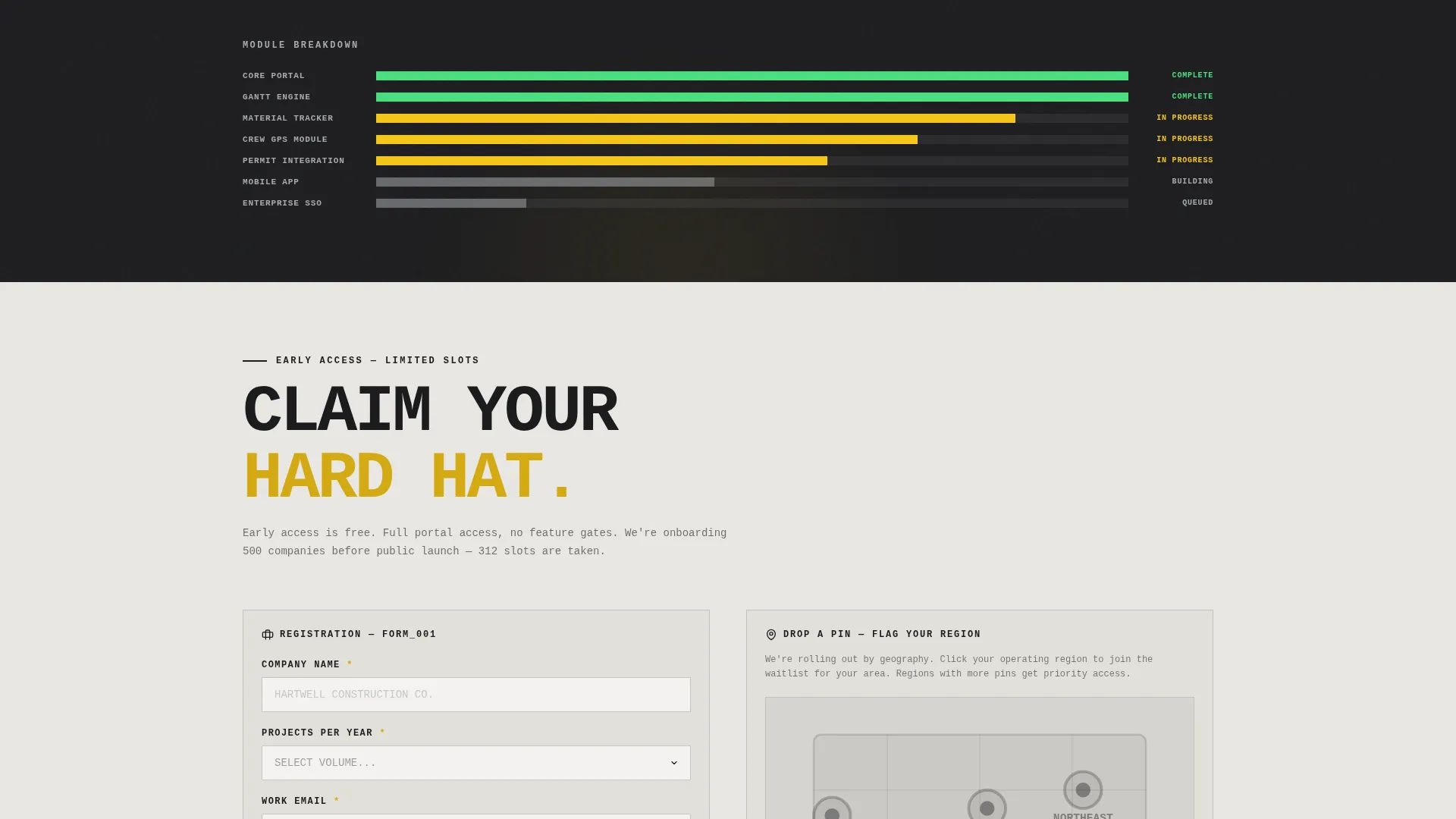
- A dual-path call to action section: "Claim Your Hard Hat" for early-access registration and "Drop a Pin" for geography-based waitlist segmentation
Feature list
This section covers the core built-in components that make Scaffold work as a pre-launch conversion tool.
Countdown Timer in Safety Yellow
A countdown timer sits directly beneath the hero headline, rendered in high-vis safety yellow numerals. It creates a hard deadline feel and makes the coming soon moment feel like a project milestone rather than an indefinite wait.
Browser-Frame Product Screenshot Header
The header drops a browser mockup dead center on a charcoal slab. It shows an active Gantt chart, a live site camera thumbnail, and a material delivery tracker with delivered, in transit, and delayed status badges. Visitors see the product before it launches.
Brutalist Comparison Table with Animations
The comparison table contrasts what clients deal with now against what the portal delivers. Each row uses a brutalist slide-in animation, as if concrete forms are being set in real time. The format earns the call to action click by making pain visible first.
Platform Build Progress Bar
A progress bar displays the platform's build status at 78%. This single element transforms the pre-launch page from a placeholder into an active project update. It signals momentum and encourages visitors to register before the launch completes.
Dual-Path Registration Flow
The primary call to action unlocks early-access registration with three fields: company name, project volume per year via dropdown, and work email. A secondary path lets visitors drop a pin on a map to flag their operating region, creating a geography-segmented waitlist.
Bold Brutalist Typography System
Oversized monospaced type is set edge-to-edge with brutalist disregard for conventional spacing. The hero headline runs at 120 pixels in knockout type. Every typographic choice reinforces the industrial tone and makes the page impossible to skim passively.
Page sections overview
| Section | Purpose |
|---|---|
| Hero Header Block | Anchors the page with a browser-frame product screenshot, 120px knockout headline, and safety yellow countdown timer |
| Comparison Table | Contrasts current client pain points against portal capabilities row by row with slide-in animations |
| Build Progress Bar | Displays platform completion at 78% to make the launch feel urgent and real |
| Early Access Form | Captures company name, project volume, and work email for the primary registration path |
| Regional Waitlist Map | Lets visitors drop a pin to join a geography-segmented waitlist via the secondary call to action |
Design & branding system
The visual identity runs on a Monochrome Steel color system that feels like an unfinished structure at dawn. Every design decision is intentional and load-bearing.
- Core palette: raw structural charcoal (#1C1C1E), galvanized silver (#A8A9AD), poured-concrete off-white (#E8E6E1), with high-vis safety yellow (#F5C518) reserved exclusively for calls to action and critical interface moments
- Backgrounds alternate between charcoal and concrete to create visual rhythm without decorative elements
- Typography is oversized, monospaced, and slammed edge-to-edge in a Bold Brutalist style that prioritizes presence over polish
Mobile & speed optimization
The layout is built for clarity at every screen size. The brutalist grid and high-contrast palette translate well from desktop to mobile without losing impact.
- Full-width section blocks and edge-to-edge type scale naturally to smaller viewports
- The comparison table is structured for vertical scroll, which maps directly to how mobile users move through content
- High-contrast color choices keep text and call to action elements readable without requiring zoom or adjustment
How this template helps you convert
Scaffold is engineered so every scroll builds toward one decision: register now or join the waitlist. The page removes hesitation by demonstrating value before making any ask.
- The comparison table makes the cost of inaction specific and personal, so visitors arrive at the call to action already convinced
- The 78% progress bar and countdown timer create a natural deadline, turning passive interest into active registration
- The two-path call to action reduces drop-off by offering a lower-commitment option for visitors who are interested but not ready to commit fully
Other information about this template
Scaffold sits at the intersection of construction company website templates and technology-category landing pages. It is purpose-built for the construction company coming soon page use case and does not require design customization before launch.
- The template style is a Comparison Table layout, making it well suited for any construction business that wants to frame its product around a clear before-and-after narrative
- The Freemium and Trial landing page direction means the registration flow is optimized for low-friction early access rather than direct purchase
- The Launch Energy creative direction runs through every section, keeping the page feeling like an active build rather than a waiting room
- This template is categorized under Technology and Construction Company Website Templates, making it relevant for construction tech startups, portal builders, and field management software teams preparing a public launch
Theme
Bold Brutalist
Creative direction
Launch Energy
Color system
Monochrome Steel
Style
Comparison Table
Direction
Freemium/Trial
Page Sections
Countdown Timer with Safety Yellow Numerals
Browser-frame Product Screenshot
Brutalist Comparison Table
Platform Build Progress Bar
Dual-path Registration Flow
Monospaced Edge-to-edge Typography
Related questions
Can I change the countdown timer date after publishing?
Do I need to write new copy to use this template?
How does the geography-based waitlist map work?
Is this template only for construction companies?
Can I add more rows to the comparison table?



