Photography Digital Presence Comparison Website Template
Shutter is a bento grid landing page template built for photography community forums. It combines a data-dense dashboard preview header, spec-sheet scroll sections, and a freemium signup flow. The dark Midnight Blue palette, EXIF-tagged thread tiles, histogram widgets, and gear-comparison cards give the page the precise, technical feel serious photographers immediately recognize and trust.
by Rocket studio
Quick summary
Shutter is a single-page bento grid template designed for photography community forums. It opens with a realistic dashboard preview header showing live community modules, then walks visitors through forum features as technical specification cards. The conversion goal is freemium signup, with a contextual call-to-action and a secondary gear database browsing path built into the layout.
Who this template is for
This template is built for anyone launching or promoting a serious photography community. It speaks directly to technically minded photographers who want more than a generic forum skin.
- Photography community founders or moderators building a dedicated forum for gear-focused shooters
- Wedding, landscape, street, studio, and wildlife photographers who want a space built around EXIF data, histograms, and real gear analysis
- Developers or designers creating a landing page for a photography platform that needs to feel credible from the first scroll
What problem this template solves
Generic community templates fail photographers who think in f-stops, MTF charts, and sensor readouts. A forum landing page that looks like a lifestyle blog does not earn trust from pixel-peepers or gear obsessives.
- Photographers need to see the community's technical depth before they hand over an email address
- Most forum templates do not surface thread data, live member counts, or gear comparison tools in the header
- There is no visual shorthand connecting a dark-studio aesthetic to the precision of camera spec sheets without a purpose-built design system
What you get with this template
You get a fully structured, single-page bento grid layout that inventories forum capabilities the way a camera manufacturer presents sensor readouts. Every section is designed to show technical depth without explaining it.
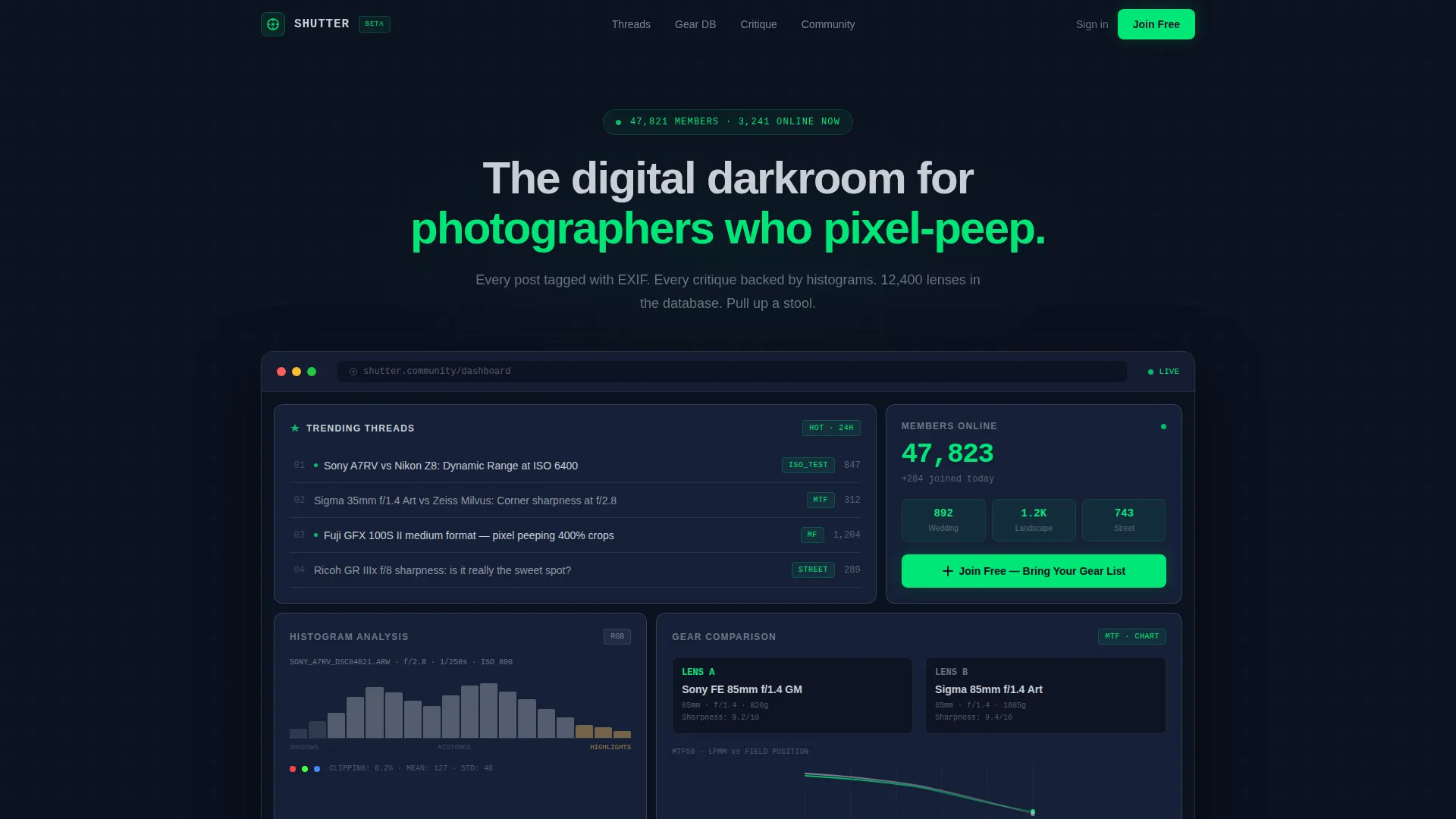
- A dashboard preview header with trending thread tiles, a real-time member counter, a histogram widget, and a lens MTF comparison card
- Spec-sheet scroll sections presenting each forum feature as a standalone technical card with a feature name, a single stat, a micro-screenshot placeholder, and one line of copy
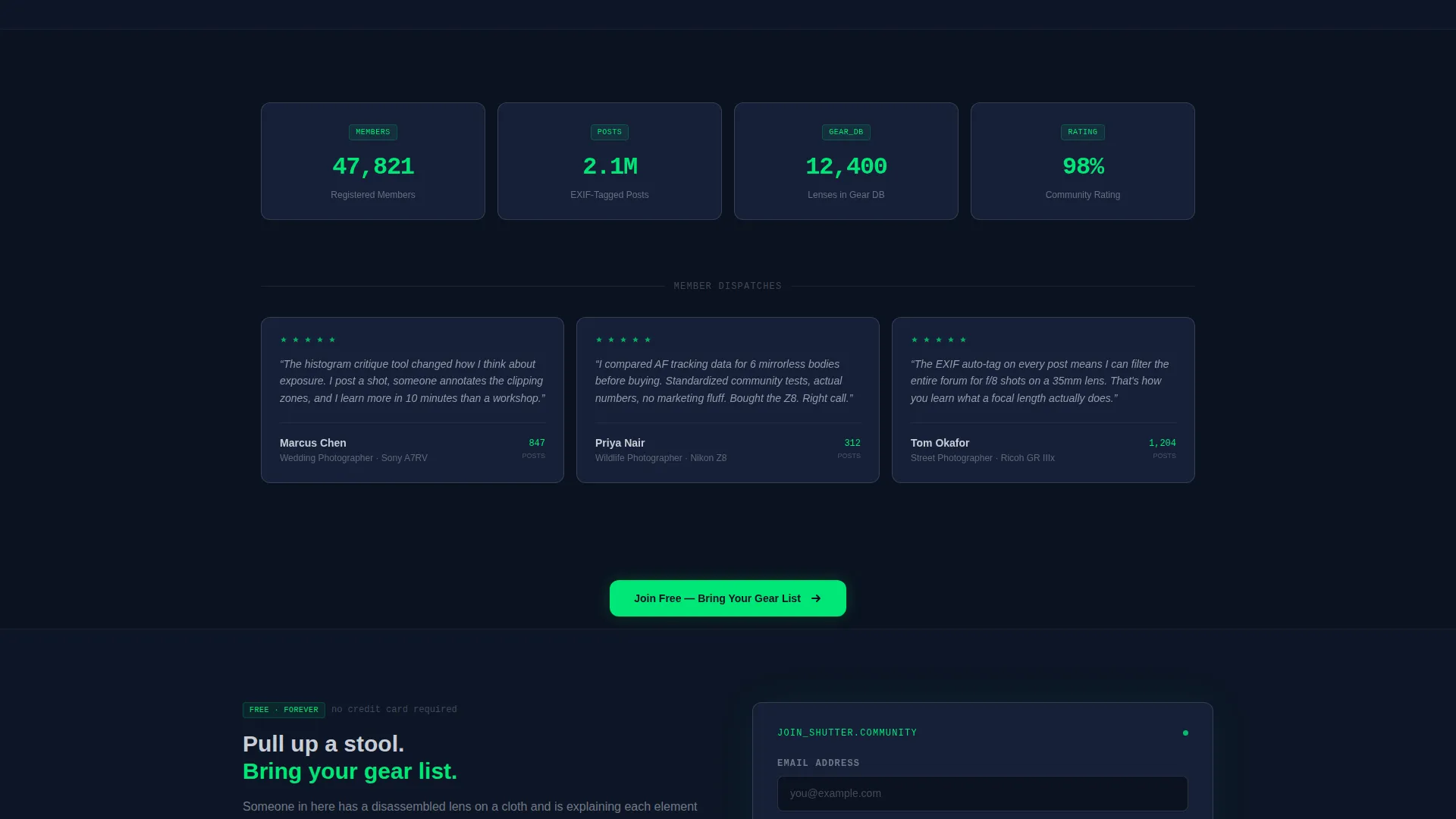
- A freemium conversion flow with a primary call-to-action, a contextual signup form collecting email, primary camera system, and shooting style, and a secondary gear database browsing path
Feature list
This template packages each forum capability into a visual system that feels native to how photographers already process technical information.
Dashboard Preview Header
The header renders a realistic bento grid of community modules side by side. It includes a trending-threads tile, a live member-online counter, a histogram widget analyzing a member-uploaded image, and a gear-comparison card with two lenses placed side by side with MTF chart placeholders. Green accent indicators pulse on active states and notification points, guiding the eye in a Z-pattern across the dashboard.
Spec Sheet Scroll Sections
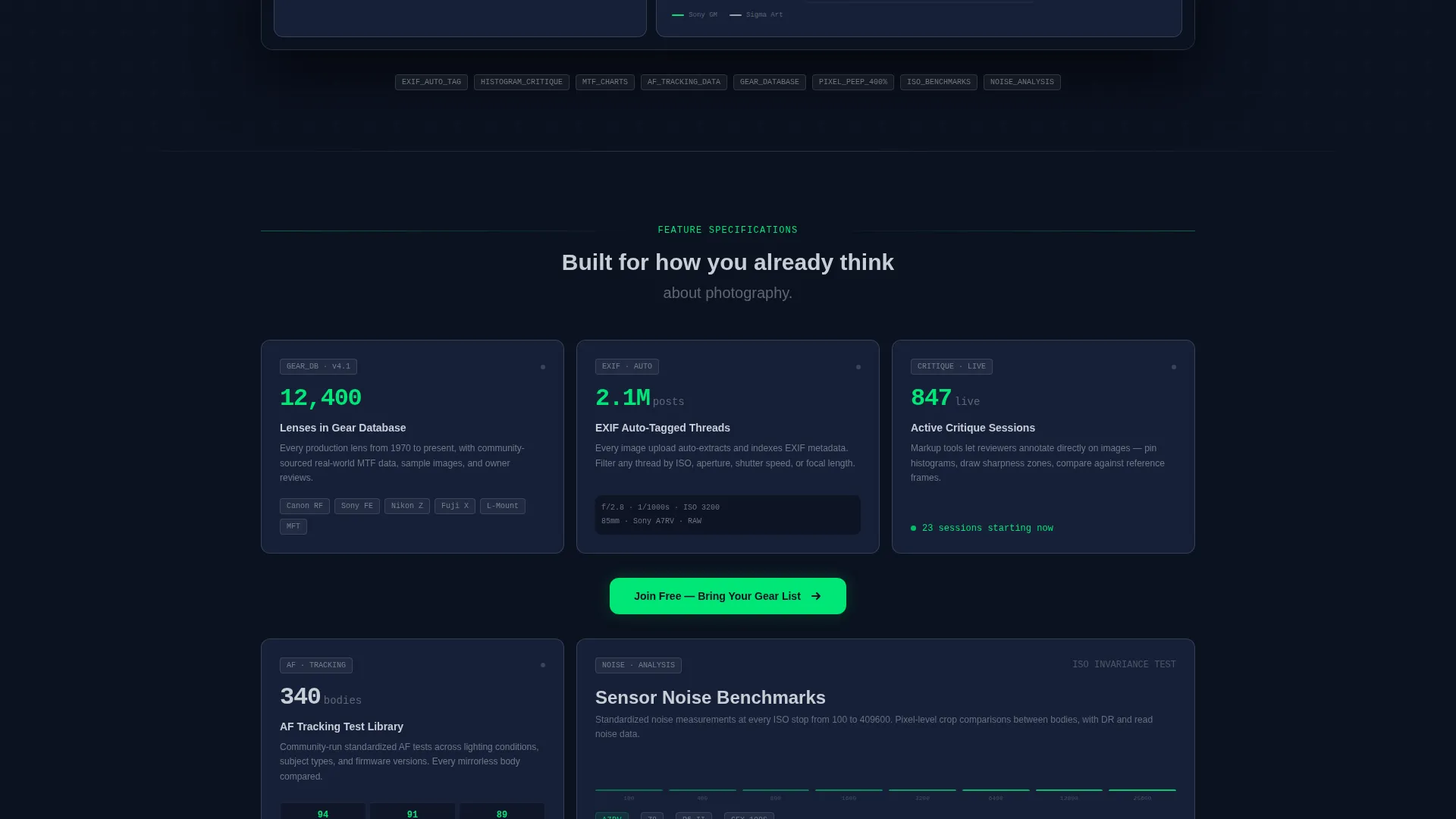
Each scroll section presents a single forum feature as a technical specification card. The card format includes a feature name, a single supporting stat such as "12,400 lenses in the database," a micro-screenshot area, and one sentence of copy. Rows grow progressively more specialized as the visitor scrolls, creating an inventory effect that communicates depth without persuasion.
EXIF Auto-Tagging Display
A dedicated bento tile highlights the forum's EXIF auto-tagging capability. The tile communicates that every post carries embedded exposure metadata, letting members filter and compare images by shutter speed, aperture, ISO, and camera body without manual entry.
Gear Database Browse Path
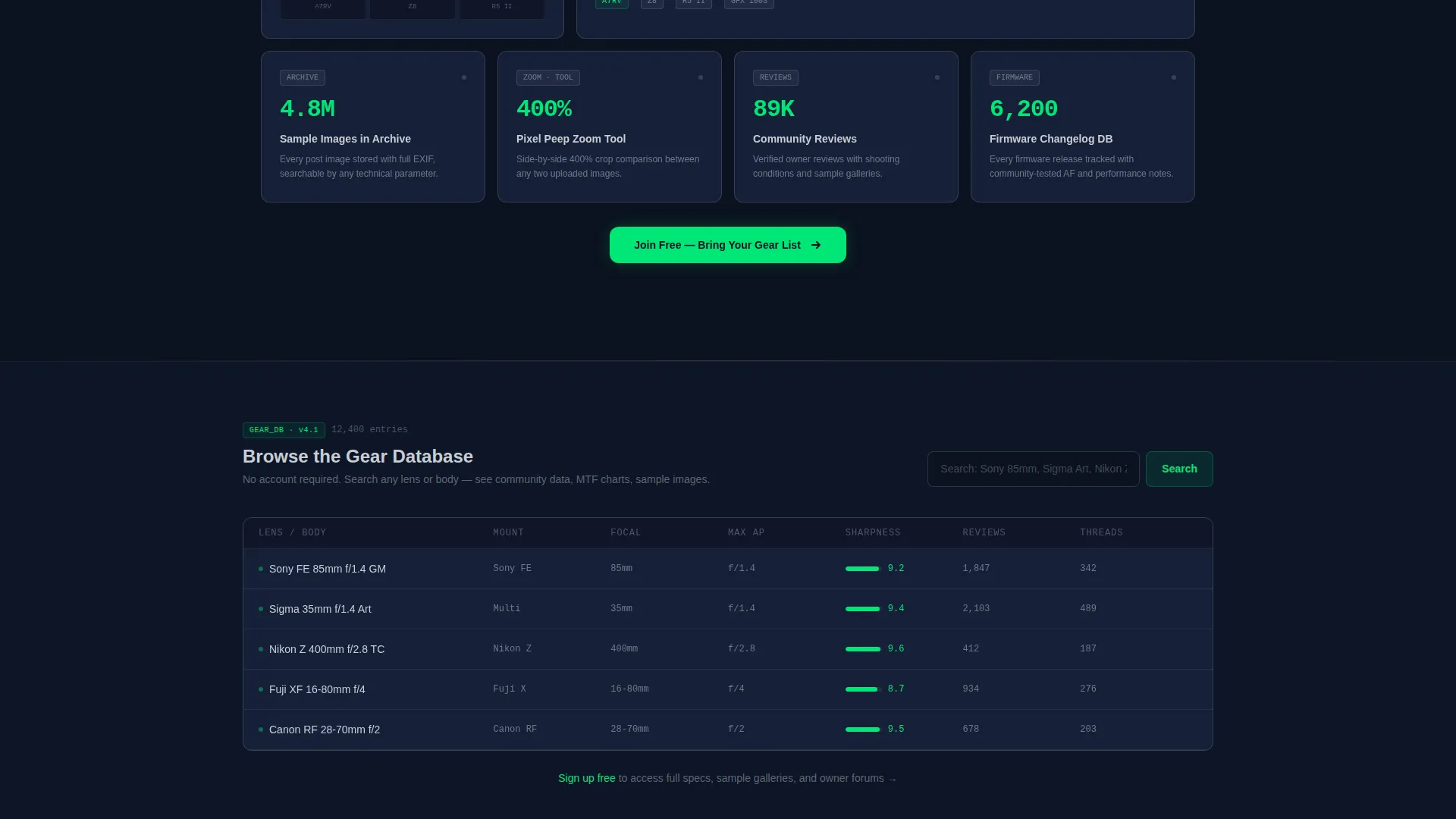
A secondary conversion path lets visitors search one lens or body without signing up. The template surfaces enough community data in that preview to make registration feel like the logical next step rather than a forced gate.
Freemium Signup Form
The primary call-to-action, "Join Free, Bring Your Gear List," appears first as a native-looking user interface button inside the dashboard header, then repeats after every third bento row. The signup form collects email address, primary camera system via a dropdown, and shooting style via a multi-select field covering wedding, landscape, street, studio, and wildlife.
Critique Markup Tool Tile
A bento tile communicates the forum's critique markup tools, showing that members can annotate images directly with histogram-backed feedback. This tile reinforces the community's commitment to data-driven image critique rather than casual commentary.
Page sections overview
| Section | Purpose |
|---|---|
| Dashboard Preview Header | Showcases live community modules in a bento grid with trending threads, member counter, histogram widget, and gear comparison card |
| Primary call to action Strip | Places the "Join Free, Bring Your Gear List" button in a native user interface context inside the dashboard |
| Spec Sheet Row One | Introduces top-level forum features as technical cards with stat, micro-screenshot, and one-line copy |
| Spec Sheet Row Two | Presents mid-tier features including EXIF tagging and thread analytics cards |
| Gear Database Preview | Surfaces lens and body search results to drive secondary conversion without requiring signup |
| Spec Sheet Row Three | Delivers the most specialized feature cards, including critique markup and histogram analysis tiles |
| Repeat call to action Strip | Repeats the primary call-to-action after the third bento row |
| Signup Form Block | Collects email, camera system dropdown, and shooting style multi-select |
| Secondary Browse Path | Provides a no-signup entry point into the gear database |
Design & branding system
The visual identity follows a Data Command theme built on a Midnight Blue color system. The palette is drawn directly from the language of camera hardware and dark-studio workflow.
- Core colors: deep sensor-black (#0B1120) and observatory blue (#162038) for all backgrounds, interface silver (#C8CDD5) for all body text and labels, and autofocus-point green (#00E676) reserved exclusively for active states, toggle indicators, unread thread markers, and live member counts
- Layout: a bento grid structure with generous tile padding so that dense data reads clearly without feeling cramped; green accents create a Z-pattern eye path across the dashboard header
- Aesthetic reference: the experience of reading a camera's rear LCD in a dark studio, where luminous data floats on black and every number is immediately legible
Mobile & speed optimization
The bento grid layout is designed to reflow cleanly across screen sizes so the data-dense dashboard header remains readable on smaller displays.
- Tile padding and grid spacing are set to preserve legibility when the bento grid collapses from multi-column to single-column on narrow viewports
- Green accent indicators and silver text maintain sufficient contrast against the dark background tones across device types
How this template helps you convert
The conversion architecture is built into the layout itself. It does not rely on pop-ups or interruptions.
- The dashboard preview header places the primary call-to-action as a native user interface button, so the first impression is already a conversion surface rather than a marketing headline
- The gear database browse path lets skeptical visitors explore real community data without committing to registration, lowering the barrier enough that signup feels like a natural conclusion rather than a demand
Other information about this template
This template is categorized under Technology and sits at the intersection of Photography Digital Presence and Photography Community Forum niches. It is well suited to platforms where gear specificity matters to the audience.
- The template style is Bento Grid and the creative direction is Spec Sheet, meaning layout and copy work together to feel like a product data sheet rather than a marketing brochure
- The landing page direction is Freemium and Trial, so the conversion flow is designed to reduce friction and reward exploration before asking for a commitment
- The header concept is Dashboard Preview, making the first visible element a working simulation of the community interface rather than a static hero image
- The theme is Data Command, which informs every design decision from color selection to typography weight and grid density
- Photographers drawn to mirrorless camera systems, medium format workflows, and detailed gear analysis will find the community positioning immediately familiar
Theme
Data Command
Creative direction
Spec Sheet
Color system
Midnight Blue
Style
Bento Grid
Direction
Freemium/Trial
Page Sections
Dashboard Preview Header with Live Modules
Spec Sheet Scroll Sections
EXIF Auto-tagging Tile
Freemium Signup Form
Gear Database Browse Path
Critique Markup Tool Tile
Related questions
Who is this landing page template designed for?
Can I customize the camera system dropdown and shooting style options in the signup form?
What does the gear database browse path show visitors?
Does the template include actual forum software or a live database?
How does the repeat call-to-action placement work throughout the page?



