Photography Studio Pre-Launch Coming Soon Website Template
Shutter is a hub-and-spoke anchor-nav landing page built for a photography studio launching soon. It guides visitors through a Problem-to-Solution arc, from real client frustrations to studio capabilities and social proof, then drives them toward an app download or early-access sign-up. The Slate and Sky color system gives every section a polished, pre-launch energy.
by Rocket studio
Quick summary
Shutter is a single-page, anchor-nav landing page template designed for a photography studio on the verge of opening. It follows a Problem-to-Solution arc across three content spokes, builds trust through a countdown timer and behind-the-scenes reel, and closes with a dual call-to-action path: app download badges and an email capture form.
Who this template is for
This template suits any photography studio that wants to build anticipation before launch day. It is especially well-matched for creators and operators who need a polished pre-launch presence fast.
- Studio founders preparing a product, portrait, or editorial photography space for its first clients
- Small-brand photographers who want to capture early bookings before the physical space opens
- Creative operators building credibility with engagement couples, brand founders, and art directors at once
What problem this template solves
Most studios go live with nothing more than an Instagram link and a vague "opening soon" caption. That gap costs real bookings. Shutter fills it by turning the waiting period into active audience-building.
- Visitors with no context leave immediately; the anchor nav keeps them exploring all three content spokes
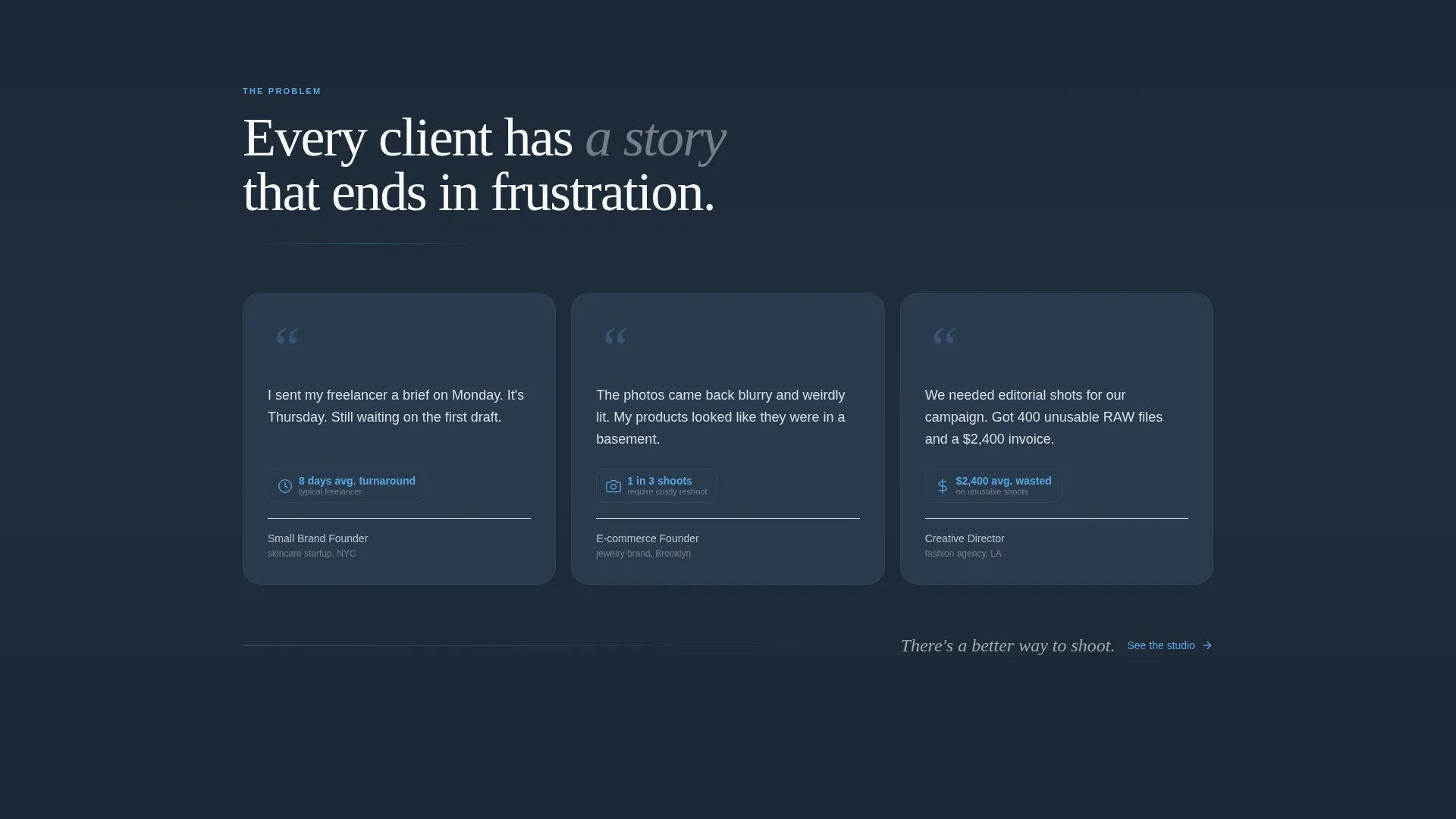
- Generic coming-soon pages fail to address client doubts; the pain-point quote cards name frustrations directly
- Studios lose warm leads who are not ready to install an app; the email capture form retains them anyway
What you get with this template
Shutter delivers a fully structured, single-page layout ready to be populated with your studio's copy, teaser imagery, and countdown date. Every section is purpose-built for pre-launch momentum.
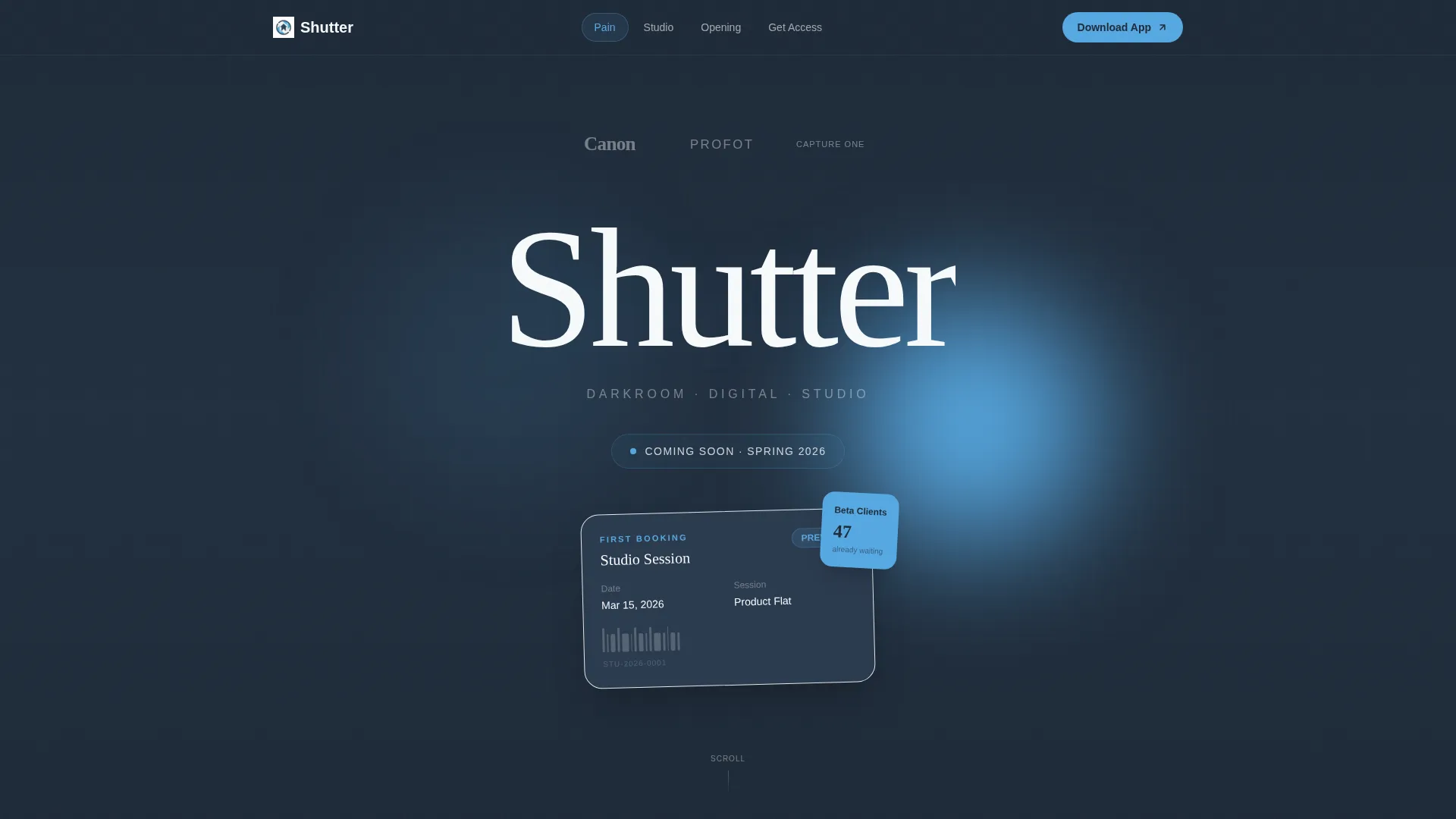
- A charcoal-and-sky-blue visual system with a minimal Logo Bar header, three content spokes, and a hub-centered call-to-action block
- Progressive-reveal teaser images that scroll from blurred to sharp, a live countdown timer, and an autoplay behind-the-scenes reel section
- Dual conversion paths: paired app store badges for direct download and a single-field email form for early-access capture
Feature list
This section covers the core functional building blocks that ship with the Shutter template.
Anchor Nav Hub and Spoke Layout
The page is structured as a central hub with three navigable spokes. Each spoke is one anchor-nav click away, so visitors can jump between pain points, studio capabilities, and proof sections without losing their place.
Problem-to-Solution Arc
The scroll order is intentional. Slate cards carry short punchy client-frustration quotes first. Studio capability reveals come second. The countdown and testimonial proof closes the arc. Visitors arrive skeptical and leave convinced.
Progressive Image Reveal
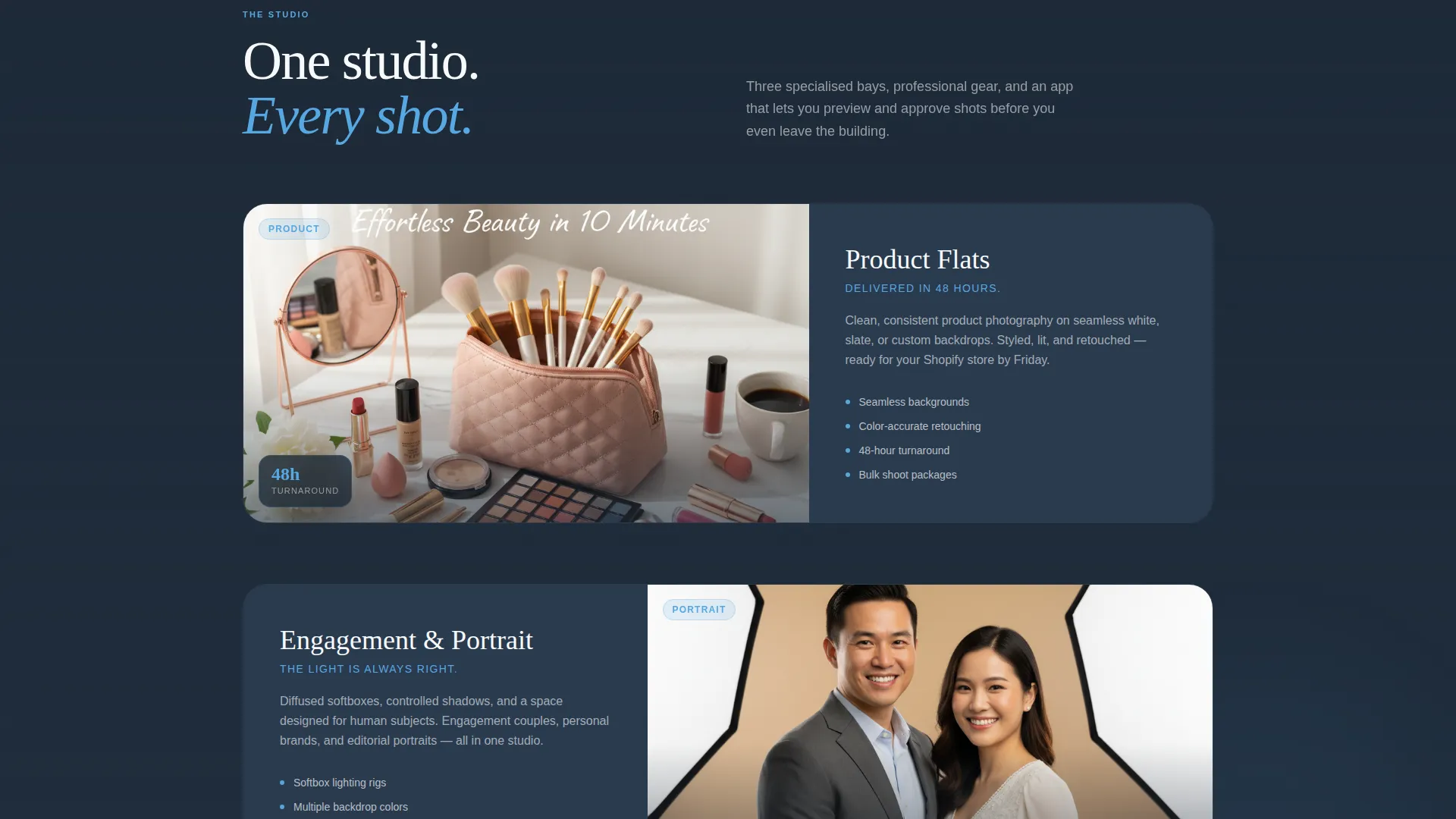
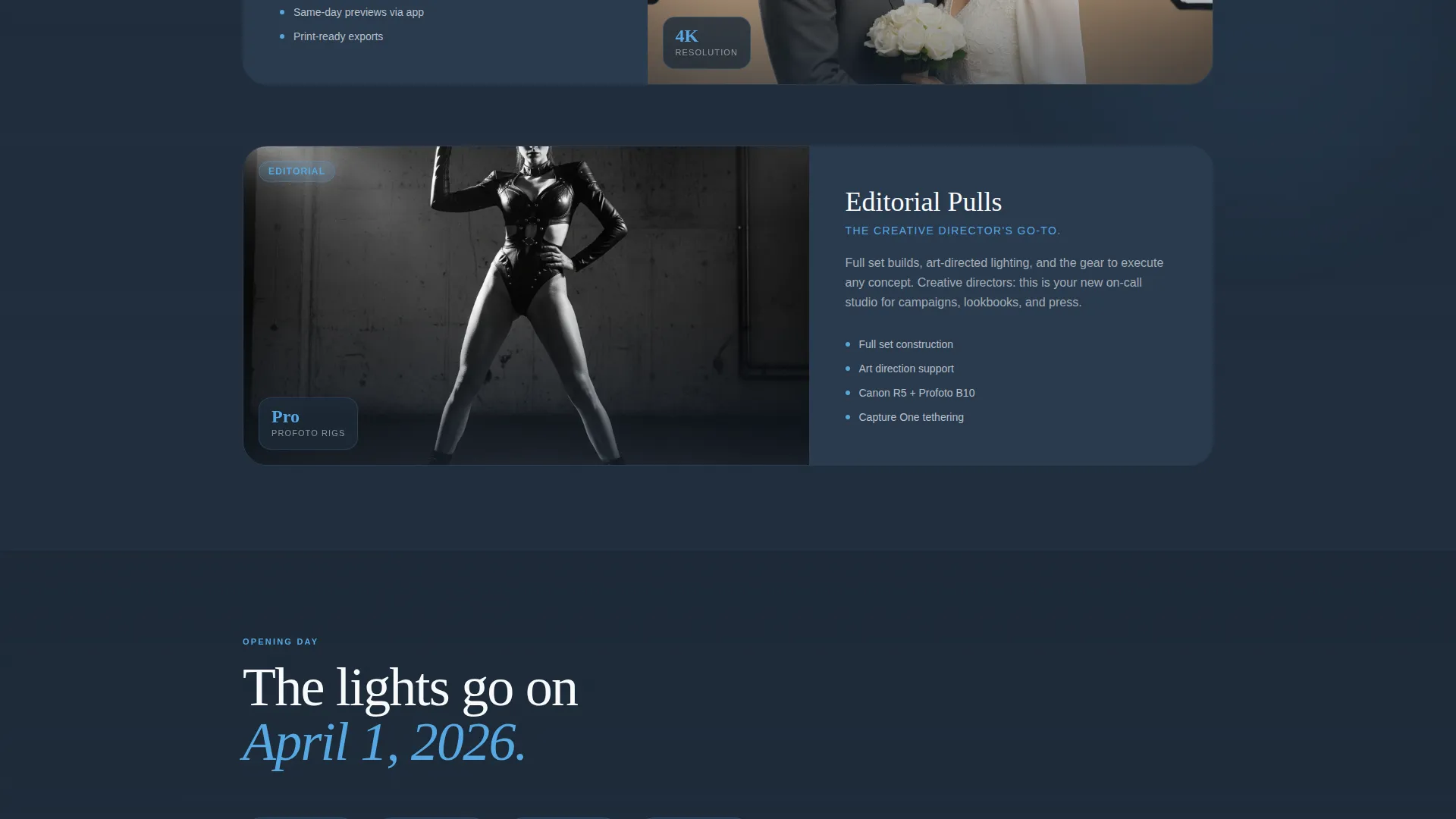
Teaser images for each studio service load progressively sharper as the visitor scrolls into view, moving from blurred to tack-crisp. This micro-interaction communicates quality without needing a full portfolio live yet.
Countdown Timer and Proof Block
A visible countdown timer shows exactly how many days remain before launch. An autoplay behind-the-scenes build-out reel and early beta-client testimonials appear alongside it, giving the page social weight before opening day.
Dual Call-to-Action Block
The primary call-to-action reads "Download the Studio App" with paired app store and play store badges styled in sky blue. A secondary single-field form captures emails under "Get Early Access" for visitors not ready to install immediately.
Minimal Logo Bar Header
The header places the studio wordmark centered in white type on a full-width charcoal field. Partner and gear logo marks appear in monochrome at reduced opacity beside it. A pulsing sky-blue dot next to "Coming Soon" signals live status.
Page sections overview
| Section | Purpose |
|---|---|
| Logo Bar Header | Establishes studio identity and silent brand credibility |
| Anchor Navigation Hub | Gives visitors instant access to all three content spokes |
| Pain Point Spoke | Names client frustrations through short quote cards on slate |
| Capability Reveal Spoke | Introduces service categories with progressive-sharpen imagery |
| Proof and Countdown Spoke | Builds urgency with timer, reel, and beta testimonials |
| Primary call to action Block | Drives app download with badge pair and headline |
| Email Capture Form | Retains leads not ready to install via early-access sign-up |
Design & branding system
The visual identity runs on a Startup Velocity theme expressed through a Slate and Sky color system. The palette references steel and open atmosphere, purposely evoking the charged stillness of a studio the night before its first shoot.
- Deep charcoal slate (#1E2A38) dominates backgrounds and body typography; mid-tone storm gray (#4A5568) handles secondary text and card surfaces
- Open-sky blue (#56A8E2) activates anchor nav links, countdown digits, badge elements, and hover states to draw the eye toward action
- Clean cloud white (#F7FAFC) creates generous negative space throughout, giving every element room to breathe the way a well-composed frame does
Mobile & speed optimization
The layout is built to perform cleanly on small screens, where a large portion of the target audience, engagement couples and brand founders, will encounter it first.
- The anchor nav collapses gracefully for thumb-friendly navigation on mobile viewports
- The progressive image reveal and autoplay reel section are structured to load content in a sequenced, non-blocking order
- Single-column stacking keeps the Problem-to-Solution arc readable and scannable at any screen size
How this template helps you convert
Shutter earns the conversion before asking for it. The arc is structured so that every section increases visitor commitment one step at a time.
- The pain-point spoke opens by reflecting the visitor's exact frustrations back at them, immediately creating recognition and trust before any selling begins
- The capability reveal and proof spoke answer the implied question of whether this studio can actually deliver, using progressive imagery and real beta testimonials as evidence
- The dual call-to-action block then offers two friction-matched exits: a one-tap app download for decided visitors and a low-commitment email form for everyone still warming up
Other information about this template
Shutter sits in the Photography Studio Website Templates subcategory under the broader Technology category. A few additional details are worth knowing before you build.
- The template is classified under the Photography Studio Coming Soon Page niche, meaning it is purpose-fit for pre-launch use rather than a full operational studio site
- The hub-and-spoke anchor nav structure means the entire experience lives on one scrollable page, keeping bounce risk low and session depth high
- The Intersection Match Score for this template is 13, reflecting a strong alignment between the niche, theme, and conversion direction across the design system
- The App Download landing-page direction means the layout and copy arc are optimized around driving installs, with email capture as the secondary path rather than the primary one
Theme
Startup Velocity
Creative direction
Problem→Solution Arc
Color system
Slate & Sky
Style
Hub & Spoke (Anchor Nav)
Direction
App Download
Page Sections
Anchor Nav Hub and Spoke Layout
Problem-to-solution Arc Structure
Progressive Image Reveal Effect
Countdown Timer and Proof Block
Dual Call-to-action Block
Minimal Logo Bar with Partner Marks
Related questions
Can I use this template before my studio space is physically ready?
Does the template support both app download links and email sign-ups?
How does the anchor navigation work on this page?
Is this template suitable for a studio offering multiple service types?
Can I adapt the client frustration quotes to match my own target audience?



