Pharmacy Software Specialist Reviews Website Template
Dispense is a dynamic pharmacy volunteer management landing page template built for shift-driven healthcare operations. It features a live-feeling dashboard preview, an animated feature matrix, and a click-through flow designed to push visitors toward a free trial. The Void & Violet color system and motion-first design make complex scheduling feel like command-center infrastructure.
by Rocket studio
Quick summary
Dispense is a single-page landing page template for pharmacy volunteer management platforms. It pairs a split-screen dashboard preview header with a scroll-driven feature matrix, guiding pharmacy managers, nonprofit directors, and hospital volunteer coordinators toward a free trial. The Void & Violet color system and Dynamic Motion theme give the page a purposeful, data-command feel.
Who this template is for
This template speaks directly to the people running volunteer-powered healthcare operations. It is built for coordinators who spend too much time chasing confirmations and not enough time running services.
- Pharmacy managers handling rotating shift schedules across large volunteer rosters
- Nonprofit directors coordinating medication drives and community pharmacy coverage
- Hospital volunteer coordinators replacing phone trees and spreadsheet chaos with structured workflows
What problem this template solves
Managing volunteers across community pharmacies, hospital dispensaries, and free clinics is operationally complex. Paid staff alone cannot always cover the counter, and the coordination gap creates real service risk.
- Open shifts go unfilled because reminders are manual and tracking is fragmented
- Credential and hours data lives in disconnected spreadsheets with no reliable audit trail
- Coordinators lose hours each week to confirmation calls that an automated system could handle
What you get with this template
This template delivers a fully structured, single-page landing page built around proving platform value before asking for a commitment. Every section is purpose-built to move a visitor from skeptical observer to trial activator.
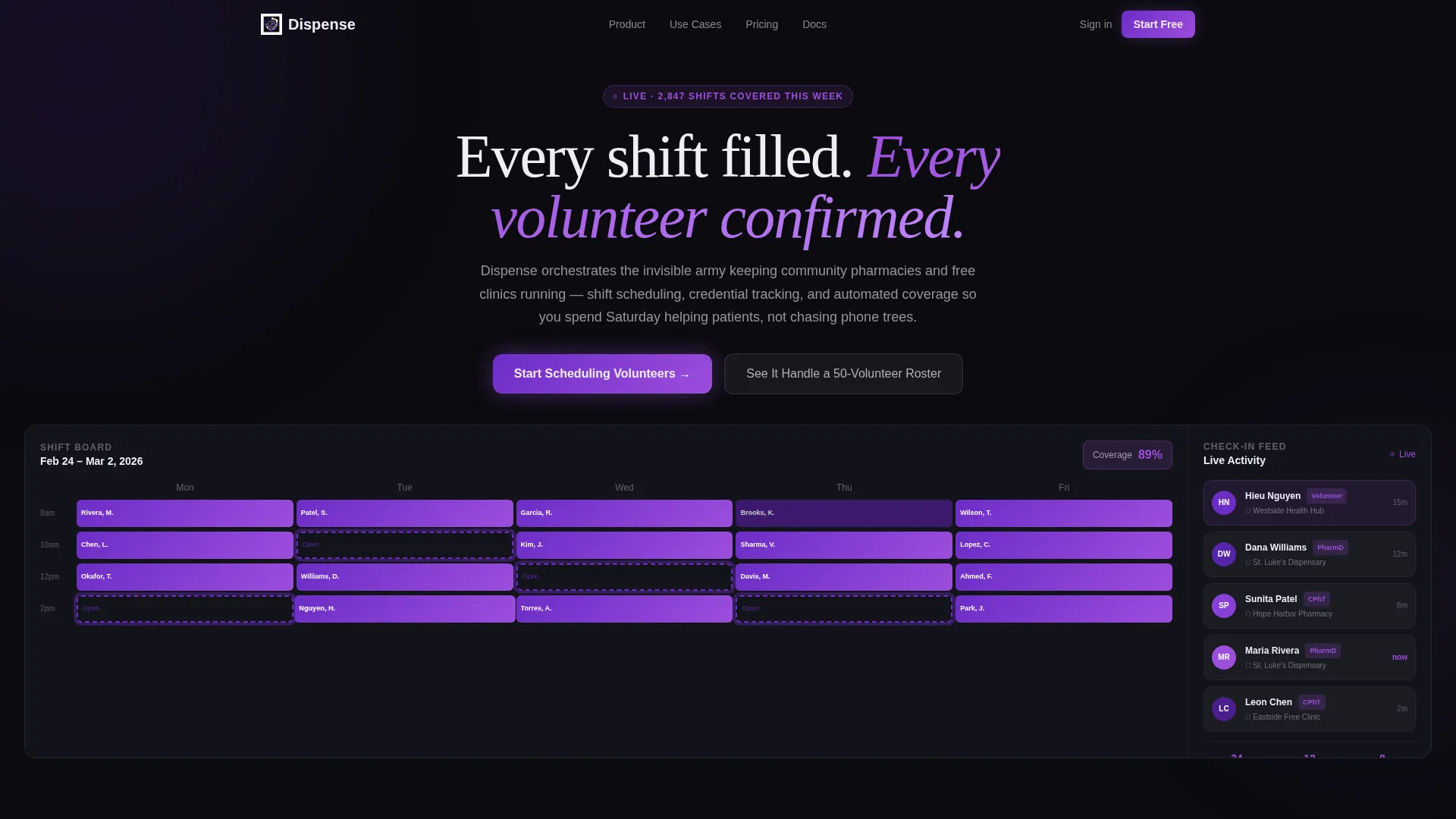
- A split-screen (50/50) header showing a live-feeling volunteer shift calendar alongside a real-time check-in feed
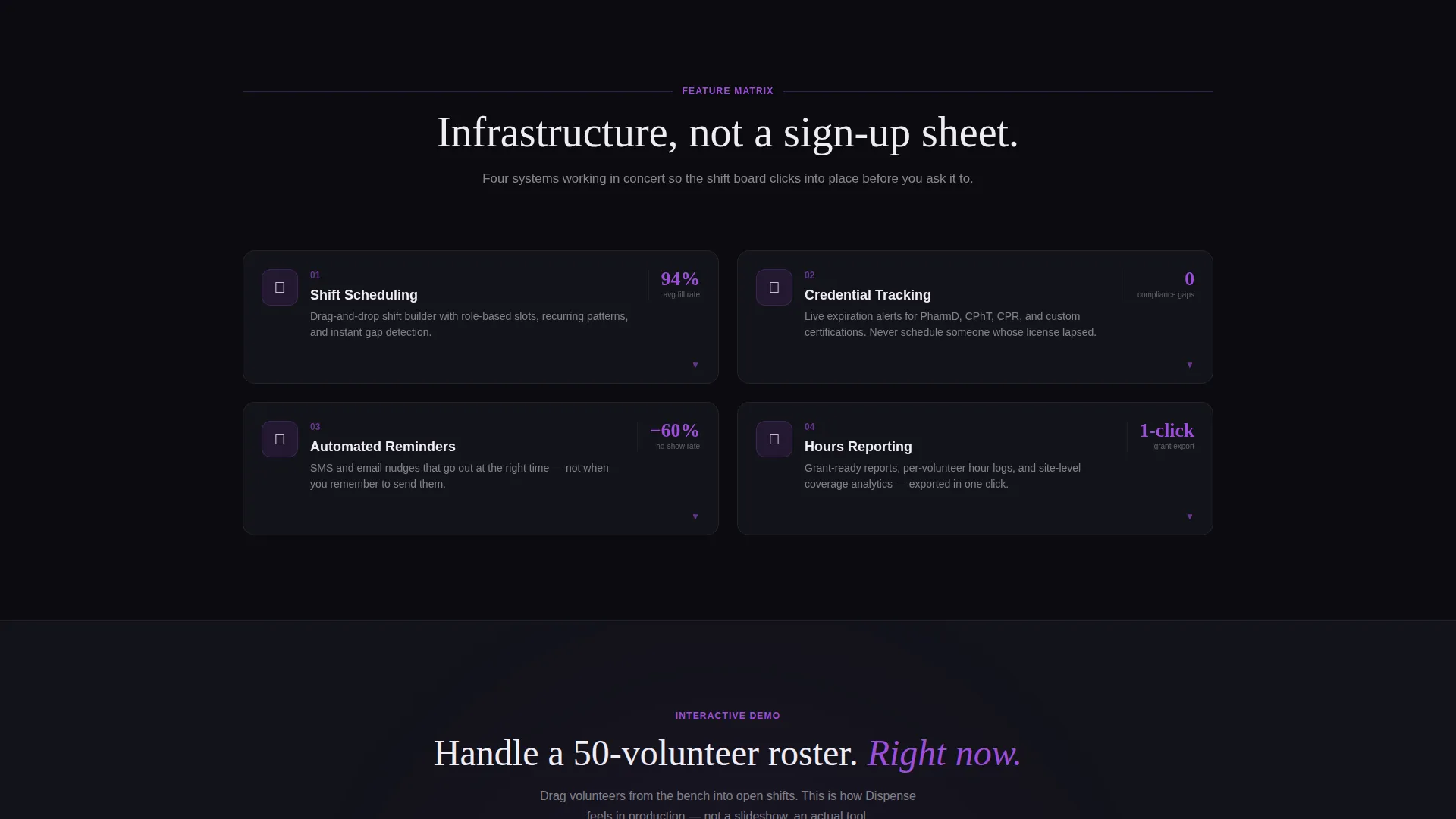
- A scroll-driven feature matrix that expands each capability from a 2x2 grid into a half-screen animated breakdown
- A sticky bottom bar with the primary call-to-action and an inline interactive demo mid-page for hands-on proof
Feature list
This template is built around four platform capabilities, each presented with animated user interface snippets and benefit-focused copy. The feature matrix format ensures every capability earns its screen real estate.
Shift Scheduling Calendar
A color-coded volunteer shift calendar fills the left panel of the header. Confirmed slots render in electric iris, pending slots in dim violet, and open slots pulse with an outline animation. Micro-animations show blocks snapping from pending to confirmed in real time, so visitors immediately understand what the tool does before they read a word.
Real-Time Check-In Feed
The right panel of the split-screen header displays a live check-in feed with volunteer names, credential badges, and pharmacy location pins. The feed feels mid-action, reinforcing that this is an active operational tool rather than a marketing mockup.
Automated Reminder System
The feature matrix section highlights the platform's automated reminder capability. This reduces the manual phone-tree burden that coordinators describe as their biggest weekly time drain, letting the system handle confirmation outreach at scale.
Credential and Hours Tracking
Volunteer credentials and logged hours are tracked and surfaced in the feature matrix. A dedicated quadrant expands into a half-screen breakdown showing compliance data, giving pharmacy managers and hospital coordinators the audit visibility they need.
Inline Interactive Demo
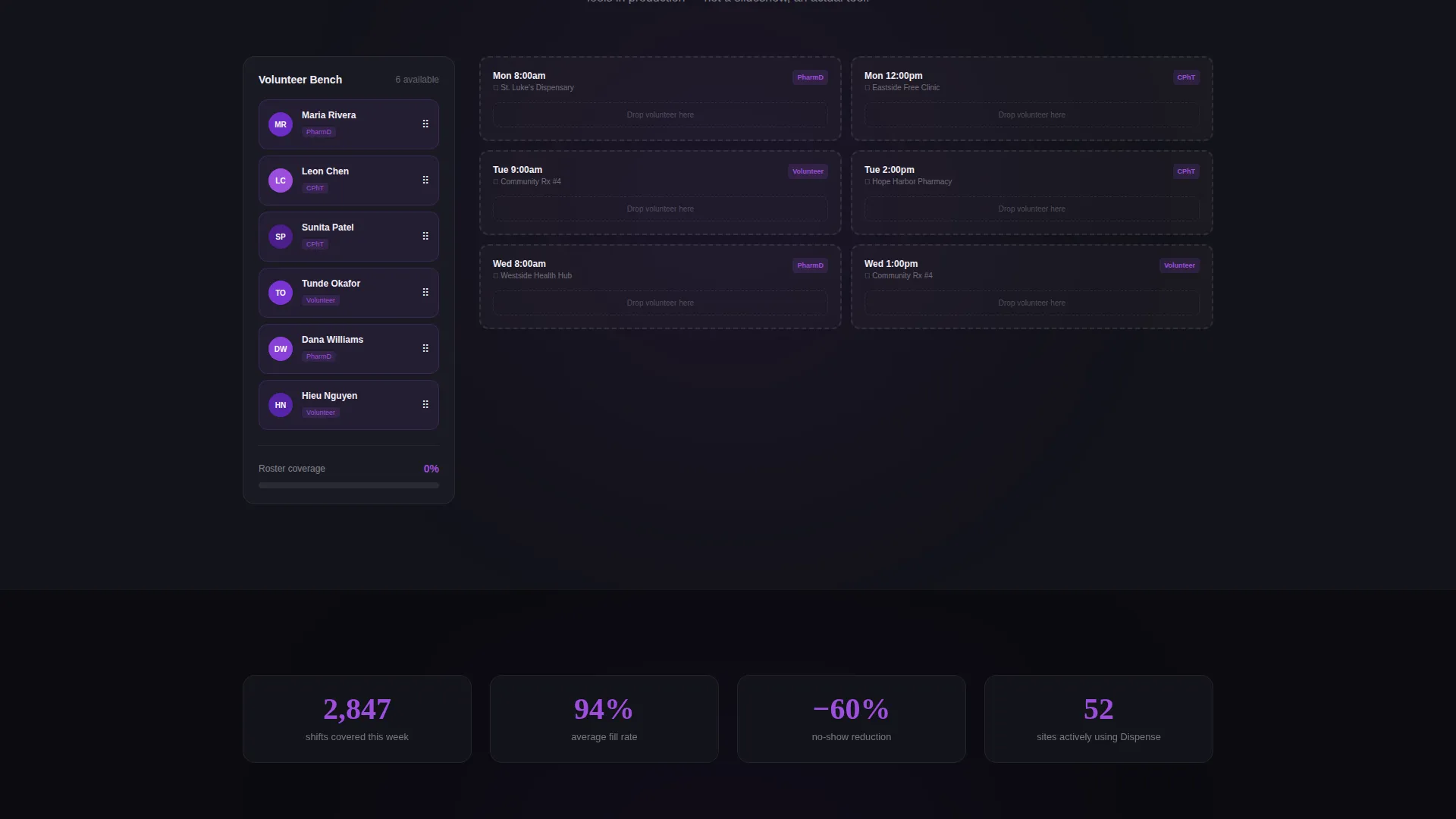
Mid-page, a secondary call-to-action triggers an inline interactive demo. Visitors can drag mock volunteers into open shifts, experiencing the scheduling workflow directly. This hands-on proof point earns the primary click before the sticky bar call-to-action becomes the obvious next step.
Page sections overview
| Section | Purpose |
|---|---|
| Split-Screen Header | Show live dashboard preview with shift calendar and check-in feed |
| Feature Matrix Grid | Introduce four core capabilities in a 2x2 animated layout |
| Scheduling Breakdown | Expand shift scheduling quadrant into half-screen animated detail |
| Credential Tracking Detail | Reveal compliance and hours tracking with animated user interface snippet |
| Automated Reminders Detail | Highlight reminder automation with toggle and counter animations |
| Hours Reporting Detail | Present analytics and reporting with progress ring animations |
| Interactive Demo Zone | Let visitors drag volunteers into open shifts for hands-on proof |
| Sticky call to action Bar | Anchor primary trial call-to-action after the first feature row |
Design & branding system
The Void & Violet color system creates a dark-mode command-center aesthetic. Every color choice is functional, not decorative, using contrast and motion to direct attention toward shift data and action prompts.
- Absolute void black (#0B0B0F) as the base background, letting data surfaces breathe
- Deep orbital violet (#6C2DC7) for structural elements, with electric iris (#9D4EDD) activating on hover states and live indicators
- Clinical white (#F0EDF5) applied to text and card surfaces for clean legibility against the dark field
Mobile & speed optimization
The Dynamic Motion theme is designed to carry its animation system without compromising the layout on smaller screens. The split-screen structure adapts its stacked layout to maintain visual hierarchy on mobile viewports.
- Micro-animations including snapping shift blocks, sliding avatars, and incrementing counters are contained within viewport-aware zones
- The sticky bottom bar call-to-action remains accessible throughout the scroll experience on all screen sizes
How this template helps you convert
This template is a click-through landing page with one conversion goal: getting a visitor to activate a free trial. Every design and copy decision supports that single outcome.
- The dashboard preview header shows the tool in active use, building immediate credibility before any benefit copy appears.
- The expanding feature matrix builds a layered case across scroll depth, accelerating from basic scheduling to compliance tracking to analytics.
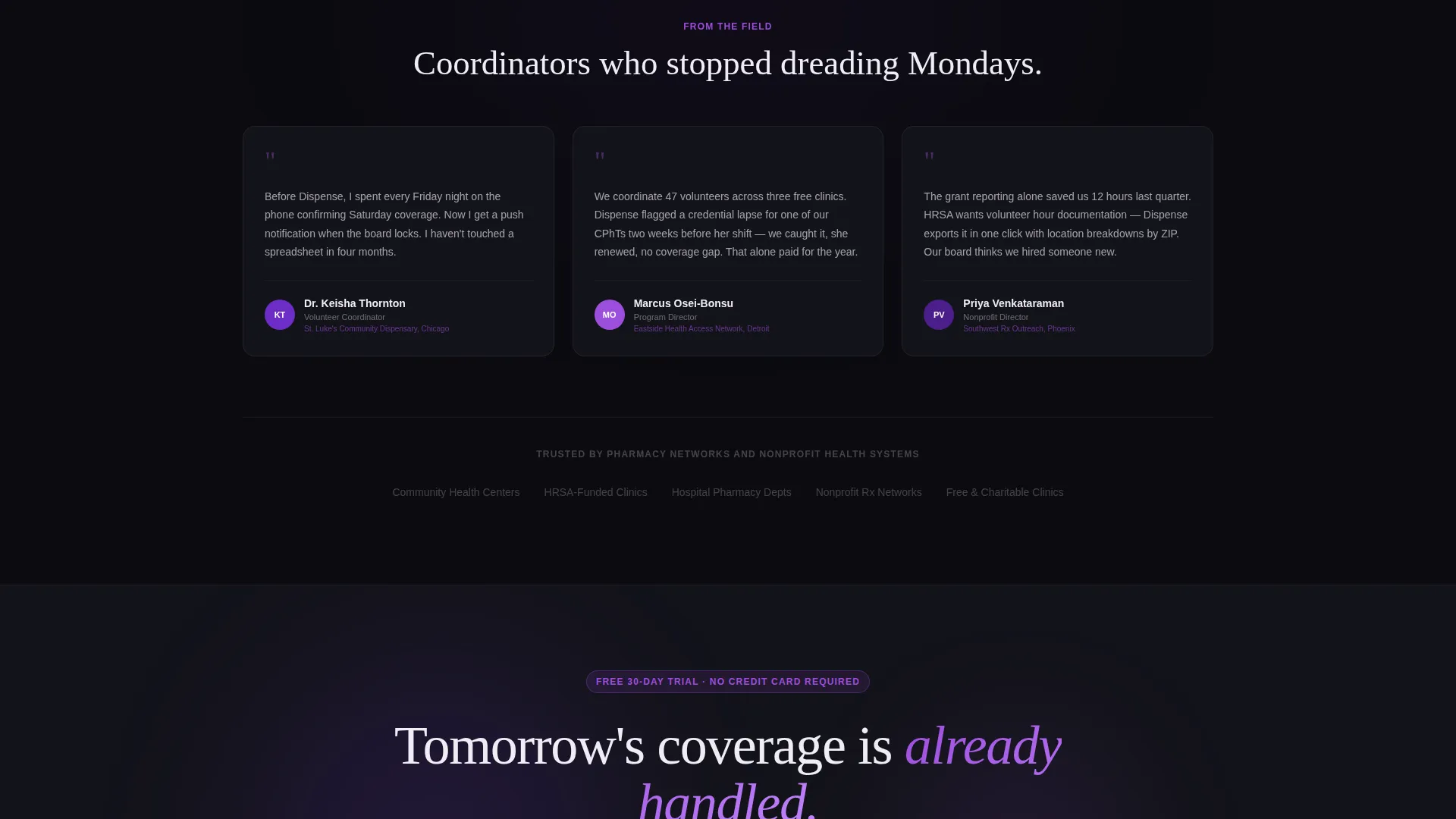
- The inline interactive demo lets visitors prove the value to themselves, earning the primary call-to-action click through direct experience rather than persuasion alone.
Other information about this template
This template is purpose-built for the pharmacy software and healthcare volunteer coordination market. It fits platforms operating at the intersection of compliance-sensitive environments and community-driven volunteer programs.
- The template style is Split Screen (50/50), making it well-suited for platforms that need to show product user interface alongside benefit messaging simultaneously
- The Dynamic Motion theme is the connective tissue of the scroll experience, using card slides, counter increments, toggle flips, and progress ring fills as each feature enters the viewport
- The click-through landing page direction means there is no form on this page; the primary call-to-action reads "Start Scheduling Volunteers" and the secondary call-to-action reads "See It Handle a 50-Volunteer Roster"
- This template can support pharmacy volunteer management platforms serving community pharmacies, hospital dispensaries, and free clinics across underserved areas
Theme
Dynamic Motion
Creative direction
Feature Matrix
Color system
Void & Violet
Style
Split Screen (50/50)
Direction
Click-Through
Page Sections
Shift Scheduling Calendar
Real-time Check-in Feed
Automated Reminder System
Credential and Hours Tracking
Inline Interactive Demo
Sticky Trial Call-to-action Bar
Related questions
Does this template include a contact form or sign-up form?
What makes the header different from a standard hero section?
Can this template support platforms serving both pharmacy managers and hospital volunteer coordinators?
How does the inline interactive demo work?
Is this template designed for dark-mode brand identities?



