Robust Pest Control Landing Page Template
Exterminate is a single-page pest control landing page template built for online stores selling traps, sprays, baits, and monitoring systems. It uses a Tech Glass visual style with a Void and Violet color system, a stats-first layout, and a modular card grid to move visitors from awareness to action fast.
by Rocket studio
Quick summary
Exterminate is a high-impact pest control landing page template designed for online stores. It leads with a floating dashboard header, bold statistics, and a modular card grid organized by threat level. The Void and Violet color system creates an urgent, clinical atmosphere. The primary goal is driving app downloads, with a secondary path for direct shopping.
Who this template is for
This template is built for anyone selling pest control products online and needing a page that converts urgency into action. It speaks directly to buyers who already know they have a problem.
- Suburban homeowners dealing with a sudden infestation who need products fast
- Property managers handling pest complaints across multiple rental units
- DIY-focused shoppers who want to solve pest problems without hiring a technician
What problem this template solves
Most pest control store pages look generic. They list products without making the visitor feel the urgency of their situation. This template solves that by leading with data, not descriptions.
- Visitors land on a page that immediately reflects their problem back at them with real numbers and real alerts
- Product discovery is organized by threat level, not category, so shoppers find relevant items faster
- The app download path builds trust before asking for action, showing dashboard data that proves the product works
What you get with this template
You get a fully structured, single-page layout ready to be customized for your pest control store. Every section is modular and designed to snap into place like diagnostic panels loading on a command screen.
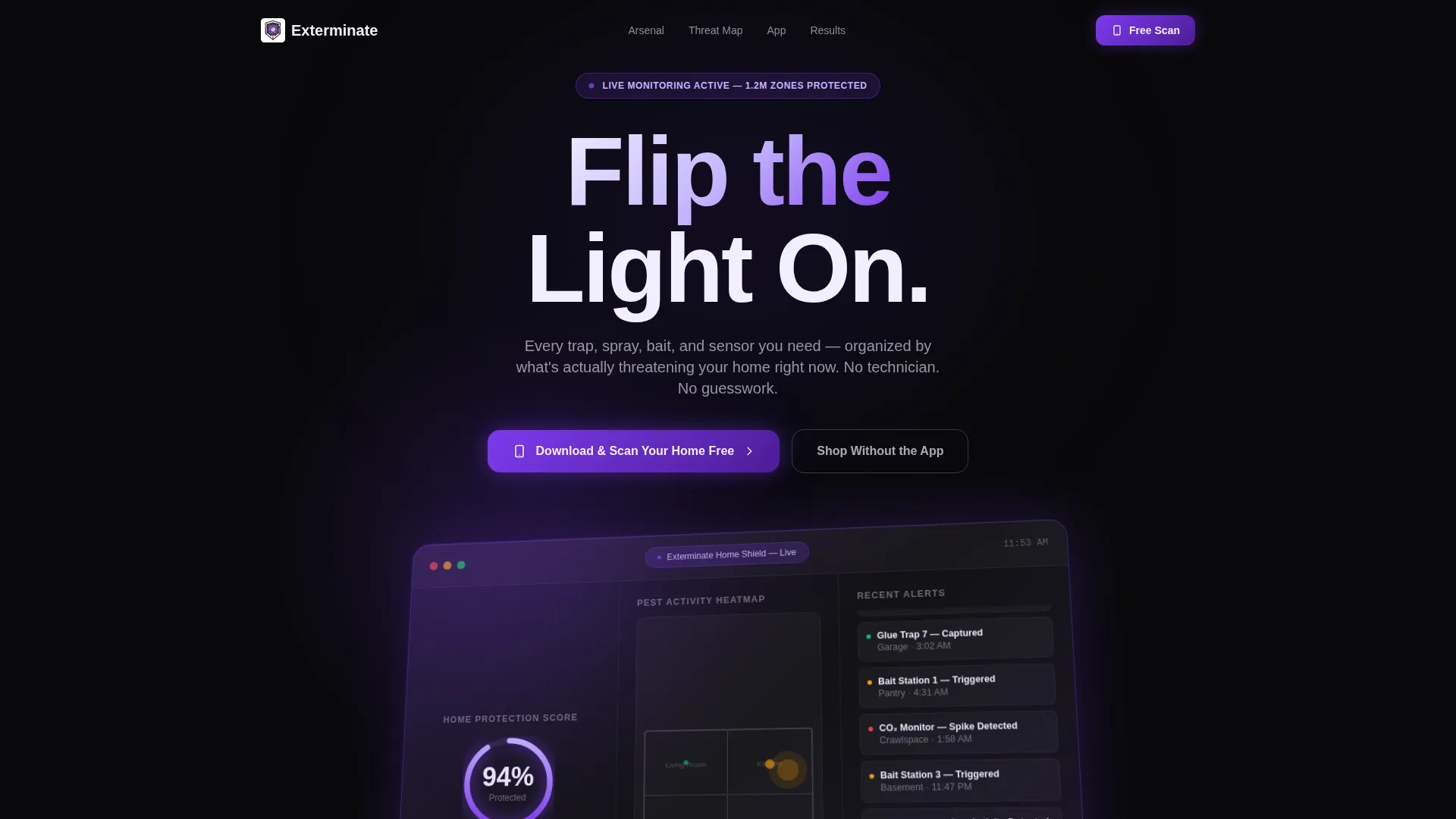
- A floating glass-panel dashboard header with a pest activity heat map, a home protection score, and a live alert feed
- A stats-first scroll flow with oversized impact numbers before product explanations
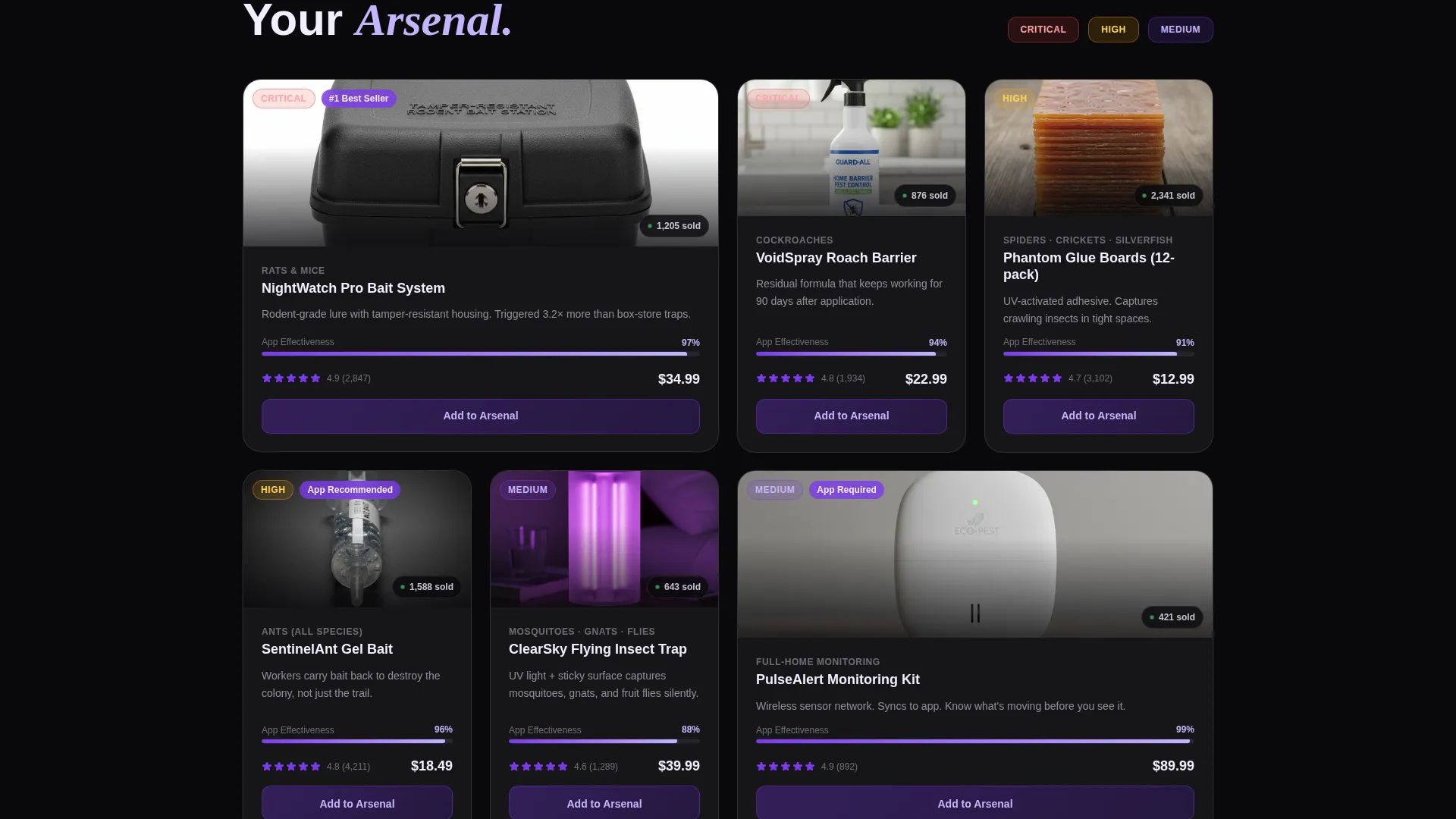
- A modular card grid with frosted glass product cards, purchase counters, and effectiveness ratings
- A pinned frosted violet app download bar that appears after the visitor scrolls past the header
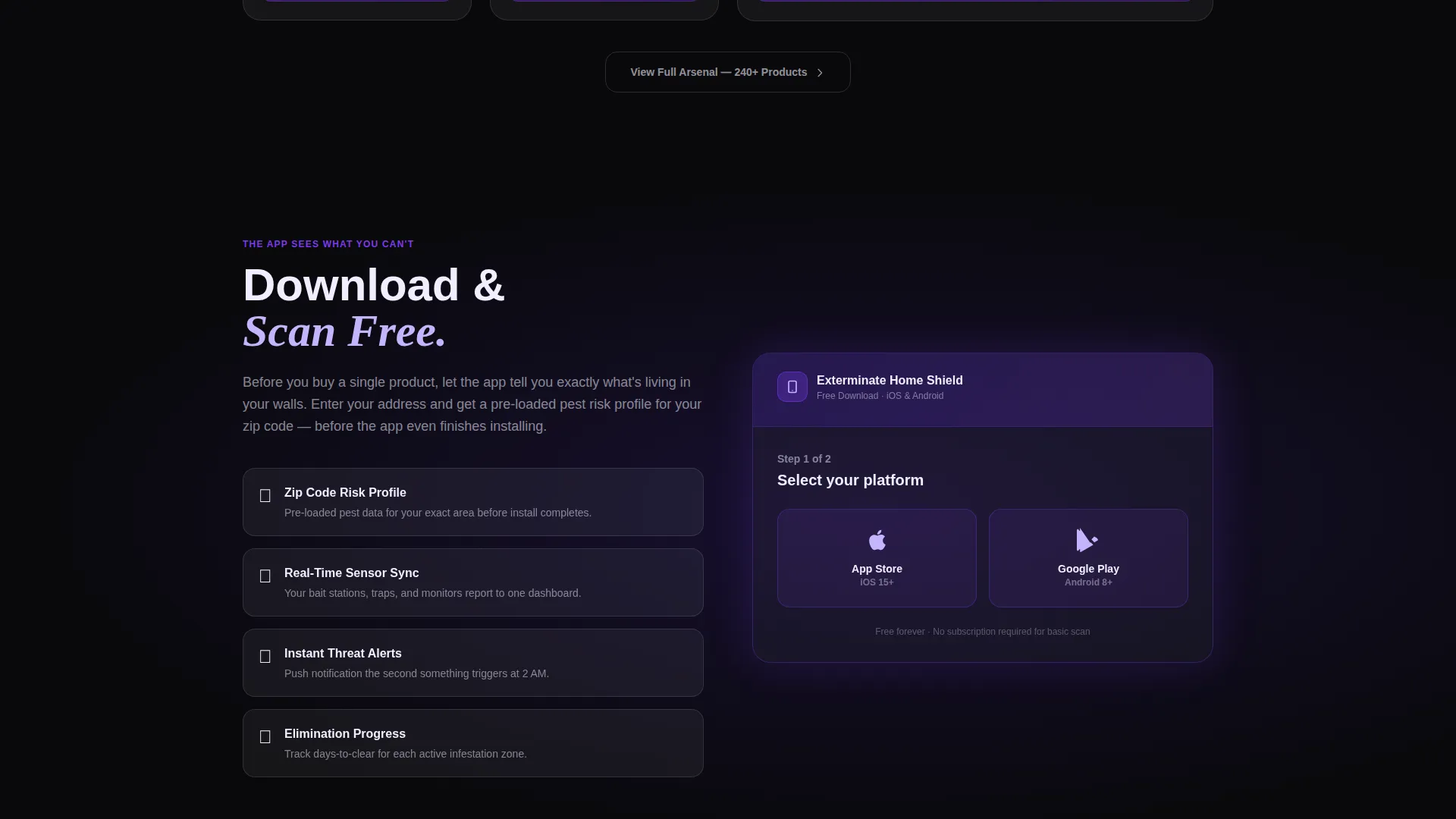
- A two-step app onboarding flow and a ghost-outlined secondary shop button
Feature list
This template delivers a focused set of visual and structural components drawn directly from the brief. Each one serves the goal of converting a stressed visitor into a confident buyer.
Floating Dashboard Header
The header displays a glass-panel mockup of a companion app at an isometric tilt. It shows a real-time home protection score, a pest activity heat map with amber hotspots, and a scrolling alert feed. A subtle parallax shift responds to cursor movement, and violet light catches the panel edges.
Stats-First Card Rows
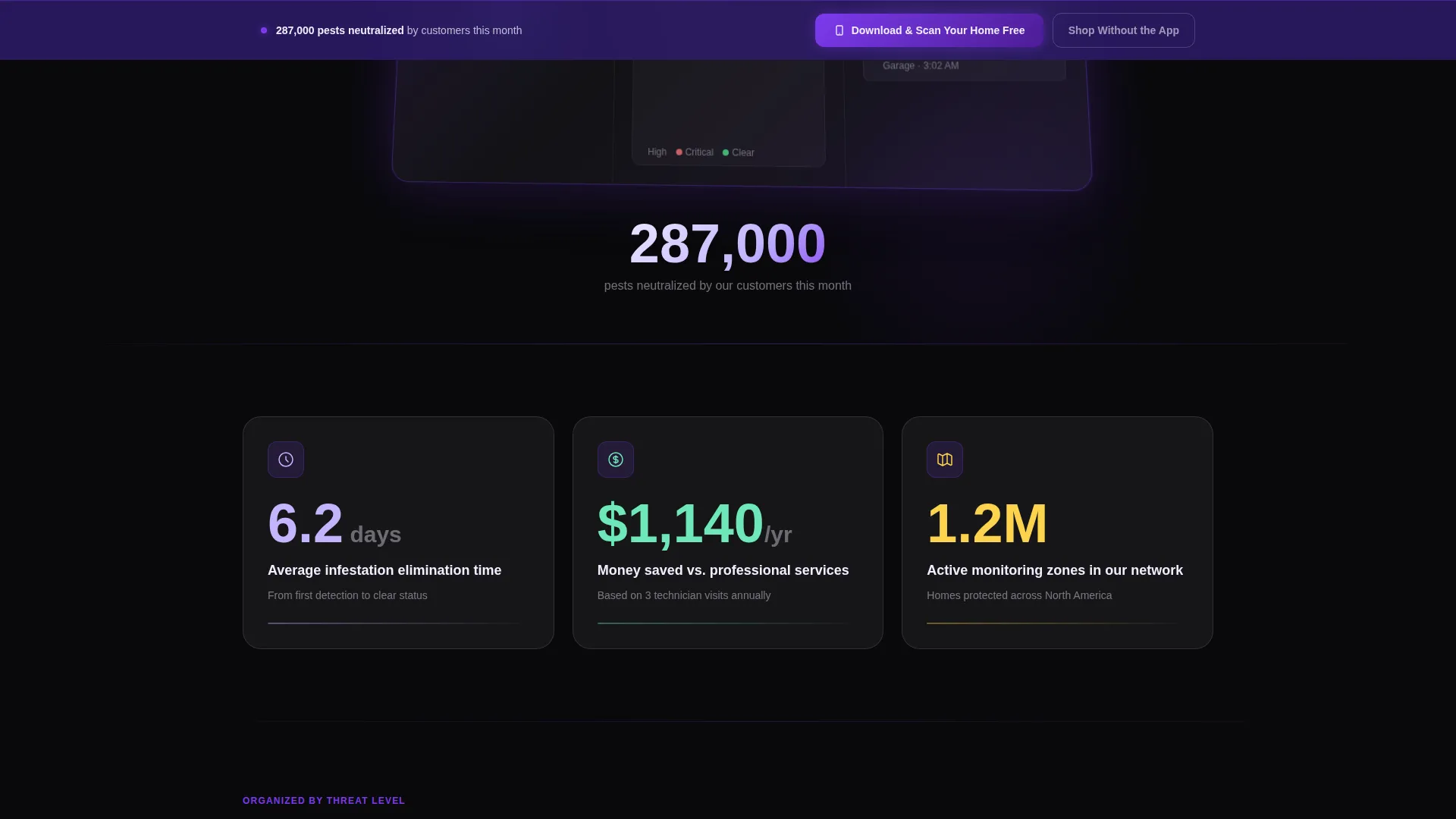
Three oversized statistics anchor the first scroll depth: average infestation elimination time of 6.2 days, annual savings versus professional services of $1,140, and 1.2 million active monitoring zones across the customer network. Numbers appear before explanations, creating immediate credibility.
Threat-Level Product Grid
Product cards are organized by threat level rather than product category. Each card features a frosted glass product image, a real-time purchase counter, and a customer effectiveness rating. This structure helps visitors quickly find what matches their specific pest situation.
Pinned App Download Bar
After the visitor scrolls past the dashboard, a frosted violet bar pins to the bottom of the viewport. The primary call to action reads "Download and Scan Your Home Free." It stays visible throughout the rest of the scroll journey without blocking content.
Two-Step Download Flow
Tapping the pinned bar opens a two-step conversion flow. The visitor selects their platform (iOS or Android) and enters their address to receive a pre-loaded pest risk profile for their zip code. This sequence earns the download by delivering value before the app finishes installing.
Ghost Button Secondary Path
A ghost-outlined "Shop Without the App" button provides a secondary conversion path for visitors who are not ready to download. It keeps the store accessible without competing visually with the primary app download call to action.
Page sections overview
| Section | Purpose |
|---|---|
| Dashboard Header Panel | Anchors the page with an immersive app mockup showing live pest data |
| Impact Statistics Row | Hits visitors with three credibility numbers before any product pitch |
| Threat-Level Product Grid | Organizes products by pest urgency to speed up purchase decisions |
| Pinned Download Bar | Keeps the primary call to action visible throughout the scroll |
| Two-Step Onboarding Flow | Converts app interest into a completed download with a zip-code hook |
| Secondary Shop Path | Captures visitors who prefer to browse without downloading the app |
Design & branding system
The Void and Violet color system is built around four core values: absolute void black as the base, deep ultraviolet as the structural depth layer, electric violet for hover states and active elements, and clinical glass white for card surfaces and text. The overall effect feels like a UV bug zapper cutting through darkness, simultaneously unsettling and magnetic.
- Card backgrounds float in translucent glass white with frosted blur edges against the void black field
- Violet gradients pulse subtly on active elements and progress rings
- Text alternates between glass white on dark fields and void black on light card surfaces
Mobile & speed optimization
The modular card grid is built so each section loads and renders independently. The layout is designed to maintain visual clarity on smaller screens without losing the atmospheric depth of the Void and Violet system.
- Frosted glass card components scale cleanly across viewport widths
- The pinned download bar remains accessible on mobile without covering critical content
- Isometric dashboard tilt and parallax effects are structured to work within touch-based interaction models
How this template helps you convert
Every structural decision in this template is designed to reduce hesitation and create a clear next action for the visitor.
- The dashboard header proves the product ecosystem works before the visitor reads a single product description, building trust through visible data rather than marketing copy.
- The stats-first scroll sequence assigns concrete numbers to the visitor's problem, making the cost of inaction feel real and the value of acting now feel obvious.
- The pinned call-to-action bar and the ghost button secondary path keep two conversion options always available, so visitors never reach a dead end regardless of where they are in the scroll journey.
Other information about this template
This template is part of a growing library of niche-specific, high-conversion landing page designs built for digital storefronts. A few additional details worth knowing before you start customizing:
- The template style is Card Grid (Modular), meaning individual sections can be reordered or removed without breaking the overall layout
- The Tech Glass theme is applied consistently across all components, from the dashboard header down to the ghost button outline
- The creative direction is Stats-First Impact, a layout philosophy that front-loads credibility through data before product content appears
- The header concept is Dashboard Preview, which is a distinct design pattern that differentiates this page from standard hero-image layouts
- The lp direction is App Download, meaning the entire page hierarchy is engineered to make the app download feel like the natural, obvious first step
Theme
Tech Glass
Creative direction
Stats-First Impact
Color system
Void & Violet
Style
Card Grid (Modular)
Direction
App Download
Page Sections
Floating Glass Dashboard Header
Stats-first Impact Row
Threat-level Modular Card Grid
Pinned Frosted Violet Call to Action Bar
Two-step App Download Flow
Ghost Button Secondary Path
Related questions
Can I use this template if I do not have a companion app?
How customizable are the product cards in the grid?
Is this template suitable for a property management use case?
What happens to the pinned call to action bar if I remove the app download flow?
Does the template include the actual pest risk profile or app functionality?



