Garage - Precision Automotive Landing Page Template
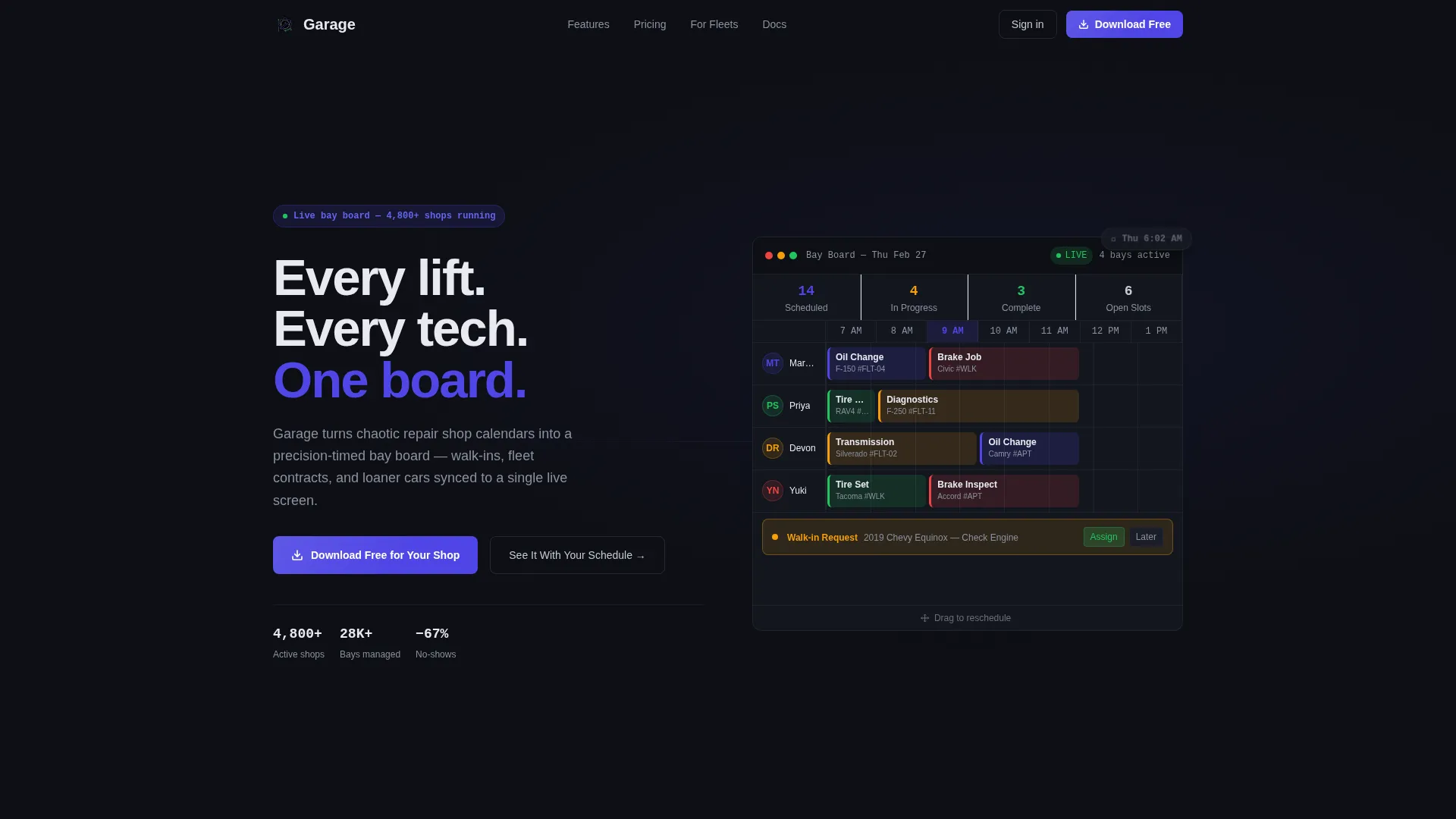
Garage is a split-screen automotive booking software landing page template built for repair shops of every size. It pairs a bold headline panel with an animated scheduling dashboard preview, then walks visitors through a feature matrix that maps real shop pain points to clear software solutions. The design uses a dark Dashboard Pro theme with electric indigo accents to feel sharp and professional.
by Rocket studio
Quick summary
Garage is a single-page template for automotive booking software. It opens with a 50/50 split screen that puts your headline and value proposition on the left and a live-looking scheduling dashboard on the right. Below the header, a scrollable feature matrix pairs common shop frustrations with the software features that solve them. Every design decision pushes toward one goal: getting visitors to download the app or book a demo.
Who this template is for
This template was designed for software teams and product marketers promoting automotive scheduling tools. It speaks directly to the people buying or evaluating shop management software.
- Independent repair shop owners who manage walk-ins and fleet contracts side by side
- Multi-location service managers dealing with phone-heavy booking workflows
- Dealership service advisors who still rely on paper repair orders
What problem this template solves
Repair shop software can be hard to sell because the pain is invisible to outsiders. Visitors need to see their own chaos reflected on the page before they trust a solution. This template makes that recognition happen fast.
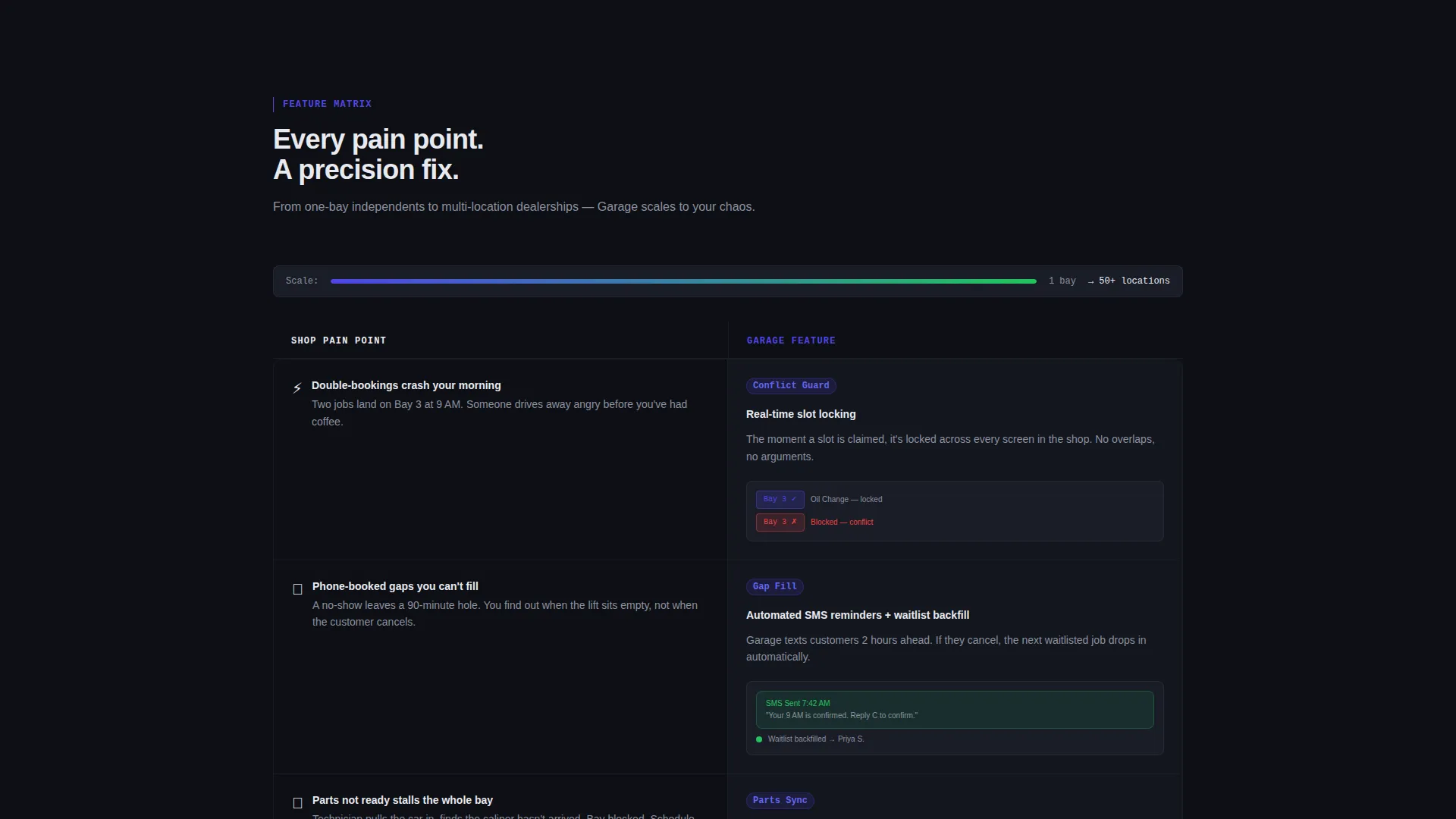
- Double-bookings, no-show gaps, and parts-not-ready delays are shown as real rows in the feature matrix
- The animated dashboard preview lets visitors picture the organized alternative before reading a single word of copy
- Two clear conversion paths prevent decision paralysis for both ready-to-download and still-evaluating visitors
What you get with this template
You get a fully structured, single-page layout ready to represent automotive scheduling software. Every section is purposeful and pre-built for conversion.
- A 50/50 split-screen header with a headline panel and an animated booking dashboard panel
- A scrollable feature matrix pairing shop pain points with corresponding software features
- A sticky mobile call to action bar and a persistent desktop call to action column driving app downloads and demo requests
Feature list
This template ships with purpose-built components that do the selling for you. Each one is grounded in real shop workflows and visible dashboard user interface.
Animated Split-Screen Header
The header divides into two equal panels. The left holds a bold headline and a single-line value proposition. The right displays a functional-looking booking dashboard complete with time blocks, technician avatars, and color-coded service types. On load, appointments animate into their slots, a walk-in request pulses in, and a drag handle hints that the board is interactive.
Scroll-Triggered Feature Matrix
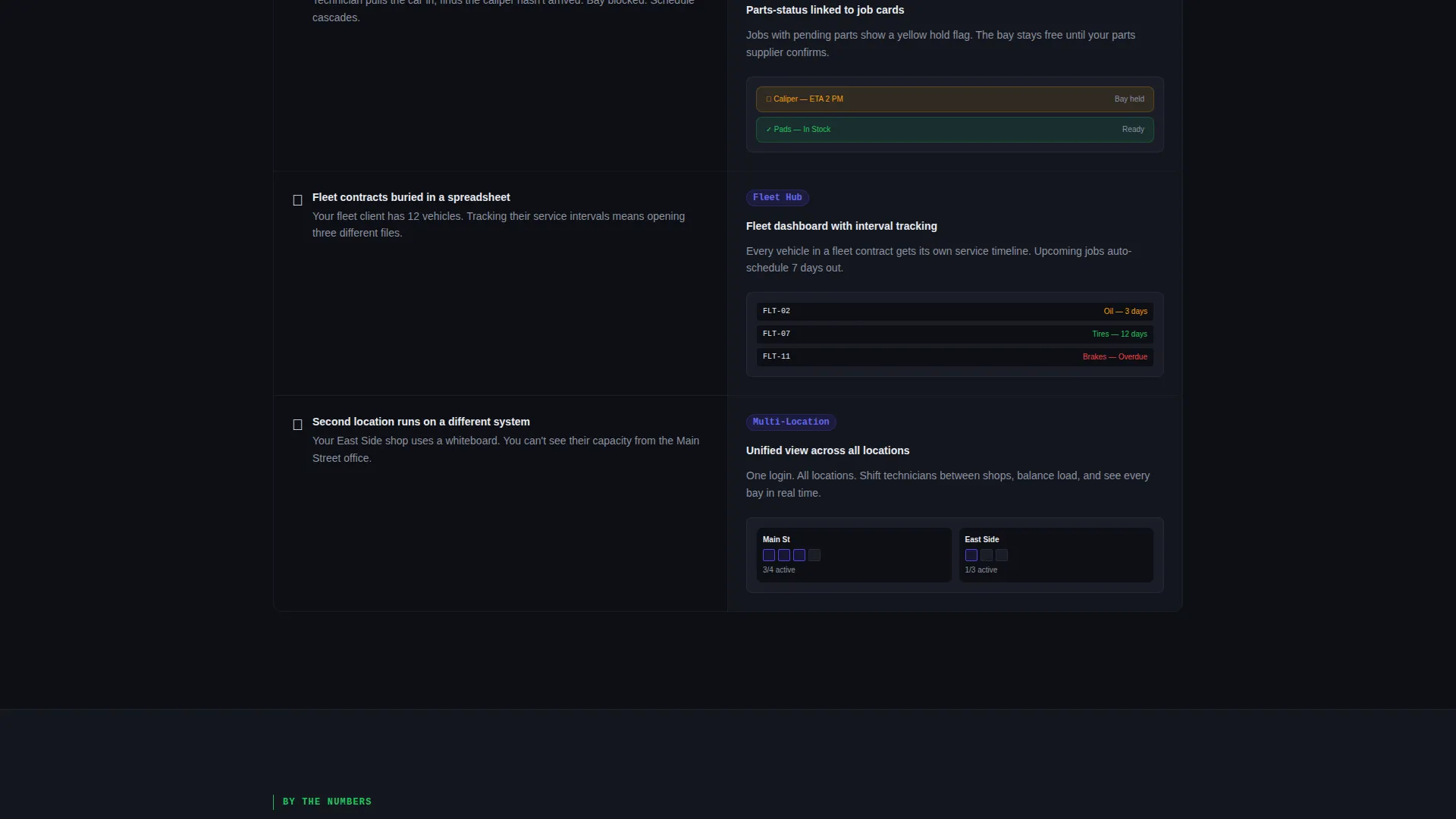
As visitors scroll, a structured grid reveals itself row by row. Each row places a familiar shop pain point on the left and the matching software feature on the right. The matrix escalates naturally from single-shop basics up to multi-location fleet dashboards, so both small owners and large operations feel addressed.
Pain-Point-to-Feature Pairing Rows
Every feature cell in the matrix contains a micro-illustration pulled directly from the dashboard user interface. This approach teaches the product while selling it, giving visitors a concrete visual rather than abstract bullet points.
Dual Conversion Path Design
The primary call to action reads "Download Free for Your Shop." It anchors a sticky bar on mobile and a persistent right-column button on desktop. A secondary path labeled "See It With Your Schedule" leads to a short form asking for shop name, number of bays, and current booking method.
Dashboard Pro Dark Theme
The entire page uses a dark, screen-forward visual identity. Deep asphalt black forms the background, electric indigo pulses through buttons and active states, cool chrome silver handles secondary text and dividers, and signal green marks confirmed appointments and available slots.
Mobile Sticky call to action Bar
On smaller screens, the download button anchors to the bottom of the viewport at all times. Visitors never have to scroll back up to act, which keeps the path to conversion short and direct.
Page sections overview
| Section | Purpose |
|---|---|
| Split-Screen Header | Headline, value prop, and animated dashboard preview |
| Feature Matrix Grid | Pain-point rows paired with software feature cells |
| Multi-Location Escalation | Addresses larger operations with fleet dashboard context |
| Demo Request Form | Short form capturing shop name, bay count, booking method |
| Sticky Download Bar | Persistent mobile call to action anchored to the bottom viewport |
| Desktop call to action Column | Persistent right-column download button for desktop visitors |
Design & branding system
The visual identity is built around a Dashboard Pro theme using an Electric Indigo color system. The palette evokes a dimly lit shop office at 6 AM with screens glowing and the day already planned.
- Deep asphalt black (#0D0F14) as the full-page background, electric indigo (#4F46E5) for buttons and active highlights, cool chrome silver (#C4C9D4) for secondary text and divider lines
- Signal green (#22C55E) reserved for confirmed appointments and available time slots, making availability immediately readable at a glance
- The overall aesthetic feels like a precision tool wall: every element in its place, nothing decorative without purpose
Mobile & speed optimization
The layout is designed to work as cleanly on a phone screen as it does on a widescreen monitor. The conversion path is especially short on mobile.
- The sticky bottom call to action bar keeps the download action visible without requiring any scrolling on mobile devices
- The split-screen header stacks cleanly on smaller viewports so the animated dashboard preview remains visible and legible
- The feature matrix rows reflow into a readable single-column format on narrow screens
How this template helps you convert
Every structural decision in this template moves visitors toward downloading the app or requesting a demo. Nothing is decorative without also being functional.
- The animated dashboard preview creates immediate product desire before visitors reach the first line of body copy, reducing bounce intent early in the session.
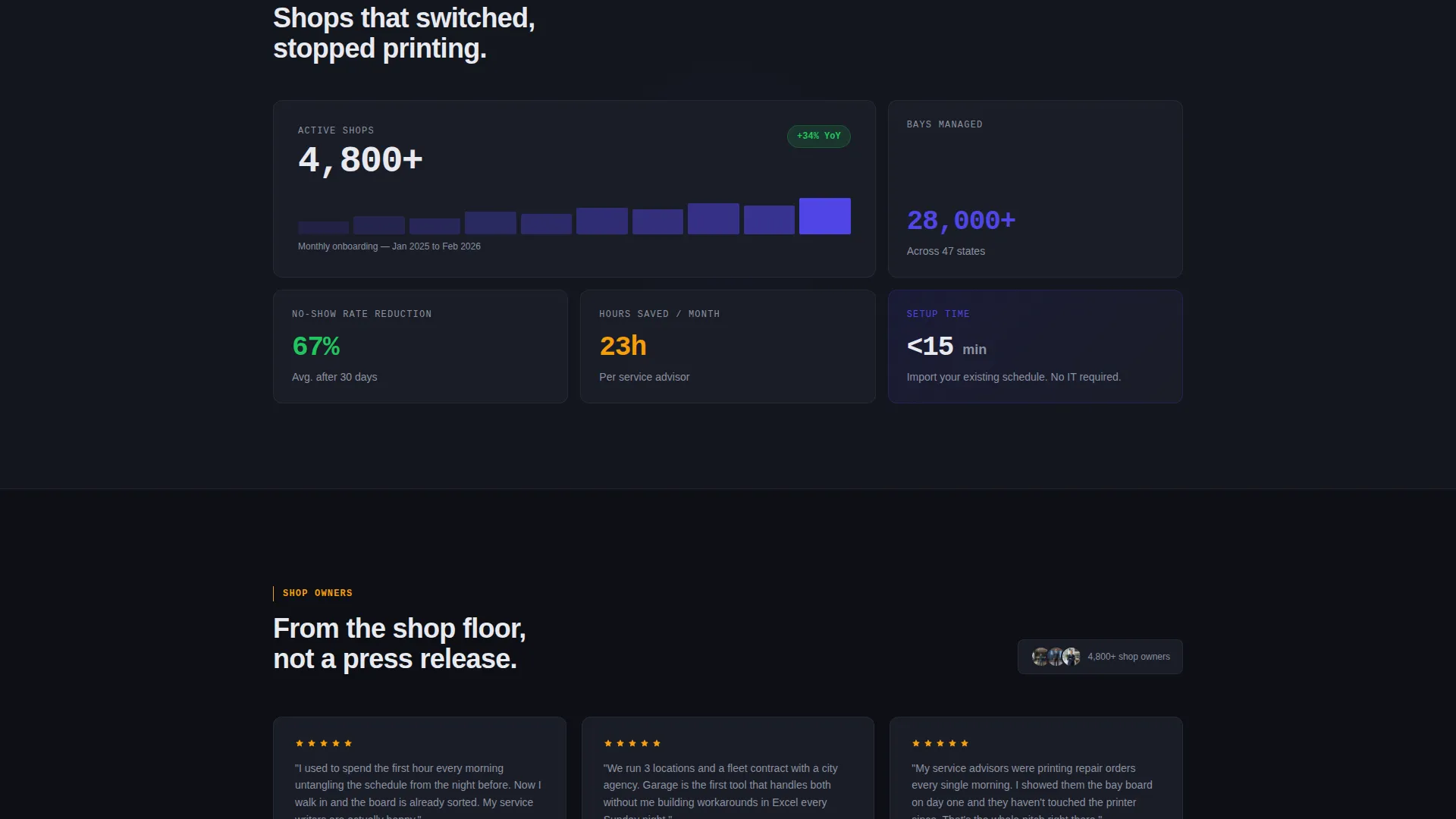
- The feature matrix earns the conversion by letting visitors recognize their own daily frustrations in each pain-point row, building trust before the call to action is ever seen.
- Two distinct conversion paths serve different visitor mindsets: one for ready-to-act downloaders and one for evaluation-stage visitors who need a personalized next step.
Other information about this template
This template is built specifically for the automotive booking software niche. It is equally effective for promoting shop management apps, service scheduling platforms, and repair bay coordination tools.
- The template style is Split Screen (50/50), categorized under Technology and the Automotive Software and Software-as-a-Service subcategory
- The creative direction is Feature Matrix and the header concept is Interactive Preview, both defined in the matched intersection context for this template
- The landing page direction is App Download, making it well-suited for any automotive scheduling or garage management software product seeking direct installs or trial signups
Theme
Dashboard Pro
Creative direction
Feature Matrix
Color system
Electric Indigo
Style
Split Screen (50/50)
Direction
App Download
Page Sections
Animated Split-screen Header
Scroll-triggered Feature Matrix
Pain-point Micro-illustration Rows
Dual Conversion Path Design
Dashboard Pro Dark Theme
Mobile Sticky Call to Action Bar
Related questions
Who is this landing page template built for?
Can I adapt this template for a single-location repair shop product?
What are the two conversion paths included in this template?
Does the template include the animated dashboard as a working component?
What color palette does this template use?



