API Management Technology Professional Website Template
Gateway is a split-screen landing page template built for API management training and certification platforms. It combines a live stats header, an interactive feature matrix, and a freemium conversion flow into one dark, glassmorphic layout. The template is designed to turn visitor curiosity into lab sign-ups by showing real curriculum depth before asking for a single detail.
by Rocket studio
Quick summary
Gateway is a single-page, split-screen landing page template for API management training and certification platforms. It opens with animated metrics, walks visitors through a structured learning track navigator, and funnels them into a no-credit-card free trial. Every visual element reflects the terminal-dark, data-command aesthetic of the platform it promotes.
Who this template is for
This template is built for teams and founders launching or scaling a technical training platform in the API management space. It speaks directly to the engineers and leaders who would enroll, making the pitch feel native rather than generic.
- Mid-level backend engineers preparing for senior or architect-level roles
- DevOps teams standardizing API governance across microservice architectures
- Engineering managers who need their squads certified before an enterprise integration deadline
What problem this template solves
Most training platform landing pages feel like course catalogs. They list topics without proving depth, and they ask visitors to trust a curriculum they cannot see. Gateway solves this by surfacing real lab content above the fold and using a structured comparison engine to let visitors self-qualify before they ever reach a call to action.
- Visitors cannot evaluate curriculum quality from a syllabus list alone
- Generic landing pages fail to speak to the technical confidence engineers need before committing
- Freemium platforms lose sign-ups when the free tier value is not shown upfront
What you get with this template
Gateway delivers a fully designed, single-page split-screen layout with every section pre-built and ready to customize. The layout is structured around a clear conversion path from first impression to sign-up.
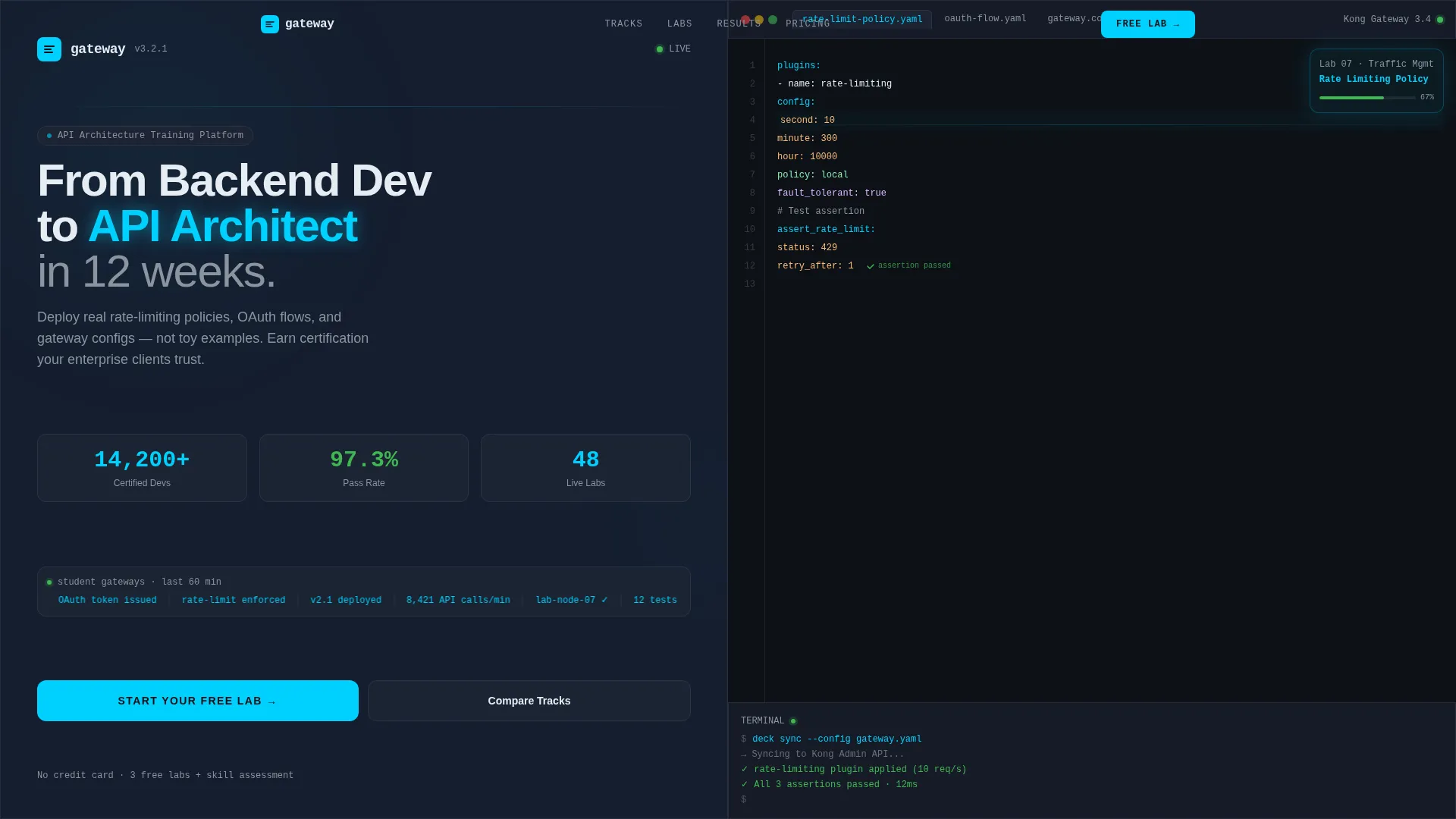
- A live stats header with animated counters and a simulated code editor panel
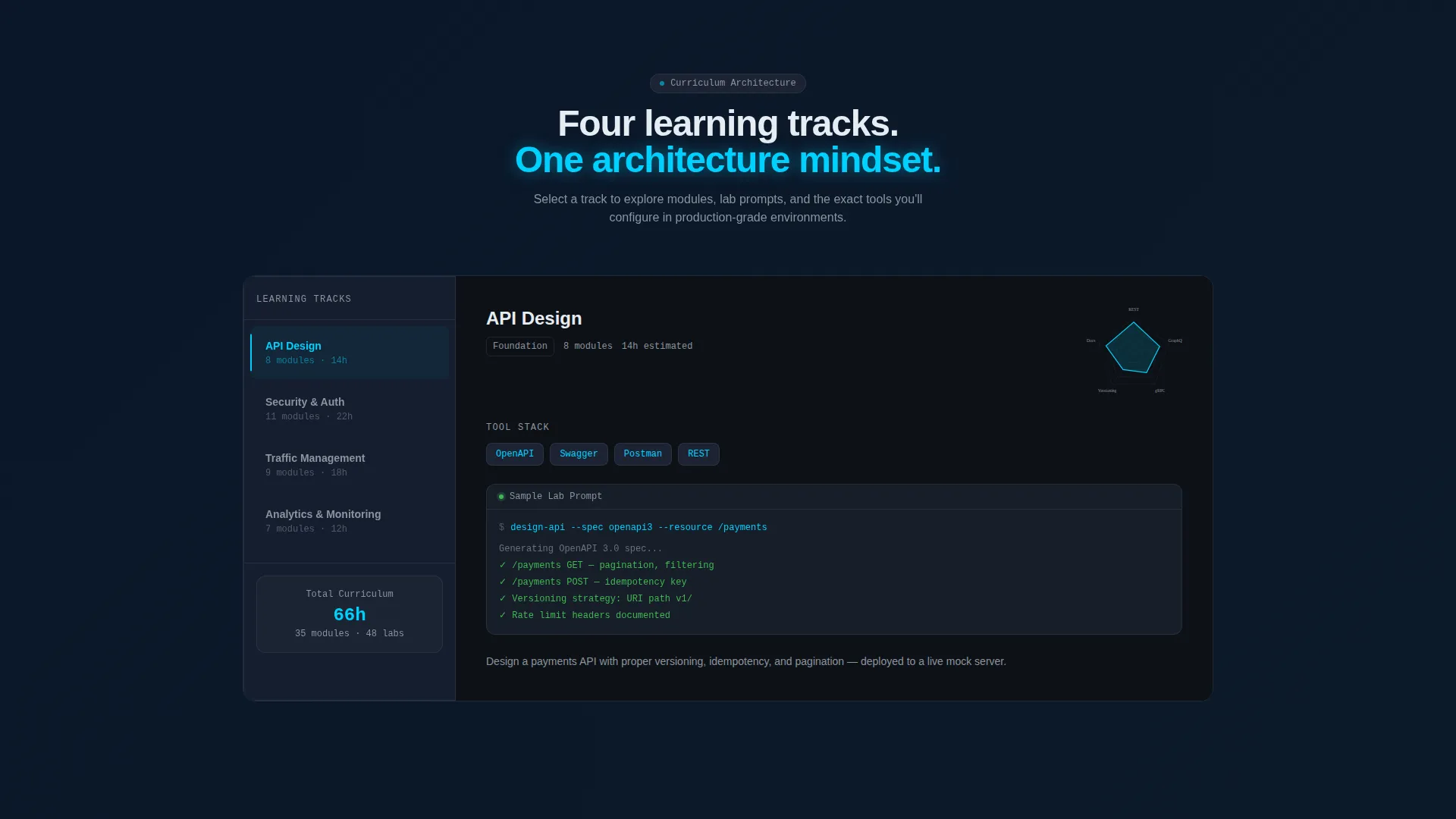
- A persistent learning track navigation rail with swappable content panels per track
- A freemium sign-up flow, a sticky bottom conversion bar, and a mid-page certification tier comparison table
Feature list
Gateway packs a focused set of purpose-built components that work together as a coherent conversion system.
Animated Stats Header with Dual Panels
The left panel displays frosted-glass dashboard cards with animated counters for certified developers, exam pass rate, lab count, and a real-time API call ticker. The right panel renders a simulated code editor mid-session, showing a partially completed rate-limiting policy in YAML with a blinking cursor and a green checkmark on a passing test assertion. Numbers increment on page load to create immediate engagement.
Persistent Learning Track Navigation Rail
The left column locks into a sticky navigation rail listing four learning tracks: API Design, Security and Authentication, Traffic Management, and Analytics and Monitoring. Selecting a track swaps the right column content to show module count, estimated hours, tool stack references, and a skill-level radar chart. Each track panel includes a frosted card with a sample lab prompt and expected terminal output.
Freemium Conversion Flow
The primary call to action, "Start Your Free Lab," appears in the header left panel and returns as a sticky bottom bar after the first scroll. Clicking opens a two-field sign-up form requesting a work email and a current role via dropdown. No credit card is required. The free tier unlocks three foundational labs and a skill assessment.
Certification Tier Comparison Table
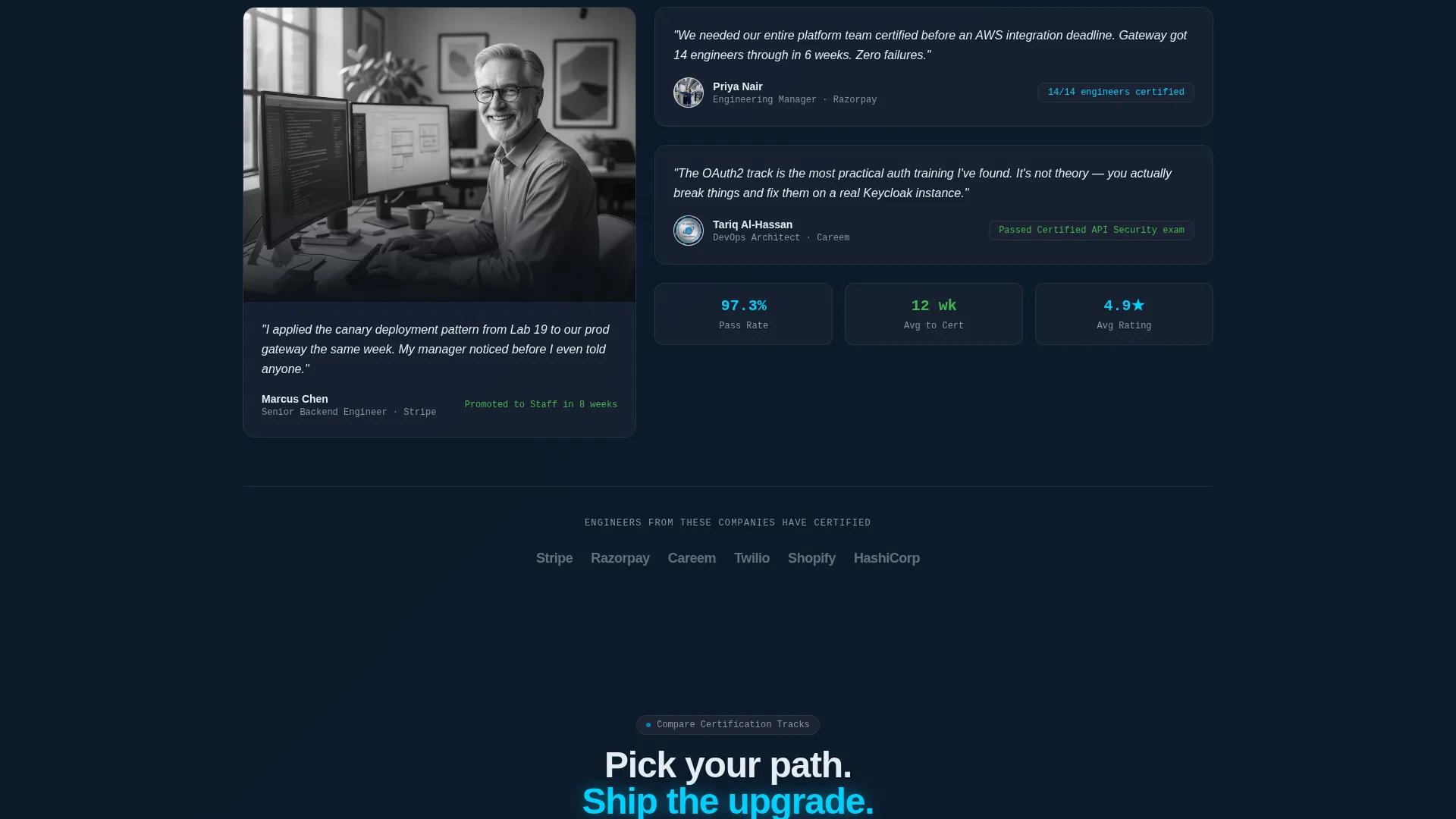
A secondary conversion path, "Compare Certification Tracks," anchors mid-page for visitors still evaluating their options. It leads to a detailed tier comparison table with a "Go Pro" upgrade call to action at its base. The table gives undecided visitors a structured reason to commit.
Glassmorphic HUD Card System
Every content block is styled as a translucent heads-up display element. Frosted glass panels float over deep terminal backgrounds with subtle border glow. Status-green accent pulses confirm completions and passed checks, while electric cyan highlights live data and active states. The result is a layout that feels like a live monitoring dashboard rather than a marketing page.
Page sections overview
| Section | Purpose |
|---|---|
| Stats Metrics Header | Establish credibility instantly with animated counters and a live code editor panel |
| Learning Track Rail | Let visitors self-navigate curriculum depth by track before committing |
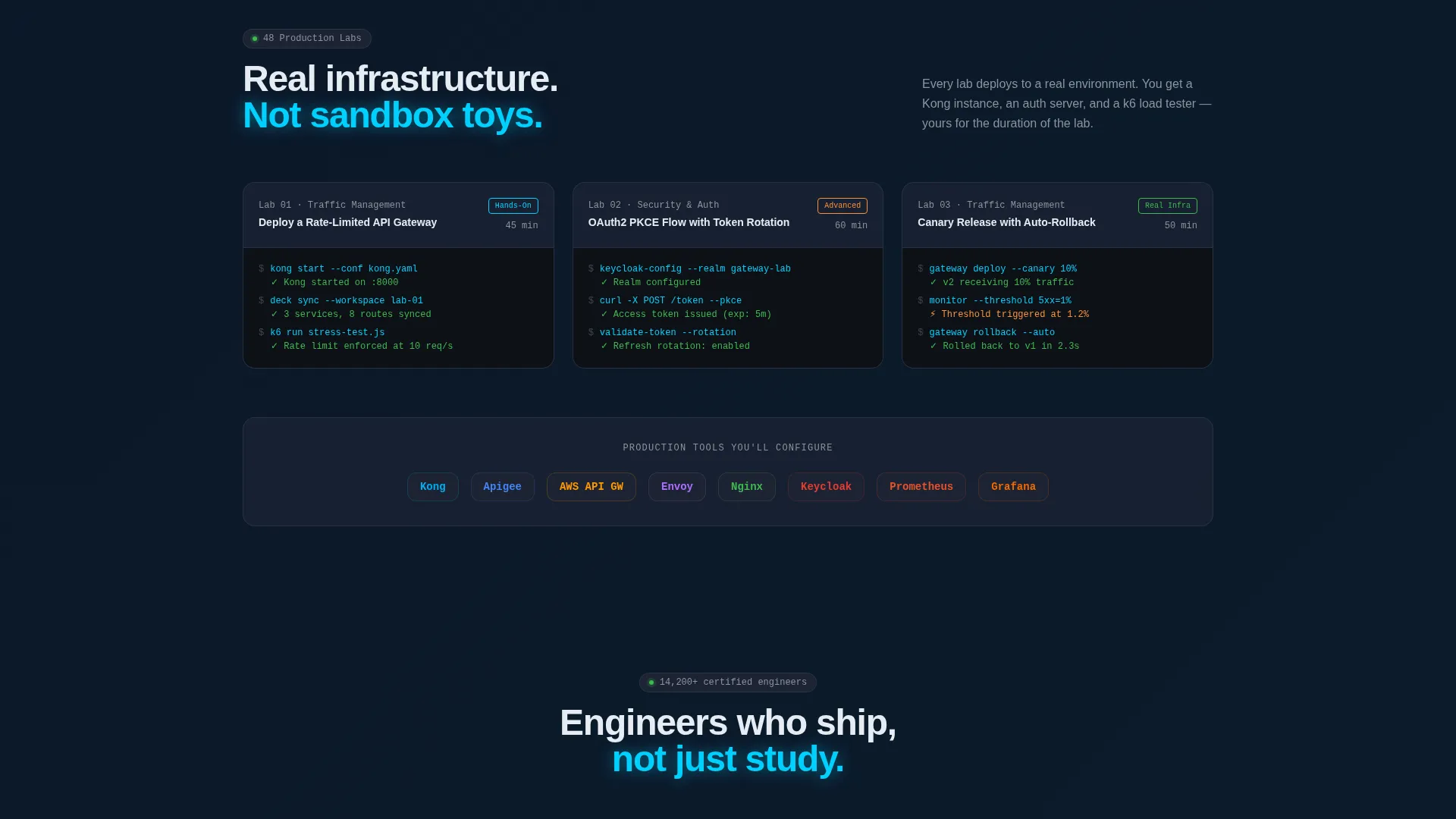
| Sample Lab Cards | Show real lab prompts and terminal output to prove curriculum quality |
| Freemium Sign-Up Form | Convert first-time visitors with a zero-friction two-field entry point |
| Sticky Conversion Bar | Recapture scroll-deep visitors with a persistent call-to-action bar |
| Certification Tier Table | Help evaluating visitors compare plans and move toward the Pro upgrade |
Design & branding system
The visual identity follows a Data Command theme built on a glassmorphic color system. The palette is designed to evoke a live monitoring environment rather than a polished marketing site.
- Core colors: deep terminal black (#0D1117) as the background, frosted glass panel (#1C2333 at 60% opacity with 12-pixel blur), electric cyan (#00D1FF) for active states, muted silver (#8B949E) for secondary text and borders, and status-green (#3FB950) for confirmation pulses
- Glass card treatment: content blocks float as translucent heads-up display elements with subtle border glow, creating visual depth without imagery
- No stock photography or illustrations: the product interface itself serves as the visual, keeping the design authentic to the terminal-native audience
Mobile & speed optimization
The split-screen layout is structured to reflow gracefully from a wide desktop view to narrower viewports. The template prioritizes readable hierarchy and usable interactions at every screen size.
- The 50/50 split-screen stacks vertically on smaller screens so both panels remain fully legible
- Glassmorphic card components are sized to maintain readability and tap-friendly interaction targets on mobile
- The sticky bottom conversion bar is particularly effective on mobile, where it stays visible as users scroll through curriculum detail
How this template helps you convert
Gateway earns the click by proving value before asking for commitment. Every layout decision is oriented toward reducing hesitation and increasing enrollment confidence.
- Real lab content appears above the fold so visitors see exactly what they will build before filling in a single field, removing the largest objection to sign-up
- The sticky "Start Your Free Lab" bar ensures the primary call to action is always one tap away, no matter how deep into the curriculum a visitor scrolls
- The mid-page tier comparison table with a "Go Pro" upgrade path captures visitors who need more information before deciding, turning evaluation time into a structured upgrade journey
Other information about this template
Gateway is purpose-built for the API management training and certification niche, where visitors are technical professionals who distrust vague marketing language. The template's design language and layout logic are matched to that audience's expectations.
- The template references a tool stack display area suited for logos from platforms commonly used in API gateway training environments, such as Kong, Apigee, and AWS API Gateway
- The YAML code editor panel and terminal output samples are baked into the header design, making the template immediately recognizable to backend engineers and DevOps practitioners
- The role-based dropdown in the sign-up form supports audience segmentation from the first conversion event, helping platforms route learners into the right certification track
Theme
Data Command
Creative direction
Feature Matrix
Color system
Glassmorphic
Style
Split Screen (50/50)
Direction
Freemium/Trial
Page Sections
Animated Stats Header with Dual Panels
Persistent Learning Track Navigation Rail
Freemium Conversion Flow
Certification Tier Comparison Table
Glassmorphic HUD Card System
Related questions
Does this template require a credit card to offer the free tier?
Can I customize the learning tracks in the navigation rail?
Are the animated counters in the header part of the template?
Who is this landing page template best suited for?
Can I update the certification tier comparison table with my own plans?



