Developer Tools & API Professional Website Template
Gateway is a hub-and-spoke landing page template built for API gateway and management platforms. It opens with an animated product screenshot showing live traffic, then escalates through five anchor-nav spokes: Route, Secure, Observe, Scale, and Deploy. The design uses a void-black canvas with iridescent accents, and every section drives visitors toward a two-step lead generation form.
by Rocket studio
Quick summary
Gateway is a single-page, anchor-nav landing page template designed for API gateway and management platforms. It leads with a full-width animated product screenshot, follows with a stats ticker bar, and guides visitors through five thematic spokes. The Dynamic Motion theme and AI Iridescent color system make the page feel alive with real data.
Who this template is for
This template is built for technical teams and platform-focused companies that need to communicate serious infrastructure capability at a glance. It is designed for audiences who think in systems, not marketing fluff.
- Platform engineering leads managing hundreds of internal microservices
- Chief Technology Officers at fintech startups who need to demonstrate low-latency authentication at the edge
- DevOps teams at enterprises dealing with undocumented endpoints and zombie APIs
What problem this template solves
Most developer tool landing pages bury their proof. Visitors arrive, read generic claims, and leave before trusting the product. This template puts the evidence first and keeps it moving.
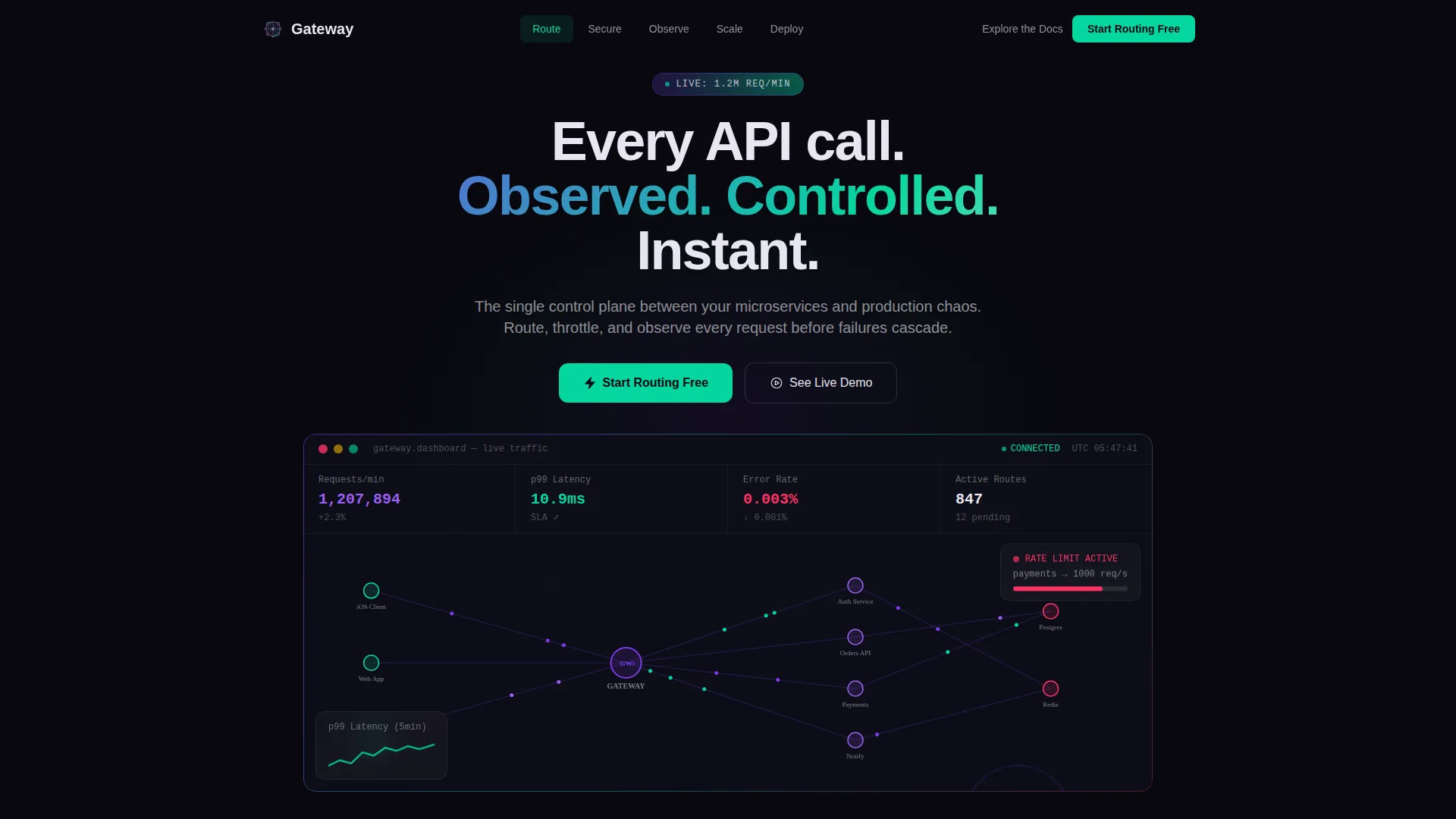
- There is no abstract hero illustration. The product screenshot IS the opening statement, showing live traffic at 1.2 million requests per minute.
- Visitors often abandon before they understand scale. The ticker bar hits them with enterprise-grade numbers before they scroll a single section.
- Lead forms feel abrupt. The two-step progressive disclosure form earns the click by proving capability first, then asking for contact details.
What you get with this template
You get a fully structured, single-page landing page layout ready to adapt for your API gateway or management platform. Every section is purposeful and ordered to build trust progressively.
- A full-width animated product screenshot header with a live topology map, request counters, and a breathing latency graph
- A hub-and-spoke anchor navigation linking to five dedicated spokes: Route, Secure, Observe, Scale, and Deploy
- A two-step progressive disclosure lead generation form with a calendar embed for architecture review bookings
Feature list
This template includes six purpose-built components that reflect the brief's core interaction and layout requirements.
Animated Product Screenshot Header
The header drops visitors straight into a working dashboard view. Request dots stream along connection lines, counters increment in real time, and the latency graph breathes. There is no abstract illustration. The product does the talking.
Stats-First Ticker Bar
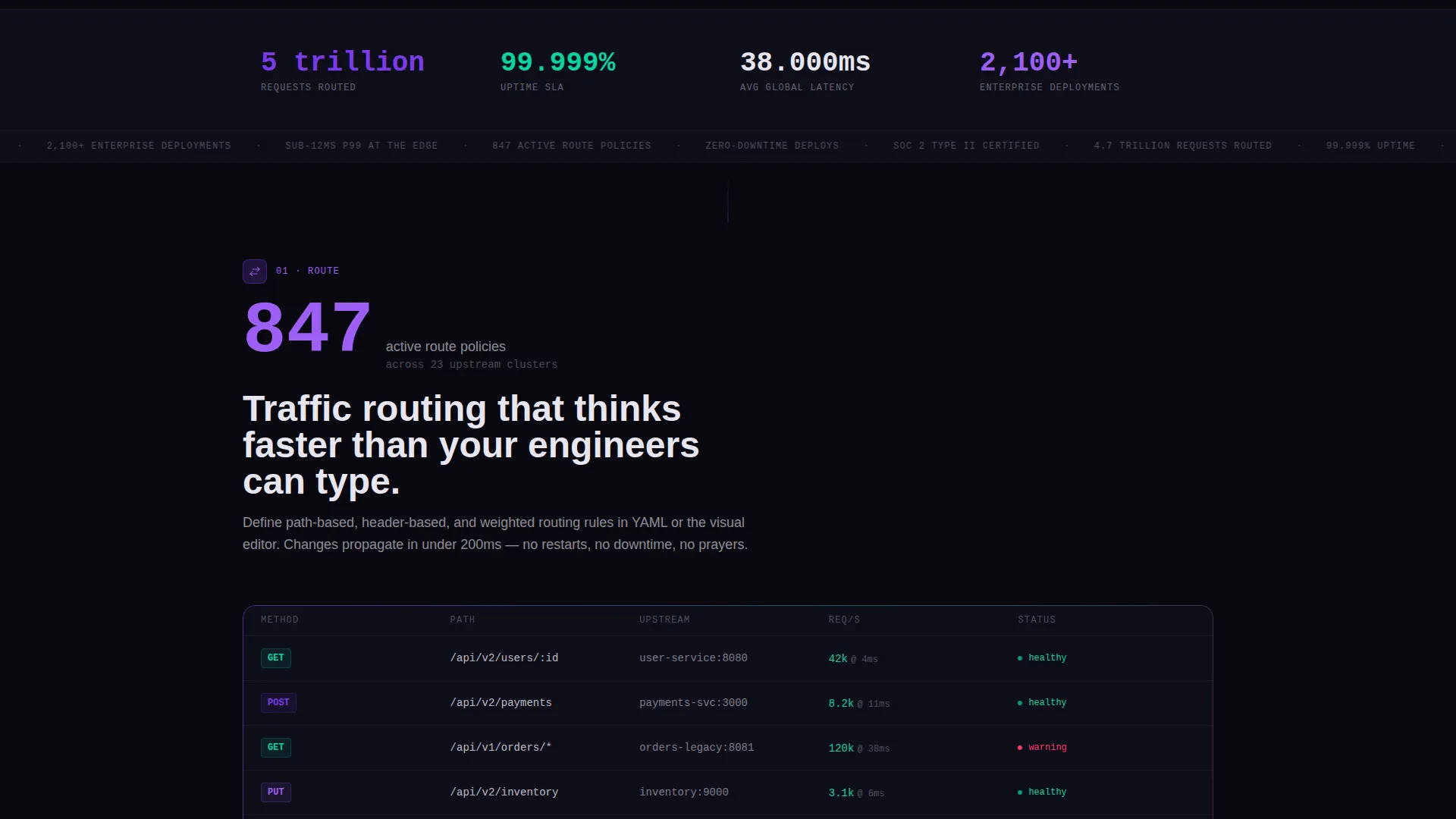
Immediately below the header, a full-width ticker bar displays four enterprise-scale numbers: 4.7 trillion requests routed, 99.999% uptime, 38ms average global latency, and 2,100-plus enterprise deployments. Each number animates from zero on scroll entry.
Hub and Spoke Anchor Navigation
Five anchor links, Route, Secure, Observe, Scale, and Deploy, sit pinned in the navigation. Each link jumps to its dedicated spoke section. The nav also carries the primary call-to-action button at all times.
Per-Spoke Hero Metrics
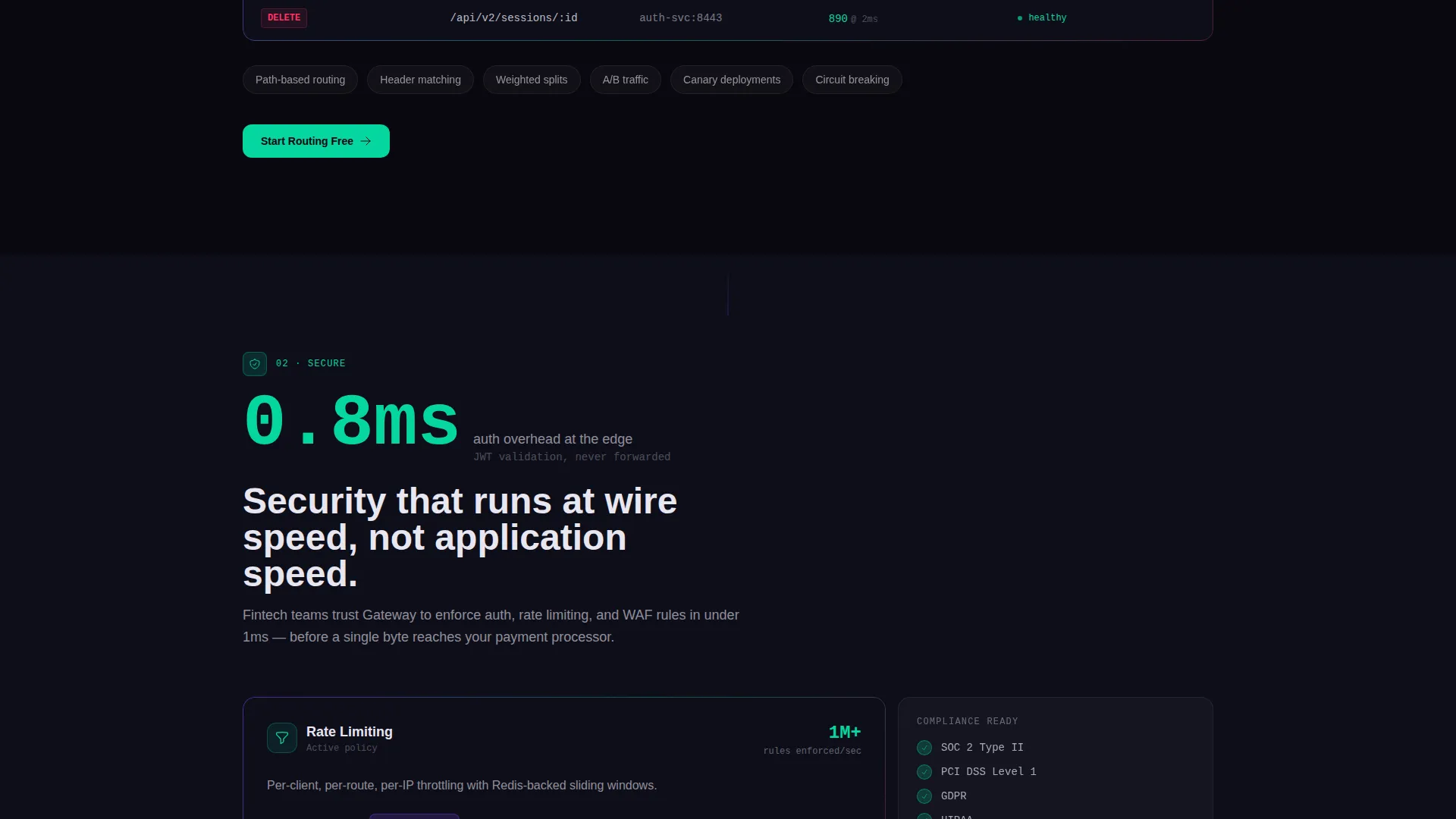
Every spoke section opens with its own headline metric before presenting its feature content. This structure escalates the story from individual request handling all the way to global fleet orchestration.
Two-Step Progressive Disclosure Form
Step one collects a work email and estimated monthly API call volume using a dropdown with three tiers: under 1 million, 1 to 100 million, and 100 million-plus. Step two reveals a calendar embed for a live architecture review session.
Secondary Self-Serve Path
An "Explore the Docs" call-to-action gives self-serve engineers a lower-friction conversion path. It sits alongside the primary "Start Routing Free" button so no visitor is left without a next step.
Page sections overview
| Section | Purpose |
|---|---|
| Animated header screenshot | Opens with live dashboard showing real-time traffic flow |
| Stats ticker bar | Delivers four enterprise-scale proof numbers on scroll |
| Route spoke section | Covers request routing and traffic control features |
| Secure spoke section | Covers authentication and policy enforcement at the edge |
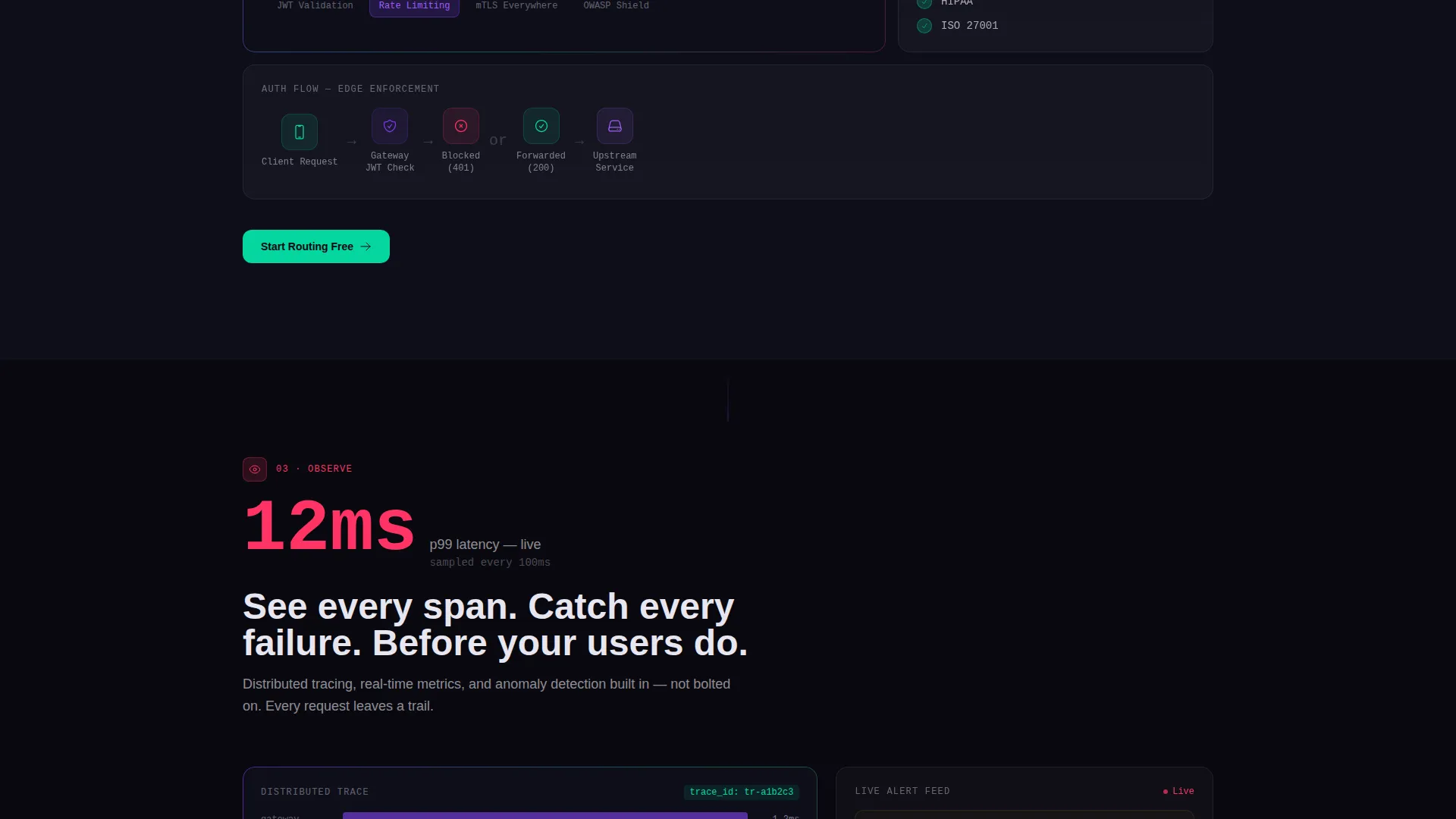
| Observe spoke section | Covers monitoring, latency tracking, and failure detection |
| Scale spoke section | Covers horizontal scaling and high-volume traffic handling |
| Deploy spoke section | Covers deployment options and fleet orchestration |
| Lead generation form | Two-step form with calendar embed for architecture review |
Design & branding system
The visual identity follows a Dynamic Motion theme built on an AI Iridescent color system. The palette feels like staring into a holographic chip tilted under light. Colors shift with context rather than decoration.
- Void black (#09090F) forms the primary canvas; all backgrounds stay in this space so interactive elements stand out
- Shifting violet (#7C3AED) handles primary actions and graph accents; plasma teal (#06D6A0) marks success states and upward metrics; signal rose (#FF3366) flags latency spikes and error indicators
- Pearlescent white (#E8E6F0) is used for body text, creating a shimmer against the dark field
Mobile & speed optimization
The template is structured with a disciplined motion approach. Animations are constant but controlled, ensuring the page remains navigable even on smaller viewports.
- Graphs draw themselves on scroll entry; topology nodes light up on hover; code blocks type out in real time, keeping motion purposeful rather than decorative
- The anchor navigation stays pinned across all scroll positions, giving mobile visitors fast access to any spoke section without losing context
How this template helps you convert
The conversion architecture builds trust before it asks for anything. By the time a visitor reaches the form, they have already seen proof of scale.
- The animated product screenshot and ticker bar establish platform credibility within the first viewport, removing the need for visitors to take claims on faith.
- The pinned "Start Routing Free" call-to-action in plasma teal follows visitors through every spoke section, so the moment they feel ready, the action is always one tap away.
- The two-step form reduces friction by asking only for email and traffic volume first, then revealing the calendar embed, making the path to a live architecture review feel earned rather than forced.
Other information about this template
This template is categorized under Technology, within the Developer Tools and API subcategory, with a specific niche focus on API gateway and management platforms. It is a strong fit for companies positioning themselves in a competitive infrastructure market.
- The Intersection Match Score for this template is 13, indicating a strong alignment between the template style, creative direction, and niche context
- The template style is Hub and Spoke with Anchor Navigation, a layout pattern well suited to platforms with multiple distinct capability areas that each deserve their own proof section
- The header concept is classified as Product Screenshot, meaning the design framework prioritizes showing the actual product interface over illustrative or abstract visuals
Theme
Dynamic Motion
Creative direction
Stats-First Impact
Color system
AI Iridescent
Style
Hub & Spoke (Anchor Nav)
Direction
Lead Generation
Page Sections
Animated Product Screenshot Header
Stats-first Ticker Bar
Hub and Spoke Anchor Navigation
Per-spoke Hero Metrics
Two-step Progressive Disclosure Form
Secondary Self-serve Path
Related questions
What is the page structure of this template?
Can I adapt this template for a different API tool or developer platform?
What does the two-step lead generation form collect?
Who is the primary call-to-action aimed at?
What drives the animated elements in this template?



