Payment API Landing Page Template for Developer Teams
Gateway is a hub-and-spoke landing page template built for payment API and gateway platforms. It combines an interactive explorer layout with a dark terminal aesthetic to showcase multi-processor routing, fraud controls, payout rails, and local payment methods. Designed for developer-focused lead generation, it guides engineering leads and fintech decision-makers from first click to API key request.
by Rocket studio
Quick summary
Gateway is a single-page, anchor-nav landing page template for payment API and gateway platforms. It uses an interactive explorer layout to let visitors filter, toggle, and discover capabilities before committing to a form. The dark terminal color system and developer-friendly tone speak directly to engineering leads, fintech CTOs, and marketplace founders who need clarity fast.
Who this template is for
This template is built for technical and business decision-makers in the payments space. If your product sits between a checkout button and settled funds, this template communicates your value precisely.
- Engineering leads at mid-market SaaS platforms who need a clean integration story
- Fintech CTOs rolling out local payment methods across multiple markets
- Marketplace founders managing high-volume, nightly payouts to thousands of sellers
What problem this template solves
Payment API platforms are complex by nature, but most landing pages oversimplify or overwhelm. Visitors either leave confused or unconvinced. This template solves that by making the product's logic visible and interactive before asking for anything.
- Visitors explore capabilities through live-feeling interactive modules instead of reading static feature bullets
- The anchor navigation lets engineers jump directly to the spoke that matters to them
- The two-step lead form qualifies prospects by volume and timeline without friction
What you get with this template
You get a fully structured, single-page layout built around a hub-and-spoke anchor navigation system. Every section is a self-contained module with its own interactive element and a clear call to action.
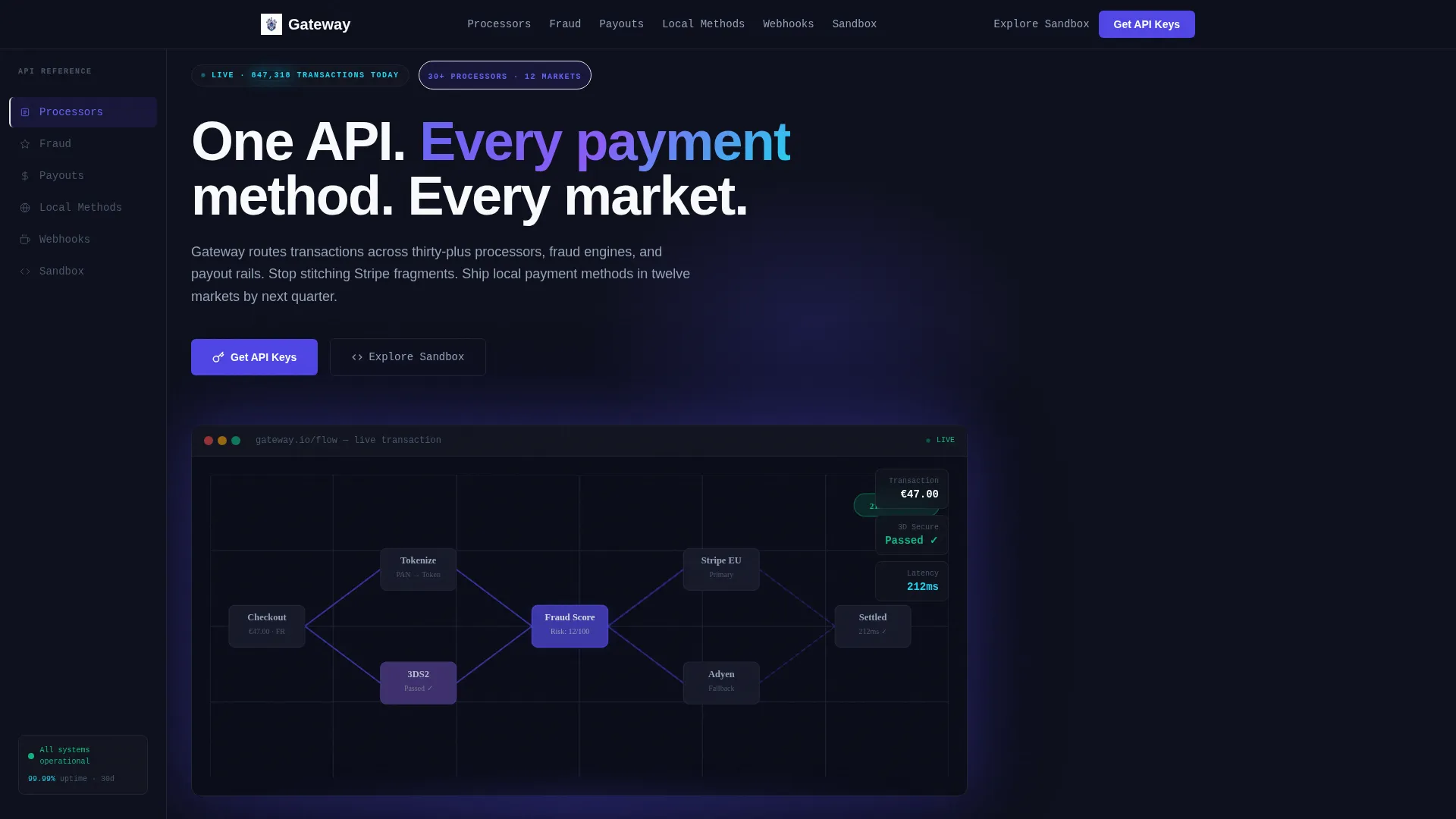
- A full-width product screenshot header showing a live payment flow diagram with real-looking transaction data
- Six interactive spoke sections covering Processors, Fraud, Payouts, Local Methods, Webhooks, and Sandbox
- A dual conversion path: a two-step "Get API Keys" form and a direct "Explore Sandbox" entry point
Feature list
This template is built around six purpose-driven sections and a persistent navigation system. Each element below is defined directly by the template's design and interaction brief.
Persistent Anchor Navigation Rail
A fixed left-rail navigation lists all six spoke sections. Clicking any anchor smooth-scrolls the visitor to that module. The indigo highlight tracks the active section as the user scrolls, making the page feel like a well-indexed reference document.
Interactive Processor Grid
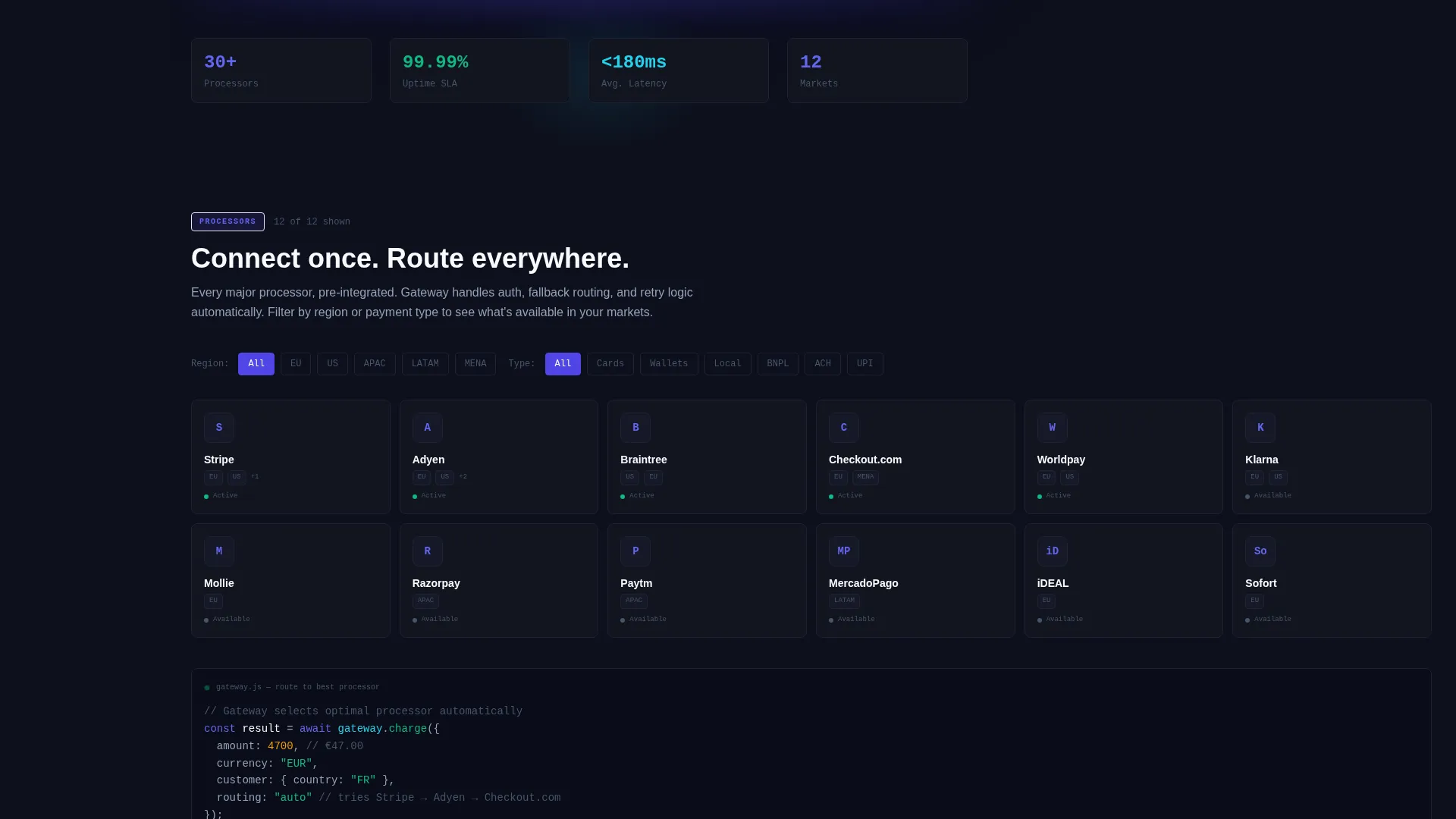
The Processors spoke includes a filterable grid of payment processor tiles. Visitors can filter by region, method type, or currency to discover which processors the platform connects. This turns a static capability list into a hands-on discovery tool.
Drag-to-Adjust Risk Slider
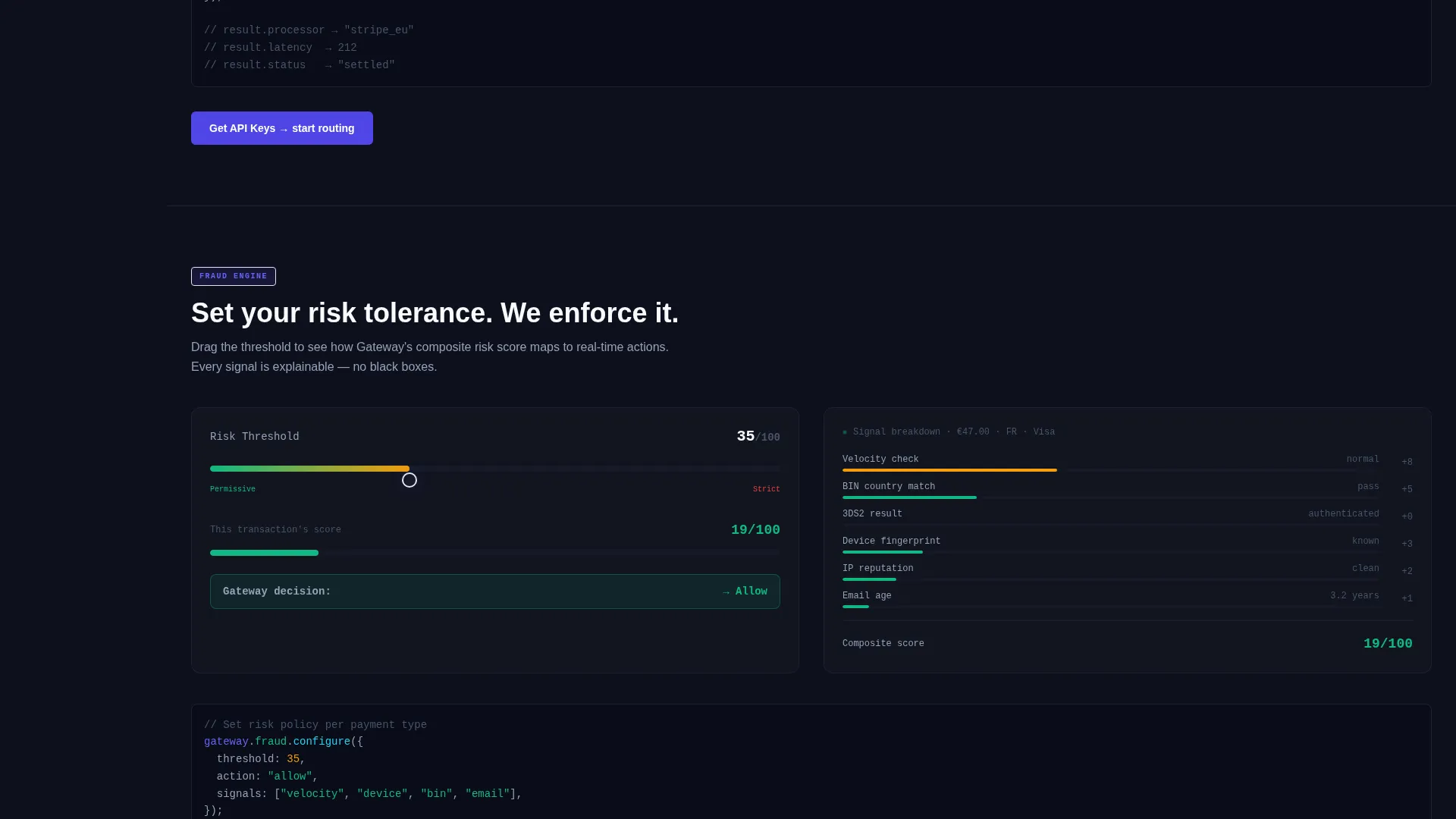
The Fraud spoke features a drag-to-adjust risk threshold slider. Moving it reveals how the fraud scoring engine would respond at different sensitivity levels. Visitors feel the control logic directly rather than reading about it.
Country Picker with Local Payment Logos
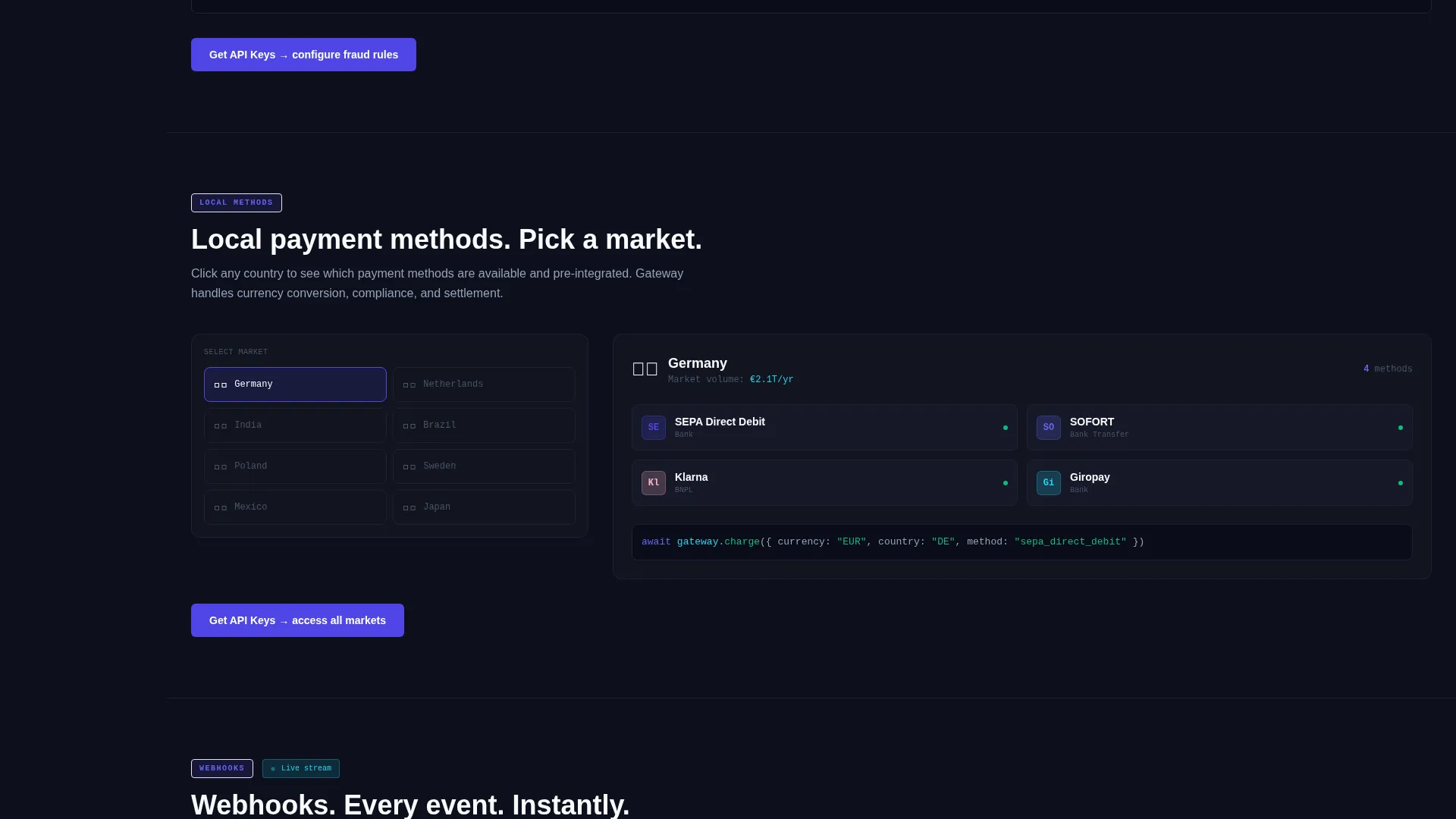
The Local Methods spoke includes a country picker. Selecting a market reveals the local payment method logos available there. This is especially effective for CTOs validating coverage across twelve or more markets before a procurement conversation.
Live Webhook Event Stream
The Webhooks spoke displays a live-style event stream showing simulated transaction events in real time. It communicates reliability and developer ergonomics without a single line of documentation copy.
Two-Step Lead Capture Form
The primary conversion element is a two-step form. Step one captures work email and estimated monthly transaction volume via a dropdown. Step two asks about the visitor's current processor and integration timeline. This qualifies leads before they reach the sales team.
Page sections overview
| Section | Purpose |
|---|---|
| Full-Width Header | Anchor the page with a product screenshot showing a live payment flow diagram |
| Anchor Nav Rail | Provide persistent jump links to all six spoke sections |
| Processors Spoke | Let visitors filter and explore the processor connection grid |
| Fraud Spoke | Showcase risk threshold control via an interactive slider |
| Payouts Spoke | Explain payout rail routing and nightly settlement capabilities |
| Local Methods Spoke | Reveal market-specific payment logos through a country picker |
| Webhooks Spoke | Display a simulated live event stream for developer confidence |
| Sandbox Spoke | Offer a direct test environment entry point with email capture on first API call |
| Get API Keys Form | Qualify and convert visitors through a two-step lead generation form |
Design & branding system
The visual identity follows a Directory and Discovery theme built on an Electric Indigo color system. The palette is engineered to feel precise and luminous, like a code editor at full brightness against a dark background.
- Deep terminal black (#0D0F1C) holds the background across all sections, with chalk white (#F8FAFC) used for body text and documentation-style labels
- Electric indigo (#4F46E5) drives the anchor nav, interactive state highlights, and primary call-to-action buttons
- Signal cyan (#22D3EE) appears only on live data accents such as transaction counters, status badges, and toggle confirmations
Mobile & speed optimization
The template is structured to remain navigable and readable on smaller screens. The anchor nav and interactive modules are designed with touch interaction in mind.
- The persistent left-rail nav adapts to a top-anchored or collapsed format on mobile viewports
- Interactive elements such as the country picker and risk slider are sized and spaced for touch input
- The isometric product screenshot in the header is cropped and scaled to maintain visual impact at reduced widths
How this template helps you convert
The conversion strategy is built into the page structure itself. Visitors interact with the product's logic before they ever see a form, which means intent is higher by the time they reach the call to action.
- Each spoke section ends with a "Get API Keys" call to action, so conversion opportunities appear naturally throughout the scroll rather than only at the bottom
- The "Explore Sandbox" secondary path captures engineer emails on first API call, creating a low-friction entry point for technical evaluators who resist forms
Other information about this template
This template is part of a broader set of developer-tool and API-focused landing page designs. It is particularly well suited for platforms positioning against fragmented multi-processor setups.
- The template style is Hub and Spoke with anchor navigation, making it easy to extend with additional spoke sections as the product grows
- The header creative direction uses a Product Screenshot concept, with a payment flow diagram rendered at an isometric tilt and a soft indigo glow beneath it
- The Interactive Explorer creative direction means visitors discover capabilities through clicking, filtering, and toggling rather than passive reading
- The lead generation direction is reinforced by a pinned "Get API Keys" button in the top navigation and repeated at each spoke's conclusion
- This template is categorized under Technology, Developer Tools and API, and the Payment API and Gateway niche
Theme
Directory & Discovery
Creative direction
Interactive Explorer
Color system
Electric Indigo
Style
Hub & Spoke (Anchor Nav)
Direction
Lead Generation
Page Sections
Hub and Spoke Anchor Navigation
Interactive Processor Discovery Grid
Drag-to-adjust Fraud Threshold Slider
Country Picker for Local Payment Methods
Live-style Webhook Event Stream
Two-step Qualifying Lead Form
Related questions
Who is the primary audience for this template?
Can I add more spoke sections beyond the default six?
How does the sandbox conversion path work?
What does the two-step lead form collect?
What visual style does this template use?



